

cv namespace#
Core functionality » Utility and system functions and macros » Logging facilities | Core functionality » Utility and system functions and macros | Point Cloud Processing
Namespaces#
Namespace |
|---|
Classes#
Enumerations#
Video Acceleration type.
enum cv::VideoAccelerationType {
cv::VIDEO_ACCELERATION_NONE = 0,
cv::VIDEO_ACCELERATION_ANY = 1,
cv::VIDEO_ACCELERATION_D3D11 = 2,
cv::VIDEO_ACCELERATION_VAAPI = 3,
cv::VIDEO_ACCELERATION_MFX = 4,
cv::VIDEO_ACCELERATION_DRM = 5
}
Modes of the IEEE 1394 controlling registers (can be: auto, manual, auto single push, absolute Latter allowed with any other mode) every feature can have only one mode turned on at a time.
enum cv {
CAP_PROP_DC1394_OFF = -4,
CAP_PROP_DC1394_MODE_MANUAL = -3,
CAP_PROP_DC1394_MODE_AUTO = -2,
CAP_PROP_DC1394_MODE_ONE_PUSH_AUTO = -1,
CAP_PROP_DC1394_MAX = 31
}
OpenNI map generators.
enum cv {
CAP_OPENNI_DEPTH_GENERATOR = 1 << 31,
CAP_OPENNI_IMAGE_GENERATOR = 1 << 30,
CAP_OPENNI_IR_GENERATOR = 1 << 29,
CAP_OPENNI_GENERATORS_MASK = CAP_OPENNI_DEPTH_GENERATOR + CAP_OPENNI_IMAGE_GENERATOR + CAP_OPENNI_IR_GENERATOR
}
Properties of cameras available through OpenNI backend.
enum cv {
CAP_PROP_OPENNI_OUTPUT_MODE = 100,
CAP_PROP_OPENNI_FRAME_MAX_DEPTH = 101,
CAP_PROP_OPENNI_BASELINE = 102,
CAP_PROP_OPENNI_FOCAL_LENGTH = 103,
CAP_PROP_OPENNI_REGISTRATION = 104,
CAP_PROP_OPENNI_REGISTRATION_ON = CAP_PROP_OPENNI_REGISTRATION,
CAP_PROP_OPENNI_APPROX_FRAME_SYNC = 105,
CAP_PROP_OPENNI_MAX_BUFFER_SIZE = 106,
CAP_PROP_OPENNI_CIRCLE_BUFFER = 107,
CAP_PROP_OPENNI_MAX_TIME_DURATION = 108,
CAP_PROP_OPENNI_GENERATOR_PRESENT = 109,
CAP_PROP_OPENNI2_SYNC = 110,
CAP_PROP_OPENNI2_MIRROR = 111
}
OpenNI shortcuts.
enum cv {
CAP_OPENNI_IMAGE_GENERATOR_PRESENT = +CAP_OPENNI_IMAGE_GENERATOR + CAP_PROP_OPENNI_GENERATOR_PRESENT,
CAP_OPENNI_IMAGE_GENERATOR_OUTPUT_MODE = +CAP_OPENNI_IMAGE_GENERATOR + CAP_PROP_OPENNI_OUTPUT_MODE,
CAP_OPENNI_DEPTH_GENERATOR_PRESENT = +CAP_OPENNI_DEPTH_GENERATOR + CAP_PROP_OPENNI_GENERATOR_PRESENT,
CAP_OPENNI_DEPTH_GENERATOR_BASELINE = +CAP_OPENNI_DEPTH_GENERATOR + CAP_PROP_OPENNI_BASELINE,
CAP_OPENNI_DEPTH_GENERATOR_FOCAL_LENGTH = +CAP_OPENNI_DEPTH_GENERATOR + CAP_PROP_OPENNI_FOCAL_LENGTH,
CAP_OPENNI_DEPTH_GENERATOR_REGISTRATION = +CAP_OPENNI_DEPTH_GENERATOR + CAP_PROP_OPENNI_REGISTRATION,
CAP_OPENNI_DEPTH_GENERATOR_REGISTRATION_ON = CAP_OPENNI_DEPTH_GENERATOR_REGISTRATION,
CAP_OPENNI_IR_GENERATOR_PRESENT = +CAP_OPENNI_IR_GENERATOR + CAP_PROP_OPENNI_GENERATOR_PRESENT
}
OpenNI data given from depth generator.
enum cv {
CAP_OPENNI_DEPTH_MAP = 0,
CAP_OPENNI_POINT_CLOUD_MAP = 1,
CAP_OPENNI_DISPARITY_MAP = 2,
CAP_OPENNI_DISPARITY_MAP_32F = 3,
CAP_OPENNI_VALID_DEPTH_MASK = 4,
CAP_OPENNI_BGR_IMAGE = 5,
CAP_OPENNI_GRAY_IMAGE = 6,
CAP_OPENNI_IR_IMAGE = 7
}
Supported output modes of OpenNI image generator.
enum cv {
CAP_OPENNI_VGA_30HZ = 0,
CAP_OPENNI_SXGA_15HZ = 1,
CAP_OPENNI_SXGA_30HZ = 2,
CAP_OPENNI_QVGA_30HZ = 3,
CAP_OPENNI_QVGA_60HZ = 4
}
enum cv {
CAP_PROP_GSTREAMER_QUEUE_LENGTH = 200
}
PVAPI.
enum cv {
CAP_PROP_PVAPI_MULTICASTIP = 300,
CAP_PROP_PVAPI_FRAMESTARTTRIGGERMODE = 301,
CAP_PROP_PVAPI_DECIMATIONHORIZONTAL = 302,
CAP_PROP_PVAPI_DECIMATIONVERTICAL = 303,
CAP_PROP_PVAPI_BINNINGX = 304,
CAP_PROP_PVAPI_BINNINGY = 305,
CAP_PROP_PVAPI_PIXELFORMAT = 306
}
PVAPI: FrameStartTriggerMode.
enum cv {
CAP_PVAPI_FSTRIGMODE_FREERUN = 0,
CAP_PVAPI_FSTRIGMODE_SYNCIN1 = 1,
CAP_PVAPI_FSTRIGMODE_SYNCIN2 = 2,
CAP_PVAPI_FSTRIGMODE_FIXEDRATE = 3,
CAP_PVAPI_FSTRIGMODE_SOFTWARE = 4
}
PVAPI: DecimationHorizontal, DecimationVertical.
enum cv {
CAP_PVAPI_DECIMATION_OFF = 1,
CAP_PVAPI_DECIMATION_2OUTOF4 = 2,
CAP_PVAPI_DECIMATION_2OUTOF8 = 4,
CAP_PVAPI_DECIMATION_2OUTOF16 = 8
}
PVAPI: PixelFormat.
enum cv {
CAP_PVAPI_PIXELFORMAT_MONO8 = 1,
CAP_PVAPI_PIXELFORMAT_MONO16 = 2,
CAP_PVAPI_PIXELFORMAT_BAYER8 = 3,
CAP_PVAPI_PIXELFORMAT_BAYER16 = 4,
CAP_PVAPI_PIXELFORMAT_RGB24 = 5,
CAP_PVAPI_PIXELFORMAT_BGR24 = 6,
CAP_PVAPI_PIXELFORMAT_RGBA32 = 7,
CAP_PVAPI_PIXELFORMAT_BGRA32 = 8
}
Properties of cameras available through XIMEA SDK backend.
enum cv {
CAP_PROP_XI_DOWNSAMPLING = 400,
CAP_PROP_XI_DATA_FORMAT = 401,
CAP_PROP_XI_OFFSET_X = 402,
CAP_PROP_XI_OFFSET_Y = 403,
CAP_PROP_XI_TRG_SOURCE = 404,
CAP_PROP_XI_TRG_SOFTWARE = 405,
CAP_PROP_XI_GPI_SELECTOR = 406,
CAP_PROP_XI_GPI_MODE = 407,
CAP_PROP_XI_GPI_LEVEL = 408,
CAP_PROP_XI_GPO_SELECTOR = 409,
CAP_PROP_XI_GPO_MODE = 410,
CAP_PROP_XI_LED_SELECTOR = 411,
CAP_PROP_XI_LED_MODE = 412,
CAP_PROP_XI_MANUAL_WB = 413,
CAP_PROP_XI_AUTO_WB = 414,
CAP_PROP_XI_AEAG = 415,
CAP_PROP_XI_EXP_PRIORITY = 416,
CAP_PROP_XI_AE_MAX_LIMIT = 417,
CAP_PROP_XI_AG_MAX_LIMIT = 418,
CAP_PROP_XI_AEAG_LEVEL = 419,
CAP_PROP_XI_TIMEOUT = 420,
CAP_PROP_XI_EXPOSURE = 421,
CAP_PROP_XI_EXPOSURE_BURST_COUNT = 422,
CAP_PROP_XI_GAIN_SELECTOR = 423,
CAP_PROP_XI_GAIN = 424,
CAP_PROP_XI_DOWNSAMPLING_TYPE = 426,
CAP_PROP_XI_BINNING_SELECTOR = 427,
CAP_PROP_XI_BINNING_VERTICAL = 428,
CAP_PROP_XI_BINNING_HORIZONTAL = 429,
CAP_PROP_XI_BINNING_PATTERN = 430,
CAP_PROP_XI_DECIMATION_SELECTOR = 431,
CAP_PROP_XI_DECIMATION_VERTICAL = 432,
CAP_PROP_XI_DECIMATION_HORIZONTAL = 433,
CAP_PROP_XI_DECIMATION_PATTERN = 434,
CAP_PROP_XI_TEST_PATTERN_GENERATOR_SELECTOR = 587,
CAP_PROP_XI_TEST_PATTERN = 588,
CAP_PROP_XI_IMAGE_DATA_FORMAT = 435,
CAP_PROP_XI_SHUTTER_TYPE = 436,
CAP_PROP_XI_SENSOR_TAPS = 437,
CAP_PROP_XI_AEAG_ROI_OFFSET_X = 439,
CAP_PROP_XI_AEAG_ROI_OFFSET_Y = 440,
CAP_PROP_XI_AEAG_ROI_WIDTH = 441,
CAP_PROP_XI_AEAG_ROI_HEIGHT = 442,
CAP_PROP_XI_BPC = 445,
CAP_PROP_XI_WB_KR = 448,
CAP_PROP_XI_WB_KG = 449,
CAP_PROP_XI_WB_KB = 450,
CAP_PROP_XI_WIDTH = 451,
CAP_PROP_XI_HEIGHT = 452,
CAP_PROP_XI_REGION_SELECTOR = 589,
CAP_PROP_XI_REGION_MODE = 595,
CAP_PROP_XI_LIMIT_BANDWIDTH = 459,
CAP_PROP_XI_SENSOR_DATA_BIT_DEPTH = 460,
CAP_PROP_XI_OUTPUT_DATA_BIT_DEPTH = 461,
CAP_PROP_XI_IMAGE_DATA_BIT_DEPTH = 462,
CAP_PROP_XI_OUTPUT_DATA_PACKING = 463,
CAP_PROP_XI_OUTPUT_DATA_PACKING_TYPE = 464,
CAP_PROP_XI_IS_COOLED = 465,
CAP_PROP_XI_COOLING = 466,
CAP_PROP_XI_TARGET_TEMP = 467,
CAP_PROP_XI_CHIP_TEMP = 468,
CAP_PROP_XI_HOUS_TEMP = 469,
CAP_PROP_XI_HOUS_BACK_SIDE_TEMP = 590,
CAP_PROP_XI_SENSOR_BOARD_TEMP = 596,
CAP_PROP_XI_CMS = 470,
CAP_PROP_XI_APPLY_CMS = 471,
CAP_PROP_XI_IMAGE_IS_COLOR = 474,
CAP_PROP_XI_COLOR_FILTER_ARRAY = 475,
CAP_PROP_XI_GAMMAY = 476,
CAP_PROP_XI_GAMMAC = 477,
CAP_PROP_XI_SHARPNESS = 478,
CAP_PROP_XI_CC_MATRIX_00 = 479,
CAP_PROP_XI_CC_MATRIX_01 = 480,
CAP_PROP_XI_CC_MATRIX_02 = 481,
CAP_PROP_XI_CC_MATRIX_03 = 482,
CAP_PROP_XI_CC_MATRIX_10 = 483,
CAP_PROP_XI_CC_MATRIX_11 = 484,
CAP_PROP_XI_CC_MATRIX_12 = 485,
CAP_PROP_XI_CC_MATRIX_13 = 486,
CAP_PROP_XI_CC_MATRIX_20 = 487,
CAP_PROP_XI_CC_MATRIX_21 = 488,
CAP_PROP_XI_CC_MATRIX_22 = 489,
CAP_PROP_XI_CC_MATRIX_23 = 490,
CAP_PROP_XI_CC_MATRIX_30 = 491,
CAP_PROP_XI_CC_MATRIX_31 = 492,
CAP_PROP_XI_CC_MATRIX_32 = 493,
CAP_PROP_XI_CC_MATRIX_33 = 494,
CAP_PROP_XI_DEFAULT_CC_MATRIX = 495,
CAP_PROP_XI_TRG_SELECTOR = 498,
CAP_PROP_XI_ACQ_FRAME_BURST_COUNT = 499,
CAP_PROP_XI_DEBOUNCE_EN = 507,
CAP_PROP_XI_DEBOUNCE_T0 = 508,
CAP_PROP_XI_DEBOUNCE_T1 = 509,
CAP_PROP_XI_DEBOUNCE_POL = 510,
CAP_PROP_XI_LENS_MODE = 511,
CAP_PROP_XI_LENS_APERTURE_VALUE = 512,
CAP_PROP_XI_LENS_FOCUS_MOVEMENT_VALUE = 513,
CAP_PROP_XI_LENS_FOCUS_MOVE = 514,
CAP_PROP_XI_LENS_FOCUS_DISTANCE = 515,
CAP_PROP_XI_LENS_FOCAL_LENGTH = 516,
CAP_PROP_XI_LENS_FEATURE_SELECTOR = 517,
CAP_PROP_XI_LENS_FEATURE = 518,
CAP_PROP_XI_DEVICE_MODEL_ID = 521,
CAP_PROP_XI_DEVICE_SN = 522,
CAP_PROP_XI_IMAGE_DATA_FORMAT_RGB32_ALPHA = 529,
CAP_PROP_XI_IMAGE_PAYLOAD_SIZE = 530,
CAP_PROP_XI_TRANSPORT_PIXEL_FORMAT = 531,
CAP_PROP_XI_SENSOR_CLOCK_FREQ_HZ = 532,
CAP_PROP_XI_SENSOR_CLOCK_FREQ_INDEX = 533,
CAP_PROP_XI_SENSOR_OUTPUT_CHANNEL_COUNT = 534,
CAP_PROP_XI_FRAMERATE = 535,
CAP_PROP_XI_COUNTER_SELECTOR = 536,
CAP_PROP_XI_COUNTER_VALUE = 537,
CAP_PROP_XI_ACQ_TIMING_MODE = 538,
CAP_PROP_XI_AVAILABLE_BANDWIDTH = 539,
CAP_PROP_XI_BUFFER_POLICY = 540,
CAP_PROP_XI_LUT_EN = 541,
CAP_PROP_XI_LUT_INDEX = 542,
CAP_PROP_XI_LUT_VALUE = 543,
CAP_PROP_XI_TRG_DELAY = 544,
CAP_PROP_XI_TS_RST_MODE = 545,
CAP_PROP_XI_TS_RST_SOURCE = 546,
CAP_PROP_XI_IS_DEVICE_EXIST = 547,
CAP_PROP_XI_ACQ_BUFFER_SIZE = 548,
CAP_PROP_XI_ACQ_BUFFER_SIZE_UNIT = 549,
CAP_PROP_XI_ACQ_TRANSPORT_BUFFER_SIZE = 550,
CAP_PROP_XI_BUFFERS_QUEUE_SIZE = 551,
CAP_PROP_XI_ACQ_TRANSPORT_BUFFER_COMMIT = 552,
CAP_PROP_XI_RECENT_FRAME = 553,
CAP_PROP_XI_DEVICE_RESET = 554,
CAP_PROP_XI_COLUMN_FPN_CORRECTION = 555,
CAP_PROP_XI_ROW_FPN_CORRECTION = 591,
CAP_PROP_XI_SENSOR_MODE = 558,
CAP_PROP_XI_HDR = 559,
CAP_PROP_XI_HDR_KNEEPOINT_COUNT = 560,
CAP_PROP_XI_HDR_T1 = 561,
CAP_PROP_XI_HDR_T2 = 562,
CAP_PROP_XI_KNEEPOINT1 = 563,
CAP_PROP_XI_KNEEPOINT2 = 564,
CAP_PROP_XI_IMAGE_BLACK_LEVEL = 565,
CAP_PROP_XI_HW_REVISION = 571,
CAP_PROP_XI_DEBUG_LEVEL = 572,
CAP_PROP_XI_AUTO_BANDWIDTH_CALCULATION = 573,
CAP_PROP_XI_FFS_FILE_ID = 594,
CAP_PROP_XI_FFS_FILE_SIZE = 580,
CAP_PROP_XI_FREE_FFS_SIZE = 581,
CAP_PROP_XI_USED_FFS_SIZE = 582,
CAP_PROP_XI_FFS_ACCESS_KEY = 583,
CAP_PROP_XI_SENSOR_FEATURE_SELECTOR = 585,
CAP_PROP_XI_SENSOR_FEATURE_VALUE = 586
}
Properties of cameras available through ARAVIS backend.
enum cv {
CAP_PROP_ARAVIS_AUTOTRIGGER = 600
}
Properties of cameras available through NDK Camera API backend.
enum cv {
CAP_PROP_ANDROID_DEVICE_TORCH = 8001
}
Properties of cameras available through AVFOUNDATION backend.
enum cv {
CAP_PROP_IOS_DEVICE_FOCUS = 9001,
CAP_PROP_IOS_DEVICE_EXPOSURE = 9002,
CAP_PROP_IOS_DEVICE_FLASH = 9003,
CAP_PROP_IOS_DEVICE_WHITEBALANCE = 9004,
CAP_PROP_IOS_DEVICE_TORCH = 9005
}
Properties of cameras available through Smartek Giganetix Ethernet Vision backend.
enum cv {
CAP_PROP_GIGA_FRAME_OFFSET_X = 10001,
CAP_PROP_GIGA_FRAME_OFFSET_Y = 10002,
CAP_PROP_GIGA_FRAME_WIDTH_MAX = 10003,
CAP_PROP_GIGA_FRAME_HEIGHT_MAX = 10004,
CAP_PROP_GIGA_FRAME_HEIGH_MAX = CAP_PROP_GIGA_FRAME_HEIGHT_MAX,
CAP_PROP_GIGA_FRAME_SENS_WIDTH = 10005,
CAP_PROP_GIGA_FRAME_SENS_HEIGHT = 10006,
CAP_PROP_GIGA_FRAME_SENS_HEIGH = CAP_PROP_GIGA_FRAME_SENS_HEIGHT
}
enum cv {
CAP_PROP_INTELPERC_PROFILE_COUNT = 11001,
CAP_PROP_INTELPERC_PROFILE_IDX = 11002,
CAP_PROP_INTELPERC_DEPTH_LOW_CONFIDENCE_VALUE = 11003,
CAP_PROP_INTELPERC_DEPTH_SATURATION_VALUE = 11004,
CAP_PROP_INTELPERC_DEPTH_CONFIDENCE_THRESHOLD = 11005,
CAP_PROP_INTELPERC_DEPTH_FOCAL_LENGTH_HORZ = 11006,
CAP_PROP_INTELPERC_DEPTH_FOCAL_LENGTH_VERT = 11007
}
Intel Perceptual Streams.
enum cv {
CAP_INTELPERC_DEPTH_GENERATOR = 1 << 29,
CAP_INTELPERC_IMAGE_GENERATOR = 1 << 28,
CAP_INTELPERC_IR_GENERATOR = 1 << 27,
CAP_INTELPERC_GENERATORS_MASK = CAP_INTELPERC_DEPTH_GENERATOR + CAP_INTELPERC_IMAGE_GENERATOR + CAP_INTELPERC_IR_GENERATOR
}
enum cv {
CAP_INTELPERC_DEPTH_MAP = 0,
CAP_INTELPERC_UVDEPTH_MAP = 1,
CAP_INTELPERC_IR_MAP = 2,
CAP_INTELPERC_IMAGE = 3
}
gPhoto2 properties
enum cv {
CAP_PROP_GPHOTO2_PREVIEW = 17001,
CAP_PROP_GPHOTO2_WIDGET_ENUMERATE = 17002,
CAP_PROP_GPHOTO2_RELOAD_CONFIG = 17003,
CAP_PROP_GPHOTO2_RELOAD_ON_CHANGE = 17004,
CAP_PROP_GPHOTO2_COLLECT_MSGS = 17005,
CAP_PROP_GPHOTO2_FLUSH_MSGS = 17006,
CAP_PROP_SPEED = 17007,
CAP_PROP_APERTURE = 17008,
CAP_PROP_EXPOSUREPROGRAM = 17009,
CAP_PROP_VIEWFINDER = 17010
}
Images backend properties.
enum cv {
CAP_PROP_IMAGES_BASE = 18000,
CAP_PROP_IMAGES_LAST = 19000
}
OBSENSOR data given from image generator.
enum cv::VideoCaptureOBSensorDataType {
cv::CAP_OBSENSOR_DEPTH_MAP = 0,
cv::CAP_OBSENSOR_BGR_IMAGE = 1,
cv::CAP_OBSENSOR_IR_IMAGE = 2
}
OBSENSOR stream generator.
enum cv::VideoCaptureOBSensorGenerators {
cv::CAP_OBSENSOR_DEPTH_GENERATOR = 1 << 29,
cv::CAP_OBSENSOR_IMAGE_GENERATOR = 1 << 28,
cv::CAP_OBSENSOR_IR_GENERATOR = 1 << 27,
cv::CAP_OBSENSOR_GENERATORS_MASK = CAP_OBSENSOR_DEPTH_GENERATOR + CAP_OBSENSOR_IMAGE_GENERATOR + CAP_OBSENSOR_IR_GENERATOR
}
OBSENSOR properties.
enum cv::VideoCaptureOBSensorProperties {
cv::CAP_PROP_OBSENSOR_INTRINSIC_FX =26001,
cv::CAP_PROP_OBSENSOR_INTRINSIC_FY =26002,
cv::CAP_PROP_OBSENSOR_INTRINSIC_CX =26003,
cv::CAP_PROP_OBSENSOR_INTRINSIC_CY =26004,
cv::CAP_PROP_OBSENSOR_RGB_POS_MSEC =26005,
cv::CAP_PROP_OBSENSOR_DEPTH_POS_MSEC =26006,
cv::CAP_PROP_OBSENSOR_DEPTH_WIDTH =26007,
cv::CAP_PROP_OBSENSOR_DEPTH_HEIGHT =26008,
cv::CAP_PROP_OBSENSOR_DEPTH_FPS =26009,
cv::CAP_PROP_OBSENSOR_COLOR_DISTORTION_K1 =26010,
cv::CAP_PROP_OBSENSOR_COLOR_DISTORTION_K2 =26011,
cv::CAP_PROP_OBSENSOR_COLOR_DISTORTION_K3 =26012,
cv::CAP_PROP_OBSENSOR_COLOR_DISTORTION_K4 =26013,
cv::CAP_PROP_OBSENSOR_COLOR_DISTORTION_K5 =26014,
cv::CAP_PROP_OBSENSOR_COLOR_DISTORTION_K6 =26015,
cv::CAP_PROP_OBSENSOR_COLOR_DISTORTION_P1 =26016,
cv::CAP_PROP_OBSENSOR_COLOR_DISTORTION_P2 =26017
}
enum cv {
STEREO_ZERO_DISPARITY =0x00400
}
enum cv {
COLORSPACE_GRAY =0,
COLORSPACE_RGBA =1,
COLORSPACE_BGR =2,
COLORSPACE_YUV444P =3
}
enum cv::Codecs {
cv::MJPEG
}
enum class cv::MediaFormat {
cv::MediaFormat::BGR = 0,
cv::MediaFormat::NV12,
cv::MediaFormat::GRAY
}
enum cv::StreamType {
cv::db,
cv::dc,
cv::pc,
cv::wb
}
Face culling settings: what faces are drawn after face culling.
enum cv::TriangleCullingMode {
cv::RASTERIZE_CULLING_NONE = 0,
cv::RASTERIZE_CULLING_CW = 1,
cv::RASTERIZE_CULLING_CCW = 2
}
GL compatibility settings.
enum cv::TriangleGlCompatibleMode {
cv::RASTERIZE_COMPAT_DISABLED = 0,
cv::RASTERIZE_COMPAT_INVDEPTH = 1
}
Triangle fill settings.
enum cv::TriangleShadingType {
cv::RASTERIZE_SHADING_WHITE = 0,
cv::RASTERIZE_SHADING_FLAT = 1,
cv::RASTERIZE_SHADING_SHADED = 2
}
enum cv {
CALIB_USE_INTRINSIC_GUESS = 0x00001,
CALIB_FIX_ASPECT_RATIO = 0x00002,
CALIB_FIX_PRINCIPAL_POINT = 0x00004,
CALIB_ZERO_TANGENT_DIST = 0x00008,
CALIB_FIX_FOCAL_LENGTH = 0x00010,
CALIB_FIX_K1 = 0x00020,
CALIB_FIX_K2 = 0x00040,
CALIB_FIX_K3 = 0x00080,
CALIB_FIX_K4 = 0x00800,
CALIB_FIX_K5 = 0x01000,
CALIB_FIX_K6 = 0x02000,
CALIB_RATIONAL_MODEL = 0x04000,
CALIB_THIN_PRISM_MODEL = 0x08000,
CALIB_FIX_S1_S2_S3_S4 = 0x10000,
CALIB_TILTED_MODEL = 0x40000,
CALIB_FIX_TAUX_TAUY = 0x80000,
CALIB_USE_QR = 0x100000,
CALIB_FIX_TANGENT_DIST = 0x200000,
CALIB_FIX_INTRINSIC = 0x00100,
CALIB_SAME_FOCAL_LENGTH = 0x00200,
CALIB_ZERO_DISPARITY = 0x00400,
CALIB_USE_LU = (1 << 17),
CALIB_DISABLE_SCHUR_COMPLEMENT = (1 << 18),
CALIB_USE_EXTRINSIC_GUESS = (1 << 22),
CALIB_RECOMPUTE_EXTRINSIC = (1 << 23),
CALIB_CHECK_COND = (1 << 24),
CALIB_FIX_SKEW = (1 << 25),
CALIB_STEREO_REGISTRATION = (1 << 26)
}
enum cv {
simd128_width = 16,
simd256_width = 32,
simd512_width = 64,
simdmax_width = simd512_width
}
type of the robust estimation algorithm
enum cv {
LMEDS = 4,
RANSAC = 8,
RHO = 16,
USAC_DEFAULT = 32,
USAC_PARALLEL = 33,
USAC_FM_8PTS = 34,
USAC_FAST = 35,
USAC_ACCURATE = 36,
USAC_PROSAC = 37,
USAC_MAGSAC = 38
}
the algorithm for finding fundamental matrix
enum cv {
FM_7POINT = 1,
FM_8POINT = 2,
FM_LMEDS = 4,
FM_RANSAC = 8
}
enum cv {
CALIB_CB_ADAPTIVE_THRESH = 1,
CALIB_CB_NORMALIZE_IMAGE = 2,
CALIB_CB_FILTER_QUADS = 4,
CALIB_CB_FAST_CHECK = 8,
CALIB_CB_EXHAUSTIVE = 16,
CALIB_CB_ACCURACY = 32,
CALIB_CB_LARGER = 64,
CALIB_CB_MARKER = 128,
CALIB_CB_PLAIN = 256
}
enum cv {
CALIB_CB_SYMMETRIC_GRID = 1,
CALIB_CB_ASYMMETRIC_GRID = 2,
CALIB_CB_CLUSTERING = 4
}
enum cv {
INPAINT_NS = 0,
INPAINT_TELEA = 1
}
enum cv {
LDR_SIZE = 256
}
Edge preserving filters.
enum cv {
RECURS_FILTER = 1,
NORMCONV_FILTER = 2
}
enum cv {
OPTFLOW_USE_INITIAL_FLOW = 4,
OPTFLOW_LK_GET_MIN_EIGENVALS = 8,
OPTFLOW_FARNEBACK_GAUSSIAN = 256
}
enum cv {
MOTION_TRANSLATION = 0,
MOTION_EUCLIDEAN = 1,
MOTION_AFFINE = 2,
MOTION_HOMOGRAPHY = 3
}
enum cv {
OPEN_CAMERA = 300,
CLOSE_CAMERA,
UPDATE_IMAGE_ELEMENT,
SHOW_TRACKBAR
}
enum cv {
CASCADE_DO_CANNY_PRUNING = 1,
CASCADE_SCALE_IMAGE = 2,
CASCADE_FIND_BIGGEST_OBJECT = 4,
CASCADE_DO_ROUGH_SEARCH = 8
}
enum cv::AccessFlag {
cv::ACCESS_READ =1<<24,
cv::ACCESS_WRITE =1<<25,
cv::ACCESS_RW =3<<24,
cv::ACCESS_MASK =ACCESS_RW,
cv::ACCESS_FAST =1<<26
}
enum cv::AdaptiveThresholdTypes {
cv::ADAPTIVE_THRESH_MEAN_C = 0,
cv::ADAPTIVE_THRESH_GAUSSIAN_C = 1
}
Flags that allow to modify some functions’ behavior. Used as set of flags.
enum cv::AlgorithmHint {
cv::ALGO_HINT_DEFAULT = 0,
cv::ALGO_HINT_ACCURATE = 1,
cv::ALGO_HINT_APPROX = 2
}
enum cv::BorderTypes {
cv::BORDER_CONSTANT = 0,
cv::BORDER_REPLICATE = 1,
cv::BORDER_REFLECT = 2,
cv::BORDER_WRAP = 3,
cv::BORDER_REFLECT_101 = 4,
cv::BORDER_TRANSPARENT = 5,
cv::BORDER_REFLECT101 = BORDER_REFLECT_101,
cv::BORDER_DEFAULT = BORDER_REFLECT_101,
cv::BORDER_ISOLATED = 16
}
enum cv::CameraModel {
cv::CALIB_MODEL_PINHOLE = 0,
cv::CALIB_MODEL_FISHEYE = 1
}
comparison types
enum cv::CmpTypes {
cv::CMP_EQ = 0,
cv::CMP_GT = 1,
cv::CMP_GE = 2,
cv::CMP_LT = 3,
cv::CMP_LE = 4,
cv::CMP_NE = 5
}
enum cv::ColorConversionCodes {
cv::COLOR_BGR2BGRA = 0,
cv::COLOR_RGB2RGBA = COLOR_BGR2BGRA,
cv::COLOR_BGRA2BGR = 1,
cv::COLOR_RGBA2RGB = COLOR_BGRA2BGR,
cv::COLOR_BGR2RGBA = 2,
cv::COLOR_RGB2BGRA = COLOR_BGR2RGBA,
cv::COLOR_RGBA2BGR = 3,
cv::COLOR_BGRA2RGB = COLOR_RGBA2BGR,
cv::COLOR_BGR2RGB = 4,
cv::COLOR_RGB2BGR = COLOR_BGR2RGB,
cv::COLOR_BGRA2RGBA = 5,
cv::COLOR_RGBA2BGRA = COLOR_BGRA2RGBA,
cv::COLOR_BGR2GRAY = 6,
cv::COLOR_RGB2GRAY = 7,
cv::COLOR_GRAY2BGR = 8,
cv::COLOR_GRAY2RGB = COLOR_GRAY2BGR,
cv::COLOR_GRAY2BGRA = 9,
cv::COLOR_GRAY2RGBA = COLOR_GRAY2BGRA,
cv::COLOR_BGRA2GRAY = 10,
cv::COLOR_RGBA2GRAY = 11,
cv::COLOR_BGR2BGR565 = 12,
cv::COLOR_RGB2BGR565 = 13,
cv::COLOR_BGR5652BGR = 14,
cv::COLOR_BGR5652RGB = 15,
cv::COLOR_BGRA2BGR565 = 16,
cv::COLOR_RGBA2BGR565 = 17,
cv::COLOR_BGR5652BGRA = 18,
cv::COLOR_BGR5652RGBA = 19,
cv::COLOR_GRAY2BGR565 = 20,
cv::COLOR_BGR5652GRAY = 21,
cv::COLOR_BGR2BGR555 = 22,
cv::COLOR_RGB2BGR555 = 23,
cv::COLOR_BGR5552BGR = 24,
cv::COLOR_BGR5552RGB = 25,
cv::COLOR_BGRA2BGR555 = 26,
cv::COLOR_RGBA2BGR555 = 27,
cv::COLOR_BGR5552BGRA = 28,
cv::COLOR_BGR5552RGBA = 29,
cv::COLOR_GRAY2BGR555 = 30,
cv::COLOR_BGR5552GRAY = 31,
cv::COLOR_BGR2XYZ = 32,
cv::COLOR_RGB2XYZ = 33,
cv::COLOR_XYZ2BGR = 34,
cv::COLOR_XYZ2RGB = 35,
cv::COLOR_BGR2YCrCb = 36,
cv::COLOR_RGB2YCrCb = 37,
cv::COLOR_YCrCb2BGR = 38,
cv::COLOR_YCrCb2RGB = 39,
cv::COLOR_BGR2HSV = 40,
cv::COLOR_RGB2HSV = 41,
cv::COLOR_BGR2Lab = 44,
cv::COLOR_RGB2Lab = 45,
cv::COLOR_BGR2Luv = 50,
cv::COLOR_RGB2Luv = 51,
cv::COLOR_BGR2HLS = 52,
cv::COLOR_RGB2HLS = 53,
cv::COLOR_HSV2BGR = 54,
cv::COLOR_HSV2RGB = 55,
cv::COLOR_Lab2BGR = 56,
cv::COLOR_Lab2RGB = 57,
cv::COLOR_Luv2BGR = 58,
cv::COLOR_Luv2RGB = 59,
cv::COLOR_HLS2BGR = 60,
cv::COLOR_HLS2RGB = 61,
cv::COLOR_BGR2HSV_FULL = 66,
cv::COLOR_RGB2HSV_FULL = 67,
cv::COLOR_BGR2HLS_FULL = 68,
cv::COLOR_RGB2HLS_FULL = 69,
cv::COLOR_HSV2BGR_FULL = 70,
cv::COLOR_HSV2RGB_FULL = 71,
cv::COLOR_HLS2BGR_FULL = 72,
cv::COLOR_HLS2RGB_FULL = 73,
cv::COLOR_LBGR2Lab = 74,
cv::COLOR_LRGB2Lab = 75,
cv::COLOR_LBGR2Luv = 76,
cv::COLOR_LRGB2Luv = 77,
cv::COLOR_Lab2LBGR = 78,
cv::COLOR_Lab2LRGB = 79,
cv::COLOR_Luv2LBGR = 80,
cv::COLOR_Luv2LRGB = 81,
cv::COLOR_BGR2YUV = 82,
cv::COLOR_RGB2YUV = 83,
cv::COLOR_YUV2BGR = 84,
cv::COLOR_YUV2RGB = 85,
cv::COLOR_YUV2RGB_NV12 = 90,
cv::COLOR_YUV2BGR_NV12 = 91,
cv::COLOR_YUV2RGB_NV21 = 92,
cv::COLOR_YUV2BGR_NV21 = 93,
cv::COLOR_YUV420sp2RGB = COLOR_YUV2RGB_NV21,
cv::COLOR_YUV420sp2BGR = COLOR_YUV2BGR_NV21,
cv::COLOR_YUV2RGBA_NV12 = 94,
cv::COLOR_YUV2BGRA_NV12 = 95,
cv::COLOR_YUV2RGBA_NV21 = 96,
cv::COLOR_YUV2BGRA_NV21 = 97,
cv::COLOR_YUV420sp2RGBA = COLOR_YUV2RGBA_NV21,
cv::COLOR_YUV420sp2BGRA = COLOR_YUV2BGRA_NV21,
cv::COLOR_YUV2RGB_YV12 = 98,
cv::COLOR_YUV2BGR_YV12 = 99,
cv::COLOR_YUV2RGB_IYUV = 100,
cv::COLOR_YUV2BGR_IYUV = 101,
cv::COLOR_YUV2RGB_I420 = COLOR_YUV2RGB_IYUV,
cv::COLOR_YUV2BGR_I420 = COLOR_YUV2BGR_IYUV,
cv::COLOR_YUV420p2RGB = COLOR_YUV2RGB_YV12,
cv::COLOR_YUV420p2BGR = COLOR_YUV2BGR_YV12,
cv::COLOR_YUV2RGBA_YV12 = 102,
cv::COLOR_YUV2BGRA_YV12 = 103,
cv::COLOR_YUV2RGBA_IYUV = 104,
cv::COLOR_YUV2BGRA_IYUV = 105,
cv::COLOR_YUV2RGBA_I420 = COLOR_YUV2RGBA_IYUV,
cv::COLOR_YUV2BGRA_I420 = COLOR_YUV2BGRA_IYUV,
cv::COLOR_YUV420p2RGBA = COLOR_YUV2RGBA_YV12,
cv::COLOR_YUV420p2BGRA = COLOR_YUV2BGRA_YV12,
cv::COLOR_YUV2GRAY_420 = 106,
cv::COLOR_YUV2GRAY_NV21 = COLOR_YUV2GRAY_420,
cv::COLOR_YUV2GRAY_NV12 = COLOR_YUV2GRAY_420,
cv::COLOR_YUV2GRAY_YV12 = COLOR_YUV2GRAY_420,
cv::COLOR_YUV2GRAY_IYUV = COLOR_YUV2GRAY_420,
cv::COLOR_YUV2GRAY_I420 = COLOR_YUV2GRAY_420,
cv::COLOR_YUV420sp2GRAY = COLOR_YUV2GRAY_420,
cv::COLOR_YUV420p2GRAY = COLOR_YUV2GRAY_420,
cv::COLOR_YUV2RGB_UYVY = 107,
cv::COLOR_YUV2BGR_UYVY = 108,
cv::COLOR_YUV2RGB_Y422 = COLOR_YUV2RGB_UYVY,
cv::COLOR_YUV2BGR_Y422 = COLOR_YUV2BGR_UYVY,
cv::COLOR_YUV2RGB_UYNV = COLOR_YUV2RGB_UYVY,
cv::COLOR_YUV2BGR_UYNV = COLOR_YUV2BGR_UYVY,
cv::COLOR_YUV2RGBA_UYVY = 111,
cv::COLOR_YUV2BGRA_UYVY = 112,
cv::COLOR_YUV2RGBA_Y422 = COLOR_YUV2RGBA_UYVY,
cv::COLOR_YUV2BGRA_Y422 = COLOR_YUV2BGRA_UYVY,
cv::COLOR_YUV2RGBA_UYNV = COLOR_YUV2RGBA_UYVY,
cv::COLOR_YUV2BGRA_UYNV = COLOR_YUV2BGRA_UYVY,
cv::COLOR_YUV2RGB_YUY2 = 115,
cv::COLOR_YUV2BGR_YUY2 = 116,
cv::COLOR_YUV2RGB_YVYU = 117,
cv::COLOR_YUV2BGR_YVYU = 118,
cv::COLOR_YUV2RGB_YUYV = COLOR_YUV2RGB_YUY2,
cv::COLOR_YUV2BGR_YUYV = COLOR_YUV2BGR_YUY2,
cv::COLOR_YUV2RGB_YUNV = COLOR_YUV2RGB_YUY2,
cv::COLOR_YUV2BGR_YUNV = COLOR_YUV2BGR_YUY2,
cv::COLOR_YUV2RGBA_YUY2 = 119,
cv::COLOR_YUV2BGRA_YUY2 = 120,
cv::COLOR_YUV2RGBA_YVYU = 121,
cv::COLOR_YUV2BGRA_YVYU = 122,
cv::COLOR_YUV2RGBA_YUYV = COLOR_YUV2RGBA_YUY2,
cv::COLOR_YUV2BGRA_YUYV = COLOR_YUV2BGRA_YUY2,
cv::COLOR_YUV2RGBA_YUNV = COLOR_YUV2RGBA_YUY2,
cv::COLOR_YUV2BGRA_YUNV = COLOR_YUV2BGRA_YUY2,
cv::COLOR_YUV2GRAY_UYVY = 123,
cv::COLOR_YUV2GRAY_YUY2 = 124,
cv::COLOR_YUV2GRAY_Y422 = COLOR_YUV2GRAY_UYVY,
cv::COLOR_YUV2GRAY_UYNV = COLOR_YUV2GRAY_UYVY,
cv::COLOR_YUV2GRAY_YVYU = COLOR_YUV2GRAY_YUY2,
cv::COLOR_YUV2GRAY_YUYV = COLOR_YUV2GRAY_YUY2,
cv::COLOR_YUV2GRAY_YUNV = COLOR_YUV2GRAY_YUY2,
cv::COLOR_RGBA2mRGBA = 125,
cv::COLOR_mRGBA2RGBA = 126,
cv::COLOR_RGB2YUV_I420 = 127,
cv::COLOR_BGR2YUV_I420 = 128,
cv::COLOR_RGB2YUV_IYUV = COLOR_RGB2YUV_I420,
cv::COLOR_BGR2YUV_IYUV = COLOR_BGR2YUV_I420,
cv::COLOR_RGBA2YUV_I420 = 129,
cv::COLOR_BGRA2YUV_I420 = 130,
cv::COLOR_RGBA2YUV_IYUV = COLOR_RGBA2YUV_I420,
cv::COLOR_BGRA2YUV_IYUV = COLOR_BGRA2YUV_I420,
cv::COLOR_RGB2YUV_YV12 = 131,
cv::COLOR_BGR2YUV_YV12 = 132,
cv::COLOR_RGBA2YUV_YV12 = 133,
cv::COLOR_BGRA2YUV_YV12 = 134,
cv::COLOR_BayerBG2BGR = 46,
cv::COLOR_BayerGB2BGR = 47,
cv::COLOR_BayerRG2BGR = 48,
cv::COLOR_BayerGR2BGR = 49,
cv::COLOR_BayerRGGB2BGR = COLOR_BayerBG2BGR,
cv::COLOR_BayerGRBG2BGR = COLOR_BayerGB2BGR,
cv::COLOR_BayerBGGR2BGR = COLOR_BayerRG2BGR,
cv::COLOR_BayerGBRG2BGR = COLOR_BayerGR2BGR,
cv::COLOR_BayerRGGB2RGB = COLOR_BayerBGGR2BGR,
cv::COLOR_BayerGRBG2RGB = COLOR_BayerGBRG2BGR,
cv::COLOR_BayerBGGR2RGB = COLOR_BayerRGGB2BGR,
cv::COLOR_BayerGBRG2RGB = COLOR_BayerGRBG2BGR,
cv::COLOR_BayerBG2RGB = COLOR_BayerRG2BGR,
cv::COLOR_BayerGB2RGB = COLOR_BayerGR2BGR,
cv::COLOR_BayerRG2RGB = COLOR_BayerBG2BGR,
cv::COLOR_BayerGR2RGB = COLOR_BayerGB2BGR,
cv::COLOR_BayerBG2GRAY = 86,
cv::COLOR_BayerGB2GRAY = 87,
cv::COLOR_BayerRG2GRAY = 88,
cv::COLOR_BayerGR2GRAY = 89,
cv::COLOR_BayerRGGB2GRAY = COLOR_BayerBG2GRAY,
cv::COLOR_BayerGRBG2GRAY = COLOR_BayerGB2GRAY,
cv::COLOR_BayerBGGR2GRAY = COLOR_BayerRG2GRAY,
cv::COLOR_BayerGBRG2GRAY = COLOR_BayerGR2GRAY,
cv::COLOR_BayerBG2BGR_VNG = 62,
cv::COLOR_BayerGB2BGR_VNG = 63,
cv::COLOR_BayerRG2BGR_VNG = 64,
cv::COLOR_BayerGR2BGR_VNG = 65,
cv::COLOR_BayerRGGB2BGR_VNG = COLOR_BayerBG2BGR_VNG,
cv::COLOR_BayerGRBG2BGR_VNG = COLOR_BayerGB2BGR_VNG,
cv::COLOR_BayerBGGR2BGR_VNG = COLOR_BayerRG2BGR_VNG,
cv::COLOR_BayerGBRG2BGR_VNG = COLOR_BayerGR2BGR_VNG,
cv::COLOR_BayerRGGB2RGB_VNG = COLOR_BayerBGGR2BGR_VNG,
cv::COLOR_BayerGRBG2RGB_VNG = COLOR_BayerGBRG2BGR_VNG,
cv::COLOR_BayerBGGR2RGB_VNG = COLOR_BayerRGGB2BGR_VNG,
cv::COLOR_BayerGBRG2RGB_VNG = COLOR_BayerGRBG2BGR_VNG,
cv::COLOR_BayerBG2RGB_VNG = COLOR_BayerRG2BGR_VNG,
cv::COLOR_BayerGB2RGB_VNG = COLOR_BayerGR2BGR_VNG,
cv::COLOR_BayerRG2RGB_VNG = COLOR_BayerBG2BGR_VNG,
cv::COLOR_BayerGR2RGB_VNG = COLOR_BayerGB2BGR_VNG,
cv::COLOR_BayerBG2BGR_EA = 135,
cv::COLOR_BayerGB2BGR_EA = 136,
cv::COLOR_BayerRG2BGR_EA = 137,
cv::COLOR_BayerGR2BGR_EA = 138,
cv::COLOR_BayerRGGB2BGR_EA = COLOR_BayerBG2BGR_EA,
cv::COLOR_BayerGRBG2BGR_EA = COLOR_BayerGB2BGR_EA,
cv::COLOR_BayerBGGR2BGR_EA = COLOR_BayerRG2BGR_EA,
cv::COLOR_BayerGBRG2BGR_EA = COLOR_BayerGR2BGR_EA,
cv::COLOR_BayerRGGB2RGB_EA = COLOR_BayerBGGR2BGR_EA,
cv::COLOR_BayerGRBG2RGB_EA = COLOR_BayerGBRG2BGR_EA,
cv::COLOR_BayerBGGR2RGB_EA = COLOR_BayerRGGB2BGR_EA,
cv::COLOR_BayerGBRG2RGB_EA = COLOR_BayerGRBG2BGR_EA,
cv::COLOR_BayerBG2RGB_EA = COLOR_BayerRG2BGR_EA,
cv::COLOR_BayerGB2RGB_EA = COLOR_BayerGR2BGR_EA,
cv::COLOR_BayerRG2RGB_EA = COLOR_BayerBG2BGR_EA,
cv::COLOR_BayerGR2RGB_EA = COLOR_BayerGB2BGR_EA,
cv::COLOR_BayerBG2BGRA = 139,
cv::COLOR_BayerGB2BGRA = 140,
cv::COLOR_BayerRG2BGRA = 141,
cv::COLOR_BayerGR2BGRA = 142,
cv::COLOR_BayerRGGB2BGRA = COLOR_BayerBG2BGRA,
cv::COLOR_BayerGRBG2BGRA = COLOR_BayerGB2BGRA,
cv::COLOR_BayerBGGR2BGRA = COLOR_BayerRG2BGRA,
cv::COLOR_BayerGBRG2BGRA = COLOR_BayerGR2BGRA,
cv::COLOR_BayerRGGB2RGBA = COLOR_BayerBGGR2BGRA,
cv::COLOR_BayerGRBG2RGBA = COLOR_BayerGBRG2BGRA,
cv::COLOR_BayerBGGR2RGBA = COLOR_BayerRGGB2BGRA,
cv::COLOR_BayerGBRG2RGBA = COLOR_BayerGRBG2BGRA,
cv::COLOR_BayerBG2RGBA = COLOR_BayerRG2BGRA,
cv::COLOR_BayerGB2RGBA = COLOR_BayerGR2BGRA,
cv::COLOR_BayerRG2RGBA = COLOR_BayerBG2BGRA,
cv::COLOR_BayerGR2RGBA = COLOR_BayerGB2BGRA,
cv::COLOR_RGB2YUV_UYVY = 143,
cv::COLOR_BGR2YUV_UYVY = 144,
cv::COLOR_RGB2YUV_Y422 = COLOR_RGB2YUV_UYVY,
cv::COLOR_BGR2YUV_Y422 = COLOR_BGR2YUV_UYVY,
cv::COLOR_RGB2YUV_UYNV = COLOR_RGB2YUV_UYVY,
cv::COLOR_BGR2YUV_UYNV = COLOR_BGR2YUV_UYVY,
cv::COLOR_RGBA2YUV_UYVY = 145,
cv::COLOR_BGRA2YUV_UYVY = 146,
cv::COLOR_RGBA2YUV_Y422 = COLOR_RGBA2YUV_UYVY,
cv::COLOR_BGRA2YUV_Y422 = COLOR_BGRA2YUV_UYVY,
cv::COLOR_RGBA2YUV_UYNV = COLOR_RGBA2YUV_UYVY,
cv::COLOR_BGRA2YUV_UYNV = COLOR_BGRA2YUV_UYVY,
cv::COLOR_RGB2YUV_YUY2 = 147,
cv::COLOR_BGR2YUV_YUY2 = 148,
cv::COLOR_RGB2YUV_YVYU = 149,
cv::COLOR_BGR2YUV_YVYU = 150,
cv::COLOR_RGB2YUV_YUYV = COLOR_RGB2YUV_YUY2,
cv::COLOR_BGR2YUV_YUYV = COLOR_BGR2YUV_YUY2,
cv::COLOR_RGB2YUV_YUNV = COLOR_RGB2YUV_YUY2,
cv::COLOR_BGR2YUV_YUNV = COLOR_BGR2YUV_YUY2,
cv::COLOR_RGBA2YUV_YUY2 = 151,
cv::COLOR_BGRA2YUV_YUY2 = 152,
cv::COLOR_RGBA2YUV_YVYU = 153,
cv::COLOR_BGRA2YUV_YVYU = 154,
cv::COLOR_RGBA2YUV_YUYV = COLOR_RGBA2YUV_YUY2,
cv::COLOR_BGRA2YUV_YUYV = COLOR_BGRA2YUV_YUY2,
cv::COLOR_RGBA2YUV_YUNV = COLOR_RGBA2YUV_YUY2,
cv::COLOR_BGRA2YUV_YUNV = COLOR_BGRA2YUV_YUY2,
cv::COLOR_COLORCVT_MAX = 155
}
GNU Octave/MATLAB equivalent colormaps.
enum cv::ColormapTypes {
cv::COLORMAP_AUTUMN = 0,
cv::COLORMAP_BONE = 1,
cv::COLORMAP_JET = 2,
cv::COLORMAP_WINTER = 3,
cv::COLORMAP_RAINBOW = 4,
cv::COLORMAP_OCEAN = 5,
cv::COLORMAP_SUMMER = 6,
cv::COLORMAP_SPRING = 7,
cv::COLORMAP_COOL = 8,
cv::COLORMAP_HSV = 9,
cv::COLORMAP_PINK = 10,
cv::COLORMAP_HOT = 11,
cv::COLORMAP_PARULA = 12,
cv::COLORMAP_MAGMA = 13,
cv::COLORMAP_INFERNO = 14,
cv::COLORMAP_PLASMA = 15,
cv::COLORMAP_VIRIDIS = 16,
cv::COLORMAP_CIVIDIS = 17,
cv::COLORMAP_TWILIGHT = 18,
cv::COLORMAP_TWILIGHT_SHIFTED = 19,
cv::COLORMAP_TURBO = 20,
cv::COLORMAP_DEEPGREEN = 21
}
connected components algorithm
enum cv::ConnectedComponentsAlgorithmsTypes {
cv::CCL_DEFAULT = -1,
cv::CCL_WU = 0,
cv::CCL_GRANA = 1,
cv::CCL_BOLELLI = 2,
cv::CCL_SAUF = 3,
cv::CCL_BBDT = 4,
cv::CCL_SPAGHETTI = 5
}
connected components statistics
enum cv::ConnectedComponentsTypes {
cv::CC_STAT_LEFT = 0,
cv::CC_STAT_TOP = 1,
cv::CC_STAT_WIDTH = 2,
cv::CC_STAT_HEIGHT = 3,
cv::CC_STAT_AREA = 4
}
the contour approximation algorithm
enum cv::ContourApproximationModes {
cv::CHAIN_CODE = 0,
cv::CHAIN_APPROX_NONE = 1,
cv::CHAIN_APPROX_SIMPLE = 2,
cv::CHAIN_APPROX_TC89_L1 = 3,
cv::CHAIN_APPROX_TC89_KCOS = 4,
cv::LINK_RUNS = 5
}
Covariation flags.
enum cv::CovarFlags {
cv::COVAR_SCRAMBLED = 0,
cv::COVAR_NORMAL = 1,
cv::COVAR_USE_AVG = 2,
cv::COVAR_SCALE = 4,
cv::COVAR_ROWS = 8,
cv::COVAR_COLS = 16
}
Enum of data layout for model inference.
enum cv::DataLayout {
cv::DATA_LAYOUT_UNKNOWN = 0,
cv::DATA_LAYOUT_ND = 1,
cv::DATA_LAYOUT_NCHW = 2,
cv::DATA_LAYOUT_NCDHW = 3,
cv::DATA_LAYOUT_NHWC = 4,
cv::DATA_LAYOUT_NDHWC = 5,
cv::DATA_LAYOUT_PLANAR = 6,
cv::DATA_LAYOUT_BLOCK = 7,
cv::DNN_LAYOUT_UNKNOWN = 0,
cv::DNN_LAYOUT_ND = 1,
cv::DNN_LAYOUT_NCHW = 2,
cv::DNN_LAYOUT_NCDHW = 3,
cv::DNN_LAYOUT_NHWC = 4,
cv::DNN_LAYOUT_NDHWC = 5,
cv::DNN_LAYOUT_PLANAR = 6,
cv::DNN_LAYOUT_BLOCK = 7
}
matrix decomposition types
enum cv::DecompTypes {
cv::DECOMP_LU = 0,
cv::DECOMP_SVD = 1,
cv::DECOMP_EIG = 2,
cv::DECOMP_CHOLESKY = 3,
cv::DECOMP_QR = 4,
cv::DECOMP_NORMAL = 16
}
enum cv::DftFlags {
cv::DFT_INVERSE = 1,
cv::DFT_SCALE = 2,
cv::DFT_ROWS = 4,
cv::DFT_COMPLEX_OUTPUT = 16,
cv::DFT_REAL_OUTPUT = 32,
cv::DFT_COMPLEX_INPUT = 64,
cv::DCT_INVERSE = DFT_INVERSE,
cv::DCT_ROWS = DFT_ROWS
}
distanceTransform algorithm flags
enum cv::DistanceTransformLabelTypes {
cv::DIST_LABEL_CCOMP = 0,
cv::DIST_LABEL_PIXEL = 1
}
Mask size for distance transform.
enum cv::DistanceTransformMasks {
cv::DIST_MASK_3 = 3,
cv::DIST_MASK_5 = 5,
cv::DIST_MASK_PRECISE = 0
}
enum cv::DistanceTypes {
cv::DIST_USER = -1,
cv::DIST_L1 = 1,
cv::DIST_L2 = 2,
cv::DIST_C = 3,
cv::DIST_L12 = 4,
cv::DIST_FAIR = 5,
cv::DIST_WELSCH = 6,
cv::DIST_HUBER = 7
}
enum class cv::DrawMatchesFlags {
cv::DrawMatchesFlags::DEFAULT = 0,
cv::DrawMatchesFlags::DRAW_OVER_OUTIMG = 1,
cv::DrawMatchesFlags::NOT_DRAW_SINGLE_POINTS = 2,
cv::DrawMatchesFlags::DRAW_RICH_KEYPOINTS = 4
}
floodfill algorithm flags
enum cv::FloodFillFlags {
cv::FLOODFILL_FIXED_RANGE = 1 << 16,
cv::FLOODFILL_MASK_ONLY = 1 << 17
}
generalized matrix multiplication flags
enum cv::GemmFlags {
cv::GEMM_1_T = 1,
cv::GEMM_2_T = 2,
cv::GEMM_3_T = 4
}
class of the pixel in GrabCut algorithm
enum cv::GrabCutClasses {
cv::GC_BGD = 0,
cv::GC_FGD = 1,
cv::GC_PR_BGD = 2,
cv::GC_PR_FGD = 3
}
GrabCut algorithm flags.
enum cv::GrabCutModes {
cv::GC_INIT_WITH_RECT = 0,
cv::GC_INIT_WITH_MASK = 1,
cv::GC_EVAL = 2,
cv::GC_EVAL_FREEZE_MODEL = 3
}
enum cv::HandEyeCalibrationMethod {
cv::CALIB_HAND_EYE_TSAI = 0,
cv::CALIB_HAND_EYE_PARK = 1,
cv::CALIB_HAND_EYE_HORAUD = 2,
cv::CALIB_HAND_EYE_ANDREFF = 3,
cv::CALIB_HAND_EYE_DANIILIDIS = 4
}
enum cv::HersheyFonts {
cv::FONT_HERSHEY_SIMPLEX = 0,
cv::FONT_HERSHEY_PLAIN = 1,
cv::FONT_HERSHEY_DUPLEX = 2,
cv::FONT_HERSHEY_COMPLEX = 3,
cv::FONT_HERSHEY_TRIPLEX = 4,
cv::FONT_HERSHEY_COMPLEX_SMALL = 5,
cv::FONT_HERSHEY_SCRIPT_SIMPLEX = 6,
cv::FONT_HERSHEY_SCRIPT_COMPLEX = 7,
cv::FONT_ITALIC = 16
}
enum cv::HistCompMethods {
cv::HISTCMP_CORREL = 0,
cv::HISTCMP_CHISQR = 1,
cv::HISTCMP_INTERSECT = 2,
cv::HISTCMP_BHATTACHARYYA = 3,
cv::HISTCMP_HELLINGER = HISTCMP_BHATTACHARYYA,
cv::HISTCMP_CHISQR_ALT = 4,
cv::HISTCMP_KL_DIV = 5
}
Variants of a Hough transform.
enum cv::HoughModes {
cv::HOUGH_STANDARD = 0,
cv::HOUGH_PROBABILISTIC = 1,
cv::HOUGH_MULTI_SCALE = 2,
cv::HOUGH_GRADIENT = 3,
cv::HOUGH_GRADIENT_ALT = 4
}
enum cv::ImageMetadataType {
cv::IMAGE_METADATA_UNKNOWN = -1,
cv::IMAGE_METADATA_EXIF = 0,
cv::IMAGE_METADATA_XMP = 1,
cv::IMAGE_METADATA_ICCP = 2,
cv::IMAGE_METADATA_CICP = 3,
cv::IMAGE_METADATA_MAX = 3
}
enum cv::ImreadModes {
cv::IMREAD_UNCHANGED = -1,
cv::IMREAD_GRAYSCALE = 0,
cv::IMREAD_COLOR_BGR = 1,
cv::IMREAD_COLOR = 1,
cv::IMREAD_ANYDEPTH = 2,
cv::IMREAD_ANYCOLOR = 4,
cv::IMREAD_LOAD_GDAL = 8,
cv::IMREAD_REDUCED_GRAYSCALE_2 = 16,
cv::IMREAD_REDUCED_COLOR_2 = 17,
cv::IMREAD_REDUCED_GRAYSCALE_4 = 32,
cv::IMREAD_REDUCED_COLOR_4 = 33,
cv::IMREAD_REDUCED_GRAYSCALE_8 = 64,
cv::IMREAD_REDUCED_COLOR_8 = 65,
cv::IMREAD_IGNORE_ORIENTATION = 128,
cv::IMREAD_COLOR_RGB = 256
}
Imwrite BMP specific values for IMWRITE_BMP_COMPRESSION parameter key.
enum cv::ImwriteBMPCompressionFlags {
cv::IMWRITE_BMP_COMPRESSION_RGB = 0,
cv::IMWRITE_BMP_COMPRESSION_BITFIELDS = 3
}
enum cv::ImwriteEXRCompressionFlags {
cv::IMWRITE_EXR_COMPRESSION_NO = 0,
cv::IMWRITE_EXR_COMPRESSION_RLE = 1,
cv::IMWRITE_EXR_COMPRESSION_ZIPS = 2,
cv::IMWRITE_EXR_COMPRESSION_ZIP = 3,
cv::IMWRITE_EXR_COMPRESSION_PIZ = 4,
cv::IMWRITE_EXR_COMPRESSION_PXR24 = 5,
cv::IMWRITE_EXR_COMPRESSION_B44 = 6,
cv::IMWRITE_EXR_COMPRESSION_B44A = 7,
cv::IMWRITE_EXR_COMPRESSION_DWAA = 8,
cv::IMWRITE_EXR_COMPRESSION_DWAB = 9
}
enum cv::ImwriteEXRTypeFlags {
cv::IMWRITE_EXR_TYPE_HALF = 1,
cv::IMWRITE_EXR_TYPE_FLOAT = 2
}
Imwrite flags.
enum cv::ImwriteFlags {
cv::IMWRITE_JPEG_QUALITY = 1,
cv::IMWRITE_JPEG_PROGRESSIVE = 2,
cv::IMWRITE_JPEG_OPTIMIZE = 3,
cv::IMWRITE_JPEG_RST_INTERVAL = 4,
cv::IMWRITE_JPEG_LUMA_QUALITY = 5,
cv::IMWRITE_JPEG_CHROMA_QUALITY = 6,
cv::IMWRITE_JPEG_SAMPLING_FACTOR = 7,
cv::IMWRITE_PNG_COMPRESSION = 16,
cv::IMWRITE_PNG_STRATEGY = 17,
cv::IMWRITE_PNG_BILEVEL = 18,
cv::IMWRITE_PNG_FILTER = 19,
cv::IMWRITE_PNG_ZLIBBUFFER_SIZE = 20,
cv::IMWRITE_PXM_BINARY = 32,
cv::IMWRITE_EXR_TYPE = (3 << 4) + 0,
cv::IMWRITE_EXR_COMPRESSION = (3 << 4) + 1,
cv::IMWRITE_EXR_DWA_COMPRESSION_LEVEL = (3 << 4) + 2,
cv::IMWRITE_WEBP_QUALITY = 64,
cv::IMWRITE_WEBP_LOSSLESS_MODE = 65,
cv::IMWRITE_HDR_COMPRESSION = (5 << 4) + 0,
cv::IMWRITE_PAM_TUPLETYPE = 128,
cv::IMWRITE_TIFF_RESUNIT = 256,
cv::IMWRITE_TIFF_XDPI = 257,
cv::IMWRITE_TIFF_YDPI = 258,
cv::IMWRITE_TIFF_COMPRESSION = 259,
cv::IMWRITE_TIFF_ROWSPERSTRIP = 278,
cv::IMWRITE_TIFF_PREDICTOR = 317,
cv::IMWRITE_JPEG2000_COMPRESSION_X1000 = 272,
cv::IMWRITE_AVIF_QUALITY = 512,
cv::IMWRITE_AVIF_DEPTH = 513,
cv::IMWRITE_AVIF_SPEED = 514,
cv::IMWRITE_JPEGXL_QUALITY = 640,
cv::IMWRITE_JPEGXL_EFFORT = 641,
cv::IMWRITE_JPEGXL_DISTANCE = 642,
cv::IMWRITE_JPEGXL_DECODING_SPEED = 643,
cv::IMWRITE_BMP_COMPRESSION = 768,
cv::IMWRITE_GIF_LOOP = 1024,
cv::IMWRITE_GIF_SPEED = 1025,
cv::IMWRITE_GIF_QUALITY = 1026,
cv::IMWRITE_GIF_DITHER = 1027,
cv::IMWRITE_GIF_TRANSPARENCY = 1028,
cv::IMWRITE_GIF_COLORTABLE = 1029
}
Imwrite GIF specific values for IMWRITE_GIF_QUALITY parameter key, if larger than 3, then its related to the size of the color table.
enum cv::ImwriteGIFCompressionFlags {
cv::IMWRITE_GIF_FAST_NO_DITHER = 1,
cv::IMWRITE_GIF_FAST_FLOYD_DITHER = 2,
cv::IMWRITE_GIF_COLORTABLE_SIZE_8 = 3,
cv::IMWRITE_GIF_COLORTABLE_SIZE_16 = 4,
cv::IMWRITE_GIF_COLORTABLE_SIZE_32 = 5,
cv::IMWRITE_GIF_COLORTABLE_SIZE_64 = 6,
cv::IMWRITE_GIF_COLORTABLE_SIZE_128 = 7,
cv::IMWRITE_GIF_COLORTABLE_SIZE_256 = 8
}
Imwrite HDR specific values for IMWRITE_HDR_COMPRESSION parameter key.
enum cv::ImwriteHDRCompressionFlags {
cv::IMWRITE_HDR_COMPRESSION_NONE = 0,
cv::IMWRITE_HDR_COMPRESSION_RLE = 1
}
enum cv::ImwriteJPEGSamplingFactorParams {
cv::IMWRITE_JPEG_SAMPLING_FACTOR_411 = 0x411111,
cv::IMWRITE_JPEG_SAMPLING_FACTOR_420 = 0x221111,
cv::IMWRITE_JPEG_SAMPLING_FACTOR_422 = 0x211111,
cv::IMWRITE_JPEG_SAMPLING_FACTOR_440 = 0x121111,
cv::IMWRITE_JPEG_SAMPLING_FACTOR_444 = 0x111111
}
Imwrite PAM specific tupletype flags used to define the ‘TUPLETYPE’ field of a PAM file.
enum cv::ImwritePAMFlags {
cv::IMWRITE_PAM_FORMAT_NULL = 0,
cv::IMWRITE_PAM_FORMAT_BLACKANDWHITE = 1,
cv::IMWRITE_PAM_FORMAT_GRAYSCALE = 2,
cv::IMWRITE_PAM_FORMAT_GRAYSCALE_ALPHA = 3,
cv::IMWRITE_PAM_FORMAT_RGB = 4,
cv::IMWRITE_PAM_FORMAT_RGB_ALPHA = 5
}
Imwrite PNG specific values for IMWRITE_PNG_FILTER parameter key.
enum cv::ImwritePNGFilterFlags {
cv::IMWRITE_PNG_FILTER_NONE = 8,
cv::IMWRITE_PNG_FILTER_SUB = 16,
cv::IMWRITE_PNG_FILTER_UP = 32,
cv::IMWRITE_PNG_FILTER_AVG = 64,
cv::IMWRITE_PNG_FILTER_PAETH = 128,
cv::IMWRITE_PNG_FAST_FILTERS = (IMWRITE_PNG_FILTER_NONE | IMWRITE_PNG_FILTER_SUB | IMWRITE_PNG_FILTER_UP),
cv::IMWRITE_PNG_ALL_FILTERS = (IMWRITE_PNG_FAST_FILTERS | IMWRITE_PNG_FILTER_AVG | IMWRITE_PNG_FILTER_PAETH)
}
Imwrite PNG specific flags used to tune the compression algorithm.
enum cv::ImwritePNGFlags {
cv::IMWRITE_PNG_STRATEGY_DEFAULT = 0,
cv::IMWRITE_PNG_STRATEGY_FILTERED = 1,
cv::IMWRITE_PNG_STRATEGY_HUFFMAN_ONLY = 2,
cv::IMWRITE_PNG_STRATEGY_RLE = 3,
cv::IMWRITE_PNG_STRATEGY_FIXED = 4
}
enum cv::ImwriteTiffCompressionFlags {
cv::IMWRITE_TIFF_COMPRESSION_NONE = 1,
cv::IMWRITE_TIFF_COMPRESSION_CCITTRLE = 2,
cv::IMWRITE_TIFF_COMPRESSION_CCITTFAX3 = 3,
cv::IMWRITE_TIFF_COMPRESSION_CCITT_T4 = 3,
cv::IMWRITE_TIFF_COMPRESSION_CCITTFAX4 = 4,
cv::IMWRITE_TIFF_COMPRESSION_CCITT_T6 = 4,
cv::IMWRITE_TIFF_COMPRESSION_LZW = 5,
cv::IMWRITE_TIFF_COMPRESSION_OJPEG = 6,
cv::IMWRITE_TIFF_COMPRESSION_JPEG = 7,
cv::IMWRITE_TIFF_COMPRESSION_T85 = 9,
cv::IMWRITE_TIFF_COMPRESSION_T43 = 10,
cv::IMWRITE_TIFF_COMPRESSION_NEXT = 32766,
cv::IMWRITE_TIFF_COMPRESSION_CCITTRLEW = 32771,
cv::IMWRITE_TIFF_COMPRESSION_PACKBITS = 32773,
cv::IMWRITE_TIFF_COMPRESSION_THUNDERSCAN = 32809,
cv::IMWRITE_TIFF_COMPRESSION_IT8CTPAD = 32895,
cv::IMWRITE_TIFF_COMPRESSION_IT8LW = 32896,
cv::IMWRITE_TIFF_COMPRESSION_IT8MP = 32897,
cv::IMWRITE_TIFF_COMPRESSION_IT8BL = 32898,
cv::IMWRITE_TIFF_COMPRESSION_PIXARFILM = 32908,
cv::IMWRITE_TIFF_COMPRESSION_PIXARLOG = 32909,
cv::IMWRITE_TIFF_COMPRESSION_DEFLATE = 32946,
cv::IMWRITE_TIFF_COMPRESSION_ADOBE_DEFLATE = 8,
cv::IMWRITE_TIFF_COMPRESSION_DCS = 32947,
cv::IMWRITE_TIFF_COMPRESSION_JBIG = 34661,
cv::IMWRITE_TIFF_COMPRESSION_SGILOG = 34676,
cv::IMWRITE_TIFF_COMPRESSION_SGILOG24 = 34677,
cv::IMWRITE_TIFF_COMPRESSION_JP2000 = 34712,
cv::IMWRITE_TIFF_COMPRESSION_LERC = 34887,
cv::IMWRITE_TIFF_COMPRESSION_LZMA = 34925,
cv::IMWRITE_TIFF_COMPRESSION_ZSTD = 50000,
cv::IMWRITE_TIFF_COMPRESSION_WEBP = 50001,
cv::IMWRITE_TIFF_COMPRESSION_JXL = 50002
}
enum cv::ImwriteTiffPredictorFlags {
cv::IMWRITE_TIFF_PREDICTOR_NONE = 1,
cv::IMWRITE_TIFF_PREDICTOR_HORIZONTAL = 2,
cv::IMWRITE_TIFF_PREDICTOR_FLOATINGPOINT = 3
}
enum cv::ImwriteTiffResolutionUnitFlags {
cv::IMWRITE_TIFF_RESOLUTION_UNIT_NONE = 1,
cv::IMWRITE_TIFF_RESOLUTION_UNIT_INCH = 2,
cv::IMWRITE_TIFF_RESOLUTION_UNIT_CENTIMETER = 3
}
Imwrite WEBP specific values for IMWRITE_WEBP_LOSSLESS_MODE parameter key.
enum cv::ImwriteWEBPLosslessMode {
cv::IMWRITE_WEBP_LOSSLESS_OFF = 0,
cv::IMWRITE_WEBP_LOSSLESS_ON = 1,
cv::IMWRITE_WEBP_LOSSLESS_PRESERVE_COLOR = 2
}
interpolation algorithm
enum cv::InterpolationFlags {
cv::INTER_NEAREST = 0,
cv::INTER_LINEAR = 1,
cv::INTER_CUBIC = 2,
cv::INTER_AREA = 3,
cv::INTER_LANCZOS4 = 4,
cv::INTER_LINEAR_EXACT = 5,
cv::INTER_NEAREST_EXACT = 6,
cv::INTER_MAX = 7,
cv::WARP_FILL_OUTLIERS = 8,
cv::WARP_INVERSE_MAP = 16,
cv::WARP_RELATIVE_MAP = 32
}
enum cv::InterpolationMasks {
cv::INTER_BITS = 5,
cv::INTER_BITS2 = INTER_BITS * 2,
cv::INTER_TAB_SIZE = 1 << INTER_BITS,
cv::INTER_TAB_SIZE2 = INTER_TAB_SIZE * INTER_TAB_SIZE
}
k-means flags
enum cv::KmeansFlags {
cv::KMEANS_RANDOM_CENTERS = 0,
cv::KMEANS_PP_CENTERS = 2,
cv::KMEANS_USE_INITIAL_LABELS = 1
}
Variants of Line Segment Detector.
enum cv::LineSegmentDetectorModes {
cv::LSD_REFINE_NONE = 0,
cv::LSD_REFINE_STD = 1,
cv::LSD_REFINE_ADV = 2
}
enum cv::LineTypes {
cv::FILLED = -1,
cv::LINE_4 = 4,
cv::LINE_8 = 8,
cv::LINE_AA = 16
}
enum cv::LocalOptimMethod {
cv::LOCAL_OPTIM_NULL =0,
cv::LOCAL_OPTIM_INNER_LO =1,
cv::LOCAL_OPTIM_INNER_AND_ITER_LO =2,
cv::LOCAL_OPTIM_GC =3,
cv::LOCAL_OPTIM_SIGMA =4
}
enum cv::MarkerTypes {
cv::MARKER_CROSS = 0,
cv::MARKER_TILTED_CROSS = 1,
cv::MARKER_STAR = 2,
cv::MARKER_DIAMOND = 3,
cv::MARKER_SQUARE = 4,
cv::MARKER_TRIANGLE_UP = 5,
cv::MARKER_TRIANGLE_DOWN = 6
}
Type of matrix used in LevMarq solver.
enum class cv::MatrixType {
cv::MatrixType::AUTO = 0,
cv::MatrixType::DENSE = 1,
cv::MatrixType::SPARSE = 2
}
shape of the structuring element
enum cv::MorphShapes {
cv::MORPH_RECT = 0,
cv::MORPH_CROSS = 1,
cv::MORPH_ELLIPSE = 2,
cv::MORPH_DIAMOND = 3
}
type of morphological operation
enum cv::MorphTypes {
cv::MORPH_ERODE = 0,
cv::MORPH_DILATE = 1,
cv::MORPH_OPEN = 2,
cv::MORPH_CLOSE = 3,
cv::MORPH_GRADIENT = 4,
cv::MORPH_TOPHAT = 5,
cv::MORPH_BLACKHAT = 6,
cv::MORPH_HITMISS = 7
}
Mouse Event Flags see cv::MouseCallback.
enum cv::MouseEventFlags {
cv::EVENT_FLAG_LBUTTON = 1,
cv::EVENT_FLAG_RBUTTON = 2,
cv::EVENT_FLAG_MBUTTON = 4,
cv::EVENT_FLAG_CTRLKEY = 8,
cv::EVENT_FLAG_SHIFTKEY = 16,
cv::EVENT_FLAG_ALTKEY = 32
}
Mouse Events see cv::MouseCallback.
enum cv::MouseEventTypes {
cv::EVENT_MOUSEMOVE = 0,
cv::EVENT_LBUTTONDOWN = 1,
cv::EVENT_RBUTTONDOWN = 2,
cv::EVENT_MBUTTONDOWN = 3,
cv::EVENT_LBUTTONUP = 4,
cv::EVENT_RBUTTONUP = 5,
cv::EVENT_MBUTTONUP = 6,
cv::EVENT_LBUTTONDBLCLK = 7,
cv::EVENT_RBUTTONDBLCLK = 8,
cv::EVENT_MBUTTONDBLCLK = 9,
cv::EVENT_MOUSEWHEEL = 10,
cv::EVENT_MOUSEHWHEEL = 11
}
Represents the algorithms available for building a Minimum Spanning Tree (MST).
enum cv::MSTAlgorithm {
cv::MST_PRIM = 0,
cv::MST_KRUSKAL = 1
}
enum cv::NeighborSearchMethod {
cv::NEIGH_FLANN_KNN =0,
cv::NEIGH_GRID =1,
cv::NEIGH_FLANN_RADIUS =2
}
enum cv::NormTypes {
cv::NORM_INF = 1,
cv::NORM_L1 = 2,
cv::NORM_L2 = 4,
cv::NORM_L2SQR = 5,
cv::NORM_HAMMING = 6,
cv::NORM_HAMMING2 = 7,
cv::NORM_TYPE_MASK = 7,
cv::NORM_RELATIVE = 8,
cv::NORM_MINMAX = 32
}
enum class cv::OdometryAlgoType {
cv::OdometryAlgoType::COMMON = 0,
cv::OdometryAlgoType::FAST = 1
}
enum cv::OdometryFramePyramidType {
cv::PYR_IMAGE = 0,
cv::PYR_DEPTH = 1,
cv::PYR_MASK = 2,
cv::PYR_CLOUD = 3,
cv::PYR_DIX = 4,
cv::PYR_DIY = 5,
cv::PYR_TEXMASK = 6,
cv::PYR_NORM = 7,
cv::PYR_NORMMASK = 8,
cv::N_PYRAMIDS
}
enum class cv::OdometryType {
cv::OdometryType::DEPTH = 0,
cv::OdometryType::RGB = 1,
cv::OdometryType::RGB_DEPTH = 2
}
enum cv::PolishingMethod {
cv::NONE_POLISHER =0,
cv::LSQ_POLISHER =1,
cv::MAGSAC =2,
cv::COV_POLISHER =3
}
Defines various put text flags.
enum cv::PutTextFlags {
cv::PUT_TEXT_ALIGN_LEFT =0,
cv::PUT_TEXT_ALIGN_CENTER =1,
cv::PUT_TEXT_ALIGN_RIGHT =2,
cv::PUT_TEXT_ALIGN_MASK =3,
cv::PUT_TEXT_ORIGIN_TL =0,
cv::PUT_TEXT_ORIGIN_BL =32,
cv::PUT_TEXT_WRAP =128
}
Qt “button” type.
enum cv::QtButtonTypes {
cv::QT_PUSH_BUTTON = 0,
cv::QT_CHECKBOX = 1,
cv::QT_RADIOBOX = 2,
cv::QT_NEW_BUTTONBAR = 1024
}
Qt font style.
enum cv::QtFontStyles {
cv::QT_STYLE_NORMAL = 0,
cv::QT_STYLE_ITALIC = 1,
cv::QT_STYLE_OBLIQUE = 2
}
Qt font weight.
enum cv::QtFontWeights {
cv::QT_FONT_LIGHT = 25,
cv::QT_FONT_NORMAL = 50,
cv::QT_FONT_DEMIBOLD = 63,
cv::QT_FONT_BOLD = 75,
cv::QT_FONT_BLACK = 87
}
Unit quaternion flag.
enum cv::QuatAssumeType {
cv::QUAT_ASSUME_NOT_UNIT,
cv::QUAT_ASSUME_UNIT
}
types of intersection between rectangles
enum cv::RectanglesIntersectTypes {
cv::INTERSECT_NONE = 0,
cv::INTERSECT_PARTIAL = 1,
cv::INTERSECT_FULL = 2
}
enum cv::ReduceTypes {
cv::REDUCE_SUM = 0,
cv::REDUCE_AVG = 1,
cv::REDUCE_MAX = 2,
cv::REDUCE_MIN = 3,
cv::REDUCE_SUM2 = 4
}
mode of the contour retrieval algorithm
enum cv::RetrievalModes {
cv::RETR_EXTERNAL = 0,
cv::RETR_LIST = 1,
cv::RETR_CCOMP = 2,
cv::RETR_TREE = 3,
cv::RETR_FLOODFILL = 4
}
enum cv::RgbdPlaneMethod {
cv::RGBD_PLANE_METHOD_DEFAULT
}
enum cv::RobotWorldHandEyeCalibrationMethod {
cv::CALIB_ROBOT_WORLD_HAND_EYE_SHAH = 0,
cv::CALIB_ROBOT_WORLD_HAND_EYE_LI = 1
}
enum cv::RotateFlags {
cv::ROTATE_90_CLOCKWISE = 0,
cv::ROTATE_180 = 1,
cv::ROTATE_90_COUNTERCLOCKWISE = 2
}
type of the robust estimation algorithm
enum cv::SacMethod {
cv::SAC_METHOD_RANSAC
}
enum cv::SacModelType {
cv::SAC_MODEL_PLANE,
cv::SAC_MODEL_SPHERE
}
enum cv::SamplingMethod {
cv::SAMPLING_UNIFORM =0,
cv::SAMPLING_PROGRESSIVE_NAPSAC =1,
cv::SAMPLING_NAPSAC =2,
cv::SAMPLING_PROSAC =3
}
enum cv::ScoreMethod {
cv::SCORE_METHOD_RANSAC =0,
cv::SCORE_METHOD_MSAC =1,
cv::SCORE_METHOD_MAGSAC =2,
cv::SCORE_METHOD_LMEDS =3
}
Flags for the seamlessClone algorithm.
enum cv::SeamlessCloneFlags {
cv::NORMAL_CLONE = 1,
cv::MIXED_CLONE = 2,
cv::MONOCHROME_TRANSFER = 3,
cv::NORMAL_CLONE_WIDE = 9,
cv::MIXED_CLONE_WIDE = 10,
cv::MONOCHROME_TRANSFER_WIDE = 11
}
Shape matching methods.
enum cv::ShapeMatchModes {
cv::CONTOURS_MATCH_I1 =1,
cv::CONTOURS_MATCH_I2 =2,
cv::CONTOURS_MATCH_I3 =3
}
return codes for cv::solveLP() function
enum cv::SolveLPResult {
cv::SOLVELP_LOST = -3,
cv::SOLVELP_UNBOUNDED = -2,
cv::SOLVELP_UNFEASIBLE = -1,
cv::SOLVELP_SINGLE = 0,
cv::SOLVELP_MULTI = 1
}
enum cv::SolvePnPMethod {
cv::SOLVEPNP_ITERATIVE = 0,
cv::SOLVEPNP_EPNP = 1,
cv::SOLVEPNP_P3P = 2,
cv::SOLVEPNP_AP3P = 3,
cv::SOLVEPNP_IPPE = 4,
cv::SOLVEPNP_IPPE_SQUARE = 5,
cv::SOLVEPNP_SQPNP = 6
}
enum cv::SortFlags {
cv::SORT_EVERY_ROW = 0,
cv::SORT_EVERY_COLUMN = 1,
cv::SORT_ASCENDING = 0,
cv::SORT_DESCENDING = 16
}
enum cv::SpecialFilter {
cv::FILTER_SCHARR = -1
}
type of the template matching operation
enum cv::TemplateMatchModes {
cv::TM_SQDIFF = 0,
cv::TM_SQDIFF_NORMED = 1,
cv::TM_CCORR = 2,
cv::TM_CCORR_NORMED = 3,
cv::TM_CCOEFF = 4,
cv::TM_CCOEFF_NORMED = 5
}
enum cv::ThresholdTypes {
cv::THRESH_BINARY = 0,
cv::THRESH_BINARY_INV = 1,
cv::THRESH_TRUNC = 2,
cv::THRESH_TOZERO = 3,
cv::THRESH_TOZERO_INV = 4,
cv::THRESH_MASK = 7,
cv::THRESH_OTSU = 8,
cv::THRESH_TRIANGLE = 16,
cv::THRESH_DRYRUN = 128
}
Usage flags for allocator.
enum cv::UMatUsageFlags {
cv::USAGE_DEFAULT = 0,
cv::USAGE_ALLOCATE_HOST_MEMORY = 1 << 0,
cv::USAGE_ALLOCATE_DEVICE_MEMORY = 1 << 1,
cv::USAGE_ALLOCATE_SHARED_MEMORY = 1 << 2,
cv::__UMAT_USAGE_FLAGS_32BIT = 0x7fffffff
}
cv::undistort mode
enum cv::UndistortTypes {
cv::PROJ_SPHERICAL_ORTHO = 0,
cv::PROJ_SPHERICAL_EQRECT = 1
}
Type of variables used in LevMarq solver.
enum class cv::VariableType {
cv::VariableType::LINEAR = 0,
cv::VariableType::SO3 = 1,
cv::VariableType::SE3 = 2
}
cv::VideoCapture API backends identifier.
enum cv::VideoCaptureAPIs {
cv::CAP_ANY = 0,
cv::CAP_V4L = 200,
cv::CAP_V4L2 = CAP_V4L,
cv::CAP_FIREWIRE = 300,
cv::CAP_FIREWARE = CAP_FIREWIRE,
cv::CAP_IEEE1394 = CAP_FIREWIRE,
cv::CAP_DC1394 = CAP_FIREWIRE,
cv::CAP_CMU1394 = CAP_FIREWIRE,
cv::CAP_DSHOW = 700,
cv::CAP_PVAPI = 800,
cv::CAP_ANDROID = 1000,
cv::CAP_XIAPI = 1100,
cv::CAP_AVFOUNDATION = 1200,
cv::CAP_MSMF = 1400,
cv::CAP_WINRT = 1410,
cv::CAP_INTELPERC = 1500,
cv::CAP_REALSENSE = 1500,
cv::CAP_OPENNI2 = 1600,
cv::CAP_OPENNI2_ASUS = 1610,
cv::CAP_OPENNI2_ASTRA = 1620,
cv::CAP_GPHOTO2 = 1700,
cv::CAP_GSTREAMER = 1800,
cv::CAP_FFMPEG = 1900,
cv::CAP_IMAGES = 2000,
cv::CAP_ARAVIS = 2100,
cv::CAP_OPENCV_MJPEG = 2200,
cv::CAP_INTEL_MFX = 2300,
cv::CAP_XINE = 2400,
cv::CAP_UEYE = 2500,
cv::CAP_OBSENSOR = 2600
}
cv::VideoCapture generic properties identifier.
enum cv::VideoCaptureProperties {
cv::CAP_PROP_UNKNOWN =-1,
cv::CAP_PROP_POS_MSEC =0,
cv::CAP_PROP_POS_FRAMES =1,
cv::CAP_PROP_POS_AVI_RATIO =2,
cv::CAP_PROP_FRAME_WIDTH =3,
cv::CAP_PROP_FRAME_HEIGHT =4,
cv::CAP_PROP_FPS =5,
cv::CAP_PROP_FOURCC =6,
cv::CAP_PROP_FRAME_COUNT =7,
cv::CAP_PROP_FORMAT =8,
cv::CAP_PROP_MODE =9,
cv::CAP_PROP_BRIGHTNESS =10,
cv::CAP_PROP_CONTRAST =11,
cv::CAP_PROP_SATURATION =12,
cv::CAP_PROP_HUE =13,
cv::CAP_PROP_GAIN =14,
cv::CAP_PROP_EXPOSURE =15,
cv::CAP_PROP_CONVERT_RGB =16,
cv::CAP_PROP_WHITE_BALANCE_BLUE_U =17,
cv::CAP_PROP_RECTIFICATION =18,
cv::CAP_PROP_MONOCHROME =19,
cv::CAP_PROP_SHARPNESS =20,
cv::CAP_PROP_AUTO_EXPOSURE =21,
cv::CAP_PROP_GAMMA =22,
cv::CAP_PROP_TEMPERATURE =23,
cv::CAP_PROP_TRIGGER =24,
cv::CAP_PROP_TRIGGER_DELAY =25,
cv::CAP_PROP_WHITE_BALANCE_RED_V =26,
cv::CAP_PROP_ZOOM =27,
cv::CAP_PROP_FOCUS =28,
cv::CAP_PROP_GUID =29,
cv::CAP_PROP_ISO_SPEED =30,
cv::CAP_PROP_BACKLIGHT =32,
cv::CAP_PROP_PAN =33,
cv::CAP_PROP_TILT =34,
cv::CAP_PROP_ROLL =35,
cv::CAP_PROP_IRIS =36,
cv::CAP_PROP_SETTINGS =37,
cv::CAP_PROP_BUFFERSIZE =38,
cv::CAP_PROP_AUTOFOCUS =39,
cv::CAP_PROP_SAR_NUM =40,
cv::CAP_PROP_SAR_DEN =41,
cv::CAP_PROP_BACKEND =42,
cv::CAP_PROP_CHANNEL =43,
cv::CAP_PROP_AUTO_WB =44,
cv::CAP_PROP_WB_TEMPERATURE =45,
cv::CAP_PROP_CODEC_PIXEL_FORMAT =46,
cv::CAP_PROP_BITRATE =47,
cv::CAP_PROP_ORIENTATION_META =48,
cv::CAP_PROP_ORIENTATION_AUTO =49,
cv::CAP_PROP_HW_ACCELERATION =50,
cv::CAP_PROP_HW_DEVICE =51,
cv::CAP_PROP_HW_ACCELERATION_USE_OPENCL =52,
cv::CAP_PROP_OPEN_TIMEOUT_MSEC =53,
cv::CAP_PROP_READ_TIMEOUT_MSEC =54,
cv::CAP_PROP_STREAM_OPEN_TIME_USEC =55,
cv::CAP_PROP_VIDEO_TOTAL_CHANNELS = 56,
cv::CAP_PROP_VIDEO_STREAM = 57,
cv::CAP_PROP_AUDIO_STREAM = 58,
cv::CAP_PROP_AUDIO_POS = 59,
cv::CAP_PROP_AUDIO_SHIFT_NSEC = 60,
cv::CAP_PROP_AUDIO_DATA_DEPTH = 61,
cv::CAP_PROP_AUDIO_SAMPLES_PER_SECOND = 62,
cv::CAP_PROP_AUDIO_BASE_INDEX = 63,
cv::CAP_PROP_AUDIO_TOTAL_CHANNELS = 64,
cv::CAP_PROP_AUDIO_TOTAL_STREAMS = 65,
cv::CAP_PROP_AUDIO_SYNCHRONIZE = 66,
cv::CAP_PROP_LRF_HAS_KEY_FRAME = 67,
cv::CAP_PROP_CODEC_EXTRADATA_INDEX = 68,
cv::CAP_PROP_FRAME_TYPE = 69,
cv::CAP_PROP_N_THREADS = 70,
cv::CAP_PROP_PTS = 71,
cv::CAP_PROP_DTS_DELAY = 72,
cv::CAP_PROP_IMAGE_SEQ_START = 73
}
cv::VideoWriter generic properties identifier.
enum cv::VideoWriterProperties {
cv::VIDEOWRITER_PROP_UNKNOWN = -1,
cv::VIDEOWRITER_PROP_QUALITY = 1,
cv::VIDEOWRITER_PROP_FRAMEBYTES = 2,
cv::VIDEOWRITER_PROP_NSTRIPES = 3,
cv::VIDEOWRITER_PROP_IS_COLOR = 4,
cv::VIDEOWRITER_PROP_DEPTH = 5,
cv::VIDEOWRITER_PROP_HW_ACCELERATION = 6,
cv::VIDEOWRITER_PROP_HW_DEVICE = 7,
cv::VIDEOWRITER_PROP_HW_ACCELERATION_USE_OPENCL = 8,
cv::VIDEOWRITER_PROP_RAW_VIDEO = 9,
cv::VIDEOWRITER_PROP_KEY_INTERVAL = 10,
cv::VIDEOWRITER_PROP_KEY_FLAG = 11,
cv::VIDEOWRITER_PROP_PTS = 12,
cv::VIDEOWRITER_PROP_DTS_DELAY = 13,
cv::VIDEOWRITER_PROP_COLOR_SPACE = 14,
cv::VIDEOWRITER_PROP_ENABLE_ALPHA = 15
}
enum class cv::VolumeType {
cv::VolumeType::TSDF = 0,
cv::VolumeType::HashTSDF = 1,
cv::VolumeType::ColorTSDF = 2
}
Specify the polar mapping mode.
enum cv::WarpPolarMode {
cv::WARP_POLAR_LINEAR = 0,
cv::WARP_POLAR_LOG = 256
}
Flags for cv::namedWindow.
enum cv::WindowFlags {
cv::WINDOW_NORMAL = 0x00000000,
cv::WINDOW_AUTOSIZE = 0x00000001,
cv::WINDOW_OPENGL = 0x00001000,
cv::WINDOW_FULLSCREEN = 1,
cv::WINDOW_FREERATIO = 0x00000100,
cv::WINDOW_KEEPRATIO = 0x00000000,
cv::WINDOW_GUI_EXPANDED =0x00000000,
cv::WINDOW_GUI_NORMAL = 0x00000010
}
Flags for cv::setWindowProperty / cv::getWindowProperty.
enum cv::WindowPropertyFlags {
cv::WND_PROP_FULLSCREEN = 0,
cv::WND_PROP_AUTOSIZE = 1,
cv::WND_PROP_ASPECT_RATIO = 2,
cv::WND_PROP_OPENGL = 3,
cv::WND_PROP_VISIBLE = 4,
cv::WND_PROP_TOPMOST = 5,
cv::WND_PROP_VSYNC = 6
}
Functions#
Name |
Description |
|---|---|
! For 16-bit boolean values |
|
Finds circles in a grayscale image using the Hough transform and get accumulator. |
|
Finds lines in a binary image using the standard Hough transform and get accumulator. |
|
Loads a mesh from a file. |
|
Loads a point cloud from a file. |
|
This operator allows to complement the input vector at runtime. |
|
This operator allows to complement the output vector at runtime. |
|
Writes data to a file storage. |
|
Writes data to a file storage. |
|
Writes data to a file storage. |
|
Writes string to a file storage. |
|
Reads data from a file storage. |
|
Reads DMatch from a file storage. |
|
Reads KeyPoint from a file storage. |
|
Reads data from a file storage. |
|
Reads data from a file storage. |
|
Reads data from a file storage. |
|
[`operator |
`](#namespacecv_1a2db46c6f647cc319a431322843462a7e) |
[`operator |
`](#namespacecv_1a64f0af5d20631e224bb1178f68c8e428) |
[`operator |
`](#namespacecv_1a2f334b1cc229744c4356504f50f206f8) |
Saves a mesh to a specified file. |
|
Saves a point cloud to a specified file. |
|
Renders a set of triangles on a depth and color image. |
|
Overloaded version of triangleRasterize() with color-only rendering. |
|
Overloaded version of triangleRasterize() with depth-only rendering. |
|
Absolute value. |
|
Calculates the per-element absolute difference between two arrays or between an array and a scalar. |
|
Adds an image to the accumulator image. |
|
Adds the per-element product of two input images to the accumulator image. |
|
Adds the square of a source image to the accumulator image. |
|
Updates a running average. |
|
Applies an adaptive threshold to an array. |
|
Calculates the per-element sum of two arrays or an array and a scalar. |
|
Draws a text on the image. |
|
Draws a text on the image. |
|
Calculates the weighted sum of two arrays. |
|
Aligns a pointer to the specified number of bytes. |
|
Aligns a buffer size to the specified number of bytes. |
|
Applies a user colormap on a given image. |
|
Applies a GNU Octave/MATLAB equivalent colormap on a given image. |
|
Approximates a polygonal curve(s) with the specified precision. |
|
Approximates a polygon with a convex hull with a specified accuracy and number of sides. |
|
Calculates a contour perimeter or a curve length. |
|
Draws an arrow segment pointing from the first point to the second one. |
|
naive nearest neighbor finder |
|
Applies the bilateral filter to an image. |
|
computes bitwise conjunction of the two arrays (dst = src1 & src2) Calculates the per-element bit-wise conjunction of two arrays or an array and a scalar. |
|
Inverts every bit of an array. |
|
Calculates the per-element bit-wise disjunction of two arrays or an array and a scalar. |
|
Calculates the per-element bit-wise “exclusive or” operation on two arrays or an array and a scalar. |
|
Blurs an image using the normalized box filter. |
|
Computes the source location of an extrapolated pixel. |
|
Calculates the up-right bounding rectangle of a point set or non-zero pixels of gray-scale image. |
|
Blurs an image using the box filter. |
|
Finds the four vertices of a rotated rect. Useful to draw the rotated rectangle. |
|
Broadcast the given Mat to the given shape. |
|
Broadcast the given Mat to the given shape. |
|
Builds a Minimum Spanning Tree (MST) using the specified algorithm (see MSTAlgorithm). |
|
Constructs the image pyramid which can be passed to calcOpticalFlowPyrLK. |
|
Constructs the Gaussian pyramid for an image. |
|
Calculates the back projection of a histogram. |
|
Calculates the covariance matrix of a set of vectors. |
|
Calculates a histogram of a set of arrays. |
|
Computes a dense optical flow using the Gunnar Farneback’s algorithm. |
|
Calculates an optical flow for a sparse feature set using the iterative Lucas-Kanade method with pyramids. |
|
Finds the camera intrinsic and extrinsic parameters from several views of a calibration pattern. |
|
Finds the camera intrinsic and extrinsic parameters from several views of a calibration pattern. |
|
Computes Hand-Eye calibration: \(_{}^{g}\textrm{T}_c\). |
|
This is an overloaded member function, provided for convenience. It differs from the above function only in what argument(s) it accepts. |
|
Estimates intrinsics and extrinsics (camera pose) for multi-camera system a.k.a multiview calibration. |
|
Computes Robot-World/Hand-Eye calibration: \(_{}^{w}\textrm{T}_b\) and \(_{}^{c}\textrm{T}_g\). |
|
Computes useful camera characteristics from the camera intrinsic matrix. |
|
Finds an object center, size, and orientation. |
|
Finds edges in an image using the Canny algorithm [54] . |
|
Calculates the magnitude and angle of 2D vectors. |
|
Cube root. |
|
Checks whether the image contains chessboard of the specific size or not. |
|
Returns true if the specified feature is supported by the host hardware. |
|
Checks every element of an input array for invalid values. |
|
Draws a circle. |
|
Clips the line against the image rectangle. |
|
Given an original color image, two differently colored versions of this image can be mixed seamlessly. |
|
Performs the per-element comparison of two arrays or an array and scalar value. |
|
Compares two histograms. |
|
Wraps a list of arguments (a parameter pack) into a vector of compilation arguments (cv::GCompileArg). |
|
Copies the lower or the upper half of a square matrix to its another half. |
|
Combines two rotation-and-shift transformations. |
|
For points in an image of a stereo pair, computes the corresponding epilines in the other image. |
|
Computes the Enhanced Correlation Coefficient (ECC) value between two images. |
|
computes the connected components labeled image of boolean image |
|
computes the connected components labeled image of boolean image and also produces a statistics output for each label |
|
Calculates a contour area. |
|
Converts image transformation maps from one representation to another. |
|
Converts points from homogeneous to Euclidean space. |
|
Converts points to/from homogeneous coordinates. |
|
Converts points from Euclidean to homogeneous space. |
|
Scales, calculates absolute values, and converts the result to 8-bit. |
|
Finds the convex hull of a point set. |
|
Finds the convexity defects of a contour. |
|
Forms a border around an image. |
|
This is an overloaded member function, provided for convenience (python) Copies the matrix to another one. When the operation mask is specified, if the Mat::create call shown above reallocates the matrix, the newly allocated matrix is initialized with all zeros before copying the data. |
|
Calculates eigenvalues and eigenvectors of image blocks for corner detection. |
|
Harris corner detector. |
|
Calculates the minimal eigenvalue of gradient matrices for corner detection. |
|
Refines the corner locations. |
|
Corrects lateral chromatic aberration in an image using polynomial distortion model. |
|
Refines coordinates of corresponding points. |
|
Cosine. |
|
Counts non-zero array elements. |
|
Creates AlignMTB object. |
|
Creates KNN Background Subtractor. |
|
Creates MOG2 Background Subtractor. |
|
Attaches a button to the control panel. |
|
Creates CalibrateDebevec object. |
|
Creates CalibrateRobertson object. |
|
Creates a smart pointer to a cv::CLAHE class and initializes it. |
|
Creates a smart pointer to a cv::GeneralizedHoughBallard class and initializes it. |
|
Creates a smart pointer to a cv::GeneralizedHoughGuil class and initializes it. |
|
This function computes a Hanning window coefficients in two dimensions. |
|
Creates a smart pointer to a LineSegmentDetector object and initializes it. |
|
Creates MergeDebevec object. |
|
Creates MergeMertens object. |
|
Creates MergeRobertson object. |
|
Creates simple linear mapper with gamma correction. |
|
Creates TonemapDrago object. |
|
Creates TonemapMantiuk object. |
|
Creates TonemapReinhard object. |
|
Creates a trackbar and attaches it to the specified window. |
|
Computes the cube root of an argument. |
|
HighGUI backend used. |
|
Converts a cv::Mat to an Eigen::Tensor. |
|
Maps cv::Mat data to an Eigen::TensorMap. |
|
Converts an image from one color space to another. |
|
Converts an image from one color space to another where the source image is stored in two planes. |
|
Performs a forward or inverse discrete Cosine transform of 1D or 2D array. |
|
Transforms a color image to a grayscale image. It is a basic tool in digital printing, stylized black-and-white photograph rendering, and in many single channel image processing applications [196] . |
|
Decompose an essential matrix to possible rotations and translation. |
|
Decompose a homography matrix to rotation(s), translation(s) and plane normal(s). |
|
Decomposes a projection matrix into a rotation matrix and a camera intrinsic matrix. |
|
main function for all demosaicing processes |
|
Primal-dual algorithm is an algorithm for solving special types of variational problems (that is, finding a function to minimize some functional). As the image denoising, in particular, may be seen as the variational problem, primal-dual algorithm then can be used to perform denoising and this is exactly what is implemented. |
|
Destroys all of the HighGUI windows. |
|
Destroys the specified window. |
|
This filter enhances the details of a particular image. |
|
Returns the determinant of a square floating-point matrix. |
|
Performs a forward or inverse Discrete Fourier transform of a 1D or 2D floating-point array. |
|
Dilates an image by using a specific structuring element. |
|
Displays a text on a window image as an overlay for a specified duration. |
|
Displays a text on the window statusbar during the specified period of time. |
|
Calculates the distance to the closest zero pixel for each pixel of the source image. |
|
Performs per-element division of two arrays or a scalar by an array. |
|
Performs the per-element division of the first Fourier spectrum by the second Fourier spectrum. |
|
Integer division with result round up. |
|
Renders the detected chessboard corners. |
|
Draws contours outlines or filled contours. |
|
Draw axes of the world/object coordinate system from pose estimation. |
|
Draws keypoints. |
|
Draws a marker on a predefined position in an image. |
|
Draws the found matches of keypoints from two images. |
|
Filtering is the fundamental operation in image and video processing. Edge-preserving smoothing filters are used in many different applications [112] . |
|
Calculates eigenvalues and eigenvectors of a symmetric matrix. |
|
Converts an Eigen::Tensor to a cv::Mat. |
|
Calculates eigenvalues and eigenvectors of a non-symmetric matrix (real eigenvalues only). |
|
Draws a simple or thick elliptic arc or fills an ellipse sector. |
|
Approximates an elliptic arc with a polyline. |
|
Computes the “minimal work” distance between two weighted point configurations. |
|
Computes the “minimal work” distance between two weighted point configurations base on the papers “EMD-L1: An efficient and Robust Algorithm for comparing histogram-based descriptors”, by Haibin Ling and Kazunori Okuda; and “The Earth Mover’s Distance is the Mallows Distance: Some Insights from Statistics”, by Elizaveta Levina and Peter Bickel. |
|
Equalizes the histogram of a grayscale image. |
|
Erodes an image by using a specific structuring element. |
|
Signals an error and raises the exception. |
|
Signals an error and raises the exception. |
|
Computes an optimal affine transformation between two 2D point sets. |
|
Computes an optimal affine transformation between two 3D point sets. |
|
Computes an optimal affine transformation between two 3D point sets. |
|
Computes an optimal limited affine transformation with 4 degrees of freedom between two 2D point sets. |
|
Estimates the sharpness of a detected chessboard. |
|
Computes an optimal affine transformation between two 2D point sets. |
|
Computes a pure 2D translation between two 2D point sets. |
|
Computes an optimal translation between two 3D point sets. |
|
Exponent. |
|
Calculates the exponent of every array element. |
|
Extracts a single channel from src (coi is 0-based index) |
|
Point cloud sampling by Farthest Point Sampling(FPS). |
|
Detects corners using the FAST algorithm. |
|
Calculates the angle of a 2D vector in degrees. |
|
Deallocates a memory buffer. |
|
Allocates an aligned memory buffer. |
|
Perform image denoising using Non-local Means Denoising algorithm http://www.ipol.im/pub/algo/bcm_non_local_means_denoising/ with several computational optimizations. Noise expected to be a gaussian white noise. |
|
Perform image denoising using Non-local Means Denoising algorithm http://www.ipol.im/pub/algo/bcm_non_local_means_denoising/ with several computational optimizations. Noise expected to be a gaussian white noise. |
|
Modification of fastNlMeansDenoising function for colored images. |
|
Modification of fastNlMeansDenoisingMulti function for colored images sequences. |
|
Modification of fastNlMeansDenoising function for images sequence where consecutive images have been captured in small period of time. For example video. This version of the function is for grayscale images or for manual manipulation with colorspaces. See [50] for more details (open access here). |
|
Modification of fastNlMeansDenoising function for images sequence where consecutive images have been captured in small period of time. For example video. This version of the function is for grayscale images or for manual manipulation with colorspaces. See [50] for more details (open access here). |
|
Fills a convex polygon. |
|
Fills the area bounded by one or more polygons. |
|
Convolves an image with the kernel. |
|
Filters homography decompositions based on additional information. |
|
Filters off small noise blobs (speckles) in the disparity map. |
|
finds subpixel-accurate positions of the chessboard corners |
|
Finds the positions of internal corners of the chessboard. |
|
Finds the positions of internal corners of the chessboard using a sector based approach. |
|
Finds centers in the grid of circles. |
|
Finds contours in a binary image. |
|
This is an overloaded member function, provided for convenience. It differs from the above function only in what argument(s) it accepts. |
|
Find contours using link runs algorithm. |
|
Calculates an essential matrix from the corresponding points in two images. |
|
Calculates an essential matrix from the corresponding points in two images from potentially two different cameras. |
|
Calculates a fundamental matrix from the corresponding points in two images. |
|
Finds a perspective transformation between two planes. |
|
Returns the list of locations of non-zero pixels. |
|
Finds the geometric transform (warp) between two images in terms of the ECC criterion [91] . |
|
Finds the geometric transform (warp) between two images in terms of the ECC criterion [91]. Uses pyramids. |
|
Finds the geometric transform (warp) between two images in terms of the ECC criterion [91] using validity masks for both the template and the input images. |
|
Generates a mask of finite float values, i.e. not NaNs nor Infs. |
|
Fits an ellipse around a set of 2D points. |
|
Fits an ellipse around a set of 2D points. |
|
Fits an ellipse around a set of 2D points. |
|
Fits a line to a 2D or 3D point set. |
|
Flips a 2D array around vertical, horizontal, or both axes. |
|
Flips a n-dimensional at given axis. |
|
Fills a connected component with the given color. |
|
Creates the font to draw a text on an image. |
|
Returns a text string formatted using the printf-like expression. |
|
Blurs an image using a Gaussian filter. |
|
Performs generalized matrix multiplication. |
|
Calculates an affine transform from three pairs of the corresponding points. |
|
Returns full configuration time cmake output. |
|
Compute for each 2d point the nearest 2d point located on a given ellipse. |
|
Returns list of CPU features enabled during compilation. |
|
Returns the number of CPU ticks. |
|
Returns AlgorithmHint defined during OpenCV compilation. Defines ALGO_HINT_DEFAULT behavior. |
|
Returns the default new camera matrix. |
|
Returns filter coefficients for computing spatial image derivatives. |
|
Calculates the font-specific size to use to achieve a given height in pixels. |
|
Returns Gabor filter coefficients. |
|
Returns Gaussian filter coefficients. |
|
Returns feature name by ID. |
|
Gets the mouse-wheel motion delta, when handling mouse-wheel events cv::EVENT_MOUSEWHEEL and cv::EVENT_MOUSEHWHEEL. |
|
Returns the number of logical CPUs available for the process. |
|
Returns the number of threads used by OpenCV for parallel regions. |
|
Returns the optimal DFT size for a given vector size. |
|
Returns the new camera intrinsic matrix based on the free scaling parameter. |
|
Calculates a perspective transform from four pairs of the corresponding points. |
|
Retrieves a pixel rectangle from an image with sub-pixel accuracy. |
|
Calculates an affine matrix of 2D rotation. |
|
Returns a structuring element of the specified size and shape for morphological operations. |
|
Calculates the width and height of a text string. |
|
Calculates the bounding rect for the text. |
|
Returns the index of the currently executed thread within the current parallel region. Always returns 0 if called outside of parallel region. |
|
Returns the number of ticks. |
|
Returns the number of ticks per second. |
|
Returns the trackbar position. |
|
Returns the inscribed and bounding rectangles for the “undisorted” image plane. |
|
computes valid disparity ROI from the valid ROIs of the rectified images (that are returned by stereoRectify) |
|
Returns major library version. |
|
Returns minor library version. |
|
Returns revision field of the library version. |
|
Returns library version string. |
|
Provides rectangle of image in the window. |
|
Provides parameters of a window. |
|
Searches for files matching the specified pattern in a directory. |
|
Same as above, but returns also quality measure of the detected corners. |
|
Determines strong corners on an image. |
|
Runs the GrabCut algorithm. |
|
Groups the object candidate rectangles. |
|
Checks for the presence of at least one non-zero array element. |
|
Checks if the specified image file can be decoded by OpenCV. |
|
Checks if the specified image file or specified file extension can be encoded by OpenCV. |
|
Applies horizontal concatenation to given matrices. |
|
Finds circles in a grayscale image using the Hough transform. |
|
Finds lines in a binary image using the standard Hough transform. |
|
Finds line segments in a binary image using the probabilistic Hough transform. |
|
Finds lines in a set of points using the standard Hough transform. |
|
Calculates seven Hu invariants. |
|
Calculates the inverse Discrete Cosine Transform of a 1D or 2D array. |
|
Calculates the inverse Discrete Fourier Transform of a 1D or 2D array. |
|
Applying an appropriate non-linear transformation to the gradient field inside the selection and then integrating back with a Poisson solver, modifies locally the apparent illumination of an image. |
|
Returns the number of images inside the given file. |
|
Reads an image from a buffer in memory. |
|
Loads frames from an animated image buffer into an Animation structure. |
|
Reads a multi-page image from a buffer in memory. |
|
Reads an image from a memory buffer and extracts associated metadata. |
|
Encodes an image into a memory buffer. |
|
Encodes an Animation to a memory buffer. |
|
Encodes array of images into a memory buffer. |
|
Encodes an image into a memory buffer. |
|
Loads an image from a file. |
|
Loads an image from a file. |
|
Loads frames from an animated image file into an Animation structure. |
|
Loads a multi-page image from a file. |
|
Loads images of a multi-page image from a file. |
|
Reads an image from a file along with associated metadata. |
|
Displays OpenGL 2D texture in the specified window. |
|
Displays an image in the specified window. |
|
Saves an image to a specified file. |
|
Saves an Animation to a specified file. |
|
multi-image overload for bindings |
|
Saves an image to a specified file with metadata. |
|
Finds an initial camera intrinsic matrix from 3D-2D point correspondences. |
|
Computes the projection and inverse-rectification transformation map. In essense, this is the inverse of initUndistortRectifyMap to accomodate stereo-rectification of projectors (‘inverse-cameras’) in projector-camera pairs. |
|
Computes the undistortion and rectification transformation map. |
|
initializes maps for remap for wide-angle |
|
Restores the selected region in an image using the region neighborhood. |
|
Checks if array elements lie between the elements of two other arrays. |
|
Inserts a single channel to dst (coi is 0-based index) |
|
Calculates the integral of an image. |
|
Finds intersection of two convex polygons. |
|
Finds the inverse or pseudo-inverse of a matrix. |
|
Inverts an affine transformation. |
|
Alignment check of passed values. |
|
Tests a contour convexity. |
|
Finds centers of clusters and groups input samples around the clusters. |
|
Calculates the Laplacian of an image. |
|
Draws a line segment connecting two points. |
|
Load chromatic-aberration calibration parameters from opened FileStorage. |
|
Loads parameters of the specified window. |
|
Natural logarithm. |
|
Calculates the natural logarithm of every array element. |
|
Performs a look-up table transform of an array. |
|
Calculates the magnitude of 2D vectors. |
|
Calculates the Mahalanobis distance between two vectors. |
|
Compares two shapes. |
|
Compares a template against overlapped image regions. |
|
Computes partial derivatives of the matrix product for each multiplied matrix. |
|
Calculates per-element maximum of two arrays or an array and a scalar. |
|
Calculates an average (mean) of array elements. |
|
Finds an object on a back projection image. |
|
Blurs an image using the median filter. |
|
Creates one multi-channel array out of several single-channel ones. |
|
Min and Max functions. |
|
Calculates per-element minimum of two arrays or an array and a scalar. |
|
Finds a rotated rectangle of the minimum area enclosing the input 2D point set. |
|
Finds a circle of the minimum area enclosing a 2D point set. |
|
Finds a convex polygon of minimum area enclosing a 2D point set and returns its area. |
|
Finds a triangle of minimum area enclosing a 2D point set and returns its area. |
|
Finds the global minimum and maximum in an array. |
|
Finds the global minimum and maximum in an array. |
|
Copies specified channels from input arrays to the specified channels of output arrays. |
|
Calculates all of the moments up to the third order of a polygon or rasterized shape. |
|
returns “magic” border value for erosion and dilation. It is automatically transformed to Scalar::all(-DBL_MAX) for dilation. |
|
Performs advanced morphological transformations. |
|
Moves the window to the specified position. |
|
Fused Multiplication and Addition. |
|
Performs the per-element multiplication of two Fourier spectrums. |
|
Calculates the per-element scaled product of two arrays. |
|
Calculates the product of a matrix and its transposition. |
|
Creates a window. |
|
Returns an empty InputArray or OutputArray. |
|
Calculates an absolute difference norm or a relative difference norm. |
|
Calculates the absolute norm of an array. |
|
Estimate the normal and curvature of each point in point cloud from NN results. |
|
Normalizes the norm or value range of an array. |
|
Sine \( sin(x) \) of elements. |
|
V is a 3-element vector with member fields x, y and z. |
|
output operator |
|
Parallel data processor. |
|
Splits an element set into equivalency classes. |
|
Replaces NaNs (Not-a-Number values) in a matrix with the specified value. |
|
Pencil-like non-photorealistic line drawing. |
|
Performs the perspective matrix transformation of vectors. |
|
Calculates the rotation angle of 2D vectors. |
|
The function is used to detect translational shifts that occur between two images. |
|
Detects translational shifts between two images. |
|
Performs a point-in-contour test. |
|
Calculates x and y coordinates of 2D vectors from their magnitude and angle. |
|
Polls for a pressed key. |
|
Draws several polygonal curves. |
|
Raising to the power. |
|
Raises every array element to a power. |
|
Calculates a feature map for corner detection. |
|
Projects 3D points to an image plane. |
|
Computes the Peak Signal-to-Noise Ratio (PSNR) image quality metric. |
|
Draws a text string. |
|
Draws a text string using specified font. |
|
Blurs an image and downsamples it. |
|
Performs initial step of meanshift segmentation of an image. |
|
Upsamples an image and then blurs it. |
|
Fills the array with normally distributed random numbers. |
|
Point cloud sampling by randomly select points. |
|
Shuffles the array elements randomly. |
|
Generates a single uniformly-distributed random number or an array of random numbers. |
|
Read a .flo file. |
|
Recovers the relative camera rotation and the translation from an estimated essential matrix and the corresponding points in two images, using chirality check. Returns the number of inliers that pass the check. |
|
Recovers the relative camera rotation and the translation from corresponding points in two images from two different cameras, using chirality check. Returns the number of inliers that pass the check. |
|
Draws a simple, thick, or filled up-right rectangle. |
|
Sets the new error handler and the optional user data. |
|
Reduces a matrix to a vector. |
|
Finds indices of max elements along provided axis. |
|
Finds indices of min elements along provided axis. |
|
This is an overloaded member function, provided for convenience. It differs from the above function only in what argument(s) it accepts. |
|
Calibrates a camera pair set up. This function finds the extrinsic parameters between the two cameras. |
|
Applies a generic geometrical transformation to an image. |
|
Fills the output array with repeated copies of the input array. |
|
Reprojects a disparity image to 3D space. |
|
Resizes an image. |
|
Resizes the window to the specified size. |
|
Converts a rotation matrix to a rotation vector or vice versa. |
|
Rotates a 2D array in multiples of 90 degrees. The function cv::rotate rotates the array in one of three different ways: Rotate by 90 degrees clockwise (rotateCode = ROTATE_90_CLOCKWISE). Rotate by 180 degrees clockwise (rotateCode = ROTATE_180). Rotate by 270 degrees clockwise (rotateCode = ROTATE_90_COUNTERCLOCKWISE). |
|
Finds out if there is any intersection between two rotated rectangles. |
|
Round first value up to the nearest multiple of second value. |
|
Computes an RQ decomposition of 3x3 matrices. |
|
Calculates the Sampson Distance between two points. |
|
Saturate casts. |
|
Template function for accurate conversion from one primitive type to another. |
|
Saturate cast to unsigned integer and unsigned long long integer We intentionally do not clip negative numbers, to make -1 become 0xffffffff etc. |
|
Saves parameters of the specified window. |
|
Calculates the sum of a scaled array and another array. |
|
Calculates the first x- or y- image derivative using Scharr operator. |
|
Performs seamless cloning to blend a region from a source image into a destination image. This function is designed for local image editing, allowing changes restricted to a region (manually selected as the ROI) to be applied effortlessly and seamlessly. These changes can range from slight distortions to complete replacement by novel content [244]. |
|
Allows users to select a ROI on the given image. |
|
Allows users to select multiple ROIs on the given image. |
|
Applies a separable linear filter to an image. |
|
Sets/resets the break-on-error mode. |
|
Initializes a scaled identity matrix. |
|
Sets mouse handler for the specified window. |
|
OpenCV will try to set the number of threads for subsequent parallel regions. |
|
Sets the specified window as current OpenGL context. |
|
Sets a callback function to be called to draw on top of displayed image. |
|
Sets state of default random number generator. |
|
Sets the trackbar maximum position. |
|
Sets the trackbar minimum position. |
|
Sets the trackbar position. |
|
Enables or disables the optimized code. |
|
Changes parameters of a window dynamically. |
|
Updates window title. |
|
Sine. |
|
Calculates the first, second, third, or mixed image derivatives using an extended Sobel operator. |
|
Solves one or more linear systems or least-squares problems. |
|
Finds the real roots of a cubic equation. |
|
Solve given (non-integer) linear programming problem using the Simplex Algorithm (Simplex Method). |
|
Finds an object pose \( {}^{c}\mathbf{T}_o \) from 3 3D-2D point correspondences. |
|
Finds an object pose \( {}^{c}\mathbf{T}_o \) from 3D-2D point correspondences: |
|
Finds an object pose \( {}^{c}\mathbf{T}_o \) from 3D-2D point correspondences. |
|
Finds an object pose \( {}^{c}\mathbf{T}_o \) from 3D-2D point correspondences using the RANSAC scheme to deal with bad matches. |
|
Refine a pose (the translation and the rotation that transform a 3D point expressed in the object coordinate frame to the camera coordinate frame) from a 3D-2D point correspondences and starting from an initial solution. |
|
Refine a pose (the translation and the rotation that transform a 3D point expressed in the object coordinate frame to the camera coordinate frame) from a 3D-2D point correspondences and starting from an initial solution. |
|
Finds the real or complex roots of a polynomial equation. |
|
Sorts each row or each column of a matrix. |
|
Sorts each row or each column of a matrix. |
|
Calculates the first order image derivative in both x and y using a Sobel operator. |
|
Divides a multi-channel array into several single-channel arrays. |
|
Calculates the normalized sum of squares of the pixel values overlapping the filter. |
|
Square root. |
|
Calculates a square root of array elements. |
|
Blurs an image using the stackBlur. |
|
This is an overloaded member function, provided for convenience. It differs from the above function only in what argument(s) it accepts. |
|
Calibrates a stereo camera set up. This function finds the intrinsic parameters for each of the two cameras and the extrinsic parameters between the two cameras. |
|
This is an overloaded member function, provided for convenience. It differs from the above function only in what argument(s) it accepts. |
|
Computes rectification transforms for each head of a calibrated stereo camera. |
|
Computes a rectification transform for an uncalibrated stereo camera. |
|
Stylization aims to produce digital imagery with a wide variety of effects not focused on photorealism. Edge-aware filters are ideal for stylization, as they can abstract regions of low contrast while preserving, or enhancing, high-contrast features. |
|
Calculates the per-element difference between two arrays or array and a scalar. |
|
Calculates the sum of array elements. |
|
Swaps two matrices. |
|
Generates a unique temporary file name. |
|
Signals an error and terminate application. |
|
By retaining only the gradients at edge locations, before integrating with the Poisson solver, one washes out the texture of the selected region, giving its contents a flat aspect. Here Canny Edge Detector is used. |
|
Returns the default random number generator. |
|
Applies a fixed-level threshold to each array element. |
|
Same as threshold, but with an optional mask. |
|
Returns the trace of a matrix. |
|
Performs the matrix transformation of every array element. |
|
Transposes a matrix. |
|
Transpose for n-dimensional matrices. |
|
This function reconstructs 3-dimensional points (in homogeneous coordinates) by using their observations with a stereo camera. |
|
Transforms an image to compensate for lens distortion. |
|
Compute undistorted image points position. |
|
Computes the ideal point coordinates from the observed point coordinates. |
|
Force window to redraw its context and call draw callback ( See cv::setOpenGlDrawCallback ). |
|
Returns the status of optimized code usage. |
|
Load 256-bit length register contents from memory. |
|
Load register contents from memory (aligned) |
|
Load register contents from memory with double expand. |
|
Load register contents from memory with quad expand. |
|
Load register contents from two memory blocks. |
|
Load 128-bits of data to lower part (high part is undefined). |
|
Load 512-bit length register contents from memory. |
|
Load register contents from memory (aligned) |
|
Load register contents from memory with double expand. |
|
Load register contents from memory with quad expand. |
|
Load register contents from two memory blocks. |
|
Load 256-bits of data to lower part (high part is undefined). |
|
Add values without saturation. |
|
Saturating absolute difference. |
|
Add values. |
|
Bitwise AND. |
|
Broadcast i-th element of vector. |
|
Ceil elements. |
|
Check if all packed values are less than zero. |
|
Check if any of packed values is less than zero. |
|
Combine vector from last elements of two vectors. |
|
Combine vector from first elements of two vectors. |
|
Convert lower half to float. |
|
Convert to float. |
|
Convert to float. |
|
Convert lower half to double. |
|
Convert lower half to double. |
|
Convert to double. |
|
Convert to double high part of vector. |
|
Convert to double high part of vector. |
|
Divide values. |
|
Dot product of elements. |
|
Dot product of elements. |
|
Dot product of elements and expand. |
|
Dot product of elements. |
|
Fast Dot product of elements and expand. |
|
Fast Dot product of elements. |
|
Fast Dot product of elements. |
|
Fast Dot product of elements. |
|
Expand values to the wider pack type. |
|
Expand higher values to the wider pack type. |
|
Expand lower values to the wider pack type. |
|
Vector extract. |
|
Vector extract. |
|
Floor elements. |
|
Multiply and add. |
|
Inversed square root. |
|
Load register contents from memory. |
|
Load register contents from memory (aligned) |
|
Load and deinterleave (2 channels) |
|
Load and deinterleave (3 channels) |
|
Load and deinterleave (4 channels) |
|
Load register contents from memory with double expand. |
|
Load register contents from memory with quad expand. |
|
Load register contents from two memory blocks. |
|
Load 64-bits of data to lower part (high part is undefined). |
|
Magnitude. |
|
Matrix multiplication. |
|
Matrix multiplication and add. |
|
Multiply values. |
|
Multiply and expand. |
|
Multiply and extract high part. |
|
A synonym for v_fma. |
|
Bitwise NOT. |
|
Less-than comparison. |
|
Bitwise OR. |
|
Count the 1 bits in the vector lanes and return result as corresponding unsigned type. |
|
Combine two vectors from lower and higher parts of two other vectors. |
|
Sum absolute differences of values. |
|
Element shift left among vector. |
|
Sums all elements of each input vector, returns the vector of sums. |
|
Vector reverse order. |
|
Round elements. |
|
Get first negative lane index. |
|
Per-element select (blend operation) |
|
Get negative values mask. |
|
Natural logarithm \( \log(x) \) of elements. |
|
Square of the magnitude. |
|
Store data to memory. |
|
Store data to memory (aligned) |
|
Store data to memory (higher half) |
|
Interleave and store (4 channels) |
|
Interleave and store (3 channels) |
|
Interleave and store (2 channels) |
|
Store data to memory (lower half) |
|
Subtract values. |
|
Transpose 4x4 matrix. |
|
Truncate elements. |
|
Bitwise XOR. |
|
Interleave two vectors. |
|
validates disparity using the left-right check. The matrix “cost” should be computed by the stereo correspondence algorithm |
|
Applies vertical concatenation to given matrices. |
|
Point cloud sampling by Voxel Grid filter downsampling. |
|
Waits for a pressed key. |
|
Similar to waitKey, but returns full key code. |
|
Applies an affine transformation to an image. |
|
Applies a perspective transformation to an image. |
|
Remaps an image to polar or semilog-polar coordinates space. |
|
Performs a marker-based image segmentation using the watershed algorithm. |
|
Initializes container component that will be used to hold generated window content. |
|
Write a .flo to disk. |
Detailed Description#
YOUR ATTENTION PLEASE!
This is a header-only implementation of cv::VideoCapture-based Stream source. It is not built by default with G-API as G-API doesn’t depend on videoio module.
If you want to use it in your application, please make sure videioio is available in your OpenCV package and is linked to your application.
Note for developers: please don’t put videoio dependency in G-API because of this file.
Typedef Documentation#
Vec2b#
Vec3b#
Vec4b#
Vec2s#
Vec3s#
Vec4s#
Vec2w#
Vec3w#
Vec4w#
Vec2i#
Vec3i#
Vec4i#
Vec6i#
Vec8i#
Vec2l#
Vec3l#
Vec4l#
Vec6l#
Vec8l#
Vec2f#
Vec3f#
Vec4f#
Vec6f#
Vec2d#
Vec3d#
Vec4d#
Vec6d#
FPDenormalsIgnoreHintScope#
-
typedef details::FPDenormalsIgnoreHintScopeNOOP cv::FPDenormalsIgnoreHintScope#
frame_iterator#
-
typedef frame_list::iterator cv::frame_iterator#
frame_list#
-
typedef std::deque<std::pair<uint64_t, uint32_t>> cv::frame_list#
GArgs#
-
using cv::GArgs = std::vector<GArg>#
GCtors#
GInferInputs#
GInferListInputs#
GInferListOutputs#
GInferOutputs#
GKinds#
-
using cv::GKinds = std::vector<cv::detail::OpaqueKind>#
GMetaArg#
-
using cv::GMetaArg = util::variant<util::monostate, GMatDesc, GScalarDesc, GArrayDesc, GOpaqueDesc, GFrameDesc>#
GMetaArgs#
GOptRunArg#
GOptRunArgP#
-
using cv::GOptRunArgP = util::variant<optional<cv::Mat>*, optional<cv::RMat>*, optional<cv::MediaFrame>*, optional<cv::Scalar>*, cv::detail::OptionalVectorRef, cv::detail::OptionalOpaqueRef>#
GOptRunArgs#
-
using cv::GOptRunArgs = std::vector<GOptRunArg>#
GOptRunArgsP#
-
using cv::GOptRunArgsP = std::vector<GOptRunArgP>#
GProtoArg#
GProtoArgs#
GProtoInputArgs#
-
using cv::GProtoInputArgs = GIOProtoArgs<In_Tag>#
GProtoOutputArgs#
-
using cv::GProtoOutputArgs = GIOProtoArgs<Out_Tag>#
GRunArgBase#
-
using cv::GRunArgBase = util::variant<cv::UMat, cv::RMat, cv::gapi::wip::IStreamSource::Ptr, cv::Mat, cv::Scalar, cv::detail::VectorRef, cv::detail::OpaqueRef, cv::MediaFrame>#
GRunArgP#
-
using cv::GRunArgP = util::variant<cv::UMat*, cv::Mat*, cv::RMat*, cv::Scalar*, cv::MediaFrame*, cv::detail::VectorRef, cv::detail::OpaqueRef>#
GRunArgs#
-
using cv::GRunArgs = std::vector<GRunArg>#
GRunArgsP#
GShapes#
-
using cv::GShapes = std::vector<GShape>#
GTypesInfo#
-
typedef std::vector<GTypeInfo> cv::GTypesInfo#
optional#
Affine3d#
Affine3f#
AffineDescriptorExtractor#
-
typedef AffineFeature cv::AffineDescriptorExtractor#
AffineFeatureDetector#
-
typedef AffineFeature cv::AffineFeatureDetector#
AutoLock#
Complexd#
Complexf#
DescriptorExtractor#
-
typedef Feature2D cv::DescriptorExtractor#
Extractors of keypoint descriptors in OpenCV have wrappers with a common interface that enables you to easily switch between different algorithms solving the same problem. This section is devoted to computing descriptors represented as vectors in a multidimensional space. All objects that implement the vector descriptor extractors inherit the DescriptorExtractor interface.
DualQuatd#
DualQuatf#
ErrorCallback#
-
typedef int (*cv::ErrorCallback)(int status, const char *func_name, const char *err_msg, const char *file_name, int line, void *userdata)#
FeatureDetector#
-
typedef Feature2D cv::FeatureDetector#
Feature detectors in OpenCV have wrappers with a common interface that enables you to easily switch between different algorithms solving the same problem. All objects that implement keypoint detectors inherit the FeatureDetector interface.
GCompileArgs#
-
using cv::GCompileArgs = std::vector<GCompileArg>#
HammingLUT#
-
typedef Hamming cv::HammingLUT#
InputArray#
-
typedef const _InputArray &cv::InputArray#
InputArrayOfArrays#
-
typedef InputArray cv::InputArrayOfArrays#
InputOutputArray#
-
typedef const _InputOutputArray &cv::InputOutputArray#
InputOutputArrayOfArrays#
-
typedef InputOutputArray cv::InputOutputArrayOfArrays#
Mat1b#
Mat1d#
Mat1f#
Mat1i#
Mat1s#
Mat1w#
Mat2b#
Mat2d#
Mat2f#
Mat2i#
Mat2s#
Mat2w#
Mat3b#
Mat3d#
Mat3f#
Mat3i#
Mat3s#
Mat3w#
Mat4b#
Mat4d#
Mat4f#
Mat4i#
Mat4s#
Mat4w#
Matx12d#
Matx12f#
Matx13d#
Matx13f#
Matx14d#
Matx14f#
Matx16d#
Matx16f#
Matx21d#
Matx21f#
Matx22d#
Matx22f#
Matx23d#
Matx23f#
Matx31d#
Matx31f#
Matx32d#
Matx32f#
Matx33d#
Matx33f#
Matx34d#
Matx34f#
Matx41d#
Matx41f#
Matx43d#
Matx43f#
Matx44d#
Matx44f#
Matx61d#
Matx61f#
Matx66d#
Matx66f#
MouseCallback#
-
typedef void (*cv::MouseCallback)(int event, int x, int y, int flags, void *userdata)#
Callback function for mouse events. see cv::setMouseCallback.
- Param event:
one of the cv::MouseEventTypes constants.
- Param x:
The x-coordinate of the mouse event.
- Param y:
The y-coordinate of the mouse event.
- Param flags:
one of the cv::MouseEventFlags constants.
- Param userdata:
The optional parameter.
Mutex#
-
typedef std::recursive_mutex cv::Mutex#
OpenGlDrawCallback#
-
typedef void (*cv::OpenGlDrawCallback)(void *userdata)#
Callback function defined to be called every frame. See cv::setOpenGlDrawCallback.
- Param userdata:
The optional parameter.
OutputArray#
-
typedef const _OutputArray &cv::OutputArray#
OutputArrayOfArrays#
-
typedef OutputArray cv::OutputArrayOfArrays#
Point#
Point2d#
Point2f#
Point2i#
Point2l#
Point3d#
Point3f#
Point3i#
Ptr#
Quatd#
Quatf#
Rect#
Rect2d#
Rect2f#
Rect2i#
Scalar#
SiftDescriptorExtractor#
-
typedef SIFT cv::SiftDescriptorExtractor#
SiftFeatureDetector#
-
typedef SIFT cv::SiftFeatureDetector#
Size#
Size2d#
Size2f#
Size2i#
Size2l#
String#
-
typedef std::string cv::String#
TrackbarCallback#
-
typedef void (*cv::TrackbarCallback)(int pos, void *userdata)#
Callback function for Trackbar see cv::createTrackbar.
- Param pos:
current position of the specified trackbar.
- Param userdata:
The optional parameter.
v_float32x16#
-
typedef v_reg<float, 16> cv::v_float32x16#
Sixteen 32-bit floating point values (single precision)
v_float32x4#
-
typedef v_reg<float, 4> cv::v_float32x4#
Four 32-bit floating point values (single precision)
v_float32x8#
-
typedef v_reg<float, 8> cv::v_float32x8#
Eight 32-bit floating point values (single precision)
v_float64x2#
-
typedef v_reg<double, 2> cv::v_float64x2#
Two 64-bit floating point values (double precision)
v_float64x4#
-
typedef v_reg<double, 4> cv::v_float64x4#
Four 64-bit floating point values (double precision)
v_float64x8#
-
typedef v_reg<double, 8> cv::v_float64x8#
Eight 64-bit floating point values (double precision)
v_int16x16#
-
typedef v_reg<short, 16> cv::v_int16x16#
Sixteen 16-bit signed integer values.
v_int16x32#
-
typedef v_reg<short, 32> cv::v_int16x32#
Thirty two 16-bit signed integer values.
v_int16x8#
-
typedef v_reg<short, 8> cv::v_int16x8#
Eight 16-bit signed integer values.
v_int32x16#
-
typedef v_reg<int, 16> cv::v_int32x16#
Sixteen 32-bit signed integer values.
v_int32x4#
-
typedef v_reg<int, 4> cv::v_int32x4#
Four 32-bit signed integer values.
v_int32x8#
-
typedef v_reg<int, 8> cv::v_int32x8#
Eight 32-bit signed integer values.
v_int64x2#
-
typedef v_reg<int64, 2> cv::v_int64x2#
Two 64-bit signed integer values.
v_int64x4#
-
typedef v_reg<int64, 4> cv::v_int64x4#
Four 64-bit signed integer values.
v_int64x8#
-
typedef v_reg<int64, 8> cv::v_int64x8#
Eight 64-bit signed integer values.
v_int8x16#
-
typedef v_reg<schar, 16> cv::v_int8x16#
Sixteen 8-bit signed integer values.
v_int8x32#
-
typedef v_reg<schar, 32> cv::v_int8x32#
Thirty two 8-bit signed integer values.
v_int8x64#
-
typedef v_reg<schar, 64> cv::v_int8x64#
Sixty four 8-bit signed integer values.
v_uint16x16#
-
typedef v_reg<ushort, 16> cv::v_uint16x16#
Sixteen 16-bit unsigned integer values.
v_uint16x32#
-
typedef v_reg<ushort, 32> cv::v_uint16x32#
Thirty two 16-bit unsigned integer values.
v_uint16x8#
-
typedef v_reg<ushort, 8> cv::v_uint16x8#
Eight 16-bit unsigned integer values.
v_uint32x16#
-
typedef v_reg<unsigned, 16> cv::v_uint32x16#
Sixteen 32-bit unsigned integer values.
v_uint32x4#
-
typedef v_reg<unsigned, 4> cv::v_uint32x4#
Four 32-bit unsigned integer values.
v_uint32x8#
-
typedef v_reg<unsigned, 8> cv::v_uint32x8#
Eight 32-bit unsigned integer values.
v_uint64x2#
-
typedef v_reg<uint64, 2> cv::v_uint64x2#
Two 64-bit unsigned integer values.
v_uint64x4#
-
typedef v_reg<uint64, 4> cv::v_uint64x4#
Four 64-bit unsigned integer values.
v_uint64x8#
-
typedef v_reg<uint64, 8> cv::v_uint64x8#
Eight 64-bit unsigned integer values.
v_uint8x16#
-
typedef v_reg<uchar, 16> cv::v_uint8x16#
Sixteen 8-bit unsigned integer values.
v_uint8x32#
-
typedef v_reg<uchar, 32> cv::v_uint8x32#
Thirty two 8-bit unsigned integer values.
v_uint8x64#
-
typedef v_reg<uchar, 64> cv::v_uint8x64#
Sixty four 8-bit unsigned integer values.
Enumeration Type Documentation#
VideoAccelerationType#
enum cv::VideoAccelerationType
Video Acceleration type.
|
Do not require any specific H/W acceleration, prefer software processing. Reading of this value means that special H/W accelerated handling is not added or not detected by OpenCV. |
|
Prefer to use H/W acceleration. If no one supported, then fallback to software processing. Note H/W acceleration may require special configuration of used environment. Results in encoding scenario may differ between software and hardware accelerated encoders. |
|
DirectX 11. |
|
VAAPI. |
|
libmfx (Intel MediaSDK/oneVPL) |
|
Raspberry Pi V4. |
#
enum cv
Modes of the IEEE 1394 controlling registers (can be: auto, manual, auto single push, absolute Latter allowed with any other mode) every feature can have only one mode turned on at a time.
|
turn the feature off (not controlled manually nor automatically). |
|
set automatically when a value of the feature is set by the user. |
|
|
|
|
|
#
enum cv
OpenNI map generators.
|
|
|
|
#
enum cv
Properties of cameras available through OpenNI backend.
|
|
|
In mm. |
|
In mm. |
|
In pixels. |
|
Flag that synchronizes the remapping depth map to image map by changing depth generator’s view point (if the flag is “on”) or sets this view point to its normal one (if the flag is “off”). |
|
|
|
|
|
|
|
|
|
|
|
|
|
|
|
#
enum cv
OpenNI shortcuts.
|
|
|
|
|
|
|
|
#
enum cv
OpenNI data given from depth generator.
|
Depth values in mm (CV_16UC1) |
|
XYZ in meters (CV_32FC3) |
|
Disparity in pixels (CV_8UC1) |
|
Disparity in pixels (CV_32FC1) |
|
CV_8UC1. |
|
Data given from RGB image generator. |
|
Data given from RGB image generator. |
|
Data given from IR image generator. |
#
enum cv
Supported output modes of OpenNI image generator.
|
|
|
|
|
#
enum cv
|
Default is 1. |
#
enum cv
PVAPI.
|
IP for enable multicast master mode. 0 for disable multicast. |
|
FrameStartTriggerMode: Determines how a frame is initiated. |
|
Horizontal sub-sampling of the image. |
|
Vertical sub-sampling of the image. |
|
Horizontal binning factor. |
|
Vertical binning factor. |
|
Pixel format. |
#
enum cv
PVAPI: FrameStartTriggerMode.
|
Freerun. |
|
SyncIn1. |
|
SyncIn2. |
|
FixedRate. |
|
Software. |
#
enum cv
PVAPI: DecimationHorizontal, DecimationVertical.
|
Off. |
|
2 out of 4 decimation |
|
2 out of 8 decimation |
|
2 out of 16 decimation |
#
enum cv
PVAPI: PixelFormat.
|
Mono8. |
|
Mono16. |
|
Bayer8. |
|
Bayer16. |
|
Rgb24. |
|
Bgr24. |
|
Rgba32. |
|
Bgra32. |
#
enum cv
Properties of cameras available through XIMEA SDK backend.
|
Change image resolution by binning or skipping. |
|
Output data format. |
|
Horizontal offset from the origin to the area of interest (in pixels). |
|
Vertical offset from the origin to the area of interest (in pixels). |
|
Defines source of trigger. |
|
Generates an internal trigger. PRM_TRG_SOURCE must be set to TRG_SOFTWARE. |
|
Selects general purpose input. |
|
Set general purpose input mode. |
|
Get general purpose level. |
|
Selects general purpose output. |
|
Set general purpose output mode. |
|
Selects camera signalling LED. |
|
Define camera signalling LED functionality. |
|
Calculates White Balance(must be called during acquisition). |
|
Automatic white balance. |
|
Automatic exposure/gain. |
|
Exposure priority (0.5 - exposure 50%, gain 50%). |
|
Maximum limit of exposure in AEAG procedure. |
|
Maximum limit of gain in AEAG procedure. |
|
Average intensity of output signal AEAG should achieve(in %). |
|
Image capture timeout in milliseconds. |
|
Exposure time in microseconds. |
|
Sets the number of times of exposure in one frame. |
|
Gain selector for parameter Gain allows to select different type of gains. |
|
Gain in dB. |
|
Change image downsampling type. |
|
Binning engine selector. |
|
Vertical Binning - number of vertical photo-sensitive cells to combine together. |
|
Horizontal Binning - number of horizontal photo-sensitive cells to combine together. |
|
Binning pattern type. |
|
Decimation engine selector. |
|
Vertical Decimation - vertical sub-sampling of the image - reduces the vertical resolution of the image by the specified vertical decimation factor. |
|
Horizontal Decimation - horizontal sub-sampling of the image - reduces the horizontal resolution of the image by the specified vertical decimation factor. |
|
Decimation pattern type. |
|
Selects which test pattern generator is controlled by the TestPattern feature. |
|
Selects which test pattern type is generated by the selected generator. |
|
Output data format. |
|
Change sensor shutter type(CMOS sensor). |
|
Number of taps. |
|
Automatic exposure/gain ROI offset X. |
|
Automatic exposure/gain ROI offset Y. |
|
Automatic exposure/gain ROI Width. |
|
Automatic exposure/gain ROI Height. |
|
Correction of bad pixels. |
|
White balance red coefficient. |
|
White balance green coefficient. |
|
White balance blue coefficient. |
|
Width of the Image provided by the device (in pixels). |
|
Height of the Image provided by the device (in pixels). |
|
Selects Region in Multiple ROI which parameters are set by width, height, … ,region mode. |
|
Activates/deactivates Region selected by Region Selector. |
|
Set/get bandwidth(datarate)(in Megabits). |
|
Sensor output data bit depth. |
|
Device output data bit depth. |
|
bitdepth of data returned by function xiGetImage. |
|
Device output data packing (or grouping) enabled. Packing could be enabled if output_data_bit_depth > 8 and packing capability is available. |
|
Data packing type. Some cameras supports only specific packing type. |
|
Returns 1 for cameras that support cooling. |
|
Start camera cooling. |
|
Set sensor target temperature for cooling. |
|
Camera sensor temperature. |
|
Camera housing temperature. |
|
Camera housing back side temperature. |
|
Camera sensor board temperature. |
|
Mode of color management system. |
|
Enable applying of CMS profiles to xiGetImage (see XI_PRM_INPUT_CMS_PROFILE, XI_PRM_OUTPUT_CMS_PROFILE). |
|
Returns 1 for color cameras. |
|
Returns color filter array type of RAW data. |
|
Luminosity gamma. |
|
Chromaticity gamma. |
|
Sharpness Strength. |
|
Color Correction Matrix element [0][0]. |
|
Color Correction Matrix element [0][1]. |
|
Color Correction Matrix element [0][2]. |
|
Color Correction Matrix element [0][3]. |
|
Color Correction Matrix element [1][0]. |
|
Color Correction Matrix element [1][1]. |
|
Color Correction Matrix element [1][2]. |
|
Color Correction Matrix element [1][3]. |
|
Color Correction Matrix element [2][0]. |
|
Color Correction Matrix element [2][1]. |
|
Color Correction Matrix element [2][2]. |
|
Color Correction Matrix element [2][3]. |
|
Color Correction Matrix element [3][0]. |
|
Color Correction Matrix element [3][1]. |
|
Color Correction Matrix element [3][2]. |
|
Color Correction Matrix element [3][3]. |
|
Set default Color Correction Matrix. |
|
Selects the type of trigger. |
|
Sets number of frames acquired by burst. This burst is used only if trigger is set to FrameBurstStart. |
|
Enable/Disable debounce to selected GPI. |
|
Debounce time (x * 10us). |
|
Debounce time (x * 10us). |
|
Debounce polarity (pol = 1 t0 - falling edge, t1 - rising edge). |
|
Status of lens control interface. This shall be set to XI_ON before any Lens operations. |
|
Current lens aperture value in stops. Examples: 2.8, 4, 5.6, 8, 11. |
|
Lens current focus movement value to be used by XI_PRM_LENS_FOCUS_MOVE in motor steps. |
|
Moves lens focus motor by steps set in XI_PRM_LENS_FOCUS_MOVEMENT_VALUE. |
|
Lens focus distance in cm. |
|
Lens focal distance in mm. |
|
Selects the current feature which is accessible by XI_PRM_LENS_FEATURE. |
|
Allows access to lens feature value currently selected by XI_PRM_LENS_FEATURE_SELECTOR. |
|
Returns device model id. |
|
Returns device serial number. |
|
The alpha channel of RGB32 output image format. |
|
Buffer size in bytes sufficient for output image returned by xiGetImage. |
|
Current format of pixels on transport layer. |
|
Sensor clock frequency in Hz. |
|
Sensor clock frequency index. Sensor with selected frequencies have possibility to set the frequency only by this index. |
|
Number of output channels from sensor used for data transfer. |
|
Define framerate in Hz. |
|
Select counter. |
|
Counter status. |
|
Type of sensor frames timing. |
|
Calculate and returns available interface bandwidth(int Megabits). |
|
Data move policy. |
|
Activates LUT. |
|
Control the index (offset) of the coefficient to access in the LUT. |
|
Value at entry LUTIndex of the LUT. |
|
Specifies the delay in microseconds (us) to apply after the trigger reception before activating it. |
|
Defines how time stamp reset engine will be armed. |
|
Defines which source will be used for timestamp reset. Writing this parameter will trigger settings of engine (arming). |
|
Returns 1 if camera connected and works properly. |
|
Acquisition buffer size in buffer_size_unit. Default bytes. |
|
Acquisition buffer size unit in bytes. Default 1. E.g. Value 1024 means that buffer_size is in KiBytes. |
|
Acquisition transport buffer size in bytes. |
|
Queue of field/frame buffers. |
|
Number of buffers to commit to low level. |
|
GetImage returns most recent frame. |
|
Resets the camera to default state. |
|
Correction of column FPN. |
|
Correction of row FPN. |
|
Current sensor mode. Allows to select sensor mode by one integer. Setting of this parameter affects: image dimensions and downsampling. |
|
Enable High Dynamic Range feature. |
|
The number of kneepoints in the PWLR. |
|
Position of first kneepoint(in % of XI_PRM_EXPOSURE). |
|
Position of second kneepoint (in % of XI_PRM_EXPOSURE). |
|
Value of first kneepoint (% of sensor saturation). |
|
Value of second kneepoint (% of sensor saturation). |
|
Last image black level counts. Can be used for Offline processing to recall it. |
|
Returns hardware revision number. |
|
Set debug level. |
|
Automatic bandwidth calculation. |
|
File number. |
|
Size of file. |
|
Size of free camera FFS. |
|
Size of used camera FFS. |
|
Setting of key enables file operations on some cameras. |
|
Selects the current feature which is accessible by XI_PRM_SENSOR_FEATURE_VALUE. |
|
Allows access to sensor feature value currently selected by XI_PRM_SENSOR_FEATURE_SELECTOR. |
#
enum cv
Properties of cameras available through ARAVIS backend.
|
Automatically trigger frame capture if camera is configured with software trigger. |
#
enum cv
Properties of cameras available through NDK Camera API backend.
|
#
enum cv
Properties of cameras available through AVFOUNDATION backend.
|
|
|
|
|
#
enum cv
Properties of cameras available through Smartek Giganetix Ethernet Vision backend.
|
|
|
|
|
|
|
|
#
enum cv
|
|
|
|
|
|
|
#
enum cv
Intel Perceptual Streams.
|
|
|
|
#
enum cv
|
Each pixel is a 16-bit integer. The value indicates the distance from an object to the camera’s XY plane or the Cartesian depth. |
|
Each pixel contains two 32-bit floating point values in the range of 0-1, representing the mapping of depth coordinates to the color coordinates. |
|
Each pixel is a 16-bit integer. The value indicates the intensity of the reflected laser beam. |
|
#
enum cv
gPhoto2 properties
|
Capture only preview from liveview mode. |
|
Readonly, returns (const char *). |
|
Trigger, only by set. Reload camera settings. |
|
Reload all settings on set. |
|
Collect messages with details. |
|
Readonly, returns (const char *). |
|
Exposure speed. Can be readonly, depends on camera program. |
|
Aperture. Can be readonly, depends on camera program. |
|
Camera exposure program. |
|
Enter liveview mode. |
#
enum cv
Images backend properties.
|
|
VideoCaptureOBSensorDataType#
enum cv::VideoCaptureOBSensorDataType
OBSENSOR data given from image generator.
|
Depth values in mm (CV_16UC1) |
|
Data given from BGR stream generator. |
|
Data given from IR stream generator(CV_16UC1) |
VideoCaptureOBSensorGenerators#
enum cv::VideoCaptureOBSensorGenerators
OBSENSOR stream generator.
|
|
|
|
VideoCaptureOBSensorProperties#
enum cv::VideoCaptureOBSensorProperties
OBSENSOR properties.
|
|
|
|
|
|
|
|
|
|
|
|
|
|
|
|
|
#
enum cv
|
#
enum cv
|
|
|
|
Codecs#
enum cv::Codecs
|
GShape#
enum class cv::GShape
|
|
|
|
|
MediaFormat#
enum class cv::MediaFormat
|
|
|
StreamType#
enum cv::StreamType
|
|
|
|
TriangleCullingMode#
Face culling settings: what faces are drawn after face culling.
|
all faces are drawn, no culling is actually performed |
|
triangles which vertices are given in clockwork order are drawn |
|
triangles which vertices are given in counterclockwork order are drawn |
TriangleGlCompatibleMode#
enum cv::TriangleGlCompatibleMode
GL compatibility settings.
|
Color and depth have their natural values and converted to internal formats if needed. |
|
Color is natural, Depth is transformed from [-zNear; -zFar] to [0; 1] by the following formula: \( \frac{z_{far} \left(z + z_{near}\right)}{z \left(z_{far} - z_{near}\right)} \) In this mode the input/output depthBuf is considered to be in this format, therefore it’s faster since there’re no conversions performed |
TriangleShadingType#
Triangle fill settings.
|
a white color is used for the whole triangle |
|
a color of 1st vertex of each triangle is used |
|
a color is interpolated between 3 vertices with perspective correction |
#
enum cv
|
Use user provided intrinsics as initial point for optimization. |
|
Use with CALIB_USE_INTRINSIC_GUESS. The ratio fx/fy stays the same as in the input cameraMatrix. |
|
The principal point (cx, cy) stays the same as in the input camera matrix. Image center is used as principal point, if CALIB_USE_INTRINSIC_GUESS is not set. |
|
For pinhole model only. Tangential distortion coefficients \((p_1, p_2)\) are set to zeros and stay zero. |
|
Use with CALIB_USE_INTRINSIC_GUESS. The focal length (fx, fy) stays the same as in the input cameraMatrix. |
|
The corresponding distortion coefficient is not changed during the optimization. 0 value is used, if CALIB_USE_INTRINSIC_GUESS is not set. |
|
The corresponding distortion coefficient is not changed during the optimization. 0 value is used, if CALIB_USE_INTRINSIC_GUESS is not set. |
|
The corresponding distortion coefficient is not changed during the optimization. 0 value is used, if CALIB_USE_INTRINSIC_GUESS is not set. |
|
The corresponding distortion coefficient is not changed during the optimization. 0 value is used, if CALIB_USE_INTRINSIC_GUESS is not set. |
|
For pinhole model only. The corresponding distortion coefficient is not changed during the optimization. 0 value is used, if CALIB_USE_INTRINSIC_GUESS is not set. |
|
For pinhole model only. The corresponding distortion coefficient is not changed during the optimization. 0 value is used, if CALIB_USE_INTRINSIC_GUESS is not set. |
|
For pinhole model only. Use rational distortion model with coefficients k4..k6. |
|
For pinhole model only. Use thin prism distortion model with coefficients s1..s4. |
|
For pinhole model only. The thin prism distortion coefficients are not changed during the optimization. 0 value is used, if CALIB_USE_INTRINSIC_GUESS is not set. |
|
For pinhole model only. Coefficients tauX and tauY are enabled in camera matrix. |
|
For pinhole model only. The tauX and tauY coefficients are not changed during the optimization. 0 value is used, if CALIB_USE_INTRINSIC_GUESS is not set. |
|
Use QR instead of SVD decomposition for solving. Faster but potentially less precise. |
|
For pinhole model only. Tangential distortion coefficients (p1,p2) are set to zeros and stay zero. |
|
For stereo and milti-camera calibration only. Do not optimize cameras intrinsics. |
|
For stereo calibration only. Use the same focal length for cameras in pair. |
|
Deprecated synonim of STEREO_ZERO_DISPARITY. See stereoRectify. |
|
use LU instead of SVD decomposition for solving. much faster but potentially less precise |
|
disable Schur complement (use Bouguet calibration engine) |
|
For stereo and multi-view calibration. Use user provided extrinsics (R, T) as initial point for optimization. |
|
For fisheye model only. Recompute board position on each calibration iteration. |
|
For fisheye model only. Check SVD decomposition quality for each frame during extrinsics estimation. |
|
For fisheye model only. Skew coefficient (alpha) is set to zero and stay zero. |
|
For multiview calibration only. Use stereo correspondence approach for initial extrinsics guess. Limitation: all cameras should have the same type. |
#
enum cv
|
|
|
|
#
enum cv
type of the robust estimation algorithm
|
least-median of squares algorithm |
|
RANSAC algorithm. |
|
RHO algorithm. |
|
USAC algorithm, default settings. |
|
USAC, parallel version. |
|
USAC, fundamental matrix 8 points. |
|
USAC, fast settings. |
|
USAC, accurate settings. |
|
USAC, sorted points, runs PROSAC. |
|
USAC, runs MAGSAC++. |
#
enum cv
the algorithm for finding fundamental matrix
|
7-point algorithm |
|
8-point algorithm |
|
least-median algorithm. 7-point algorithm is used. |
|
RANSAC algorithm. It needs at least 15 points. 7-point algorithm is used. |
#
enum cv
|
|
|
|
|
|
|
|
|
#
enum cv
|
|
|
#
enum cv
|
Use Navier-Stokes based method. |
|
Use the algorithm proposed by Alexandru Telea [301]. |
#
enum cv
|
#
enum cv
Edge preserving filters.
|
Recursive Filtering. |
|
Normalized Convolution Filtering. |
#
enum cv
|
|
|
#
enum cv
|
|
|
|
#
enum cv
|
|
|
|
#
enum cv
|
|
|
|
AccessFlag#
enum cv::AccessFlag
|
|
|
|
|
AdaptiveThresholdTypes#
enum cv::AdaptiveThresholdTypes
|
the threshold value \(T(x,y)\) is a mean of the \(\texttt{blockSize} \times \texttt{blockSize}\) neighborhood of \((x, y)\) minus C |
|
the threshold value \(T(x, y)\) is a weighted sum (cross-correlation with a Gaussian window) of the \(\texttt{blockSize} \times \texttt{blockSize}\) neighborhood of \((x, y)\) minus C . The default sigma (standard deviation) is used for the specified blockSize . See getGaussianKernel |
AlgorithmHint#
enum cv::AlgorithmHint
Flags that allow to modify some functions’ behavior. Used as set of flags.
|
Default algorithm behaviour defined during OpenCV build. |
|
Use generic portable implementation. |
|
Allow alternative approximations to get faster implementation. Behaviour and result depends on a platform. |
BorderTypes#
enum cv::BorderTypes
|
|
|
|
|
|
|
|
|
|
|
|
|
same as BORDER_REFLECT_101 |
|
same as BORDER_REFLECT_101 |
|
Interpolation restricted within the ROI boundaries. |
CameraModel#
enum cv::CameraModel
|
Pinhole camera model. |
|
Fisheye camera model. |
CmpTypes#
enum cv::CmpTypes
comparison types
|
src1 is equal to src2. |
|
src1 is greater than src2. |
|
src1 is greater than or equal to src2. |
|
src1 is less than src2. |
|
src1 is less than or equal to src2. |
|
src1 is unequal to src2. |
ColorConversionCodes#
|
[8U/16U/32F] add alpha channel to RGB or BGR image |
|
[8U/16U/32F] |
|
[8U/16U/32F] remove alpha channel from RGB or BGR image |
|
[8U/16U/32F] |
|
[8U/16U/32F] convert between RGB and BGR color spaces (with or without alpha channel) |
|
[8U/16U/32F] |
|
[8U/16U/32F] |
|
[8U/16U/32F] |
|
[8U/16U/32F] |
|
[8U/16U/32F] |
|
[8U/16U/32F] |
|
[8U/16U/32F] |
|
[8U/16U/32F] convert between RGB/BGR and grayscale, color conversions |
|
[8U/16U/32F] |
|
[8U/16U/32F] |
|
[8U/16U/32F] |
|
[8U/16U/32F] |
|
[8U/16U/32F] |
|
[8U/16U/32F] |
|
[8U/16U/32F] |
|
[8U] convert between RGB/BGR and BGR565 (16-bit images) |
|
[8U] |
|
[8U] |
|
[8U] |
|
[8U] |
|
[8U] |
|
[8U] |
|
[8U] |
|
[8U] convert between grayscale to BGR565 (16-bit images) |
|
[8U] |
|
[8U] convert between RGB/BGR and BGR555 (16-bit images) |
|
[8U] |
|
[8U] |
|
[8U] |
|
[8U] |
|
[8U] |
|
[8U] |
|
[8U] |
|
[8U] convert between grayscale and BGR555 (16-bit images) |
|
[8U] |
|
[8U/16U/32F] convert RGB/BGR to CIE XYZ, color conversions |
|
[8U/16U/32F] |
|
[8U/16U/32F] |
|
[8U/16U/32F] |
|
[8U/16U/32F] convert RGB/BGR to luma-chroma (aka YCC), color conversions |
|
[8U/16U/32F] |
|
[8U/16U/32F] |
|
[8U/16U/32F] |
|
[8U/32F] convert RGB/BGR to HSV (hue saturation value) with H range 0..180 if 8 bit image, color conversions |
|
[8U/32F] |
|
[8U/32F] convert RGB/BGR to CIE Lab, color conversions |
|
[8U/32F] |
|
[8U/32F] convert RGB/BGR to CIE Luv, color conversions |
|
[8U/32F] |
|
[8U/32F] convert RGB/BGR to HLS (hue lightness saturation) with H range 0..180 if 8 bit image, color conversions |
|
[8U/32F] |
|
[8U/32F] backward conversions HSV to RGB/BGR with H range 0..180 if 8 bit image |
|
[8U/32F] |
|
[8U/32F] |
|
[8U/32F] |
|
[8U/32F] |
|
[8U/32F] |
|
[8U/32F] backward conversions HLS to RGB/BGR with H range 0..180 if 8 bit image |
|
[8U/32F] |
|
[8U/32F] convert RGB/BGR to HSV (hue saturation value) with H range 0..255 if 8 bit image, color conversions |
|
[8U/32F] |
|
[8U/32F] convert RGB/BGR to HLS (hue lightness saturation) with H range 0..255 if 8 bit image, color conversions |
|
[8U/32F] |
|
[8U/32F] backward conversions HSV to RGB/BGR with H range 0..255 if 8 bit image |
|
[8U/32F] |
|
[8U/32F] backward conversions HLS to RGB/BGR with H range 0..255 if 8 bit image |
|
[8U/32F] |
|
[8U/32F] |
|
[8U/32F] |
|
[8U/32F] |
|
[8U/32F] |
|
[8U/32F] |
|
[8U/32F] |
|
[8U/32F] |
|
[8U/32F] |
|
[8U/16U/32F] convert between RGB/BGR and YUV |
|
[8U/16U/32F] |
|
[8U/16U/32F] |
|
[8U/16U/32F] |
|
[8U] convert between 4:2:0-subsampled YUV NV12 and RGB, two planes (in one or separate arrays): Y and U/V interleaved, see color_convert_rgb_yuv_42x |
|
[8U] convert between 4:2:0-subsampled YUV NV12 and BGR, two planes (in one or separate arrays): Y and U/V interleaved, see color_convert_rgb_yuv_42x |
|
[8U] convert between 4:2:0-subsampled YUV NV21 and RGB, two planes (in one or separate arrays): Y and V/U interleaved, see color_convert_rgb_yuv_42x |
|
[8U] convert between 4:2:0-subsampled YUV NV21 and BGR, two planes (in one or separate arrays): Y and V/U interleaved, see color_convert_rgb_yuv_42x |
|
synonym to NV21 |
|
synonym to NV21 |
|
[8U] convert between 4:2:0-subsampled YUV NV12 and RGBA, two planes (in one or separate arrays): Y and U/V interleaved, see color_convert_rgb_yuv_42x |
|
[8U] convert between 4:2:0-subsampled YUV NV12 and BGRA, two planes (in one or separate arrays): Y and U/V interleaved, see color_convert_rgb_yuv_42x |
|
[8U] convert between 4:2:0-subsampled YUV NV21 and RGBA, two planes (in one or separate arrays): Y and V/U interleaved, see color_convert_rgb_yuv_42x |
|
[8U] convert between 4:2:0-subsampled YUV NV21 and BGRA, two planes (in one or separate arrays): Y and V/U interleaved, see color_convert_rgb_yuv_42x |
|
synonym to NV21 |
|
synonym to NV21 |
|
[8U] convert between 4:2:0-subsampled YUV YV12 and RGB, three planes in one array: Y, V and U, see color_convert_rgb_yuv_42x |
|
[8U] convert between 4:2:0-subsampled YUV YV12 and BGR, three planes in one array: Y, V and U, see color_convert_rgb_yuv_42x |
|
[8U] convert between 4:2:0-subsampled YUV IYUV and RGB, three planes in one array: Y, U and V, see color_convert_rgb_yuv_42x |
|
[8U] convert between 4:2:0-subsampled YUV IYUV and BGR, three planes in one array: Y, U and V, see color_convert_rgb_yuv_42x |
|
synonym to IYUV |
|
synonym to IYUV |
|
synonym to YV12 |
|
synonym to YV12 |
|
[8U] convert between 4:2:0-subsampled YUV YV12 and RGBA, three planes in one array: Y, V and U, see color_convert_rgb_yuv_42x |
|
[8U] convert between 4:2:0-subsampled YUV YV12 and BGRA, three planes in one array: Y, V and U, see color_convert_rgb_yuv_42x |
|
[8U] convert between 4:2:0-subsampled YUV YV12 and RGBA, three planes in one array: Y, U and V, see color_convert_rgb_yuv_42x |
|
[8U] convert between 4:2:0-subsampled YUV YV12 and BGRA, three planes in one array: Y, U and V, see color_convert_rgb_yuv_42x |
|
synonym to IYUV |
|
synonym to IYUV |
|
synonym to YV12 |
|
synonym to YV12 |
|
[8U] extract Y channel from YUV 4:2:0 image |
|
synonym to COLOR_YUV2GRAY_420 |
|
synonym to COLOR_YUV2GRAY_420 |
|
synonym to COLOR_YUV2GRAY_420 |
|
synonym to COLOR_YUV2GRAY_420 |
|
synonym to COLOR_YUV2GRAY_420 |
|
synonym to COLOR_YUV2GRAY_420 |
|
synonym to COLOR_YUV2GRAY_420 |
|
[8U] convert between YUV UYVY and RGB, YUV is 4:2:2-subsampled and interleaved as U/Y1/V/Y2, see color_convert_rgb_yuv_42x |
|
[8U] convert between YUV UYVY and BGR, YUV is 4:2:2-subsampled and interleaved as U/Y1/V/Y2, see color_convert_rgb_yuv_42x |
|
synonym to UYVY |
|
synonym to UYVY |
|
synonym to UYVY |
|
synonym to UYVY |
|
[8U] convert between YUV UYVY and RGBA, YUV is 4:2:2-subsampled and interleaved as U/Y1/V/Y2, see color_convert_rgb_yuv_42x |
|
[8U] convert between YUV UYVY and BGRA, YUV is 4:2:2-subsampled and interleaved as U/Y1/V/Y2, see color_convert_rgb_yuv_42x |
|
synonym to UYVY |
|
synonym to UYVY |
|
synonym to UYVY |
|
synonym to UYVY |
|
[8U] convert between YUV YUY2 and RGB, YUV is 4:2:2-subsampled and interleaved as Y1/U/Y2/V, see color_convert_rgb_yuv_42x |
|
[8U] convert between YUV YUY2 and BGR, YUV is 4:2:2-subsampled and interleaved as Y1/U/Y2/V, see color_convert_rgb_yuv_42x |
|
[8U] convert between YUV YVYU and RGB, YUV is 4:2:2-subsampled and interleaved as Y1/V/Y2/U, see color_convert_rgb_yuv_42x |
|
[8U] convert between YUV YVYU and BGR, YUV is 4:2:2-subsampled and interleaved as Y1/V/Y2/U, see color_convert_rgb_yuv_42x |
|
synonym to YUY2 |
|
synonym to YUY2 |
|
synonym to YUY2 |
|
synonym to YUY2 |
|
[8U] convert between YUV YUY2 and RGBA, YUV is 4:2:2-subsampled and interleaved as Y1/U/Y2/V, see color_convert_rgb_yuv_42x |
|
[8U] convert between YUV YUY2 and BGRA, YUV is 4:2:2-subsampled and interleaved as Y1/U/Y2/V, see color_convert_rgb_yuv_42x |
|
[8U] convert between YUV YVYU and RGBA, YUV is 4:2:2-subsampled and interleaved as Y1/V/Y2/U, see color_convert_rgb_yuv_42x |
|
[8U] convert between YUV YVYU and BGRA, YUV is 4:2:2-subsampled and interleaved as Y1/V/Y2/U, see color_convert_rgb_yuv_42x |
|
synonym to YUY2 |
|
synonym to YUY2 |
|
synonym to YUY2 |
|
synonym to YUY2 |
|
[8U] extract Y channel from YUV 4:2:2 image |
|
[8U] extract Y channel from YUV 4:2:2 image |
|
synonym to COLOR_YUV2GRAY_UYVY |
|
synonym to COLOR_YUV2GRAY_UYVY |
|
synonym to COLOR_YUV2GRAY_YUY2 |
|
synonym to COLOR_YUV2GRAY_YUY2 |
|
synonym to COLOR_YUV2GRAY_YUY2 |
|
alpha premultiplication [8U] |
|
[8U] |
|
[8U] convert between RGB and 4:2:0-subsampled YUV I420, three planes in one array: Y, U and V, see color_convert_rgb_yuv_42x |
|
[8U] convert between BGR and 4:2:0-subsampled YUV I420, three planes in one array: Y, U and V, see color_convert_rgb_yuv_42x |
|
synonym to I420 |
|
synonym to I420 |
|
[8U] convert between RGBA and 4:2:0-subsampled YUV I420, three planes in one array: Y, U and V, see color_convert_rgb_yuv_42x |
|
[8U] convert between BGRA and 4:2:0-subsampled YUV I420, three planes in one array: Y, U and V, see color_convert_rgb_yuv_42x |
|
synonym to I420 |
|
synonym to I420 |
|
[8U] convert between RGB and 4:2:0-subsampled YUV YV12, three planes in one array: Y, V and U, see color_convert_rgb_yuv_42x |
|
[8U] convert between BGR and 4:2:0-subsampled YUV YV12, three planes in one array: Y, V and U, see color_convert_rgb_yuv_42x |
|
[8U] convert between RGBA and 4:2:0-subsampled YUV YV12, three planes in one array: Y, V and U, see color_convert_rgb_yuv_42x |
|
[8U] convert between BGRA and 4:2:0-subsampled YUV YV12, three planes in one array: Y, V and U, see color_convert_rgb_yuv_42x |
|
Demosaicing, see color conversions for additional information. [8U/16U] equivalent to RGGB Bayer pattern |
|
[8U/16U] equivalent to GRBG Bayer pattern |
|
[8U/16U] equivalent to BGGR Bayer pattern |
|
[8U/16U] equivalent to GBRG Bayer pattern |
|
[8U/16U] |
|
[8U/16U] |
|
[8U/16U] |
|
[8U/16U] |
|
[8U/16U] |
|
[8U/16U] |
|
[8U/16U] |
|
[8U/16U] |
|
[8U/16U] equivalent to RGGB Bayer pattern |
|
[8U/16U] equivalent to GRBG Bayer pattern |
|
[8U/16U] equivalent to BGGR Bayer pattern |
|
[8U/16U] equivalent to GBRG Bayer pattern |
|
[8U/16U] equivalent to RGGB Bayer pattern |
|
[8U/16U] equivalent to GRBG Bayer pattern |
|
[8U/16U] equivalent to BGGR Bayer pattern |
|
[8U/16U] equivalent to GBRG Bayer pattern |
|
[8U/16U] |
|
[8U/16U] |
|
[8U/16U] |
|
[8U/16U] |
|
Demosaicing using Variable Number of Gradients. [8U] equivalent to RGGB Bayer pattern |
|
[8U] equivalent to GRBG Bayer pattern |
|
[8U] equivalent to BGGR Bayer pattern |
|
[8U] equivalent to GBRG Bayer pattern |
|
[8U] |
|
[8U] |
|
[8U] |
|
[8U] |
|
[8U] |
|
[8U] |
|
[8U] |
|
[8U] |
|
[8U] equivalent to RGGB Bayer pattern |
|
[8U] equivalent to GRBG Bayer pattern |
|
[8U] equivalent to BGGR Bayer pattern |
|
[8U] equivalent to GBRG Bayer pattern |
|
Edge-Aware Demosaicing. [8U/16U] equivalent to RGGB Bayer pattern |
|
[8U/16U] equivalent to GRBG Bayer pattern |
|
[8U/16U] equivalent to BGGR Bayer pattern |
|
[8U/16U] equivalent to GBRG Bayer pattern |
|
[8U/16U] |
|
[8U/16U] |
|
[8U/16U] |
|
[8U/16U] |
|
[8U/16U] |
|
[8U/16U] |
|
[8U/16U] |
|
[8U/16U] |
|
[8U/16U] equivalent to RGGB Bayer pattern |
|
[8U/16U] equivalent to GRBG Bayer pattern |
|
[8U/16U] equivalent to BGGR Bayer pattern |
|
[8U/16U] equivalent to GBRG Bayer pattern |
|
Demosaicing with alpha channel. [8U/16U] equivalent to RGGB Bayer pattern |
|
[8U/16U] equivalent to GRBG Bayer pattern |
|
[8U/16U] equivalent to BGGR Bayer pattern |
|
[8U/16U] equivalent to GBRG Bayer pattern |
|
[8U/16U] |
|
[8U/16U] |
|
[8U/16U] |
|
[8U/16U] |
|
[8U/16U] |
|
[8U/16U] |
|
[8U/16U] |
|
[8U/16U] |
|
[8U/16U] equivalent to RGGB Bayer pattern |
|
[8U/16U] equivalent to GRBG Bayer pattern |
|
[8U/16U] equivalent to BGGR Bayer pattern |
|
[8U/16U] equivalent to GBRG Bayer pattern |
|
[8U] convert between RGB and YUV UYVU, YUV is 4:2:2 and interleaved as U/Y1/V/Y2, see color_convert_rgb_yuv_42x |
|
[8U] convert between BGR and YUV UYVU, YUV is 4:2:2 and interleaved as U/Y1/V/Y2, see color_convert_rgb_yuv_42x |
|
synonym to UYVY |
|
synonym to UYVY |
|
synonym to UYVY |
|
synonym to UYVY |
|
[8U] convert between RGBA and YUV UYVU, YUV is 4:2:2 and interleaved as U/Y1/V/Y2, see color_convert_rgb_yuv_42x |
|
[8U] convert between BGRA and YUV UYVU, YUV is 4:2:2 and interleaved as U/Y1/V/Y2, see color_convert_rgb_yuv_42x |
|
synonym to UYVY |
|
synonym to UYVY |
|
synonym to UYVY |
|
synonym to UYVY |
|
[8U] convert between RGB and YUV YUY2, YUV is 4:2:2 and interleaved as Y1/U/Y2/V, see color_convert_rgb_yuv_42x |
|
[8U] convert between BGR and YUV YUY2, YUV is 4:2:2 and interleaved as Y1/U/Y2/V, see color_convert_rgb_yuv_42x |
|
[8U] convert between RGB and YUV YVYU, YUV is 4:2:2 and interleaved as Y1/V/Y2/U, see color_convert_rgb_yuv_42x |
|
[8U] convert between BGR and YUV YVYU, YUV is 4:2:2 and interleaved as Y1/V/Y2/U, see color_convert_rgb_yuv_42x |
|
synonym to YUY2 |
|
synonym to YUY2 |
|
synonym to YUY2 |
|
synonym to YUY2 |
|
[8U] convert between RGBA and YUV YUY2, YUV is 4:2:2 and interleaved as Y1/U/Y2/V, see color_convert_rgb_yuv_42x |
|
[8U] convert between BGRA and YUV YUY2, YUV is 4:2:2 and interleaved as Y1/U/Y2/V, see color_convert_rgb_yuv_42x |
|
[8U] convert between RGBA and YUV YVYU, YUV is 4:2:2 and interleaved as Y1/V/Y2/U, see color_convert_rgb_yuv_42x |
|
[8U] convert between BGRA and YUV YVYU, YUV is 4:2:2 and interleaved as Y1/V/Y2/U, see color_convert_rgb_yuv_42x |
|
synonym to YUY2 |
|
synonym to YUY2 |
|
synonym to YUY2 |
|
synonym to YUY2 |
|
ColormapTypes#
enum cv::ColormapTypes
GNU Octave/MATLAB equivalent colormaps.
|
|
|
|
|
|
|
|
|
|
|
|
|
|
|
|
|
|
|
|
|
|
|
|
|
|
|
|
|
|
|
|
|
|
|
|
|
|
|
|
|
|
|
|






















ConnectedComponentsAlgorithmsTypes#
enum cv::ConnectedComponentsAlgorithmsTypes
connected components algorithm
|
Spaghetti [36] algorithm for 8-way connectivity, Spaghetti4C [37] algorithm for 4-way connectivity. |
|
SAUF [337] algorithm for 8-way connectivity, SAUF algorithm for 4-way connectivity. The parallel implementation described in [35] is available for SAUF. |
|
BBDT [122] algorithm for 8-way connectivity, SAUF algorithm for 4-way connectivity. The parallel implementation described in [35] is available for both BBDT and SAUF. |
|
Spaghetti [36] algorithm for 8-way connectivity, Spaghetti4C [37] algorithm for 4-way connectivity. The parallel implementation described in [35] is available for both Spaghetti and Spaghetti4C. |
|
Same as CCL_WU. It is preferable to use the flag with the name of the algorithm (CCL_SAUF) rather than the one with the name of the first author (CCL_WU). |
|
Same as CCL_GRANA. It is preferable to use the flag with the name of the algorithm (CCL_BBDT) rather than the one with the name of the first author (CCL_GRANA). |
|
Same as CCL_BOLELLI. It is preferable to use the flag with the name of the algorithm (CCL_SPAGHETTI) rather than the one with the name of the first author (CCL_BOLELLI). |
ConnectedComponentsTypes#
enum cv::ConnectedComponentsTypes
connected components statistics
|
The leftmost (x) coordinate which is the inclusive start of the bounding box in the horizontal direction. |
|
The topmost (y) coordinate which is the inclusive start of the bounding box in the vertical direction. |
|
The horizontal size of the bounding box. |
|
The vertical size of the bounding box. |
|
The total area (in pixels) of the connected component. |
ContourApproximationModes#
enum cv::ContourApproximationModes
the contour approximation algorithm
|
TBD |
|
stores absolutely all the contour points. That is, any 2 subsequent points (x1,y1) and (x2,y2) of the contour will be either horizontal, vertical or diagonal neighbors, that is, max(abs(x1-x2),abs(y2-y1))==1. |
|
compresses horizontal, vertical, and diagonal segments and leaves only their end points. For example, an up-right rectangular contour is encoded with 4 points. |
|
applies one of the flavors of the Teh-Chin chain approximation algorithm [300] |
|
applies one of the flavors of the Teh-Chin chain approximation algorithm [300] |
|
TBD |
CovarFlags#
enum cv::CovarFlags
Covariation flags.
|
The output covariance matrix is calculated as:
\[
\texttt{scale} \cdot [ \texttt{vects} [0]- \texttt{mean} , \texttt{vects} [1]- \texttt{mean} ,...]^T \cdot [ \texttt{vects} [0]- \texttt{mean} , \texttt{vects} [1]- \texttt{mean} ,...],
\]
The covariance matrix will be nsamples x nsamples. Such an unusual covariance matrix is used for fast PCA of a set of very large vectors (see, for example, the EigenFaces technique for face recognition). Eigenvalues of this “scrambled” matrix match the eigenvalues of the true covariance matrix. The “true” eigenvectors can be easily calculated from the eigenvectors of the “scrambled” covariance matrix. |
|
The output covariance matrix is calculated as:
\[
\texttt{scale} \cdot [ \texttt{vects} [0]- \texttt{mean} , \texttt{vects} [1]- \texttt{mean} ,...] \cdot [ \texttt{vects} [0]- \texttt{mean} , \texttt{vects} [1]- \texttt{mean} ,...]^T,
\]
covar will be a square matrix of the same size as the total number of elements in each input vector. One and only one of COVAR_SCRAMBLED and COVAR_NORMAL must be specified. |
|
If the flag is specified, the function does not calculate mean from the input vectors but, instead, uses the passed mean vector. This is useful if mean has been pre-calculated or known in advance, or if the covariance matrix is calculated by parts. In this case, mean is not a mean vector of the input sub-set of vectors but rather the mean vector of the whole set. |
|
If the flag is specified, the covariance matrix is scaled. In the “normal” mode, scale is 1./nsamples . In the “scrambled” mode, scale is the reciprocal of the total number of elements in each input vector. By default (if the flag is not specified), the covariance matrix is not scaled ( scale=1 ). |
|
If the flag is specified, all the input vectors are stored as rows of the samples matrix. mean should be a single-row vector in this case. |
|
If the flag is specified, all the input vectors are stored as columns of the samples matrix. mean should be a single-column vector in this case. |
DataLayout#
enum cv::DataLayout
Enum of data layout for model inference.
|
|
|
OpenCV data layout for 2D data. |
|
OpenCV data layout for 4D data. |
|
OpenCV data layout for 5D data. |
|
Tensorflow-like data layout for 4D data. |
|
Tensorflow-like data layout for 5D data. |
|
Tensorflow-like data layout, it should only be used at tf or tflite model parsing. |
|
Block layout (also referred to as ‘NC1HWC0’), which some accelerators need and even on CPU a better performance may be achieved. |
|
|
|
OpenCV data layout for 2D data. |
|
OpenCV data layout for 4D data. |
|
OpenCV data layout for 5D data. |
|
Tensorflow-like data layout for 4D data. |
|
Tensorflow-like data layout for 5D data. |
|
Tensorflow-like data layout, it should only be used at tf or tflite model parsing. |
|
Block layout (also referred to as ‘NC1HWC0’), which some accelerators need and even on CPU a better performance may be achieved. |
DecompTypes#
enum cv::DecompTypes
matrix decomposition types
|
Gaussian elimination with the optimal pivot element chosen. |
|
singular value decomposition (SVD) method; the system can be over-defined and/or the matrix src1 can be singular |
|
eigenvalue decomposition; the matrix src1 must be symmetrical |
|
Cholesky \(LL^T\) factorization; the matrix src1 must be symmetrical and positively defined |
|
QR factorization; the system can be over-defined and/or the matrix src1 can be singular |
|
while all the previous flags are mutually exclusive, this flag can be used together with any of the previous; it means that the normal equations \(\texttt{src1}^T\cdot\texttt{src1}\cdot\texttt{dst}=\texttt{src1}^T\texttt{src2}\) are solved instead of the original system \(\texttt{src1}\cdot\texttt{dst}=\texttt{src2}\) |
DftFlags#
enum cv::DftFlags
|
performs an inverse 1D or 2D transform instead of the default forward transform. |
|
scales the result: divide it by the number of array elements. Normally, it is combined with DFT_INVERSE. |
|
performs a forward or inverse transform of every individual row of the input matrix; this flag enables you to transform multiple vectors simultaneously and can be used to decrease the overhead (which is sometimes several times larger than the processing itself) to perform 3D and higher-dimensional transformations and so forth. |
|
performs a forward transformation of 1D or 2D real array; the result, though being a complex array, has complex-conjugate symmetry (CCS, see the function description below for details), and such an array can be packed into a real array of the same size as input, which is the fastest option and which is what the function does by default; however, you may wish to get a full complex array (for simpler spectrum analysis, and so on) - pass the flag to enable the function to produce a full-size complex output array. |
|
performs an inverse transformation of a 1D or 2D complex array; the result is normally a complex array of the same size, however, if the input array has conjugate-complex symmetry (for example, it is a result of forward transformation with DFT_COMPLEX_OUTPUT flag), the output is a real array; while the function itself does not check whether the input is symmetrical or not, you can pass the flag and then the function will assume the symmetry and produce the real output array (note that when the input is packed into a real array and inverse transformation is executed, the function treats the input as a packed complex-conjugate symmetrical array, and the output will also be a real array). |
|
specifies that input is complex input. If this flag is set, the input must have 2 channels. On the other hand, for backwards compatibility reason, if input has 2 channels, input is already considered complex. |
|
performs an inverse 1D or 2D transform instead of the default forward transform. |
|
performs a forward or inverse transform of every individual row of the input matrix. This flag enables you to transform multiple vectors simultaneously and can be used to decrease the overhead (which is sometimes several times larger than the processing itself) to perform 3D and higher-dimensional transforms and so forth. |
DistanceTransformLabelTypes#
enum cv::DistanceTransformLabelTypes
distanceTransform algorithm flags
|
each connected component of zeros in src (as well as all the non-zero pixels closest to the connected component) will be assigned the same label |
|
each zero pixel (and all the non-zero pixels closest to it) gets its own label. |
DistanceTransformMasks#
enum cv::DistanceTransformMasks
Mask size for distance transform.
|
mask=3 |
|
mask=5 |
|
DistanceTypes#
enum cv::DistanceTypes
|
User defined distance. |
|
distance = |x1-x2| + |y1-y2| |
|
the simple euclidean distance |
|
distance = max(|x1-x2|,|y1-y2|) |
|
L1-L2 metric: distance = 2(sqrt(1+x*x/2) - 1)) |
|
distance = c^2(|x|/c-log(1+|x|/c)), c = 1.3998 |
|
distance = c^2/2(1-exp(-(x/c)^2)), c = 2.9846 |
|
distance = |x|<c ? x^2/2 : c(|x|-c/2), c=1.345 |
DrawMatchesFlags#
enum class cv::DrawMatchesFlags
|
Output image matrix will be created (Mat::create), i.e. existing memory of output image may be reused. Two source image, matches and single keypoints will be drawn. For each keypoint only the center point will be drawn (without the circle around keypoint with keypoint size and orientation). |
|
Output image matrix will not be created (Mat::create). Matches will be drawn on existing content of output image. |
|
Single keypoints will not be drawn. |
|
For each keypoint the circle around keypoint with keypoint size and orientation will be drawn. |
FloodFillFlags#
enum cv::FloodFillFlags
floodfill algorithm flags
|
If set, the difference between the current pixel and seed pixel is considered. Otherwise, the difference between neighbor pixels is considered (that is, the range is floating). |
|
If set, the function does not change the image ( newVal is ignored), and only fills the mask with the value specified in bits 8-16 of flags as described above. This option only make sense in function variants that have the mask parameter. |
GemmFlags#
enum cv::GemmFlags
generalized matrix multiplication flags
|
transposes src1 |
|
transposes src2 |
|
transposes src3 |
GrabCutClasses#
enum cv::GrabCutClasses
class of the pixel in GrabCut algorithm
|
an obvious background pixels |
|
an obvious foreground (object) pixel |
|
a possible background pixel |
|
a possible foreground pixel |
GrabCutModes#
enum cv::GrabCutModes
GrabCut algorithm flags.
|
The function initializes the state and the mask using the provided rectangle. After that it runs iterCount iterations of the algorithm. |
|
The function initializes the state using the provided mask. Note that GC_INIT_WITH_RECT and GC_INIT_WITH_MASK can be combined. Then, all the pixels outside of the ROI are automatically initialized with GC_BGD . |
|
The value means that the algorithm should just resume. |
|
The value means that the algorithm should just run the grabCut algorithm (a single iteration) with the fixed model |
HandEyeCalibrationMethod#
enum cv::HandEyeCalibrationMethod
|
A New Technique for Fully Autonomous and Efficient 3D Robotics Hand/Eye Calibration [309]. |
|
Robot Sensor Calibration: Solving AX = XB on the Euclidean Group [237]. |
|
Hand-eye Calibration [143]. |
|
On-line Hand-Eye Calibration [14]. |
|
Hand-Eye Calibration Using Dual Quaternions [73]. |
HersheyFonts#
enum cv::HersheyFonts
|
normal size sans-serif font |
|
small size sans-serif font |
|
normal size sans-serif font (more complex than FONT_HERSHEY_SIMPLEX) |
|
normal size serif font |
|
normal size serif font (more complex than FONT_HERSHEY_COMPLEX) |
|
smaller version of FONT_HERSHEY_COMPLEX |
|
hand-writing style font |
|
more complex variant of FONT_HERSHEY_SCRIPT_SIMPLEX |
|
flag for italic font |
HistCompMethods#
enum cv::HistCompMethods
|
Correlation
\[
d(H_1,H_2) = \frac{\sum_I (H_1(I) - \bar{H_1}) (H_2(I) - \bar{H_2})}{\sqrt{\sum_I(H_1(I) - \bar{H_1})^2 \sum_I(H_2(I) - \bar{H_2})^2}}
\]
where
\[
\bar{H_k} = \frac{1}{N} \sum _J H_k(J)
\]
and \(N\) is a total number of histogram bins. |
|
Chi-Square
\[
d(H_1,H_2) = \sum _I \frac{\left(H_1(I)-H_2(I)\right)^2}{H_1(I)}
\]
|
|
Intersection
\[
d(H_1,H_2) = \sum _I \min (H_1(I), H_2(I))
\]
|
|
Bhattacharyya distance (In fact, OpenCV computes Hellinger distance, which is related to Bhattacharyya coefficient.)
\[
d(H_1,H_2) = \sqrt{1 - \frac{1}{\sqrt{\bar{H_1} \bar{H_2} N^2}} \sum_I \sqrt{H_1(I) \cdot H_2(I)}}
\]
|
|
Synonym for HISTCMP_BHATTACHARYYA. |
|
Alternative Chi-Square
\[
d(H_1,H_2) = 2 * \sum _I \frac{\left(H_1(I)-H_2(I)\right)^2}{H_1(I)+H_2(I)}
\]
This alternative formula is regularly used for texture comparison. See e.g. [243] |
|
Kullback-Leibler divergence
\[
d(H_1,H_2) = \sum _I H_1(I) \log \left(\frac{H_1(I)}{H_2(I)}\right)
\]
|
HoughModes#
enum cv::HoughModes
Variants of a Hough transform.
|
classical or standard Hough transform. Every line is represented by two floating-point numbers \((\rho, \theta)\) , where \(\rho\) is a distance between (0,0) point and the line, and \(\theta\) is the angle between x-axis and the normal to the line. Thus, the matrix must be (the created sequence will be) of CV_32FC2 type |
|
probabilistic Hough transform (more efficient in case if the picture contains a few long linear segments). It returns line segments rather than the whole line. Each segment is represented by starting and ending points, and the matrix must be (the created sequence will be) of the CV_32SC4 type. |
|
multi-scale variant of the classical Hough transform. The lines are encoded the same way as HOUGH_STANDARD. |
|
basically 21HT, described in [350] |
|
variation of HOUGH_GRADIENT to get better accuracy |
ImageMetadataType#
|
|
|
|
|
|
ImreadModes#
enum cv::ImreadModes
|
If set, return the loaded image as is (with alpha channel, otherwise it gets cropped). Ignore EXIF orientation. |
|
If set, always convert image to the single channel grayscale image (codec internal conversion). |
|
If set, always convert image to the 3 channel BGR color image. |
|
Same as IMREAD_COLOR_BGR. |
|
If set, return 16-bit/32-bit image when the input has the corresponding depth, otherwise convert it to 8-bit. |
|
If set, the image is read in any possible color format. |
|
If set, use the gdal driver for loading the image. |
|
If set, always convert image to the single channel grayscale image and the image size reduced 1/2. |
|
If set, always convert image to the 3 channel BGR color image and the image size reduced 1/2. |
|
If set, always convert image to the single channel grayscale image and the image size reduced 1/4. |
|
If set, always convert image to the 3 channel BGR color image and the image size reduced 1/4. |
|
If set, always convert image to the single channel grayscale image and the image size reduced 1/8. |
|
If set, always convert image to the 3 channel BGR color image and the image size reduced 1/8. |
|
If set, do not rotate the image according to EXIF’s orientation flag. |
|
If set, always convert image to the 3 channel RGB color image. |
ImwriteBMPCompressionFlags#
enum cv::ImwriteBMPCompressionFlags
Imwrite BMP specific values for IMWRITE_BMP_COMPRESSION parameter key.
|
Use BI_RGB. OpenCV v4.12.0 or before supports to encode with this compression only. |
|
Use BI_BITFIELDS. OpenCV v4.13.0 or later can support to encode with this compression. (only for 32 BPP images) |
ImwriteEXRCompressionFlags#
enum cv::ImwriteEXRCompressionFlags
|
no compression |
|
run length encoding |
|
zlib compression, one scan line at a time |
|
zlib compression, in blocks of 16 scan lines |
|
piz-based wavelet compression |
|
lossy 24-bit float compression |
|
lossy 4-by-4 pixel block compression, fixed compression rate |
|
lossy 4-by-4 pixel block compression, flat fields are compressed more |
|
lossy DCT based compression, in blocks of 32 scanlines. More efficient for partial buffer access. Supported since OpenEXR 2.2.0. |
|
lossy DCT based compression, in blocks of 256 scanlines. More efficient space wise and faster to decode full frames than DWAA_COMPRESSION. Supported since OpenEXR 2.2.0. |
ImwriteEXRTypeFlags#
|
store as HALF (FP16) |
|
store as FP32 (default) |
ImwriteFlags#
enum cv::ImwriteFlags
Imwrite flags.
|
For JPEG, it can be a quality from 0 to 100 (the higher is the better). Default value is 95. |
|
Enable JPEG features, 0 or 1, default is False. |
|
Enable JPEG features, 0 or 1, default is False. |
|
JPEG restart interval, 0 - 65535, default is 0 - no restart. |
|
Separate luma quality level, 0 - 100, default is -1 - don’t use. If JPEG_LIB_VERSION < 70, Not supported. |
|
Separate chroma quality level, 0 - 100, default is -1 - don’t use. If JPEG_LIB_VERSION < 70, Not supported. |
|
For JPEG, set sampling factor. See cv::ImwriteJPEGSamplingFactorParams. |
|
For PNG, it can be the compression level from 0 to 9. A higher value means a smaller size and longer compression time. If specified, strategy is changed to IMWRITE_PNG_STRATEGY_DEFAULT (Z_DEFAULT_STRATEGY). Default value is 1 (best speed setting). |
|
For PNG, One of cv::ImwritePNGFlags, default is IMWRITE_PNG_STRATEGY_RLE. |
|
For PNG, Binary level PNG, 0 or 1, default is 0. For APNG, it is not supported. |
|
For PNG, One of cv::ImwritePNGFilterFlags, default is IMWRITE_PNG_FILTER_SUB. For APNG, it is not supported. |
|
For PNG with libpng, sets the size of the internal zlib compression buffer in bytes, from 6 to 1048576(1024 KiB). Default is 8192(8 KiB). For normal use, 131072(128 KiB) or 262144(256 KiB) may be sufficient. If WITH_SPNG=ON, it is not supported. For APNG, it is not supported. |
|
For PPM, PGM, or PBM, it can be a binary format flag, 0 or 1. Default value is 1. |
|
override EXR storage type (FLOAT (FP32) is default) |
|
override EXR compression type (ZIP_COMPRESSION = 3 is default) |
|
override EXR DWA compression level (45 is default) |
|
For WEBP, it can be a lossy quality from 1 to 100 (the higher is the better) for IMWRITE_WEBP_LOSSLESS_OFF. By default (without this parameter) or if quality > 100, IMWRITE_WEBP_LOSSLESS_ON is used instead. |
|
For WEBP, it can be a lossless compression strategy. See cv::ImwriteWEBPLosslessMode. Default is IMWRITE_WEBP_LOSSLESS_OFF. For Animated WEBP, it is not supported. |
|
specify HDR compression |
|
For PAM, sets the TUPLETYPE field to the corresponding string value that is defined for the format. |
|
For TIFF, use to specify which DPI resolution unit to set. See ImwriteTiffResolutionUnitFlags. Default is IMWRITE_TIFF_RESOLUTION_UNIT_INCH. |
|
For TIFF, use to specify the X direction DPI. |
|
For TIFF, use to specify the Y direction DPI. |
|
For TIFF, use to specify the image compression scheme. See cv::ImwriteTiffCompressionFlags. The compression scheme can be specified by this flag; the default is LZW compression, except for 32F depth where it is NONE. |
|
For TIFF, use to specify the number of rows per strip. |
|
For TIFF, use to specify predictor. See cv::ImwriteTiffPredictorFlags. Default is IMWRITE_TIFF_PREDICTOR_HORIZONTAL . |
|
For JPEG2000, use to specify the target compression rate (multiplied by 1000). The value can be from 0 to 1000. Default is 1000. |
|
For AVIF, it can be a quality between 0 and 100 (the higher the better). Default is 95. |
|
For AVIF, it can be 8, 10 or 12. If >8, it is stored/read as CV_16U. Default is 8. |
|
For AVIF, it is between 0 (slowest) and 10(fastest). Default is 9. |
|
For JPEG XL, it can be a quality from 0 to 100 (the higher is the better). Default value is 95. If set, distance parameter is re-calicurated from quality level automatically. This parameter request libjxl v0.10 or later. |
|
For JPEG XL, encoder effort/speed level without affecting decoding speed; it is between 1 (fastest) and 10 (slowest). Default is 7. |
|
For JPEG XL, distance level for lossy compression: target max butteraugli distance, lower = higher quality, 0 = lossless; range: 0 .. 25. Default is 1. |
|
For JPEG XL, decoding speed tier for the provided options; minimum is 0 (slowest to decode, best quality/density), and maximum is 4 (fastest to decode, at the cost of some quality/density). Default is 0. |
|
For BMP, use to specify compress parameter for 32bpp image. Default is IMWRITE_BMP_COMPRESSION_BITFIELDS. See cv::ImwriteBMPCompressionFlags. |
|
Not functional since 4.12.0. Replaced by cv::Animation::loop_count. |
|
Not functional since 4.12.0. Replaced by cv::Animation::durations. |
|
For GIF, it can be a quality from 1 to 8. Default is 2. See cv::ImwriteGifCompressionFlags. |
|
For GIF, it can be a quality from -1(most dither) to 3(no dither). Default is 0. |
|
For GIF, the alpha channel lower than this will be set to transparent. Default is 1. |
|
For GIF, 0 means global color table is used, 1 means local color table is used. Default is 0. |
ImwriteGIFCompressionFlags#
enum cv::ImwriteGIFCompressionFlags
Imwrite GIF specific values for IMWRITE_GIF_QUALITY parameter key, if larger than 3, then its related to the size of the color table.
|
|
|
|
|
|
|
|
ImwriteHDRCompressionFlags#
enum cv::ImwriteHDRCompressionFlags
Imwrite HDR specific values for IMWRITE_HDR_COMPRESSION parameter key.
|
|
ImwriteJPEGSamplingFactorParams#
enum cv::ImwriteJPEGSamplingFactorParams
|
4x1,1x1,1x1 |
|
2x2,1x1,1x1(Default) |
|
2x1,1x1,1x1 |
|
1x2,1x1,1x1 |
|
1x1,1x1,1x1(No subsampling) |
ImwritePAMFlags#
enum cv::ImwritePAMFlags
Imwrite PAM specific tupletype flags used to define the ‘TUPLETYPE’ field of a PAM file.
|
|
|
|
|
|
ImwritePNGFilterFlags#
enum cv::ImwritePNGFilterFlags
Imwrite PNG specific values for IMWRITE_PNG_FILTER parameter key.
|
Applies no filter to the PNG image (useful when you want to save the raw pixel data without any compression filter). |
|
Applies the “sub” filter, which calculates the difference between the current byte and the previous byte in the row. |
|
applies the “up” filter, which calculates the difference between the current byte and the corresponding byte directly above it. |
|
applies the “average” filter, which calculates the average of the byte to the left and the byte above. |
|
applies the “Paeth” filter, a more complex filter that predicts the next pixel value based on neighboring pixels. |
|
This is a combination of IMWRITE_PNG_FILTER_NONE, IMWRITE_PNG_FILTER_SUB, and IMWRITE_PNG_FILTER_UP, typically used for faster compression. |
|
This combines all available filters (NONE, SUB, UP, AVG, and PAETH), which will attempt to apply all of them for the best possible compression. |
ImwritePNGFlags#
enum cv::ImwritePNGFlags
Imwrite PNG specific flags used to tune the compression algorithm.
|
Use this value for normal data. |
|
Use this value for data produced by a filter (or predictor).Filtered data consists mostly of small values with a somewhat random distribution. In this case, the compression algorithm is tuned to compress them better. |
|
Use this value to force Huffman encoding only (no string match). |
|
Use this value to limit match distances to one (run-length encoding). |
|
Using this value prevents the use of dynamic Huffman codes, allowing for a simpler decoder for special applications. |
ImwriteTiffCompressionFlags#
enum cv::ImwriteTiffCompressionFlags
|
dump mode |
|
CCITT modified Huffman RLE. |
|
CCITT Group 3 fax encoding. |
|
CCITT T.4 (TIFF 6 name) |
|
CCITT Group 4 fax encoding. |
|
CCITT T.6 (TIFF 6 name) |
|
Lempel-Ziv & Welch. |
|
!6.0 JPEG |
|
JPEG DCT compression |
|
!TIFF/FX T.85 JBIG compression |
|
!TIFF/FX T.43 colour by layered JBIG compression |
|
NeXT 2-bit RLE. |
|
#1 w/ word alignment |
|
Macintosh RLE. |
|
ThunderScan RLE. |
|
IT8 CT w/padding. |
|
IT8 Linework RLE. |
|
IT8 Monochrome picture. |
|
IT8 Binary line art. |
|
Pixar companded 10bit LZW. |
|
Pixar companded 11bit ZIP. |
|
Deflate compression, legacy tag. |
|
Deflate compression, as recognized by Adobe. |
|
Kodak DCS encoding. |
|
ISO JBIG. |
|
SGI Log Luminance RLE. |
|
SGI Log 24-bit packed. |
|
Leadtools JPEG2000. |
|
ESRI Lerc codec: Esri/lerc. |
|
LZMA2. |
|
ZSTD: WARNING not registered in Adobe-maintained registry. |
|
WEBP: WARNING not registered in Adobe-maintained registry. |
|
JPEGXL: WARNING not registered in Adobe-maintained registry. |
ImwriteTiffPredictorFlags#
enum cv::ImwriteTiffPredictorFlags
|
no prediction scheme used |
|
horizontal differencing |
|
floating point predictor |
ImwriteTiffResolutionUnitFlags#
enum cv::ImwriteTiffResolutionUnitFlags
|
no absolute unit of measurement. |
|
inch |
|
centimeter |
ImwriteWEBPLosslessMode#
enum cv::ImwriteWEBPLosslessMode
Imwrite WEBP specific values for IMWRITE_WEBP_LOSSLESS_MODE parameter key.
|
Lossy compression mode. Uses IMWRITE_WEBP_QUALITY to control compression. (Default) Note If IMWRITE_WEBP_QUALITY is not specified, it falls back to IMWRITE_WEBP_LOSSLESS_ON to maintain backward compatibility. |
|
Standard lossless compression. May modify or discard RGB values of fully transparent pixels to improve compression ratio. |
|
Exact lossless compression. Preserves all RGB data even for pixels with 0 alpha (equivalent to WebP’s exact flag). |
InterpolationFlags#
interpolation algorithm
|
nearest neighbor interpolation |
|
bilinear interpolation |
|
bicubic interpolation |
|
resampling using pixel area relation. It may be a preferred method for image decimation, as it gives moire’-free results. But when the image is zoomed, it is similar to the INTER_NEAREST method. |
|
Lanczos interpolation over 8x8 neighborhood |
|
Bit exact bilinear interpolation |
|
Bit exact nearest neighbor interpolation. This will produce same results as the nearest neighbor method in PIL, scikit-image or Matlab. |
|
mask for interpolation codes |
|
flag, fills all of the destination image pixels. If some of them correspond to outliers in the source image, they are set to zero |
|
flag, inverse transformation |
|
InterpolationMasks#
|
|
|
|
KmeansFlags#
enum cv::KmeansFlags
k-means flags
|
Select random initial centers in each attempt. |
|
Use kmeans++ center initialization by Arthur and Vassilvitskii [Arthur2007]. |
|
During the first (and possibly the only) attempt, use the user-supplied labels instead of computing them from the initial centers. For the second and further attempts, use the random or semi-random centers. Use one of KMEANS_*_CENTERS flag to specify the exact method. |
LineSegmentDetectorModes#
enum cv::LineSegmentDetectorModes
Variants of Line Segment Detector.
|
No refinement applied. |
|
Standard refinement is applied. E.g. breaking arches into smaller straighter line approximations. |
|
refined through increase of precision, decrement in size, etc. Advanced refinement. Number of false alarms is calculated, lines are |
LineTypes#
enum cv::LineTypes
|
|
|
4-connected line |
|
8-connected line |
|
antialiased line |
LocalOptimMethod#
enum cv::LocalOptimMethod
|
|
|
|
|
MarkerTypes#
enum cv::MarkerTypes
|
A crosshair marker shape. |
|
A 45 degree tilted crosshair marker shape. |
|
A star marker shape, combination of cross and tilted cross. |
|
A diamond marker shape. |
|
A square marker shape. |
|
An upwards pointing triangle marker shape. |
|
A downwards pointing triangle marker shape. |
MatrixType#
enum class cv::MatrixType
Type of matrix used in LevMarq solver.
|
|
|
MorphShapes#
enum cv::MorphShapes
shape of the structuring element
|
a rectangular structuring element:
\[
E_{ij}=1
\]
|
|
a cross-shaped structuring element:
\[\begin{split}
E_{ij} = \begin{cases} 1 & \texttt{if } {i=\texttt{anchor.y } {or } {j=\texttt{anchor.x}}} \\0 & \texttt{otherwise} \end{cases}
\end{split}\]
|
|
into the rectangle Rect(0, 0, esize.width, esize.height) an elliptic structuring element, that is, a filled ellipse inscribed |
|
a diamond structuring element defined by Manhattan distance |
MorphTypes#
enum cv::MorphTypes
type of morphological operation
|
see erode |
|
see dilate |
|
an opening operation
\[
\texttt{dst} = \mathrm{open} ( \texttt{src} , \texttt{kernel} )= \mathrm{dilate} ( \mathrm{erode} ( \texttt{src} , \texttt{kernel} ))
\]
|
|
a closing operation
\[
\texttt{dst} = \mathrm{close} ( \texttt{src} , \texttt{kernel} )= \mathrm{erode} ( \mathrm{dilate} ( \texttt{src} , \texttt{kernel} ))
\]
|
|
a morphological gradient
\[
\texttt{dst} = \mathrm{morph\_grad} ( \texttt{src} , \texttt{kernel} )= \mathrm{dilate} ( \texttt{src} , \texttt{kernel} )- \mathrm{erode} ( \texttt{src} , \texttt{kernel} )
\]
|
|
“top hat”
\[
\texttt{dst} = \mathrm{tophat} ( \texttt{src} , \texttt{kernel} )= \texttt{src} - \mathrm{open} ( \texttt{src} , \texttt{kernel} )
\]
|
|
“black hat”
\[
\texttt{dst} = \mathrm{blackhat} ( \texttt{src} , \texttt{kernel} )= \mathrm{close} ( \texttt{src} , \texttt{kernel} )- \texttt{src}
\]
|
|
“hit or miss” .- Only supported for CV_8UC1 binary images. A tutorial can be found in the documentation |
MouseEventFlags#
enum cv::MouseEventFlags
Mouse Event Flags see cv::MouseCallback.
|
indicates that the left mouse button is down. |
|
indicates that the right mouse button is down. |
|
indicates that the middle mouse button is down. |
|
indicates that CTRL Key is pressed. |
|
indicates that SHIFT Key is pressed. |
|
indicates that ALT Key is pressed. |
MouseEventTypes#
enum cv::MouseEventTypes
Mouse Events see cv::MouseCallback.
|
indicates that the mouse pointer has moved over the window. |
|
indicates that the left mouse button is pressed. |
|
indicates that the right mouse button is pressed. |
|
indicates that the middle mouse button is pressed. |
|
indicates that left mouse button is released. |
|
indicates that right mouse button is released. |
|
indicates that middle mouse button is released. |
|
indicates that left mouse button is double clicked. |
|
indicates that right mouse button is double clicked. |
|
indicates that middle mouse button is double clicked. |
|
positive and negative values mean forward and backward scrolling, respectively. |
|
positive and negative values mean right and left scrolling, respectively. |
MSTAlgorithm#
enum cv::MSTAlgorithm
Represents the algorithms available for building a Minimum Spanning Tree (MST).
|
|
NeighborSearchMethod#
|
|
|
NormTypes#
enum cv::NormTypes
|
\[
norm = \forkthree
{\|\texttt{src1}\|_{L_{\infty}} = \max _I | \texttt{src1} (I)|}{if \(\texttt{normType} = \texttt{NORM_INF}\) }
{\|\texttt{src1}-\texttt{src2}\|_{L_{\infty}} = \max _I | \texttt{src1} (I) - \texttt{src2} (I)|}{if \(\texttt{normType} = \texttt{NORM_INF}\) }
{\frac{\|\texttt{src1}-\texttt{src2}\|_{L_{\infty}} }{\|\texttt{src2}\|_{L_{\infty}} }}{if \(\texttt{normType} = \texttt{NORM_RELATIVE | NORM_INF}\) }
\]
|
|
\[
norm = \forkthree
{\| \texttt{src1} \| _{L_1} = \sum _I | \texttt{src1} (I)|}{if \(\texttt{normType} = \texttt{NORM_L1}\)}
{ \| \texttt{src1} - \texttt{src2} \| _{L_1} = \sum _I | \texttt{src1} (I) - \texttt{src2} (I)|}{if \(\texttt{normType} = \texttt{NORM_L1}\) }
{ \frac{\|\texttt{src1}-\texttt{src2}\|_{L_1} }{\|\texttt{src2}\|_{L_1}} }{if \(\texttt{normType} = \texttt{NORM_RELATIVE | NORM_L1}\) }
\]
|
|
\[
norm = \forkthree
{ \| \texttt{src1} \| _{L_2} = \sqrt{\sum_I \texttt{src1}(I)^2} }{if \(\texttt{normType} = \texttt{NORM_L2}\) }
{ \| \texttt{src1} - \texttt{src2} \| _{L_2} = \sqrt{\sum_I (\texttt{src1}(I) - \texttt{src2}(I))^2} }{if \(\texttt{normType} = \texttt{NORM_L2}\) }
{ \frac{\|\texttt{src1}-\texttt{src2}\|_{L_2} }{\|\texttt{src2}\|_{L_2}} }{if \(\texttt{normType} = \texttt{NORM_RELATIVE | NORM_L2}\) }
\]
|
|
\[
norm = \forkthree
{ \| \texttt{src1} \| _{L_2} ^{2} = \sum_I \texttt{src1}(I)^2} {if \(\texttt{normType} = \texttt{NORM_L2SQR}\)}
{ \| \texttt{src1} - \texttt{src2} \| _{L_2} ^{2} = \sum_I (\texttt{src1}(I) - \texttt{src2}(I))^2 }{if \(\texttt{normType} = \texttt{NORM_L2SQR}\) }
{ \left(\frac{\|\texttt{src1}-\texttt{src2}\|_{L_2} }{\|\texttt{src2}\|_{L_2}}\right)^2 }{if \(\texttt{normType} = \texttt{NORM_RELATIVE | NORM_L2SQR}\) }
\]
|
|
In the case of one input array, calculates the Hamming distance of the array from zero, In the case of two input arrays, calculates the Hamming distance between the arrays. |
|
Similar to NORM_HAMMING, but in the calculation, each two bits of the input sequence will be added and treated as a single bit to be used in the same calculation as NORM_HAMMING. |
|
bit-mask which can be used to separate norm type from norm flags |
|
flag |
|
flag |
OdometryAlgoType#
enum class cv::OdometryAlgoType
|
|
OdometryFramePyramidType#
enum cv::OdometryFramePyramidType
|
The pyramid of grayscale images. |
|
The pyramid of depth images. |
|
The pyramid of masks. |
|
The pyramid of point clouds, produced from the pyramid of depths. |
|
The pyramid of dI/dx derivative images. |
|
The pyramid of dI/dy derivative images. |
|
The pyramid of “textured” masks (i.e. additional masks for normals or grayscale images) |
|
The pyramid of normals. |
|
The pyramid of normals masks. |
|
OdometryType#
enum class cv::OdometryType
|
|
|
Param#
enum class cv::Param
|
|
|
|
|
|
|
|
|
|
|
|
PolishingMethod#
enum cv::PolishingMethod
|
|
|
|
PutTextFlags#
enum cv::PutTextFlags
Defines various put text flags.
|
|
|
|
|
|
|
QtFontStyles#
enum cv::QtFontStyles
Qt font style.
|
Normal font. |
|
Italic font. |
|
Oblique font. |
QtFontWeights#
enum cv::QtFontWeights
Qt font weight.
|
Weight of 25. |
|
Weight of 50. |
|
Weight of 63. |
|
Weight of 75. |
|
Weight of 87. |
QuatAssumeType#
enum cv::QuatAssumeType
Unit quaternion flag.
|
This flag is specified by default. If this flag is specified, the input quaternions are assumed to be not unit quaternions. It can guarantee the correctness of the calculations, although the calculation speed will be slower than the flag QUAT_ASSUME_UNIT. |
|
If this flag is specified, the input quaternions are assumed to be unit quaternions which will save some computations. However, if this flag is specified without unit quaternion, the program correctness of the result will not be guaranteed. |
RectanglesIntersectTypes#
enum cv::RectanglesIntersectTypes
types of intersection between rectangles
|
No intersection. |
|
There is a partial intersection. |
|
One of the rectangle is fully enclosed in the other. |
ReduceTypes#
enum cv::ReduceTypes
|
the output is the sum of all rows/columns of the matrix. |
|
the output is the mean vector of all rows/columns of the matrix. |
|
the output is the maximum (column/row-wise) of all rows/columns of the matrix. |
|
the output is the minimum (column/row-wise) of all rows/columns of the matrix. |
|
the output is the sum of all squared rows/columns of the matrix. |
RetrievalModes#
enum cv::RetrievalModes
mode of the contour retrieval algorithm
|
retrieves only the extreme outer contours. It sets |
|
retrieves all of the contours without establishing any hierarchical relationships. |
|
retrieves all of the contours and organizes them into a two-level hierarchy. At the top level, there are external boundaries of the components. At the second level, there are boundaries of the holes. If there is another contour inside a hole of a connected component, it is still put at the top level. |
|
retrieves all of the contours and reconstructs a full hierarchy of nested contours. |
|
RgbdPlaneMethod#
enum cv::RgbdPlaneMethod
|
RobotWorldHandEyeCalibrationMethod#
enum cv::RobotWorldHandEyeCalibrationMethod
|
Solving the robot-world/hand-eye calibration problem using the kronecker product [270]. |
|
Simultaneous robot-world and hand-eye calibration using dual-quaternions and kronecker product [180]. |
RotateFlags#
enum cv::RotateFlags
|
Rotate 90 degrees clockwise. |
|
Rotate 180 degrees clockwise. |
|
Rotate 270 degrees clockwise. |
SacMethod#
enum cv::SacMethod
type of the robust estimation algorithm
|
The RANSAC algorithm described in [104]. |
SacModelType#
enum cv::SacModelType
|
The 3D PLANE model coefficients in list [a, b, c, d], corresponding to the coefficients of equation \( ax + by + cz + d = 0 \). |
|
The 3D SPHERE model coefficients in list [center_x, center_y, center_z, radius], corresponding to the coefficients of equation \( (x - center\_x)^2 + (y - center\_y)^2 + (z - center\_z)^2 = radius^2 \). |
SamplingMethod#
enum cv::SamplingMethod
|
|
|
|
ScoreMethod#
enum cv::ScoreMethod
|
|
|
|
SeamlessCloneFlags#
Flags for the seamlessClone algorithm.
|
Normal seamless cloning. This method is ideal for inserting objects with complex outlines into a new background. It preserves the original appearance and lighting of the inserted object, ensuring a natural blend. |
|
Mixed seamless cloning. This method addresses cases where simple color-based selection or alpha masking is time-consuming and may result in undesirable halos. By combining structure from the source and texture from the destination, mixed seamless cloning is highly effective, even with loosely defined selections. |
|
Monochrome transfer cloning. This method allows users to replace specific features of an object, such as grayscale textures or patterns, with alternative features. It is particularly useful for artistic effects or targeted object modifications. |
|
Enhanced normal seamless cloning. Similar to |
|
Enhanced mixed seamless cloning. Similar to |
|
Enhanced monochrome transfer cloning. Similar to |
ShapeMatchModes#
enum cv::ShapeMatchModes
Shape matching methods.
|
\[
I_1(A,B) = \sum _{i=1...7} \left | \frac{1}{m^A_i} - \frac{1}{m^B_i} \right |
\]
|
|
\[
I_2(A,B) = \sum _{i=1...7} \left | m^A_i - m^B_i \right |
\]
|
|
\[
I_3(A,B) = \max _{i=1...7} \frac{ \left| m^A_i - m^B_i \right| }{ \left| m^A_i \right| }
\]
|
SolveLPResult#
enum cv::SolveLPResult
return codes for cv::solveLP() function
|
problem is feasible, but solver lost solution due to floating-point arithmetic errors |
|
problem is unbounded (target function can achieve arbitrary high values) |
|
problem is unfeasible (there are no points that satisfy all the constraints imposed) |
|
there is only one maximum for target function |
|
there are multiple maxima for target function - the arbitrary one is returned |
SolvePnPMethod#
enum cv::SolvePnPMethod
|
Pose refinement using non-linear Levenberg-Marquardt minimization scheme [200] [88] Initial solution for non-planar “objectPoints” needs at least 6 points and uses the DLT algorithm. Initial solution for planar “objectPoints” needs at least 4 points and uses pose from homography decomposition. |
|
EPnP: Efficient Perspective-n-Point Camera Pose Estimation [176]. |
|
Revisiting the P3P Problem [79]. |
|
An Efficient Algebraic Solution to the Perspective-Three-Point Problem [163]. |
|
Infinitesimal Plane-Based Pose Estimation [69] Object points must be coplanar. |
|
Infinitesimal Plane-Based Pose Estimation [69] This is a special case suitable for marker pose estimation. 4 coplanar object points must be defined in the following order:
|
|
SQPnP: A Consistently Fast and Globally OptimalSolution to the Perspective-n-Point Problem [302]. |
SortFlags#
enum cv::SortFlags
|
each matrix row is sorted independently |
|
each matrix column is sorted independently; this flag and the previous one are mutually exclusive. |
|
each matrix row is sorted in the ascending order. |
|
each matrix row is sorted in the descending order; this flag and the previous one are also mutually exclusive. |
SpecialFilter#
enum cv::SpecialFilter
|
TemplateMatchModes#
type of the template matching operation
|
\[
R(x,y)= \sum _{x',y'} (T(x',y')-I(x+x',y+y'))^2
\]
with mask:
\[
R(x,y)= \sum _{x',y'} \left( (T(x',y')-I(x+x',y+y')) \cdot
M(x',y') \right)^2
\]
|
|
\[
R(x,y)= \frac{\sum_{x',y'} (T(x',y')-I(x+x',y+y'))^2}{\sqrt{\sum_{
x',y'}T(x',y')^2 \cdot \sum_{x',y'} I(x+x',y+y')^2}}
\]
with mask:
\[
R(x,y)= \frac{\sum _{x',y'} \left( (T(x',y')-I(x+x',y+y')) \cdot
M(x',y') \right)^2}{\sqrt{\sum_{x',y'} \left( T(x',y') \cdot
M(x',y') \right)^2 \cdot \sum_{x',y'} \left( I(x+x',y+y') \cdot
M(x',y') \right)^2}}
\]
|
|
\[
R(x,y)= \sum _{x',y'} (T(x',y') \cdot I(x+x',y+y'))
\]
with mask:
\[
R(x,y)= \sum _{x',y'} (T(x',y') \cdot I(x+x',y+y') \cdot M(x',y')
^2)
\]
|
|
\[
R(x,y)= \frac{\sum_{x',y'} (T(x',y') \cdot I(x+x',y+y'))}{\sqrt{
\sum_{x',y'}T(x',y')^2 \cdot \sum_{x',y'} I(x+x',y+y')^2}}
\]
with mask:
\[
R(x,y)= \frac{\sum_{x',y'} (T(x',y') \cdot I(x+x',y+y') \cdot
M(x',y')^2)}{\sqrt{\sum_{x',y'} \left( T(x',y') \cdot M(x',y')
\right)^2 \cdot \sum_{x',y'} \left( I(x+x',y+y') \cdot M(x',y')
\right)^2}}
\]
|
|
\[
R(x,y)= \sum _{x',y'} (T'(x',y') \cdot I'(x+x',y+y'))
\]
where
\[\begin{split}
\begin{array}{l} T'(x',y')=T(x',y') - 1/(w \cdot h) \cdot \sum _{
x'',y''} T(x'',y'') \\ I'(x+x',y+y')=I(x+x',y+y') - 1/(w \cdot h)
\cdot \sum _{x'',y''} I(x+x'',y+y'') \end{array}
\end{split}\]
with mask:
\[\begin{split}
\begin{array}{l} T'(x',y')=M(x',y') \cdot \left( T(x',y') -
\frac{1}{\sum _{x'',y''} M(x'',y'')} \cdot \sum _{x'',y''}
(T(x'',y'') \cdot M(x'',y'')) \right) \\ I'(x+x',y+y')=M(x',y')
\cdot \left( I(x+x',y+y') - \frac{1}{\sum _{x'',y''} M(x'',y'')}
\cdot \sum _{x'',y''} (I(x+x'',y+y'') \cdot M(x'',y'')) \right)
\end{array}
\end{split}\]
|
|
\[
R(x,y)= \frac{ \sum_{x',y'} (T'(x',y') \cdot I'(x+x',y+y')) }{
\sqrt{\sum_{x',y'}T'(x',y')^2 \cdot \sum_{x',y'} I'(x+x',y+y')^2}
}
\]
|
ThresholdTypes#
enum cv::ThresholdTypes
|
\[
\texttt{dst} (x,y) = \fork{\texttt{maxval}}{if \(\texttt{src}(x,y) > \texttt{thresh}\)}{0}{otherwise}
\]
|
|
\[
\texttt{dst} (x,y) = \fork{0}{if \(\texttt{src}(x,y) > \texttt{thresh}\)}{\texttt{maxval}}{otherwise}
\]
|
|
\[
\texttt{dst} (x,y) = \fork{\texttt{threshold}}{if \(\texttt{src}(x,y) > \texttt{thresh}\)}{\texttt{src}(x,y)}{otherwise}
\]
|
|
\[
\texttt{dst} (x,y) = \fork{\texttt{src}(x,y)}{if \(\texttt{src}(x,y) > \texttt{thresh}\)}{0}{otherwise}
\]
|
|
\[
\texttt{dst} (x,y) = \fork{0}{if \(\texttt{src}(x,y) > \texttt{thresh}\)}{\texttt{src}(x,y)}{otherwise}
\]
|
|
|
|
flag, use Otsu algorithm to choose the optimal threshold value |
|
flag, use Triangle algorithm to choose the optimal threshold value |
|
flag, compute threshold only (useful for OTSU/TRIANGLE) but does not actually run thresholding |
UMatUsageFlags#
enum cv::UMatUsageFlags
Usage flags for allocator.
|
|
|
|
|
UndistortTypes#
enum cv::UndistortTypes
cv::undistort mode
|
|
VariableType#
enum class cv::VariableType
Type of variables used in LevMarq solver.
|
|
|
VideoCaptureAPIs#
enum cv::VideoCaptureAPIs
cv::VideoCapture API backends identifier.
|
Auto detect == 0. |
|
V4L/V4L2 capturing support. |
|
Same as CAP_V4L. |
|
IEEE 1394 drivers. |
|
Same value as CAP_FIREWIRE. |
|
Same value as CAP_FIREWIRE. |
|
Same value as CAP_FIREWIRE. |
|
Same value as CAP_FIREWIRE. |
|
DirectShow (via videoInput) |
|
PvAPI, Prosilica GigE SDK. |
|
MediaNDK (API Level 21+) and NDK Camera (API level 24+) for Android. |
|
XIMEA Camera API. |
|
AVFoundation framework for iOS (OS X Lion will have the same API) |
|
Microsoft Media Foundation (via videoInput). See platform specific notes above. |
|
Microsoft Windows Runtime using Media Foundation. |
|
RealSense (former Intel Perceptual Computing SDK) |
|
Synonym for CAP_INTELPERC. |
|
OpenNI2 (for Kinect) |
|
OpenNI2 (for Asus Xtion and Occipital Structure sensors) |
|
OpenNI2 (for Orbbec Astra) |
|
gPhoto2 connection |
|
GStreamer. |
|
Open and record video file or stream using the FFMPEG library. |
|
OpenCV Image Sequence (e.g. img_%02d.jpg) |
|
Aravis SDK. |
|
Built-in OpenCV MotionJPEG codec. |
|
Intel MediaSDK. |
|
XINE engine (Linux) |
|
uEye Camera API |
|
For Orbbec 3D-Sensor device/module (Astra+, Femto, Astra2, Gemini2, Gemini2L, Gemini2XL, Gemini330, Femto Mega) attention: Astra2 cameras currently only support Windows and Linux kernel versions no higher than 4.15, and higher versions of Linux kernel may have exceptions. |
VideoCaptureProperties#
enum cv::VideoCaptureProperties
cv::VideoCapture generic properties identifier.
|
Returned by VideoCapture::get if the requested property is unknown or unsupported. |
|
Current position of the video file in milliseconds. |
|
0-based index of the frame to be decoded/captured next. When the index i is set in RAW mode (CAP_PROP_FORMAT == -1) this will seek to the key frame k, where k <= i. |
|
Relative position of the video file: 0=start of the film, 1=end of the film. |
|
Width of the frames in the video stream. |
|
Height of the frames in the video stream. |
|
Frame rate. |
|
4-character code of codec. see VideoWriter::fourcc . |
|
Number of frames in the video file. |
|
Format of the Mat objects (see Mat::type()) returned by VideoCapture::retrieve(). Set value -1 to fetch undecoded RAW video streams (as Mat 8UC1). Default is 8UC3. FFmpeg backend supports 8UC4 with alpha, if it’s available. |
|
Backend-specific value indicating the current capture mode. |
|
Brightness of the image (only for those cameras that support). |
|
Contrast of the image (only for cameras). |
|
Saturation of the image (only for cameras). |
|
Hue of the image (only for cameras). |
|
Gain of the image (only for those cameras that support). |
|
Exposure (only for those cameras that support). |
|
Boolean flags indicating whether images should be converted to BGR. GStreamer note: The flag is ignored in case if custom pipeline is used. It’s user responsibility to interpret pipeline output. |
|
Currently unsupported. |
|
Rectification flag for stereo cameras (note: only supported by DC1394 v 2.x backend currently). |
|
|
|
|
|
DC1394: exposure control done by camera, user can adjust reference level using this feature. |
|
|
|
|
|
|
|
|
|
|
|
Android: May switch physical cameras/lenses. Factor and range are hardware-dependent. |
|
|
|
|
|
|
|
|
|
|
|
|
|
|
|
|
|
Pop up video/camera filter dialog (note: only supported by DSHOW backend currently. The property value is ignored) |
|
|
|
|
|
Sample aspect ratio: num/den (num) |
|
Sample aspect ratio: num/den (den) |
|
Current backend (enum VideoCaptureAPIs). Read-only property. |
|
Video input or Channel Number (only for those cameras that support) |
|
enable/ disable auto white-balance |
|
white-balance color temperature |
|
(read-only) codec’s pixel format. 4-character code - see VideoWriter::fourcc . Subset of AV_PIX_FMT_* or -1 if unknown |
|
(read-only) Video bitrate in kbits/s |
|
(read-only) Frame rotation defined by stream meta (applicable for FFmpeg and AVFoundation back-ends only) |
|
if true - rotates output frames of CvCapture considering video file’s metadata (applicable for FFmpeg and AVFoundation back-ends only) (opencv/opencv#15499) |
|
(open-only) Hardware acceleration type (see VideoAccelerationType). Setting supported only via |
|
(open-only) Hardware device index (select GPU if multiple available). Device enumeration is acceleration type specific. |
|
(open-only) If non-zero, create new OpenCL context and bind it to current thread. The OpenCL context created with Video Acceleration context attached it (if not attached yet) for optimized GPU data copy between HW accelerated decoder and cv::UMat. |
|
(open-only) timeout in milliseconds for opening a video capture (applicable for FFmpeg and GStreamer back-ends only) |
|
(open-only) timeout in milliseconds for reading from a video capture (applicable for FFmpeg and GStreamer back-ends only) |
|
(read-only) time in microseconds since Jan 1 1970 when stream was opened. Applicable for FFmpeg backend only. Useful for RTSP and other live streams |
|
(read-only) Number of video channels |
|
(open-only) Specify video stream, 0-based index. Use -1 to disable video stream from file or IP cameras. Default value is 0. |
|
(open-only) Specify stream in multi-language media files, -1 - disable audio processing or microphone. Default value is -1. |
|
(read-only) Audio position is measured in samples. Accurate audio sample timestamp of previous grabbed fragment. See CAP_PROP_AUDIO_SAMPLES_PER_SECOND and CAP_PROP_AUDIO_SHIFT_NSEC. |
|
(read only) Contains the time difference between the start of the audio stream and the video stream in nanoseconds. Positive value means that audio is started after the first video frame. Negative value means that audio is started before the first video frame. |
|
(open, read) Alternative definition to bits-per-sample, but with clear handling of 32F / 32S |
|
(open, read) determined from file/codec input. If not specified, then selected audio sample rate is 44100 |
|
(read-only) Index of the first audio channel for .retrieve() calls. That audio channel number continues enumeration after video channels. |
|
(read-only) Number of audio channels in the selected audio stream (mono, stereo, etc) |
|
(read-only) Number of audio streams. |
|
(open, read) Enables audio synchronization. |
|
FFmpeg back-end only - Indicates whether the Last Raw Frame (LRF), output from VideoCapture::read() when VideoCapture is initialized with VideoCapture::open(CAP_FFMPEG, {CAP_PROP_FORMAT, -1}) or VideoCapture::set(CAP_PROP_FORMAT,-1) is called before the first call to VideoCapture::read(), contains encoded data for a key frame. |
|
Positive index indicates that returning extra data is supported by the video back end. This can be retrieved as cap.retrieve(data, |
|
(read-only) FFmpeg back-end only - Frame type ascii code (73 = ‘I’, 80 = ‘P’, 66 = ‘B’ or 63 = ‘?’ if unknown) of the most recently read frame. |
|
(open-only) Set the maximum number of threads to use. Use 0 to use as many threads as CPU cores (applicable for FFmpeg back-end only). |
|
(read-only) FFmpeg back-end only - presentation timestamp of the most recently read frame using the FPS time base. e.g. fps = 25, VideoCapture::get(CAP_PROP_PTS) = 3, presentation time = 3/25 seconds. |
|
(read-only) FFmpeg back-end only - maximum difference between presentation (pts) and decompression timestamps (dts) using FPS time base. e.g. delay is maximum when frame_num = 0, if true, VideoCapture::get(CAP_PROP_PTS) = 0 and VideoCapture::get(CAP_PROP_DTS_DELAY) = 2, dts = -2. Non zero values usually imply the stream is encoded using B-frames which are not decoded in presentation order. |
|
(open-only) Start number for image sequences opened with a printf-style pattern (e.g. |
VideoWriterProperties#
enum cv::VideoWriterProperties
cv::VideoWriter generic properties identifier.
|
Returned by VideoWriter::get if the requested property is unknown or unsupported. |
|
Current quality (0..100%) of the encoded videostream. Can be adjusted dynamically in some codecs. |
|
(Read-only): Size of just encoded video frame. Note that the encoding order may be different from representation order. |
|
Number of stripes for parallel encoding. -1 for auto detection. |
|
If it is not zero, the encoder will expect and encode color frames, otherwise it will work with grayscale frames. |
|
Defaults to CV_8U. |
|
(open-only) Hardware acceleration type (see VideoAccelerationType). Setting supported only via |
|
(open-only) Hardware device index (select GPU if multiple available). Device enumeration is acceleration type specific. |
|
(open-only) If non-zero, create new OpenCL context and bind it to current thread. The OpenCL context created with Video Acceleration context attached it (if not attached yet) for optimized GPU data copy between cv::UMat and HW accelerated encoder. |
|
(open-only) Set to non-zero to enable encapsulation of an encoded raw video stream. Each raw encoded video frame should be passed to VideoWriter::write() as single row or column of a CV_8UC1 Mat. Note If the key frame interval is not 1 then it must be manually specified by the user. This can either be performed during initialization passing VIDEOWRITER_PROP_KEY_INTERVAL as one of the extra encoder params to VideoWriter::VideoWriter(const String &, int, double, const Size &, const std::vector< int > ¶ms) or afterwards by setting the VIDEOWRITER_PROP_KEY_FLAG with VideoWriter::set() before writing each frame. FFMpeg backend only. |
|
(open-only) Set the key frame interval using raw video encapsulation (VIDEOWRITER_PROP_RAW_VIDEO != 0). Defaults to 1 when not set. FFmpeg back-end only. |
|
Set to non-zero to signal that the following frames are key frames or zero if not, when encapsulating raw video (VIDEOWRITER_PROP_RAW_VIDEO != 0). FFmpeg back-end only. |
|
Specifies the frame presentation timestamp for each frame using the FPS time base. This property is only necessary when encapsulating externally encoded video where the decoding order differs from the presentation order, such as in GOP patterns with bi-directional B-frames. The value should be provided by your external encoder and for video sources with fixed frame rates it is equivalent to dividing the current frame’s presentation time (CAP_PROP_POS_MSEC) by the frame duration (1000.0 / VideoCapture::get(CAP_PROP_FPS)). It can be queried from the resulting encapsulated video file using VideoCapture::get(CAP_PROP_PTS). FFmpeg back-end only. |
|
Specifies the maximum difference between presentation (pts) and decompression timestamps (dts) using the FPS time base. This property is necessary only when encapsulating externally encoded video where the decoding order differs from the presentation order, such as in GOP patterns with bi-directional B-frames. The value should be calculated based on the specific GOP pattern used during encoding. For example, in a GOP with presentation order IBP and decoding order IPB, this value would be 1, as the B-frame is the second frame presented but the third to be decoded. It can be queried from the resulting encapsulated video file using VideoCapture::get(CAP_PROP_DTS_DELAY). Non-zero values usually imply the stream is encoded using B-frames. FFmpeg back-end only. |
|
(open-only) GStreamer backend only. Pixel format for the encoding profile. Default is “I420”. Other values: “NV12”, “BGRx”. See GStreamer raw video formats for more options. |
|
(open-only) FFmpeg backend only. Defines that input frames contain alpha channel. |
VolumeType#
enum class cv::VolumeType
|
|
|
WarpPolarMode#
enum cv::WarpPolarMode
Specify the polar mapping mode.
|
Remaps an image to/from polar space. |
|
Remaps an image to/from semilog-polar space. |
WindowFlags#
enum cv::WindowFlags
Flags for cv::namedWindow.
|
the user can resize the window (no constraint) / also use to switch a fullscreen window to a normal size. |
|
the user cannot resize the window, the size is constrainted by the image displayed. |
|
window with opengl support. |
|
change the window to fullscreen. |
|
the image expends as much as it can (no ratio constraint). |
|
the ratio of the image is respected. |
|
status bar and tool bar |
|
old fashious way |
WindowPropertyFlags#
Flags for cv::setWindowProperty / cv::getWindowProperty.
|
fullscreen property (can be WINDOW_NORMAL or WINDOW_FULLSCREEN). |
|
autosize property (can be WINDOW_NORMAL or WINDOW_AUTOSIZE). |
|
window’s aspect ration (can be set to WINDOW_FREERATIO or WINDOW_KEEPRATIO). |
|
opengl support. |
|
checks whether the window exists and is visible |
|
property to toggle normal window being topmost or not |
|
enable or disable VSYNC (in OpenGL mode) |
Function Documentation#
v_pack_b()#
-
template<int n>
inline v_reg<uchar, 2 * n> cv::v_pack_b(const v_reg<ushort, n> &a, const v_reg<ushort, n> &b)# ! For 16-bit boolean values
Scheme:
a {0xFFFF 0 0 0xFFFF 0 0xFFFF 0xFFFF 0} b {0xFFFF 0 0xFFFF 0 0 0xFFFF 0 0xFFFF} =============== { 0xFF 0 0 0xFF 0 0xFF 0xFF 0 0xFF 0 0xFF 0 0 0xFF 0 0xFF }
v_pack_b()#
-
template<int n>
inline v_reg<uchar, 4 * n> cv::v_pack_b(const v_reg<unsigned, n> &a, const v_reg<unsigned, n> &b, const v_reg<unsigned, n> &c, const v_reg<unsigned, n> &d)# This is an overloaded member function, provided for convenience. It differs from the above function only in what argument(s) it accepts. For 32-bit boolean values
Scheme:
a {0xFFFF.. 0 0 0xFFFF..} b {0 0xFFFF.. 0xFFFF.. 0} c {0xFFFF.. 0 0xFFFF.. 0} d {0 0xFFFF.. 0 0xFFFF..} =============== { 0xFF 0 0 0xFF 0 0xFF 0xFF 0 0xFF 0 0xFF 0 0 0xFF 0 0xFF }
v_pack_b()#
-
template<int n>
inline v_reg<uchar, 8 * n> cv::v_pack_b(const v_reg<uint64, n> &a, const v_reg<uint64, n> &b, const v_reg<uint64, n> &c, const v_reg<uint64, n> &d, const v_reg<uint64, n> &e, const v_reg<uint64, n> &f, const v_reg<uint64, n> &g, const v_reg<uint64, n> &h)# This is an overloaded member function, provided for convenience. It differs from the above function only in what argument(s) it accepts. For 64-bit boolean values
Scheme:
a {0xFFFF.. 0} b {0 0xFFFF..} c {0xFFFF.. 0} d {0 0xFFFF..} e {0xFFFF.. 0} f {0xFFFF.. 0} g {0 0xFFFF..} h {0 0xFFFF..} =============== { 0xFF 0 0 0xFF 0xFF 0 0 0xFF 0xFF 0 0xFF 0 0 0xFF 0 0xFF }
abs()#
-
static inline uchar cv::abs(uchar a)#
abs()#
-
static inline uint64 cv::abs(uint64 a)#
abs()#
-
static inline unsigned cv::abs(unsigned a)#
abs()#
-
static inline ushort cv::abs(ushort a)#
can_describe()#
can_describe()#
can_describe()#
CV_INTRIN_DEF_TYPE_TRAITS()#
-
cv::CV_INTRIN_DEF_TYPE_TRAITS(schar, schar, uchar, uchar, short, int, int)#
CV_INTRIN_DEF_TYPE_TRAITS()#
-
cv::CV_INTRIN_DEF_TYPE_TRAITS(short, short, ushort, ushort, int, int64, int)#
CV_INTRIN_DEF_TYPE_TRAITS()#
-
cv::CV_INTRIN_DEF_TYPE_TRAITS(uchar, schar, uchar, uchar, ushort, unsigned, unsigned)#
CV_INTRIN_DEF_TYPE_TRAITS()#
-
cv::CV_INTRIN_DEF_TYPE_TRAITS(ushort, short, ushort, ushort, unsigned, uint64, unsigned)#
CV_INTRIN_DEF_TYPE_TRAITS_NO_Q_TYPE()#
-
cv::CV_INTRIN_DEF_TYPE_TRAITS_NO_Q_TYPE(double, int64, uint64, double, void, double)#
CV_INTRIN_DEF_TYPE_TRAITS_NO_Q_TYPE()#
-
cv::CV_INTRIN_DEF_TYPE_TRAITS_NO_Q_TYPE(float, int, unsigned, float, double, float)#
CV_INTRIN_DEF_TYPE_TRAITS_NO_Q_TYPE()#
-
cv::CV_INTRIN_DEF_TYPE_TRAITS_NO_Q_TYPE(int, int, unsigned, unsigned, int64, int)#
CV_INTRIN_DEF_TYPE_TRAITS_NO_Q_TYPE()#
-
cv::CV_INTRIN_DEF_TYPE_TRAITS_NO_Q_TYPE(int64, int64, uint64, uint64, void, int64)#
CV_INTRIN_DEF_TYPE_TRAITS_NO_Q_TYPE()#
-
cv::CV_INTRIN_DEF_TYPE_TRAITS_NO_Q_TYPE(uint64, int64, uint64, uint64, void, uint64)#
CV_INTRIN_DEF_TYPE_TRAITS_NO_Q_TYPE()#
-
cv::CV_INTRIN_DEF_TYPE_TRAITS_NO_Q_TYPE(unsigned, int, unsigned, unsigned, uint64, unsigned)#
depthToString()#
descr_of()#
descr_of()#
descr_of()#
descr_of()#
-
GFrameDesc cv::descr_of(const MediaFrame &frame)#
descrs_of()#
-
cv::GMetaArgs cv::descrs_of(const std::vector<cv::Mat> &vec)#
descrs_of()#
-
cv::GMetaArgs cv::descrs_of(const std::vector<cv::UMat> &vec)#
dumpOpenCLInformation()#
-
static void cv::dumpOpenCLInformation()#
GIn()#
-
template<typename ...Ts>
inline GProtoInputArgs cv::GIn(Ts&&... ts)#
gin()#
GOut()#
-
template<typename ...Ts>
inline GProtoOutputArgs cv::GOut(const std::tuple<Ts...> &ts)#
GOut()#
-
template<typename ...Ts>
inline GProtoOutputArgs cv::GOut(std::tuple<Ts...> &&ts)#
GOut()#
-
template<typename ...Ts>
inline GProtoOutputArgs cv::GOut(Ts&&... ts)#
gout()#
gout()#
hfloatFromBits()#
-
inline hfloat cv::hfloatFromBits(ushort w)#
HoughCirclesWithAccumulator()#
-
static inline void cv::HoughCirclesWithAccumulator(InputArray image, OutputArray circles, int method, double dp, double minDist, double param1 = 100, double param2 = 100, int minRadius = 0, int maxRadius = 0)#
Finds circles in a grayscale image using the Hough transform and get accumulator.
See also
Note
This function is for bindings use only. Use original function in C++ code
HoughLinesWithAccumulator()#
-
static inline void cv::HoughLinesWithAccumulator(InputArray image, OutputArray lines, double rho, double theta, int threshold, double srn = 0, double stn = 0, double min_theta = 0, double max_theta = CV_PI, bool use_edgeval = false)#
Finds lines in a binary image using the standard Hough transform and get accumulator.
See also
Note
This function is for bindings use only. Use original function in C++ code
icvExtractPattern()#
-
std::string cv::icvExtractPattern(const std::string &filename, unsigned *offset)#
loadMesh()#
-
void cv::loadMesh(const String &filename, OutputArray vertices, OutputArrayOfArrays indices, OutputArray normals = noArray(), OutputArray colors = noArray(), OutputArray texCoords = noArray())#
Loads a mesh from a file.
The function loads mesh from the specified file and returns it. If the mesh cannot be read, throws an error Vertex attributes (i.e. space and texture coodinates, normals and colors) are returned in same-sized arrays with corresponding elements having the same indices. This means that if a face uses a vertex with a normal or a texture coordinate with different indices (which is typical for OBJ files for example), this vertex will be duplicated for each face it uses.
Currently, the following file formats are supported:
Wavefront obj file *.obj (ONLY TRIANGULATED FACES)
- Parameters:
filename – Name of the file
vertices – vertex coordinates, each value contains 3 floats
indices – per-face list of vertices, each value is a vector of ints
normals – per-vertex normals, each value contains 3 floats
colors – per-vertex colors, each value contains 3 floats
texCoords – per-vertex texture coordinates, each value contains 2 or 3 floats
loadPointCloud()#
-
void cv::loadPointCloud(const String &filename, OutputArray vertices, OutputArray normals = noArray(), OutputArray rgb = noArray())#
Loads a point cloud from a file.
The function loads point cloud from the specified file and returns it. If the cloud cannot be read, throws an error. Vertex coordinates, normals and colors are returned as they are saved in the file even if these arrays have different sizes and their elements do not correspond to each other (which is typical for OBJ files for example)
Currently, the following file formats are supported:
- Parameters:
filename – Name of the file
vertices – vertex coordinates, each value contains 3 floats
normals – per-vertex normals, each value contains 3 floats
rgb – per-vertex colors, each value contains 3 floats
operator!=()#
-
cv::GMat cv::operator!=(const cv::GMat &lhs, const cv::GMat &rhs)#
operator!=()#
-
cv::GMat cv::operator!=(const cv::GMat &lhs, const cv::GScalar &rhs)#
operator!=()#
-
cv::GMat cv::operator!=(const cv::GScalar &lhs, const cv::GMat &rhs)#
operator!=()#
-
bool cv::operator!=(const FileNodeIterator &it1, const FileNodeIterator &it2)#
operator&()#
-
cv::GMat cv::operator&(const cv::GMat &lhs, const cv::GMat &rhs)#
operator&()#
-
cv::GMat cv::operator&(const cv::GMat &lhs, const cv::GScalar &rhs)#
operator&()#
-
cv::GMat cv::operator&(const cv::GScalar &lhs, const cv::GMat &rhs)#
operator*()#
-
cv::GMat cv::operator*(const cv::GMat &lhs, const cv::GScalar &rhs)#
operator*()#
-
cv::GMat cv::operator*(const cv::GMat &lhs, float rhs)#
operator*()#
-
cv::GMat cv::operator*(const cv::GScalar &lhs, const cv::GMat &rhs)#
operator*()#
-
cv::GMat cv::operator*(float lhs, const cv::GMat &rhs)#
operator+()#
-
cv::GMat cv::operator+(const cv::GMat &lhs, const cv::GMat &rhs)#
operator+()#
-
cv::GMat cv::operator+(const cv::GMat &lhs, const cv::GScalar &rhs)#
operator+()#
-
cv::GMat cv::operator+(const cv::GScalar &lhs, const cv::GMat &rhs)#
operator+=()#
-
template<typename Tg>
cv::GIOProtoArgs<Tg> &cv::operator+=(cv::GIOProtoArgs<Tg> &lhs, const cv::GIOProtoArgs<Tg> &rhs)# It’s an ordinary overload of addition assignment operator.
Example of usage:
auto ins = cv::GIn(); cv::GMat in1; if (need_first_conversion) ins += cv::GIn(in1); cv::GMat in2; if (need_second_conversion) ins += cv::GIn(in2); auto outs = cv::GOut(); cv::GMat out1 = cv::gapi::resize(in1, szOut); if (need_first_conversion) outs += cv::GOut(out1); cv::GMat out2 = cv::gapi::resize(in2, szOut); if (need_second_conversion) outs += cv::GOut(out2);
operator+=()#
-
inline GRunArgs &cv::operator+=(GRunArgs &lhs, const GRunArgs &rhs)#
This operator allows to complement the input vector at runtime.
It’s an ordinary overload of addition assignment operator.
Example of usage:
auto in_vector = cv::gin(); cv::Mat in_mat1( 8, 8, CV_8UC3); cv::Mat in_mat2(16, 16, CV_8UC3); cv::randu(in_mat1, cv::Scalar::all(0), cv::Scalar::all(255)); cv::randu(in_mat2, cv::Scalar::all(0), cv::Scalar::all(255)); if (need_first_conversion) in_vector += cv::gin(in_mat1); if (need_second_conversion) in_vector += cv::gin(in_mat2);
operator+=()#
operator-()#
-
cv::GMat cv::operator-(const cv::GMat &lhs, const cv::GMat &rhs)#
operator-()#
-
cv::GMat cv::operator-(const cv::GMat &lhs, const cv::GScalar &rhs)#
operator-()#
-
cv::GMat cv::operator-(const cv::GScalar &lhs, const cv::GMat &rhs)#
operator-()#
-
static inline ptrdiff_t cv::operator-(const FileNodeIterator &it1, const FileNodeIterator &it2)#
operator/()#
-
cv::GMat cv::operator/(const cv::GMat &lhs, const cv::GMat &rhs)#
operator/()#
-
cv::GMat cv::operator/(const cv::GMat &lhs, const cv::GScalar &rhs)#
operator/()#
-
cv::GMat cv::operator/(const cv::GScalar &lhs, const cv::GMat &rhs)#
operator==()#
-
cv::GMat cv::operator==(const cv::GMat &lhs, const cv::GMat &rhs)#
operator==()#
-
cv::GMat cv::operator==(const cv::GMat &lhs, const cv::GScalar &rhs)#
operator==()#
-
cv::GMat cv::operator==(const cv::GScalar &lhs, const cv::GMat &rhs)#
operator==()#
-
bool cv::operator==(const FileNodeIterator &it1, const FileNodeIterator &it2)#
operator>()#
-
cv::GMat cv::operator>(const cv::GMat &lhs, const cv::GMat &rhs)#
operator>()#
-
cv::GMat cv::operator>(const cv::GMat &lhs, const cv::GScalar &rhs)#
operator>()#
-
cv::GMat cv::operator>(const cv::GScalar &lhs, const cv::GMat &rhs)#
operator>=()#
-
cv::GMat cv::operator>=(const cv::GMat &lhs, const cv::GMat &rhs)#
operator>=()#
-
cv::GMat cv::operator>=(const cv::GMat &lhs, const cv::GScalar &rhs)#
operator>=()#
-
cv::GMat cv::operator>=(const cv::GScalar &lhs, const cv::GMat &rhs)#
operator>>()#
operator>>()#
operator>>()#
operator>>()#
operator>>()#
-
template<typename _Tp>
static inline FileNodeIterator &cv::operator>>(FileNodeIterator &it, _Tp &value)# Reads data from a file storage.
operator>>()#
-
template<typename _Tp>
static inline FileNodeIterator &cv::operator>>(FileNodeIterator &it, std::vector<_Tp> &vec)# Reads data from a file storage.
operator^()#
-
cv::GMat cv::operator^(const cv::GMat &lhs, const cv::GMat &rhs)#
operator^()#
-
cv::GMat cv::operator^(const cv::GMat &lhs, const cv::GScalar &rhs)#
operator^()#
-
cv::GMat cv::operator^(const cv::GScalar &lhs, const cv::GMat &rhs)#
operator|()#
-
cv::GMat cv::operator|(const cv::GMat &lhs, const cv::GMat &rhs)#
operator|()#
-
cv::GMat cv::operator|(const cv::GMat &lhs, const cv::GScalar &rhs)#
operator|()#
-
cv::GMat cv::operator|(const cv::GScalar &lhs, const cv::GMat &rhs)#
operator~()#
-
cv::GMat cv::operator~(const cv::GMat &lhs)#
read()#
read()#
read()#
read()#
read()#
read()#
read()#
read()#
read()#
read()#
read()#
read()#
read()#
read()#
read()#
read()#
read()#
read()#
read()#
read()#
read()#
read()#
read()#
read()#
read()#
read()#
read()#
read()#
read()#
-
template<typename _Tp>
static inline void cv::read(FileNodeIterator &it, std::vector<_Tp> &vec, size_t maxCount = (size_t)INT_MAX)#
saveMesh()#
-
void cv::saveMesh(const String &filename, InputArray vertices, InputArrayOfArrays indices, InputArray normals = noArray(), InputArray colors = noArray(), InputArray texCoords = noArray())#
Saves a mesh to a specified file.
The function saves mesh to the specified file. File format is chosen based on the filename extension.
- Parameters:
filename – Name of the file.
vertices – vertex coordinates, each value contains 3 floats
indices – per-face list of vertices, each value is a vector of ints
normals – per-vertex normals, each value contains 3 floats
colors – per-vertex colors, each value contains 3 floats
texCoords – per-vertex texture coordinates, each value contains 2 or 3 floats
savePointCloud()#
-
void cv::savePointCloud(const String &filename, InputArray vertices, InputArray normals = noArray(), InputArray rgb = noArray())#
Saves a point cloud to a specified file.
The function saves point cloud to the specified file. File format is chosen based on the filename extension.
- Parameters:
filename – Name of the file
vertices – vertex coordinates, each value contains 3 floats
normals – per-vertex normals, each value contains 3 floats
rgb – per-vertex colors, each value contains 3 floats
to_own()#
to_own()#
to_own()#
triangleRasterize()#
-
void cv::triangleRasterize(InputArray vertices, InputArray indices, InputArray colors, InputOutputArray colorBuf, InputOutputArray depthBuf, InputArray world2cam, double fovY, double zNear, double zFar, const TriangleRasterizeSettings &settings = TriangleRasterizeSettings())#
Renders a set of triangles on a depth and color image.
Triangles can be drawn white (1.0, 1.0, 1.0), flat-shaded or with a color interpolation between vertices. In flat-shaded mode the 1st vertex color of each triangle is used to fill the whole triangle.
The world2cam is an inverted camera pose matrix in fact. It transforms vertices from world to camera coordinate system.
The camera coordinate system emulates the OpenGL’s coordinate system having coordinate origin in a screen center, X axis pointing right, Y axis pointing up and Z axis pointing towards the viewer except that image is vertically flipped after the render. This means that all visible objects are placed in z-negative area, or exactly in -zNear > z > -zFar since zNear and zFar are positive. For example, at fovY = PI/2 the point (0, 1, -1) will be projected to (width/2, 0) screen point, (1, 0, -1) to (width/2 + height/2, height/2). Increasing fovY makes projection smaller and vice versa.
The function does not create or clear output images before the rendering. This means that it can be used for drawing over an existing image or for rendering a model into a 3D scene using pre-filled Z-buffer.
Empty scene results in a depth buffer filled by the maximum value since every pixel is infinitely far from the camera. Therefore, before rendering anything from scratch the depthBuf should be filled by zFar values (or by ones in INVDEPTH mode).
There are special versions of this function named triangleRasterizeDepth and triangleRasterizeColor for cases if a user needs a color image or a depth image alone; they may run slightly faster.
- Parameters:
vertices – vertices coordinates array. Should contain values of CV_32FC3 type or a compatible one (e.g. cv::Vec3f, etc.)
indices – triangle vertices index array, 3 per triangle. Each index indicates a vertex in a vertices array. Should contain CV_32SC3 values or compatible
colors – per-vertex colors of CV_32FC3 type or compatible. Can be empty or the same size as vertices array. If the values are out of [0; 1] range, the result correctness is not guaranteed
colorBuf – an array representing the final rendered image. Should containt CV_32FC3 values and be the same size as depthBuf. Not cleared before rendering, i.e. the content is reused as there is some pre-rendered scene.
depthBuf – an array of floats containing resulting Z buffer. Should contain float values and be the same size as colorBuf. Not cleared before rendering, i.e. the content is reused as there is some pre-rendered scene. Empty scene corresponds to all values set to zFar (or to 1.0 in INVDEPTH mode)
world2cam – a 4x3 or 4x4 float or double matrix containing inverted (sic!) camera pose
fovY – field of view in vertical direction, given in radians
zNear – minimum Z value to render, everything closer is clipped
zFar – maximum Z value to render, everything farther is clipped
settings – see TriangleRasterizeSettings. By default the smooth shading is on, with CW culling and with disabled GL compatibility
triangleRasterizeColor()#
-
void cv::triangleRasterizeColor(InputArray vertices, InputArray indices, InputArray colors, InputOutputArray colorBuf, InputArray world2cam, double fovY, double zNear, double zFar, const TriangleRasterizeSettings &settings = TriangleRasterizeSettings())#
Overloaded version of triangleRasterize() with color-only rendering.
- Parameters:
vertices – vertices coordinates array. Should contain values of CV_32FC3 type or a compatible one (e.g. cv::Vec3f, etc.)
indices – triangle vertices index array, 3 per triangle. Each index indicates a vertex in a vertices array. Should contain CV_32SC3 values or compatible
colors – per-vertex colors of CV_32FC3 type or compatible. Can be empty or the same size as vertices array. If the values are out of [0; 1] range, the result correctness is not guaranteed
colorBuf – an array representing the final rendered image. Should containt CV_32FC3 values and be the same size as depthBuf. Not cleared before rendering, i.e. the content is reused as there is some pre-rendered scene.
world2cam – a 4x3 or 4x4 float or double matrix containing inverted (sic!) camera pose
fovY – field of view in vertical direction, given in radians
zNear – minimum Z value to render, everything closer is clipped
zFar – maximum Z value to render, everything farther is clipped
settings – see TriangleRasterizeSettings. By default the smooth shading is on, with CW culling and with disabled GL compatibility
triangleRasterizeDepth()#
-
void cv::triangleRasterizeDepth(InputArray vertices, InputArray indices, InputOutputArray depthBuf, InputArray world2cam, double fovY, double zNear, double zFar, const TriangleRasterizeSettings &settings = TriangleRasterizeSettings())#
Overloaded version of triangleRasterize() with depth-only rendering.
- Parameters:
vertices – vertices coordinates array. Should contain values of CV_32FC3 type or a compatible one (e.g. cv::Vec3f, etc.)
indices – triangle vertices index array, 3 per triangle. Each index indicates a vertex in a vertices array. Should contain CV_32SC3 values or compatible
depthBuf – an array of floats containing resulting Z buffer. Should contain float values and be the same size as colorBuf. Not cleared before rendering, i.e. the content is reused as there is some pre-rendered scene. Empty scene corresponds to all values set to zFar (or to 1.0 in INVDEPTH mode)
world2cam – a 4x3 or 4x4 float or double matrix containing inverted (sic!) camera pose
fovY – field of view in vertical direction, given in radians
zNear – minimum Z value to render, everything closer is clipped
zFar – maximum Z value to render, everything farther is clipped
settings – see TriangleRasterizeSettings. By default the smooth shading is on, with CW culling and with disabled GL compatibility
typeToString()#
validate_input_arg()#
-
void cv::validate_input_arg(const GRunArg &arg)#
validate_input_args()#
value_of()#
-
GRunArg cv::value_of(const GOrigin &origin)#
write()#
write()#
write()#
-
template<>
inline void cv::write(FileStorage &fs, const double &value)#
write()#
-
template<>
inline void cv::write(FileStorage &fs, const float &value)#
write()#
-
template<>
inline void cv::write(FileStorage &fs, const int &value)#
write()#
write()#
write()#
write()#
write()#
write()#
write()#
write()#
write()#
write()#
write()#
write()#
write()#
write()#
write()#
write()#
write()#
write()#
write()#
write()#
write()#
write()#
write()#
write()#
write()#
write()#
write()#
write()#
write()#
write()#
write()#
write()#
write()#
writeScalar()#
writeScalar()#
-
void cv::writeScalar(FileStorage &fs, double value)#
writeScalar()#
-
void cv::writeScalar(FileStorage &fs, float value)#
writeScalar()#
-
void cv::writeScalar(FileStorage &fs, int value)#
writeScalar()#
-
void cv::writeScalar(FileStorage &fs, int64_t value)#
abs()#
-
inline softdouble cv::abs(softdouble a)#
abs()#
-
inline softfloat cv::abs(softfloat a)#
Absolute value.
absdiff()#
-
void cv::absdiff(InputArray src1, InputArray src2, OutputArray dst)#
Calculates the per-element absolute difference between two arrays or between an array and a scalar.
The function cv::absdiff calculates: Absolute difference between two arrays when they have the same size and type:
\[\texttt{dst}(I) = \texttt{saturate} (| \texttt{src1}(I) - \texttt{src2}(I)|)\]Absolute difference between an array and a scalar when the second array is constructed from Scalar or has as many elements as the number of channels insrc1:\[\texttt{dst}(I) = \texttt{saturate} (| \texttt{src1}(I) - \texttt{src2} |)\]Absolute difference between a scalar and an array when the first array is constructed from Scalar or has as many elements as the number of channels insrc2:\[\texttt{dst}(I) = \texttt{saturate} (| \texttt{src1} - \texttt{src2}(I) |)\]where I is a multi-dimensional index of array elements. In case of multi-channel arrays, each channel is processed independently.See also
cv::abs(const Mat&)
Note
Saturation is not applied when the arrays have the depth CV_32S. You may even get a negative value in the case of overflow.
Note
(Python) Be careful to difference behaviour between src1/src2 are single number and they are tuple/array.
absdiff(src,X)meansabsdiff(src,(X,X,X,X)).absdiff(src,(X,))meansabsdiff(src,(X,0,0,0)).- Parameters:
src1 – first input array or a scalar.
src2 – second input array or a scalar.
dst – output array that has the same size and type as input arrays.
accumulate()#
-
void cv::accumulate(InputArray src, InputOutputArray dst, InputArray mask = noArray())#
Adds an image to the accumulator image.
The function adds src or some of its elements to dst :
\[\texttt{dst} (x,y) \leftarrow \texttt{dst} (x,y) + \texttt{src} (x,y) \quad \text{if} \quad \texttt{mask} (x,y) \ne 0\]The function supports multi-channel images. Each channel is processed independently.
The function cv::accumulate can be used, for example, to collect statistics of a scene background viewed by a still camera and for the further foreground-background segmentation.
See also
- Parameters:
src – Input image of type CV_8UC(n), CV_16UC(n), CV_32FC(n) or CV_64FC(n), where n is a positive integer.
dst – Accumulator image with the same number of channels as input image, and a depth of CV_32F or CV_64F.
mask – Optional operation mask.
accumulateProduct()#
-
void cv::accumulateProduct(InputArray src1, InputArray src2, InputOutputArray dst, InputArray mask = noArray())#
Adds the per-element product of two input images to the accumulator image.
The function adds the product of two images or their selected regions to the accumulator dst :
\[\texttt{dst} (x,y) \leftarrow \texttt{dst} (x,y) + \texttt{src1} (x,y) \cdot \texttt{src2} (x,y) \quad \text{if} \quad \texttt{mask} (x,y) \ne 0\]The function supports multi-channel images. Each channel is processed independently.
See also
- Parameters:
src1 – First input image, 1- or 3-channel, 8-bit or 32-bit floating point.
src2 – Second input image of the same type and the same size as src1 .
dst – Accumulator image with the same number of channels as input images, 32-bit or 64-bit floating-point.
mask – Optional operation mask.
accumulateSquare()#
-
void cv::accumulateSquare(InputArray src, InputOutputArray dst, InputArray mask = noArray())#
Adds the square of a source image to the accumulator image.
The function adds the input image src or its selected region, raised to a power of 2, to the accumulator dst :
\[\texttt{dst} (x,y) \leftarrow \texttt{dst} (x,y) + \texttt{src} (x,y)^2 \quad \text{if} \quad \texttt{mask} (x,y) \ne 0\]The function supports multi-channel images. Each channel is processed independently.
See also
- Parameters:
src – Input image as 1- or 3-channel, 8-bit or 32-bit floating point.
dst – Accumulator image with the same number of channels as input image, 32-bit or 64-bit floating-point.
mask – Optional operation mask.
accumulateWeighted()#
-
void cv::accumulateWeighted(InputArray src, InputOutputArray dst, double alpha, InputArray mask = noArray())#
Updates a running average.
The function calculates the weighted sum of the input image src and the accumulator dst so that dst becomes a running average of a frame sequence:
\[\texttt{dst} (x,y) \leftarrow (1- \texttt{alpha} ) \cdot \texttt{dst} (x,y) + \texttt{alpha} \cdot \texttt{src} (x,y) \quad \text{if} \quad \texttt{mask} (x,y) \ne 0\]That is, alpha regulates the update speed (how fast the accumulator “forgets” about earlier images). The function supports multi-channel images. Each channel is processed independently.
See also
- Parameters:
src – Input image as 1- or 3-channel, 8-bit or 32-bit floating point.
dst – Accumulator image with the same number of channels as input image, 32-bit or 64-bit floating-point.
alpha – Weight of the input image.
mask – Optional operation mask.
acos()#
acosh()#
adaptiveThreshold()#
-
void cv::adaptiveThreshold(InputArray src, OutputArray dst, double maxValue, int adaptiveMethod, int thresholdType, int blockSize, double C)#
Applies an adaptive threshold to an array.
The function transforms a grayscale image to a binary image according to the formulae:
THRESH_BINARY
\[dst(x,y) = \fork{\texttt{maxValue}}{if \(src(x,y) > T(x,y)\)}{0}{otherwise}\]THRESH_BINARY_INV
\[dst(x,y) = \fork{0}{if \(src(x,y) > T(x,y)\)}{\texttt{maxValue}}{otherwise}\]where \(T(x,y)\) is a threshold calculated individually for each pixel (see adaptiveMethod parameter).
The function can process the image in-place.
See also
- Parameters:
src – Source 8-bit single-channel image.
dst – Destination image of the same size and the same type as src.
maxValue – Non-zero value assigned to the pixels for which the condition is satisfied
adaptiveMethod – Adaptive thresholding algorithm to use, see AdaptiveThresholdTypes. The BORDER_REPLICATE | BORDER_ISOLATED is used to process boundaries.
thresholdType – Thresholding type that must be either THRESH_BINARY or THRESH_BINARY_INV, see ThresholdTypes.
blockSize – Size of a pixel neighborhood that is used to calculate a threshold value for the pixel: 3, 5, 7, and so on.
C – Constant subtracted from the mean or weighted mean (see the details below). Normally, it is positive but may be zero or negative as well.
add()#
-
void cv::add(InputArray src1, InputArray src2, OutputArray dst, InputArray mask = noArray(), int dtype = -1)#
Calculates the per-element sum of two arrays or an array and a scalar.
The function add calculates:
Sum of two arrays when both input arrays have the same size and the same number of channels:
\[\texttt{dst}(I) = \texttt{saturate} ( \texttt{src1}(I) + \texttt{src2}(I)) \quad \texttt{if mask}(I) \ne0\]Sum of an array and a scalar when src2 is constructed from Scalar or has the same number of elements as
src1.channels():\[\texttt{dst}(I) = \texttt{saturate} ( \texttt{src1}(I) + \texttt{src2} ) \quad \texttt{if mask}(I) \ne0\]Sum of a scalar and an array when src1 is constructed from Scalar or has the same number of elements as
src2.channels():\[\texttt{dst}(I) = \texttt{saturate} ( \texttt{src1} + \texttt{src2}(I) ) \quad \texttt{if mask}(I) \ne0\]whereIis a multi-dimensional index of array elements. In case of multi-channel arrays, each channel is processed independently.
The first function in the list above can be replaced with matrix expressions:
The input arrays and the output array can all have the same or different depths. For example, you can add a 16-bit unsigned array to a 8-bit signed array and store the sum as a 32-bit floating-point array. Depth of the output array is determined by the dtype parameter. In the second and third cases above, as well as in the first case, when src1.depth() == src2.depth(), dtype can be set to the default -1. In this case, the output array will have the same depth as the input array, be it src1, src2 or both.dst = src1 + src2; dst += src1; // equivalent to add(dst, src1, dst);
See also
subtract, addWeighted, scaleAdd, Mat::convertTo
Note
Saturation is not applied when the output array has the depth CV_32S. You may even get result of an incorrect sign in the case of overflow.
Note
(Python) Be careful to difference behaviour between src1/src2 are single number and they are tuple/array.
add(src,X)meansadd(src,(X,X,X,X)).add(src,(X,))meansadd(src,(X,0,0,0)).- Parameters:
src1 – first input array or a scalar.
src2 – second input array or a scalar.
dst – output array that has the same size and number of channels as the input array(s); the depth is defined by dtype or src1/src2.
mask – optional operation mask - CV_8U, CV_8S or CV_Bool single channel array, that specifies elements of the output array to be changed.
dtype – optional depth of the output array (see the discussion below).
addText()#
-
void cv::addText(const Mat &img, const String &text, Point org, const QtFont &font)#
Draws a text on the image.
The function addText draws text on the image img using a specific font font (see example cv::fontQt )
- Parameters:
img – 8-bit 3-channel image where the text should be drawn.
text – Text to write on an image.
org – Point(x,y) where the text should start on an image.
font – Font to use to draw a text.
addText()#
-
void cv::addText(const Mat &img, const String &text, Point org, const String &nameFont, int pointSize = -1, Scalar color = Scalar::all(0), int weight = QT_FONT_NORMAL, int style = QT_STYLE_NORMAL, int spacing = 0)#
Draws a text on the image.
- Parameters:
img – 8-bit 3-channel image where the text should be drawn.
text – Text to write on an image.
org – Point(x,y) where the text should start on an image.
nameFont – Name of the font. The name should match the name of a system font (such as Times*). If the font is not found, a default one is used.
pointSize – Size of the font. If not specified, equal zero or negative, the point size of the font is set to a system-dependent default value. Generally, this is 12 points.
color – Color of the font in BGRA where A = 255 is fully transparent.
weight – Font weight. Available operation flags are : cv::QtFontWeights You can also specify a positive integer for better control.
style – Font style. Available operation flags are : cv::QtFontStyles
spacing – Spacing between characters. It can be negative or positive.
addWeighted()#
-
void cv::addWeighted(InputArray src1, double alpha, InputArray src2, double beta, double gamma, OutputArray dst, int dtype = -1)#
Calculates the weighted sum of two arrays.
The function addWeighted calculates the weighted sum of two arrays as follows:
\[\texttt{dst} (I)= \texttt{saturate} ( \texttt{src1} (I)* \texttt{alpha} + \texttt{src2} (I)* \texttt{beta} + \texttt{gamma} )\]where I is a multi-dimensional index of array elements. In case of multi-channel arrays, each channel is processed independently. The function can be replaced with a matrix expression:dst = src1*alpha + src2*beta + gamma;
Note
Saturation is not applied when the output array has the depth CV_32S. You may even get result of an incorrect sign in the case of overflow.
- Parameters:
src1 – first input array.
alpha – weight of the first array elements.
src2 – second input array of the same size and channel number as src1.
beta – weight of the second array elements.
gamma – scalar added to each sum.
dst – output array that has the same size and number of channels as the input arrays.
dtype – optional depth of the output array; when both input arrays have the same depth, dtype can be set to -1, which will be equivalent to src1.depth().
alignPtr()#
-
template<typename _Tp>
static inline _Tp *cv::alignPtr(_Tp *ptr, int n = (int)sizeof(_Tp))# Aligns a pointer to the specified number of bytes.
The function returns the aligned pointer of the same type as the input pointer:
\[\texttt{(_Tp*)(((size_t)ptr + n-1) & -n)}\]- Parameters:
ptr – Aligned pointer.
n – Alignment size that must be a power of two.
alignSize()#
-
static inline size_t cv::alignSize(size_t sz, int n)#
Aligns a buffer size to the specified number of bytes.
The function returns the minimum number that is greater than or equal to sz and is divisible by n :
\[\texttt{(sz + n-1) & -n}\]- Parameters:
sz – Buffer size to align.
n – Alignment size that must be a power of two.
applyColorMap()#
-
void cv::applyColorMap(InputArray src, OutputArray dst, InputArray userColor)#
Applies a user colormap on a given image.
- Parameters:
src – The source image, grayscale or colored of type CV_8UC1 or CV_8UC3. If CV_8UC3, then the CV_8UC1 image is generated internally using cv::COLOR_BGR2GRAY.
dst – The result is the colormapped source image of the same number of channels as userColor. Note: Mat::create is called on dst.
userColor – The colormap to apply of type CV_8UC1 or CV_8UC3 and size 256
applyColorMap()#
-
void cv::applyColorMap(InputArray src, OutputArray dst, int colormap)#
Applies a GNU Octave/MATLAB equivalent colormap on a given image.
- Parameters:
src – The source image, grayscale or colored of type CV_8UC1 or CV_8UC3. If CV_8UC3, then the CV_8UC1 image is generated internally using cv::COLOR_BGR2GRAY.
dst – The result is the colormapped source image. Note: Mat::create is called on dst.
colormap – The colormap to apply, see ColormapTypes
approxPolyDP()#
-
void cv::approxPolyDP(InputArray curve, OutputArray approxCurve, double epsilon, bool closed)#
Approximates a polygonal curve(s) with the specified precision.
T he function cv::approxPolyDP approximates a curve or a p*olygon with another curve/polygon with less vertices so that the distance between them is less or equal to the specified precision. It uses the Douglas-Peucker algorithm https://en.wikipedia.org/wiki/Ramer-Douglas-Peucker_algorithm
- Parameters:
curve – Input vector of a 2D point stored in std::vector or Mat
approxCurve – Result of the approximation. The type should match the type of the input curve.
epsilon – Parameter specifying the approximation accuracy. This is the maximum distance between the original curve and its approximation.
closed – If true, the approximated curve is closed (its first and last vertices are connected). Otherwise, it is not closed.
approxPolyN()#
-
void cv::approxPolyN(InputArray curve, OutputArray approxCurve, int nsides, float epsilon_percentage = -1.0, bool ensure_convex = true)#
Approximates a polygon with a convex hull with a specified accuracy and number of sides.
T he cv::approxPolyN function approximates a polygon with *a convex hull so that the difference between the contour area of the original contour and the new polygon is minimal. It uses a greedy algorithm for contracting two vertices into one in such a way that the additional area is minimal. Straight lines formed by each edge of the convex contour are drawn and the areas of the resulting triangles are considered. Each vertex will lie either on the original contour or outside it.
The algorithm based on the paper LowIlie2003 .
- Parameters:
curve – Input vector of a 2D points stored in std::vector or Mat, points must be float or integer.
approxCurve – Result of the approximation. The type is vector of a 2D point (Point2f or Point) in std::vector or Mat.
nsides – The parameter defines the number of sides of the result polygon.
epsilon_percentage – defines the percentage of the maximum of additional area. If it equals -1, it is not used. Otherwise algorithm stops if additional area is greater than contourArea(_curve) * percentage. If additional area exceeds the limit, algorithm returns as many vertices as there were at the moment the limit was exceeded.
ensure_convex – If it is true, algorithm creates a convex hull of input contour. Otherwise input vector should be convex.
arcLength()#
-
double cv::arcLength(InputArray curve, bool closed)#
Calculates a contour perimeter or a curve length.
The function computes a curve length or a closed contour perimeter.
- Parameters:
curve – Input vector of 2D points, stored in std::vector or Mat.
closed – Flag indicating whether the curve is closed or not.
arrowedLine()#
-
void cv::arrowedLine(InputOutputArray img, Point pt1, Point pt2, const Scalar &color, int thickness = 1, int line_type = 8, int shift = 0, double tipLength = 0.1)#
Draws an arrow segment pointing from the first point to the second one.
The function cv::arrowedLine draws an arrow between pt1 and pt2 points in the image. See also line.
- Parameters:
img – Image.
pt1 – The point the arrow starts from.
pt2 – The point the arrow points to.
color – Line color.
thickness – Line thickness.
line_type – Type of the line. See LineTypes
shift – Number of fractional bits in the point coordinates.
tipLength – The length of the arrow tip in relation to the arrow length
asin()#
asinh()#
atan()#
atanh()#
batchDistance()#
-
void cv::batchDistance(InputArray src1, InputArray src2, OutputArray dist, int dtype, OutputArray nidx, int normType = NORM_L2, int K = 0, InputArray mask = noArray(), int update = 0, bool crosscheck = false)#
naive nearest neighbor finder
see http://en.wikipedia.org/wiki/Nearest_neighbor_search
- Todo:
document
bilateralFilter()#
-
void cv::bilateralFilter(InputArray src, OutputArray dst, int d, double sigmaColor, double sigmaSpace, int borderType = BORDER_DEFAULT)#
Applies the bilateral filter to an image.
The function applies bilateral filtering to the input image, as described in https://homepages.inf.ed.ac.uk/rbf/CVonline/LOCAL_COPIES/MANDUCHI1/Bilateral_Filtering.html bilateralFilter can reduce unwanted noise very well while keeping edges fairly sharp. However, it is very slow compared to most filters.
Sigma values: For simplicity, you can set the 2 sigma values to be the same. If they are small (< 10), the filter will not have much effect, whereas if they are large (> 150), they will have a very strong effect, making the image look “cartoonish”.
Filter size: Large filters (d > 5) are very slow, so it is recommended to use d=5 for real-time applications, and perhaps d=9 for offline applications that need heavy noise filtering.
This filter does not work inplace.
- Parameters:
src – Source 8-bit or floating-point, 1-channel or 3-channel image.
dst – Destination image of the same size and type as src .
d – Diameter of each pixel neighborhood that is used during filtering. If it is non-positive, it is computed from sigmaSpace.
sigmaColor – Filter sigma in the color space. A larger value of the parameter means that farther colors within the pixel neighborhood (see sigmaSpace) will be mixed together, resulting in larger areas of semi-equal color.
sigmaSpace – Filter sigma in the coordinate space. A larger value of the parameter means that farther pixels will influence each other as long as their colors are close enough (see sigmaColor ). When d>0, it specifies the neighborhood size regardless of sigmaSpace. Otherwise, d is proportional to sigmaSpace.
borderType – border mode used to extrapolate pixels outside of the image, see BorderTypes
bitwise_and()#
-
void cv::bitwise_and(InputArray src1, InputArray src2, OutputArray dst, InputArray mask = noArray())#
computes bitwise conjunction of the two arrays (dst = src1 & src2) Calculates the per-element bit-wise conjunction of two arrays or an array and a scalar.
The function cv::bitwise_and calculates the per-element bit-wise logical conjunction for: Two arrays when src1 and src2 have the same size:
\[\texttt{dst} (I) = \texttt{src1} (I) \wedge \texttt{src2} (I) \quad \texttt{if mask} (I) \ne0\]An array and a scalar when src2 is constructed from Scalar or has the same number of elements assrc1.channels():\[\texttt{dst} (I) = \texttt{src1} (I) \wedge \texttt{src2} \quad \texttt{if mask} (I) \ne0\]A scalar and an array when src1 is constructed from Scalar or has the same number of elements assrc2.channels():\[\texttt{dst} (I) = \texttt{src1} \wedge \texttt{src2} (I) \quad \texttt{if mask} (I) \ne0\]In case of floating-point arrays, their machine-specific bit representations (usually IEEE754-compliant) are used for the operation. In case of multi-channel arrays, each channel is processed independently. In the second and third cases above, the scalar is first converted to the array type.- Parameters:
src1 – first input array or a scalar.
src2 – second input array or a scalar.
dst – output array that has the same size and type as the input arrays.
mask – optional operation mask, CV_8U, CV_8S or CV_Bool single channel array, that specifies elements of the output array to be changed.
bitwise_not()#
-
void cv::bitwise_not(InputArray src, OutputArray dst, InputArray mask = noArray())#
Inverts every bit of an array.
The function cv::bitwise_not calculates per-element bit-wise inversion of the input array:
\[\texttt{dst} (I) = \neg \texttt{src} (I)\]In case of a floating-point input array, its machine-specific bit representation (usually IEEE754-compliant) is used for the operation. In case of multi-channel arrays, each channel is processed independently.- Parameters:
src – input array.
dst – output array that has the same size and type as the input array.
mask – optional operation mask, CV_8U, CV_8S or CV_Bool single channel array, that specifies elements of the output array to be changed.
bitwise_or()#
-
void cv::bitwise_or(InputArray src1, InputArray src2, OutputArray dst, InputArray mask = noArray())#
Calculates the per-element bit-wise disjunction of two arrays or an array and a scalar.
The function cv::bitwise_or calculates the per-element bit-wise logical disjunction for: Two arrays when src1 and src2 have the same size:
\[\texttt{dst} (I) = \texttt{src1} (I) \vee \texttt{src2} (I) \quad \texttt{if mask} (I) \ne0\]An array and a scalar when src2 is constructed from Scalar or has the same number of elements assrc1.channels():\[\texttt{dst} (I) = \texttt{src1} (I) \vee \texttt{src2} \quad \texttt{if mask} (I) \ne0\]A scalar and an array when src1 is constructed from Scalar or has the same number of elements assrc2.channels():\[\texttt{dst} (I) = \texttt{src1} \vee \texttt{src2} (I) \quad \texttt{if mask} (I) \ne0\]In case of floating-point arrays, their machine-specific bit representations (usually IEEE754-compliant) are used for the operation. In case of multi-channel arrays, each channel is processed independently. In the second and third cases above, the scalar is first converted to the array type.- Parameters:
src1 – first input array or a scalar.
src2 – second input array or a scalar.
dst – output array that has the same size and type as the input arrays.
mask – optional operation mask, CV_8U, CV_8S or CV_Bool single channel array, that specifies elements of the output array to be changed.
bitwise_xor()#
-
void cv::bitwise_xor(InputArray src1, InputArray src2, OutputArray dst, InputArray mask = noArray())#
Calculates the per-element bit-wise “exclusive or” operation on two arrays or an array and a scalar.
The function cv::bitwise_xor calculates the per-element bit-wise logical “exclusive-or” operation for: Two arrays when src1 and src2 have the same size:
\[\texttt{dst} (I) = \texttt{src1} (I) \oplus \texttt{src2} (I) \quad \texttt{if mask} (I) \ne0\]An array and a scalar when src2 is constructed from Scalar or has the same number of elements assrc1.channels():\[\texttt{dst} (I) = \texttt{src1} (I) \oplus \texttt{src2} \quad \texttt{if mask} (I) \ne0\]A scalar and an array when src1 is constructed from Scalar or has the same number of elements assrc2.channels():\[\texttt{dst} (I) = \texttt{src1} \oplus \texttt{src2} (I) \quad \texttt{if mask} (I) \ne0\]In case of floating-point arrays, their machine-specific bit representations (usually IEEE754-compliant) are used for the operation. In case of multi-channel arrays, each channel is processed independently. In the 2nd and 3rd cases above, the scalar is first converted to the array type.- Parameters:
src1 – first input array or a scalar.
src2 – second input array or a scalar.
dst – output array that has the same size and type as the input arrays.
mask – optional operation mask, CV_8U, CV_8S or CV_Bool single channel array, that specifies elements of the output array to be changed.
blendLinear()#
-
void cv::blendLinear(InputArray src1, InputArray src2, InputArray weights1, InputArray weights2, OutputArray dst)#
Performs linear blending of two images:
\[ \texttt{dst}(i,j) = \texttt{weights1}(i,j)*\texttt{src1}(i,j) + \texttt{weights2}(i,j)*\texttt{src2}(i,j) \]- Parameters:
src1 – It has a type of CV_8UC(n) or CV_32FC(n), where n is a positive integer.
src2 – It has the same type and size as src1.
weights1 – It has a type of CV_32FC1 and the same size with src1.
weights2 – It has a type of CV_32FC1 and the same size with src1.
dst – It is created if it does not have the same size and type with src1.
blur()#
-
void cv::blur(InputArray src, OutputArray dst, Size ksize, Point anchor = Point(-1, -1), int borderType = BORDER_DEFAULT)#
Blurs an image using the normalized box filter.
The function smooths an image using the kernel:
\[\begin{split}\texttt{K} = \frac{1}{\texttt{ksize.width*ksize.height}} \begin{bmatrix} 1 & 1 & 1 & \cdots & 1 & 1 \\ 1 & 1 & 1 & \cdots & 1 & 1 \\ \hdotsfor{6} \\ 1 & 1 & 1 & \cdots & 1 & 1 \\ \end{bmatrix}\end{split}\]The call
blur(src, dst, ksize, anchor, borderType)is equivalent toboxFilter(src, dst, src.type(), ksize, anchor, true, borderType).See also
- Parameters:
src – input image; it can have any number of channels, which are processed independently, but the depth should be CV_8U, CV_16U, CV_16S, CV_32F or CV_64F.
dst – output image of the same size and type as src.
ksize – blurring kernel size.
anchor – anchor point; default value Point(-1,-1) means that the anchor is at the kernel center.
borderType – border mode used to extrapolate pixels outside of the image, see BorderTypes. BORDER_WRAP is not supported.
borderInterpolate()#
-
int cv::borderInterpolate(int p, int len, int borderType)#
Computes the source location of an extrapolated pixel.
The function computes and returns the coordinate of a donor pixel corresponding to the specified extrapolated pixel when using the specified extrapolation border mode. For example, if you use cv::BORDER_WRAP mode in the horizontal direction, cv::BORDER_REFLECT_101 in the vertical direction and want to compute value of the “virtual” pixel Point(-5, 100) in a floating-point image img, it looks like:
Normally, the function is not called directly. It is used inside filtering functions and also in copyMakeBorder.float val = img.at<float>(borderInterpolate(100, img.rows, cv::BORDER_REFLECT_101), borderInterpolate(-5, img.cols, cv::BORDER_WRAP));
See also
- Parameters:
p – 0-based coordinate of the extrapolated pixel along one of the axes, likely <0 or >= len
len – Length of the array along the corresponding axis.
borderType – Border type, one of the BorderTypes, except for BORDER_TRANSPARENT and BORDER_ISOLATED. When borderType==BORDER_CONSTANT, the function always returns -1, regardless of p and len.
boundingRect()#
-
Rect cv::boundingRect(InputArray array)#
Calculates the up-right bounding rectangle of a point set or non-zero pixels of gray-scale image.
The function calculates and returns the minimal up-right bounding rectangle for the specified point set or non-zero pixels of gray-scale image.
- Parameters:
array – Input gray-scale image or 2D point set, stored in std::vector or Mat.
boxFilter()#
-
void cv::boxFilter(InputArray src, OutputArray dst, int ddepth, Size ksize, Point anchor = Point(-1, -1), bool normalize = true, int borderType = BORDER_DEFAULT)#
Blurs an image using the box filter.
The function smooths an image using the kernel:
\[\begin{split}\texttt{K} = \alpha \begin{bmatrix} 1 & 1 & 1 & \cdots & 1 & 1 \\ 1 & 1 & 1 & \cdots & 1 & 1 \\ \hdotsfor{6} \\ 1 & 1 & 1 & \cdots & 1 & 1 \end{bmatrix}\end{split}\]where
\[\begin{split}\alpha = \begin{cases} \frac{1}{\texttt{ksize.width*ksize.height}} & \texttt{when } \texttt{normalize=true} \\1 & \texttt{otherwise}\end{cases}\end{split}\]Unnormalized box filter is useful for computing various integral characteristics over each pixel neighborhood, such as covariance matrices of image derivatives (used in dense optical flow algorithms, and so on). If you need to compute pixel sums over variable-size windows, use integral.
See also
- Parameters:
src – input image.
dst – output image of the same size and type as src.
ddepth – the output image depth (-1 to use src.depth()).
ksize – blurring kernel size.
anchor – anchor point; default value Point(-1,-1) means that the anchor is at the kernel center.
normalize – flag, specifying whether the kernel is normalized by its area or not.
borderType – border mode used to extrapolate pixels outside of the image, see BorderTypes. BORDER_WRAP is not supported.
boxPoints()#
-
void cv::boxPoints(RotatedRect box, OutputArray points)#
Finds the four vertices of a rotated rect. Useful to draw the rotated rectangle.
The function finds the four vertices of a rotated rectangle. The four vertices are returned in clockwise order starting from the point with greatest \(y\). If two points have the same \(y\) coordinate the rightmost is the starting point. This function is useful to draw the rectangle. In C++, instead of using this function, you can directly use RotatedRect::points method. Please visit the tutorial on Creating Bounding rotated boxes and ellipsesfor contours” for more information.
- Parameters:
box – The input rotated rectangle. It may be the output of minAreaRect.
points – The output array of four vertices of rectangles.
broadcast()#
-
void cv::broadcast(InputArray src, const MatShape &shape, OutputArray dst)#
Broadcast the given Mat to the given shape.
- Parameters:
src – input array
shape – target shape. Note that negative values are not supported.
dst – output array that has the given shape
broadcast()#
-
void cv::broadcast(InputArray src, InputArray shape, OutputArray dst)#
Broadcast the given Mat to the given shape.
- Parameters:
src – input array
shape – target shape. Should be a list of CV_32S numbers. Note that negative values are not supported.
dst – output array that has the given shape
buildMST()#
-
bool cv::buildMST(int numNodes, const std::vector<MSTEdge> &inputEdges, std::vector<MSTEdge> &resultingEdges, MSTAlgorithm algorithm, int root = 0)#
Builds a Minimum Spanning Tree (MST) using the specified algorithm (see MSTAlgorithm).
Supports graphs with negative edge weights. Self-loop edges (edges where source and target are the same) are ignored. If multiple edges exist between the same pair of nodes, only the one with the lowest weight is considered. If the graph is disconnected or input is invalid, the function returns false.
Note
The
rootparameter is ignored for algorithms that do not require a starting node.Note
Additional MST algorithms may be supported in the future via the
algorithmparameter (see MSTAlgorithm).- Parameters:
numNodes – Number of nodes in the graph (must be greater than 0).
inputEdges – Input vector of edges representing the graph.
resultingEdges – [out] Output vector to store the edges of the resulting MST.
algorithm – Specifies which algorithm to use to compute the MST (see MSTAlgorithm).
root – Starting node for the MST algorithm (only used for certain algorithms).
- Throws:
cv::Error – (StsBadArg) if an invalid algorithm is specified.
- Returns:
true if a valid MST was successfully built; false otherwise.
buildOpticalFlowPyramid()#
-
int cv::buildOpticalFlowPyramid(InputArray img, OutputArrayOfArrays pyramid, Size winSize, int maxLevel, bool withDerivatives = true, int pyrBorder = BORDER_REFLECT_101, int derivBorder = BORDER_CONSTANT, bool tryReuseInputImage = true)#
Constructs the image pyramid which can be passed to calcOpticalFlowPyrLK.
- Parameters:
img – 8-bit input image.
pyramid – output pyramid.
winSize – window size of optical flow algorithm. Must be not less than winSize argument of calcOpticalFlowPyrLK. It is needed to calculate required padding for pyramid levels.
maxLevel – 0-based maximal pyramid level number.
withDerivatives – set to precompute gradients for the every pyramid level. If pyramid is constructed without the gradients then calcOpticalFlowPyrLK will calculate them internally.
pyrBorder – the border mode for pyramid layers.
derivBorder – the border mode for gradients.
tryReuseInputImage – put ROI of input image into the pyramid if possible. You can pass false to force data copying.
- Returns:
number of levels in constructed pyramid. Can be less than maxLevel.
buildPyramid()#
-
void cv::buildPyramid(InputArray src, OutputArrayOfArrays dst, int maxlevel, int borderType = BORDER_DEFAULT)#
Constructs the Gaussian pyramid for an image.
The function constructs a vector of images and builds the Gaussian pyramid by recursively applying pyrDown to the previously built pyramid layers, starting from
dst[0]==src.- Parameters:
src – Source image. Check pyrDown for the list of supported types.
dst – Destination vector of maxlevel+1 images of the same type as src. dst[0] will be the same as src. dst[1] is the next pyramid layer, a smoothed and down-sized src, and so on.
maxlevel – 0-based index of the last (the smallest) pyramid layer. It must be non-negative.
borderType – Pixel extrapolation method, see BorderTypes (BORDER_CONSTANT isn’t supported)
calcBackProject()#
-
void cv::calcBackProject(const Mat *images, int nimages, const int *channels, const SparseMat &hist, OutputArray backProject, const float **ranges, double scale = 1, bool uniform = true)#
This is an overloaded member function, provided for convenience. It differs from the above function only in what argument(s) it accepts.
calcBackProject()#
-
void cv::calcBackProject(const Mat *images, int nimages, const int *channels, InputArray hist, OutputArray backProject, const float **ranges, double scale = 1, bool uniform = true)#
Calculates the back projection of a histogram.
The function cv::calcBackProject calculates the back project of the histogram. That is, similarly to calcHist , at each location (x, y) the function collects the values from the selected channels in the input images and finds the corresponding histogram bin. But instead of incrementing it, the function reads the bin value, scales it by scale , and stores in backProject(x,y) . In terms of statistics, the function computes probability of each element value in respect with the empirical probability distribution represented by the histogram. See how, for example, you can find and track a bright-colored object in a scene:
Before tracking, show the object to the camera so that it covers almost the whole frame. Calculate a hue histogram. The histogram may have strong maximums, corresponding to the dominant colors in the object.
When tracking, calculate a back projection of a hue plane of each input video frame using that pre-computed histogram. Threshold the back projection to suppress weak colors. It may also make sense to suppress pixels with non-sufficient color saturation and too dark or too bright pixels.
Find connected components in the resulting picture and choose, for example, the largest component.
This is an approximate algorithm of the CamShift color object tracker.
See also
- Parameters:
images – Source arrays. They all should have the same depth, CV_8U, CV_16U or CV_32F , and the same size. Each of them can have an arbitrary number of channels.
nimages – Number of source images.
channels – The list of channels used to compute the back projection. The number of channels must match the histogram dimensionality. The first array channels are numerated from 0 to images[0].channels()-1 , the second array channels are counted from images[0].channels() to images[0].channels() + images[1].channels()-1, and so on.
hist – Input histogram that can be dense or sparse.
backProject – Destination back projection array that is a single-channel array of the same size and depth as images[0] .
ranges – Array of arrays of the histogram bin boundaries in each dimension. See calcHist .
scale – Optional scale factor for the output back projection.
uniform – Flag indicating whether the histogram is uniform or not (see calcHist).
calcBackProject()#
-
void cv::calcBackProject(InputArrayOfArrays images, const std::vector<int> &channels, InputArray hist, OutputArray dst, const std::vector<float> &ranges, double scale)#
This is an overloaded member function, provided for convenience. It differs from the above function only in what argument(s) it accepts.
calcCovarMatrix()#
-
void cv::calcCovarMatrix(const Mat *samples, int nsamples, Mat &covar, Mat &mean, int flags, int ctype = CV_64F)#
Calculates the covariance matrix of a set of vectors.
The function cv::calcCovarMatrix calculates the covariance matrix and, optionally, the mean vector of the set of input vectors.
- Todo:
InputArrayOfArrays
See also
- Parameters:
samples – samples stored as separate matrices
nsamples – number of samples
covar – output covariance matrix of the type ctype and square size.
mean – input or output (depending on the flags) array as the average value of the input vectors.
flags – operation flags as a combination of CovarFlags
ctype – type of the matrixl; it equals ‘CV_64F’ by default.
calcCovarMatrix()#
-
void cv::calcCovarMatrix(InputArray samples, OutputArray covar, InputOutputArray mean, int flags, int ctype = CV_64F)#
This is an overloaded member function, provided for convenience. It differs from the above function only in what argument(s) it accepts.
Note
use COVAR_ROWS or COVAR_COLS flag
- Parameters:
samples – samples stored as rows/columns of a single matrix.
covar – output covariance matrix of the type ctype and square size.
mean – input or output (depending on the flags) array as the average value of the input vectors.
flags – operation flags as a combination of CovarFlags
ctype – type of the matrixl; it equals ‘CV_64F’ by default.
calcHist()#
-
void cv::calcHist(const Mat *images, int nimages, const int *channels, InputArray mask, OutputArray hist, int dims, const int *histSize, const float **ranges, bool uniform = true, bool accumulate = false)#
Calculates a histogram of a set of arrays.
The function cv::calcHist calculates the histogram of one or more arrays. The elements of a tuple used to increment a histogram bin are taken from the corresponding input arrays at the same location. The sample below shows how to compute a 2D Hue-Saturation histogram for a color image. :
#include <opencv2/imgproc.hpp> #include <opencv2/highgui.hpp> using namespace cv; int main( int argc, char** argv ) { Mat src, hsv; if( argc != 2 || !(src=imread(argv[1], IMREAD_COLOR)).data ) return -1; cvtColor(src, hsv, COLOR_BGR2HSV); // Quantize the hue to 30 levels // and the saturation to 32 levels int hbins = 30, sbins = 32; int histSize[] = {hbins, sbins}; // hue varies from 0 to 179, see cvtColor float hranges[] = { 0, 180 }; // saturation varies from 0 (black-gray-white) to // 255 (pure spectrum color) float sranges[] = { 0, 256 }; const float* ranges[] = { hranges, sranges }; MatND hist; // we compute the histogram from the 0-th and 1-st channels int channels[] = {0, 1}; calcHist( &hsv, 1, channels, Mat(), // do not use mask hist, 2, histSize, ranges, true, // the histogram is uniform false ); double maxVal=0; minMaxLoc(hist, 0, &maxVal, 0, 0); int scale = 10; Mat histImg = Mat::zeros(sbins*scale, hbins*10, CV_8UC3); for( int h = 0; h < hbins; h++ ) for( int s = 0; s < sbins; s++ ) { float binVal = hist.at<float>(h, s); int intensity = cvRound(binVal*255/maxVal); rectangle( histImg, Point(h*scale, s*scale), Point( (h+1)*scale - 1, (s+1)*scale - 1), Scalar::all(intensity), -1 ); } namedWindow( "Source", 1 ); imshow( "Source", src ); namedWindow( "H-S Histogram", 1 ); imshow( "H-S Histogram", histImg ); waitKey(); }
- Parameters:
images – Source arrays. They all should have the same depth, CV_8U, CV_16U or CV_32F , and the same size. Each of them can have an arbitrary number of channels.
nimages – Number of source images.
channels – List of the dims channels used to compute the histogram. The first array channels are numerated from 0 to images[0].channels()-1 , the second array channels are counted from images[0].channels() to images[0].channels() + images[1].channels()-1, and so on.
mask – Optional mask. If the matrix is not empty, it must be an 8-bit array of the same size as images[i] . The non-zero mask elements mark the array elements counted in the histogram.
hist – Output histogram, which is a dense or sparse dims -dimensional array.
dims – Histogram dimensionality that must be positive and not greater than CV_MAX_DIMS (equal to 32 in the current OpenCV version).
histSize – Array of histogram sizes in each dimension.
ranges – Array of the dims arrays of the histogram bin boundaries in each dimension. When the histogram is uniform ( uniform =true), then for each dimension i it is enough to specify the lower (inclusive) boundary \(L_0\) of the 0-th histogram bin and the upper (exclusive) boundary \(U_{\texttt{histSize}[i]-1}\) for the last histogram bin histSize[i]-1 . That is, in case of a uniform histogram each of ranges[i] is an array of 2 elements. When the histogram is not uniform ( uniform=false ), then each of ranges[i] contains histSize[i]+1 elements: \(L_0, U_0=L_1, U_1=L_2, ..., U_{\texttt{histSize[i]}-2}=L_{\texttt{histSize[i]}-1}, U_{\texttt{histSize[i]}-1}\) . The array elements, that are not between \(L_0\) and \(U_{\texttt{histSize[i]}-1}\) , are not counted in the histogram.
uniform – Flag indicating whether the histogram is uniform or not (see above).
accumulate – Accumulation flag. If it is set, the histogram is not cleared in the beginning when it is allocated. This feature enables you to compute a single histogram from several sets of arrays, or to update the histogram in time.
calcHist()#
-
void cv::calcHist(const Mat *images, int nimages, const int *channels, InputArray mask, SparseMat &hist, int dims, const int *histSize, const float **ranges, bool uniform = true, bool accumulate = false)#
This is an overloaded member function, provided for convenience. It differs from the above function only in what argument(s) it accepts.
this variant uses SparseMat for output
calcHist()#
-
void cv::calcHist(InputArrayOfArrays images, const std::vector<int> &channels, InputArray mask, OutputArray hist, const std::vector<int> &histSize, const std::vector<float> &ranges, bool accumulate = false)#
This is an overloaded member function, provided for convenience. It differs from the above function only in what argument(s) it accepts.
this variant supports only uniform histograms.
ranges argument is either empty vector or a flattened vector of histSize.size()*2 elements (histSize.size() element pairs). The first and second elements of each pair specify the lower and upper boundaries.
calcOpticalFlowFarneback()#
-
void cv::calcOpticalFlowFarneback(InputArray prev, InputArray next, InputOutputArray flow, double pyr_scale, int levels, int winsize, int iterations, int poly_n, double poly_sigma, int flags)#
Computes a dense optical flow using the Gunnar Farneback’s algorithm.
The function finds an optical flow for each prev pixel using the Farneback2003 algorithm so that
\[\texttt{prev} (y,x) \sim \texttt{next} ( y + \texttt{flow} (y,x)[1], x + \texttt{flow} (y,x)[0])\]An example using the optical flow algorithm described by Gunnar Farneback can be found at opencv_source_code/samples/cpp/fback.cpp
(Python) An example using the optical flow algorithm described by Gunnar Farneback can be found at opencv_source_code/samples/python/opt_flow.py
Note
Some examples:
- Parameters:
prev – first 8-bit single-channel input image.
next – second input image of the same size and the same type as prev.
flow – computed flow image that has the same size as prev and type CV_32FC2.
pyr_scale – parameter, specifying the image scale (<1) to build pyramids for each image; pyr_scale=0.5 means a classical pyramid, where each next layer is twice smaller than the previous one.
levels – number of pyramid layers including the initial image; levels=1 means that no extra layers are created and only the original images are used.
winsize – averaging window size; larger values increase the algorithm robustness to image noise and give more chances for fast motion detection, but yield more blurred motion field.
iterations – number of iterations the algorithm does at each pyramid level.
poly_n – size of the pixel neighborhood used to find polynomial expansion in each pixel; larger values mean that the image will be approximated with smoother surfaces, yielding more robust algorithm and more blurred motion field, typically poly_n =5 or 7.
poly_sigma – standard deviation of the Gaussian that is used to smooth derivatives used as a basis for the polynomial expansion; for poly_n=5, you can set poly_sigma=1.1, for poly_n=7, a good value would be poly_sigma=1.5.
flags – operation flags that can be a combination of the following:
OPTFLOW_USE_INITIAL_FLOW uses the input flow as an initial flow approximation.
OPTFLOW_FARNEBACK_GAUSSIAN uses the Gaussian \(\texttt{winsize}\times\texttt{winsize}\) filter instead of a box filter of the same size for optical flow estimation; usually, this option gives z more accurate flow than with a box filter, at the cost of lower speed; normally, winsize for a Gaussian window should be set to a larger value to achieve the same level of robustness.
calcOpticalFlowPyrLK()#
-
void cv::calcOpticalFlowPyrLK(InputArray prevImg, InputArray nextImg, InputArray prevPts, InputOutputArray nextPts, OutputArray status, OutputArray err, Size winSize = Size(21, 21), int maxLevel = 3, TermCriteria criteria = TermCriteria(TermCriteria::COUNT + TermCriteria::EPS, 30, 0.01), int flags = 0, double minEigThreshold = 1e-4)#
Calculates an optical flow for a sparse feature set using the iterative Lucas-Kanade method with pyramids.
The function implements a sparse iterative version of the Lucas-Kanade optical flow in pyramids. See Bouguet00 . The function is parallelized with the TBB library.
An example using the Lucas-Kanade optical flow algorithm can be found at opencv_source_code/samples/cpp/lkdemo.cpp
(Python) An example using the Lucas-Kanade optical flow algorithm can be found at opencv_source_code/samples/python/lk_track.py
(Python) An example using the Lucas-Kanade tracker for homography matching can be found at opencv_source_code/samples/python/lk_homography.py
Note
Some examples:
- Parameters:
prevImg – first 8-bit input image or pyramid constructed by buildOpticalFlowPyramid.
nextImg – second input image or pyramid of the same size and the same type as prevImg.
prevPts – vector of 2D points for which the flow needs to be found; point coordinates must be single-precision floating-point numbers.
nextPts – output vector of 2D points (with single-precision floating-point coordinates) containing the calculated new positions of input features in the second image; when OPTFLOW_USE_INITIAL_FLOW flag is passed, the vector must have the same size as in the input.
status – output status vector (of unsigned chars); each element of the vector is set to 1 if the flow for the corresponding features has been found, otherwise, it is set to 0.
err – output vector of errors; each element of the vector is set to an error for the corresponding feature, type of the error measure can be set in flags parameter; if the flow wasn’t found then the error is not defined (use the status parameter to find such cases).
winSize – size of the search window at each pyramid level.
maxLevel – 0-based maximal pyramid level number; if set to 0, pyramids are not used (single level), if set to 1, two levels are used, and so on; if pyramids are passed to input then algorithm will use as many levels as pyramids have but no more than maxLevel.
criteria – parameter, specifying the termination criteria of the iterative search algorithm (after the specified maximum number of iterations criteria.maxCount or when the search window moves by less than criteria.epsilon.
flags – operation flags:
OPTFLOW_USE_INITIAL_FLOW uses initial estimations, stored in nextPts; if the flag is not set, then prevPts is copied to nextPts and is considered the initial estimate.
OPTFLOW_LK_GET_MIN_EIGENVALS use minimum eigen values as an error measure (see minEigThreshold description); if the flag is not set, then L1 distance between patches around the original and a moved point, divided by number of pixels in a window, is used as a error measure.
minEigThreshold – the algorithm calculates the minimum eigen value of a 2x2 normal matrix of optical flow equations (this matrix is called a spatial gradient matrix in Bouguet00), divided by number of pixels in a window; if this value is less than minEigThreshold, then a corresponding feature is filtered out and its flow is not processed, so it allows to remove bad points and get a performance boost.
calibrateCamera()#
-
double cv::calibrateCamera(InputArrayOfArrays objectPoints, InputArrayOfArrays imagePoints, Size imageSize, InputOutputArray cameraMatrix, InputOutputArray distCoeffs, OutputArrayOfArrays rvecs, OutputArrayOfArrays tvecs, int flags = 0, TermCriteria criteria = TermCriteria(TermCriteria::COUNT + TermCriteria::EPS, 500, DBL_EPSILON))#
This is an overloaded member function, provided for convenience. It differs from the above function only in what argument(s) it accepts.
calibrateCamera()#
-
double cv::calibrateCamera(InputArrayOfArrays objectPoints, InputArrayOfArrays imagePoints, Size imageSize, InputOutputArray cameraMatrix, InputOutputArray distCoeffs, OutputArrayOfArrays rvecs, OutputArrayOfArrays tvecs, OutputArray stdDeviationsIntrinsics, OutputArray stdDeviationsExtrinsics, OutputArray perViewErrors, int flags = 0, TermCriteria criteria = TermCriteria(TermCriteria::COUNT + TermCriteria::EPS, 500, DBL_EPSILON))#
Finds the camera intrinsic and extrinsic parameters from several views of a calibration pattern.
The function estimates the intrinsic camera parameters and extrinsic parameters for each of the views. By default, the optimization follows a sparse bundle adjustment formulation with Schur complement; see Triggs2000_bundle_adjustment and Lourakis2009_sba for background. Use CALIB_DISABLE_SCHUR_COMPLEMENT to switch to the Bouguet calibration engine. The coordinates of 3D object points and their corresponding 2D projections in each view must be specified. That may be achieved by using an object with known geometry and easily detectable feature points. Such an object is called a calibration rig or calibration pattern, and OpenCV has built-in support for a chessboard as a calibration rig (see findChessboardCorners). Currently, initialization of intrinsic parameters (when CALIB_USE_INTRINSIC_GUESS is not set) is only implemented for planar calibration patterns (where Z-coordinates of the object points must be all zeros). 3D calibration rigs can also be used as long as initial cameraMatrix is provided.
The algorithm performs the following steps:
Compute the initial intrinsic parameters (the option only available for planar calibration patterns) or read them from the input parameters. The distortion coefficients are all set to zeros initially unless some of CALIB_FIX_K? are specified.
Estimate the initial camera pose as if the intrinsic parameters have been already known. This is done using solvePnP .
Run the global Levenberg-Marquardt optimization algorithm to minimize the reprojection error, that is, the total sum of squared distances between the observed feature points imagePoints and the projected (using the current estimates for camera parameters and the poses) object points objectPoints. See projectPoints for details.
In practice, robust acquisition is essential for stable results: use multiple board poses with significant tilt, avoid collecting all views at a single working distance, span the expected working-distance range (a larger board with larger squares can help for longer distances).
See also
calibrateCameraRO, findChessboardCorners, solvePnP, initCameraMatrix2D, stereoCalibrate, undistort
Note
If you use a non-square (i.e. non-N-by-N) grid and findChessboardCorners for calibration, and calibrateCamera returns bad values (zero distortion coefficients, \(c_x\) and \(c_y\) very far from the image center, and/or large differences between \(f_x\) and \(f_y\) (ratios of 10:1 or more)), then you are probably using patternSize=cvSize(rows,cols) instead of using patternSize=cvSize(cols,rows) in findChessboardCorners.
Note
The function may throw exceptions, if unsupported combination of parameters is provided or the system is underconstrained.
- Parameters:
objectPoints – In the new interface it is a vector of vectors of calibration pattern points in the calibration pattern coordinate space (e.g. std::vector<std::vector<cv::Vec3f>>). The outer vector contains as many elements as the number of pattern views. If the same calibration pattern is shown in each view and it is fully visible, all the vectors will be the same. Although, it is possible to use partially occluded patterns or even different patterns in different views. Then, the vectors will be different. Although the points are 3D, they all lie in the calibration pattern’s XY coordinate plane (thus 0 in the Z-coordinate), if the used calibration pattern is a planar rig. In the old interface all the vectors of object points from different views are concatenated together.
imagePoints – In the new interface it is a vector of vectors of the projections of calibration pattern points (e.g. std::vector<std::vector<cv::Vec2f>>). imagePoints.size() and objectPoints.size(), and imagePoints[i].size() and objectPoints[i].size() for each i, must be equal, respectively. In the old interface all the vectors of object points from different views are concatenated together.
imageSize – Size of the image used only to initialize the camera intrinsic matrix.
cameraMatrix – Input/output 3x3 floating-point camera intrinsic matrix \(\cameramatrix{A}\) . If CALIB_USE_INTRINSIC_GUESS and/or CALIB_FIX_ASPECT_RATIO, CALIB_FIX_PRINCIPAL_POINT or CALIB_FIX_FOCAL_LENGTH are specified, some or all of fx, fy, cx, cy must be initialized before calling the function.
distCoeffs – Input/output vector of distortion coefficients \(\distcoeffs\).
rvecs – Output vector of rotation vectors (Rodrigues ) estimated for each pattern view (e.g. std::vector<cv::Mat>>). That is, each i-th rotation vector together with the corresponding i-th translation vector (see the next output parameter description) brings the calibration pattern from the object coordinate space (in which object points are specified) to the camera coordinate space. In more technical terms, the tuple of the i-th rotation and translation vector performs a change of basis from object coordinate space to camera coordinate space. Due to its duality, this tuple is equivalent to the position of the calibration pattern with respect to the camera coordinate space.
tvecs – Output vector of translation vectors estimated for each pattern view, see parameter description above.
stdDeviationsIntrinsics – Output vector of standard deviations estimated for intrinsic parameters. Order of deviations values: \((f_x, f_y, c_x, c_y, k_1, k_2, p_1, p_2, k_3, k_4, k_5, k_6 , s_1, s_2, s_3, s_4, \tau_x, \tau_y)\) If one of parameters is not estimated, it’s deviation is equals to zero.
stdDeviationsExtrinsics – Output vector of standard deviations estimated for extrinsic parameters. Order of deviations values: \((R_0, T_0, \dotsc , R_{M - 1}, T_{M - 1})\) where M is the number of pattern views. \(R_i, T_i\) are concatenated 1x3 vectors.
perViewErrors – Output vector of the RMS re-projection error estimated for each pattern view.
flags – Different flags that may be zero or a combination of the following values:
CALIB_USE_INTRINSIC_GUESS cameraMatrix contains valid initial values of fx, fy, cx, cy that are optimized further. Otherwise, (cx, cy) is initially set to the image center ( imageSize is used), and focal distances are computed in a least-squares fashion. Note, that if intrinsic parameters are known, there is no need to use this function just to estimate extrinsic parameters. Use solvePnP instead.
CALIB_DISABLE_SCHUR_COMPLEMENT Disable Schur complement and use the Bouguet calibration engine (Zhang2000, BouguetMCT).
CALIB_FIX_PRINCIPAL_POINT The principal point is not changed during the global optimization. It stays at the center or at a different location specified when CALIB_USE_INTRINSIC_GUESS is set too.
CALIB_FIX_ASPECT_RATIO The functions consider only fy as a free parameter. The ratio fx/fy stays the same as in the input cameraMatrix . When CALIB_USE_INTRINSIC_GUESS is not set, the actual input values of fx and fy are ignored, only their ratio is computed and used further.
CALIB_ZERO_TANGENT_DIST Tangential distortion coefficients \((p_1, p_2)\) are set to zeros and stay zero.
CALIB_FIX_FOCAL_LENGTH The focal length is not changed during the global optimization if CALIB_USE_INTRINSIC_GUESS is set.
CALIB_FIX_K1,…, CALIB_FIX_K6 The corresponding radial distortion coefficient is not changed during the optimization. If CALIB_USE_INTRINSIC_GUESS is set, the coefficient from the supplied distCoeffs matrix is used. Otherwise, it is set to 0.
CALIB_RATIONAL_MODEL Coefficients k4, k5, and k6 are enabled. To provide the backward compatibility, this extra flag should be explicitly specified to make the calibration function use the rational model and return 8 coefficients or more.
CALIB_THIN_PRISM_MODEL Coefficients s1, s2, s3 and s4 are enabled. To provide the backward compatibility, this extra flag should be explicitly specified to make the calibration function use the thin prism model and return 12 coefficients or more.
CALIB_FIX_S1_S2_S3_S4 The thin prism distortion coefficients are not changed during the optimization. If CALIB_USE_INTRINSIC_GUESS is set, the coefficient from the supplied distCoeffs matrix is used. Otherwise, it is set to 0.
CALIB_TILTED_MODEL Coefficients tauX and tauY are enabled. To provide the backward compatibility, this extra flag should be explicitly specified to make the calibration function use the tilted sensor model and return 14 coefficients.
CALIB_FIX_TAUX_TAUY The coefficients of the tilted sensor model are not changed during the optimization. If CALIB_USE_INTRINSIC_GUESS is set, the coefficient from the supplied distCoeffs matrix is used. Otherwise, it is set to 0.
criteria – Termination criteria for the iterative optimization algorithm.
- Returns:
the overall RMS re-projection error.
calibrateCameraRO()#
-
double cv::calibrateCameraRO(InputArrayOfArrays objectPoints, InputArrayOfArrays imagePoints, Size imageSize, int iFixedPoint, InputOutputArray cameraMatrix, InputOutputArray distCoeffs, OutputArrayOfArrays rvecs, OutputArrayOfArrays tvecs, OutputArray newObjPoints, int flags = 0, TermCriteria criteria = TermCriteria(TermCriteria::COUNT + TermCriteria::EPS, 500, DBL_EPSILON))#
This is an overloaded member function, provided for convenience. It differs from the above function only in what argument(s) it accepts.
calibrateCameraRO()#
-
double cv::calibrateCameraRO(InputArrayOfArrays objectPoints, InputArrayOfArrays imagePoints, Size imageSize, int iFixedPoint, InputOutputArray cameraMatrix, InputOutputArray distCoeffs, OutputArrayOfArrays rvecs, OutputArrayOfArrays tvecs, OutputArray newObjPoints, OutputArray stdDeviationsIntrinsics, OutputArray stdDeviationsExtrinsics, OutputArray stdDeviationsObjPoints, OutputArray perViewErrors, int flags = 0, TermCriteria criteria = TermCriteria(TermCriteria::COUNT + TermCriteria::EPS, 500, DBL_EPSILON))#
Finds the camera intrinsic and extrinsic parameters from several views of a calibration pattern.
This function is an extension of calibrateCamera with the method of releasing object which was proposed in strobl2011iccv. In many common cases with inaccurate, unmeasured, roughly planar targets (calibration plates), this method can dramatically improve the precision of the estimated camera parameters. Both the object-releasing method and standard method are supported by this function. Use the parameter iFixedPoint for method selection. In the internal implementation, calibrateCamera is a wrapper for this function.
The function estimates the intrinsic camera parameters and extrinsic parameters for each of the views. The object-releasing extension follows strobl2011iccv and uses the same optimization core as calibrateCamera. See calibrateCamera for other detailed explanations.
See also
calibrateCamera, findChessboardCorners, solvePnP, initCameraMatrix2D, stereoCalibrate, undistort
- Parameters:
objectPoints – Vector of vectors of calibration pattern points in the calibration pattern coordinate space. See calibrateCamera for details. If the method of releasing object to be used, the identical calibration board must be used in each view and it must be fully visible, and all objectPoints[i] must be the same and all points should be roughly close to a plane. The calibration target has to be rigid, or at least static if the camera (rather than the calibration target) is shifted for grabbing images.
imagePoints – Vector of vectors of the projections of calibration pattern points. See calibrateCamera for details.
imageSize – Size of the image used only to initialize the intrinsic camera matrix.
iFixedPoint – The index of the 3D object point in objectPoints[0] to be fixed. It also acts as a switch for calibration method selection. If object-releasing method to be used, pass in the parameter in the range of [1, objectPoints[0].size()-2], otherwise a value out of this range will make standard calibration method selected. Usually the top-right corner point of the calibration board grid is recommended to be fixed when object-releasing method being utilized. According to strobl2011iccv, two other points are also fixed. In this implementation, objectPoints[0].front and objectPoints[0].back.z are used. With object-releasing method, accurate rvecs, tvecs and newObjPoints are only possible if coordinates of these three fixed points are accurate enough.
cameraMatrix – Output 3x3 floating-point camera matrix. See calibrateCamera for details.
distCoeffs – Output vector of distortion coefficients. See calibrateCamera for details.
rvecs – Output vector of rotation vectors estimated for each pattern view. See calibrateCamera for details.
tvecs – Output vector of translation vectors estimated for each pattern view.
newObjPoints – The updated output vector of calibration pattern points. The coordinates might be scaled based on three fixed points. The returned coordinates are accurate only if the above mentioned three fixed points are accurate. If not needed, noArray() can be passed in. This parameter is ignored with standard calibration method.
stdDeviationsIntrinsics – Output vector of standard deviations estimated for intrinsic parameters. See calibrateCamera for details.
stdDeviationsExtrinsics – Output vector of standard deviations estimated for extrinsic parameters. See calibrateCamera for details.
stdDeviationsObjPoints – Output vector of standard deviations estimated for refined coordinates of calibration pattern points. It has the same size and order as objectPoints[0] vector. This parameter is ignored with standard calibration method.
perViewErrors – Output vector of the RMS re-projection error estimated for each pattern view.
flags – Different flags that may be zero or a combination of some predefined values. See calibrateCamera for details. If the method of releasing object is used, the calibration time may be much longer. CALIB_USE_QR or CALIB_USE_LU could be used for faster calibration with potentially less precise and less stable in some rare cases.
criteria – Termination criteria for the iterative optimization algorithm.
- Returns:
the overall RMS re-projection error.
calibrateHandEye()#
-
void cv::calibrateHandEye(InputArrayOfArrays R_gripper2base, InputArrayOfArrays t_gripper2base, InputArrayOfArrays R_target2cam, InputArrayOfArrays t_target2cam, OutputArray R_cam2gripper, OutputArray t_cam2gripper, HandEyeCalibrationMethod method = CALIB_HAND_EYE_TSAI)#
Computes Hand-Eye calibration: \(_{}^{g}\textrm{T}_c\).
The function performs the Hand-Eye calibration using various methods. One approach consists in estimating the rotation then the translation (separable solutions) and the following methods are implemented:
R. Tsai, R. Lenz A New Technique for Fully Autonomous and Efficient 3D Robotics Hand/EyeCalibration Tsai89
F. Park, B. Martin Robot Sensor Calibration: Solving AX = XB on the Euclidean Group Park94
R. Horaud, F. Dornaika Hand-Eye Calibration Horaud95
Another approach consists in estimating simultaneously the rotation and the translation (simultaneous solutions), with the following implemented methods:
N. Andreff, R. Horaud, B. Espiau On-line Hand-Eye Calibration Andreff99
K. Daniilidis Hand-Eye Calibration Using Dual Quaternions Daniilidis98
The following picture describes the Hand-Eye calibration problem where the transformation between a camera (“eye”) mounted on a robot gripper (“hand”) has to be estimated. This configuration is called eye-in-hand.
The eye-to-hand configuration consists in a static camera observing a calibration pattern mounted on the robot end-effector. The transformation from the camera to the robot base frame can then be estimated by inputting the suitable transformations to the function, see below.
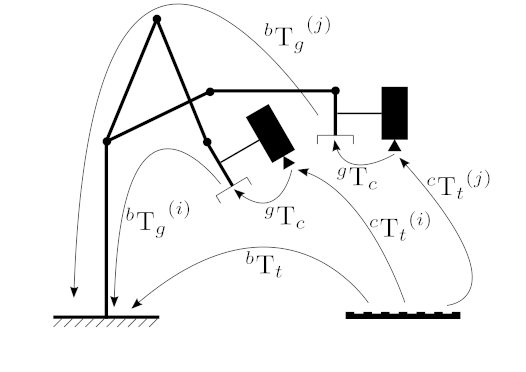
The calibration procedure is the following:
a static calibration pattern is used to estimate the transformation between the target frame and the camera frame
the robot gripper is moved in order to acquire several poses
for each pose, the homogeneous transformation between the gripper frame and the robot base frame is recorded using for instance the robot kinematics
\[\begin{split} \begin{bmatrix} X_b\\ Y_b\\ Z_b\\ 1 \end{bmatrix} = \begin{bmatrix} _{}^{b}\textrm{R}_g & _{}^{b}\textrm{t}_g \\ 0_{1 \times 3} & 1 \end{bmatrix} \begin{bmatrix} X_g\\ Y_g\\ Z_g\\ 1 \end{bmatrix} \end{split}\]for each pose, the homogeneous transformation between the calibration target frame and the camera frame is recorded using for instance a pose estimation method (PnP) from 2D-3D point correspondences
\[\begin{split} \begin{bmatrix} X_c\\ Y_c\\ Z_c\\ 1 \end{bmatrix} = \begin{bmatrix} _{}^{c}\textrm{R}_t & _{}^{c}\textrm{t}_t \\ 0_{1 \times 3} & 1 \end{bmatrix} \begin{bmatrix} X_t\\ Y_t\\ Z_t\\ 1 \end{bmatrix} \end{split}\]
The Hand-Eye calibration procedure returns the following homogeneous transformation
\[\begin{split} \begin{bmatrix} X_g\\ Y_g\\ Z_g\\ 1 \end{bmatrix} = \begin{bmatrix} _{}^{g}\textrm{R}_c & _{}^{g}\textrm{t}_c \\ 0_{1 \times 3} & 1 \end{bmatrix} \begin{bmatrix} X_c\\ Y_c\\ Z_c\\ 1 \end{bmatrix} \end{split}\]This problem is also known as solving the \(\mathbf{A}\mathbf{X}=\mathbf{X}\mathbf{B}\) equation:
for an eye-in-hand configuration
\[ \begin{align}\begin{aligned}\begin{split} \begin{align*} ^{b}{\textrm{T}_g}^{(1)} \hspace{0.2em} ^{g}\textrm{T}_c \hspace{0.2em} ^{c}{\textrm{T}_t}^{(1)} &= \hspace{0.1em} ^{b}{\textrm{T}_g}^{(2)} \hspace{0.2em} ^{g}\textrm{T}_c \hspace{0.2em} ^{c}{\textrm{T}_t}^{(2)} \\\end{split}\\\begin{split} (^{b}{\textrm{T}_g}^{(2)})^{-1} \hspace{0.2em} ^{b}{\textrm{T}_g}^{(1)} \hspace{0.2em} ^{g}\textrm{T}_c &= \hspace{0.1em} ^{g}\textrm{T}_c \hspace{0.2em} ^{c}{\textrm{T}_t}^{(2)} (^{c}{\textrm{T}_t}^{(1)})^{-1} \\\end{split}\\\begin{split} \textrm{A}_i \textrm{X} &= \textrm{X} \textrm{B}_i \\ \end{align*} \end{split}\end{aligned}\end{align} \]for an eye-to-hand configuration
\[ \begin{align}\begin{aligned}\begin{split} \begin{align*} ^{g}{\textrm{T}_b}^{(1)} \hspace{0.2em} ^{b}\textrm{T}_c \hspace{0.2em} ^{c}{\textrm{T}_t}^{(1)} &= \hspace{0.1em} ^{g}{\textrm{T}_b}^{(2)} \hspace{0.2em} ^{b}\textrm{T}_c \hspace{0.2em} ^{c}{\textrm{T}_t}^{(2)} \\\end{split}\\\begin{split} (^{g}{\textrm{T}_b}^{(2)})^{-1} \hspace{0.2em} ^{g}{\textrm{T}_b}^{(1)} \hspace{0.2em} ^{b}\textrm{T}_c &= \hspace{0.1em} ^{b}\textrm{T}_c \hspace{0.2em} ^{c}{\textrm{T}_t}^{(2)} (^{c}{\textrm{T}_t}^{(1)})^{-1} \\\end{split}\\\begin{split} \textrm{A}_i \textrm{X} &= \textrm{X} \textrm{B}_i \\ \end{align*} \end{split}\end{aligned}\end{align} \]
Note
Additional information can be found on this website.
Note
A minimum of 2 motions with non parallel rotation axes are necessary to determine the hand-eye transformation. So at least 3 different poses are required, but it is strongly recommended to use many more poses.
- Parameters:
R_gripper2base – [in] Rotation part extracted from the homogeneous matrix that transforms a point expressed in the gripper frame to the robot base frame ( \(_{}^{b}\textrm{T}_g\)). This is a vector (
vector<Mat>) that contains the rotation,(3x3)rotation matrices or(3x1)rotation vectors, for all the transformations from gripper frame to robot base frame.t_gripper2base – [in] Translation part extracted from the homogeneous matrix that transforms a point expressed in the gripper frame to the robot base frame ( \(_{}^{b}\textrm{T}_g\)). This is a vector (
vector<Mat>) that contains the(3x1)translation vectors for all the transformations from gripper frame to robot base frame.R_target2cam – [in] Rotation part extracted from the homogeneous matrix that transforms a point expressed in the target frame to the camera frame ( \(_{}^{c}\textrm{T}_t\)). This is a vector (
vector<Mat>) that contains the rotation,(3x3)rotation matrices or(3x1)rotation vectors, for all the transformations from calibration target frame to camera frame.t_target2cam – [in] Rotation part extracted from the homogeneous matrix that transforms a point expressed in the target frame to the camera frame ( \(_{}^{c}\textrm{T}_t\)). This is a vector (
vector<Mat>) that contains the(3x1)translation vectors for all the transformations from calibration target frame to camera frame.R_cam2gripper – [out] Estimated
(3x3)rotation part extracted from the homogeneous matrix that transforms a point expressed in the camera frame to the gripper frame ( \(_{}^{g}\textrm{T}_c\)).t_cam2gripper – [out] Estimated
(3x1)translation part extracted from the homogeneous matrix that transforms a point expressed in the camera frame to the gripper frame ( \(_{}^{g}\textrm{T}_c\)).method – [in] One of the implemented Hand-Eye calibration method, see cv::HandEyeCalibrationMethod
calibrateMultiview()#
-
double cv::calibrateMultiview(InputArrayOfArrays objPoints, const std::vector<std::vector<Mat>> &imagePoints, const std::vector<cv::Size> &imageSize, InputArray detectionMask, InputArray models, InputOutputArrayOfArrays Ks, InputOutputArrayOfArrays distortions, InputOutputArrayOfArrays Rs, InputOutputArrayOfArrays Ts, InputArray flagsForIntrinsics = noArray(), int flags = 0, TermCriteria criteria = TermCriteria(TermCriteria::COUNT + TermCriteria::EPS, 100, DBL_EPSILON))#
This is an overloaded member function, provided for convenience. It differs from the above function only in what argument(s) it accepts.
calibrateMultiview()#
-
double cv::calibrateMultiview(InputArrayOfArrays objPoints, const std::vector<std::vector<Mat>> &imagePoints, const std::vector<cv::Size> &imageSize, InputArray detectionMask, InputArray models, InputOutputArrayOfArrays Ks, InputOutputArrayOfArrays distortions, InputOutputArrayOfArrays Rs, InputOutputArrayOfArrays Ts, OutputArray initializationPairs, OutputArrayOfArrays rvecs0, OutputArrayOfArrays tvecs0, OutputArray perFrameErrors, InputArray flagsForIntrinsics = noArray(), int flags = 0, TermCriteria criteria = TermCriteria(TermCriteria::COUNT + TermCriteria::EPS, 100, DBL_EPSILON))#
Estimates intrinsics and extrinsics (camera pose) for multi-camera system a.k.a multiview calibration.
This function supports partial observation of the calibration pattern. To enable this, set the unobserved image points to be invalid points (eg. (-1., -1.)).
Output size: (NUM_CAMERAS-1) x 2.
tutorial_multiview_camera_calibration provides a detailed tutorial of using this function. Please refer to it for more information.
Multiview calibration usually requires several cameras to observe the same calibration pattern simultaneously. The fundamental assumption is that relative camera poses are fixed, and then for each frame, only the absolute camera pose for a single camera is needed to fix the camera pose for the multiple cameras
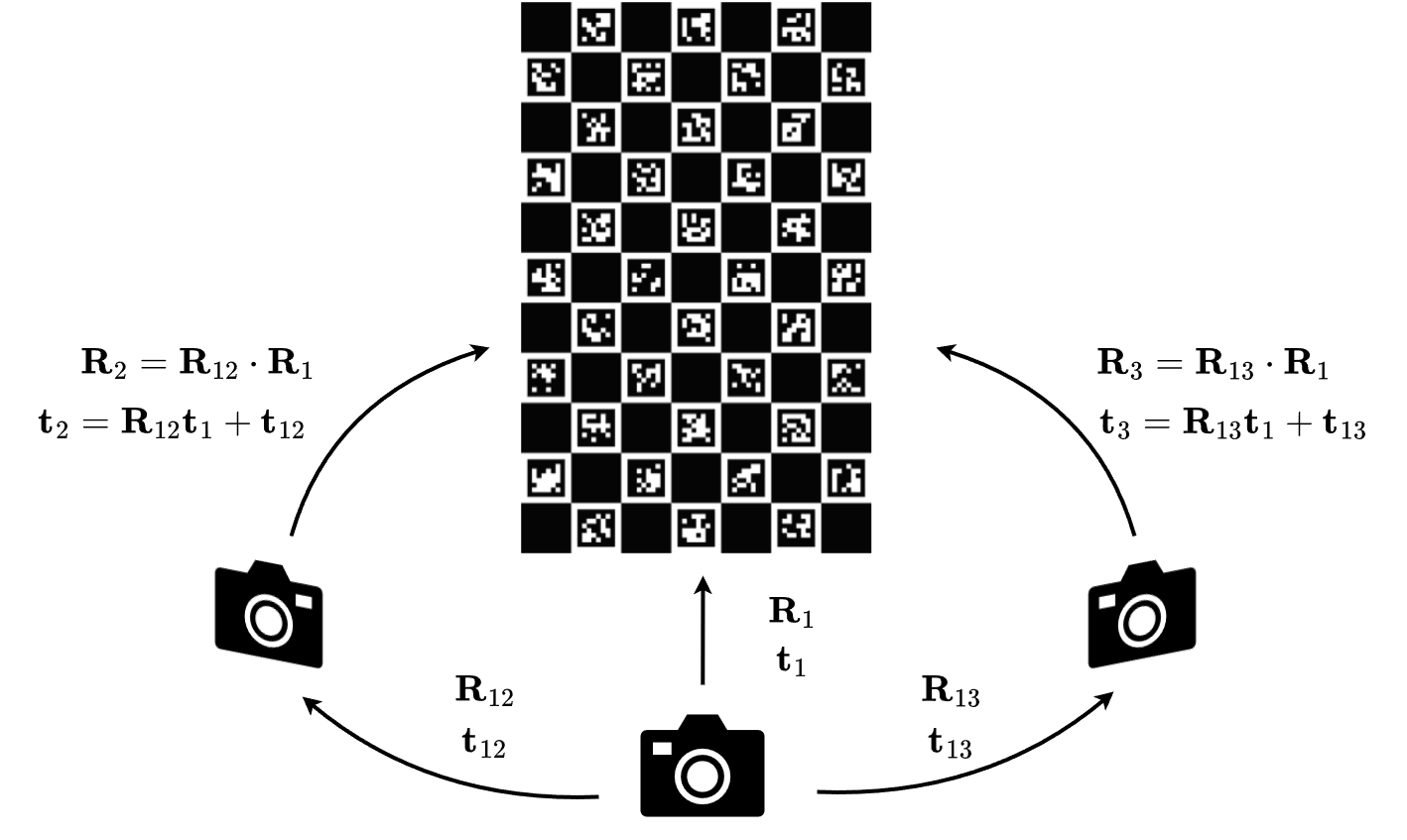
The above illustration shows an example setting for multiview camera calibration.
For each frame, suppose the absolute camera pose for camera \(i\) is \(R_i, t_i\), and the relative camera pose between camera \(i\) and camera \(j\) is \(R_{ij}, t_{ij}\). Suppose \(R_1, t_1\), and \(R_{1i}\) for any \(i\not=1\) are known, then its pose can be calculated by
\[ R_i = R_{1i} R_1\]\[ t_i = R_{1i} t_1 + t_{1i}\]Since the relative pose between two cameras can be calculated by
\[ R_{ij} = R_j R_i^\top \]\[ t_{ij} = -R_{ij} t_i + R_j \]This implies that any other relative pose of the form \(R_{ij}, i\not=1\) is redundant. Given this, the total number of poses to determine is (NUM_CAMERAS-1) and NUM_FRAMES. This serves as the foundation of this function.
Similarly to calibrateCamera, the function minimizes the total re-projection error for all the points in all the available views from all cameras.
See also
findChessboardCorners, findCirclesGrid, calibrateCamera, fisheye::calibrate, registerCameras
- Parameters:
objPoints – [in] Calibration pattern object points. Expected shape: NUM_FRAMES x NUM_POINTS x 3. Supported data type: CV_32F.
imagePoints – [in] Detected pattern points on camera images. Expected shape: NUM_CAMERAS x NUM_FRAMES x NUM_POINTS x 2.
imageSize – [in] Images resolution array for each camera.
detectionMask – [in] Pattern detection mask. Each value defines if i-camera observes the calibration pattern in j-th frame. Expected size: NUM_CAMERAS x NUM_FRAMES. Expected type: CV_8U.
models – [in] indicates camera models for each camera: cv::CALIB_MODEL_PINHOLE or cv::CALIB_MODEL_PINHOLE. Current implementation does not support mix of different camera models. Expected type: CV_8U.
flagsForIntrinsics – [in] Flags used for each camera intrinsics calibration. Use per-camera call and the
useIntrinsicsGuessflag to get custom intrinsics calibration for each camera.flags – [in] Common multiview calibration flags. cv::CALIB_USE_INTRINSIC_GUESS and cv::CALIB_USE_EXTRINSIC_GUESS are supported. See CALIB_USE_INTRINSIC_GUESS and other
CALIB_constants. Expected shape: NUM_CAMERAS x 1. Supported data type: CV_32S.Rs – [out] Rotation vectors relative to camera 0, where Rs[0] = 0. Output size: NUM_CAMERAS x 3 x 3.
Ts – [out] Estimated translation vectors relative to camera 0, where Ts[0] = 0. Output size: NUM_CAMERAS x 3 x 1.
rvecs0 – [out] Estimated rotation vectors for camera 0. Output size: NUM_FRAMES x 3 x 1 (may contain null Mat, if the frame is not valid). See Rodrigues.
tvecs0 – [out] Translation vectors for camera 0. Output size: NUM_FRAMES x 3 x 1. (may contain null Mat, if the frame is not valid).
Ks – [out] Estimated floating-point camera intrinsic matrix. Output size: NUM_CAMERAS x 3 x 3.
distortions – [out] Distortion coefficients. Output size: NUM_CAMERAS x NUM_PARAMS.
perFrameErrors – [out] RMSE value for each visible frame, (-1 for non-visible). Output size: NUM_CAMERAS x NUM_FRAMES.
initializationPairs – [out] Pairs with camera indices that were used for initial pairwise stereo calibration.
criteria – [in] Termination criteria for the iterative optimization algorithm.
- Returns:
Overall RMS re-projection error over detectionMask.
calibrateRobotWorldHandEye()#
-
void cv::calibrateRobotWorldHandEye(InputArrayOfArrays R_world2cam, InputArrayOfArrays t_world2cam, InputArrayOfArrays R_base2gripper, InputArrayOfArrays t_base2gripper, OutputArray R_base2world, OutputArray t_base2world, OutputArray R_gripper2cam, OutputArray t_gripper2cam, RobotWorldHandEyeCalibrationMethod method = CALIB_ROBOT_WORLD_HAND_EYE_SHAH)#
Computes Robot-World/Hand-Eye calibration: \(_{}^{w}\textrm{T}_b\) and \(_{}^{c}\textrm{T}_g\).
The function performs the Robot-World/Hand-Eye calibration using various methods. One approach consists in estimating the rotation then the translation (separable solutions):
M. Shah, Solving the robot-world/hand-eye calibration problem using the kronecker product Shah2013SolvingTR
Another approach consists in estimating simultaneously the rotation and the translation (simultaneous solutions), with the following implemented method:
A. Li, L. Wang, and D. Wu, Simultaneous robot-world and hand-eye calibration using dual-quaternions and kronecker product Li2010SimultaneousRA
The following picture describes the Robot-World/Hand-Eye calibration problem where the transformations between a robot and a world frame and between a robot gripper (“hand”) and a camera (“eye”) mounted at the robot end-effector have to be estimated.
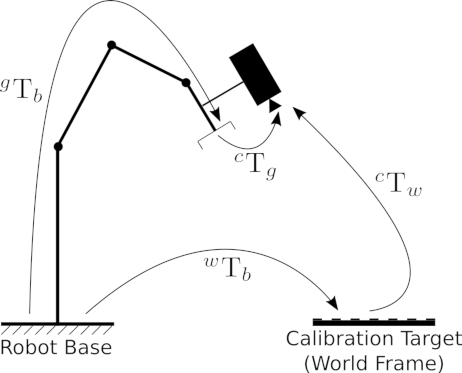
The calibration procedure is the following:
a static calibration pattern is used to estimate the transformation between the target frame and the camera frame
the robot gripper is moved in order to acquire several poses
for each pose, the homogeneous transformation between the gripper frame and the robot base frame is recorded using for instance the robot kinematics
\[\begin{split} \begin{bmatrix} X_g\\ Y_g\\ Z_g\\ 1 \end{bmatrix} = \begin{bmatrix} _{}^{g}\textrm{R}_b & _{}^{g}\textrm{t}_b \\ 0_{1 \times 3} & 1 \end{bmatrix} \begin{bmatrix} X_b\\ Y_b\\ Z_b\\ 1 \end{bmatrix} \end{split}\]for each pose, the homogeneous transformation between the calibration target frame (the world frame) and the camera frame is recorded using for instance a pose estimation method (PnP) from 2D-3D point correspondences
\[\begin{split} \begin{bmatrix} X_c\\ Y_c\\ Z_c\\ 1 \end{bmatrix} = \begin{bmatrix} _{}^{c}\textrm{R}_w & _{}^{c}\textrm{t}_w \\ 0_{1 \times 3} & 1 \end{bmatrix} \begin{bmatrix} X_w\\ Y_w\\ Z_w\\ 1 \end{bmatrix} \end{split}\]
The Robot-World/Hand-Eye calibration procedure returns the following homogeneous transformations
\[\begin{split} \begin{bmatrix} X_w\\ Y_w\\ Z_w\\ 1 \end{bmatrix} = \begin{bmatrix} _{}^{w}\textrm{R}_b & _{}^{w}\textrm{t}_b \\ 0_{1 \times 3} & 1 \end{bmatrix} \begin{bmatrix} X_b\\ Y_b\\ Z_b\\ 1 \end{bmatrix} \end{split}\]\[\begin{split} \begin{bmatrix} X_c\\ Y_c\\ Z_c\\ 1 \end{bmatrix} = \begin{bmatrix} _{}^{c}\textrm{R}_g & _{}^{c}\textrm{t}_g \\ 0_{1 \times 3} & 1 \end{bmatrix} \begin{bmatrix} X_g\\ Y_g\\ Z_g\\ 1 \end{bmatrix} \end{split}\]This problem is also known as solving the \(\mathbf{A}\mathbf{X}=\mathbf{Z}\mathbf{B}\) equation, with:
\(\mathbf{A} \Leftrightarrow \hspace{0.1em} _{}^{c}\textrm{T}_w\)
\(\mathbf{X} \Leftrightarrow \hspace{0.1em} _{}^{w}\textrm{T}_b\)
\(\mathbf{Z} \Leftrightarrow \hspace{0.1em} _{}^{c}\textrm{T}_g\)
\(\mathbf{B} \Leftrightarrow \hspace{0.1em} _{}^{g}\textrm{T}_b\)
Note
At least 3 measurements are required (input vectors size must be greater or equal to 3).
- Parameters:
R_world2cam – [in] Rotation part extracted from the homogeneous matrix that transforms a point expressed in the world frame to the camera frame ( \(_{}^{c}\textrm{T}_w\)). This is a vector (
vector<Mat>) that contains the rotation,(3x3)rotation matrices or(3x1)rotation vectors, for all the transformations from world frame to the camera frame.t_world2cam – [in] Translation part extracted from the homogeneous matrix that transforms a point expressed in the world frame to the camera frame ( \(_{}^{c}\textrm{T}_w\)). This is a vector (
vector<Mat>) that contains the(3x1)translation vectors for all the transformations from world frame to the camera frame.R_base2gripper – [in] Rotation part extracted from the homogeneous matrix that transforms a point expressed in the robot base frame to the gripper frame ( \(_{}^{g}\textrm{T}_b\)). This is a vector (
vector<Mat>) that contains the rotation,(3x3)rotation matrices or(3x1)rotation vectors, for all the transformations from robot base frame to the gripper frame.t_base2gripper – [in] Rotation part extracted from the homogeneous matrix that transforms a point expressed in the robot base frame to the gripper frame ( \(_{}^{g}\textrm{T}_b\)). This is a vector (
vector<Mat>) that contains the(3x1)translation vectors for all the transformations from robot base frame to the gripper frame.R_base2world – [out] Estimated
(3x3)rotation part extracted from the homogeneous matrix that transforms a point expressed in the robot base frame to the world frame ( \(_{}^{w}\textrm{T}_b\)).t_base2world – [out] Estimated
(3x1)translation part extracted from the homogeneous matrix that transforms a point expressed in the robot base frame to the world frame ( \(_{}^{w}\textrm{T}_b\)).R_gripper2cam – [out] Estimated
(3x3)rotation part extracted from the homogeneous matrix that transforms a point expressed in the gripper frame to the camera frame ( \(_{}^{c}\textrm{T}_g\)).t_gripper2cam – [out] Estimated
(3x1)translation part extracted from the homogeneous matrix that transforms a point expressed in the gripper frame to the camera frame ( \(_{}^{c}\textrm{T}_g\)).method – [in] One of the implemented Robot-World/Hand-Eye calibration method, see cv::RobotWorldHandEyeCalibrationMethod
calibrationMatrixValues()#
-
void cv::calibrationMatrixValues(InputArray cameraMatrix, Size imageSize, double apertureWidth, double apertureHeight, double &fovx, double &fovy, double &focalLength, Point2d &principalPoint, double &aspectRatio)#
Computes useful camera characteristics from the camera intrinsic matrix.
The function computes various useful camera characteristics from the previously estimated camera matrix.
Note
Do keep in mind that the unity measure ‘mm’ stands for whatever unit of measure one chooses for the chessboard pitch (it can thus be any value).
- Parameters:
cameraMatrix – Input camera intrinsic matrix that can be estimated by calibrateCamera or stereoCalibrate .
imageSize – Input image size in pixels.
apertureWidth – Physical width in mm of the sensor.
apertureHeight – Physical height in mm of the sensor.
fovx – Output field of view in degrees along the horizontal sensor axis.
fovy – Output field of view in degrees along the vertical sensor axis.
focalLength – Focal length of the lens in mm.
principalPoint – Principal point in mm.
aspectRatio – \(f_y/f_x\)
CamShift()#
-
RotatedRect cv::CamShift(InputArray probImage, Rect &window, TermCriteria criteria)#
Finds an object center, size, and orientation.
The function implements the CAMSHIFT object tracking algorithm Bradski98 . First, it finds an object center using meanShift and then adjusts the window size and finds the optimal rotation. The function returns the rotated rectangle structure that includes the object position, size, and orientation. The next position of the search window can be obtained with RotatedRect::boundingRect()
See the OpenCV sample camshiftdemo.c that tracks colored objects.
Note
(Python) A sample explaining the camshift tracking algorithm can be found at opencv_source_code/samples/python/snippets/camshift.py
- Parameters:
probImage – Back projection of the object histogram. See calcBackProject.
window – Initial search window.
criteria – Stop criteria for the underlying meanShift. returns (in old interfaces) Number of iterations CAMSHIFT took to converge
Canny()#
-
void cv::Canny(InputArray dx, InputArray dy, OutputArray edges, double threshold1, double threshold2, bool L2gradient = false)#
This is an overloaded member function, provided for convenience. It differs from the above function only in what argument(s) it accepts.
Finds edges in an image using the Canny algorithm with custom image gradient.
- Parameters:
dx – 16-bit x derivative of input image (CV_16SC1 or CV_16SC3).
dy – 16-bit y derivative of input image (same type as dx).
edges – output edge map; single channels 8-bit image, which has the same size as image .
threshold1 – first threshold for the hysteresis procedure.
threshold2 – second threshold for the hysteresis procedure.
L2gradient – a flag, indicating whether a more accurate \(L_2\) norm \(=\sqrt{(dI/dx)^2 + (dI/dy)^2}\) should be used to calculate the image gradient magnitude ( L2gradient=true ), or whether the default \(L_1\) norm \(=|dI/dx|+|dI/dy|\) is enough ( L2gradient=false ).
Canny()#
-
void cv::Canny(InputArray image, OutputArray edges, double threshold1, double threshold2, int apertureSize = 3, bool L2gradient = false)#
Finds edges in an image using the Canny algorithm Canny86 .
The function finds edges in the input image and marks them in the output map edges using the Canny algorithm. The smallest value between threshold1 and threshold2 is used for edge linking. The largest value is used to find initial segments of strong edges. See https://en.wikipedia.org/wiki/Canny_edge_detector
- Parameters:
image – 8-bit input image.
edges – output edge map; single channels 8-bit image, which has the same size as image .
threshold1 – first threshold for the hysteresis procedure.
threshold2 – second threshold for the hysteresis procedure.
apertureSize – aperture size for the Sobel operator.
L2gradient – a flag, indicating whether a more accurate \(L_2\) norm \(=\sqrt{(dI/dx)^2 + (dI/dy)^2}\) should be used to calculate the image gradient magnitude ( L2gradient=true ), or whether the default \(L_1\) norm \(=|dI/dx|+|dI/dy|\) is enough ( L2gradient=false ).
cartToPolar()#
-
void cv::cartToPolar(InputArray x, InputArray y, OutputArray magnitude, OutputArray angle, bool angleInDegrees = false)#
Calculates the magnitude and angle of 2D vectors.
The function cv::cartToPolar calculates either the magnitude, angle, or both for every 2D vector (x(I),y(I)):
\[\begin{split}\begin{array}{l} \texttt{magnitude} (I)= \sqrt{\texttt{x}(I)^2+\texttt{y}(I)^2} , \\ \texttt{angle} (I)= \texttt{atan2} ( \texttt{y} (I), \texttt{x} (I))[ \cdot180 / \pi ] \end{array}\end{split}\]The angles are calculated with accuracy about 0.3 degrees. For the point (0,0), the angle is set to 0.
- Parameters:
x – array of x-coordinates; this must be a single-precision or double-precision floating-point array.
y – array of y-coordinates, that must have the same size and same type as x.
magnitude – output array of magnitudes of the same size and type as x.
angle – output array of angles that has the same size and type as x; the angles are measured in radians (from 0 to 2*Pi) or in degrees (0 to 360 degrees).
angleInDegrees – a flag, indicating whether the angles are measured in radians (which is by default), or in degrees.
cbrt()#
-
softfloat cv::cbrt(const softfloat &a)#
Cube root.
Special cases:
cbrt(NaN) is NaN
cbrt(+/-Inf) is +/-Inf
checkChessboard()#
-
bool cv::checkChessboard(InputArray img, Size size)#
Checks whether the image contains chessboard of the specific size or not.
- Parameters:
img – Source chessboard view.
size – Size of the chessboard.
- Returns:
Whether a chessboard was found.
checkHardwareSupport()#
-
bool cv::checkHardwareSupport(int feature)#
Returns true if the specified feature is supported by the host hardware.
The function returns true if the host hardware supports the specified feature. When user calls setUseOptimized(false), the subsequent calls to checkHardwareSupport() will return false until setUseOptimized(true) is called. This way user can dynamically switch on and off the optimized code in OpenCV.
- Parameters:
feature – The feature of interest, one of cv::CpuFeatures
checkRange()#
-
bool cv::checkRange(InputArray a, bool quiet = true, Point *pos = 0, double minVal = -DBL_MAX, double maxVal = DBL_MAX)#
Checks every element of an input array for invalid values.
The function cv::checkRange checks that every array element is neither NaN nor infinite. When minVal > -DBL_MAX and maxVal < DBL_MAX, the function also checks that each value is between minVal and maxVal. In case of multi-channel arrays, each channel is processed independently. If some values are out of range, position of the first outlier is stored in pos (when pos != NULL). Then, the function either returns false (when quiet=true) or throws an exception.
- Parameters:
a – input array.
quiet – a flag, indicating whether the functions quietly return false when the array elements are out of range or they throw an exception.
pos – optional output parameter, when not NULL, must be a pointer to array of src.dims elements.
minVal – inclusive lower boundary of valid values range.
maxVal – exclusive upper boundary of valid values range.
Cholesky()#
-
bool cv::Cholesky(double *A, size_t astep, int m, double *b, size_t bstep, int n)#
proxy for hal::Cholesky
Cholesky()#
-
bool cv::Cholesky(float *A, size_t astep, int m, float *b, size_t bstep, int n)#
proxy for hal::Cholesky
circle()#
-
void cv::circle(InputOutputArray img, Point center, int radius, const Scalar &color, int thickness = 1, int lineType = LINE_8, int shift = 0)#
Draws a circle.
The function cv::circle draws a simple or filled circle with a given center and radius.
- Parameters:
img – Image where the circle is drawn.
center – Center of the circle.
radius – Radius of the circle.
color – Circle color.
thickness – Thickness of the circle outline, if positive. Negative values, like FILLED, mean that a filled circle is to be drawn.
lineType – Type of the circle boundary. See LineTypes
shift – Number of fractional bits in the coordinates of the center and in the radius value.
clipLine()#
clipLine()#
-
bool cv::clipLine(Size imgSize, Point &pt1, Point &pt2)#
Clips the line against the image rectangle.
The function cv::clipLine calculates a part of the line segment that is entirely within the specified rectangle. It returns false if the line segment is completely outside the rectangle. Otherwise, it returns true .
- Parameters:
imgSize – Image size. The image rectangle is Rect(0, 0, imgSize.width, imgSize.height) .
pt1 – First line point.
pt2 – Second line point.
clipLine()#
-
bool cv::clipLine(Size2l imgSize, Point2l &pt1, Point2l &pt2)#
This is an overloaded member function, provided for convenience. It differs from the above function only in what argument(s) it accepts.
- Parameters:
imgSize – Image size. The image rectangle is Rect(0, 0, imgSize.width, imgSize.height) .
pt1 – First line point.
pt2 – Second line point.
colorChange()#
-
void cv::colorChange(InputArray src, InputArray mask, OutputArray dst, float red_mul = 1.0f, float green_mul = 1.0f, float blue_mul = 1.0f)#
Given an original color image, two differently colored versions of this image can be mixed seamlessly.
Multiplication factor is between .5 to 2.5.
- Parameters:
src – Input 8-bit 3-channel image.
mask – Input 8-bit 1 or 3-channel image.
dst – Output image with the same size and type as src .
red_mul – R-channel multiply factor.
green_mul – G-channel multiply factor.
blue_mul – B-channel multiply factor.
compare()#
-
void cv::compare(InputArray src1, InputArray src2, OutputArray dst, int cmpop)#
Performs the per-element comparison of two arrays or an array and scalar value.
The function compares: Elements of two arrays when src1 and src2 have the same size:
\[\texttt{dst} (I) = \texttt{src1} (I) \,\texttt{cmpop}\, \texttt{src2} (I)\]Elements of src1 with a scalar src2 when src2 is constructed from Scalar or has a single element:\[\texttt{dst} (I) = \texttt{src1}(I) \,\texttt{cmpop}\, \texttt{src2}\]src1 with elements of src2 when src1 is constructed from Scalar or has a single element:\[\texttt{dst} (I) = \texttt{src1} \,\texttt{cmpop}\, \texttt{src2} (I)\]When the comparison result is true, the corresponding element of output array is set to 255. The comparison operations can be replaced with the equivalent matrix expressions:See also
checkRange, min, max, threshold
- Parameters:
src1 – first input array or a scalar; when it is an array, it must have a single channel.
src2 – second input array or a scalar; when it is an array, it must have a single channel.
dst – output array of type ref CV_8U that has the same size and the same number of channels as the input arrays.
cmpop – a flag, that specifies correspondence between the arrays (cv::CmpTypes)
compareHist()#
compareHist()#
-
double cv::compareHist(InputArray H1, InputArray H2, int method)#
Compares two histograms.
The function cv::compareHist compares two dense or two sparse histograms using the specified method.
The function returns \(d(H_1, H_2)\) .
While the function works well with 1-, 2-, 3-dimensional dense histograms, it may not be suitable for high-dimensional sparse histograms. In such histograms, because of aliasing and sampling problems, the coordinates of non-zero histogram bins can slightly shift. To compare such histograms or more general sparse configurations of weighted points, consider using the EMD function.
- Parameters:
H1 – First compared histogram.
H2 – Second compared histogram of the same size as H1 .
method – Comparison method, see HistCompMethods
compile_args()#
-
template<typename ...Ts>
GCompileArgs cv::compile_args(Ts&&... args)# Wraps a list of arguments (a parameter pack) into a vector of compilation arguments (cv::GCompileArg).
completeSymm()#
-
void cv::completeSymm(InputOutputArray m, bool lowerToUpper = false)#
Copies the lower or the upper half of a square matrix to its another half.
The function cv::completeSymm copies the lower or the upper half of a square matrix to its another half. The matrix diagonal remains unchanged:
\(\texttt{m}_{ij}=\texttt{m}_{ji}\) for \(i > j\) if lowerToUpper=false
\(\texttt{m}_{ij}=\texttt{m}_{ji}\) for \(i < j\) if lowerToUpper=true
- Parameters:
m – input-output floating-point square matrix.
lowerToUpper – operation flag; if true, the lower half is copied to the upper half. Otherwise, the upper half is copied to the lower half.
composeRT()#
-
void cv::composeRT(InputArray rvec1, InputArray tvec1, InputArray rvec2, InputArray tvec2, OutputArray rvec3, OutputArray tvec3, OutputArray dr3dr1 = noArray(), OutputArray dr3dt1 = noArray(), OutputArray dr3dr2 = noArray(), OutputArray dr3dt2 = noArray(), OutputArray dt3dr1 = noArray(), OutputArray dt3dt1 = noArray(), OutputArray dt3dr2 = noArray(), OutputArray dt3dt2 = noArray())#
Combines two rotation-and-shift transformations.
The functions compute:
\[\begin{split}\begin{array}{l} \texttt{rvec3} = \mathrm{rodrigues} ^{-1} \left ( \mathrm{rodrigues} ( \texttt{rvec2} ) \cdot \mathrm{rodrigues} ( \texttt{rvec1} ) \right ) \\ \texttt{tvec3} = \mathrm{rodrigues} ( \texttt{rvec2} ) \cdot \texttt{tvec1} + \texttt{tvec2} \end{array} ,\end{split}\]where \(\mathrm{rodrigues}\) denotes a rotation vector to a rotation matrix transformation, and \(\mathrm{rodrigues}^{-1}\) denotes the inverse transformation. See Rodrigues for details.
Also, the functions can compute the derivatives of the output vectors with regards to the input vectors (see matMulDeriv ). The functions are used inside stereoCalibrate but can also be used in your own code where Levenberg-Marquardt or another gradient-based solver is used to optimize a function that contains a matrix multiplication.
- Parameters:
rvec1 – First rotation vector.
tvec1 – First translation vector.
rvec2 – Second rotation vector.
tvec2 – Second translation vector.
rvec3 – Output rotation vector of the superposition.
tvec3 – Output translation vector of the superposition.
dr3dr1 – Optional output derivative of rvec3 with regard to rvec1
dr3dt1 – Optional output derivative of rvec3 with regard to tvec1
dr3dr2 – Optional output derivative of rvec3 with regard to rvec2
dr3dt2 – Optional output derivative of rvec3 with regard to tvec2
dt3dr1 – Optional output derivative of tvec3 with regard to rvec1
dt3dt1 – Optional output derivative of tvec3 with regard to tvec1
dt3dr2 – Optional output derivative of tvec3 with regard to rvec2
dt3dt2 – Optional output derivative of tvec3 with regard to tvec2
computeCorrespondEpilines()#
-
void cv::computeCorrespondEpilines(InputArray points, int whichImage, InputArray F, OutputArray lines)#
For points in an image of a stereo pair, computes the corresponding epilines in the other image.
For every point in one of the two images of a stereo pair, the function finds the equation of the corresponding epipolar line in the other image.
From the fundamental matrix definition (see findFundamentalMat ), line \(l^{(2)}_i\) in the second image for the point \(p^{(1)}_i\) in the first image (when whichImage=1 ) is computed as:
\[l^{(2)}_i = F p^{(1)}_i\]And vice versa, when whichImage=2, \(l^{(1)}_i\) is computed from \(p^{(2)}_i\) as:
\[l^{(1)}_i = F^T p^{(2)}_i\]Line coefficients are defined up to a scale. They are normalized so that \(a_i^2+b_i^2=1\) .
- Parameters:
points – Input points. \(N \times 1\) or \(1 \times N\) matrix of type CV_32FC2 or vector<Point2f> .
whichImage – Index of the image (1 or 2) that contains the points .
F – Fundamental matrix that can be estimated using findFundamentalMat or stereoRectify .
lines – Output vector of the epipolar lines corresponding to the points in the other image. Each line \(ax + by + c=0\) is encoded by 3 numbers \((a, b, c)\) .
computeECC()#
-
double cv::computeECC(InputArray templateImage, InputArray inputImage, InputArray inputMask = noArray())#
Computes the Enhanced Correlation Coefficient (ECC) value between two images.
The Enhanced Correlation Coefficient (ECC) is a normalized measure of similarity between two images EP08. The result lies in the range [-1, 1], where 1 corresponds to perfect similarity (modulo affine shift and scale), 0 indicates no correlation, and -1 indicates perfect negative correlation.
For single-channel images, the ECC is defined as:
\[ \mathrm{ECC}(I, T) = \frac{\sum_{x} (I(x) - \mu_I)(T(x) - \mu_T)} {\sqrt{\sum_{x} (I(x) - \mu_I)^2} \cdot \sqrt{\sum_{x} (T(x) - \mu_T)^2}} \]For multi-channel images (e.g., 3-channel RGB), the formula generalizes to:
\[ \mathrm{ECC}(I, T) = \frac{\sum_{x} \sum_{c=1}^{C} (I_c(x) - \mu_{I_c})(T_c(x) - \mu_{T_c})} {\sqrt{\sum_{x} \sum_{c=1}^{C} (I_c(x) - \mu_{I_c})^2} \cdot \sqrt{\sum_{x} \sum_{c=1}^{C} (T_c(x) - \mu_{T_c})^2}} \]Where:
\(I_c(x), T_c(x)\) are the values of channel \(c\) at spatial location \(x\),
\(\mu_{I_c}, \mu_{T_c}\) are the mean values of channel \(c\) over the masked region (if provided),
\(C\) is the number of channels (only 1 and 3 are currently supported),
The sums run over all pixels \(x\) in the image domain (optionally restricted by mask).
See also
- Parameters:
templateImage – Input template image; must have either 1 or 3 channels and be of type CV_8U, CV_16U, CV_32F, or CV_64F.
inputImage – Input image to be compared with the template; must have the same type and number of channels as templateImage.
inputMask – Optional single-channel mask to specify the valid region of interest in inputImage and templateImage.
- Returns:
The ECC similarity coefficient in the range [-1, 1].
computeRecallPrecisionCurve()#
connectedComponents()#
-
int cv::connectedComponents(InputArray image, OutputArray labels, int connectivity, int ltype, int ccltype)#
computes the connected components labeled image of boolean image
image with 4 or 8 way connectivity - returns N, the total number of labels [0, N-1] where 0 represents the background label. ltype specifies the output label image type, an important consideration based on the total number of labels or alternatively the total number of pixels in the source image. ccltype specifies the connected components labeling algorithm to use, currently Bolelli (Spaghetti) Bolelli2019, Grana (BBDT) Grana2010 and Wu’s (SAUF) Wu2009 algorithms are supported, see the ConnectedComponentsAlgorithmsTypes for details. Note that SAUF algorithm forces a row major ordering of labels while Spaghetti and BBDT do not. This function uses parallel version of the algorithms if at least one allowed parallel framework is enabled and if the rows of the image are at least twice the number returned by getNumberOfCPUs.
- Parameters:
image – the 8-bit single-channel image to be labeled
labels – destination labeled image
connectivity – 8 or 4 for 8-way or 4-way connectivity respectively
ltype – output image label type. Currently CV_32S and CV_16U are supported.
ccltype – connected components algorithm type (see the ConnectedComponentsAlgorithmsTypes).
connectedComponents()#
-
int cv::connectedComponents(InputArray image, OutputArray labels, int connectivity = 8, int ltype = CV_32S)#
This is an overloaded member function, provided for convenience. It differs from the above function only in what argument(s) it accepts.
- Parameters:
image – the 8-bit single-channel image to be labeled
labels – destination labeled image
connectivity – 8 or 4 for 8-way or 4-way connectivity respectively
ltype – output image label type. Currently CV_32S and CV_16U are supported.
connectedComponentsWithStats()#
-
int cv::connectedComponentsWithStats(InputArray image, OutputArray labels, OutputArray stats, OutputArray centroids, int connectivity, int ltype, int ccltype)#
computes the connected components labeled image of boolean image and also produces a statistics output for each label
image with 4 or 8 way connectivity - returns N, the total number of labels [0, N-1] where 0 represents the background label. ltype specifies the output label image type, an important consideration based on the total number of labels or alternatively the total number of pixels in the source image. ccltype specifies the connected components labeling algorithm to use, currently Bolelli (Spaghetti) Bolelli2019, Grana (BBDT) Grana2010 and Wu’s (SAUF) Wu2009 algorithms are supported, see the ConnectedComponentsAlgorithmsTypes for details. Note that SAUF algorithm forces a row major ordering of labels while Spaghetti and BBDT do not. This function uses parallel version of the algorithms (statistics included) if at least one allowed parallel framework is enabled and if the rows of the image are at least twice the number returned by getNumberOfCPUs.
- Parameters:
image – the 8-bit single-channel image to be labeled
labels – destination labeled image
stats – statistics output for each label, including the background label. Statistics are accessed via stats(label, COLUMN) where COLUMN is one of ConnectedComponentsTypes, selecting the statistic. The data type is CV_32S.
centroids – centroid output for each label, including the background label. Centroids are accessed via centroids(label, 0) for x and centroids(label, 1) for y. The data type CV_64F.
connectivity – 8 or 4 for 8-way or 4-way connectivity respectively
ltype – output image label type. Currently CV_32S and CV_16U are supported.
ccltype – connected components algorithm type (see ConnectedComponentsAlgorithmsTypes).
connectedComponentsWithStats()#
-
int cv::connectedComponentsWithStats(InputArray image, OutputArray labels, OutputArray stats, OutputArray centroids, int connectivity = 8, int ltype = CV_32S)#
This is an overloaded member function, provided for convenience. It differs from the above function only in what argument(s) it accepts.
- Parameters:
image – the 8-bit single-channel image to be labeled
labels – destination labeled image
stats – statistics output for each label, including the background label. Statistics are accessed via stats(label, COLUMN) where COLUMN is one of ConnectedComponentsTypes, selecting the statistic. The data type is CV_32S.
centroids – centroid output for each label, including the background label. Centroids are accessed via centroids(label, 0) for x and centroids(label, 1) for y. The data type CV_64F.
connectivity – 8 or 4 for 8-way or 4-way connectivity respectively
ltype – output image label type. Currently CV_32S and CV_16U are supported.
contourArea()#
-
double cv::contourArea(InputArray contour, bool oriented = false)#
Calculates a contour area.
The function computes a contour area. Similarly to moments , the area is computed using the Green formula. Thus, the returned area and the number of non-zero pixels, if you draw the contour using drawContours or fillPoly , can be different. Also, the function will most certainly give a wrong results for contours with self-intersections.
Example:
vector<Point> contour; contour.push_back(Point2f(0, 0)); contour.push_back(Point2f(10, 0)); contour.push_back(Point2f(10, 10)); contour.push_back(Point2f(5, 4)); double area0 = contourArea(contour); vector<Point> approx; approxPolyDP(contour, approx, 5, true); double area1 = contourArea(approx); cout << "area0 =" << area0 << endl << "area1 =" << area1 << endl << "approx poly vertices" << approx.size() << endl;
- Parameters:
contour – Input vector of 2D points (contour vertices), stored in std::vector or Mat.
oriented – Oriented area flag. If it is true, the function returns a signed area value, depending on the contour orientation (clockwise or counter-clockwise). Using this feature you can determine orientation of a contour by taking the sign of an area. By default, the parameter is false, which means that the absolute value is returned.
convertMaps()#
-
void cv::convertMaps(InputArray map1, InputArray map2, OutputArray dstmap1, OutputArray dstmap2, int dstmap1type, bool nninterpolation = false)#
Converts image transformation maps from one representation to another.
The function converts a pair of maps for remap from one representation to another. The following options ( (map1.type(), map2.type()) \(\rightarrow\) (dstmap1.type(), dstmap2.type()) ) are supported:
\(\texttt{(CV_32FC1, CV_32FC1)} \rightarrow \texttt{(CV_16SC2, CV_16UC1)}\). This is the most frequently used conversion operation, in which the original floating-point maps (see remap) are converted to a more compact and much faster fixed-point representation. The first output array contains the rounded coordinates and the second array (created only when nninterpolation=false ) contains indices in the interpolation tables.
\(\texttt{(CV_32FC2)} \rightarrow \texttt{(CV_16SC2, CV_16UC1)}\). The same as above but the original maps are stored in one 2-channel matrix.
Reverse conversion. Obviously, the reconstructed floating-point maps will not be exactly the same as the originals.
See also
- Parameters:
map1 – The first input map of type CV_16SC2, CV_32FC1, or CV_32FC2 .
map2 – The second input map of type CV_16UC1, CV_32FC1, or none (empty matrix), respectively.
dstmap1 – The first output map that has the type dstmap1type and the same size as src .
dstmap2 – The second output map.
dstmap1type – Type of the first output map that should be CV_16SC2, CV_32FC1, or CV_32FC2 .
nninterpolation – Flag indicating whether the fixed-point maps are used for the nearest-neighbor or for a more complex interpolation.
convertPointsFromHomogeneous()#
-
void cv::convertPointsFromHomogeneous(InputArray src, OutputArray dst, int dtype = -1)#
Converts points from homogeneous to Euclidean space.
The function converts points homogeneous to Euclidean space using perspective projection. That is, each point (x1, x2, … x(n-1), xn) is converted to (x1/xn, x2/xn, …, x(n-1)/xn). When xn=0, the output point coordinates will be (0,0,0,…).
- Parameters:
src – Input vector of N-dimensional points.
dst – Output vector of N-1-dimensional points.
dtype – The desired output array depth (either CV_32F or CV_64F are currently supported). If it’s -1, then it’s set automatically to CV_32F or CV_64F, depending on the input depth.
convertPointsHomogeneous()#
-
void cv::convertPointsHomogeneous(InputArray src, OutputArray dst)#
Converts points to/from homogeneous coordinates.
The function converts 2D or 3D points from/to homogeneous coordinates by calling either convertPointsToHomogeneous or convertPointsFromHomogeneous.
Note
The function is obsolete. Use one of the previous two functions instead.
- Parameters:
src – Input array or vector of 2D, 3D, or 4D points.
dst – Output vector of 2D, 3D, or 4D points.
convertPointsToHomogeneous()#
-
void cv::convertPointsToHomogeneous(InputArray src, OutputArray dst, int dtype = -1)#
Converts points from Euclidean to homogeneous space.
The function converts points from Euclidean to homogeneous space by appending 1’s to the tuple of point coordinates. That is, each point (x1, x2, …, xn) is converted to (x1, x2, …, xn, 1).
- Parameters:
src – Input vector of N-dimensional points.
dst – Output vector of N+1-dimensional points.
dtype – The desired output array depth (either CV_32F or CV_64F are currently supported). If it’s -1, then it’s set automatically to CV_32F or CV_64F, depending on the input depth.
convertScaleAbs()#
-
void cv::convertScaleAbs(InputArray src, OutputArray dst, double alpha = 1, double beta = 0)#
Scales, calculates absolute values, and converts the result to 8-bit.
On each element of the input array, the function convertScaleAbs performs three operations sequentially: scaling, taking an absolute value, conversion to an unsigned 8-bit type:
\[\texttt{dst} (I)= \texttt{saturate\_cast<uchar>} (| \texttt{src} (I)* \texttt{alpha} + \texttt{beta} |)\]In case of multi-channel arrays, the function processes each channel independently. When the output is not 8-bit, the operation can be emulated by calling the Mat::convertTo method (or by using matrix expressions) and then by calculating an absolute value of the result. For example:See also
Mat::convertTo, cv::abs(const Mat&)
- Parameters:
src – input array.
dst – output array.
alpha – optional scale factor.
beta – optional delta added to the scaled values.
convexHull()#
-
void cv::convexHull(InputArray points, OutputArray hull, bool clockwise = false, bool returnPoints = true)#
Finds the convex hull of a point set.
The function cv::convexHull finds the convex hull of a 2D point set using the Sklansky’s algorithm Sklansky82 that has O(N logN) complexity in the current implementation.
Check the corresponding tutorial for more details.
useful links:
https://www.learnopencv.com/convex-hull-using-opencv-in-python-and-c/
Note
pointsandhullshould be different arrays, inplace processing isn’t supported.- Parameters:
points – Input 2D point set, stored in std::vector or Mat.
hull – Output convex hull. It is either an integer vector of indices or vector of points. In the first case, the hull elements are 0-based indices of the convex hull points in the original array (since the set of convex hull points is a subset of the original point set). In the second case, hull elements are the convex hull points themselves.
clockwise – Orientation flag. If it is true, the output convex hull is oriented clockwise. Otherwise, it is oriented counter-clockwise. The assumed coordinate system has its X axis pointing to the right, and its Y axis pointing upwards.
returnPoints – Operation flag. In case of a matrix, when the flag is true, the function returns convex hull points. Otherwise, it returns indices of the convex hull points. When the output array is std::vector, the flag is ignored, and the output depends on the type of the vector: std::vector<int> implies returnPoints=false, std::vector<Point> implies returnPoints=true.
convexityDefects()#
-
void cv::convexityDefects(InputArray contour, InputArray convexhull, OutputArray convexityDefects)#
Finds the convexity defects of a contour.
The figure below displays convexity defects of a hand contour:
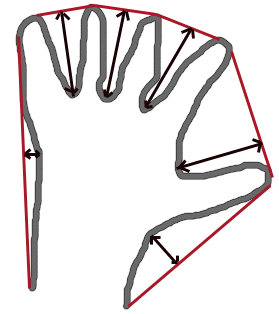
- Parameters:
contour – Input contour.
convexhull – Convex hull obtained using convexHull that should contain indices of the contour points that make the hull.
convexityDefects – The output vector of convexity defects. In C++ and the new Python/Java interface each convexity defect is represented as 4-element integer vector (a.k.a. Vec4i): (start_index, end_index, farthest_pt_index, fixpt_depth), where indices are 0-based indices in the original contour of the convexity defect beginning, end and the farthest point, and fixpt_depth is fixed-point approximation (with 8 fractional bits) of the distance between the farthest contour point and the hull. That is, to get the floating-point value of the depth will be fixpt_depth/256.0.
copyMakeBorder()#
-
void cv::copyMakeBorder(InputArray src, OutputArray dst, int top, int bottom, int left, int right, int borderType, const Scalar &value = Scalar())#
Forms a border around an image.
The function copies the source image into the middle of the destination image. The areas to the left, to the right, above and below the copied source image will be filled with extrapolated pixels. This is not what filtering functions based on it do (they extrapolate pixels on-fly), but what other more complex functions, including your own, may do to simplify image boundary handling.
The function supports the mode when src is already in the middle of dst . In this case, the function does not copy src itself but simply constructs the border, for example:
// let border be the same in all directions int border=2; // constructs a larger image to fit both the image and the border Mat gray_buf(rgb.rows + border*2, rgb.cols + border*2, rgb.depth()); // select the middle part of it w/o copying data Mat gray(gray_canvas, Rect(border, border, rgb.cols, rgb.rows)); // convert image from RGB to grayscale cvtColor(rgb, gray, COLOR_RGB2GRAY); // form a border in-place copyMakeBorder(gray, gray_buf, border, border, border, border, BORDER_REPLICATE); // now do some custom filtering ... ...
See also
Note
When the source image is a part (ROI) of a bigger image, the function will try to use the pixels outside of the ROI to form a border. To disable this feature and always do extrapolation, as if src was not a ROI, use borderType | BORDER_ISOLATED.
- Parameters:
src – Source image.
dst – Destination image of the same type as src and the size Size(src.cols+left+right, src.rows+top+bottom) .
top – the top pixels
bottom – the bottom pixels
left – the left pixels
right – Parameter specifying how many pixels in each direction from the source image rectangle to extrapolate. For example, top=1, bottom=1, left=1, right=1 mean that 1 pixel-wide border needs to be built.
borderType – Border type. See borderInterpolate for details.
value – Border value if borderType==BORDER_CONSTANT .
copyTo()#
-
void cv::copyTo(InputArray src, OutputArray dst, InputArray mask)#
This is an overloaded member function, provided for convenience (python) Copies the matrix to another one. When the operation mask is specified, if the Mat::create call shown above reallocates the matrix, the newly allocated matrix is initialized with all zeros before copying the data.
- Parameters:
src – source matrix.
dst – Destination matrix. If it does not have a proper size or type before the operation, it is reallocated.
mask – Operation mask of the same size as *this. Its non-zero elements indicate which matrix elements need to be copied. The mask has to be of type CV_8U, CV_8S or CV_Bool and can have 1 or multiple channels.
cornerEigenValsAndVecs()#
-
void cv::cornerEigenValsAndVecs(InputArray src, OutputArray dst, int blockSize, int ksize, int borderType = BORDER_DEFAULT)#
Calculates eigenvalues and eigenvectors of image blocks for corner detection.
For every pixel \(p\) , the function cornerEigenValsAndVecs considers a blockSize \(\times\) blockSize neighborhood \(S(p)\) . It calculates the covariation matrix of derivatives over the neighborhood as:
\[\begin{split}M = \begin{bmatrix} \sum _{S(p)}(dI/dx)^2 & \sum _{S(p)}dI/dx dI/dy \\ \sum _{S(p)}dI/dx dI/dy & \sum _{S(p)}(dI/dy)^2 \end{bmatrix}\end{split}\]where the derivatives are computed using the Sobel operator.
After that, it finds eigenvectors and eigenvalues of \(M\) and stores them in the destination image as \((\lambda_1, \lambda_2, x_1, y_1, x_2, y_2)\) where
\(\lambda_1, \lambda_2\) are the non-sorted eigenvalues of \(M\)
\(x_1, y_1\) are the eigenvectors corresponding to \(\lambda_1\)
\(x_2, y_2\) are the eigenvectors corresponding to \(\lambda_2\)
The output of the function can be used for robust edge or corner detection.
See also
- Parameters:
src – Input single-channel 8-bit or floating-point image.
dst – Image to store the results. It has the same size as src and the type CV_32FC(6) .
blockSize – Neighborhood size (see details below).
ksize – Aperture parameter for the Sobel operator.
borderType – Pixel extrapolation method. See BorderTypes. BORDER_WRAP is not supported.
cornerHarris()#
-
void cv::cornerHarris(InputArray src, OutputArray dst, int blockSize, int ksize, double k, int borderType = BORDER_DEFAULT)#
Harris corner detector.
The function runs the Harris corner detector on the image. Similarly to cornerMinEigenVal and cornerEigenValsAndVecs , for each pixel \((x, y)\) it calculates a \(2\times2\) gradient covariance matrix \(M^{(x,y)}\) over a \(\texttt{blockSize} \times \texttt{blockSize}\) neighborhood. Then, it computes the following characteristic:
\[\texttt{dst} (x,y) = \mathrm{det} M^{(x,y)} - k \cdot \left ( \mathrm{tr} M^{(x,y)} \right )^2\]Corners in the image can be found as the local maxima of this response map.
- Parameters:
src – Input single-channel 8-bit or floating-point image.
dst – Image to store the Harris detector responses. It has the type CV_32FC1 and the same size as src .
blockSize – Neighborhood size (see the details on cornerEigenValsAndVecs ).
ksize – Aperture parameter for the Sobel operator.
k – Harris detector free parameter. See the formula above.
borderType – Pixel extrapolation method. See BorderTypes. BORDER_WRAP is not supported.
cornerMinEigenVal()#
-
void cv::cornerMinEigenVal(InputArray src, OutputArray dst, int blockSize, int ksize = 3, int borderType = BORDER_DEFAULT)#
Calculates the minimal eigenvalue of gradient matrices for corner detection.
The function is similar to cornerEigenValsAndVecs but it calculates and stores only the minimal eigenvalue of the covariance matrix of derivatives, that is, \(\min(\lambda_1, \lambda_2)\) in terms of the formulae in the cornerEigenValsAndVecs description.
- Parameters:
src – Input single-channel 8-bit or floating-point image.
dst – Image to store the minimal eigenvalues. It has the type CV_32FC1 and the same size as src .
blockSize – Neighborhood size (see the details on cornerEigenValsAndVecs ).
ksize – Aperture parameter for the Sobel operator.
borderType – Pixel extrapolation method. See BorderTypes. BORDER_WRAP is not supported.
cornerSubPix()#
-
void cv::cornerSubPix(InputArray image, InputOutputArray corners, Size winSize, Size zeroZone, TermCriteria criteria)#
Refines the corner locations.
The function iterates to find the sub-pixel accurate location of corners or radial saddle points as described in forstner1987fast, and as shown on the figure below.
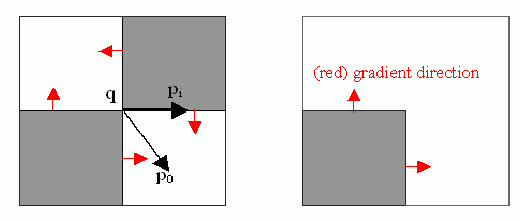
Sub-pixel accurate corner locator is based on the observation that every vector from the center \(q\) to a point \(p\) located within a neighborhood of \(q\) is orthogonal to the image gradient at \(p\) subject to image and measurement noise. Consider the expression:
\[\epsilon _i = {DI_{p_i}}^T \cdot (q - p_i)\]where \({DI_{p_i}}\) is an image gradient at one of the points \(p_i\) in a neighborhood of \(q\) . The value of \(q\) is to be found so that \(\epsilon_i\) is minimized. A system of equations may be set up with \(\epsilon_i\) set to zero:
\[\sum _i(DI_{p_i} \cdot {DI_{p_i}}^T) \cdot q - \sum _i(DI_{p_i} \cdot {DI_{p_i}}^T \cdot p_i)\]where the gradients are summed within a neighborhood (“search window”) of \(q\) . Calling the first gradient term \(G\) and the second gradient term \(b\) gives:
\[q = G^{-1} \cdot b\]The algorithm sets the center of the neighborhood window at this new center \(q\) and then iterates until the center stays within a set threshold.
- Parameters:
image – Input single-channel, 8-bit or float image.
corners – Initial coordinates of the input corners and refined coordinates provided for output.
winSize – Half of the side length of the search window. For example, if winSize=Size(5,5) , then a \((5*2+1) \times (5*2+1) = 11 \times 11\) search window is used.
zeroZone – Half of the size of the dead region in the middle of the search zone over which the summation in the formula below is not done. It is used sometimes to avoid possible singularities of the autocorrelation matrix. The value of (-1,-1) indicates that there is no such a size.
criteria – Criteria for termination of the iterative process of corner refinement. That is, the process of corner position refinement stops either after criteria.maxCount iterations or when the corner position moves by less than criteria.epsilon on some iteration.
correctChromaticAberration()#
-
void cv::correctChromaticAberration(InputArray input_image, InputArray coefficients, OutputArray output_image, const Size &image_size, int calib_degree, int bayer_pattern = -1)#
Corrects lateral chromatic aberration in an image using polynomial distortion model.
This function loads polynomial calibration data from the specified file and applies a channel‐specific warp to remove chromatic aberration. If
input_imagehas one channel, it is assumed to be a raw Bayer image and is first demosaiced usingbayer_pattern. If it has three channels, it is treated as a BGR image andbayer_patternis ignored.Firstly, calibration needs to be done using apps/chromatic-aberration-calibration/ca_calibration.py on a photo of a pattern of black discs on white background, included in opencv_extra/testdata/cv/cameracalibration/chromatic_aberration/chromatic_aberration_pattern_a3.png
Calibration and correction are based on the algorithm described in rudakova2013precise. The chromatic aberration is modeled as a polynomial of some degree in red and blue channels compared to green. In calibration, a photo of many black discs on white background is used, and the displacements between the centres of discs in red and blue channels compared to green are minimized. The coefficients are then saved in a yaml file which can be used with this function to correct lateral chromatic aberration.
See also
- Parameters:
input_image – Input BGR image to correct
coefficients – Coefficient model
output_image – Corrected BGR image
image_size – Size of images for the calibration coefficient model
calib_degree – Degree of the calibration coefficient model
bayer_pattern – Bayer pattern code (e.g. cv::COLOR_BayerBG2BGR) used for demosaicing when
input_imagehas one channel; ignored otherwise.
correctMatches()#
-
void cv::correctMatches(InputArray F, InputArray points1, InputArray points2, OutputArray newPoints1, OutputArray newPoints2)#
Refines coordinates of corresponding points.
The function implements the Optimal Triangulation Method (see Multiple View Geometry HartleyZ00 for details). For each given point correspondence points1[i] <-> points2[i], and a fundamental matrix F, it computes the corrected correspondences newPoints1[i] <-> newPoints2[i] that minimize the geometric error \(d(points1[i], newPoints1[i])^2 + d(points2[i],newPoints2[i])^2\) (where \(d(a,b)\) is the geometric distance between points \(a\) and \(b\) ) subject to the epipolar constraint \(newPoints2^T \cdot F \cdot newPoints1 = 0\) .
- Parameters:
F – 3x3 fundamental matrix.
points1 – 1xN array containing the first set of points.
points2 – 1xN array containing the second set of points.
newPoints1 – The optimized points1.
newPoints2 – The optimized points2.
cos()#
cos()#
-
softdouble cv::cos(const softdouble &a)#
Cosine.
Special cases:
cos(Inf) or cos(NaN) is NaN
cos(x) == +/- 1 when cos(x) is close to +/- 1
cosh()#
countNonZero()#
-
int cv::countNonZero(InputArray src)#
Counts non-zero array elements.
The function returns the number of non-zero elements in src :
\[\sum _{I: \; \texttt{src} (I) \ne0 } 1\]The function do not work with multi-channel arrays. If you need to count non-zero array elements across all the channels, use Mat::reshape first to reinterpret the array as single-channel. Or you may extract the particular channel using either extractImageCOI, or mixChannels, or split.
See also
See also
Note
CV_16F/CV_16BF/CV_Bool/CV_64U/CV_64S/CV_32U are not supported for src.
If only whether there are non-zero elements is important, hasNonZero is helpful.
If the location of non-zero array elements is important, findNonZero is helpful.
- Parameters:
src – single-channel array.
createAffineTransformer()#
createAlignMTB()#
-
Ptr<AlignMTB> cv::createAlignMTB(int max_bits = 6, int exclude_range = 4, bool cut = true)#
Creates AlignMTB object.
- Parameters:
max_bits – logarithm to the base 2 of maximal shift in each dimension. Values of 5 and 6 are usually good enough (31 and 63 pixels shift respectively).
exclude_range – range for exclusion bitmap that is constructed to suppress noise around the median value.
cut – if true cuts images, otherwise fills the new regions with zeros.
createBackgroundSubtractorKNN()#
-
Ptr<BackgroundSubtractorKNN> cv::createBackgroundSubtractorKNN(int history = 500, double dist2Threshold = 400.0, bool detectShadows = true)#
Creates KNN Background Subtractor.
- Parameters:
history – Length of the history.
dist2Threshold – Threshold on the squared distance between the pixel and the sample to decide whether a pixel is close to that sample. This parameter does not affect the background update.
detectShadows – If true, the algorithm will detect shadows and mark them. It decreases the speed a bit, so if you do not need this feature, set the parameter to false.
createBackgroundSubtractorMOG2()#
-
Ptr<BackgroundSubtractorMOG2> cv::createBackgroundSubtractorMOG2(int history = 500, double varThreshold = 16, bool detectShadows = true)#
Creates MOG2 Background Subtractor.
- Parameters:
history – Length of the history.
varThreshold – Threshold on the squared Mahalanobis distance between the pixel and the model to decide whether a pixel is well described by the background model. This parameter does not affect the background update.
detectShadows – If true, the algorithm will detect shadows and mark them. It decreases the speed a bit, so if you do not need this feature, set the parameter to false.
createCalibrateDebevec()#
-
Ptr<CalibrateDebevec> cv::createCalibrateDebevec(int samples = 70, float lambda = 10.0f, bool random = false)#
Creates CalibrateDebevec object.
- Parameters:
samples – number of pixel locations to use
lambda – smoothness term weight. Greater values produce smoother results, but can alter the response.
random – if true sample pixel locations are chosen at random, otherwise they form a rectangular grid.
createCalibrateRobertson()#
-
Ptr<CalibrateRobertson> cv::createCalibrateRobertson(int max_iter = 30, float threshold = 0.01f)#
Creates CalibrateRobertson object.
- Parameters:
max_iter – maximal number of Gauss-Seidel solver iterations.
threshold – target difference between results of two successive steps of the minimization.
createChiHistogramCostExtractor()#
createCLAHE()#
-
Ptr<CLAHE> cv::createCLAHE(double clipLimit = 40.0, Size tileGridSize = Size(8, 8))#
Creates a smart pointer to a cv::CLAHE class and initializes it.
- Parameters:
clipLimit – Threshold for contrast limiting.
tileGridSize – Size of grid for histogram equalization. Input image will be divided into equally sized rectangular tiles. tileGridSize defines the number of tiles in row and column.
createEMDHistogramCostExtractor()#
createEMDL1HistogramCostExtractor()#
createFaceDetectionMaskGenerator()#
createGeneralizedHoughBallard()#
-
Ptr<GeneralizedHoughBallard> cv::createGeneralizedHoughBallard()#
Creates a smart pointer to a cv::GeneralizedHoughBallard class and initializes it.
createGeneralizedHoughGuil()#
-
Ptr<GeneralizedHoughGuil> cv::createGeneralizedHoughGuil()#
Creates a smart pointer to a cv::GeneralizedHoughGuil class and initializes it.
createHanningWindow()#
-
void cv::createHanningWindow(OutputArray dst, Size winSize, int type)#
This function computes a Hanning window coefficients in two dimensions.
See (https://en.wikipedia.org/wiki/Hann_function) and (https://en.wikipedia.org/wiki/Window_function) for more information.
An example is shown below:
- Parameters:
dst – Destination array to place Hann coefficients in
winSize – The window size specifications (both width and height must be > 1)
type – Created array type
createHausdorffDistanceExtractor()#
-
Ptr<HausdorffDistanceExtractor> cv::createHausdorffDistanceExtractor(int distanceFlag = cv::NORM_L2, float rankProp = 0.6f)#
createLineSegmentDetector()#
-
Ptr<LineSegmentDetector> cv::createLineSegmentDetector(LineSegmentDetectorModes refine = LSD_REFINE_STD, double scale = 0.8, double sigma_scale = 0.6, double quant = 2.0, double ang_th = 22.5, double log_eps = 0, double density_th = 0.7, int n_bins = 1024)#
Creates a smart pointer to a LineSegmentDetector object and initializes it.
The LineSegmentDetector algorithm is defined using the standard values. Only advanced users may want to edit those, as to tailor it for their own application.
- Parameters:
refine – The way found lines will be refined, see LineSegmentDetectorModes
scale – The scale of the image that will be used to find the lines. Range (0..1].
sigma_scale – Sigma for Gaussian filter. It is computed as sigma = sigma_scale/scale.
quant – Bound to the quantization error on the gradient norm.
ang_th – Gradient angle tolerance in degrees.
log_eps – Detection threshold: -log10(NFA) > log_eps. Used only when advance refinement is chosen.
density_th – Minimal density of aligned region points in the enclosing rectangle.
n_bins – Number of bins in pseudo-ordering of gradient modulus.
createMergeDebevec()#
-
Ptr<MergeDebevec> cv::createMergeDebevec()#
Creates MergeDebevec object.
createMergeMertens()#
-
Ptr<MergeMertens> cv::createMergeMertens(float contrast_weight = 1.0f, float saturation_weight = 1.0f, float exposure_weight = 0.0f)#
Creates MergeMertens object.
- Parameters:
contrast_weight – contrast measure weight. See MergeMertens.
saturation_weight – saturation measure weight
exposure_weight – well-exposedness measure weight
createMergeRobertson()#
-
Ptr<MergeRobertson> cv::createMergeRobertson()#
Creates MergeRobertson object.
createNormHistogramCostExtractor()#
createShapeContextDistanceExtractor()#
-
Ptr<ShapeContextDistanceExtractor> cv::createShapeContextDistanceExtractor(int nAngularBins = 12, int nRadialBins = 4, float innerRadius = 0.2f, float outerRadius = 2, int iterations = 3, const Ptr<HistogramCostExtractor> &comparer = createChiHistogramCostExtractor(), const Ptr<ShapeTransformer> &transformer = createThinPlateSplineShapeTransformer())#
createStitcher()#
createStitcherScans()#
createThinPlateSplineShapeTransformer()#
-
Ptr<ThinPlateSplineShapeTransformer> cv::createThinPlateSplineShapeTransformer(double regularizationParameter = 0)#
Complete constructor
createTonemap()#
-
Ptr<Tonemap> cv::createTonemap(float gamma = 1.0f)#
Creates simple linear mapper with gamma correction.
- Parameters:
gamma – positive value for gamma correction. Gamma value of 1.0 implies no correction, gamma equal to 2.2f is suitable for most displays. Generally gamma > 1 brightens the image and gamma < 1 darkens it.
createTonemapDrago()#
-
Ptr<TonemapDrago> cv::createTonemapDrago(float gamma = 1.0f, float saturation = 1.0f, float bias = 0.85f)#
Creates TonemapDrago object.
- Parameters:
gamma – gamma value for gamma correction. See createTonemap
saturation – positive saturation enhancement value. 1.0 preserves saturation, values greater than 1 increase saturation and values less than 1 decrease it.
bias – value for bias function in [0, 1] range. Values from 0.7 to 0.9 usually give best results, default value is 0.85.
createTonemapMantiuk()#
-
Ptr<TonemapMantiuk> cv::createTonemapMantiuk(float gamma = 1.0f, float scale = 0.7f, float saturation = 1.0f)#
Creates TonemapMantiuk object.
- Parameters:
gamma – gamma value for gamma correction. See createTonemap
scale – contrast scale factor. HVS response is multiplied by this parameter, thus compressing dynamic range. Values from 0.6 to 0.9 produce best results.
saturation – saturation enhancement value. See createTonemapDrago
createTonemapReinhard()#
-
Ptr<TonemapReinhard> cv::createTonemapReinhard(float gamma = 1.0f, float intensity = 0.0f, float light_adapt = 1.0f, float color_adapt = 0.0f)#
Creates TonemapReinhard object.
- Parameters:
gamma – gamma value for gamma correction. See createTonemap
intensity – result intensity in [-8, 8] range. Greater intensity produces brighter results.
light_adapt – light adaptation in [0, 1] range. If 1 adaptation is based only on pixel value, if 0 it’s global, otherwise it’s a weighted mean of this two cases.
color_adapt – chromatic adaptation in [0, 1] range. If 1 channels are treated independently, if 0 adaptation level is the same for each channel.
createTrackbar()#
-
int cv::createTrackbar(const String &trackbarname, const String &winname, int *value, int count, TrackbarCallback onChange = 0, void *userdata = 0)#
Creates a trackbar and attaches it to the specified window.
The function createTrackbar creates a trackbar (a slider or range control) with the specified name and range, assigns a variable value to be a position synchronized with the trackbar and specifies the callback function onChange to be called on the trackbar position change. The created trackbar is displayed in the specified window winname.
Clicking the label of each trackbar enables editing the trackbar values manually.
See also
tutorial_trackbar
Note
[Qt Backend Only] winname can be empty if the trackbar should be attached to the control panel.
Note
If the
valuepointer isnullptr, the trackbar position must be manually managed. Call the callback function manually with the desired initial value to avoid runtime warnings.- Parameters:
trackbarname – Name of the created trackbar.
winname – Name of the window that will contain the trackbar.
value – Pointer to the integer value that will be changed by the trackbar. Pass
nullptrif the value pointer is not used. In this case, manually handle the trackbar position in the callback function.count – Maximum position of the trackbar.
onChange – Pointer to the function to be called every time the slider changes position. This function should have the prototype void Foo(int, void*);, where the first parameter is the trackbar position, and the second parameter is the user data (see the next parameter). If the callback is a nullptr, no callbacks are called, but the trackbar’s value will still be updated automatically.
userdata – Optional user data that is passed to the callback.
crossProduct()#
cubeRoot()#
-
static inline double cv::cubeRoot(double val)#
This is an overloaded member function, provided for convenience. It differs from the above function only in what argument(s) it accepts.
cubeRoot with argument of
doubletype callsstd::cbrt(double)
cubeRoot()#
-
float cv::cubeRoot(float val)#
Computes the cube root of an argument.
The function cubeRoot computes \(\sqrt[3]{\texttt{val}}\). Negative arguments are handled correctly. NaN and Inf are not handled. The accuracy approaches the maximum possible accuracy for single-precision data.
- Parameters:
val – A function argument.
currentUIFramework()#
-
const std::string cv::currentUIFramework()#
HighGUI backend used.
The function returns HighGUI backend name used: could be COCOA, GTK2/3, QT, WAYLAND or WIN32. Returns empty string if there is no available UI backend.
cv2eigen()#
cv2eigen()#
cv2eigen()#
cv2eigen()#
cv2eigen()#
cv2eigen()#
-
template<typename _Tp, int _layout>
static inline void cv::cv2eigen(const Mat &src, Eigen::Tensor<_Tp, 3, _layout> &dst)# Converts a cv::Mat to an Eigen::Tensor.
The method converts a cv::Mat to an Eigen Tensor with shape (H x W x C) where: H = number of rows W = number of columns C = number of channels
Usage:
cv2eigen()#
cv2eigen()#
cv2eigen()#
cv2eigen()#
cv2eigen()#
cv2eigen_tensormap()#
-
template<typename _Tp>
static inline Eigen::TensorMap<Eigen::Tensor<_Tp, 3, Eigen::RowMajor>> cv::cv2eigen_tensormap(InputArray src)# Maps cv::Mat data to an Eigen::TensorMap.
The method wraps an existing Mat data array with an Eigen TensorMap of shape (H x W x C) where: H = number of rows W = number of columns C = number of channels
Explicit instantiation of the return type is required.
The example below initializes a cv::Mat and produces an Eigen::TensorMap:
float arr[] = {0, 1, 2, 3, 4, 5, 6, 7, 8, 9, 10, 11}; Mat a_mat(2, 2, CV_32FC3, arr); Eigen::TensorMap<Eigen::Tensor<float, 3, Eigen::RowMajor>> a_tensormap = cv2eigen_tensormap<float>(a_mat);
cv_abs()#
cv_abs()#
-
inline float cv::cv_abs(bfloat x)#
cv_abs()#
-
inline float cv::cv_abs(hfloat x)#
cv_abs()#
-
inline unsigned cv::cv_abs(int x)#
cv_abs()#
-
inline uint64 cv::cv_abs(int64 x)#
cv_abs()#
-
inline int cv::cv_abs(schar x)#
cv_abs()#
-
inline int cv::cv_abs(short x)#
cv_abs()#
-
inline int cv::cv_abs(uchar x)#
cv_abs()#
-
inline uint64 cv::cv_abs(uint64 x)#
cv_abs()#
-
inline unsigned cv::cv_abs(unsigned x)#
cv_abs()#
-
inline int cv::cv_abs(ushort x)#
cv_absdiff()#
cv_absdiff()#
-
inline float cv::cv_absdiff(bfloat x, bfloat y)#
cv_absdiff()#
-
inline float cv::cv_absdiff(hfloat x, hfloat y)#
cv_absdiff()#
-
inline unsigned cv::cv_absdiff(int x, int y)#
cv_absdiff()#
-
inline int cv::cv_absdiff(schar x, schar y)#
cv_absdiff()#
-
inline int cv::cv_absdiff(short x, short y)#
cv_absdiff()#
-
inline int cv::cv_absdiff(uchar x, uchar y)#
cv_absdiff()#
-
inline uint64 cv::cv_absdiff(uint64 x, uint64 y)#
cv_absdiff()#
-
inline unsigned cv::cv_absdiff(unsigned x, unsigned y)#
cv_absdiff()#
-
inline int cv::cv_absdiff(ushort x, ushort y)#
cvtColor()#
-
void cv::cvtColor(InputArray src, OutputArray dst, int code, int dstCn = 0, AlgorithmHint hint = cv::ALGO_HINT_DEFAULT)#
Converts an image from one color space to another.
The function converts an input image from one color space to another. In case of a transformation to-from RGB color space, the order of the channels should be specified explicitly (RGB or BGR). Note that the default color format in OpenCV is often referred to as RGB but it is actually BGR (the bytes are reversed). So the first byte in a standard (24-bit) color image will be an 8-bit Blue component, the second byte will be Green, and the third byte will be Red. The fourth, fifth, and sixth bytes would then be the second pixel (Blue, then Green, then Red), and so on.
The conventional ranges for R, G, and B channel values are:
0 to 255 for CV_8U images
0 to 65535 for CV_16U images
0 to 1 for CV_32F images
In case of linear transformations, the range does not matter. But in case of a non-linear transformation, an input RGB image should be normalized to the proper value range to get the correct results, for example, for RGB \(\rightarrow\) L*u*v* transformation. For example, if you have a 32-bit floating-point image directly converted from an 8-bit image without any scaling, then it will have the 0..255 value range instead of 0..1 assumed by the function. So, before calling cvtColor , you need first to scale the image down:
If you use cvtColor with 8-bit images, the conversion will have some information lost. For many applications, this will not be noticeable but it is recommended to use 32-bit images in applications that need the full range of colors or that convert an image before an operation and then convert back.img *= 1./255; cvtColor(img, img, COLOR_BGR2Luv);
If conversion adds the alpha channel, its value will set to the maximum of corresponding channel range: 255 for CV_8U, 65535 for CV_16U, 1 for CV_32F.
See also
Color Space Conversions
Note
The source image (src) must be of an appropriate type for the desired color conversion. see ColorConversionCodes
- Parameters:
src – input image: 8-bit unsigned, 16-bit unsigned ( CV_16UC… ), or single-precision floating-point.
dst – output image of the same size and depth as src.
code – color space conversion code (see ColorConversionCodes).
dstCn – number of channels in the destination image; if the parameter is 0, the number of the channels is derived automatically from src and code.
hint – Implementation modification flags. See AlgorithmHint
cvtColorTwoPlane()#
-
void cv::cvtColorTwoPlane(InputArray src1, InputArray src2, OutputArray dst, int code, AlgorithmHint hint = cv::ALGO_HINT_DEFAULT)#
Converts an image from one color space to another where the source image is stored in two planes.
This function only supports YUV420 to RGB conversion as of now.
- Parameters:
src1 – 8-bit image (CV_8U) of the Y plane.
src2 – image containing interleaved U/V plane.
dst – output image.
code – Specifies the type of conversion. It can take any of the following values:
COLOR_YUV2BGR_NV12
COLOR_YUV2RGB_NV12
COLOR_YUV2BGRA_NV12
COLOR_YUV2RGBA_NV12
COLOR_YUV2BGR_NV21
COLOR_YUV2RGB_NV21
COLOR_YUV2BGRA_NV21
COLOR_YUV2RGBA_NV21
hint – Implementation modification flags. See AlgorithmHint
dct()#
-
void cv::dct(InputArray src, OutputArray dst, int flags = 0)#
Performs a forward or inverse discrete Cosine transform of 1D or 2D array.
The function cv::dct performs a forward or inverse discrete Cosine transform (DCT) of a 1D or 2D floating-point array:
Forward Cosine transform of a 1D vector of N elements:
\[Y = C^{(N)} \cdot X\]where\[C^{(N)}_{jk}= \sqrt{\alpha_j/N} \cos \left ( \frac{\pi(2k+1)j}{2N} \right )\]and \(\alpha_0=1\), \(\alpha_j=2\) for j > 0.Inverse Cosine transform of a 1D vector of N elements:
\[X = \left (C^{(N)} \right )^{-1} \cdot Y = \left (C^{(N)} \right )^T \cdot Y\](since \(C^{(N)}\) is an orthogonal matrix, \(C^{(N)} \cdot \left(C^{(N)}\right)^T = I\) )Forward 2D Cosine transform of M x N matrix:
\[Y = C^{(N)} \cdot X \cdot \left (C^{(N)} \right )^T\]Inverse 2D Cosine transform of M x N matrix:
\[X = \left (C^{(N)} \right )^T \cdot X \cdot C^{(N)}\]
The function chooses the mode of operation by looking at the flags and size of the input array:
If (flags & DCT_INVERSE) == 0, the function does a forward 1D or 2D transform. Otherwise, it is an inverse 1D or 2D transform.
If (flags & DCT_ROWS) != 0, the function performs a 1D transform of each row.
If the array is a single column or a single row, the function performs a 1D transform.
If none of the above is true, the function performs a 2D transform.
See also
Note
Currently dct supports even-size arrays (2, 4, 6 …). For data analysis and approximation, you can pad the array when necessary. Also, the function performance depends very much, and not monotonically, on the array size (see getOptimalDFTSize ). In the current implementation DCT of a vector of size N is calculated via DFT of a vector of size N/2 . Thus, the optimal DCT size N1 >= N can be calculated as:
size_t getOptimalDCTSize(size_t N) { return 2*getOptimalDFTSize((N+1)/2); } N1 = getOptimalDCTSize(N);
- Parameters:
src – input floating-point array.
dst – output array of the same size and type as src .
flags – transformation flags as a combination of cv::DftFlags (DCT_*)
decolor()#
-
void cv::decolor(InputArray src, OutputArray grayscale, OutputArray color_boost)#
Transforms a color image to a grayscale image. It is a basic tool in digital printing, stylized black-and-white photograph rendering, and in many single channel image processing applications CL12 .
This function is to be applied on color images.
- Parameters:
src – Input 8-bit 3-channel image.
grayscale – Output 8-bit 1-channel image.
color_boost – Output 8-bit 3-channel image.
decomposeEssentialMat()#
-
void cv::decomposeEssentialMat(InputArray E, OutputArray R1, OutputArray R2, OutputArray t)#
Decompose an essential matrix to possible rotations and translation.
This function decomposes the essential matrix E using svd decomposition HartleyZ00. In general, four possible poses exist for the decomposition of E. They are \([R_1, t]\), \([R_1, -t]\), \([R_2, t]\), \([R_2, -t]\).
If E gives the epipolar constraint \([p_2; 1]^T A^{-T} E A^{-1} [p_1; 1] = 0\) between the image points \(p_1\) in the first image and \(p_2\) in second image, then any of the tuples \([R_1, t]\), \([R_1, -t]\), \([R_2, t]\), \([R_2, -t]\) is a change of basis from the first camera’s coordinate system to the second camera’s coordinate system. However, by decomposing E, one can only get the direction of the translation. For this reason, the translation t is returned with unit length.
- Parameters:
E – The input essential matrix.
R1 – One possible rotation matrix.
R2 – Another possible rotation matrix.
t – One possible translation.
decomposeHomographyMat()#
-
int cv::decomposeHomographyMat(InputArray H, InputArray K, OutputArrayOfArrays rotations, OutputArrayOfArrays translations, OutputArrayOfArrays normals)#
Decompose a homography matrix to rotation(s), translation(s) and plane normal(s).
This function extracts relative camera motion between two views of a planar object and returns up to four mathematical solution tuples of rotation, translation, and plane normal. The decomposition of the homography matrix H is described in detail in Malis2007.
If the homography H, induced by the plane, gives the constraint
\[s_i \vecthree{x'_i}{y'_i}{1} \sim H \vecthree{x_i}{y_i}{1}\]on the source image points \(p_i\) and the destination image points \(p'_i\), then the tuple of rotations[k] and translations[k] is a change of basis from the source camera’s coordinate system to the destination camera’s coordinate system. However, by decomposing H, one can only get the translation normalized by the (typically unknown) depth of the scene, i.e. its direction but with normalized length.If point correspondences are available, at least two solutions may further be invalidated, by applying positive depth constraint, i.e. all points must be in front of the camera.
- Parameters:
H – The input homography matrix between two images.
K – The input camera intrinsic matrix.
rotations – Array of rotation matrices.
translations – Array of translation matrices.
normals – Array of plane normal matrices.
decomposeProjectionMatrix()#
-
void cv::decomposeProjectionMatrix(InputArray projMatrix, OutputArray cameraMatrix, OutputArray rotMatrix, OutputArray transVect, OutputArray rotMatrixX = noArray(), OutputArray rotMatrixY = noArray(), OutputArray rotMatrixZ = noArray(), OutputArray eulerAngles = noArray())#
Decomposes a projection matrix into a rotation matrix and a camera intrinsic matrix.
The function computes a decomposition of a projection matrix into a calibration and a rotation matrix and the position of a camera.
It optionally returns three rotation matrices, one for each axis, and three Euler angles that could be used in OpenGL. Note, there is always more than one sequence of rotations about the three principal axes that results in the same orientation of an object, e.g. see Slabaugh . Returned three rotation matrices and corresponding three Euler angles are only one of the possible solutions.
The function is based on RQDecomp3x3 .
- Parameters:
projMatrix – 3x4 input projection matrix P.
cameraMatrix – Output 3x3 camera intrinsic matrix \(\cameramatrix{A}\).
rotMatrix – Output 3x3 external rotation matrix R.
transVect – Output 4x1 translation vector T.
rotMatrixX – Optional 3x3 rotation matrix around x-axis.
rotMatrixY – Optional 3x3 rotation matrix around y-axis.
rotMatrixZ – Optional 3x3 rotation matrix around z-axis.
eulerAngles – Optional three-element vector containing three Euler angles of rotation in degrees.
demosaicing()#
-
void cv::demosaicing(InputArray src, OutputArray dst, int code, int dstCn = 0)#
main function for all demosaicing processes
The function can do the following transformations:
Demosaicing using bilinear interpolation
COLOR_BayerBG2BGR , COLOR_BayerGB2BGR , COLOR_BayerRG2BGR , COLOR_BayerGR2BGR
COLOR_BayerBG2GRAY , COLOR_BayerGB2GRAY , COLOR_BayerRG2GRAY , COLOR_BayerGR2GRAY
Demosaicing using Variable Number of Gradients.
COLOR_BayerBG2BGR_VNG , COLOR_BayerGB2BGR_VNG , COLOR_BayerRG2BGR_VNG , COLOR_BayerGR2BGR_VNG
Edge-Aware Demosaicing.
COLOR_BayerBG2BGR_EA , COLOR_BayerGB2BGR_EA , COLOR_BayerRG2BGR_EA , COLOR_BayerGR2BGR_EA
Demosaicing with alpha channel
COLOR_BayerBG2BGRA , COLOR_BayerGB2BGRA , COLOR_BayerRG2BGRA , COLOR_BayerGR2BGRA
See also
Note
The source image (src) must be of an appropriate type for the desired color conversion. see ColorConversionCodes
- Parameters:
src – input image: 8-bit unsigned or 16-bit unsigned.
dst – output image of the same size and depth as src.
code – Color space conversion code (see the description below).
dstCn – number of channels in the destination image; if the parameter is 0, the number of the channels is derived automatically from src and code.
denoise_TVL1()#
-
void cv::denoise_TVL1(const std::vector<Mat> &observations, Mat &result, double lambda = 1.0, int niters = 30)#
Primal-dual algorithm is an algorithm for solving special types of variational problems (that is, finding a function to minimize some functional). As the image denoising, in particular, may be seen as the variational problem, primal-dual algorithm then can be used to perform denoising and this is exactly what is implemented.
It should be noted, that this implementation was taken from the July 2013 blog entry MA13 , which also contained (slightly more general) ready-to-use source code on Python. Subsequently, that code was rewritten on C++ with the usage of openCV by Vadim Pisarevsky at the end of July 2013 and finally it was slightly adapted by later authors.
Although the thorough discussion and justification of the algorithm involved may be found in ChambolleEtAl, it might make sense to skim over it here, following MA13 . To begin with, we consider the 1-byte gray-level images as the functions from the rectangular domain of pixels (it may be seen as set \(\left\{(x,y)\in\mathbb{N}\times\mathbb{N}\mid 1\leq x\leq n,\;1\leq y\leq m\right\}\) for some \(m,\;n\in\mathbb{N}\)) into \(\{0,1,\dots,255\}\). We shall denote the noised images as \(f_i\) and with this view, given some image \(x\) of the same size, we may measure how bad it is by the formula
\[\left\|\left\|\nabla x\right\|\right\| + \lambda\sum_i\left\|\left\|x-f_i\right\|\right\|\]\(\|\|\cdot\|\|\) here denotes \(L_2\)-norm and as you see, the first addend states that we want our image to be smooth (ideally, having zero gradient, thus being constant) and the second states that we want our result to be close to the observations we’ve got. If we treat \(x\) as a function, this is exactly the functional what we seek to minimize and here the Primal-Dual algorithm comes into play.
- Parameters:
observations – This array should contain one or more noised versions of the image that is to be restored.
result – Here the denoised image will be stored. There is no need to do pre-allocation of storage space, as it will be automatically allocated, if necessary.
lambda – Corresponds to \(\lambda\) in the formulas above. As it is enlarged, the smooth (blurred) images are treated more favorably than detailed (but maybe more noised) ones. Roughly speaking, as it becomes smaller, the result will be more blur but more sever outliers will be removed.
niters – Number of iterations that the algorithm will run. Of course, as more iterations as better, but it is hard to quantitatively refine this statement, so just use the default and increase it if the results are poor.
depthTo3d()#
-
void cv::depthTo3d(InputArray depth, InputArray K, OutputArray points3d, InputArray mask = noArray())#
Converts a depth image to 3d points. If the mask is empty then the resulting array has the same dimensions as
depth, otherwise it is 1d vector containing mask-enabled values only. The coordinate system is x pointing left, y down and z away from the camera- Parameters:
depth – the depth image (if given as short int CV_U, it is assumed to be the depth in millimeters (as done with the Microsoft Kinect), otherwise, if given as CV_32F or CV_64F, it is assumed in meters)
K – The calibration matrix
points3d – the resulting 3d points (point is represented by 4 channels value [x, y, z, 0]). They are of the same depth as
depthif it is CV_32F or CV_64F, and the depth ofKifdepthis of depth CV_16U or CV_16Smask – the mask of the points to consider (can be empty)
depthTo3dSparse()#
-
void cv::depthTo3dSparse(InputArray depth, InputArray in_K, InputArray in_points, OutputArray points3d)#
- Parameters:
depth – the depth image
in_K –
in_points – the list of xy coordinates
points3d – the resulting 3d points (point is represented by 4 chanels value [x, y, z, 0])
descr_of()#
-
GMatDesc cv::descr_of(const cv::Mat &mat)#
descr_of()#
descr_of()#
-
GMatDesc cv::descr_of(const cv::UMat &mat)#
descr_of()#
-
GMatDesc cv::descr_of(const RMat &mat)#
descr_of()#
descr_of()#
destroyAllWindows()#
-
void cv::destroyAllWindows()#
Destroys all of the HighGUI windows.
The function destroyAllWindows destroys all of the opened HighGUI windows.
destroyWindow()#
detailEnhance()#
-
void cv::detailEnhance(InputArray src, OutputArray dst, float sigma_s = 10, float sigma_r = 0.15f)#
This filter enhances the details of a particular image.
- Parameters:
src – Input 8-bit 3-channel image.
dst – Output image with the same size and type as src.
sigma_s – Range between 0 to 200.
sigma_r – Range between 0 to 1.
determinant()#
determinant()#
-
double cv::determinant(InputArray mtx)#
Returns the determinant of a square floating-point matrix.
The function cv::determinant calculates and returns the determinant of the specified matrix. For small matrices ( mtx.cols=mtx.rows<=3 ), the direct method is used. For larger matrices, the function uses LU factorization with partial pivoting.
For symmetric positively-determined matrices, it is also possible to use eigen decomposition to calculate the determinant.
See also
- Parameters:
mtx – input matrix that must have CV_32FC1 or CV_64FC1 type and square size.
dft()#
-
void cv::dft(InputArray src, OutputArray dst, int flags = 0, int nonzeroRows = 0)#
Performs a forward or inverse Discrete Fourier transform of a 1D or 2D floating-point array.
The function cv::dft performs one of the following:
Forward the Fourier transform of a 1D vector of N elements:
\[Y = F^{(N)} \cdot X,\]where \(F^{(N)}_{jk}=\exp(-2\pi i j k/N)\) and \(i=\sqrt{-1}\)Inverse the Fourier transform of a 1D vector of N elements:
\[\begin{split}\begin{array}{l} X'= \left (F^{(N)} \right )^{-1} \cdot Y = \left (F^{(N)} \right )^* \cdot y \\ X = (1/N) \cdot X, \end{array}\end{split}\]where \(F^*=\left(\textrm{Re}(F^{(N)})-\textrm{Im}(F^{(N)})\right)^T\)Forward the 2D Fourier transform of a M x N matrix:
\[Y = F^{(M)} \cdot X \cdot F^{(N)}\]Inverse the 2D Fourier transform of a M x N matrix:
\[\begin{split}\begin{array}{l} X'= \left (F^{(M)} \right )^* \cdot Y \cdot \left (F^{(N)} \right )^* \\ X = \frac{1}{M \cdot N} \cdot X' \end{array}\end{split}\]
In case of real (single-channel) data, the output spectrum of the forward Fourier transform or input spectrum of the inverse Fourier transform can be represented in a packed format called CCS (complex-conjugate-symmetrical). It was borrowed from IPL (Intel* Image Processing Library). Here is how 2D CCS spectrum looks:
\[\begin{split}\begin{bmatrix} Re Y_{0,0} & Re Y_{0,1} & Im Y_{0,1} & Re Y_{0,2} & Im Y_{0,2} & \cdots & Re Y_{0,N/2-1} & Im Y_{0,N/2-1} & Re Y_{0,N/2} \\ Re Y_{1,0} & Re Y_{1,1} & Im Y_{1,1} & Re Y_{1,2} & Im Y_{1,2} & \cdots & Re Y_{1,N/2-1} & Im Y_{1,N/2-1} & Re Y_{1,N/2} \\ Im Y_{1,0} & Re Y_{2,1} & Im Y_{2,1} & Re Y_{2,2} & Im Y_{2,2} & \cdots & Re Y_{2,N/2-1} & Im Y_{2,N/2-1} & Im Y_{1,N/2} \\ \hdotsfor{9} \\ Re Y_{M/2-1,0} & Re Y_{M-3,1} & Im Y_{M-3,1} & \hdotsfor{3} & Re Y_{M-3,N/2-1} & Im Y_{M-3,N/2-1}& Re Y_{M/2-1,N/2} \\ Im Y_{M/2-1,0} & Re Y_{M-2,1} & Im Y_{M-2,1} & \hdotsfor{3} & Re Y_{M-2,N/2-1} & Im Y_{M-2,N/2-1}& Im Y_{M/2-1,N/2} \\ Re Y_{M/2,0} & Re Y_{M-1,1} & Im Y_{M-1,1} & \hdotsfor{3} & Re Y_{M-1,N/2-1} & Im Y_{M-1,N/2-1}& Re Y_{M/2,N/2} \end{bmatrix}\end{split}\]In case of 1D transform of a real vector, the output looks like the first row of the matrix above.
So, the function chooses an operation mode depending on the flags and size of the input array:
If DFT_ROWS is set or the input array has a single row or single column, the function performs a 1D forward or inverse transform of each row of a matrix when DFT_ROWS is set. Otherwise, it performs a 2D transform.
If the input array is real and DFT_INVERSE is not set, the function performs a forward 1D or 2D transform:
When DFT_COMPLEX_OUTPUT is set, the output is a complex matrix of the same size as input.
When DFT_COMPLEX_OUTPUT is not set, the output is a real matrix of the same size as input. In case of 2D transform, it uses the packed format as shown above. In case of a single 1D transform, it looks like the first row of the matrix above. In case of multiple 1D transforms (when using the DFT_ROWS flag), each row of the output matrix looks like the first row of the matrix above.
If the input array is complex and either DFT_INVERSE or DFT_REAL_OUTPUT are not set, the output is a complex array of the same size as input. The function performs a forward or inverse 1D or 2D transform of the whole input array or each row of the input array independently, depending on the flags DFT_INVERSE and DFT_ROWS.
When DFT_INVERSE is set and the input array is real, or it is complex but DFT_REAL_OUTPUT is set, the output is a real array of the same size as input. The function performs a 1D or 2D inverse transformation of the whole input array or each individual row, depending on the flags DFT_INVERSE and DFT_ROWS.
If DFT_SCALE is set, the scaling is done after the transformation.
Unlike dct, the function supports arrays of arbitrary size. But only those arrays are processed efficiently, whose sizes can be factorized in a product of small prime numbers (2, 3, and 5 in the current implementation). Such an efficient DFT size can be calculated using the getOptimalDFTSize method.
The sample below illustrates how to calculate a DFT-based convolution of two 2D real arrays:
An example on DFT-based convolution#include "opencv2/core.hpp" #include "opencv2/core/utility.hpp" #include "opencv2/imgproc.hpp" #include "opencv2/imgcodecs.hpp" #include "opencv2/highgui.hpp" #include <iostream> #include <stdio.h> using namespace cv; using namespace std; static void convolveDFT(InputArray A, InputArray B, OutputArray C) { // Calculate the size of the output array int outputRows = A.rows() + B.rows() - 1; int outputCols = A.cols() + B.cols() - 1; // Reallocate the output array if needed C.create(outputRows, outputCols, A.type()); Size dftSize; // Calculate the size of DFT transform dftSize.width = getOptimalDFTSize(A.cols() + B.cols() - 1); dftSize.height = getOptimalDFTSize(A.rows() + B.rows() - 1); // Allocate temporary buffers and initialize them with 0's Mat tempA(dftSize, A.type(), Scalar::all(0)); Mat tempB(dftSize, B.type(), Scalar::all(0)); // Copy A and B to the top-left corners of tempA and tempB, respectively Mat roiA(tempA, Rect(0, 0, A.cols(), A.rows())); A.copyTo(roiA); Mat roiB(tempB, Rect(0, 0, B.cols(), B.rows())); B.copyTo(roiB); // Now transform the padded A & B in-place; // use "nonzeroRows" hint for faster processing dft(tempA, tempA, 0, A.rows()); dft(tempB, tempB, 0, B.rows()); // Multiply the spectrums; // the function handles packed spectrum representations well mulSpectrums(tempA, tempB, tempA, 0); // Transform the product back from the frequency domain. // Even though all the result rows will be non-zero, // you need only the first C.rows of them, and thus you // pass nonzeroRows == C.rows dft(tempA, tempA, DFT_INVERSE + DFT_SCALE, C.rows()); // Now copy the result back to C. tempA(Rect(0, 0, C.cols(), C.rows())).copyTo(C); // All the temporary buffers will be deallocated automatically } static void help(const char ** argv) { printf("\nThis program demonstrates the use of convolution using discrete Fourier transform (DFT)\n" "An image is convolved with kernel filter using DFT.\n" "Usage:\n %s [input -- default lena.jpg]\n", argv[0]); } const char* keys = { "{help h||}{@input|lena.jpg|input image file}" }; int main(int argc, const char** argv) { // Load the image in grayscale help(argv); CommandLineParser parser(argc, argv, keys); if (parser.has("help")) { help(argv); return 0; } string filename = parser.get<string>(0); Mat img = imread(samples::findFile(filename), IMREAD_GRAYSCALE); // Check if the image is loaded successfully if (img.empty()) { std::cerr << "Error: Image not loaded!" << std::endl; return -1; } // Convert the image to CV_32F Mat img_32f; img.convertTo(img_32f, CV_32F); float kernelData[9] = { 1.0f/9, 1.0f/9, 1.0f/9, 1.0f/9, 1.0f/9, 1.0f/9, 1.0f/9, 1.0f/9, 1.0f/9 }; // example of blur filter, can be changed to other filter as well. Mat kernel(3, 3, CV_32F, kernelData); // Perform convolution of the image with the sharpening kernel Mat result; convolveDFT(img_32f, kernel, result); // Normalize the result for better visualization normalize(result, result, 0, 255, NORM_MINMAX); // Convert result back to 8-bit for display Mat result_8u; result.convertTo(result_8u, CV_8U); // Display the images imshow("Original Image", img); imshow("Output Image", result_8u); waitKey(0); // Wait for a key press to close the windows return 0; }
To optimize this sample, consider the following approaches:
Since nonzeroRows != 0 is passed to the forward transform calls and since A and B are copied to the top-left corners of tempA and tempB, respectively, it is not necessary to clear the whole tempA and tempB. It is only necessary to clear the tempA.cols - A.cols ( tempB.cols - B.cols) rightmost columns of the matrices.
This DFT-based convolution does not have to be applied to the whole big arrays, especially if B is significantly smaller than A or vice versa. Instead, you can calculate convolution by parts. To do this, you need to split the output array C into multiple tiles. For each tile, estimate which parts of A and B are required to calculate convolution in this tile. If the tiles in C are too small, the speed will decrease a lot because of repeated work. In the ultimate case, when each tile in C is a single pixel, the algorithm becomes equivalent to the naive convolution algorithm. If the tiles are too big, the temporary arrays tempA and tempB become too big and there is also a slowdown because of bad cache locality. So, there is an optimal tile size somewhere in the middle.
If different tiles in C can be calculated in parallel and, thus, the convolution is done by parts, the loop can be threaded.
All of the above improvements have been implemented in matchTemplate and filter2D . Therefore, by using them, you can get the performance even better than with the above theoretically optimal implementation. Though, those two functions actually calculate cross-correlation, not convolution, so you need to “flip” the second convolution operand B vertically and horizontally using flip .
See also
dct, getOptimalDFTSize, mulSpectrums, filter2D, matchTemplate, flip, cartToPolar, magnitude, phase
Note
An example using the discrete fourier transform can be found at opencv_source_code/samples/cpp/dft.cpp
(Python) An example using the dft functionality to perform Wiener deconvolution can be found at opencv_source/samples/python/deconvolution.py
(Python) An example rearranging the quadrants of a Fourier image can be found at opencv_source/samples/python/dft.py
- Parameters:
src – input array that could be real or complex.
dst – output array whose size and type depends on the flags .
flags – transformation flags, representing a combination of the DftFlags
nonzeroRows – when the parameter is not zero, the function assumes that only the first nonzeroRows rows of the input array (DFT_INVERSE is not set) or only the first nonzeroRows of the output array (DFT_INVERSE is set) contain non-zeros, thus, the function can handle the rest of the rows more efficiently and save some time; this technique is very useful for calculating array cross-correlation or convolution using DFT.
dilate()#
-
void cv::dilate(InputArray src, OutputArray dst, InputArray kernel, Point anchor = Point(-1, -1), int iterations = 1, int borderType = BORDER_CONSTANT, const Scalar &borderValue = morphologyDefaultBorderValue())#
Dilates an image by using a specific structuring element.
The function dilates the source image using the specified structuring element that determines the shape of a pixel neighborhood over which the maximum is taken:
\[\texttt{dst} (x,y) = \max _{(x',y'): \, \texttt{kernel} (x',y') \ne0 } \texttt{src} (x+x',y+y')\]The function supports the in-place mode. Dilation can be applied several ( iterations ) times. In case of multi-channel images, each channel is processed independently.
See also
- Parameters:
src – input image; the number of channels can be arbitrary, but the depth should be one of CV_8U, CV_16U, CV_16S, CV_32F or CV_64F.
dst – output image of the same size and type as src.
kernel – structuring element used for dilation; if
kernel=Mat(), a3 x 3rectangular structuring element is used. Kernel can be created using getStructuringElementanchor – position of the anchor within the element; default value (-1, -1) means that the anchor is at the element center.
iterations – number of times dilation is applied.
borderType – pixel extrapolation method, see BorderTypes. BORDER_WRAP is not supported.
borderValue – border value in case of a constant border
displayOverlay()#
-
void cv::displayOverlay(const String &winname, const String &text, int delayms = 0)#
Displays a text on a window image as an overlay for a specified duration.
The function displayOverlay displays useful information/tips on top of the window for a certain amount of time delayms. The function does not modify the image, displayed in the window, that is, after the specified delay the original content of the window is restored.
- Parameters:
winname – Name of the window.
text – Overlay text to write on a window image.
delayms – The period (in milliseconds), during which the overlay text is displayed. If this function is called before the previous overlay text timed out, the timer is restarted and the text is updated. If this value is zero, the text never disappears.
displayStatusBar()#
-
void cv::displayStatusBar(const String &winname, const String &text, int delayms = 0)#
Displays a text on the window statusbar during the specified period of time.
The function displayStatusBar displays useful information/tips on top of the window for a certain amount of time delayms . This information is displayed on the window statusbar (the window must be created with the cv::WINDOW_GUI_EXPANDED flags).
- Parameters:
winname – Name of the window.
text – Text to write on the window statusbar.
delayms – Duration (in milliseconds) to display the text. If this function is called before the previous text timed out, the timer is restarted and the text is updated. If this value is zero, the text never disappears.
distanceTransform()#
-
void cv::distanceTransform(InputArray src, OutputArray dst, int distanceType, int maskSize, int dstType = CV_32F)#
This is an overloaded member function, provided for convenience. It differs from the above function only in what argument(s) it accepts.
- Parameters:
src – 8-bit, single-channel (binary) source image.
dst – Output image with calculated distances. It is a 8-bit or 32-bit floating-point, single-channel image of the same size as src .
distanceType – Type of distance, see DistanceTypes
maskSize – Size of the distance transform mask, see DistanceTransformMasks. In case of the DIST_L1 or DIST_C distance type, the parameter is forced to 3 because a \(3\times 3\) mask gives the same result as \(5\times 5\) or any larger aperture.
dstType – Type of output image. It can be CV_8U or CV_32F. Type CV_8U can be used only for the first variant of the function and distanceType == DIST_L1.
distanceTransform()#
-
void cv::distanceTransform(InputArray src, OutputArray dst, OutputArray labels, int distanceType, int maskSize, int labelType = DIST_LABEL_CCOMP)#
Calculates the distance to the closest zero pixel for each pixel of the source image.
The function cv::distanceTransform calculates the approximate or precise distance from every binary image pixel to the nearest zero pixel. For zero image pixels, the distance will obviously be zero.
When maskSize == DIST_MASK_PRECISE and distanceType == DIST_L2 , the function runs the algorithm described in Felzenszwalb04 . This algorithm is parallelized with the TBB library.
In other cases, the algorithm Borgefors86 is used. This means that for a pixel the function finds the shortest path to the nearest zero pixel consisting of basic shifts: horizontal, vertical, diagonal, or knight’s move (the latest is available for a \(5\times 5\) mask). The overall distance is calculated as a sum of these basic distances. Since the distance function should be symmetric, all of the horizontal and vertical shifts must have the same cost (denoted as a ), all the diagonal shifts must have the same cost (denoted as
b), and all knight’s moves must have the same cost (denoted asc). For the DIST_C and DIST_L1 types, the distance is calculated precisely, whereas for DIST_L2 (Euclidean distance) the distance can be calculated only with a relative error (a \(5\times 5\) mask gives more accurate results). Fora,b, andc, OpenCV uses the values suggested in the original paper:DIST_L1:
a = 1, b = 2DIST_L2:
3 x 3:a=0.955, b=1.36935 x 5:a=1, b=1.4, c=2.1969
DIST_C:
a = 1, b = 1
Typically, for a fast, coarse distance estimation DIST_L2, a \(3\times 3\) mask is used. For a more accurate distance estimation DIST_L2, a \(5\times 5\) mask or the precise algorithm is used. Note that both the precise and the approximate algorithms are linear on the number of pixels.
This variant of the function does not only compute the minimum distance for each pixel \((x, y)\) but also identifies the nearest connected component consisting of zero pixels (labelType==DIST_LABEL_CCOMP) or the nearest zero pixel (labelType==DIST_LABEL_PIXEL). Index of the component/pixel is stored in
labels(x, y). When labelType==DIST_LABEL_CCOMP, the function automatically finds connected components of zero pixels in the input image and marks them with distinct labels. When labelType==DIST_LABEL_PIXEL, the function scans through the input image and marks all the zero pixels with distinct labels.In this mode, the complexity is still linear. That is, the function provides a very fast way to compute the Voronoi diagram for a binary image. Currently, the second variant can use only the approximate distance transform algorithm, i.e. maskSize=DIST_MASK_PRECISE is not supported yet.
- Parameters:
src – 8-bit, single-channel (binary) source image.
dst – Output image with calculated distances. It is a 8-bit or 32-bit floating-point, single-channel image of the same size as src.
labels – Output 2D array of labels (the discrete Voronoi diagram). It has the type CV_32SC1 and the same size as src.
distanceType – Type of distance, see DistanceTypes
maskSize – Size of the distance transform mask, see DistanceTransformMasks. DIST_MASK_PRECISE is not supported by this variant. In case of the DIST_L1 or DIST_C distance type, the parameter is forced to 3 because a \(3\times 3\) mask gives the same result as \(5\times 5\) or any larger aperture.
labelType – Type of the label array to build, see DistanceTransformLabelTypes.
divide()#
-
void cv::divide(double scale, InputArray src2, OutputArray dst, int dtype = -1)#
This is an overloaded member function, provided for convenience. It differs from the above function only in what argument(s) it accepts.
divide()#
-
void cv::divide(InputArray src1, InputArray src2, OutputArray dst, double scale = 1, int dtype = -1)#
Performs per-element division of two arrays or a scalar by an array.
The function cv::divide divides one array by another:
\[\texttt{dst(I) = saturate(src1(I)*scale/src2(I))}\]or a scalar by an array when there is no src1 :\[\texttt{dst(I) = saturate(scale/src2(I))}\]Different channels of multi-channel arrays are processed independently.
For integer types when src2(I) is zero, dst(I) will also be zero.
Note
In case of floating point data there is no special defined behavior for zero src2(I) values. Regular floating-point division is used. Expect correct IEEE-754 behaviour for floating-point data (with NaN, Inf result values).
Note
Saturation is not applied when the output array has the depth CV_32S. You may even get result of an incorrect sign in the case of overflow.
Note
(Python) Be careful to difference behaviour between src1/src2 are single number and they are tuple/array.
divide(src,X)meansdivide(src,(X,X,X,X)).divide(src,(X,))meansdivide(src,(X,0,0,0)).- Parameters:
src1 – first input array.
src2 – second input array of the same size and type as src1.
scale – scalar factor.
dst – output array of the same size and type as src2.
dtype – optional depth of the output array; if -1, dst will have depth src2.depth(), but in case of an array-by-array division, you can only pass -1 when src1.depth()==src2.depth().
divSpectrums()#
-
void cv::divSpectrums(InputArray a, InputArray b, OutputArray c, int flags, bool conjB = false)#
Performs the per-element division of the first Fourier spectrum by the second Fourier spectrum.
The function cv::divSpectrums performs the per-element division of the first array by the second array. The arrays are CCS-packed or complex matrices that are results of a real or complex Fourier transform.
- Parameters:
a – first input array.
b – second input array of the same size and type as src1 .
c – output array of the same size and type as src1 .
flags – operation flags; currently, the only supported flag is cv::DFT_ROWS, which indicates that each row of src1 and src2 is an independent 1D Fourier spectrum. If you do not want to use this flag, then simply add a
0as value.conjB – optional flag that conjugates the second input array before the multiplication (true) or not (false).
divUp()#
divUp()#
-
static inline size_t cv::divUp(size_t a, unsigned int b)#
This is an overloaded member function, provided for convenience. It differs from the above function only in what argument(s) it accepts.
drawChessboardCorners()#
-
void cv::drawChessboardCorners(InputOutputArray image, Size patternSize, InputArray corners, bool patternWasFound)#
Renders the detected chessboard corners.
The function draws individual chessboard corners detected either as red circles if the board was not found, or as colored corners connected with lines if the board was found.
- Parameters:
image – Destination image. It must be an 8-bit color image.
patternSize – Number of inner corners per a chessboard row and column (patternSize = cv::Size(points_per_row,points_per_column)).
corners – Array of detected corners, the output of findChessboardCorners.
patternWasFound – Parameter indicating whether the complete board was found or not. The return value of findChessboardCorners should be passed here.
drawContours()#
-
void cv::drawContours(InputOutputArray image, InputArrayOfArrays contours, int contourIdx, const Scalar &color, int thickness = 1, int lineType = LINE_8, InputArray hierarchy = noArray(), int maxLevel = INT_MAX, Point offset = Point())#
Draws contours outlines or filled contours.
The function draws contour outlines in the image if \(\texttt{thickness} \ge 0\) or fills the area bounded by the contours if \(\texttt{thickness}<0\) . The example below shows how to retrieve connected components from the binary image and label them: :
#include "opencv2/imgproc.hpp" #include "opencv2/highgui.hpp" using namespace cv; using namespace std; int main( int argc, char** argv ) { Mat src; // the first command-line parameter must be a filename of the binary // (black-n-white) image if( argc != 2 || !(src=imread(argv[1], IMREAD_GRAYSCALE)).data) return -1; Mat dst = Mat::zeros(src.rows, src.cols, CV_8UC3); src = src > 1; namedWindow( "Source", 1 ); imshow( "Source", src ); vector<vector<Point> > contours; vector<Vec4i> hierarchy; findContours( src, contours, hierarchy, RETR_CCOMP, CHAIN_APPROX_SIMPLE ); // iterate through all the top-level contours, // draw each connected component with its own random color int idx = 0; for( ; idx >= 0; idx = hierarchy[idx][0] ) { Scalar color( rand()&255, rand()&255, rand()&255 ); drawContours( dst, contours, idx, color, FILLED, 8, hierarchy ); } namedWindow( "Components", 1 ); imshow( "Components", dst ); waitKey(0); }
Note
When thickness=FILLED, the function is designed to handle connected components with holes correctly even when no hierarchy data is provided. This is done by analyzing all the outlines together using even-odd rule. This may give incorrect results if you have a joint collection of separately retrieved contours. In order to solve this problem, you need to call drawContours separately for each sub-group of contours, or iterate over the collection using contourIdx parameter.
- Parameters:
image – Destination image.
contours – All the input contours. Each contour is stored as a point vector.
contourIdx – Parameter indicating a contour to draw. If it is negative, all the contours are drawn.
color – Color of the contours.
thickness – Thickness of lines the contours are drawn with. If it is negative (for example, thickness=FILLED ), the contour interiors are drawn.
lineType – Line connectivity. See LineTypes
hierarchy – Optional information about hierarchy. It is only needed if you want to draw only some of the contours (see maxLevel ).
maxLevel – Maximal level for drawn contours. If it is 0, only the specified contour is drawn. If it is 1, the function draws the contour(s) and all the nested contours. If it is 2, the function draws the contours, all the nested contours, all the nested-to-nested contours, and so on. This parameter is only taken into account when there is hierarchy available.
offset – Optional contour shift parameter. Shift all the drawn contours by the specified \(\texttt{offset}=(dx,dy)\) .
drawFrameAxes()#
-
void cv::drawFrameAxes(InputOutputArray image, InputArray cameraMatrix, InputArray distCoeffs, InputArray rvec, InputArray tvec, float length, int thickness = 3)#
Draw axes of the world/object coordinate system from pose estimation.
This function draws the axes of the world/object coordinate system w.r.t. to the camera frame. OX is drawn in red, OY in green and OZ in blue.
See also
- Parameters:
image – Input/output image. It must have 1 or 3 channels. The number of channels is not altered.
cameraMatrix – Input 3x3 floating-point matrix of camera intrinsic parameters. \(\cameramatrix{A}\)
distCoeffs – Input vector of distortion coefficients \(\distcoeffs\). If the vector is empty, the zero distortion coefficients are assumed.
rvec – Rotation vector (see Rodrigues ) that, together with tvec, brings points from the model coordinate system to the camera coordinate system.
tvec – Translation vector.
length – Length of the painted axes in the same unit than tvec (usually in meters).
thickness – Line thickness of the painted axes.
drawKeypoints()#
-
void cv::drawKeypoints(InputArray image, const std::vector<KeyPoint> &keypoints, InputOutputArray outImage, const Scalar &color = Scalar::all(-1), DrawMatchesFlags flags = DrawMatchesFlags::DEFAULT)#
Draws keypoints.
Note
For Python API, flags are modified as cv.DRAW_MATCHES_FLAGS_DEFAULT, cv.DRAW_MATCHES_FLAGS_DRAW_RICH_KEYPOINTS, cv.DRAW_MATCHES_FLAGS_DRAW_OVER_OUTIMG, cv.DRAW_MATCHES_FLAGS_NOT_DRAW_SINGLE_POINTS
- Parameters:
image – Source image.
keypoints – Keypoints from the source image.
outImage – Output image. Its content depends on the flags value defining what is drawn in the output image. See possible flags bit values below.
color – Color of keypoints.
flags – Flags setting drawing features. Possible flags bit values are defined by DrawMatchesFlags. See details above in drawMatches .
drawMarker()#
-
void cv::drawMarker(InputOutputArray img, Point position, const Scalar &color, int markerType = MARKER_CROSS, int markerSize = 20, int thickness = 1, int line_type = 8)#
Draws a marker on a predefined position in an image.
The function cv::drawMarker draws a marker on a given position in the image. For the moment several marker types are supported, see MarkerTypes for more information.
- Parameters:
img – Image.
position – The point where the crosshair is positioned.
color – Line color.
markerType – The specific type of marker you want to use, see MarkerTypes
thickness – Line thickness.
line_type – Type of the line, See LineTypes
markerSize – The length of the marker axis [default = 20 pixels]
drawMatches()#
-
void cv::drawMatches(InputArray img1, const std::vector<KeyPoint> &keypoints1, InputArray img2, const std::vector<KeyPoint> &keypoints2, const std::vector<DMatch> &matches1to2, InputOutputArray outImg, const int matchesThickness, const Scalar &matchColor = Scalar::all(-1), const Scalar &singlePointColor = Scalar::all(-1), const std::vector<char> &matchesMask = std::vector<char>(), DrawMatchesFlags flags = DrawMatchesFlags::DEFAULT)#
This is an overloaded member function, provided for convenience. It differs from the above function only in what argument(s) it accepts.
drawMatches()#
-
void cv::drawMatches(InputArray img1, const std::vector<KeyPoint> &keypoints1, InputArray img2, const std::vector<KeyPoint> &keypoints2, const std::vector<DMatch> &matches1to2, InputOutputArray outImg, const Scalar &matchColor = Scalar::all(-1), const Scalar &singlePointColor = Scalar::all(-1), const std::vector<char> &matchesMask = std::vector<char>(), DrawMatchesFlags flags = DrawMatchesFlags::DEFAULT)#
Draws the found matches of keypoints from two images.
This function draws matches of keypoints from two images in the output image. Match is a line connecting two keypoints (circles). See cv::DrawMatchesFlags.
- Parameters:
img1 – First source image.
keypoints1 – Keypoints from the first source image.
img2 – Second source image.
keypoints2 – Keypoints from the second source image.
matches1to2 – Matches from the first image to the second one, which means that keypoints1[i] has a corresponding point in keypoints2[matches[i]] .
outImg – Output image. Its content depends on the flags value defining what is drawn in the output image. See possible flags bit values below.
matchColor – Color of matches (lines and connected keypoints). If matchColor==Scalar::all(-1) , the color is generated randomly.
singlePointColor – Color of single keypoints (circles), which means that keypoints do not have the matches. If singlePointColor==Scalar::all(-1) , the color is generated randomly.
matchesMask – Mask determining which matches are drawn. If the mask is empty, all matches are drawn.
flags – Flags setting drawing features. Possible flags bit values are defined by DrawMatchesFlags.
drawMatches()#
-
void cv::drawMatches(InputArray img1, const std::vector<KeyPoint> &keypoints1, InputArray img2, const std::vector<KeyPoint> &keypoints2, const std::vector<std::vector<DMatch>> &matches1to2, InputOutputArray outImg, const Scalar &matchColor = Scalar::all(-1), const Scalar &singlePointColor = Scalar::all(-1), const std::vector<std::vector<char>> &matchesMask = std::vector<std::vector<char>>(), DrawMatchesFlags flags = DrawMatchesFlags::DEFAULT)#
edgePreservingFilter()#
-
void cv::edgePreservingFilter(InputArray src, OutputArray dst, int flags = 1, float sigma_s = 60, float sigma_r = 0.4f)#
Filtering is the fundamental operation in image and video processing. Edge-preserving smoothing filters are used in many different applications EM11 .
- Parameters:
src – Input 8-bit 3-channel image.
dst – Output 8-bit 3-channel image.
flags – Edge preserving filters: cv::RECURS_FILTER or cv::NORMCONV_FILTER
sigma_s – Range between 0 to 200.
sigma_r – Range between 0 to 1.
eigen()#
-
bool cv::eigen(InputArray src, OutputArray eigenvalues, OutputArray eigenvectors = noArray())#
Calculates eigenvalues and eigenvectors of a symmetric matrix.
The function cv::eigen calculates just eigenvalues, or eigenvalues and eigenvectors of the symmetric matrix src:
src*eigenvectors.row(i).t() = eigenvalues.at<srcType>(i)*eigenvectors.row(i).t()
See also
Note
Use cv::eigenNonSymmetric for calculation of real eigenvalues and eigenvectors of non-symmetric matrix.
- Parameters:
src – input matrix that must have CV_32FC1 or CV_64FC1 type, square size and be symmetrical (src ^T^ == src).
eigenvalues – output vector of eigenvalues of the same type as src; the eigenvalues are stored in the descending order.
eigenvectors – output matrix of eigenvectors; it has the same size and type as src; the eigenvectors are stored as subsequent matrix rows, in the same order as the corresponding eigenvalues.
eigen2cv()#
eigen2cv()#
eigen2cv()#
-
template<typename _Tp, int _layout>
static inline void cv::eigen2cv(const Eigen::Tensor<_Tp, 3, _layout> &src, OutputArray dst)# Converts an Eigen::Tensor to a cv::Mat.
The method converts an Eigen::Tensor with shape (H x W x C) to a cv::Mat where: H = number of rows W = number of columns C = number of channels
Usage:
Eigen::Tensor<float, 3, Eigen::RowMajor> a_tensor(...); // populate tensor with values Mat a_mat; eigen2cv(a_tensor, a_mat);
eigenNonSymmetric()#
-
void cv::eigenNonSymmetric(InputArray src, OutputArray eigenvalues, OutputArray eigenvectors)#
Calculates eigenvalues and eigenvectors of a non-symmetric matrix (real eigenvalues only).
The function calculates eigenvalues and eigenvectors (optional) of the square matrix src:
src*eigenvectors.row(i).t() = eigenvalues.at<srcType>(i)*eigenvectors.row(i).t()
See also
Note
Assumes real eigenvalues.
- Parameters:
src – input matrix (CV_32FC1 or CV_64FC1 type).
eigenvalues – output vector of eigenvalues (type is the same type as src).
eigenvectors – output matrix of eigenvectors (type is the same type as src). The eigenvectors are stored as subsequent matrix rows, in the same order as the corresponding eigenvalues.
ellipse()#
-
void cv::ellipse(InputOutputArray img, const RotatedRect &box, const Scalar &color, int thickness = 1, int lineType = LINE_8)#
This is an overloaded member function, provided for convenience. It differs from the above function only in what argument(s) it accepts.
- Parameters:
img – Image.
box – Alternative ellipse representation via RotatedRect. This means that the function draws an ellipse inscribed in the rotated rectangle.
color – Ellipse color.
thickness – Thickness of the ellipse arc outline, if positive. Otherwise, this indicates that a filled ellipse sector is to be drawn.
lineType – Type of the ellipse boundary. See LineTypes
ellipse()#
-
void cv::ellipse(InputOutputArray img, Point center, Size axes, double angle, double startAngle, double endAngle, const Scalar &color, int thickness = 1, int lineType = LINE_8, int shift = 0)#
Draws a simple or thick elliptic arc or fills an ellipse sector.
The function cv::ellipse with more parameters draws an ellipse outline, a filled ellipse, an elliptic arc, or a filled ellipse sector. The drawing code uses general parametric form. A piecewise-linear curve is used to approximate the elliptic arc boundary. If you need more control of the ellipse rendering, you can retrieve the curve using ellipse2Poly and then render it with polylines or fill it with fillPoly. If you use the first variant of the function and want to draw the whole ellipse, not an arc, pass
startAngle=0andendAngle=360. IfstartAngleis greater thanendAngle, they are swapped. The figure below explains the meaning of the parameters to draw the blue arc.
- Parameters:
img – Image.
center – Center of the ellipse.
axes – Half of the size of the ellipse main axes.
angle – Ellipse rotation angle in degrees.
startAngle – Starting angle of the elliptic arc in degrees.
endAngle – Ending angle of the elliptic arc in degrees.
color – Ellipse color.
thickness – Thickness of the ellipse arc outline, if positive. Otherwise, this indicates that a filled ellipse sector is to be drawn.
lineType – Type of the ellipse boundary. See LineTypes
shift – Number of fractional bits in the coordinates of the center and values of axes.
ellipse2Poly()#
-
void cv::ellipse2Poly(Point center, Size axes, int angle, int arcStart, int arcEnd, int delta, std::vector<Point> &pts)#
Approximates an elliptic arc with a polyline.
The function ellipse2Poly computes the vertices of a polyline that approximates the specified elliptic arc. It is used by ellipse. If
arcStartis greater thanarcEnd, they are swapped.- Parameters:
center – Center of the arc.
axes – Half of the size of the ellipse main axes. See ellipse for details.
angle – Rotation angle of the ellipse in degrees. See ellipse for details.
arcStart – Starting angle of the elliptic arc in degrees.
arcEnd – Ending angle of the elliptic arc in degrees.
delta – Angle between the subsequent polyline vertices. It defines the approximation accuracy.
pts – Output vector of polyline vertices.
ellipse2Poly()#
-
void cv::ellipse2Poly(Point2d center, Size2d axes, int angle, int arcStart, int arcEnd, int delta, std::vector<Point2d> &pts)#
This is an overloaded member function, provided for convenience. It differs from the above function only in what argument(s) it accepts.
- Parameters:
center – Center of the arc.
axes – Half of the size of the ellipse main axes. See ellipse for details.
angle – Rotation angle of the ellipse in degrees. See ellipse for details.
arcStart – Starting angle of the elliptic arc in degrees.
arcEnd – Ending angle of the elliptic arc in degrees.
delta – Angle between the subsequent polyline vertices. It defines the approximation accuracy.
pts – Output vector of polyline vertices.
EMD()#
-
float cv::EMD(InputArray signature1, InputArray signature2, int distType, InputArray cost = noArray(), float *lowerBound = 0, OutputArray flow = noArray())#
Computes the “minimal work” distance between two weighted point configurations.
The function computes the earth mover distance and/or a lower boundary of the distance between the two weighted point configurations. One of the applications described in RubnerSept98, Rubner2000 is multi-dimensional histogram comparison for image retrieval. EMD is a transportation problem that is solved using some modification of a simplex algorithm, thus the complexity is exponential in the worst case, though, on average it is much faster. In the case of a real metric the lower boundary can be calculated even faster (using linear-time algorithm) and it can be used to determine roughly whether the two signatures are far enough so that they cannot relate to the same object.
- Parameters:
signature1 – First signature, a \(\texttt{size1}\times \texttt{dims}+1\) floating-point matrix. Each row stores the point weight followed by the point coordinates. The matrix is allowed to have a single column (weights only) if the user-defined cost matrix is used. The weights must be non-negative and have at least one non-zero value.
signature2 – Second signature of the same format as signature1 , though the number of rows may be different. The total weights may be different. In this case an extra “dummy” point is added to either signature1 or signature2. The weights must be non-negative and have at least one non-zero value.
distType – Used metric. See DistanceTypes.
cost – User-defined \(\texttt{size1}\times \texttt{size2}\) cost matrix. Also, if a cost matrix is used, lower boundary lowerBound cannot be calculated because it needs a metric function.
lowerBound – Optional input/output parameter: lower boundary of a distance between the two signatures that is a distance between mass centers. The lower boundary may not be calculated if the user-defined cost matrix is used, the total weights of point configurations are not equal, or if the signatures consist of weights only (the signature matrices have a single column). You must** initialize *lowerBound . If the calculated distance between mass centers is greater or equal to *lowerBound (it means that the signatures are far enough), the function does not calculate EMD. In any case *lowerBound is set to the calculated distance between mass centers on return. Thus, if you want to calculate both distance between mass centers and EMD, *lowerBound should be set to 0.
flow – Resultant \(\texttt{size1} \times \texttt{size2}\) flow matrix: \(\texttt{flow}_{i,j}\) is a flow from \(i\) -th point of signature1 to \(j\) -th point of signature2 .
EMDL1()#
-
float cv::EMDL1(InputArray signature1, InputArray signature2)#
Computes the “minimal work” distance between two weighted point configurations base on the papers “EMD-L1: An efficient and Robust Algorithm for comparing histogram-based descriptors”, by Haibin Ling and Kazunori Okuda; and “The Earth Mover’s Distance is the Mallows Distance: Some Insights from
Statistics”, by Elizaveta Levina and Peter Bickel.
- Parameters:
signature1 – First signature, a single column floating-point matrix. Each row is the value of the histogram in each bin.
signature2 – Second signature of the same format and size as signature1.
empty_array_desc()#
-
inline GArrayDesc cv::empty_array_desc()#
empty_gframe_desc()#
-
static inline GFrameDesc cv::empty_gframe_desc()#
empty_gmat_desc()#
-
static inline GMatDesc cv::empty_gmat_desc()#
empty_gopaque_desc()#
-
inline GOpaqueDesc cv::empty_gopaque_desc()#
empty_scalar_desc()#
-
inline GScalarDesc cv::empty_scalar_desc()#
equalizeHist()#
-
void cv::equalizeHist(InputArray src, OutputArray dst)#
Equalizes the histogram of a grayscale image.
The function equalizes the histogram of the input image using the following algorithm:
Calculate the histogram \(H\) for src .
Normalize the histogram so that the sum of histogram bins is 255.
Compute the integral of the histogram:
\[H'_i = \sum _{0 \le j < i} H(j)\]Transform the image using \(H'\) as a look-up table: \(\texttt{dst}(x,y) = H'(\texttt{src}(x,y))\)
The algorithm normalizes the brightness and increases the contrast of the image.
- Parameters:
src – Source 8-bit single channel image.
dst – Destination image of the same size and type as src .
erode()#
-
void cv::erode(InputArray src, OutputArray dst, InputArray kernel, Point anchor = Point(-1, -1), int iterations = 1, int borderType = BORDER_CONSTANT, const Scalar &borderValue = morphologyDefaultBorderValue())#
Erodes an image by using a specific structuring element.
The function erodes the source image using the specified structuring element that determines the shape of a pixel neighborhood over which the minimum is taken:
\[\texttt{dst} (x,y) = \min _{(x',y'): \, \texttt{kernel} (x',y') \ne0 } \texttt{src} (x+x',y+y')\]The function supports the in-place mode. Erosion can be applied several ( iterations ) times. In case of multi-channel images, each channel is processed independently.
See also
- Parameters:
src – input image; the number of channels can be arbitrary, but the depth should be one of CV_8U, CV_16U, CV_16S, CV_32F or CV_64F.
dst – output image of the same size and type as src.
kernel – structuring element used for erosion; if
kernel=Mat(), a3 x 3rectangular structuring element is used. Kernel can be created using getStructuringElement.anchor – position of the anchor within the element; default value (-1, -1) means that the anchor is at the element center.
iterations – number of times erosion is applied.
borderType – pixel extrapolation method, see BorderTypes. BORDER_WRAP is not supported.
borderValue – border value in case of a constant border
error()#
-
void cv::error(const Exception &exc)#
Signals an error and raises the exception.
By default the function prints information about the error to stderr, then it either stops if cv::setBreakOnError() had been called before or raises the exception. It is possible to alternate error processing by using redirectError().
- Deprecated:
drop this version
- Parameters:
exc – the exception raisen.
error()#
-
void cv::error(Error::Code code, const String &err, const char *func, const char *file, int line)#
Signals an error and raises the exception.
By default the function prints information about the error to stderr, then it either stops if setBreakOnError() had been called before or raises the exception. It is possible to alternate error processing by using redirectError().
See also
- Parameters:
code – - error code (Error::Code)
err – - error description
func – - function name. Available only when the compiler supports getting it
file – - source file name where the error has occurred
line – - line number in the source file where the error has occurred
estimateAffine2D()#
-
Mat cv::estimateAffine2D(InputArray from, InputArray to, OutputArray inliers = noArray(), int method = RANSAC, double ransacReprojThreshold = 3, size_t maxIters = 2000, double confidence = 0.99, size_t refineIters = 10)#
Computes an optimal affine transformation between two 2D point sets.
It computes
\[\begin{split} \begin{bmatrix} x\\ y\\ \end{bmatrix} = \begin{bmatrix} a_{11} & a_{12}\\ a_{21} & a_{22}\\ \end{bmatrix} \begin{bmatrix} X\\ Y\\ \end{bmatrix} + \begin{bmatrix} b_1\\ b_2\\ \end{bmatrix} \end{split}\]The function estimates an optimal 2D affine transformation between two 2D point sets using the selected robust algorithm.
The computed transformation is then refined further (using only inliers) with the Levenberg-Marquardt method to reduce the re-projection error even more.
See also
Note
The RANSAC method can handle practically any ratio of outliers but needs a threshold to distinguish inliers from outliers. The method LMeDS does not need any threshold but it works correctly only when there are more than 50% of inliers.
- Parameters:
from – First input 2D point set containing \((X,Y)\).
to – Second input 2D point set containing \((x,y)\).
inliers – Output vector indicating which points are inliers (1-inlier, 0-outlier).
method – Robust method used to compute transformation. The following methods are possible:
RANSAC - RANSAC-based robust method
LMEDS - Least-Median robust method RANSAC is the default method.
ransacReprojThreshold – Maximum reprojection error in the RANSAC algorithm to consider a point as an inlier. Applies only to RANSAC.
maxIters – The maximum number of robust method iterations.
confidence – Confidence level, between 0 and 1, for the estimated transformation. Anything between 0.95 and 0.99 is usually good enough. Values too close to 1 can slow down the estimation significantly. Values lower than 0.8-0.9 can result in an incorrectly estimated transformation.
refineIters – Maximum number of iterations of refining algorithm (Levenberg-Marquardt). Passing 0 will disable refining, so the output matrix will be output of robust method.
- Returns:
Output 2D affine transformation matrix \(2 \times 3\) or empty matrix if transformation could not be estimated. The returned matrix has the following form:
\[\begin{split} \begin{bmatrix} a_{11} & a_{12} & b_1\\ a_{21} & a_{22} & b_2\\ \end{bmatrix} \end{split}\]
estimateAffine2D()#
-
Mat cv::estimateAffine2D(InputArray pts1, InputArray pts2, OutputArray inliers, const UsacParams ¶ms)#
estimateAffine3D()#
-
cv::Mat cv::estimateAffine3D(InputArray src, InputArray dst, double *scale = nullptr, bool force_rotation = true)#
Computes an optimal affine transformation between two 3D point sets.
It computes \(R,s,t\) minimizing \(\sum{i} dst_i - c \cdot R \cdot src_i \) where \(R\) is a 3x3 rotation matrix, \(t\) is a 3x1 translation vector and \(s\) is a scalar size value. This is an implementation of the algorithm by Umeyama umeyama1991least . The estimated affine transform has a homogeneous scale which is a subclass of affine transformations with 7 degrees of freedom. The paired point sets need to comprise at least 3 points each.
- Parameters:
src – First input 3D point set.
dst – Second input 3D point set.
scale – If null is passed, the scale parameter c will be assumed to be 1.0. Else the pointed-to variable will be set to the optimal scale.
force_rotation – If true, the returned rotation will never be a reflection. This might be unwanted, e.g. when optimizing a transform between a right- and a left-handed coordinate system.
- Returns:
3D affine transformation matrix \(3 \times 4\) of the form
\[\begin{split}T = \begin{bmatrix} R & t\\ \end{bmatrix} \end{split}\]
estimateAffine3D()#
-
bool cv::estimateAffine3D(InputArray src, InputArray dst, OutputArray out, OutputArray inliers, double ransacThreshold = 3, double confidence = 0.99)#
Computes an optimal affine transformation between two 3D point sets.
It computes
\[\begin{split} \begin{bmatrix} x\\ y\\ z\\ \end{bmatrix} = \begin{bmatrix} a_{11} & a_{12} & a_{13}\\ a_{21} & a_{22} & a_{23}\\ a_{31} & a_{32} & a_{33}\\ \end{bmatrix} \begin{bmatrix} X\\ Y\\ Z\\ \end{bmatrix} + \begin{bmatrix} b_1\\ b_2\\ b_3\\ \end{bmatrix} \end{split}\]The function estimates an optimal 3D affine transformation between two 3D point sets using the RANSAC algorithm.
- Parameters:
src – First input 3D point set containing \((X,Y,Z)\).
dst – Second input 3D point set containing \((x,y,z)\).
out – Output 3D affine transformation matrix \(3 \times 4\) of the form
\[\begin{split} \begin{bmatrix} a_{11} & a_{12} & a_{13} & b_1\\ a_{21} & a_{22} & a_{23} & b_2\\ a_{31} & a_{32} & a_{33} & b_3\\ \end{bmatrix} \end{split}\]inliers – Output vector indicating which points are inliers (1-inlier, 0-outlier).
ransacThreshold – Maximum reprojection error in the RANSAC algorithm to consider a point as an inlier.
confidence – Confidence level, between 0 and 1, for the estimated transformation. Anything between 0.95 and 0.99 is usually good enough. Values too close to 1 can slow down the estimation significantly. Values lower than 0.8-0.9 can result in an incorrectly estimated transformation.
- Returns:
Whether a solution was found.
estimateAffinePartial2D()#
-
cv::Mat cv::estimateAffinePartial2D(InputArray from, InputArray to, OutputArray inliers = noArray(), int method = RANSAC, double ransacReprojThreshold = 3, size_t maxIters = 2000, double confidence = 0.99, size_t refineIters = 10)#
Computes an optimal limited affine transformation with 4 degrees of freedom between two 2D point sets.
The function estimates an optimal 2D affine transformation with 4 degrees of freedom limited to combinations of translation, rotation, and uniform scaling. Uses the selected algorithm for robust estimation.
The computed transformation is then refined further (using only inliers) with the Levenberg-Marquardt method to reduce the re-projection error even more.
Estimated transformation matrix is:
\[\begin{split} \begin{bmatrix} \cos(\theta) \cdot s & -\sin(\theta) \cdot s & t_x \\ \sin(\theta) \cdot s & \cos(\theta) \cdot s & t_y \end{bmatrix} \end{split}\]Where \( \theta \) is the rotation angle, \( s \) the scaling factor and \( t_x, t_y \) are translations in \( x, y \) axes respectively.See also
Note
The RANSAC method can handle practically any ratio of outliers but need a threshold to distinguish inliers from outliers. The method LMeDS does not need any threshold but it works correctly only when there are more than 50% of inliers.
- Parameters:
from – First input 2D point set.
to – Second input 2D point set.
inliers – Output vector indicating which points are inliers.
method – Robust method used to compute transformation. The following methods are possible:
RANSAC - RANSAC-based robust method
LMEDS - Least-Median robust method RANSAC is the default method.
ransacReprojThreshold – Maximum reprojection error in the RANSAC algorithm to consider a point as an inlier. Applies only to RANSAC.
maxIters – The maximum number of robust method iterations.
confidence – Confidence level, between 0 and 1, for the estimated transformation. Anything between 0.95 and 0.99 is usually good enough. Values too close to 1 can slow down the estimation significantly. Values lower than 0.8-0.9 can result in an incorrectly estimated transformation.
refineIters – Maximum number of iterations of refining algorithm (Levenberg-Marquardt). Passing 0 will disable refining, so the output matrix will be output of robust method.
- Returns:
Output 2D affine transformation (4 degrees of freedom) matrix \(2 \times 3\) or empty matrix if transformation could not be estimated.
estimateChessboardSharpness()#
-
Scalar cv::estimateChessboardSharpness(InputArray image, Size patternSize, InputArray corners, float rise_distance = 0.8F, bool vertical = false, OutputArray sharpness = noArray())#
Estimates the sharpness of a detected chessboard.
Image sharpness, as well as brightness, are a critical parameter for accuracte camera calibration. For accessing these parameters for filtering out problematic calibraiton images, this method calculates edge profiles by traveling from black to white chessboard cell centers. Based on this, the number of pixels is calculated required to transit from black to white. This width of the transition area is a good indication of how sharp the chessboard is imaged and should be below ~3.0 pixels.
The optional sharpness array is of type CV_32FC1 and has for each calculated profile one row with the following five entries: 0 = x coordinate of the underlying edge in the image 1 = y coordinate of the underlying edge in the image 2 = width of the transition area (sharpness) 3 = signal strength in the black cell (min brightness) 4 = signal strength in the white cell (max brightness)
- Parameters:
image – Gray image used to find chessboard corners
patternSize – Size of a found chessboard pattern
corners – Corners found by findChessboardCornersSB
rise_distance – Rise distance 0.8 means 10% … 90% of the final signal strength
vertical – By default edge responses for horizontal lines are calculated
sharpness – Optional output array with a sharpness value for calculated edge responses (see description)
- Returns:
Scalar(average sharpness, average min brightness, average max brightness,0)
estimateRigidTransform()#
-
Mat cv::estimateRigidTransform(InputArray src, InputArray dst, bool fullAffine)#
Computes an optimal affine transformation between two 2D point sets.
The function finds an optimal affine transform [A|b] (a 2 x 3 floating-point matrix) that approximates best the affine transformation between:
In case of point sets, the problem is formulated as follows: you need to find a 2x2 matrix A and 2x1 vector b so that:Two point sets Two raster images. In this case, the function first finds some features in the src image and finds the corresponding features in dst image. After that, the problem is reduced to the first case.
\[[A^*|b^*] = arg \min _{[A|b]} \sum _i \| \texttt{dst}[i] - A { \texttt{src}[i]}^T - b \| ^2\]where src[i] and dst[i] are the i-th points in src and dst, respectively \([A|b]\) can be either arbitrary (when fullAffine=true ) or have a form of\[\begin{split}\begin{bmatrix} a_{11} & a_{12} & b_1 \\ -a_{12} & a_{11} & b_2 \end{bmatrix}\end{split}\]when fullAffine=false.- Deprecated:
Use cv::estimateAffine2D, cv::estimateAffinePartial2D instead. If you are using this function with images, extract points using cv::calcOpticalFlowPyrLK and then use the estimation functions.
See also
estimateAffine2D, estimateAffinePartial2D, getAffineTransform, getPerspectiveTransform, findHomography
- Parameters:
src – First input 2D point set stored in std::vector or Mat, or an image stored in Mat.
dst – Second input 2D point set of the same size and the same type as A, or another image.
fullAffine – If true, the function finds an optimal affine transformation with no additional restrictions (6 degrees of freedom). Otherwise, the class of transformations to choose from is limited to combinations of translation, rotation, and uniform scaling (4 degrees of freedom).
estimateTranslation2D()#
-
cv::Vec2d cv::estimateTranslation2D(InputArray from, InputArray to, OutputArray inliers = noArray(), int method = RANSAC, double ransacReprojThreshold = 3, size_t maxIters = 2000, double confidence = 0.99, size_t refineIters = 0)#
Computes a pure 2D translation between two 2D point sets.
It computes
\[\begin{split} \begin{bmatrix} x\\ y \end{bmatrix} = \begin{bmatrix} 1 & 0\\ 0 & 1 \end{bmatrix} \begin{bmatrix} X\\ Y \end{bmatrix} + \begin{bmatrix} t_x\\ t_y \end{bmatrix}. \end{split}\]cv::Vec2d t = cv::estimateTranslation2D(from, to, inliers); cv::Mat T = (cv::Mat_<double>(2,3) << 1,0,t[0], 0,1,t[1]);
- Converting to a 2x3 transformation matrix:
- \[\begin{split} \begin{bmatrix} 1 & 0 & t_x\\ 0 & 1 & t_y \end{bmatrix} \end{split}\]
The function estimates a pure 2D translation between two 2D point sets using the selected robust algorithm. Inliers are determined by the reprojection error threshold.
Note
The RANSAC method can handle practically any ratio of outliers but needs a threshold to distinguish inliers from outliers. The method LMeDS does not need any threshold but works correctly only when there are more than 50% inliers.
- Parameters:
from – First input 2D point set containing \((X,Y)\).
to – Second input 2D point set containing \((x,y)\).
inliers – Output vector indicating which points are inliers (1-inlier, 0-outlier).
method – Robust method used to compute the transformation. The following methods are possible:
RANSAC - RANSAC-based robust method
LMEDS - Least-Median robust method RANSAC is the default method.
ransacReprojThreshold – Maximum reprojection error in the RANSAC algorithm to consider a point as an inlier. Applies only to RANSAC.
maxIters – The maximum number of robust method iterations.
confidence – Confidence level, between 0 and 1, for the estimated transformation. Anything between 0.95 and 0.99 is usually good enough. Values too close to 1 can slow down the estimation significantly. Values lower than 0.8–0.9 can result in an incorrectly estimated transformation.
refineIters – Maximum number of iterations of the refining algorithm. For pure translation the least-squares solution on inliers is closed-form, so passing 0 is recommended (no additional refine).
- Returns:
A 2D translation vector \([t_x, t_y]^T\) as
cv::Vec2d. If the translation could not be estimated, both components are set to NaN and, ifinliersis provided, the mask is filled with zeros.
estimateTranslation3D()#
-
bool cv::estimateTranslation3D(InputArray src, InputArray dst, OutputArray out, OutputArray inliers, double ransacThreshold = 3, double confidence = 0.99)#
Computes an optimal translation between two 3D point sets.
It computes
\[\begin{split} \begin{bmatrix} x\\ y\\ z\\ \end{bmatrix} = \begin{bmatrix} X\\ Y\\ Z\\ \end{bmatrix} + \begin{bmatrix} b_1\\ b_2\\ b_3\\ \end{bmatrix} \end{split}\]The function estimates an optimal 3D translation between two 3D point sets using the RANSAC algorithm.
- Parameters:
src – First input 3D point set containing \((X,Y,Z)\).
dst – Second input 3D point set containing \((x,y,z)\).
out – Output 3D translation vector \(3 \times 1\) of the form
\[\begin{split} \begin{bmatrix} b_1 \\ b_2 \\ b_3 \\ \end{bmatrix} \end{split}\]inliers – Output vector indicating which points are inliers (1-inlier, 0-outlier).
ransacThreshold – Maximum reprojection error in the RANSAC algorithm to consider a point as an inlier.
confidence – Confidence level, between 0 and 1, for the estimated transformation. Anything between 0.95 and 0.99 is usually good enough. Values too close to 1 can slow down the estimation significantly. Values lower than 0.8-0.9 can result in an incorrectly estimated transformation.
- Returns:
Whether a translation was found.
evaluateFeatureDetector()#
-
void cv::evaluateFeatureDetector(const Mat &img1, const Mat &img2, const Mat &H1to2, std::vector<KeyPoint> *keypoints1, std::vector<KeyPoint> *keypoints2, float &repeatability, int &correspCount, const Ptr<FeatureDetector> &fdetector = Ptr<FeatureDetector>())#
exp()#
exp()#
-
softdouble cv::exp(const softdouble &a)#
exp()#
-
softfloat cv::exp(const softfloat &a)#
Exponent.
Special cases:
exp(NaN) is NaN
exp(-Inf) == 0
exp(+Inf) == +Inf
exp()#
-
void cv::exp(InputArray src, OutputArray dst)#
Calculates the exponent of every array element.
The function cv::exp calculates the exponent of every element of the input array:
\[\texttt{dst} [I] = e^{ src(I) }\]The maximum relative error is about 7e-6 for single-precision input and less than 1e-10 for double-precision input. Currently, the function converts denormalized values to zeros on output. Special values (NaN, Inf) are not handled.
See also
log, cartToPolar, polarToCart, phase, pow, sqrt, magnitude
- Parameters:
src – input array.
dst – output array of the same size and type as src.
extractChannel()#
-
void cv::extractChannel(InputArray src, OutputArray dst, int coi)#
Extracts a single channel from src (coi is 0-based index)
See also
- Parameters:
src – input array
dst – output array
coi – index of channel to extract
farthestPointSampling()#
-
int cv::farthestPointSampling(OutputArray sampled_point_flags, InputArray input_pts, float sampled_scale, float dist_lower_limit = 0, RNG *rng = nullptr)#
This is an overloaded member function, provided for convenience. It differs from the above function only in what argument(s) it accepts.
- Parameters:
sampled_point_flags – [out] Flags of the sampled point, (pass in std::vector<int> or std::vector<char> etc.) sampled_point_flags[i] is 1 means i-th point selected, 0 means it is not selected.
input_pts – Original point cloud, vector of Point3 or Mat of size Nx3/3xN.
sampled_scale – Range (0, 1), the percentage of the sampled point cloud to the original size, that is, sampled size = original size * sampled_scale.
dist_lower_limit – Sampling is terminated early if the distance from the farthest point to S is less than dist_lower_limit, default 0.
rng – Optional random number generator used for selecting seed point for FPS; if it is nullptr, theRNG () is used instead.
- Returns:
The number of points actually sampled.
farthestPointSampling()#
-
int cv::farthestPointSampling(OutputArray sampled_point_flags, InputArray input_pts, int sampled_pts_size, float dist_lower_limit = 0, RNG *rng = nullptr)#
Point cloud sampling by Farthest Point Sampling(FPS).
FPS Algorithm:
Input: Point cloud C, sampled_pts_size, dist_lower_limit
Initialize: Set sampled point cloud S to the empty set
Step:
Randomly take a seed point from C and take it from C to S;
Find a point in C that is the farthest away from S and take it from C to S; (The distance from point to set S is the smallest distance from point to all points in S)
Repeat step 2 until the farthest distance of the point in C from S is less than dist_lower_limit, or the size of S is equal to sampled_pts_size.
Output: Sampled point cloud S
- Parameters:
sampled_point_flags – [out] Flags of the sampled point, (pass in std::vector<int> or std::vector<char> etc.) sampled_point_flags[i] is 1 means i-th point selected, 0 means it is not selected.
input_pts – Original point cloud, vector of Point3 or Mat of size Nx3/3xN.
sampled_pts_size – The desired point cloud size after sampling.
dist_lower_limit – Sampling is terminated early if the distance from the farthest point to S is less than dist_lower_limit, default 0.
rng – Optional random number generator used for selecting seed point for FPS; if it is nullptr, theRNG () is used instead.
- Returns:
The number of points actually sampled.
FAST()#
-
void cv::FAST(InputArray image, std::vector<KeyPoint> &keypoints, int threshold, bool nonmaxSuppression = true, FastFeatureDetector::DetectorType type = FastFeatureDetector::TYPE_9_16)#
Detects corners using the FAST algorithm.
Detects corners using the FAST algorithm by Rosten06 .
Check the corresponding tutorial for more details.
- Parameters:
image – grayscale image where keypoints (corners) are detected.
keypoints – keypoints detected on the image.
threshold – threshold on difference between intensity of the central pixel and pixels of a circle around this pixel.
nonmaxSuppression – if true, non-maximum suppression is applied to detected keypoints (corners).
type – one of the three neighborhoods as defined in the paper: FastFeatureDetector::TYPE_9_16, FastFeatureDetector::TYPE_7_12, FastFeatureDetector::TYPE_5_8
fastAtan2()#
-
float cv::fastAtan2(float y, float x)#
Calculates the angle of a 2D vector in degrees.
The function fastAtan2 calculates the full-range angle of an input 2D vector. The angle is measured in degrees and varies from 0 to 360 degrees. The accuracy is about 0.3 degrees.
- Parameters:
x – x-coordinate of the vector.
y – y-coordinate of the vector.
fastFree()#
-
void cv::fastFree(void *ptr)#
Deallocates a memory buffer.
The function deallocates the buffer allocated with fastMalloc . If NULL pointer is passed, the function does nothing. C version of the function clears the pointer pptr to avoid problems with double memory deallocation.
- Parameters:
ptr – Pointer to the allocated buffer.
fastMalloc()#
-
void *cv::fastMalloc(size_t bufSize)#
Allocates an aligned memory buffer.
The function allocates the buffer of the specified size and returns it. When the buffer size is 16 bytes or more, the returned buffer is aligned to 16 bytes.
- Parameters:
bufSize – Allocated buffer size.
fastNlMeansDenoising()#
-
void cv::fastNlMeansDenoising(InputArray src, OutputArray dst, const std::vector<float> &h, int templateWindowSize = 7, int searchWindowSize = 21, int normType = NORM_L2)#
Perform image denoising using Non-local Means Denoising algorithm http://www.ipol.im/pub/algo/bcm_non_local_means_denoising/ with several computational optimizations. Noise expected to be a gaussian white noise.
This function expected to be applied to grayscale images. For colored images look at fastNlMeansDenoisingColored. Advanced usage of this functions can be manual denoising of colored image in different colorspaces. Such approach is used in fastNlMeansDenoisingColored by converting image to CIELAB colorspace and then separately denoise L and AB components with different h parameter.
- Parameters:
src – Input 8-bit or 16-bit (only with NORM_L1) 1-channel, 2-channel, 3-channel or 4-channel image.
dst – Output image with the same size and type as src .
templateWindowSize – Size in pixels of the template patch that is used to compute weights. Should be odd. Recommended value 7 pixels
searchWindowSize – Size in pixels of the window that is used to compute weighted average for given pixel. Should be odd. Affect performance linearly: greater searchWindowsSize - greater denoising time. Recommended value 21 pixels
h – Array of parameters regulating filter strength, either one parameter applied to all channels or one per channel in dst. Big h value perfectly removes noise but also removes image details, smaller h value preserves details but also preserves some noise
normType – Type of norm used for weight calculation. Can be either NORM_L2 or NORM_L1
fastNlMeansDenoising()#
-
void cv::fastNlMeansDenoising(InputArray src, OutputArray dst, float h = 3, int templateWindowSize = 7, int searchWindowSize = 21)#
Perform image denoising using Non-local Means Denoising algorithm http://www.ipol.im/pub/algo/bcm_non_local_means_denoising/ with several computational optimizations. Noise expected to be a gaussian white noise.
This function expected to be applied to grayscale images. For colored images look at fastNlMeansDenoisingColored. Advanced usage of this functions can be manual denoising of colored image in different colorspaces. Such approach is used in fastNlMeansDenoisingColored by converting image to CIELAB colorspace and then separately denoise L and AB components with different h parameter.
- Parameters:
src – Input 8-bit 1-channel, 2-channel, 3-channel or 4-channel image.
dst – Output image with the same size and type as src .
templateWindowSize – Size in pixels of the template patch that is used to compute weights. Should be odd. Recommended value 7 pixels
searchWindowSize – Size in pixels of the window that is used to compute weighted average for given pixel. Should be odd. Affect performance linearly: greater searchWindowsSize - greater denoising time. Recommended value 21 pixels
h – Parameter regulating filter strength. Big h value perfectly removes noise but also removes image details, smaller h value preserves details but also preserves some noise
fastNlMeansDenoisingColored()#
-
void cv::fastNlMeansDenoisingColored(InputArray src, OutputArray dst, float h = 3, float hColor = 3, int templateWindowSize = 7, int searchWindowSize = 21)#
Modification of fastNlMeansDenoising function for colored images.
The function converts image to CIELAB colorspace and then separately denoise L and AB components with given h parameters using fastNlMeansDenoising function.
- Parameters:
src – Input 8-bit 3-channel image.
dst – Output image with the same size and type as src .
templateWindowSize – Size in pixels of the template patch that is used to compute weights. Should be odd. Recommended value 7 pixels
searchWindowSize – Size in pixels of the window that is used to compute weighted average for given pixel. Should be odd. Affect performance linearly: greater searchWindowsSize - greater denoising time. Recommended value 21 pixels
h – Parameter regulating filter strength for luminance component. Bigger h value perfectly removes noise but also removes image details, smaller h value preserves details but also preserves some noise
hColor – The same as h but for color components. For most images value equals 10 will be enough to remove colored noise and do not distort colors
fastNlMeansDenoisingColoredMulti()#
-
void cv::fastNlMeansDenoisingColoredMulti(InputArrayOfArrays srcImgs, OutputArray dst, int imgToDenoiseIndex, int temporalWindowSize, float h = 3, float hColor = 3, int templateWindowSize = 7, int searchWindowSize = 21)#
Modification of fastNlMeansDenoisingMulti function for colored images sequences.
The function converts images to CIELAB colorspace and then separately denoise L and AB components with given h parameters using fastNlMeansDenoisingMulti function.
- Parameters:
srcImgs – Input 8-bit 3-channel images sequence. All images should have the same type and size.
imgToDenoiseIndex – Target image to denoise index in srcImgs sequence
temporalWindowSize – Number of surrounding images to use for target image denoising. Should be odd. Images from imgToDenoiseIndex - temporalWindowSize / 2 to imgToDenoiseIndex + temporalWindowSize / 2 from srcImgs will be used to denoise srcImgs[imgToDenoiseIndex] image.
dst – Output image with the same size and type as srcImgs images.
templateWindowSize – Size in pixels of the template patch that is used to compute weights. Should be odd. Recommended value 7 pixels
searchWindowSize – Size in pixels of the window that is used to compute weighted average for given pixel. Should be odd. Affect performance linearly: greater searchWindowsSize - greater denoising time. Recommended value 21 pixels
h – Parameter regulating filter strength for luminance component. Bigger h value perfectly removes noise but also removes image details, smaller h value preserves details but also preserves some noise.
hColor – The same as h but for color components.
fastNlMeansDenoisingMulti()#
-
void cv::fastNlMeansDenoisingMulti(InputArrayOfArrays srcImgs, OutputArray dst, int imgToDenoiseIndex, int temporalWindowSize, const std::vector<float> &h, int templateWindowSize = 7, int searchWindowSize = 21, int normType = NORM_L2)#
Modification of fastNlMeansDenoising function for images sequence where consecutive images have been captured in small period of time. For example video. This version of the function is for grayscale images or for manual manipulation with colorspaces. See Buades2005DenoisingIS for more details (open access here).
- Parameters:
srcImgs – Input 8-bit or 16-bit (only with NORM_L1) 1-channel, 2-channel, 3-channel or 4-channel images sequence. All images should have the same type and size.
imgToDenoiseIndex – Target image to denoise index in srcImgs sequence
temporalWindowSize – Number of surrounding images to use for target image denoising. Should be odd. Images from imgToDenoiseIndex - temporalWindowSize / 2 to imgToDenoiseIndex + temporalWindowSize / 2 from srcImgs will be used to denoise srcImgs[imgToDenoiseIndex] image.
dst – Output image with the same size and type as srcImgs images.
templateWindowSize – Size in pixels of the template patch that is used to compute weights. Should be odd. Recommended value 7 pixels
searchWindowSize – Size in pixels of the window that is used to compute weighted average for given pixel. Should be odd. Affect performance linearly: greater searchWindowsSize - greater denoising time. Recommended value 21 pixels
h – Array of parameters regulating filter strength, either one parameter applied to all channels or one per channel in dst. Big h value perfectly removes noise but also removes image details, smaller h value preserves details but also preserves some noise
normType – Type of norm used for weight calculation. Can be either NORM_L2 or NORM_L1
fastNlMeansDenoisingMulti()#
-
void cv::fastNlMeansDenoisingMulti(InputArrayOfArrays srcImgs, OutputArray dst, int imgToDenoiseIndex, int temporalWindowSize, float h = 3, int templateWindowSize = 7, int searchWindowSize = 21)#
Modification of fastNlMeansDenoising function for images sequence where consecutive images have been captured in small period of time. For example video. This version of the function is for grayscale images or for manual manipulation with colorspaces. See Buades2005DenoisingIS for more details (open access here).
- Parameters:
srcImgs – Input 8-bit 1-channel, 2-channel, 3-channel or 4-channel images sequence. All images should have the same type and size.
imgToDenoiseIndex – Target image to denoise index in srcImgs sequence
temporalWindowSize – Number of surrounding images to use for target image denoising. Should be odd. Images from imgToDenoiseIndex - temporalWindowSize / 2 to imgToDenoiseIndex + temporalWindowSize / 2 from srcImgs will be used to denoise srcImgs[imgToDenoiseIndex] image.
dst – Output image with the same size and type as srcImgs images.
templateWindowSize – Size in pixels of the template patch that is used to compute weights. Should be odd. Recommended value 7 pixels
searchWindowSize – Size in pixels of the window that is used to compute weighted average for given pixel. Should be odd. Affect performance linearly: greater searchWindowsSize - greater denoising time. Recommended value 21 pixels
h – Parameter regulating filter strength. Bigger h value perfectly removes noise but also removes image details, smaller h value preserves details but also preserves some noise
fillConvexPoly()#
-
void cv::fillConvexPoly(InputOutputArray img, const Point *pts, int npts, const Scalar &color, int lineType = LINE_8, int shift = 0)#
This is an overloaded member function, provided for convenience. It differs from the above function only in what argument(s) it accepts.
fillConvexPoly()#
-
void cv::fillConvexPoly(InputOutputArray img, InputArray points, const Scalar &color, int lineType = LINE_8, int shift = 0)#
Fills a convex polygon.
The function cv::fillConvexPoly draws a filled convex polygon. This function is much faster than the function fillPoly . It can fill not only convex polygons but any monotonic polygon without self-intersections, that is, a polygon whose contour intersects every horizontal line (scan line) twice at the most (though, its top-most and/or the bottom edge could be horizontal).
- Parameters:
img – Image.
points – Polygon vertices.
color – Polygon color.
lineType – Type of the polygon boundaries. See LineTypes
shift – Number of fractional bits in the vertex coordinates.
fillPoly()#
-
void cv::fillPoly(InputOutputArray img, const Point **pts, const int *npts, int ncontours, const Scalar &color, int lineType = LINE_8, int shift = 0, Point offset = Point())#
This is an overloaded member function, provided for convenience. It differs from the above function only in what argument(s) it accepts.
fillPoly()#
-
void cv::fillPoly(InputOutputArray img, InputArrayOfArrays pts, const Scalar &color, int lineType = LINE_8, int shift = 0, Point offset = Point())#
Fills the area bounded by one or more polygons.
The function cv::fillPoly fills an area bounded by several polygonal contours. The function can fill complex areas, for example, areas with holes, contours with self-intersections (some of their parts), and so forth.
- Parameters:
img – Image.
pts – Array of polygons where each polygon is represented as an array of points.
color – Polygon color.
lineType – Type of the polygon boundaries. See LineTypes
shift – Number of fractional bits in the vertex coordinates.
offset – Optional offset of all points of the contours.
filter2D()#
-
void cv::filter2D(InputArray src, OutputArray dst, InputArray kernel, const Filter2DParams ¶ms = Filter2DParams())#
filter2D()#
-
void cv::filter2D(InputArray src, OutputArray dst, int ddepth, InputArray kernel, Point anchor = Point(-1, -1), double delta = 0, int borderType = BORDER_DEFAULT)#
Convolves an image with the kernel.
The function applies an arbitrary linear filter to an image. In-place operation is supported. When the aperture is partially outside the image, the function interpolates outlier pixel values according to the specified border mode.
The function does actually compute correlation, not the convolution:
\[\begin{split}\texttt{dst} (x,y) = \sum _{ \substack{0\leq x' < \texttt{kernel.cols}\\{0\leq y' < \texttt{kernel.rows}}}} \texttt{kernel} (x',y')* \texttt{src} (x+x'- \texttt{anchor.x} ,y+y'- \texttt{anchor.y} )\end{split}\]That is, the kernel is not mirrored around the anchor point. If you need a real convolution, flip the kernel using flip and set the new anchor to
(kernel.cols - anchor.x - 1, kernel.rows - anchor.y - 1).The function uses the DFT-based algorithm in case of sufficiently large kernels (~
11 x 11or larger) and the direct algorithm for small kernels.See also
- Parameters:
src – input image.
dst – output image of the same size and the same number of channels as src.
ddepth – desired depth of the destination image, see combinations
kernel – convolution kernel (or rather a correlation kernel), a single-channel floating point matrix; if you want to apply different kernels to different channels, split the image into separate color planes using split and process them individually.
anchor – anchor of the kernel that indicates the relative position of a filtered point within the kernel; the anchor should lie within the kernel; default value (-1,-1) means that the anchor is at the kernel center.
delta – optional value added to the filtered pixels before storing them in dst.
borderType – pixel extrapolation method, see BorderTypes. BORDER_WRAP is not supported.
filterHomographyDecompByVisibleRefpoints()#
-
void cv::filterHomographyDecompByVisibleRefpoints(InputArrayOfArrays rotations, InputArrayOfArrays normals, InputArray beforePoints, InputArray afterPoints, OutputArray possibleSolutions, InputArray pointsMask = noArray())#
Filters homography decompositions based on additional information.
This function is intended to filter the output of the decomposeHomographyMat based on additional information as described in Malis2007 . The summary of the method: the decomposeHomographyMat function returns 2 unique solutions and their “opposites” for a total of 4 solutions. If we have access to the sets of points visible in the camera frame before and after the homography transformation is applied, we can determine which are the true potential solutions and which are the opposites by verifying which homographies are consistent with all visible reference points being in front of the camera. The inputs are left unchanged; the filtered solution set is returned as indices into the existing one.
- Parameters:
rotations – Vector of rotation matrices.
normals – Vector of plane normal matrices.
beforePoints – Vector of (rectified) visible reference points before the homography is applied
afterPoints – Vector of (rectified) visible reference points after the homography is applied
possibleSolutions – Vector of int indices representing the viable solution set after filtering
pointsMask – optional Mat/Vector of CV_8U, CV_8S or CV_Bool type representing the mask for the inliers as given by the findHomography function
filterSpeckles()#
-
void cv::filterSpeckles(InputOutputArray img, double newVal, int maxSpeckleSize, double maxDiff, InputOutputArray buf = noArray())#
Filters off small noise blobs (speckles) in the disparity map.
- Parameters:
img – The input 16-bit signed disparity image
newVal – The disparity value used to paint-off the speckles
maxSpeckleSize – The maximum speckle size to consider it a speckle. Larger blobs are not affected by the algorithm
maxDiff – Maximum difference between neighbor disparity pixels to put them into the same blob. Note that since StereoBM, StereoSGBM and may be other algorithms return a fixed-point disparity map, where disparity values are multiplied by 16, this scale factor should be taken into account when specifying this parameter value.
buf – The optional temporary buffer to avoid memory allocation within the function.
find4QuadCornerSubpix()#
-
bool cv::find4QuadCornerSubpix(InputArray img, InputOutputArray corners, Size region_size)#
finds subpixel-accurate positions of the chessboard corners
findChessboardCorners()#
-
bool cv::findChessboardCorners(InputArray image, Size patternSize, OutputArray corners, int flags = CALIB_CB_ADAPTIVE_THRESH + CALIB_CB_NORMALIZE_IMAGE)#
Finds the positions of internal corners of the chessboard.
The function attempts to determine whether the input image is a view of the chessboard pattern and locate the internal chessboard corners. For example, a regular chessboard has 8 x 8 squares and 7 x 7 internal corners, that is, points where the black squares touch each other. The detected coordinates are approximate, and to determine their positions more accurately, the function calls cornerSubPix. You also may use the function cornerSubPix with different parameters if returned coordinates are not accurate enough.
Sample usage of detecting and drawing chessboard corners: :
Use theSize patternsize(8,6); //interior number of corners Mat gray = ....; //source image vector<Point2f> corners; //this will be filled by the detected corners //CALIB_CB_FAST_CHECK saves a lot of time on images //that do not contain any chessboard corners bool patternfound = findChessboardCorners(gray, patternsize, corners, CALIB_CB_ADAPTIVE_THRESH + CALIB_CB_NORMALIZE_IMAGE + CALIB_CB_FAST_CHECK); if(patternfound) cornerSubPix(gray, corners, Size(11, 11), Size(-1, -1), TermCriteria(CV_TERMCRIT_EPS + CV_TERMCRIT_ITER, 30, 0.1)); drawChessboardCorners(img, patternsize, Mat(corners), patternfound);
generate_pattern.pyPython script (tutorial_camera_calibration_pattern) to create the desired checkerboard pattern.Note
The function requires white space (like a square-thick border, the wider the better) around the board to make the detection more robust in various environments. Otherwise, if there is no border and the background is dark, the outer black squares cannot be segmented properly and so the square grouping and ordering algorithm fails.
- Parameters:
image – Source chessboard view. It must be an 8-bit grayscale or color image.
patternSize – Number of inner corners per a chessboard row and column ( patternSize = cv::Size(points_per_row,points_per_column) = cv::Size(columns,rows) ).
corners – Output array of detected corners.
flags – Various operation flags that can be zero or a combination of the following values:
CALIB_CB_ADAPTIVE_THRESH Use adaptive thresholding to convert the image to black and white, rather than a fixed threshold level (computed from the average image brightness).
CALIB_CB_NORMALIZE_IMAGE Normalize the image gamma with equalizeHist before applying fixed or adaptive thresholding.
CALIB_CB_FILTER_QUADS Use additional criteria (like contour area, perimeter, square-like shape) to filter out false quads extracted at the contour retrieval stage.
CALIB_CB_FAST_CHECK Run a fast check on the image that looks for chessboard corners, and shortcut the call if none is found. This can drastically speed up the call in the degenerate condition when no chessboard is observed.
CALIB_CB_PLAIN All other flags are ignored. The input image is taken as is. No image processing is done to improve to find the checkerboard. This has the effect of speeding up the execution of the function but could lead to not recognizing the checkerboard if the image is not previously binarized in the appropriate manner.
- Returns:
True if all of the corners are found and placed in a certain order (row by row, left to right in every row). Otherwise, if the function fails to find all the corners or reorder them, it returns false.
findChessboardCornersSB()#
-
bool cv::findChessboardCornersSB(InputArray image, Size patternSize, OutputArray corners, int flags, OutputArray meta)#
Finds the positions of internal corners of the chessboard using a sector based approach.
The function is analog to findChessboardCorners
but uses a localized radon transformation approximated by box filters being more robust to all sort of noise, faster on larger images and is able to directly return the sub-pixel position of the internal chessboard corners. The Method is based on the paper duda2018 “Accurate Detection and Localization of Checkerboard Corners for
Calibration” demonstrating that the returned sub-pixel positions are more accurate than the one returned by cornerSubPix allowing a precise camera calibration for demanding applications.
In the case, the flags CALIB_CB_LARGER or CALIB_CB_MARKER are given, the result can be recovered from the optional meta array. Both flags are helpful to use calibration patterns exceeding the field of view of the camera. These oversized patterns allow more accurate calibrations as corners can be utilized, which are as close as possible to the image borders. For a consistent coordinate system across all images, the optional marker (see image below) can be used to move the origin of the board to the location where the black circle is located.
Use the
generate_pattern.pyPython script (tutorial_camera_calibration_pattern) to create the corresponding checkerboard pattern: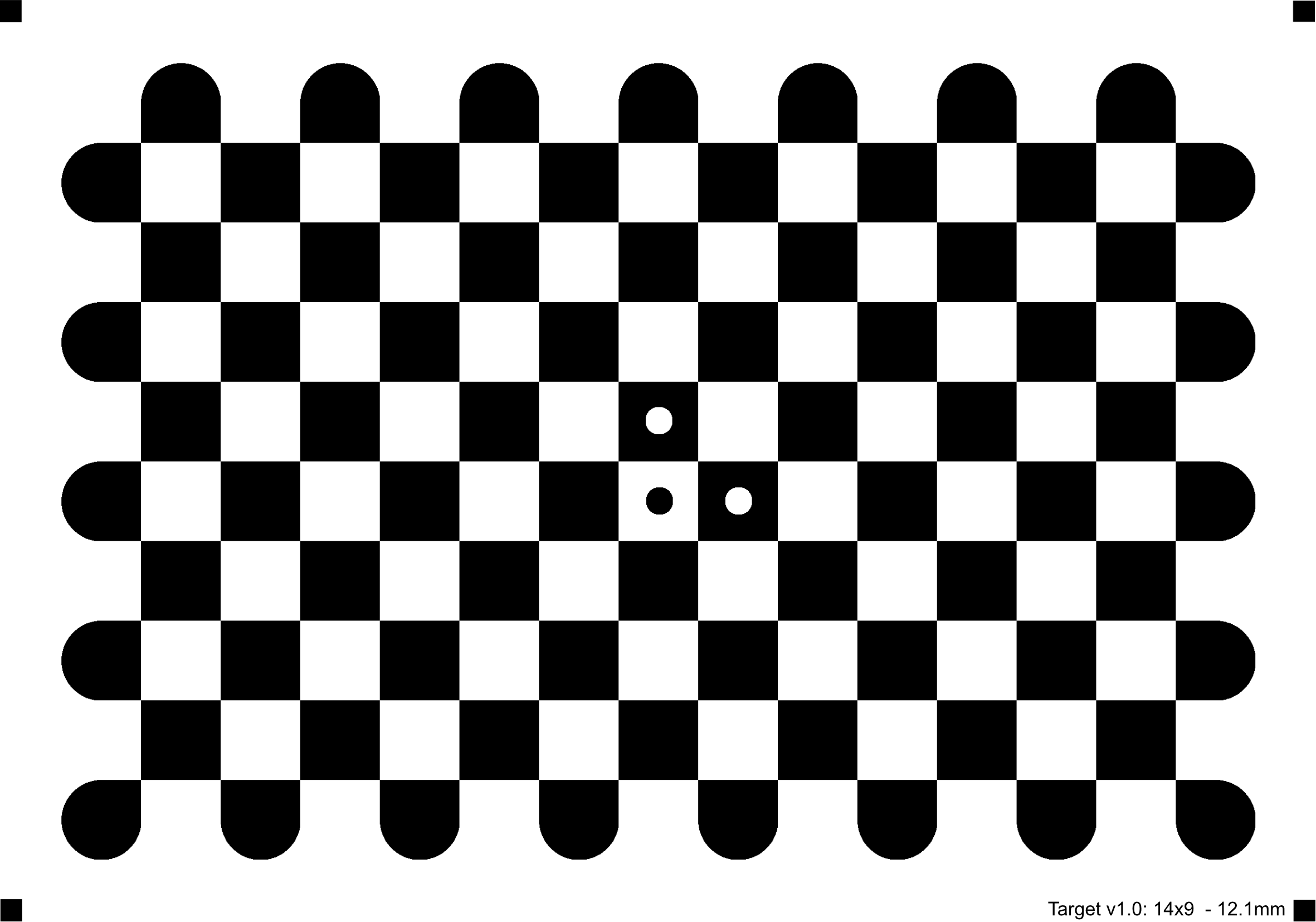
Note
The function requires a white boarder with roughly the same width as one of the checkerboard fields around the whole board to improve the detection in various environments. In addition, because of the localized radon transformation it is beneficial to use round corners for the field corners which are located on the outside of the board. The following figure illustrates a sample checkerboard optimized for the detection. However, any other checkerboard can be used as well.
- Parameters:
image – Source chessboard view. It must be an 8-bit grayscale or color image.
patternSize – Number of inner corners per a chessboard row and column ( patternSize = cv::Size(points_per_row,points_per_column) = cv::Size(columns,rows) ).
corners – Output array of detected corners.
flags – Various operation flags that can be zero or a combination of the following values:
CALIB_CB_NORMALIZE_IMAGE Normalize the image gamma with equalizeHist before detection.
CALIB_CB_EXHAUSTIVE Run an exhaustive search to improve detection rate.
CALIB_CB_ACCURACY Up sample input image to improve sub-pixel accuracy due to aliasing effects.
CALIB_CB_LARGER The detected pattern is allowed to be larger than patternSize (see description).
CALIB_CB_MARKER The detected pattern must have a marker (see description). This should be used if an accurate camera calibration is required.
meta – Optional output array of detected corners (CV_8UC1 and size = cv::Size(columns,rows)). Each entry stands for one corner of the pattern and can have one of the following values:
0 = no meta data attached
1 = left-top corner of a black cell
2 = left-top corner of a white cell
3 = left-top corner of a black cell with a white marker dot
4 = left-top corner of a white cell with a black marker dot (pattern origin in case of markers otherwise first corner)
findChessboardCornersSB()#
-
inline bool cv::findChessboardCornersSB(InputArray image, Size patternSize, OutputArray corners, int flags = 0)#
This is an overloaded member function, provided for convenience. It differs from the above function only in what argument(s) it accepts.
findCirclesGrid()#
-
bool cv::findCirclesGrid(InputArray image, Size patternSize, OutputArray centers, int flags, const Ptr<FeatureDetector> &blobDetector, const CirclesGridFinderParameters ¶meters)#
Finds centers in the grid of circles.
return True if all of the centers have been found and they have been placed in a certain order (row by row, left to right in every row). Otherwise, if the function fails to find all the corners or reorder them, it returns false.
The function attempts to determine whether the input image contains a grid of circles. If it is, the function locates centers of the circles.
Sample usage of detecting and drawing the centers of circles: :
Note
The function requires white space (like a square-thick border, the wider the better) around the board to make the detection more robust in various environments.
- Parameters:
image – grid view of input circles; it must be an 8-bit grayscale or color image.
patternSize – number of circles per row and column ( patternSize = Size(points_per_row, points_per_column) ).
centers – output array of detected centers.
flags – various operation flags that can be one of the following values:
CALIB_CB_SYMMETRIC_GRID uses symmetric pattern of circles.
CALIB_CB_ASYMMETRIC_GRID uses asymmetric pattern of circles.
CALIB_CB_CLUSTERING uses a special algorithm for grid detection. It is more robust to perspective distortions but much more sensitive to background clutter.
blobDetector – feature detector that finds blobs like dark circles on light background. If
blobDetectoris NULL thenimagerepresents Point2f array of candidates.parameters – struct for finding circles in a grid pattern.
findCirclesGrid()#
-
bool cv::findCirclesGrid(InputArray image, Size patternSize, OutputArray centers, int flags = CALIB_CB_SYMMETRIC_GRID, const Ptr<FeatureDetector> &blobDetector = cv::SimpleBlobDetector::create())#
This is an overloaded member function, provided for convenience. It differs from the above function only in what argument(s) it accepts.
findContours()#
-
void cv::findContours(InputArray image, OutputArrayOfArrays contours, int mode, int method, Point offset = Point())#
This is an overloaded member function, provided for convenience. It differs from the above function only in what argument(s) it accepts.
findContours()#
-
void cv::findContours(InputArray image, OutputArrayOfArrays contours, OutputArray hierarchy, int mode, int method, Point offset = Point())#
Finds contours in a binary image.
The function retrieves contours from the binary image. The contours are a useful tool for shape analysis and object detection and recognition. See squares.cpp in the OpenCV sample directory.
Note
Since OpenCV 4.14, when mode is RETR_LIST and no hierarchy is requested, this function automatically uses the TRUCO parallel algorithm TRUCO2026, a scalable lock-free method for contour extraction. In all other cases, the sequential Suzuki85 algorithm is used.
Note
Since opencv 3.2 source image is not modified by this function.
Note
In Python, hierarchy is nested inside a top level array. Use hierarchy[0][i] to access hierarchical elements of i-th contour.
- Parameters:
image – Source, an 8-bit single-channel image. Non-zero pixels are treated as 1’s. Zero pixels remain 0’s, so the image is treated as binary . You can use compare, inRange, threshold , adaptiveThreshold, Canny, and others to create a binary image out of a grayscale or color one. If mode equals to RETR_CCOMP or RETR_FLOODFILL, the input can also be a 32-bit integer image of labels (CV_32SC1).
contours – Detected contours. Each contour is stored as a vector of points (e.g. std::vector<std::vector<cv::Point> >).
hierarchy – Optional output vector (e.g. std::vector<cv::Vec4i>), containing information about the image topology. It has as many elements as the number of contours. For each i-th contour contours[i], the elements hierarchy[i][0] , hierarchy[i][1] , hierarchy[i][2] , and hierarchy[i][3] are set to 0-based indices in contours of the next and previous contours at the same hierarchical level, the first child contour and the parent contour, respectively. If for the contour i there are no next, previous, parent, or nested contours, the corresponding elements of hierarchy[i] will be negative.
mode – Contour retrieval mode, see RetrievalModes
method – Contour approximation method, see ContourApproximationModes
offset – Optional offset by which every contour point is shifted. This is useful if the contours are extracted from the image ROI and then they should be analyzed in the whole image context.
findContoursLinkRuns()#
-
void cv::findContoursLinkRuns(InputArray image, OutputArrayOfArrays contours)#
This is an overloaded member function, provided for convenience. It differs from the above function only in what argument(s) it accepts.
findContoursLinkRuns()#
-
void cv::findContoursLinkRuns(InputArray image, OutputArrayOfArrays contours, OutputArray hierarchy)#
Find contours using link runs algorithm.
This function implements an algorithm different from cv::findContours:
doesn’t allocate temporary image internally, thus it has reduced memory consumption
supports CV_8UC1 images only
outputs 2-level hierarhy only (RETR_CCOMP mode)
doesn’t support approximation change other than CHAIN_APPROX_SIMPLE In all other aspects this function is compatible with cv::findContours.
findEssentialMat()#
-
Mat cv::findEssentialMat(InputArray points1, InputArray points2, double focal = 1.0, Point2d pp = Point2d(0, 0), int method = RANSAC, double prob = 0.999, double threshold = 1.0, int maxIters = 1000, OutputArray mask = noArray())#
This is an overloaded member function, provided for convenience. It differs from the above function only in what argument(s) it accepts.
This function differs from the one above that it computes camera intrinsic matrix from focal length and principal point:
\[\begin{split}A = \begin{bmatrix} f & 0 & x_{pp} \\ 0 & f & y_{pp} \\ 0 & 0 & 1 \end{bmatrix}\end{split}\]- Parameters:
points1 – Array of N (N >= 5) 2D points from the first image. The point coordinates should be floating-point (single or double precision).
points2 – Array of the second image points of the same size and format as points1 .
focal – focal length of the camera. Note that this function assumes that points1 and points2 are feature points from cameras with same focal length and principal point.
pp – principal point of the camera.
method – Method for computing a fundamental matrix.
RANSAC for the RANSAC algorithm.
LMEDS for the LMedS algorithm.
threshold – Parameter used for RANSAC. It is the maximum distance from a point to an epipolar line in pixels, beyond which the point is considered an outlier and is not used for computing the final fundamental matrix. It can be set to something like 1-3, depending on the accuracy of the point localization, image resolution, and the image noise.
prob – Parameter used for the RANSAC or LMedS methods only. It specifies a desirable level of confidence (probability) that the estimated matrix is correct.
mask – Output array of N elements, every element of which is set to 0 for outliers and to 1 for the other points. The array is computed only in the RANSAC and LMedS methods.
maxIters – The maximum number of robust method iterations.
findEssentialMat()#
-
Mat cv::findEssentialMat(InputArray points1, InputArray points2, InputArray cameraMatrix, int method = RANSAC, double prob = 0.999, double threshold = 1.0, int maxIters = 1000, OutputArray mask = noArray())#
Calculates an essential matrix from the corresponding points in two images.
This function estimates essential matrix based on the five-point algorithm solver in Nister03 . SteweniusCFS is also a related. The epipolar geometry is described by the following equation:
\[[p_2; 1]^T K^{-T} E K^{-1} [p_1; 1] = 0\]where \(E\) is an essential matrix, \(p_1\) and \(p_2\) are corresponding points in the first and the second images, respectively. The result of this function may be passed further to decomposeEssentialMat or recoverPose to recover the relative pose between cameras.
- Parameters:
points1 – Array of N (N >= 5) 2D points from the first image. The point coordinates should be floating-point (single or double precision).
points2 – Array of the second image points of the same size and format as points1.
cameraMatrix – Camera intrinsic matrix \(\cameramatrix{A}\) . Note that this function assumes that points1 and points2 are feature points from cameras with the same camera intrinsic matrix. If this assumption does not hold for your use case, use another function overload or undistortPoints with
P = cv::NoArray()for both cameras to transform image points to normalized image coordinates, which are valid for the identity camera intrinsic matrix. When passing these coordinates, pass the identity matrix for this parameter.method – Method for computing an essential matrix.
RANSAC for the RANSAC algorithm.
LMEDS for the LMedS algorithm.
prob – Parameter used for the RANSAC or LMedS methods only. It specifies a desirable level of confidence (probability) that the estimated matrix is correct.
threshold – Parameter used for RANSAC. It is the maximum distance from a point to an epipolar line in pixels, beyond which the point is considered an outlier and is not used for computing the final fundamental matrix. It can be set to something like 1-3, depending on the accuracy of the point localization, image resolution, and the image noise.
mask – Output array of N elements, every element of which is set to 0 for outliers and to 1 for the other points. The array is computed only in the RANSAC and LMedS methods.
maxIters – The maximum number of robust method iterations.
findEssentialMat()#
-
Mat cv::findEssentialMat(InputArray points1, InputArray points2, InputArray cameraMatrix1, InputArray cameraMatrix2, InputArray dist_coeff1, InputArray dist_coeff2, OutputArray mask, const UsacParams ¶ms)#
findEssentialMat()#
-
Mat cv::findEssentialMat(InputArray points1, InputArray points2, InputArray cameraMatrix1, InputArray distCoeffs1, InputArray cameraMatrix2, InputArray distCoeffs2, int method = RANSAC, double prob = 0.999, double threshold = 1.0, OutputArray mask = noArray())#
Calculates an essential matrix from the corresponding points in two images from potentially two different cameras.
This function estimates essential matrix based on the five-point algorithm solver in Nister03 . SteweniusCFS is also a related. The epipolar geometry is described by the following equation:
\[[p_2; 1]^T K^{-T} E K^{-1} [p_1; 1] = 0\]where \(E\) is an essential matrix, \(p_1\) and \(p_2\) are corresponding points in the first and the second images, respectively. The result of this function may be passed further to decomposeEssentialMat or recoverPose to recover the relative pose between cameras.
- Parameters:
points1 – Array of N (N >= 5) 2D points from the first image. The point coordinates should be floating-point (single or double precision).
points2 – Array of the second image points of the same size and format as points1.
cameraMatrix1 – Camera matrix for the first camera \(K = \vecthreethree{f_x}{0}{c_x}{0}{f_y}{c_y}{0}{0}{1}\) .
cameraMatrix2 – Camera matrix for the second camera \(K = \vecthreethree{f_x}{0}{c_x}{0}{f_y}{c_y}{0}{0}{1}\) .
distCoeffs1 – Input vector of distortion coefficients for the first camera \((k_1, k_2, p_1, p_2[, k_3[, k_4, k_5, k_6[, s_1, s_2, s_3, s_4[, \tau_x, \tau_y]]]])\) of 4, 5, 8, 12 or 14 elements. If the vector is NULL/empty, the zero distortion coefficients are assumed.
distCoeffs2 – Input vector of distortion coefficients for the second camera \((k_1, k_2, p_1, p_2[, k_3[, k_4, k_5, k_6[, s_1, s_2, s_3, s_4[, \tau_x, \tau_y]]]])\) of 4, 5, 8, 12 or 14 elements. If the vector is NULL/empty, the zero distortion coefficients are assumed.
method – Method for computing an essential matrix.
RANSAC for the RANSAC algorithm.
LMEDS for the LMedS algorithm.
prob – Parameter used for the RANSAC or LMedS methods only. It specifies a desirable level of confidence (probability) that the estimated matrix is correct.
threshold – Parameter used for RANSAC. It is the maximum distance from a point to an epipolar line in pixels, beyond which the point is considered an outlier and is not used for computing the final fundamental matrix. It can be set to something like 1-3, depending on the accuracy of the point localization, image resolution, and the image noise.
mask – Output array of N elements, every element of which is set to 0 for outliers and to 1 for the other points. The array is computed only in the RANSAC and LMedS methods.
findFundamentalMat()#
-
Mat cv::findFundamentalMat(InputArray points1, InputArray points2, int method, double ransacReprojThreshold, double confidence, int maxIters, OutputArray mask = noArray())#
Calculates a fundamental matrix from the corresponding points in two images.
The epipolar geometry is described by the following equation:
\[[p_2; 1]^T F [p_1; 1] = 0\]where \(F\) is a fundamental matrix, \(p_1\) and \(p_2\) are corresponding points in the first and the second images, respectively.
The function calculates the fundamental matrix using one of four methods listed above and returns the found fundamental matrix. Normally just one matrix is found. But in case of the 7-point algorithm, the function may return up to 3 solutions ( \(9 \times 3\) matrix that stores all 3 matrices sequentially).
The calculated fundamental matrix may be passed further to computeCorrespondEpilines that finds the epipolar lines corresponding to the specified points. It can also be passed to stereoRectifyUncalibrated to compute the rectification transformation. :
// Example. Estimation of fundamental matrix using the RANSAC algorithm int point_count = 100; vector<Point2f> points1(point_count); vector<Point2f> points2(point_count); // initialize the points here ... for( int i = 0; i < point_count; i++ ) { points1[i] = ...; points2[i] = ...; } Mat fundamental_matrix = findFundamentalMat(points1, points2, FM_RANSAC, 3, 0.99);
- Parameters:
points1 – Array of N points from the first image. The point coordinates should be floating-point (single or double precision).
points2 – Array of the second image points of the same size and format as points1 .
method – Method for computing a fundamental matrix.
FM_7POINT for a 7-point algorithm. \(N = 7\)
FM_8POINT for an 8-point algorithm. \(N \ge 8\)
FM_RANSAC for the RANSAC algorithm. \(N \ge 8\)
FM_LMEDS for the LMedS algorithm. \(N \ge 8\)
ransacReprojThreshold – Parameter used only for RANSAC. It is the maximum distance from a point to an epipolar line in pixels, beyond which the point is considered an outlier and is not used for computing the final fundamental matrix. It can be set to something like 1-3, depending on the accuracy of the point localization, image resolution, and the image noise.
confidence – Parameter used for the RANSAC and LMedS methods only. It specifies a desirable level of confidence (probability) that the estimated matrix is correct.
mask – [out] optional output mask
maxIters – The maximum number of robust method iterations.
findFundamentalMat()#
-
Mat cv::findFundamentalMat(InputArray points1, InputArray points2, int method = FM_RANSAC, double ransacReprojThreshold = 3., double confidence = 0.99, OutputArray mask = noArray())#
This is an overloaded member function, provided for convenience. It differs from the above function only in what argument(s) it accepts.
findFundamentalMat()#
-
Mat cv::findFundamentalMat(InputArray points1, InputArray points2, OutputArray mask, const UsacParams ¶ms)#
findFundamentalMat()#
-
Mat cv::findFundamentalMat(InputArray points1, InputArray points2, OutputArray mask, int method = FM_RANSAC, double ransacReprojThreshold = 3., double confidence = 0.99)#
This is an overloaded member function, provided for convenience. It differs from the above function only in what argument(s) it accepts.
findHomography()#
-
Mat cv::findHomography(InputArray srcPoints, InputArray dstPoints, int method = 0, double ransacReprojThreshold = 3, OutputArray mask = noArray(), const int maxIters = 2000, const double confidence = 0.995)#
Finds a perspective transformation between two planes.
The function finds and returns the perspective transformation \(H\) between the source and the destination planes:
\[s_i \vecthree{x'_i}{y'_i}{1} \sim H \vecthree{x_i}{y_i}{1}\]so that the back-projection error
\[\sum _i \left ( x'_i- \frac{h_{11} x_i + h_{12} y_i + h_{13}}{h_{31} x_i + h_{32} y_i + h_{33}} \right )^2+ \left ( y'_i- \frac{h_{21} x_i + h_{22} y_i + h_{23}}{h_{31} x_i + h_{32} y_i + h_{33}} \right )^2\]is minimized. If the parameter method is set to the default value 0, the function uses all the point pairs to compute an initial homography estimate with a simple least-squares scheme.
However, if not all of the point pairs ( \(srcPoints_i\), \(dstPoints_i\) ) fit the rigid perspective transformation (that is, there are some outliers), this initial estimate will be poor. In this case, you can use one of the three robust methods. The methods RANSAC, LMeDS and RHO try many different random subsets of the corresponding point pairs (of four pairs each, collinear pairs are discarded), estimate the homography matrix using this subset and a simple least-squares algorithm, and then compute the quality/goodness of the computed homography (which is the number of inliers for RANSAC or the least median re-projection error for LMeDS). The best subset is then used to produce the initial estimate of the homography matrix and the mask of inliers/outliers.
Regardless of the method, robust or not, the computed homography matrix is refined further (using inliers only in case of a robust method) with the Levenberg-Marquardt method to reduce the re-projection error even more.
The methods RANSAC and RHO can handle practically any ratio of outliers but need a threshold to distinguish inliers from outliers. The method LMeDS does not need any threshold but it works correctly only when there are more than 50% of inliers. Finally, if there are no outliers and the noise is rather small, use the default method (method=0).
The function is used to find initial intrinsic and extrinsic matrices. Homography matrix is determined up to a scale. If \(h_{33}\) is non-zero, the matrix is normalized so that \(h_{33}=1\).
See also
getAffineTransform, estimateAffine2D, estimateAffinePartial2D, getPerspectiveTransform, warpPerspective, perspectiveTransform
Note
Whenever an \(H\) matrix cannot be estimated, an empty one will be returned.
- Parameters:
srcPoints – Coordinates of the points in the original plane, a matrix of the type CV_32FC2 or vector<Point2f> .
dstPoints – Coordinates of the points in the target plane, a matrix of the type CV_32FC2 or a vector<Point2f> .
method – Method used to compute a homography matrix. The following methods are possible:
0 - a regular method using all the points, i.e., the least squares method
RANSAC - RANSAC-based robust method
LMEDS - Least-Median robust method
RHO - PROSAC-based robust method
ransacReprojThreshold – Maximum allowed reprojection error to treat a point pair as an inlier (used in the RANSAC and RHO methods only). That is, if
\[\| \texttt{dstPoints} _i - \texttt{convertPointsHomogeneous} ( \texttt{H} \cdot \texttt{srcPoints} _i) \|_2 > \texttt{ransacReprojThreshold}\]then the point \(i\) is considered as an outlier. If srcPoints and dstPoints are measured in pixels, it usually makes sense to set this parameter somewhere in the range of 1 to 10.mask – Optional output mask set by a robust method ( RANSAC or LMeDS ). Note that the input mask values are ignored.
maxIters – The maximum number of RANSAC iterations.
confidence – Confidence level, between 0 and 1.
findHomography()#
-
Mat cv::findHomography(InputArray srcPoints, InputArray dstPoints, OutputArray mask, const UsacParams ¶ms)#
findHomography()#
-
Mat cv::findHomography(InputArray srcPoints, InputArray dstPoints, OutputArray mask, int method = 0, double ransacReprojThreshold = 3)#
This is an overloaded member function, provided for convenience. It differs from the above function only in what argument(s) it accepts.
findNonZero()#
-
void cv::findNonZero(InputArray src, OutputArray idx)#
Returns the list of locations of non-zero pixels.
Given a binary matrix (likely returned from an operation such as threshold(), compare(), >, ==, etc, return all of the non-zero indices as a cv::Mat or std::vector<cv::Point> (x,y) For example:
orcv::Mat binaryImage; // input, binary image cv::Mat locations; // output, locations of non-zero pixels cv::findNonZero(binaryImage, locations); // access pixel coordinates Point pnt = locations.at<Point>(i);
cv::Mat binaryImage; // input, binary image vector<Point> locations; // output, locations of non-zero pixels cv::findNonZero(binaryImage, locations); // access pixel coordinates Point pnt = locations[i];
The function do not work with multi-channel arrays. If you need to find non-zero elements across all the channels, use Mat::reshape first to reinterpret the array as single-channel. Or you may extract the particular channel using either extractImageCOI, or mixChannels, or split.
See also
Note
CV_16F/CV_16BF/CV_Bool/CV_64U/CV_64S/CV_32U are not supported for src.
If only count of non-zero array elements is important, countNonZero is helpful.
If only whether there are non-zero elements is important, hasNonZero is helpful.
- Parameters:
src – single-channel array
idx – the output array, type of cv::Mat or std::vector<Point>, corresponding to non-zero indices in the input
findPlanes()#
-
void cv::findPlanes(InputArray points3d, InputArray normals, OutputArray mask, OutputArray plane_coefficients, int block_size = 40, int min_size = 40 * 40, double threshold = 0.01, double sensor_error_a = 0, double sensor_error_b = 0, double sensor_error_c = 0, RgbdPlaneMethod method = RGBD_PLANE_METHOD_DEFAULT)#
Find the planes in a depth image
- Parameters:
points3d – the 3d points organized like the depth image: rows x cols with 3 channels
normals – the normals for every point in the depth image; optional, can be empty
mask – An image where each pixel is labeled with the plane it belongs to and 255 if it does not belong to any plane
plane_coefficients – the coefficients of the corresponding planes (a,b,c,d) such that ax+by+cz+d=0, norm(a,b,c)=1 and c < 0 (so that the normal points towards the camera)
block_size – The size of the blocks to look at for a stable MSE
min_size – The minimum size of a cluster to be considered a plane
threshold – The maximum distance of a point from a plane to belong to it (in meters)
sensor_error_a – coefficient of the sensor error. 0 by default, use 0.0075 for a Kinect
sensor_error_b – coefficient of the sensor error. 0 by default
sensor_error_c – coefficient of the sensor error. 0 by default
method – The method to use to compute the planes.
findTransformECC()#
-
double cv::findTransformECC(InputArray templateImage, InputArray inputImage, InputOutputArray warpMatrix, int motionType, TermCriteria criteria, InputArray inputMask, int gaussFiltSize)#
Finds the geometric transform (warp) between two images in terms of the ECC criterion EP08 .
The function estimates the optimum transformation (warpMatrix) with respect to ECC criterion (EP08), that is
\[\texttt{warpMatrix} = \arg\max_{W} \texttt{ECC}(\texttt{templateImage}(x,y),\texttt{inputImage}(x',y'))\]where
\[\begin{split}\begin{bmatrix} x' \\ y' \end{bmatrix} = W \cdot \begin{bmatrix} x \\ y \\ 1 \end{bmatrix}\end{split}\](the equation holds with homogeneous coordinates for homography). It returns the final enhanced correlation coefficient, that is the correlation coefficient between the template image and the final warped input image. When a \(3\times 3\) matrix is given with motionType =0, 1 or 2, the third row is ignored.
Unlike findHomography and estimateRigidTransform, the function findTransformECC implements an area-based alignment that builds on intensity similarities. In essence, the function updates the initial transformation that roughly aligns the images. If this information is missing, the identity warp (unity matrix) is used as an initialization. Note that if images undergo strong displacements/rotations, an initial transformation that roughly aligns the images is necessary (e.g., a simple euclidean/similarity transform that allows for the images showing the same image content approximately). Use inverse warping in the second image to take an image close to the first one, i.e. use the flag WARP_INVERSE_MAP with warpAffine or warpPerspective. See also the OpenCV sample image_alignment.cpp that demonstrates the use of the function. Note that the function throws an exception if algorithm does not converges.
- Parameters:
templateImage – 1 or 3 channel template image; CV_8U, CV_16U, CV_32F, CV_64F type.
inputImage – input image which should be warped with the final warpMatrix in order to provide an image similar to templateImage, same type as templateImage.
warpMatrix – floating-point \(2\times 3\) or \(3\times 3\) mapping matrix (warp).
motionType – parameter, specifying the type of motion:
MOTION_TRANSLATION sets a translational motion model; warpMatrix is \(2\times 3\) with the first \(2\times 2\) part being the unity matrix and the rest two parameters being estimated.
MOTION_EUCLIDEAN sets a Euclidean (rigid) transformation as motion model; three parameters are estimated; warpMatrix is \(2\times 3\).
MOTION_AFFINE sets an affine motion model (DEFAULT); six parameters are estimated; warpMatrix is \(2\times 3\).
MOTION_HOMOGRAPHY sets a homography as a motion model; eight parameters are estimated;`warpMatrix` is \(3\times 3\).
criteria – parameter, specifying the termination criteria of the ECC algorithm; criteria.epsilon defines the threshold of the increment in the correlation coefficient between two iterations (a negative criteria.epsilon makes criteria.maxcount the only termination criterion). Default values are shown in the declaration above.
inputMask – An optional single channel mask to indicate valid values of inputImage.
gaussFiltSize – An optional value indicating size of gaussian blur filter; (DEFAULT: 5)
findTransformECC()#
-
double cv::findTransformECC(InputArray templateImage, InputArray inputImage, InputOutputArray warpMatrix, int motionType = MOTION_AFFINE, TermCriteria criteria = TermCriteria(TermCriteria::COUNT + TermCriteria::EPS, 50, 0.001), InputArray inputMask = noArray())#
This is an overloaded member function, provided for convenience. It differs from the above function only in what argument(s) it accepts.
findTransformECCMultiScale()#
-
double cv::findTransformECCMultiScale(InputArray reference, InputArray sample, InputOutputArray warpMatrix, const ECCParameters &eccParams = ECCParameters(), InputArray referenceMask = noArray(), InputArray sampleMask = noArray())#
Finds the geometric transform (warp) between two images in terms of the ECC criterion EP08. Uses pyramids.
The function estimates the optimum transformation (warpMatrix) with respect to ECC criterion (EP08), that is
\[\texttt{warpMatrix} = \arg\max_{W} \texttt{ECC}(\texttt{templateImage}(x,y),\texttt{inputImage}(x',y'))\]where
\[\begin{split}\begin{bmatrix} x' \\ y' \end{bmatrix} = W \cdot \begin{bmatrix} x \\ y \\ 1 \end{bmatrix}\end{split}\](the equation holds with homogeneous coordinates for homography). It returns the final enhanced correlation coefficient, that is the correlation coefficient between the template image and the final warped input image. When a \(3\times 3\) matrix is given with motionType =0, 1 or 2, the third row is ignored.
Unlike findHomography and estimateRigidTransform, the function findTransformECCMultiScale implements an area-based alignment that builds on intensity similarities. In essence, the function updates the initial transformation that roughly aligns the images. If this information is missing, the identity warp (unity matrix) is used as an initialization. Note that if images undergo strong displacements/rotations, an initial transformation that roughly aligns the images is necessary (e.g., a simple euclidean/similarity transform that allows for the images showing the same image content approximately). Use inverse warping in the second image to take an image close to the first one, i.e. use the flag WARP_INVERSE_MAP with warpAffine or warpPerspective. See also the OpenCV sample image_alignment.cpp that demonstrates the use of the function. Note that the function throws an exception if algorithm does not converges. Unlike findTransformECC, the findTransformECCMultiScale uses pyramids, making function more stable and able to handle correctly more sophisticated cases.
- Parameters:
reference – Single channel reference image; CV_8U, CV_16U, CV_32F, CV_64F type.
sample – sample image which should be warped with the final warpMatrix in order to provide an image similar to reference, same type as reference.
warpMatrix – floating-point \(2\times 3\) or \(3\times 3\) mapping matrix (warp).
eccParams – List of the algorithm parameters. See ECCParameters for details.
referenceMask – An optional single channel mask to indicate valid values of reference.
sampleMask – An optional single channel mask to indicate valid values of sample.
findTransformECCWithMask()#
-
double cv::findTransformECCWithMask(InputArray templateImage, InputArray inputImage, InputArray templateMask, InputArray inputMask, InputOutputArray warpMatrix, int motionType = MOTION_AFFINE, TermCriteria criteria = TermCriteria(TermCriteria::COUNT + TermCriteria::EPS, 50, 1e-6), int gaussFiltSize = 5)#
Finds the geometric transform (warp) between two images in terms of the ECC criterion EP08 using validity masks for both the template and the input images.
This function extends findTransformECC() by adding a mask for the template image. The Enhanced Correlation Coefficient is evaluated only over pixels that are valid in both images: on each iteration inputMask is warped into the template frame and combined with templateMask, and only the intersection of these masks contributes to the objective function.
- Parameters:
templateImage – 1 or 3 channel template image; CV_8U, CV_16U, CV_32F, CV_64F type.
inputImage – input image which should be warped with the final warpMatrix in order to provide an image similar to templateImage, same type as templateImage.
templateMask – single-channel 8-bit mask for templateImage indicating valid pixels to be used in the alignment. Must have the same size as templateImage.
inputMask – single-channel 8-bit mask for inputImage indicating valid pixels before warping. Must have the same size as inputImage.
warpMatrix – floating-point \(2\times 3\) or \(3\times 3\) mapping matrix (warp).
motionType – parameter, specifying the type of motion:
MOTION_TRANSLATION sets a translational motion model; warpMatrix is \(2\times 3\) with the first \(2\times 2\) part being the unity matrix and the rest two parameters being estimated.
MOTION_EUCLIDEAN sets a Euclidean (rigid) transformation as motion model; three parameters are estimated; warpMatrix is \(2\times 3\).
MOTION_AFFINE sets an affine motion model (DEFAULT); six parameters are estimated; warpMatrix is \(2\times 3\).
MOTION_HOMOGRAPHY sets a homography as a motion model; eight parameters are estimated; warpMatrix is \(3\times 3\).
criteria – parameter, specifying the termination criteria of the ECC algorithm; criteria.epsilon defines the threshold of the increment in the correlation coefficient between two iterations (a negative criteria.epsilon makes criteria.maxcount the only termination criterion). Default values are shown in the declaration above.
gaussFiltSize – size of the Gaussian blur filter used for smoothing images and masks before computing the alignment (DEFAULT: 5).
finiteMask()#
-
void cv::finiteMask(InputArray src, OutputArray mask)#
Generates a mask of finite float values, i.e. not NaNs nor Infs.
An element is set to to 255 (all 1-bits) if all channels are finite.
- Parameters:
src – Input matrix, should contain float or double elements of 1 to 4 channels
mask – Output matrix of the same size as input of type CV_8UC1
fitEllipse()#
-
RotatedRect cv::fitEllipse(InputArray points)#
Fits an ellipse around a set of 2D points.
The function calculates the ellipse that fits (in a least-squares sense) a set of 2D points best of all. It returns the rotated rectangle in which the ellipse is inscribed. The first algorithm described by Fitzgibbon95 is used. Developer should keep in mind that it is possible that the returned ellipse/rotatedRect data contains negative indices, due to the data points being close to the border of the containing Mat element.
Note
getClosestEllipsePoints function can be used to compute the ellipse fitting error.
- Parameters:
points – Input 2D point set, stored in std::vector<> or Mat
fitEllipseAMS()#
-
RotatedRect cv::fitEllipseAMS(InputArray points)#
Fits an ellipse around a set of 2D points.
The function calculates the ellipse that fits a set of 2D points. It returns the rotated rectangle in which the ellipse is inscribed. The Approximate Mean Square (AMS) proposed by Taubin1991 is used.
For an ellipse, this basis set is \( \chi= \left(x^2, x y, y^2, x, y, 1\right) \), which is a set of six free coefficients \( A^T=\left\{A_{\text{xx}},A_{\text{xy}},A_{\text{yy}},A_x,A_y,A_0\right\} \). However, to specify an ellipse, all that is needed is five numbers; the major and minor axes lengths \( (a,b) \), the position \( (x_0,y_0) \), and the orientation \( \theta \). This is because the basis set includes lines, quadratics, parabolic and hyperbolic functions as well as elliptical functions as possible fits. If the fit is found to be a parabolic or hyperbolic function then the standard fitEllipse method is used. The AMS method restricts the fit to parabolic, hyperbolic and elliptical curves by imposing the condition that \( A^T ( D_x^T D_x + D_y^T D_y) A = 1 \) where the matrices \( Dx \) and \( Dy \) are the partial derivatives of the design matrix \( D \) with respect to x and y. The matrices are formed row by row applying the following to each of the points in the set:
\[\begin{align*} D(i,:)&=\left\{x_i^2, x_i y_i, y_i^2, x_i, y_i, 1\right\} & D_x(i,:)&=\left\{2 x_i,y_i,0,1,0,0\right\} & D_y(i,:)&=\left\{0,x_i,2 y_i,0,1,0\right\} \end{align*}\]The AMS method minimizes the cost function\[\begin{equation*} \epsilon ^2=\frac{ A^T D^T D A }{ A^T (D_x^T D_x + D_y^T D_y) A^T } \end{equation*}\]The minimum cost is found by solving the generalized eigenvalue problem.
\[\begin{equation*} D^T D A = \lambda \left( D_x^T D_x + D_y^T D_y\right) A \end{equation*}\]Note
getClosestEllipsePoints function can be used to compute the ellipse fitting error.
- Parameters:
points – Input 2D point set, stored in std::vector<> or Mat
fitEllipseDirect()#
-
RotatedRect cv::fitEllipseDirect(InputArray points)#
Fits an ellipse around a set of 2D points.
The function calculates the ellipse that fits a set of 2D points. It returns the rotated rectangle in which the ellipse is inscribed. The Direct least square (Direct) method by oy1998NumericallySD is used.
For an ellipse, this basis set is \( \chi= \left(x^2, x y, y^2, x, y, 1\right) \), which is a set of six free coefficients \( A^T=\left\{A_{\text{xx}},A_{\text{xy}},A_{\text{yy}},A_x,A_y,A_0\right\} \). However, to specify an ellipse, all that is needed is five numbers; the major and minor axes lengths \( (a,b) \), the position \( (x_0,y_0) \), and the orientation \( \theta \). This is because the basis set includes lines, quadratics, parabolic and hyperbolic functions as well as elliptical functions as possible fits. The Direct method confines the fit to ellipses by ensuring that \( 4 A_{xx} A_{yy}- A_{xy}^2 > 0 \). The condition imposed is that \( 4 A_{xx} A_{yy}- A_{xy}^2=1 \) which satisfies the inequality and as the coefficients can be arbitrarily scaled is not overly restrictive.
\[\begin{split}\begin{equation*} \epsilon ^2= A^T D^T D A \quad \text{with} \quad A^T C A =1 \quad \text{and} \quad C=\left(\begin{matrix} 0 & 0 & 2 & 0 & 0 & 0 \\ 0 & -1 & 0 & 0 & 0 & 0 \\ 2 & 0 & 0 & 0 & 0 & 0 \\ 0 & 0 & 0 & 0 & 0 & 0 \\ 0 & 0 & 0 & 0 & 0 & 0 \\ 0 & 0 & 0 & 0 & 0 & 0 \end{matrix} \right) \end{equation*}\end{split}\]The minimum cost is found by solving the generalized eigenvalue problem.
\[\begin{equation*} D^T D A = \lambda \left( C\right) A \end{equation*}\]The system produces only one positive eigenvalue \( \lambda\) which is chosen as the solution with its eigenvector \(\mathbf{u}\). These are used to find the coefficients
\[\begin{equation*} A = \sqrt{\frac{1}{\mathbf{u}^T C \mathbf{u}}} \mathbf{u} \end{equation*}\]The scaling factor guarantees that \(A^T C A =1\).Note
getClosestEllipsePoints function can be used to compute the ellipse fitting error.
- Parameters:
points – Input 2D point set, stored in std::vector<> or Mat
fitLine()#
-
void cv::fitLine(InputArray points, OutputArray line, int distType, double param, double reps, double aeps)#
Fits a line to a 2D or 3D point set.
The function fitLine fits a line to a 2D or 3D point set by minimizing \(\sum_i \rho(r_i)\) where \(r_i\) is a distance between the \(i^{th}\) point, the line and \(\rho(r)\) is a distance function, one of the following:
DIST_L2
\[\rho (r) = r^2/2 \quad \text{(the simplest and the fastest least-squares method)}\]DIST_L1
\[\rho (r) = r\]DIST_L12
\[\rho (r) = 2 \cdot ( \sqrt{1 + \frac{r^2}{2}} - 1)\]DIST_FAIR
\[\rho \left (r \right ) = C^2 \cdot \left ( \frac{r}{C} - \log{\left(1 + \frac{r}{C}\right)} \right ) \quad \text{where} \quad C=1.3998\]DIST_WELSCH
\[\rho \left (r \right ) = \frac{C^2}{2} \cdot \left ( 1 - \exp{\left(-\left(\frac{r}{C}\right)^2\right)} \right ) \quad \text{where} \quad C=2.9846\]DIST_HUBER
\[\rho (r) = \fork{r^2/2}{if \(r < C\)}{C \cdot (r-C/2)}{otherwise} \quad \text{where} \quad C=1.345\]
The algorithm is based on the M-estimator ( https://en.wikipedia.org/wiki/M-estimator ) technique that iteratively fits the line using the weighted least-squares algorithm. After each iteration the weights \(w_i\) are adjusted to be inversely proportional to \(\rho(r_i)\) .
- Parameters:
points – Input vector of 2D or 3D points, stored in std::vector<> or Mat.
line – Output line parameters. In case of 2D fitting, it should be a vector of 4 elements (like Vec4f) - (vx, vy, x0, y0), where (vx, vy) is a normalized vector collinear to the line and (x0, y0) is a point on the line. In case of 3D fitting, it should be a vector of 6 elements (like Vec6f) - (vx, vy, vz, x0, y0, z0), where (vx, vy, vz) is a normalized vector collinear to the line and (x0, y0, z0) is a point on the line.
distType – Distance used by the M-estimator, see DistanceTypes
param – Numerical parameter ( C ) for some types of distances. If it is 0, an optimal value is chosen.
reps – Sufficient accuracy for the radius (distance between the coordinate origin and the line).
aeps – Sufficient accuracy for the angle. 0.01 would be a good default value for reps and aeps.
flip()#
-
void cv::flip(InputArray src, OutputArray dst, int flipCode)#
Flips a 2D array around vertical, horizontal, or both axes.
The function cv::flip flips the array in one of three different ways (row and column indices are 0-based):
\[\begin{split}\texttt{dst} _{ij} = \left\{ \begin{array}{l l} \texttt{src} _{\texttt{src.rows}-i-1,j} & if\; \texttt{flipCode} = 0 \\ \texttt{src} _{i, \texttt{src.cols} -j-1} & if\; \texttt{flipCode} > 0 \\ \texttt{src} _{ \texttt{src.rows} -i-1, \texttt{src.cols} -j-1} & if\; \texttt{flipCode} < 0 \\ \end{array} \right.\end{split}\]The example scenarios of using the function are the following: Vertical flipping of the image (flipCode == 0) to switch between top-left and bottom-left image origin. This is a typical operation in video processing on Microsoft Windows* OS. Horizontal flipping of the image with the subsequent horizontal shift and absolute difference calculation to check for a vertical-axis symmetry (flipCode > 0). Simultaneous horizontal and vertical flipping of the image with the subsequent shift and absolute difference calculation to check for a central symmetry (flipCode < 0). Reversing the order of point arrays (flipCode > 0 or flipCode == 0).See also
- Parameters:
src – input array.
dst – output array of the same size and type as src.
flipCode – a flag to specify how to flip the array; 0 means flipping around the x-axis and positive value (for example, 1) means flipping around y-axis. Negative value (for example, -1) means flipping around both axes.
flipND()#
-
void cv::flipND(InputArray src, OutputArray dst, int axis)#
Flips a n-dimensional at given axis.
- Parameters:
src – input array
dst – output array that has the same shape of src
axis – axis that performs a flip on. 0 <= axis < src.dims.
floodFill()#
-
int cv::floodFill(InputOutputArray image, InputOutputArray mask, Point seedPoint, Scalar newVal, Rect *rect = 0, Scalar loDiff = Scalar(), Scalar upDiff = Scalar(), int flags = 4)#
Fills a connected component with the given color.
The function cv::floodFill fills a connected component starting from the seed point with the specified color. The connectivity is determined by the color/brightness closeness of the neighbor pixels. The pixel at \((x,y)\) is considered to belong to the repainted domain if:
in case of a grayscale image and floating range
\[\texttt{src} (x',y')- \texttt{loDiff} \leq \texttt{src} (x,y) \leq \texttt{src} (x',y')+ \texttt{upDiff}\]in case of a grayscale image and fixed range
\[\texttt{src} ( \texttt{seedPoint} .x, \texttt{seedPoint} .y)- \texttt{loDiff} \leq \texttt{src} (x,y) \leq \texttt{src} ( \texttt{seedPoint} .x, \texttt{seedPoint} .y)+ \texttt{upDiff}\]in case of a color image and floating range
\[\texttt{src} (x',y')_r- \texttt{loDiff} _r \leq \texttt{src} (x,y)_r \leq \texttt{src} (x',y')_r+ \texttt{upDiff} _r,\]\[\texttt{src} (x',y')_g- \texttt{loDiff} _g \leq \texttt{src} (x,y)_g \leq \texttt{src} (x',y')_g+ \texttt{upDiff} _g\]and\[\texttt{src} (x',y')_b- \texttt{loDiff} _b \leq \texttt{src} (x,y)_b \leq \texttt{src} (x',y')_b+ \texttt{upDiff} _b\]in case of a color image and fixed range
\[\texttt{src} ( \texttt{seedPoint} .x, \texttt{seedPoint} .y)_r- \texttt{loDiff} _r \leq \texttt{src} (x,y)_r \leq \texttt{src} ( \texttt{seedPoint} .x, \texttt{seedPoint} .y)_r+ \texttt{upDiff} _r,\]\[\texttt{src} ( \texttt{seedPoint} .x, \texttt{seedPoint} .y)_g- \texttt{loDiff} _g \leq \texttt{src} (x,y)_g \leq \texttt{src} ( \texttt{seedPoint} .x, \texttt{seedPoint} .y)_g+ \texttt{upDiff} _g\]and\[\texttt{src} ( \texttt{seedPoint} .x, \texttt{seedPoint} .y)_b- \texttt{loDiff} _b \leq \texttt{src} (x,y)_b \leq \texttt{src} ( \texttt{seedPoint} .x, \texttt{seedPoint} .y)_b+ \texttt{upDiff} _b\]
where \(src(x',y')\) is the value of one of pixel neighbors that is already known to belong to the component. That is, to be added to the connected component, a color/brightness of the pixel should be close enough to:
Color/brightness of one of its neighbors that already belong to the connected component in case of a floating range.
Color/brightness of the seed point in case of a fixed range.
Use these functions to either mark a connected component with the specified color in-place, or build a mask and then extract the contour, or copy the region to another image, and so on.
See also
Note
Since the mask is larger than the filled image, a pixel \((x, y)\) in image corresponds to the pixel \((x+1, y+1)\) in the mask .
- Parameters:
image – Input/output 1- or 3-channel, 8-bit, or floating-point image. It is modified by the function unless the FLOODFILL_MASK_ONLY flag is set in the second variant of the function. See the details below.
mask – Operation mask that should be a single-channel 8-bit image, 2 pixels wider and 2 pixels taller than image. If an empty Mat is passed it will be created automatically. Since this is both an input and output parameter, you must take responsibility of initializing it. Flood-filling cannot go across non-zero pixels in the input mask. For example, an edge detector output can be used as a mask to stop filling at edges. On output, pixels in the mask corresponding to filled pixels in the image are set to 1 or to the specified value in flags as described below. Additionally, the function fills the border of the mask with ones to simplify internal processing. It is therefore possible to use the same mask in multiple calls to the function to make sure the filled areas do not overlap.
seedPoint – Starting point.
newVal – New value of the repainted domain pixels.
loDiff – Maximal lower brightness/color difference between the currently observed pixel and one of its neighbors belonging to the component, or a seed pixel being added to the component.
upDiff – Maximal upper brightness/color difference between the currently observed pixel and one of its neighbors belonging to the component, or a seed pixel being added to the component.
rect – Optional output parameter set by the function to the minimum bounding rectangle of the repainted domain.
flags – Operation flags. The first 8 bits contain a connectivity value. The default value of 4 means that only the four nearest neighbor pixels (those that share an edge) are considered. A connectivity value of 8 means that the eight nearest neighbor pixels (those that share a corner) will be considered. The next 8 bits (8-16) contain a value between 1 and 255 with which to fill the mask (the default value is 1). For example, 4 | ( 255 << 8 ) will consider 4 nearest neighbours and fill the mask with a value of 255. The following additional options occupy higher bits and therefore may be further combined with the connectivity and mask fill values using bit-wise or (|), see FloodFillFlags.
floodFill()#
-
int cv::floodFill(InputOutputArray image, Point seedPoint, Scalar newVal, Rect *rect = 0, Scalar loDiff = Scalar(), Scalar upDiff = Scalar(), int flags = 4)#
This is an overloaded member function, provided for convenience. It differs from the above function only in what argument(s) it accepts.
variant without
maskparameter
fontQt()#
-
QtFont cv::fontQt(const String &nameFont, int pointSize = -1, Scalar color = Scalar::all(0), int weight = QT_FONT_NORMAL, int style = QT_STYLE_NORMAL, int spacing = 0)#
Creates the font to draw a text on an image.
The function fontQt creates a cv::QtFont object. This cv::QtFont is not compatible with putText .
A basic usage of this function is the following: :
- Parameters:
nameFont – Name of the font. The name should match the name of a system font (such as Times*). If the font is not found, a default one is used.
pointSize – Size of the font. If not specified, equal zero or negative, the point size of the font is set to a system-dependent default value. Generally, this is 12 points.
color – Color of the font in BGRA where A = 255 is fully transparent. Use the macro CV_RGB for simplicity.
weight – Font weight. Available operation flags are : cv::QtFontWeights You can also specify a positive integer for better control.
style – Font style. Available operation flags are : cv::QtFontStyles
spacing – Spacing between characters. It can be negative or positive.
format()#
- String cv::format (const char *fmt,...) CV_FORMAT_PRINTF(1
Returns a text string formatted using the printf-like expression.
The function acts like sprintf but forms and returns an STL string. It can be used to form an error message in the Exception
constructor.
Note**:
Type
Specifier
const char*scharcfloat/doublef,gint,long,long longd,ld,lldunsigned,unsigned long,unsigned long longu,lu,lluuint64->uintmax_t,int64->intmax_tju,jdsize_tzu- Parameters:
fmt – printf-compatible formatting specifiers.
GaussianBlur()#
-
void cv::GaussianBlur(InputArray src, OutputArray dst, Size ksize, double sigmaX, double sigmaY = 0, int borderType = BORDER_DEFAULT, AlgorithmHint hint = cv::ALGO_HINT_DEFAULT)#
Blurs an image using a Gaussian filter.
The function convolves the source image with the specified Gaussian kernel. In-place filtering is supported.
See also
sepFilter2D, filter2D, blur, boxFilter, bilateralFilter, medianBlur
- Parameters:
src – input image; the image can have any number of channels, which are processed independently, but the depth should be CV_8U, CV_16U, CV_16S, CV_32F or CV_64F.
dst – output image of the same size and type as src.
ksize – Gaussian kernel size. ksize.width and ksize.height can differ but they both must be positive and odd. Or, they can be zero’s and then they are computed from sigma.
sigmaX – Gaussian kernel standard deviation in X direction.
sigmaY – Gaussian kernel standard deviation in Y direction; if sigmaY is zero, it is set to be equal to sigmaX, if both sigmas are zeros, they are computed from ksize.width and ksize.height, respectively (see getGaussianKernel for details); to fully control the result regardless of possible future modifications of all this semantics, it is recommended to specify all of ksize, sigmaX, and sigmaY.
borderType – pixel extrapolation method, see BorderTypes. BORDER_WRAP is not supported.
hint – Implementation modification flags. See AlgorithmHint
gemm()#
-
void cv::gemm(InputArray src1, InputArray src2, double alpha, InputArray src3, double beta, OutputArray dst, int flags = 0)#
Performs generalized matrix multiplication.
The function cv::gemm performs generalized matrix multiplication similar to the gemm functions in BLAS level 3. For example,
gemm(src1, src2, alpha, src3, beta, dst, GEMM_1_T + GEMM_3_T)corresponds to\[\texttt{dst} = \texttt{alpha} \cdot \texttt{src1} ^T \cdot \texttt{src2} + \texttt{beta} \cdot \texttt{src3} ^T\]In case of complex (two-channel) data, performed a complex matrix multiplication.
The function can be replaced with a matrix expression. For example, the above call can be replaced with:
dst = alpha*src1.t()*src2 + beta*src3.t();
See also
- Parameters:
src1 –
first multiplied input matrix that could be real(CV_32FC1,
CV_64FC1) or complex(CV_32FC2, CV_64FC2).
src2 – second multiplied input matrix of the same type as src1.
alpha – weight of the matrix product.
src3 – third optional delta matrix added to the matrix product; it should have the same type as src1 and src2.
beta – weight of src3.
dst – output matrix; it has the proper size and the same type as input matrices.
flags – operation flags (cv::GemmFlags)
getAffineTransform()#
-
Mat cv::getAffineTransform(const Point2f src[], const Point2f dst[])#
Calculates an affine transform from three pairs of the corresponding points.
The function calculates the \(2 \times 3\) matrix of an affine transform so that:
\[\begin{split}\begin{bmatrix} x'_i \\ y'_i \end{bmatrix} = \texttt{map_matrix} \cdot \begin{bmatrix} x_i \\ y_i \\ 1 \end{bmatrix}\end{split}\]where
\[dst(i)=(x'_i,y'_i), src(i)=(x_i, y_i), i=0,1,2\]See also
- Parameters:
src – Coordinates of triangle vertices in the source image.
dst – Coordinates of the corresponding triangle vertices in the destination image.
getAffineTransform()#
-
Mat cv::getAffineTransform(InputArray src, InputArray dst)#
getBuildInformation()#
getClosestEllipsePoints()#
-
void cv::getClosestEllipsePoints(const RotatedRect &ellipse_params, InputArray points, OutputArray closest_pts)#
Compute for each 2d point the nearest 2d point located on a given ellipse.
The function computes the nearest 2d location on a given ellipse for a vector of 2d points and is based on Chatfield2017 code. This function can be used to compute for instance the ellipse fitting error.
See also
- Parameters:
ellipse_params – Ellipse parameters
points – Input 2d points
closest_pts – For each 2d point, their corresponding closest 2d point located on a given ellipse
getCPUFeaturesLine()#
-
std::string cv::getCPUFeaturesLine()#
Returns list of CPU features enabled during compilation.
Returned value is a string containing space separated list of CPU features with following markers:
no markers - baseline features
prefix
*- features enabled in dispatchersuffix
?- features enabled but not available in HW
Example:
SSE SSE2 SSE3 *SSE4.1 *SSE4.2 *FP16 *AVX *AVX2 *AVX512-SKX?
getCPUTickCount()#
-
int64 cv::getCPUTickCount()#
Returns the number of CPU ticks.
The function returns the current number of CPU ticks on some architectures (such as x86, x64, PowerPC). On other platforms the function is equivalent to getTickCount. It can also be used for very accurate time measurements, as well as for RNG initialization. Note that in case of multi-CPU systems a thread, from which getCPUTickCount is called, can be suspended and resumed at another CPU with its own counter. So, theoretically (and practically) the subsequent calls to the function do not necessary return the monotonously increasing values. Also, since a modern CPU varies the CPU frequency depending on the load, the number of CPU clocks spent in some code cannot be directly converted to time units. Therefore, getTickCount is generally a preferable solution for measuring execution time.
getDefaultAlgorithmHint()#
-
AlgorithmHint cv::getDefaultAlgorithmHint()#
Returns AlgorithmHint defined during OpenCV compilation. Defines ALGO_HINT_DEFAULT behavior.
getDefaultNewCameraMatrix()#
-
Mat cv::getDefaultNewCameraMatrix(InputArray cameraMatrix, Size imgsize = Size(), bool centerPrincipalPoint = false)#
Returns the default new camera matrix.
The function returns the camera matrix that is either an exact copy of the input cameraMatrix (when centerPrinicipalPoint=false ), or the modified one (when centerPrincipalPoint=true).
In the latter case, the new camera matrix will be:
\[\begin{split}\begin{bmatrix} f_x && 0 && ( \texttt{imgSize.width} -1)*0.5 \\ 0 && f_y && ( \texttt{imgSize.height} -1)*0.5 \\ 0 && 0 && 1 \end{bmatrix} ,\end{split}\]where \(f_x\) and \(f_y\) are \((0,0)\) and \((1,1)\) elements of cameraMatrix, respectively.
By default, the undistortion functions in OpenCV (see initUndistortRectifyMap, undistort) do not move the principal point. However, when you work with stereo, it is important to move the principal points in both views to the same y-coordinate (which is required by most of stereo correspondence algorithms), and may be to the same x-coordinate too. So, you can form the new camera matrix for each view where the principal points are located at the center.
- Parameters:
cameraMatrix – Input camera matrix.
imgsize – Camera view image size in pixels.
centerPrincipalPoint – Location of the principal point in the new camera matrix. The parameter indicates whether this location should be at the image center or not.
getDerivKernels()#
-
void cv::getDerivKernels(OutputArray kx, OutputArray ky, int dx, int dy, int ksize, bool normalize = false, int ktype = CV_32F)#
Returns filter coefficients for computing spatial image derivatives.
The function computes and returns the filter coefficients for spatial image derivatives. When
ksize=FILTER_SCHARR, the Scharr \(3 \times 3\) kernels are generated (see Scharr). Otherwise, Sobel kernels are generated (see Sobel). The filters are normally passed to sepFilter2D or to- Parameters:
kx – Output matrix of row filter coefficients. It has the type ktype .
ky – Output matrix of column filter coefficients. It has the type ktype .
dx – Derivative order in respect of x.
dy – Derivative order in respect of y.
ksize – Aperture size. It can be FILTER_SCHARR, 1, 3, 5, or 7.
normalize – Flag indicating whether to normalize (scale down) the filter coefficients or not. Theoretically, the coefficients should have the denominator \(=2^{ksize*2-dx-dy-2}\). If you are going to filter floating-point images, you are likely to use the normalized kernels. But if you compute derivatives of an 8-bit image, store the results in a 16-bit image, and wish to preserve all the fractional bits, you may want to set normalize=false .
ktype – Type of filter coefficients. It can be CV_32f or CV_64F .
getElemSize()#
-
static inline size_t cv::getElemSize(int type)#
getFontScaleFromHeight()#
-
double cv::getFontScaleFromHeight(const int fontFace, const int pixelHeight, const int thickness = 1)#
Calculates the font-specific size to use to achieve a given height in pixels.
See also
- Parameters:
fontFace – Font to use, see cv::HersheyFonts.
pixelHeight – Pixel height to compute the fontScale for
thickness – Thickness of lines used to render the text.See putText for details.
- Returns:
The fontSize to use for cv::putText
getGaborKernel()#
-
Mat cv::getGaborKernel(Size ksize, double sigma, double theta, double lambd, double gamma, double psi = CV_PI * 0.5, int ktype = CV_64F)#
Returns Gabor filter coefficients.
For more details about gabor filter equations and parameters, see: Gabor Filter.
- Parameters:
ksize – Size of the filter returned.
sigma – Standard deviation of the gaussian envelope.
theta – Orientation of the normal to the parallel stripes of a Gabor function.
lambd – Wavelength of the sinusoidal factor.
gamma – Spatial aspect ratio.
psi – Phase offset.
ktype – Type of filter coefficients. It can be CV_32F or CV_64F .
getGaussianKernel()#
-
Mat cv::getGaussianKernel(int ksize, double sigma, int ktype = CV_64F)#
Returns Gaussian filter coefficients.
The function computes and returns the \(\texttt{ksize} \times 1\) matrix of Gaussian filter coefficients:
\[G_i= \alpha *e^{-(i-( \texttt{ksize} -1)/2)^2/(2* \texttt{sigma}^2)},\]where \(i=0..\texttt{ksize}-1\) and \(\alpha\) is the scale factor chosen so that \(\sum_i G_i=1\).
Two of such generated kernels can be passed to sepFilter2D. Those functions automatically recognize smoothing kernels (a symmetrical kernel with sum of weights equal to 1) and handle them accordingly. You may also use the higher-level GaussianBlur.
See also
sepFilter2D, getDerivKernels, getStructuringElement, GaussianBlur
- Parameters:
ksize – Aperture size. It should be odd ( \(\texttt{ksize} \mod 2 = 1\) ) and positive.
sigma – Gaussian standard deviation. If it is non-positive, it is computed from ksize as
sigma = 0.3*((ksize-1)*0.5 - 1) + 0.8.ktype – Type of filter coefficients. It can be CV_32F or CV_64F .
getHardwareFeatureName()#
getMouseWheelDelta()#
-
int cv::getMouseWheelDelta(int flags)#
Gets the mouse-wheel motion delta, when handling mouse-wheel events cv::EVENT_MOUSEWHEEL and cv::EVENT_MOUSEHWHEEL.
For regular mice with a scroll-wheel, delta will be a multiple of 120. The value 120 corresponds to a one notch rotation of the wheel or the threshold for action to be taken and one such action should occur for each delta. Some high-precision mice with higher-resolution freely-rotating wheels may generate smaller values.
For cv::EVENT_MOUSEWHEEL positive and negative values mean forward and backward scrolling, respectively. For cv::EVENT_MOUSEHWHEEL, where available, positive and negative values mean right and left scrolling, respectively.
Note
Mouse-wheel events are currently supported only on Windows and Cocoa.
- Parameters:
flags – The mouse callback flags parameter.
getNearestPoint()#
getNumberOfCPUs()#
-
int cv::getNumberOfCPUs()#
Returns the number of logical CPUs available for the process.
getNumThreads()#
-
int cv::getNumThreads()#
Returns the number of threads used by OpenCV for parallel regions.
Always returns 1 if OpenCV is built without threading support.
The exact meaning of return value depends on the threading framework used by OpenCV library:
TBB- The number of threads, that OpenCV will try to use for parallel regions. If there is any tbb::thread_scheduler_init in user code conflicting with OpenCV, then function returns default number of threads used by TBB library.OpenMP- An upper bound on the number of threads that could be used to form a new team.Concurrency- The number of threads, that OpenCV will try to use for parallel regions.GCD- Unsupported; returns the GCD thread pool limit (512) for compatibility.C=- The number of threads, that OpenCV will try to use for parallel regions, if before called setNumThreads with threads > 0, otherwise returns the number of logical CPUs, available for the process.See also
getOptimalDFTSize()#
-
int cv::getOptimalDFTSize(int vecsize)#
Returns the optimal DFT size for a given vector size.
DFT performance is not a monotonic function of a vector size. Therefore, when you calculate convolution of two arrays or perform the spectral analysis of an array, it usually makes sense to pad the input data with zeros to get a bit larger array that can be transformed much faster than the original one. Arrays whose size is a power-of-two (2, 4, 8, 16, 32, …) are the fastest to process. Though, the arrays whose size is a product of 2’s, 3’s, and 5’s (for example, 300 = 5*5*3*2*2) are also processed quite efficiently.
The function cv::getOptimalDFTSize returns the minimum number N that is greater than or equal to vecsize so that the DFT of a vector of size N can be processed efficiently. In the current implementation N = 2 ^p^ * 3 ^q^ * 5 ^r^ for some integer p, q, r.
The function returns a negative number if vecsize is too large (very close to INT_MAX ).
While the function cannot be used directly to estimate the optimal vector size for DCT transform (since the current DCT implementation supports only even-size vectors), it can be easily processed as getOptimalDFTSize((vecsize+1)/2)*2.
See also
dft, dct, idft, idct, mulSpectrums
- Parameters:
vecsize – vector size.
getOptimalNewCameraMatrix()#
-
Mat cv::getOptimalNewCameraMatrix(InputArray cameraMatrix, InputArray distCoeffs, Size imageSize, double alpha, Size newImgSize = Size(), Rect *validPixROI = 0, bool centerPrincipalPoint = false)#
Returns the new camera intrinsic matrix based on the free scaling parameter.
The function computes and returns the optimal new camera intrinsic matrix based on the free scaling parameter. By varying this parameter, you may retrieve only sensible pixels alpha=0 , keep all the original image pixels if there is valuable information in the corners alpha=1 , or get something in between. When alpha>0 , the undistorted result is likely to have some black pixels corresponding to “virtual” pixels outside of the captured distorted image. The original camera intrinsic matrix, distortion coefficients, the computed new camera intrinsic matrix, and newImageSize should be passed to initUndistortRectifyMap to produce the maps for remap .
- Parameters:
cameraMatrix – Input camera intrinsic matrix.
distCoeffs – Input vector of distortion coefficients \(\distcoeffs\). If the vector is NULL/empty, the zero distortion coefficients are assumed.
imageSize – Original image size.
alpha – Free scaling parameter between 0 (when all the pixels in the undistorted image are valid) and 1 (when all the source image pixels are retained in the undistorted image). See stereoRectify for details.
newImgSize – Image size after rectification. By default, it is set to imageSize .
validPixROI – Optional output rectangle that outlines all-good-pixels region in the undistorted image. See roi1, roi2 description in stereoRectify .
centerPrincipalPoint – Optional flag that indicates whether in the new camera intrinsic matrix the principal point should be at the image center or not. By default, the principal point is chosen to best fit a subset of the source image (determined by alpha) to the corrected image.
- Returns:
new_camera_matrix Output new camera intrinsic matrix.
getPerspectiveTransform()#
getPerspectiveTransform()#
-
Mat cv::getPerspectiveTransform(InputArray src, InputArray dst, int solveMethod = DECOMP_LU)#
Calculates a perspective transform from four pairs of the corresponding points.
The function calculates the \(3 \times 3\) matrix of a perspective transform so that:
\[\begin{split}\begin{bmatrix} t_i x'_i \\ t_i y'_i \\ t_i \end{bmatrix} = \texttt{map_matrix} \cdot \begin{bmatrix} x_i \\ y_i \\ 1 \end{bmatrix}\end{split}\]where
\[dst(i)=(x'_i,y'_i), src(i)=(x_i, y_i), i=0,1,2,3\]See also
- Parameters:
src – Coordinates of quadrangle vertices in the source image.
dst – Coordinates of the corresponding quadrangle vertices in the destination image.
solveMethod – method passed to cv::solve (DecompTypes)
getRecall()#
getRectSubPix()#
-
void cv::getRectSubPix(InputArray image, Size patchSize, Point2f center, OutputArray patch, int patchType = -1)#
Retrieves a pixel rectangle from an image with sub-pixel accuracy.
The function getRectSubPix extracts pixels from src:
\[patch(x, y) = src(x + \texttt{center.x} - ( \texttt{dst.cols} -1)*0.5, y + \texttt{center.y} - ( \texttt{dst.rows} -1)*0.5)\]where the values of the pixels at non-integer coordinates are retrieved using bilinear interpolation. Every channel of multi-channel images is processed independently. Also the image should be a single channel or three channel image. While the center of the rectangle must be inside the image, parts of the rectangle may be outside.
See also
- Parameters:
image – Source image.
patchSize – Size of the extracted patch.
center – Floating point coordinates of the center of the extracted rectangle within the source image. The center must be inside the image.
patch – Extracted patch that has the size patchSize and the same number of channels as src .
patchType – Depth of the extracted pixels. By default, they have the same depth as src .
getRotationMatrix2D()#
-
inline Mat cv::getRotationMatrix2D(Point2f center, double angle, double scale)#
Calculates an affine matrix of 2D rotation.
The function calculates the following matrix:
\[\begin{split}\begin{bmatrix} \alpha & \beta & (1- \alpha ) \cdot \texttt{center.x} - \beta \cdot \texttt{center.y} \\ - \beta & \alpha & \beta \cdot \texttt{center.x} + (1- \alpha ) \cdot \texttt{center.y} \end{bmatrix}\end{split}\]where
\[\begin{split}\begin{array}{l} \alpha = \texttt{scale} \cdot \cos \texttt{angle} , \\ \beta = \texttt{scale} \cdot \sin \texttt{angle} \end{array}\end{split}\]The transformation maps the rotation center to itself. If this is not the target, adjust the shift.
See also
- Parameters:
center – Center of the rotation in the source image.
angle – Rotation angle in degrees. Positive values mean counter-clockwise rotation (the coordinate origin is assumed to be the top-left corner).
scale – Isotropic scale factor.
getRotationMatrix2D_()#
getStructuringElement()#
-
Mat cv::getStructuringElement(int shape, Size ksize, Point anchor = Point(-1, -1))#
Returns a structuring element of the specified size and shape for morphological operations.
The function constructs and returns the structuring element that can be further passed to erode, dilate or morphologyEx. But you can also construct an arbitrary binary mask yourself and use it as the structuring element.
- Parameters:
shape – Element shape that could be one of MorphShapes
ksize – Size of the structuring element.
anchor – Anchor position within the element. The default value \((-1, -1)\) means that the anchor is at the center. Note that only the shape of a cross-shaped element depends on the anchor position. In other cases the anchor just regulates how much the result of the morphological operation is shifted.
getTextSize()#
-
Size cv::getTextSize(const String &text, int fontFace, double fontScale, int thickness, int *baseLine)#
Calculates the width and height of a text string.
The function cv::getTextSize calculates and returns the size of a box that contains the specified text. That is, the following code renders some text, the tight box surrounding it, and the baseline: :
String text = "Funny text inside the box"; int fontFace = FONT_HERSHEY_SCRIPT_SIMPLEX; double fontScale = 2; int thickness = 3; Mat img(600, 800, CV_8UC3, Scalar::all(0)); int baseline=0; Size textSize = getTextSize(text, fontFace, fontScale, thickness, &baseline); baseline += thickness; // center the text Point textOrg((img.cols - textSize.width)/2, (img.rows + textSize.height)/2); // draw the box rectangle(img, textOrg + Point(0, baseline), textOrg + Point(textSize.width, -textSize.height), Scalar(0,0,255)); // ... and the baseline first line(img, textOrg + Point(0, thickness), textOrg + Point(textSize.width, thickness), Scalar(0, 0, 255)); // then put the text itself putText(img, text, textOrg, fontFace, fontScale, Scalar::all(255), thickness, 8);
See also
- Parameters:
text – Input text string.
fontFace – Font to use, see HersheyFonts.
fontScale – Font scale factor that is multiplied by the font-specific base size.
thickness – Thickness of lines used to render the text. See putText for details.
baseLine – [out] y-coordinate of the baseline relative to the bottom-most text point.
- Returns:
The size of a box that contains the specified text.
getTextSize()#
-
Rect cv::getTextSize(Size imgsize, const String &text, Point org, FontFace &fface, int size, int weight = 0, PutTextFlags flags = PUT_TEXT_ALIGN_LEFT, Range wrap = Range())#
Calculates the bounding rect for the text.
The function cv::getTextSize calculates and returns the size of a box that contains the specified text. That is, the following code renders some text, the tight box surrounding it, and the baseline: :
- Parameters:
imgsize – Size of the target image, can be empty
text – Text string to be drawn.
org – Bottom-left corner of the first character of the printed text (see PUT_TEXT_ALIGN_… though)
fface – The font to use for the text
size – Font size in pixels (by default) or pts
weight – Font weight, 100..1000, where 100 is “thin” font, 400 is “regular”, 600 is “semibold”, 800 is “bold” and beyond that is “black”. The default weight means “400” for variable-weight fonts or whatever “default” weight the used font provides.
flags – Various flags, see PUT_TEXT_…
wrap – The optional text wrapping range; see putText.
getThreadNum()#
-
int cv::getThreadNum()#
Returns the index of the currently executed thread within the current parallel region. Always returns 0 if called outside of parallel region.
- Deprecated:
Current implementation doesn’t corresponding to this documentation.
The exact meaning of the return value depends on the threading framework used by OpenCV library:
TBB- Unsupported with current 4.1 TBB release. Maybe will be supported in future.OpenMP- The thread number, within the current team, of the calling thread.Concurrency- An ID for the virtual processor that the current context is executing on (0 for master thread and unique number for others, but not necessary 1,2,3,…).GCD- System calling thread’s ID. Never returns 0 inside parallel region.C=- The index of the current parallel task.See also
getTickCount()#
-
int64 cv::getTickCount()#
Returns the number of ticks.
The function returns the number of ticks after the certain event (for example, when the machine was turned on). It can be used to initialize RNG or to measure a function execution time by reading the tick count before and after the function call.
See also
getTickFrequency()#
-
double cv::getTickFrequency()#
Returns the number of ticks per second.
The function returns the number of ticks per second. That is, the following code computes the execution time in seconds:
double t = (double)getTickCount(); // do something ... t = ((double)getTickCount() - t)/getTickFrequency();
See also
getTrackbarPos()#
-
int cv::getTrackbarPos(const String &trackbarname, const String &winname)#
Returns the trackbar position.
The function returns the current position of the specified trackbar.
Note
[Qt Backend Only] winname can be empty if the trackbar is attached to the control panel.
- Parameters:
trackbarname – Name of the trackbar.
winname – Name of the window that is the parent of the trackbar.
getUndistortRectangles()#
-
void cv::getUndistortRectangles(InputArray cameraMatrix, InputArray distCoeffs, InputArray R, InputArray newCameraMatrix, Size imgSize, Rect_<double> &inner, Rect_<double> &outer)#
Returns the inscribed and bounding rectangles for the “undisorted” image plane.
The functions emulates undistortion of the image plane using the specified camera matrix, distortion coefficients, the optional 3D rotation and the “new” camera matrix. In the case of noticeable radial (or maybe pinclusion) distortion the rectangular image plane is distorted and turns into some convex or concave shape. The function computes approximate inscribed (inner) and bounding (outer) rectangles after such undistortion. The rectangles can be used to adjust the newCameraMatrix so that the result image, for example, fits all the data from the original image (at the expense of possibly big “black” areas) or, for another example, gets rid of black areas at the expense some lost data near the original image edge. The function getOptimalNewCameraMatrix uses this function to compute the optimal new camera matrix.
- Parameters:
cameraMatrix – the original camera matrix.
distCoeffs – distortion coefficients.
R – the optional 3D rotation, applied before projection (see stereoRectify etc.)
newCameraMatrix – the new camera matrix after undistortion. Usually it matches the original cameraMatrix.
imgSize – the size of the image plane.
inner – the output maximal inscribed rectangle of the undistorted image plane.
outer – the output minimal bounding rectangle of the undistorted image plane.
getValidDisparityROI()#
-
Rect cv::getValidDisparityROI(Rect roi1, Rect roi2, int minDisparity, int numberOfDisparities, int blockSize)#
computes valid disparity ROI from the valid ROIs of the rectified images (that are returned by stereoRectify)
getVersionMajor()#
-
int cv::getVersionMajor()#
Returns major library version.
getVersionMinor()#
-
int cv::getVersionMinor()#
Returns minor library version.
getVersionRevision()#
-
int cv::getVersionRevision()#
Returns revision field of the library version.
getVersionString()#
getWindowImageRect()#
-
Rect cv::getWindowImageRect(const String &winname)#
Provides rectangle of image in the window.
The function getWindowImageRect returns the client screen coordinates, width and height of the image rendering area.
See also
Note
[Wayland Backend Only] This function is not supported by the Wayland protocol limitation.
- Parameters:
winname – Name of the window.
getWindowProperty()#
-
double cv::getWindowProperty(const String &winname, int prop_id)#
Provides parameters of a window.
The function getWindowProperty returns properties of a window.
See also
Note
[Wayland Backend Only] This function is not supported.
- Parameters:
winname – Name of the window.
prop_id – Window property to retrieve. The following operation flags are available: (cv::WindowPropertyFlags)
glob()#
-
void cv::glob(String pattern, std::vector<String> &result, bool recursive = false)#
Searches for files matching the specified pattern in a directory.
This function searches for files that match a given pattern (e.g.,
*.jpg) in the specified directory. The search can be limited to the directory itself or be recursive, including subdirectories.- Parameters:
pattern – The file search pattern, which can include wildcards like
*(for matching multiple characters) or?(for matching a single character).result – Output vector where the file paths matching the search pattern will be stored.
recursive – (optional) Boolean flag indicating whether to search subdirectories recursively. If true, the search will include all subdirectories. The default value is
false.
goodFeaturesToTrack()#
-
void cv::goodFeaturesToTrack(InputArray image, OutputArray corners, int maxCorners, double qualityLevel, double minDistance, InputArray mask, int blockSize, int gradientSize, bool useHarrisDetector = false, double k = 0.04)#
goodFeaturesToTrack()#
-
void cv::goodFeaturesToTrack(InputArray image, OutputArray corners, int maxCorners, double qualityLevel, double minDistance, InputArray mask, OutputArray cornersQuality, int blockSize = 3, int gradientSize = 3, bool useHarrisDetector = false, double k = 0.04)#
Same as above, but returns also quality measure of the detected corners.
- Parameters:
image – Input 8-bit or floating-point 32-bit, single-channel image.
corners – Output vector of detected corners.
maxCorners – Maximum number of corners to return. If there are more corners than are found, the strongest of them is returned.
maxCorners <= 0implies that no limit on the maximum is set and all detected corners are returned.qualityLevel – Parameter characterizing the minimal accepted quality of image corners. The parameter value is multiplied by the best corner quality measure, which is the minimal eigenvalue (see cornerMinEigenVal ) or the Harris function response (see cornerHarris ). The corners with the quality measure less than the product are rejected. For example, if the best corner has the quality measure = 1500, and the qualityLevel=0.01 , then all the corners with the quality measure less than 15 are rejected.
minDistance – Minimum possible Euclidean distance between the returned corners.
mask – Region of interest. If the image is not empty (it needs to have the type CV_8UC1 and the same size as image ), it specifies the region in which the corners are detected.
cornersQuality – Output vector of quality measure of the detected corners.
blockSize – Size of an average block for computing a derivative covariation matrix over each pixel neighborhood. See cornerEigenValsAndVecs .
gradientSize – Aperture parameter for the Sobel operator used for derivatives computation. See cornerEigenValsAndVecs .
useHarrisDetector – Parameter indicating whether to use a Harris detector (see cornerHarris) or cornerMinEigenVal.
k – Free parameter of the Harris detector.
goodFeaturesToTrack()#
-
void cv::goodFeaturesToTrack(InputArray image, OutputArray corners, int maxCorners, double qualityLevel, double minDistance, InputArray mask = noArray(), int blockSize = 3, bool useHarrisDetector = false, double k = 0.04)#
Determines strong corners on an image.
The function finds the most prominent corners in the image or in the specified image region, as described in Shi94
Function calculates the corner quality measure at every source image pixel using the cornerMinEigenVal or cornerHarris .
Function performs a non-maximum suppression (the local maximums in 3 x 3 neighborhood are retained).
The corners with the minimal eigenvalue less than \(\texttt{qualityLevel} \cdot \max_{x,y} qualityMeasureMap(x,y)\) are rejected.
The remaining corners are sorted by the quality measure in the descending order.
Function throws away each corner for which there is a stronger corner at a distance less than maxDistance.
The function can be used to initialize a point-based tracker of an object.
Note
If the function is called with different values A and B of the parameter qualityLevel , and A > B, the vector of returned corners with qualityLevel=A will be the prefix of the output vector with qualityLevel=B .
- Parameters:
image – Input 8-bit or floating-point 32-bit, single-channel image.
corners – Output vector of detected corners.
maxCorners – Maximum number of corners to return. If there are more corners than are found, the strongest of them is returned.
maxCorners <= 0implies that no limit on the maximum is set and all detected corners are returned.qualityLevel – Parameter characterizing the minimal accepted quality of image corners. The parameter value is multiplied by the best corner quality measure, which is the minimal eigenvalue (see cornerMinEigenVal ) or the Harris function response (see cornerHarris ). The corners with the quality measure less than the product are rejected. For example, if the best corner has the quality measure = 1500, and the qualityLevel=0.01 , then all the corners with the quality measure less than 15 are rejected.
minDistance – Minimum possible Euclidean distance between the returned corners.
mask – Optional region of interest. If the image is not empty (it needs to have the type CV_8UC1 and the same size as image ), it specifies the region in which the corners are detected.
blockSize – Size of an average block for computing a derivative covariation matrix over each pixel neighborhood. See cornerEigenValsAndVecs .
useHarrisDetector – Parameter indicating whether to use a Harris detector (see cornerHarris) or cornerMinEigenVal.
k – Free parameter of the Harris detector.
grabCut()#
-
void cv::grabCut(InputArray img, InputOutputArray mask, Rect rect, InputOutputArray bgdModel, InputOutputArray fgdModel, int iterCount, int mode = GC_EVAL)#
Runs the GrabCut algorithm.
The function implements the GrabCut image segmentation algorithm.
- Parameters:
img – Input 8-bit 3-channel image.
mask – Input/output 8-bit single-channel mask. The mask is initialized by the function when mode is set to GC_INIT_WITH_RECT. Its elements may have one of the GrabCutClasses.
rect – ROI containing a segmented object. The pixels outside of the ROI are marked as “obvious background”. The parameter is only used when mode==GC_INIT_WITH_RECT .
bgdModel – Temporary array for the background model. Do not modify it while you are processing the same image.
fgdModel – Temporary arrays for the foreground model. Do not modify it while you are processing the same image.
iterCount – Number of iterations the algorithm should make before returning the result. Note that the result can be refined with further calls with mode==GC_INIT_WITH_MASK or mode==GC_EVAL .
mode – Operation mode that could be one of the GrabCutModes
groupRectangles()#
groupRectangles()#
-
void cv::groupRectangles(std::vector<Rect> &rectList, int groupThreshold, double eps = 0.2)#
Groups the object candidate rectangles.
The function is a wrapper for the generic function partition . It clusters all the input rectangles using the rectangle equivalence criteria that combines rectangles with similar sizes and similar locations. The similarity is defined by eps. When eps=0 , no clustering is done at all. If \(\texttt{eps}\rightarrow +\inf\) , all the rectangles are put in one cluster. Then, the small clusters containing less than or equal to groupThreshold rectangles are rejected. In each other cluster, the average rectangle is computed and put into the output rectangle list.
- Parameters:
rectList – Input/output vector of rectangles. Output vector includes retained and grouped rectangles. (The Python list is not modified in place.)
groupThreshold – Minimum possible number of rectangles minus 1. The threshold is used in a group of rectangles to retain it.
eps – Relative difference between sides of the rectangles to merge them into a group.
groupRectangles()#
groupRectangles()#
groupRectangles_meanshift()#
-
void cv::groupRectangles_meanshift(std::vector<Rect> &rectList, std::vector<double> &foundWeights, std::vector<double> &foundScales, double detectThreshold = 0.0, Size winDetSize = Size(64, 128))#
This is an overloaded member function, provided for convenience. It differs from the above function only in what argument(s) it accepts.
hasNonZero()#
-
bool cv::hasNonZero(InputArray src)#
Checks for the presence of at least one non-zero array element.
The function returns whether there are non-zero elements in src
The function do not work with multi-channel arrays. If you need to check non-zero array elements across all the channels, use Mat::reshape first to reinterpret the array as single-channel. Or you may extract the particular channel using either extractImageCOI, or mixChannels, or split.
See also
See also
Note
CV_16F/CV_16BF/CV_Bool/CV_64U/CV_64S/CV_32U are not supported for src.
If the location of non-zero array elements is important, findNonZero is helpful.
If the count of non-zero array elements is important, countNonZero is helpful.
- Parameters:
src – single-channel array.
haveImageReader()#
-
bool cv::haveImageReader(const String &filename)#
Checks if the specified image file can be decoded by OpenCV.
The function haveImageReader checks if OpenCV is capable of reading the specified file. This can be useful for verifying support for a given image format before attempting to load an image.
See also
Note
The function checks the availability of image codecs that are either built into OpenCV or dynamically loaded. It does not load the image codec implementation and decode data, but uses signature check. If the file cannot be opened or the format is unsupported, the function will return false.
- Parameters:
filename – The name of the file to be checked.
- Returns:
true if an image reader for the specified file is available and the file can be opened, false otherwise.
haveImageWriter()#
-
bool cv::haveImageWriter(const String &filename)#
Checks if the specified image file or specified file extension can be encoded by OpenCV.
The function haveImageWriter checks if OpenCV is capable of writing images with the specified file extension. This can be useful for verifying support for a given image format before attempting to save an image.
See also
Note
The function checks the availability of image codecs that are either built into OpenCV or dynamically loaded. It does not check for the actual existence of the file but rather the ability to write files of the given type.
- Parameters:
filename – The name of the file or the file extension (e.g., “.jpg”, “.png”). It is recommended to provide the file extension rather than the full file name.
- Returns:
true if an image writer for the specified extension is available, false otherwise.
hconcat()#
-
void cv::hconcat(const Mat *src, size_t nsrc, OutputArray dst)#
Applies horizontal concatenation to given matrices.
The function horizontally concatenates two or more cv::Mat matrices (with the same number of rows).
See also
- Parameters:
src – input array or vector of matrices. all of the matrices must have the same number of rows and the same depth.
nsrc – number of matrices in src.
dst – output array. It has the same number of rows and depth as the src, and the sum of cols of the src.
hconcat()#
-
void cv::hconcat(InputArray src1, InputArray src2, OutputArray dst)#
This is an overloaded member function, provided for convenience. It differs from the above function only in what argument(s) it accepts.
- Parameters:
src1 – first input array to be considered for horizontal concatenation.
src2 – second input array to be considered for horizontal concatenation.
dst – output array. It has the same number of rows and depth as the src1 and src2, and the sum of cols of the src1 and src2.
hconcat()#
-
void cv::hconcat(InputArrayOfArrays src, OutputArray dst)#
This is an overloaded member function, provided for convenience. It differs from the above function only in what argument(s) it accepts.
- Parameters:
src – input array or vector of matrices. all of the matrices must have the same number of rows and the same depth.
dst – output array. It has the same number of rows and depth as the src, and the sum of cols of the src. same depth.
HoughCircles()#
-
void cv::HoughCircles(InputArray image, OutputArray circles, int method, double dp, double minDist, double param1 = 100, double param2 = 100, int minRadius = 0, int maxRadius = 0)#
Finds circles in a grayscale image using the Hough transform.
The function finds circles in a grayscale image using a modification of the Hough transform.
Example: :
#include <opencv2/imgproc.hpp> #include <opencv2/highgui.hpp> #include <math.h> using namespace cv; using namespace std; int main(int argc, char** argv) { Mat img, gray; if( argc != 2 || !(img=imread(argv[1], IMREAD_COLOR)).data) return -1; cvtColor(img, gray, COLOR_BGR2GRAY); // smooth it, otherwise a lot of false circles may be detected GaussianBlur( gray, gray, Size(9, 9), 2, 2 ); vector<Vec3f> circles; HoughCircles(gray, circles, HOUGH_GRADIENT, 2, gray.rows/4, 200, 100 ); for( size_t i = 0; i < circles.size(); i++ ) { Point center(cvRound(circles[i][0]), cvRound(circles[i][1])); int radius = cvRound(circles[i][2]); // draw the circle center circle( img, center, 3, Scalar(0,255,0), -1, 8, 0 ); // draw the circle outline circle( img, center, radius, Scalar(0,0,255), 3, 8, 0 ); } namedWindow( "circles", 1 ); imshow( "circles", img ); waitKey(0); return 0; }
It also helps to smooth image a bit unless it’s already soft. For example, GaussianBlur() with 7x7 kernel and 1.5x1.5 sigma or similar blurring may help.
See also
Note
Usually the function detects the centers of circles well. However, it may fail to find correct radii. You can assist to the function by specifying the radius range ( minRadius and maxRadius ) if you know it. Or, in the case of HOUGH_GRADIENT method you may set maxRadius to a negative number to return centers only without radius search, and find the correct radius using an additional procedure.
- Parameters:
image – 8-bit, single-channel, grayscale input image.
circles – Output vector of found circles. Each vector is encoded as 3 or 4 element floating-point vector \((x, y, radius)\) or \((x, y, radius, votes)\) .
method – Detection method, see HoughModes. The available methods are HOUGH_GRADIENT and HOUGH_GRADIENT_ALT.
dp – Inverse ratio of the accumulator resolution to the image resolution. For example, if dp=1 , the accumulator has the same resolution as the input image. If dp=2 , the accumulator has half as big width and height. For HOUGH_GRADIENT_ALT the recommended value is dp=1.5, unless some small very circles need to be detected.
minDist – Minimum distance between the centers of the detected circles. If the parameter is too small, multiple neighbor circles may be falsely detected in addition to a true one. If it is too large, some circles may be missed.
param1 – First method-specific parameter. In case of HOUGH_GRADIENT and HOUGH_GRADIENT_ALT, it is the higher threshold of the two passed to the Canny edge detector (the lower one is twice smaller). Note that HOUGH_GRADIENT_ALT uses Scharr algorithm to compute image derivatives, so the threshold value should normally be higher, such as 300 or normally exposed and contrasty images.
param2 – Second method-specific parameter. In case of HOUGH_GRADIENT, it is the accumulator threshold for the circle centers at the detection stage. The smaller it is, the more false circles may be detected. Circles, corresponding to the larger accumulator values, will be returned first. In the case of HOUGH_GRADIENT_ALT algorithm, this is the circle “perfectness” measure. The closer it to 1, the better shaped circles algorithm selects. In most cases 0.9 should be fine. If you want get better detection of small circles, you may decrease it to 0.85, 0.8 or even less. But then also try to limit the search range [minRadius, maxRadius] to avoid many false circles.
minRadius – Minimum circle radius.
maxRadius – Maximum circle radius. If <= 0, uses the maximum image dimension. If < 0, HOUGH_GRADIENT returns centers without finding the radius. HOUGH_GRADIENT_ALT always computes circle radiuses.
HoughLines()#
-
void cv::HoughLines(InputArray image, OutputArray lines, double rho, double theta, int threshold, double srn = 0, double stn = 0, double min_theta = 0, double max_theta = CV_PI, bool use_edgeval = false)#
Finds lines in a binary image using the standard Hough transform.
The function implements the standard or standard multi-scale Hough transform algorithm for line detection. See https://homepages.inf.ed.ac.uk/rbf/HIPR2/hough.htm for a good explanation of Hough transform.
- Parameters:
image – 8-bit, single-channel binary source image. The image may be modified by the function.
lines – Output vector of lines. Each line is represented by a 2 or 3 element vector \((\rho, \theta)\) or \((\rho, \theta, \textrm{votes})\), where \(\rho\) is the distance from the coordinate origin \((0,0)\) (top-left corner of the image), \(\theta\) is the line rotation angle in radians ( \(0 \sim \textrm{vertical line}, \pi/2 \sim \textrm{horizontal line}\) ), and \(\textrm{votes}\) is the value of accumulator.
rho – Distance resolution of the accumulator in pixels.
theta – Angle resolution of the accumulator in radians.
threshold – Accumulator threshold parameter. Only those lines are returned that get enough votes ( \(>\texttt{threshold}\) ).
srn – For the multi-scale Hough transform, it is a divisor for the distance resolution rho. The coarse accumulator distance resolution is rho and the accurate accumulator resolution is rho/srn. If both srn=0 and stn=0, the classical Hough transform is used. Otherwise, both these parameters should be positive.
stn – For the multi-scale Hough transform, it is a divisor for the distance resolution theta.
min_theta – For standard and multi-scale Hough transform, minimum angle to check for lines. Must fall between 0 and max_theta.
max_theta – For standard and multi-scale Hough transform, an upper bound for the angle. Must fall between min_theta and CV_PI. The actual maximum angle in the accumulator may be slightly less than max_theta, depending on the parameters min_theta and theta.
use_edgeval – True if you want to use weighted Hough transform.
HoughLinesP()#
-
void cv::HoughLinesP(InputArray image, OutputArray lines, double rho, double theta, int threshold, double minLineLength = 0, double maxLineGap = 0)#
Finds line segments in a binary image using the probabilistic Hough transform.
The function implements the probabilistic Hough transform algorithm for line detection, described in Matas00
See the line detection example below:
This is a sample picture the function parameters have been tuned for:#include <opencv2/imgproc.hpp> #include <opencv2/highgui.hpp> using namespace cv; using namespace std; int main(int argc, char** argv) { Mat src, dst, color_dst; if( argc != 2 || !(src=imread(argv[1], IMREAD_GRAYSCALE)).data) return -1; Canny( src, dst, 50, 200, 3 ); cvtColor( dst, color_dst, COLOR_GRAY2BGR ); vector<Vec4i> lines; HoughLinesP( dst, lines, 1, CV_PI/180, 80, 30, 10 ); for( size_t i = 0; i < lines.size(); i++ ) { line( color_dst, Point(lines[i][0], lines[i][1]), Point( lines[i][2], lines[i][3]), Scalar(0,0,255), 3, 8 ); } namedWindow( "Source", 1 ); imshow( "Source", src ); namedWindow( "Detected Lines", 1 ); imshow( "Detected Lines", color_dst ); waitKey(0); return 0; }
And this is the output of the above program in case of the probabilistic Hough transform:
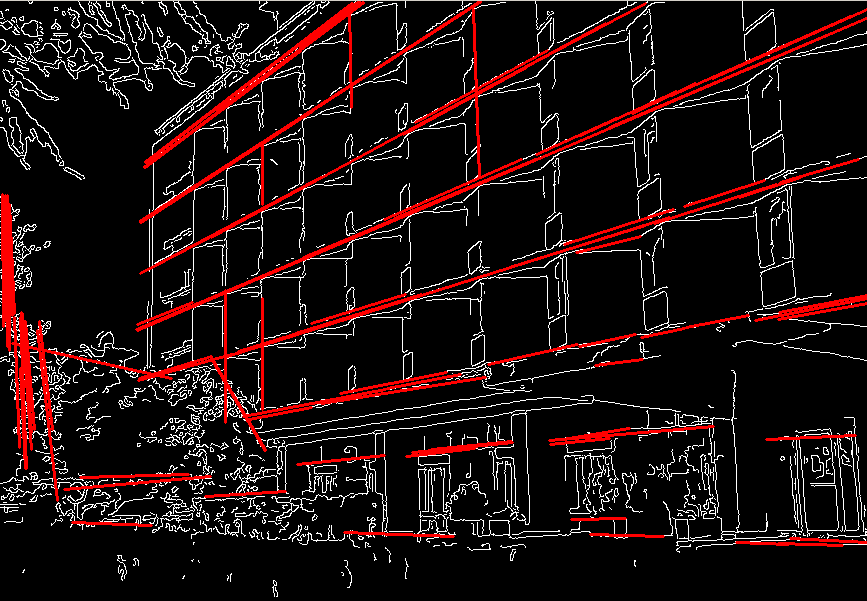
See also
- Parameters:
image – 8-bit, single-channel binary source image. The image may be modified by the function.
lines – Output vector of lines. Each line is represented by a 4-element vector \((x_1, y_1, x_2, y_2)\) , where \((x_1,y_1)\) and \((x_2, y_2)\) are the ending points of each detected line segment.
rho – Distance resolution of the accumulator in pixels.
theta – Angle resolution of the accumulator in radians.
threshold – Accumulator threshold parameter. Only those lines are returned that get enough votes ( \(>\texttt{threshold}\) ).
minLineLength – Minimum line length. Line segments shorter than that are rejected.
maxLineGap – Maximum allowed gap between points on the same line to link them.
HoughLinesPointSet()#
-
void cv::HoughLinesPointSet(InputArray point, OutputArray lines, int lines_max, int threshold, double min_rho, double max_rho, double rho_step, double min_theta, double max_theta, double theta_step)#
Finds lines in a set of points using the standard Hough transform.
The function finds lines in a set of points using a modification of the Hough transform.
#include <opencv2/core.hpp> #include <opencv2/imgproc.hpp> using namespace cv; using namespace std; int main() { Mat lines; vector<Vec3d> line3d; vector<Point2f> point; const static float Points[20][2] = { { 0.0f, 369.0f }, { 10.0f, 364.0f }, { 20.0f, 358.0f }, { 30.0f, 352.0f }, { 40.0f, 346.0f }, { 50.0f, 341.0f }, { 60.0f, 335.0f }, { 70.0f, 329.0f }, { 80.0f, 323.0f }, { 90.0f, 318.0f }, { 100.0f, 312.0f }, { 110.0f, 306.0f }, { 120.0f, 300.0f }, { 130.0f, 295.0f }, { 140.0f, 289.0f }, { 150.0f, 284.0f }, { 160.0f, 277.0f }, { 170.0f, 271.0f }, { 180.0f, 266.0f }, { 190.0f, 260.0f } }; for (int i = 0; i < 20; i++) { point.push_back(Point2f(Points[i][0],Points[i][1])); } double rhoMin = 0.0f, rhoMax = 360.0f, rhoStep = 1; double thetaMin = 0.0f, thetaMax = CV_PI / 2.0f, thetaStep = CV_PI / 180.0f; HoughLinesPointSet(point, lines, 20, 1, rhoMin, rhoMax, rhoStep, thetaMin, thetaMax, thetaStep); lines.copyTo(line3d); printf("votes:%d, rho:%.7f, theta:%.7f\n",(int)line3d.at(0).val[0], line3d.at(0).val[1], line3d.at(0).val[2]); }
- Parameters:
point – Input vector of points. Each vector must be encoded as a Point vector \((x,y)\). Type must be CV_32FC2 or CV_32SC2.
lines – Output vector of found lines. Each vector is encoded as a vector<Vec3d> \((votes, rho, theta)\). The larger the value of ‘votes’, the higher the reliability of the Hough line.
lines_max – Max count of Hough lines.
threshold – Accumulator threshold parameter. Only those lines are returned that get enough votes ( \(>\texttt{threshold}\) ).
min_rho – Minimum value for \(\rho\) for the accumulator (Note: \(\rho\) can be negative. The absolute value \(|\rho|\) is the distance of a line to the origin.).
max_rho – Maximum value for \(\rho\) for the accumulator.
rho_step – Distance resolution of the accumulator.
min_theta – Minimum angle value of the accumulator in radians.
max_theta – Upper bound for the angle value of the accumulator in radians. The actual maximum angle may be slightly less than max_theta, depending on the parameters min_theta and theta_step.
theta_step – Angle resolution of the accumulator in radians.
HuMoments()#
-
void cv::HuMoments(const Moments &m, OutputArray hu)#
This is an overloaded member function, provided for convenience. It differs from the above function only in what argument(s) it accepts.
HuMoments()#
-
void cv::HuMoments(const Moments &moments, double hu[7])#
Calculates seven Hu invariants.
The function calculates seven Hu invariants (introduced in Hu62; see also https://en.wikipedia.org/wiki/Image_moment) defined as:
\[\begin{split}\begin{array}{l} hu[0]= \eta _{20}+ \eta _{02} \\ hu[1]=( \eta _{20}- \eta _{02})^{2}+4 \eta _{11}^{2} \\ hu[2]=( \eta _{30}-3 \eta _{12})^{2}+ (3 \eta _{21}- \eta _{03})^{2} \\ hu[3]=( \eta _{30}+ \eta _{12})^{2}+ ( \eta _{21}+ \eta _{03})^{2} \\ hu[4]=( \eta _{30}-3 \eta _{12})( \eta _{30}+ \eta _{12})[( \eta _{30}+ \eta _{12})^{2}-3( \eta _{21}+ \eta _{03})^{2}]+(3 \eta _{21}- \eta _{03})( \eta _{21}+ \eta _{03})[3( \eta _{30}+ \eta _{12})^{2}-( \eta _{21}+ \eta _{03})^{2}] \\ hu[5]=( \eta _{20}- \eta _{02})[( \eta _{30}+ \eta _{12})^{2}- ( \eta _{21}+ \eta _{03})^{2}]+4 \eta _{11}( \eta _{30}+ \eta _{12})( \eta _{21}+ \eta _{03}) \\ hu[6]=(3 \eta _{21}- \eta _{03})( \eta _{21}+ \eta _{03})[3( \eta _{30}+ \eta _{12})^{2}-( \eta _{21}+ \eta _{03})^{2}]-( \eta _{30}-3 \eta _{12})( \eta _{21}+ \eta _{03})[3( \eta _{30}+ \eta _{12})^{2}-( \eta _{21}+ \eta _{03})^{2}] \\ \end{array}\end{split}\]where \(\eta_{ji}\) stands for \(\texttt{Moments::nu}_{ji}\) .
These values are proved to be invariants to the image scale, rotation, and reflection except the seventh one, whose sign is changed by reflection. This invariance is proved with the assumption of infinite image resolution. In case of raster images, the computed Hu invariants for the original and transformed images are a bit different.
See also
- Parameters:
moments – Input moments computed with moments .
hu – Output Hu invariants.
idct()#
-
void cv::idct(InputArray src, OutputArray dst, int flags = 0)#
Calculates the inverse Discrete Cosine Transform of a 1D or 2D array.
idct(src, dst, flags) is equivalent to dct(src, dst, flags | DCT_INVERSE).
See also
- Parameters:
src – input floating-point single-channel array.
dst – output array of the same size and type as src.
flags – operation flags.
idft()#
-
void cv::idft(InputArray src, OutputArray dst, int flags = 0, int nonzeroRows = 0)#
Calculates the inverse Discrete Fourier Transform of a 1D or 2D array.
idft(src, dst, flags) is equivalent to dft(src, dst, flags | DFT_INVERSE) .
See also
Note
None of dft and idft scales the result by default. So, you should pass DFT_SCALE to one of dft or idft explicitly to make these transforms mutually inverse.
- Parameters:
src – input floating-point real or complex array.
dst – output array whose size and type depend on the flags.
flags – operation flags (see dft and DftFlags).
nonzeroRows – number of dst rows to process; the rest of the rows have undefined content (see the convolution sample in dft description.
illuminationChange()#
-
void cv::illuminationChange(InputArray src, InputArray mask, OutputArray dst, float alpha = 0.2f, float beta = 0.4f)#
Applying an appropriate non-linear transformation to the gradient field inside the selection and then integrating back with a Poisson solver, modifies locally the apparent illumination of an image.
This is useful to highlight under-exposed foreground objects or to reduce specular reflections.
- Parameters:
src – Input 8-bit 3-channel image.
mask – Input 8-bit 1 or 3-channel image.
dst – Output image with the same size and type as src.
alpha – Value ranges between 0-2.
beta – Value ranges between 0-2.
imcount()#
-
size_t cv::imcount(const String &filename, int flags = IMREAD_COLOR_BGR)#
Returns the number of images inside the given file.
The function imcount returns the number of pages in a multi-page image (e.g. TIFF), the number of frames in an animation (e.g. AVIF), and 1 otherwise. If the image cannot be decoded, 0 is returned.
- Todo:
when cv::IMREAD_LOAD_GDAL flag used the return value will be 0 or 1 because OpenCV’s GDAL decoder doesn’t support multi-page reading yet.
Note
The default flags value was changed from cv::IMREAD_ANYCOLOR to cv::IMREAD_COLOR_BGR for unification.
- Parameters:
filename – Name of file to be loaded.
flags – Flag that can take values of cv::ImreadModes, default with cv::IMREAD_COLOR_BGR.
imdecode()#
-
Mat cv::imdecode(InputArray buf, int flags)#
Reads an image from a buffer in memory.
The function imdecode reads an image from the specified buffer in the memory. If the buffer is too short or contains invalid data, the function returns an empty matrix ( Mat::data==NULL ).
See cv::imread for the list of supported formats and flags description.
Note
In the case of color images, the decoded images will have the channels stored in B G R order.
- Parameters:
buf – Input array or vector of bytes.
flags – Flag that can take values of cv::ImreadModes.
imdecode()#
-
Mat cv::imdecode(InputArray buf, int flags, Mat *dst)#
This is an overloaded member function, provided for convenience. It differs from the above function only in what argument(s) it accepts.
- Parameters:
buf – Input array or vector of bytes.
flags – Flag that can take values of cv::ImreadModes, default with cv::IMREAD_ANYCOLOR.
dst – The optional output placeholder for the decoded matrix. It can save the image reallocations when the function is called repeatedly for images of the same size. In case of decoder failure the function returns empty cv::Mat object, but does not release user-provided dst buffer.
imdecodeanimation()#
-
bool cv::imdecodeanimation(InputArray buf, Animation &animation, int start = 0, int count = INT16_MAX)#
Loads frames from an animated image buffer into an Animation structure.
The function imdecodeanimation loads frames from an animated image buffer (e.g., GIF, AVIF, APNG, WEBP) into the provided Animation struct.
- Parameters:
buf – A reference to an InputArray containing the image buffer.
animation – A reference to an Animation structure where the loaded frames will be stored. It should be initialized before the function is called.
start – The index of the first frame to load. This is optional and defaults to 0.
count – The number of frames to load. This is optional and defaults to 32767.
- Returns:
Returns true if the buffer was successfully loaded and frames were extracted; returns false otherwise.
imdecodemulti()#
-
bool cv::imdecodemulti(InputArray buf, int flags, std::vector<Mat> &mats, const cv::Range &range = Range::all())#
Reads a multi-page image from a buffer in memory.
The function imdecodemulti reads a multi-page image from the specified buffer in the memory. If the buffer is too short or contains invalid data, the function returns false.
See cv::imreadmulti for the list of supported formats and flags description.
Note
In the case of color images, the decoded images will have the channels stored in B G R order.
- Parameters:
buf – Input array or vector of bytes.
flags – Flag that can take values of cv::ImreadModes.
mats – A vector of Mat objects holding each page, if more than one.
range – A continuous selection of pages.
imdecodeWithMetadata()#
-
Mat cv::imdecodeWithMetadata(InputArray buf, std::vector<int> &metadataTypes, OutputArrayOfArrays metadata, int flags)#
Reads an image from a memory buffer and extracts associated metadata.
This function decodes an image from the specified memory buffer. If the buffer is too short or contains invalid data, the function returns an empty matrix ( Mat::data==NULL ).
See cv::imread for the list of supported formats and flags description.
Note
In the case of color images, the decoded images will have the channels stored in B G R order.
- Parameters:
buf – Input array or vector of bytes containing the encoded image data.
metadataTypes – Output vector with types of metadata chucks returned in metadata, see cv::ImageMetadataType
metadata – Output vector of vectors or vector of matrices to store the retrieved metadata
flags – Flag that can take values of cv::ImreadModes.
- Returns:
The decoded image as a cv::Mat object. If decoding fails, the function returns an empty matrix.
imencode()#
-
bool cv::imencode(const String &ext, InputArray img, std::vector<uchar> &buf, const std::vector<int> ¶ms = std::vector<int>())#
Encodes an image into a memory buffer.
The function imencode compresses the image and stores it in the memory buffer that is resized to fit the result. See cv::imwrite for the list of supported formats and flags description.
- Parameters:
ext – File extension that defines the output format. Must include a leading period.
img – Image to be compressed.
buf – Output buffer resized to fit the compressed image.
params – Format-specific parameters. See cv::imwrite and cv::ImwriteFlags.
imencodeanimation()#
-
bool cv::imencodeanimation(const String &ext, const Animation &animation, std::vector<uchar> &buf, const std::vector<int> ¶ms = std::vector<int>())#
Encodes an Animation to a memory buffer.
The function imencodeanimation encodes the provided Animation data into a memory buffer in an animated format. Supported formats depend on the implementation and may include formats like GIF, AVIF, APNG, or WEBP.
- Parameters:
ext – The file extension that determines the format of the encoded data.
animation – A constant reference to an Animation struct containing the frames and metadata to be encoded.
buf – A reference to a vector of unsigned chars where the encoded data will be stored.
params – Optional format-specific parameters encoded as pairs (paramId_1, paramValue_1, paramId_2, paramValue_2, …). These parameters are used to specify additional options for the encoding process. Refer to
cv::ImwriteFlagsfor details on possible parameters.
- Returns:
Returns true if the animation was successfully encoded; returns false otherwise.
imencodemulti()#
-
bool cv::imencodemulti(const String &ext, InputArrayOfArrays imgs, std::vector<uchar> &buf, const std::vector<int> ¶ms = std::vector<int>())#
Encodes array of images into a memory buffer.
The function is analog to cv::imencode for in-memory multi-page image compression. See cv::imwrite for the list of supported formats and flags description.
- Parameters:
ext – File extension that defines the output format. Must include a leading period.
imgs – Vector of images to be written.
buf – Output buffer resized to fit the compressed data.
params – Format-specific parameters. See cv::imwrite and cv::ImwriteFlags.
imencodeWithMetadata()#
-
bool cv::imencodeWithMetadata(const String &ext, InputArray img, const std::vector<int> &metadataTypes, InputArrayOfArrays metadata, std::vector<uchar> &buf, const std::vector<int> ¶ms = std::vector<int>())#
Encodes an image into a memory buffer.
The function imencode compresses the image and stores it in the memory buffer that is resized to fit the result. See cv::imwrite for the list of supported formats and flags description.
- Parameters:
ext – File extension that defines the output format. Must include a leading period.
img – Image to be compressed.
metadataTypes – Vector with types of metadata chucks stored in metadata to write, see ImageMetadataType.
metadata – Vector of vectors or vector of matrices with chunks of metadata to store into the file
buf – Output buffer resized to fit the compressed image.
params – Format-specific parameters. See cv::imwrite and cv::ImwriteFlags.
imread()#
-
Mat cv::imread(const String &filename, int flags = IMREAD_COLOR_BGR)#
Loads an image from a file.
The
imreadfunction loads an image from the specified file and returns OpenCV matrix. If the image cannot be read (because of a missing file, improper permissions, or unsupported/invalid format), the function returns an empty matrix.Currently, the following file formats are supported:
Windows bitmaps - *.bmp, *.dib (always supported)
GIF files - *.gif (always supported)
JPEG files - *.jpeg, *.jpg, *.jpe (see the Note section)
JPEG 2000 files - *.jp2 (see the Note section)
Portable Network Graphics - *.png (see the Note section)
WebP - *.webp (see the Note section)
AVIF - *.avif (see the Note section)
Portable image format - *.pbm, *.pgm, *.ppm, *.pxm, *.pnm (always supported)
PFM files - *.pfm (see the Note section)
Sun rasters - *.sr, *.ras (always supported)
TIFF files - *.tiff, *.tif (see the Note section)
OpenEXR Image files - *.exr (see the Note section)
Radiance HDR - *.hdr, *.pic (always supported)
Raster and Vector geospatial data supported by GDAL (see the Note section)
Note
The function determines the type of an image by its content, not by the file extension.
In the case of color images, the decoded images will have the channels stored in B G R order.
When using IMREAD_GRAYSCALE, the codec’s internal grayscale conversion will be used, if available. Results may differ from the output of cvtColor().
On Microsoft Windows* and Mac OS*, the codecs shipped with OpenCV (libjpeg, libpng, libtiff, and libjasper) are used by default. So, OpenCV can always read JPEGs, PNGs, and TIFFs. On Mac OS, there is also an option to use native Mac OS image readers. However, beware that currently these native image loaders give images with different pixel values because of the color management embedded into Mac OS.
On Linux*, BSD flavors, and other Unix-like open-source operating systems, OpenCV looks for codecs supplied with the OS. Ensure the relevant packages are installed (including development files, such as “libjpeg-dev” in Debian* and Ubuntu*) to get codec support, or turn on the OPENCV_BUILD_3RDPARTY_LIBS flag in CMake.
If the WITH_GDAL flag is set to true in CMake and IMREAD_LOAD_GDAL is used to load the image, the GDAL driver will be used to decode the image, supporting Raster and Vector formats.
If EXIF information is embedded in the image file, the EXIF orientation will be taken into account, and thus the image will be rotated accordingly unless the flags IMREAD_IGNORE_ORIENTATION or IMREAD_UNCHANGED are passed.
Use the IMREAD_UNCHANGED flag to preserve the floating-point values from PFM images.
By default, the number of pixels must be less than 2^30. This limit can be changed by setting the environment variable
OPENCV_IO_MAX_IMAGE_PIXELS. See tutorial_env_reference.
- Parameters:
filename – Name of the file to be loaded.
flags – Flag that can take values of cv::ImreadModes, default with cv::IMREAD_COLOR_BGR.
imread()#
-
void cv::imread(const String &filename, OutputArray dst, int flags = IMREAD_COLOR_BGR)#
Loads an image from a file.
This is an overloaded member function, provided for convenience. It differs from the above function only in what argument(s) it accepts and the return value.
Note
The image passing through the img parameter can be pre-allocated. The memory is reused if the shape and the type match with the load image.
- Parameters:
filename – Name of file to be loaded.
dst – object in which the image will be loaded.
flags – Flag that can take values of cv::ImreadModes, default with cv::IMREAD_COLOR_BGR.
imreadanimation()#
-
bool cv::imreadanimation(const String &filename, Animation &animation, int start = 0, int count = INT16_MAX)#
Loads frames from an animated image file into an Animation structure.
The function imreadanimation loads frames from an animated image file (e.g., GIF, AVIF, APNG, WEBP) into the provided Animation struct.
- Parameters:
filename – A string containing the path to the file.
animation – A reference to an Animation structure where the loaded frames will be stored. It should be initialized before the function is called.
start – The index of the first frame to load. This is optional and defaults to 0.
count – The number of frames to load. This is optional and defaults to 32767.
- Returns:
Returns true if the file was successfully loaded and frames were extracted; returns false otherwise.
imreadmulti()#
-
bool cv::imreadmulti(const String &filename, std::vector<Mat> &mats, int flags = IMREAD_COLOR_BGR)#
Loads a multi-page image from a file.
The function imreadmulti loads a multi-page image from the specified file into a vector of Mat objects.
See also
Note
The default flags value was changed from cv::IMREAD_ANYCOLOR to cv::IMREAD_COLOR_BGR for unification.
- Parameters:
filename – Name of file to be loaded.
mats – A vector of Mat objects holding each page.
flags – Flag that can take values of cv::ImreadModes, default with cv::IMREAD_COLOR_BGR.
imreadmulti()#
-
bool cv::imreadmulti(const String &filename, std::vector<Mat> &mats, int start, int count, int flags = IMREAD_ANYCOLOR)#
Loads images of a multi-page image from a file.
The function imreadmulti loads a specified range from a multi-page image from the specified file into a vector of Mat objects.
See also
- Parameters:
filename – Name of file to be loaded.
mats – A vector of Mat objects holding each page.
start – Start index of the image to load
count – Count number of images to load
flags – Flag that can take values of cv::ImreadModes, default with cv::IMREAD_ANYCOLOR.
imreadWithMetadata()#
-
Mat cv::imreadWithMetadata(const String &filename, std::vector<int> &metadataTypes, OutputArrayOfArrays metadata, int flags)#
Reads an image from a file along with associated metadata.
This function behaves similarly to cv::imread(), loading an image from the specified file. In addition to the image pixel data, it also attempts to extract any available metadata embedded in the file (such as EXIF, XMP, etc.), depending on file format support.
Note
In the case of color images, the decoded images will have the channels stored in B G R order.
- Parameters:
filename – Name of the file to be loaded.
metadataTypes – Output vector with types of metadata chunks returned in metadata, see ImageMetadataType.
metadata – Output vector of vectors or vector of matrices to store the retrieved metadata.
flags – Flag that can take values of cv::ImreadModes.
- Returns:
The loaded image as a cv::Mat object. If the image cannot be read, the function returns an empty matrix.
imshow()#
imshow()#
-
void cv::imshow(const String &winname, InputArray mat)#
Displays an image in the specified window.
The function imshow displays an image in the specified window. If the window was created with the cv::WINDOW_AUTOSIZE flag, the image is shown with its original size, however it is still limited by the screen resolution. Otherwise, the image is scaled to fit the window. The function may scale the image, depending on its depth:
If the image is 8-bit unsigned, it is displayed as is.
If the image is 16-bit unsigned, the pixels are divided by 256. That is, the value range [0,255*256] is mapped to [0,255].
If the image is 32-bit or 64-bit floating-point, the pixel values are multiplied by 255. That is, the value range [0,1] is mapped to [0,255].
32-bit integer images are not processed anymore due to ambiguouty of required transform. Convert to 8-bit unsigned matrix using a custom preprocessing specific to image’s context.
If window was created with OpenGL support, cv::imshow also support ogl::Buffer , ogl::Texture2D and cuda::GpuMat as input.
If the window was not created before this function, it is assumed creating a window with cv::WINDOW_AUTOSIZE.
If you need to show an image that is bigger than the screen resolution, you will need to call namedWindow(“”, WINDOW_NORMAL) before the imshow.
Note
This function should be followed by a call to cv::waitKey or cv::pollKey to perform GUI housekeeping tasks that are necessary to actually show the given image and make the window respond to mouse and keyboard events. Otherwise, it won’t display the image and the window might lock up. For example, waitKey(0) will display the window infinitely until any keypress (it is suitable for image display). waitKey(25) will display a frame and wait approximately 25 ms for a key press (suitable for displaying a video frame-by-frame). To remove the window, use cv::destroyWindow.
Note
[Windows Backend Only] Pressing Ctrl+C will copy the image to the clipboard. Pressing Ctrl+S will show a dialog to save the image.
Note
[Wayland Backend Only] Supoorting format is extended.
If the image is 8-bit signed, the pixels are biased by 128. That is, the value range [-128,127] is mapped to [0,255].
If the image is 16-bit signed, the pixels are divided by 256 and biased by 128. That is, the value range [-32768,32767] is mapped to [0,255].
- Parameters:
winname – Name of the window.
mat – Image to be shown.
imwrite()#
-
bool cv::imwrite(const String &filename, InputArray img, const std::vector<int> ¶ms = std::vector<int>())#
Saves an image to a specified file.
The function imwrite saves the image to the specified file. The image format is chosen based on the filename extension (see cv::imread for the list of extensions). In general, only 8-bit unsigned (CV_8U) single-channel or 3-channel (with ‘BGR’ channel order) images can be saved using this function, with these exceptions:
With BMP encoder, 8-bit unsigned (CV_8U) images can be saved.
BMP images with an alpha channel can be saved using this function. To achieve this, create an 8-bit 4-channel (CV_8UC4) BGRA image, ensuring the alpha channel is the last component. Fully transparent pixels should have an alpha value of 0, while fully opaque pixels should have an alpha value of 255. OpenCV v4.13.0 or later use BI_BITFIELDS compression as default. See IMWRITE_BMP_COMPRESSION.
With OpenEXR encoder, only 32-bit float (CV_32F) images can be saved. More than 4 channels can be saved. (imread can load it then.)
8-bit unsigned (CV_8U) images are not supported.
With Radiance HDR encoder, non 64-bit float (CV_64F) images can be saved.
All images will be converted to 32-bit float (CV_32F).
With JPEG 2000 encoder, 8-bit unsigned (CV_8U) and 16-bit unsigned (CV_16U) images can be saved.
With JPEG XL encoder, 8-bit unsigned (CV_8U), 16-bit unsigned (CV_16U) and 32-bit float(CV_32F) images can be saved.
JPEG XL images with an alpha channel can be saved using this function. To achieve this, create an 8-bit 4-channel (CV_8UC4) / 16-bit 4-channel (CV_16UC4) / 32-bit float 4-channel (CV_32FC4) BGRA image, ensuring the alpha channel is the last component. Fully transparent pixels should have an alpha value of 0, while fully opaque pixels should have an alpha value of 255/65535/1.0.
With PAM encoder, 8-bit unsigned (CV_8U) and 16-bit unsigned (CV_16U) images can be saved.
With PNG encoder, 8-bit unsigned (CV_8U) and 16-bit unsigned (CV_16U) images can be saved.
PNG images with an alpha channel can be saved using this function. To achieve this, create an 8-bit 4-channel (CV_8UC4) / 16-bit 4-channel (CV_16UC4) BGRA image, ensuring the alpha channel is the last component. Fully transparent pixels should have an alpha value of 0, while fully opaque pixels should have an alpha value of 255/65535(see the code sample below).
With PGM/PPM encoder, 8-bit unsigned (CV_8U) and 16-bit unsigned (CV_16U) images can be saved.
With TIFF encoder, 8-bit unsigned (CV_8U), 8-bit signed (CV_8S), 16-bit unsigned (CV_16U), 16-bit signed (CV_16S), 32-bit unsigned (CV_32U), 32-bit signed (CV_32S), 64-bit unsigned (CV_64U), 64-bit signed (CV_64S), 32-bit float (CV_32F) and 64-bit float (CV_64F) images can be saved.
Multiple images (vector of Mat) can be saved in TIFF format (see the code sample below).
32-bit float 3-channel (CV_32FC3) TIFF images can be saved using the LogLuv high dynamic range encoding (4 bytes per pixel) through TIFF_COMPRESSION_SGILOG or (3 bytes per pixel) through TIFF_COMPRESSION_SGILOG24.
Other compression schemes (LZW…) are supported as well for 32F depth, but the efficiency might not be very good for the floating-point representation bit patterns.
With GIF encoder, 8-bit unsigned (CV_8U) images can be saved.
GIF images with an alpha channel can be saved using this function. To achieve this, create an 8-bit 4-channel (CV_8UC4) BGRA image, ensuring the alpha channel is the last component. Fully transparent pixels should have an alpha value of 0, while fully opaque pixels should have an alpha value of 255.
8-bit single-channel images (CV_8UC1) are not supported due to GIF’s limitation to indexed color formats.
With AVIF encoder, 8-bit unsigned (CV_8U) and 16-bit unsigned (CV_16U) images can be saved.
CV_16U images can be saved as only 10-bit or 12-bit (not 16-bit). See IMWRITE_AVIF_DEPTH.
AVIF images with an alpha channel can be saved using this function. To achieve this, create an 8-bit 4-channel (CV_8UC4) / 16-bit 4-channel (CV_16UC4) BGRA image, ensuring the alpha channel is the last component. Fully transparent pixels should have an alpha value of 0, while fully opaque pixels should have an alpha value of 255 (8-bit) / 1023 (10-bit) / 4095 (12-bit) (see the code sample below).
If the image format is not supported, the image will be converted to 8-bit unsigned (CV_8U) and saved that way.
If the format, depth or channel order is different, use Mat::convertTo and cv::cvtColor to convert it before saving. Or, use the universal FileStorage I/O functions to save the image to XML or YAML format.
The sample below shows how to create a BGRA image, how to set custom compression parameters and save it to a PNG file. It also demonstrates how to save multiple images in a TIFF file:
#include <opencv2/imgcodecs.hpp> using namespace cv; using namespace std; static void paintAlphaMat(Mat &mat) { CV_Assert(mat.channels() == 4); for (int i = 0; i < mat.rows; ++i) { for (int j = 0; j < mat.cols; ++j) { Vec4b& bgra = mat.at<Vec4b>(i, j); bgra[0] = UCHAR_MAX; // Blue bgra[1] = saturate_cast<uchar>((float (mat.cols - j)) / ((float)mat.cols) * UCHAR_MAX); // Green bgra[2] = saturate_cast<uchar>((float (mat.rows - i)) / ((float)mat.rows) * UCHAR_MAX); // Red bgra[3] = saturate_cast<uchar>(0.5 * (bgra[1] + bgra[2])); // Alpha } } } int main() { Mat mat(480, 640, CV_8UC4); // Create a matrix with alpha channel paintAlphaMat(mat); vector<int> compression_params; compression_params.push_back(IMWRITE_PNG_COMPRESSION); compression_params.push_back(9); bool result = false; try { result = imwrite("alpha.png", mat, compression_params); } catch (const cv::Exception& ex) { fprintf(stderr, "Exception converting image to PNG format: %s\n", ex.what()); } if (result) printf("Saved PNG file with alpha data.\n"); else printf("ERROR: Can't save PNG file.\n"); vector<Mat> imgs; imgs.push_back(mat); imgs.push_back(~mat); imgs.push_back(mat(Rect(0, 0, mat.cols / 2, mat.rows / 2))); imwrite("test.tiff", imgs); printf("Multiple files saved in test.tiff\n"); return result ? 0 : 1; }
- Parameters:
filename – Name of the file.
params – Format-specific parameters encoded as pairs (paramId_1, paramValue_1, paramId_2, paramValue_2, … .) see cv::ImwriteFlags
- Returns:
true if the image is successfully written to the specified file; false otherwise.
imwriteanimation()#
-
bool cv::imwriteanimation(const String &filename, const Animation &animation, const std::vector<int> ¶ms = std::vector<int>())#
Saves an Animation to a specified file.
The function imwriteanimation saves the provided Animation data to the specified file in an animated format. Supported formats depend on the implementation and may include formats like GIF, AVIF, APNG, or WEBP.
- Parameters:
filename – The name of the file where the animation will be saved. The file extension determines the format.
animation – A constant reference to an Animation struct containing the frames and metadata to be saved.
params – Optional format-specific parameters encoded as pairs (paramId_1, paramValue_1, paramId_2, paramValue_2, …). These parameters are used to specify additional options for the encoding process. Refer to
cv::ImwriteFlagsfor details on possible parameters.
- Returns:
Returns true if the animation was successfully saved; returns false otherwise.
imwritemulti()#
-
static inline bool cv::imwritemulti(const String &filename, InputArrayOfArrays img, const std::vector<int> ¶ms = std::vector<int>())#
multi-image overload for bindings
imwriteWithMetadata()#
-
bool cv::imwriteWithMetadata(const String &filename, InputArray img, const std::vector<int> &metadataTypes, InputArrayOfArrays &metadata, const std::vector<int> ¶ms = std::vector<int>())#
Saves an image to a specified file with metadata.
The function imwriteWithMetadata saves the image to the specified file. It does the same thing as imwrite, but additionally writes metadata if the corresponding format supports it.
- Parameters:
filename – Name of the file. As with imwrite, image format is determined by the file extension.
metadataTypes – Vector with types of metadata chucks stored in metadata to write, see ImageMetadataType.
metadata – Vector of vectors or vector of matrices with chunks of metadata to store into the file
params – Format-specific parameters encoded as pairs (paramId_1, paramValue_1, paramId_2, paramValue_2, … .) see cv::ImwriteFlags
initCameraMatrix2D()#
-
Mat cv::initCameraMatrix2D(InputArrayOfArrays objectPoints, InputArrayOfArrays imagePoints, Size imageSize, double aspectRatio = 1.0)#
Finds an initial camera intrinsic matrix from 3D-2D point correspondences.
The function estimates and returns an initial camera intrinsic matrix for the camera calibration process. Currently, the function only supports planar calibration patterns, which are patterns where each object point has z-coordinate =0.
- Parameters:
objectPoints – Vector of vectors of the calibration pattern points in the calibration pattern coordinate space. In the old interface all the per-view vectors are concatenated. See calibrateCamera for details.
imagePoints – Vector of vectors of the projections of the calibration pattern points. In the old interface all the per-view vectors are concatenated.
imageSize – Image size in pixels used to initialize the principal point.
aspectRatio – If it is zero or negative, both \(f_x\) and \(f_y\) are estimated independently. Otherwise, \(f_x = f_y \cdot \texttt{aspectRatio}\) .
initInverseRectificationMap()#
-
void cv::initInverseRectificationMap(InputArray cameraMatrix, InputArray distCoeffs, InputArray R, InputArray newCameraMatrix, const Size &size, int m1type, OutputArray map1, OutputArray map2)#
Computes the projection and inverse-rectification transformation map. In essense, this is the inverse of initUndistortRectifyMap to accomodate stereo-rectification of projectors (‘inverse-cameras’) in projector-camera pairs.
The function computes the joint projection and inverse rectification transformation and represents the result in the form of maps for remap. The projected image looks like a distorted version of the original which, once projected by a projector, should visually match the original. In case of a monocular camera, newCameraMatrix is usually equal to cameraMatrix, or it can be computed by getOptimalNewCameraMatrix for a better control over scaling. In case of a projector-camera pair, newCameraMatrix is normally set to P1 or P2 computed by stereoRectify .
The projector is oriented differently in the coordinate space, according to R. In case of projector-camera pairs, this helps align the projector (in the same manner as initUndistortRectifyMap for the camera) to create a stereo-rectified pair. This allows epipolar lines on both images to become horizontal and have the same y-coordinate (in case of a horizontally aligned projector-camera pair).
The function builds the maps for the inverse mapping algorithm that is used by remap. That is, for each pixel \((u, v)\) in the destination (projected and inverse-rectified) image, the function computes the corresponding coordinates in the source image (that is, in the original digital image). The following process is applied:
\[ \begin{align}\begin{aligned}\begin{split} \begin{array}{l} \text{newCameraMatrix}\\ x \leftarrow (u - {c'}_x)/{f'}_x \\ y \leftarrow (v - {c'}_y)/{f'}_y \\\end{split}\\\begin{split}\\\text{Undistortion} \\\scriptsize{\textit{though equation shown is for radial undistortion, function implements cv::undistortPoints()}}\\ r^2 \leftarrow x^2 + y^2 \\ \theta \leftarrow \frac{1 + k_1 r^2 + k_2 r^4 + k_3 r^6}{1 + k_4 r^2 + k_5 r^4 + k_6 r^6}\\ x' \leftarrow \frac{x}{\theta} \\ y' \leftarrow \frac{y}{\theta} \\\end{split}\\\begin{split}\\\text{Rectification}\\ {[X\,Y\,W]} ^T \leftarrow R*[x' \, y' \, 1]^T \\ x'' \leftarrow X/W \\ y'' \leftarrow Y/W \\\end{split}\\\begin{split}\\\text{cameraMatrix}\\ map_x(u,v) \leftarrow x'' f_x + c_x \\ map_y(u,v) \leftarrow y'' f_y + c_y \end{array} \end{split}\end{aligned}\end{align} \]where \((k_1, k_2, p_1, p_2[, k_3[, k_4, k_5, k_6[, s_1, s_2, s_3, s_4[, \tau_x, \tau_y]]]])\) are the distortion coefficients vector distCoeffs.In case of a stereo-rectified projector-camera pair, this function is called for the projector while initUndistortRectifyMap is called for the camera head. This is done after stereoRectify, which in turn is called after stereoCalibrate. If the projector-camera pair is not calibrated, it is still possible to compute the rectification transformations directly from the fundamental matrix using stereoRectifyUncalibrated. For the projector and camera, the function computes homography H as the rectification transformation in a pixel domain, not a rotation matrix R in 3D space. R can be computed from H as
\[\texttt{R} = \texttt{cameraMatrix} ^{-1} \cdot \texttt{H} \cdot \texttt{cameraMatrix}\]where cameraMatrix can be chosen arbitrarily.- Parameters:
cameraMatrix – Input camera matrix \(A=\vecthreethree{f_x}{0}{c_x}{0}{f_y}{c_y}{0}{0}{1}\) .
distCoeffs – Input vector of distortion coefficients \((k_1, k_2, p_1, p_2[, k_3[, k_4, k_5, k_6[, s_1, s_2, s_3, s_4[, \tau_x, \tau_y]]]])\) of 4, 5, 8, 12 or 14 elements. If the vector is NULL/empty, the zero distortion coefficients are assumed.
R – Optional rectification transformation in the object space (3x3 matrix). R1 or R2, computed by stereoRectify can be passed here. If the matrix is empty, the identity transformation is assumed.
newCameraMatrix – New camera matrix \(A'=\vecthreethree{f_x'}{0}{c_x'}{0}{f_y'}{c_y'}{0}{0}{1}\).
size – Distorted image size.
m1type – Type of the first output map. Can be CV_32FC1, CV_32FC2 or CV_16SC2, see convertMaps
map1 – The first output map for remap.
map2 – The second output map for remap.
initUndistortRectifyMap()#
-
void cv::initUndistortRectifyMap(InputArray cameraMatrix, InputArray distCoeffs, InputArray R, InputArray newCameraMatrix, Size size, int m1type, OutputArray map1, OutputArray map2)#
Computes the undistortion and rectification transformation map.
The function computes the joint undistortion and rectification transformation and represents the result in the form of maps for remap. The undistorted image looks like original, as if it is captured with a camera using the camera matrix =newCameraMatrix and zero distortion. In case of a monocular camera, newCameraMatrix is usually equal to cameraMatrix, or it can be computed by getOptimalNewCameraMatrix for a better control over scaling. In case of a stereo camera, newCameraMatrix is normally set to P1 or P2 computed by stereoRectify .
Also, this new camera is oriented differently in the coordinate space, according to R. That, for example, helps to align two heads of a stereo camera so that the epipolar lines on both images become horizontal and have the same y- coordinate (in case of a horizontally aligned stereo camera).
The function actually builds the maps for the inverse mapping algorithm that is used by remap. That is, for each pixel \((u, v)\) in the destination (corrected and rectified) image, the function computes the corresponding coordinates in the source image (that is, in the original image from camera). The following process is applied:
\[\begin{split} \begin{array}{l} x \leftarrow (u - {c'}_x)/{f'}_x \\ y \leftarrow (v - {c'}_y)/{f'}_y \\ {[X\,Y\,W]} ^T \leftarrow R^{-1}*[x \, y \, 1]^T \\ x' \leftarrow X/W \\ y' \leftarrow Y/W \\ r^2 \leftarrow x'^2 + y'^2 \\ x'' \leftarrow x' \frac{1 + k_1 r^2 + k_2 r^4 + k_3 r^6}{1 + k_4 r^2 + k_5 r^4 + k_6 r^6} + 2p_1 x' y' + p_2(r^2 + 2 x'^2) + s_1 r^2 + s_2 r^4\\ y'' \leftarrow y' \frac{1 + k_1 r^2 + k_2 r^4 + k_3 r^6}{1 + k_4 r^2 + k_5 r^4 + k_6 r^6} + p_1 (r^2 + 2 y'^2) + 2 p_2 x' y' + s_3 r^2 + s_4 r^4 \\ s\vecthree{x'''}{y'''}{1} = \vecthreethree{R_{33}(\tau_x, \tau_y)}{0}{-R_{13}((\tau_x, \tau_y)} {0}{R_{33}(\tau_x, \tau_y)}{-R_{23}(\tau_x, \tau_y)} {0}{0}{1} R(\tau_x, \tau_y) \vecthree{x''}{y''}{1}\\ map_x(u,v) \leftarrow x''' f_x + c_x \\ map_y(u,v) \leftarrow y''' f_y + c_y \end{array} \end{split}\]where \((k_1, k_2, p_1, p_2[, k_3[, k_4, k_5, k_6[, s_1, s_2, s_3, s_4[, \tau_x, \tau_y]]]])\) are the distortion coefficients.In case of a stereo camera, this function is called twice: once for each camera head, after stereoRectify, which in its turn is called after stereoCalibrate. But if the stereo camera was not calibrated, it is still possible to compute the rectification transformations directly from the fundamental matrix using stereoRectifyUncalibrated. For each camera, the function computes homography H as the rectification transformation in a pixel domain, not a rotation matrix R in 3D space. R can be computed from H as
\[\texttt{R} = \texttt{cameraMatrix} ^{-1} \cdot \texttt{H} \cdot \texttt{cameraMatrix}\]where cameraMatrix can be chosen arbitrarily.- Parameters:
cameraMatrix – Input camera matrix \(A=\vecthreethree{f_x}{0}{c_x}{0}{f_y}{c_y}{0}{0}{1}\) .
distCoeffs – Input vector of distortion coefficients \((k_1, k_2, p_1, p_2[, k_3[, k_4, k_5, k_6[, s_1, s_2, s_3, s_4[, \tau_x, \tau_y]]]])\) of 4, 5, 8, 12 or 14 elements. If the vector is NULL/empty, the zero distortion coefficients are assumed.
R – Optional rectification transformation in the object space (3x3 matrix). R1 or R2 , computed by stereoRectify can be passed here. If the matrix is empty, the identity transformation is assumed. In initUndistortRectifyMap R assumed to be an identity matrix.
newCameraMatrix – New camera matrix \(A'=\vecthreethree{f_x'}{0}{c_x'}{0}{f_y'}{c_y'}{0}{0}{1}\).
size – Undistorted image size.
m1type – Type of the first output map that can be CV_32FC1, CV_32FC2 or CV_16SC2, see convertMaps
map1 – The first output map.
map2 – The second output map.
initWideAngleProjMap()#
-
float cv::initWideAngleProjMap(InputArray cameraMatrix, InputArray distCoeffs, Size imageSize, int destImageWidth, int m1type, OutputArray map1, OutputArray map2, enum UndistortTypes projType = PROJ_SPHERICAL_EQRECT, double alpha = 0)#
initializes maps for remap for wide-angle
initWideAngleProjMap()#
-
static inline float cv::initWideAngleProjMap(InputArray cameraMatrix, InputArray distCoeffs, Size imageSize, int destImageWidth, int m1type, OutputArray map1, OutputArray map2, int projType, double alpha = 0)#
inpaint()#
-
void cv::inpaint(InputArray src, InputArray inpaintMask, OutputArray dst, double inpaintRadius, int flags)#
Restores the selected region in an image using the region neighborhood.
The function reconstructs the selected image area from the pixel near the area boundary. The function may be used to remove dust and scratches from a scanned photo, or to remove undesirable objects from still images or video. See http://en.wikipedia.org/wiki/Inpainting for more details.
Note
An example using the inpainting technique can be found at opencv_source_code/samples/cpp/inpaint.cpp
(Python) An example using the inpainting technique can be found at opencv_source_code/samples/python/inpaint.py
- Parameters:
src – Input 8-bit, 16-bit unsigned or 32-bit float 1-channel or 8-bit 3-channel image.
inpaintMask – Inpainting mask, 8-bit 1-channel image. Non-zero pixels indicate the area that needs to be inpainted.
dst – Output image with the same size and type as src .
inpaintRadius – Radius of a circular neighborhood of each point inpainted that is considered by the algorithm.
flags – Inpainting method that could be cv::INPAINT_NS or cv::INPAINT_TELEA
inRange()#
-
void cv::inRange(InputArray src, InputArray lowerb, InputArray upperb, OutputArray dst)#
Checks if array elements lie between the elements of two other arrays.
The function checks the range as follows:
For every element of a single-channel input array:
\[\texttt{dst} (I)= \texttt{lowerb} (I)_0 \leq \texttt{src} (I)_0 \leq \texttt{upperb} (I)_0\]For two-channel arrays:
\[\texttt{dst} (I)= \texttt{lowerb} (I)_0 \leq \texttt{src} (I)_0 \leq \texttt{upperb} (I)_0 \land \texttt{lowerb} (I)_1 \leq \texttt{src} (I)_1 \leq \texttt{upperb} (I)_1\]and so forth.
That is, dst (I) is set to 255 (all 1 -bits) if src (I) is within the specified 1D, 2D, 3D, … box and 0 otherwise.
When the lower and/or upper boundary parameters are scalars, the indexes (I) at lowerb and upperb in the above formulas should be omitted.
- Parameters:
src – first input array.
lowerb – inclusive lower boundary array or a scalar.
upperb – inclusive upper boundary array or a scalar.
dst – output array of the same size as src and CV_8U type.
insertChannel()#
-
void cv::insertChannel(InputArray src, InputOutputArray dst, int coi)#
Inserts a single channel to dst (coi is 0-based index)
See also
- Parameters:
src – input array
dst – output array
coi – index of channel for insertion
integral()#
-
void cv::integral(InputArray src, OutputArray sum, int sdepth = -1)#
This is an overloaded member function, provided for convenience. It differs from the above function only in what argument(s) it accepts.
integral()#
-
void cv::integral(InputArray src, OutputArray sum, OutputArray sqsum, int sdepth = -1, int sqdepth = -1)#
This is an overloaded member function, provided for convenience. It differs from the above function only in what argument(s) it accepts.
integral()#
-
void cv::integral(InputArray src, OutputArray sum, OutputArray sqsum, OutputArray tilted, int sdepth = -1, int sqdepth = -1)#
Calculates the integral of an image.
The function calculates one or more integral images for the source image as follows:
\[\texttt{sum} (X,Y) = \sum _{x<X,y<Y} \texttt{image} (x,y)\]\[\texttt{sqsum} (X,Y) = \sum _{x<X,y<Y} \texttt{image} (x,y)^2\]\[\texttt{tilted} (X,Y) = \sum _{y<Y,abs(x-X+1) \leq Y-y-1} \texttt{image} (x,y)\]Using these integral images, you can calculate sum, mean, and standard deviation over a specific up-right or rotated rectangular region of the image in a constant time, for example:
\[\sum _{x_1 \leq x < x_2, \, y_1 \leq y < y_2} \texttt{image} (x,y) = \texttt{sum} (x_2,y_2)- \texttt{sum} (x_1,y_2)- \texttt{sum} (x_2,y_1)+ \texttt{sum} (x_1,y_1)\]It makes possible to do a fast blurring or fast block correlation with a variable window size, for example. In case of multi-channel images, sums for each channel are accumulated independently.
As a practical example, the next figure shows the calculation of the integral of a straight rectangle Rect(4,4,3,2) and of a tilted rectangle Rect(5,1,2,3) . The selected pixels in the original image are shown, as well as the relative pixels in the integral images sum and tilted .
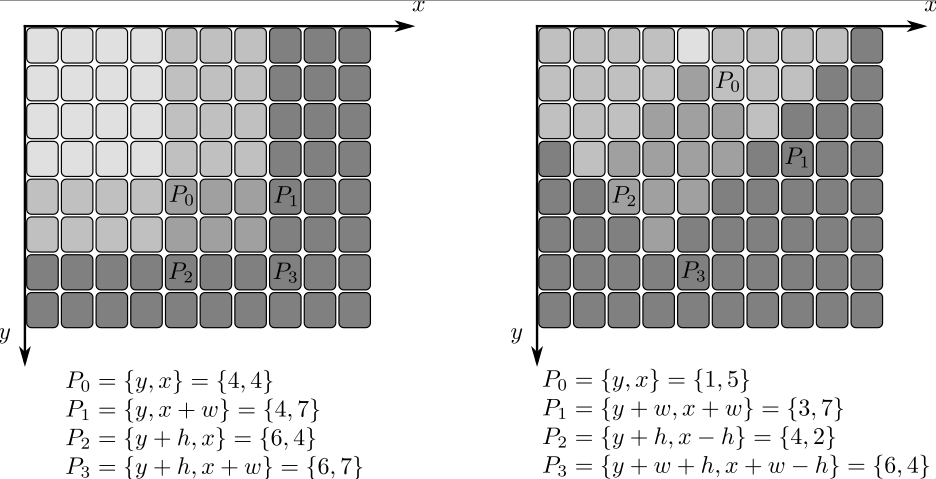
- Parameters:
src – input image as \(W \times H\), 8-bit or floating-point (32f or 64f).
sum – integral image as \((W+1)\times (H+1)\) , 32-bit integer or floating-point (32f or 64f).
sqsum – integral image for squared pixel values; it is \((W+1)\times (H+1)\), double-precision floating-point (64f) array.
tilted – integral for the image rotated by 45 degrees; it is \((W+1)\times (H+1)\) array with the same data type as sum.
sdepth – desired depth of the integral and the tilted integral images, CV_32S, CV_32F, or CV_64F.
sqdepth – desired depth of the integral image of squared pixel values, CV_32F or CV_64F.
intersectConvexConvex()#
-
float cv::intersectConvexConvex(InputArray p1, InputArray p2, OutputArray p12, bool handleNested = true)#
Finds intersection of two convex polygons.
Note
intersectConvexConvex doesn’t confirm that both polygons are convex and will return invalid results if they aren’t.
- Parameters:
p1 – First polygon
p2 – Second polygon
p12 – Output polygon describing the intersecting area
handleNested – When true, an intersection is found if one of the polygons is fully enclosed in the other. When false, no intersection is found. If the polygons share a side or the vertex of one polygon lies on an edge of the other, they are not considered nested and an intersection will be found regardless of the value of handleNested.
- Returns:
Area of intersecting polygon. May be negative, if algorithm has not converged, e.g. non-convex input.
inv()#
-
template<typename T>
Quat<T> cv::inv(const Quat<T> &q, QuatAssumeType assumeUnit = QUAT_ASSUME_NOT_UNIT)# For example
Quatd q(1,2,3,4); inv(q); QuatAssumeType assumeUnit = QUAT_ASSUME_UNIT; q = q.normalize(); inv(q, assumeUnit);//This assumeUnit means p is a unit quaternion
- Parameters:
q – a quaternion.
assumeUnit – if QUAT_ASSUME_UNIT, quaternion q assume to be a unit quaternion and this function will save some computations.
invert()#
-
double cv::invert(InputArray src, OutputArray dst, int flags = DECOMP_LU)#
Finds the inverse or pseudo-inverse of a matrix.
The function cv::invert inverts the matrix src and stores the result in dst . When the matrix src is singular or non-square, the function calculates the pseudo-inverse matrix (the dst matrix) so that norm(src*dst - I) is minimal, where I is an identity matrix.
In case of the DECOMP_LU method, the function returns non-zero value if the inverse has been successfully calculated and 0 if src is singular.
In case of the DECOMP_SVD method, the function returns the inverse condition number of src (the ratio of the smallest singular value to the largest singular value) and 0 if src is singular. The SVD method calculates a pseudo-inverse matrix if src is singular.
Similarly to DECOMP_LU, the method DECOMP_CHOLESKY works only with non-singular square matrices that should also be symmetrical and positively defined. In this case, the function stores the inverted matrix in dst and returns non-zero. Otherwise, it returns 0.
- Parameters:
src – input floating-point M x N matrix.
dst – output matrix of N x M size and the same type as src.
flags – inversion method (cv::DecompTypes)
invertAffineTransform()#
-
void cv::invertAffineTransform(InputArray M, OutputArray iM)#
Inverts an affine transformation.
The function computes an inverse affine transformation represented by \(2 \times 3\) matrix M:
\[\begin{split}\begin{bmatrix} a_{11} & a_{12} & b_1 \\ a_{21} & a_{22} & b_2 \end{bmatrix}\end{split}\]The result is also a \(2 \times 3\) matrix of the same type as M.
- Parameters:
M – Original affine transformation.
iM – Output reverse affine transformation.
isAligned()#
isAligned()#
-
template<int N>
static inline bool cv::isAligned(const void *p1)# This is an overloaded member function, provided for convenience. It differs from the above function only in what argument(s) it accepts.
isAligned()#
-
template<int N>
static inline bool cv::isAligned(const void *p1, const void *p2)# This is an overloaded member function, provided for convenience. It differs from the above function only in what argument(s) it accepts.
isAligned()#
-
template<int N>
static inline bool cv::isAligned(const void *p1, const void *p2, const void *p3)# This is an overloaded member function, provided for convenience. It differs from the above function only in what argument(s) it accepts.
isAligned()#
-
template<int N>
static inline bool cv::isAligned(const void *p1, const void *p2, const void *p3, const void *p4)# This is an overloaded member function, provided for convenience. It differs from the above function only in what argument(s) it accepts.
isContourConvex()#
-
bool cv::isContourConvex(InputArray contour)#
Tests a contour convexity.
The function tests whether the input contour is convex or not. The contour must be simple, that is, without self-intersections. Otherwise, the function output is undefined.
- Parameters:
contour – Input vector of 2D points, stored in std::vector<> or Mat
kmeans()#
-
double cv::kmeans(InputArray data, int K, InputOutputArray bestLabels, TermCriteria criteria, int attempts, int flags, OutputArray centers = noArray())#
Finds centers of clusters and groups input samples around the clusters.
The function kmeans implements a k-means algorithm that finds the centers of cluster_count clusters and groups the input samples around the clusters. As an output, \(\texttt{bestLabels}_i\) contains a 0-based cluster index for the sample stored in the \(i^{th}\) row of the samples matrix.
Note
(Python) An example on k-means clustering can be found at opencv_source_code/samples/python/kmeans.py
- Parameters:
data – Data for clustering. An array of N-Dimensional points with float coordinates is needed. Examples of this array can be:
Mat points(count, 2, CV_32F);
Mat points(count, 1, CV_32FC2);
Mat points(1, count, CV_32FC2);
std::vector<cv::Point2f> points(sampleCount);
K – Number of clusters to split the set by.
bestLabels – Input/output integer array that stores the cluster indices for every sample.
criteria – The algorithm termination criteria, that is, the maximum number of iterations and/or the desired accuracy. The accuracy is specified as criteria.epsilon. As soon as each of the cluster centers moves by less than criteria.epsilon on some iteration, the algorithm stops.
attempts – Flag to specify the number of times the algorithm is executed using different initial labellings. The algorithm returns the labels that yield the best compactness (see the last function parameter).
flags – Flag that can take values of cv::KmeansFlags
centers – Output matrix of the cluster centers, one row per each cluster center.
- Returns:
The function returns the compactness measure that is computed as
\[\sum _i \| \texttt{samples} _i - \texttt{centers} _{ \texttt{labels} _i} \| ^2\]after every attempt. The best (minimum) value is chosen and the corresponding labels and the compactness value are returned by the function. Basically, you can use only the core of the function, set the number of attempts to 1, initialize labels each time using a custom algorithm, pass them with the ( flags = KMEANS_USE_INITIAL_LABELS ) flag, and then choose the best (most-compact) clustering.
Laplacian()#
-
void cv::Laplacian(InputArray src, OutputArray dst, int ddepth, int ksize = 1, double scale = 1, double delta = 0, int borderType = BORDER_DEFAULT)#
Calculates the Laplacian of an image.
The function calculates the Laplacian of the source image by adding up the second x and y derivatives calculated using the Sobel operator:
\[\texttt{dst} = \Delta \texttt{src} = \frac{\partial^2 \texttt{src}}{\partial x^2} + \frac{\partial^2 \texttt{src}}{\partial y^2}\]This is done when
ksize > 1. Whenksize == 1, the Laplacian is computed by filtering the image with the following \(3 \times 3\) aperture:\[\vecthreethree {0}{1}{0}{1}{-4}{1}{0}{1}{0}\]- Parameters:
src – Source image.
dst – Destination image of the same size and the same number of channels as src .
ddepth – Desired depth of the destination image, see combinations.
ksize – Aperture size used to compute the second-derivative filters. See getDerivKernels for details. The size must be positive and odd.
scale – Optional scale factor for the computed Laplacian values. By default, no scaling is applied. See getDerivKernels for details.
delta – Optional delta value that is added to the results prior to storing them in dst .
borderType – Pixel extrapolation method, see BorderTypes. BORDER_WRAP is not supported.
layoutToString()#
-
std::string cv::layoutToString(DataLayout layout)#
line()#
-
void cv::line(InputOutputArray img, Point pt1, Point pt2, const Scalar &color, int thickness = 1, int lineType = LINE_8, int shift = 0)#
Draws a line segment connecting two points.
The function line draws the line segment between pt1 and pt2 points in the image. The line is clipped by the image boundaries. For non-antialiased lines with integer coordinates, the 8-connected or 4-connected Bresenham algorithm is used. Thick lines are drawn with rounding endings. Antialiased lines are drawn using Gaussian filtering.
- Parameters:
img – Image.
pt1 – First point of the line segment.
pt2 – Second point of the line segment.
color – Line color.
thickness – Line thickness.
lineType – Type of the line. See LineTypes.
shift – Number of fractional bits in the point coordinates.
loadChromaticAberrationParams()#
-
void cv::loadChromaticAberrationParams(const FileNode &node, OutputArray coeffMat, Size &calib_size, int °ree)#
Load chromatic-aberration calibration parameters from opened FileStorage.
R e*ads the red and blue polynomial coefficients from the specified file and packs them into a 4×N CV_32F matrix: row 0 = blue dx coefficients row 1 = blue dy coefficients row 2 = red dx coefficients row 3 = red dy coefficients
See also
- Parameters:
node – Node of opened cv::FileStorage object.
coeffMat – Output 4xN coefficient matrix (CV_32F).
degree – Polynomial degree inferred from N.
calib_size – Calibration image size read from file.
loadWindowParameters()#
log()#
-
template<typename T>
Quat<T> cv::log(const Quat<T> &q, QuatAssumeType assumeUnit = QUAT_ASSUME_NOT_UNIT)# - \[\ln(q) = \ln||q|| + \frac{\boldsymbol{v}}{||\boldsymbol{v}||}\arccos\frac{w}{||q||}.\]where \(\boldsymbol{v} = [x, y, z].\) For example
Quatd q1{1,2,3,4}; cout << log(q1) << endl;
- Parameters:
q – a quaternion.
assumeUnit – if QUAT_ASSUME_UNIT, q assume to be a unit quaternion and this function will save some computations.
log()#
-
softdouble cv::log(const softdouble &a)#
log()#
-
softfloat cv::log(const softfloat &a)#
Natural logarithm.
Special cases:
log(NaN), log(x < 0) are NaN
log(0) == -Inf
log()#
-
void cv::log(InputArray src, OutputArray dst)#
Calculates the natural logarithm of every array element.
The function cv::log calculates the natural logarithm of every element of the input array:
\[\texttt{dst} (I) = \log (\texttt{src}(I)) \]Output on zero, negative and special (NaN, Inf) values is undefined.
See also
exp, cartToPolar, polarToCart, phase, pow, sqrt, magnitude
- Parameters:
src – input array.
dst – output array of the same size and type as src .
LU()#
-
int cv::LU(double *A, size_t astep, int m, double *b, size_t bstep, int n)#
proxy for hal::LU
LU()#
-
int cv::LU(float *A, size_t astep, int m, float *b, size_t bstep, int n)#
proxy for hal::LU
LUT()#
-
void cv::LUT(InputArray src, InputArray lut, OutputArray dst)#
Performs a look-up table transform of an array.
The function LUT fills the output array with values from the look-up table. Indices of the entries are taken from the input array. That is, the function processes each element of src as follows:
\[\texttt{dst} (I) \leftarrow \texttt{lut(src(I) + d)}\]where\[d = \forkthree{0}{if \(\texttt{src}\) has depth \(\texttt{CV_8U}\) or \(\texttt{CV_16U}\)}{128}{if \(\texttt{src}\) has depth \(\texttt{CV_8S}\)}{32768}{if \(\texttt{src}\) has depth \(\texttt{CV_16S}\)}\]See also
convertScaleAbs, Mat::convertTo
- Parameters:
src – input array of 8-bit or 16-bit integer elements.
lut – look-up table of 256 elements (if src has depth CV_8U or CV_8S) or 65536 elements(if src has depth CV_16U or CV_16S); in case of multi-channel input array, the table should either have a single channel (in this case the same table is used for all channels) or the same number of channels as in the input array.
dst – output array of the same size and number of channels as src, and the same depth as lut.
magnitude()#
-
void cv::magnitude(InputArray x, InputArray y, OutputArray magnitude)#
Calculates the magnitude of 2D vectors.
The function cv::magnitude calculates the magnitude of 2D vectors formed from the corresponding elements of x and y arrays:
\[\texttt{dst} (I) = \sqrt{\texttt{x}(I)^2 + \texttt{y}(I)^2}\]See also
cartToPolar, polarToCart, phase, sqrt
- Parameters:
x – floating-point array of x-coordinates of the vectors.
y – floating-point array of y-coordinates of the vectors; it must have the same size as x.
magnitude – output array of the same size and type as x.
Mahalanobis()#
-
double cv::Mahalanobis(InputArray v1, InputArray v2, InputArray icovar)#
Calculates the Mahalanobis distance between two vectors.
The function cv::Mahalanobis calculates and returns the weighted distance between two vectors:
\[d( \texttt{vec1} , \texttt{vec2} )= \sqrt{\sum_{i,j}{\texttt{icovar(i,j)}\cdot(\texttt{vec1}(I)-\texttt{vec2}(I))\cdot(\texttt{vec1(j)}-\texttt{vec2(j)})} }\]The covariance matrix may be calculated using the calcCovarMatrix function and then inverted using the invert function (preferably using the DECOMP_SVD method, as the most accurate).- Parameters:
v1 – first 1D input vector.
v2 – second 1D input vector.
icovar – inverse covariance matrix.
make_rmat()#
makePtr()#
matchShapes()#
-
double cv::matchShapes(InputArray contour1, InputArray contour2, int method, double parameter)#
Compares two shapes.
The function compares two shapes. All three implemented methods use the Hu invariants (see HuMoments)
- Parameters:
contour1 – First contour or grayscale image.
contour2 – Second contour or grayscale image.
method – Comparison method, see ShapeMatchModes
parameter – Method-specific parameter (not supported now).
matchTemplate()#
-
void cv::matchTemplate(InputArray image, InputArray templ, OutputArray result, int method, InputArray mask = noArray())#
Compares a template against overlapped image regions.
The function slides through image , compares the overlapped patches of size \(w \times h\) against templ using the specified method and stores the comparison results in result . TemplateMatchModes describes the formulae for the available comparison methods ( \(I\) denotes image, \(T\) template, \(R\) result, \(M\) the optional mask ). The summation is done over template and/or the image patch: \(x' = 0...w-1, y' = 0...h-1\)
After the function finishes the comparison, the best matches can be found as global minimums (when TM_SQDIFF was used) or maximums (when TM_CCORR or TM_CCOEFF was used) using the minMaxLoc function. In case of a color image, template summation in the numerator and each sum in the denominator is done over all of the channels and separate mean values are used for each channel. That is, the function can take a color template and a color image. The result will still be a single-channel image, which is easier to analyze.
- Parameters:
image – Image where the search is running. It must be 8-bit or 32-bit floating-point.
templ – Searched template. It must be not greater than the source image and have the same data type.
result – Map of comparison results. It must be single-channel 32-bit floating-point. If image is \(W \times H\) and templ is \(w \times h\) , then result is \((W-w+1) \times (H-h+1)\) .
method – Parameter specifying the comparison method, see TemplateMatchModes
mask – Optional mask. It must have the same size as templ. It must either have the same number of channels as template or only one channel, which is then used for all template and image channels. If the data type is CV_8U, the mask is interpreted as a binary mask, meaning only elements where mask is nonzero are used and are kept unchanged independent of the actual mask value (weight equals 1). For data type CV_32F, the mask values are used as weights. The exact formulas are documented in TemplateMatchModes.
matMulDeriv()#
-
void cv::matMulDeriv(InputArray A, InputArray B, OutputArray dABdA, OutputArray dABdB)#
Computes partial derivatives of the matrix product for each multiplied matrix.
The function computes partial derivatives of the elements of the matrix product \(A*B\) with regard to the elements of each of the two input matrices. The function is used to compute the Jacobian matrices in stereoCalibrate but can also be used in any other similar optimization function.
- Parameters:
A – First multiplied matrix.
B – Second multiplied matrix.
dABdA – First output derivative matrix d(A*B)/dA of size \(\texttt{A.rows*B.cols} \times {A.rows*A.cols}\) .
dABdB – Second output derivative matrix d(A*B)/dB of size \(\texttt{A.rows*B.cols} \times {B.rows*B.cols}\) .
max()#
max()#
-
inline softdouble cv::max(const softdouble &a, const softdouble &b)#
max()#
-
inline softfloat cv::max(const softfloat &a, const softfloat &b)#
max()#
max()#
-
void cv::max(InputArray src1, InputArray src2, OutputArray dst)#
Calculates per-element maximum of two arrays or an array and a scalar.
The function cv::max calculates the per-element maximum of two arrays:
\[\texttt{dst} (I)= \max ( \texttt{src1} (I), \texttt{src2} (I))\]or array and a scalar:\[\texttt{dst} (I)= \max ( \texttt{src1} (I), \texttt{value} )\]See also
min, compare, inRange, minMaxLoc, MatrixExpressions
- Parameters:
src1 – first input array.
src2 – second input array of the same size and type as src1 .
dst – output array of the same size and type as src1.
mean()#
-
Scalar cv::mean(InputArray src, InputArray mask = noArray())#
Calculates an average (mean) of array elements.
The function cv::mean calculates the mean value M of array elements, independently for each channel, and return it:
\[\begin{split}\begin{array}{l} N = \sum _{I: \; \texttt{mask} (I) \ne 0} 1 \\ M_c = \left ( \sum _{I: \; \texttt{mask} (I) \ne 0}{ \texttt{mtx} (I)_c} \right )/N \end{array}\end{split}\]When all the mask elements are 0’s, the function returns Scalar::all(0)See also
- Parameters:
src – input array that should have from 1 to 4 channels so that the result can be stored in Scalar_ .
mask – optional operation mask ot type CV_8U, CV_8S or CV_Bool.
meanShift()#
-
int cv::meanShift(InputArray probImage, Rect &window, TermCriteria criteria)#
Finds an object on a back projection image.
The function implements the iterative object search algorithm. It takes the input back projection of an object and the initial position. The mass center in window of the back projection image is computed and the search window center shifts to the mass center. The procedure is repeated until the specified number of iterations criteria.maxCount is done or until the window center shifts by less than criteria.epsilon. The algorithm is used inside CamShift and, unlike CamShift , the search window size or orientation do not change during the search. You can simply pass the output of calcBackProject to this function. But better results can be obtained if you pre-filter the back projection and remove the noise. For example, you can do this by retrieving connected components with findContours , throwing away contours with small area ( contourArea ), and rendering the remaining contours with drawContours.
- Parameters:
probImage – Back projection of the object histogram. See calcBackProject for details.
window – Initial search window.
criteria – Stop criteria for the iterative search algorithm. returns : Number of iterations CAMSHIFT took to converge.
meanStdDev()#
-
void cv::meanStdDev(InputArray src, OutputArray mean, OutputArray stddev, InputArray mask = noArray())#
Calculates a mean and standard deviation of array elements.
The function cv::meanStdDev calculates the mean and the standard deviation M of array elements independently for each channel and returns it via the output parameters:
\[\begin{split}\begin{array}{l} N = \sum _{I, \texttt{mask} (I) \ne 0} 1 \\ \texttt{mean} _c = \frac{\sum_{ I: \; \texttt{mask}(I) \ne 0} \texttt{src} (I)_c}{N} \\ \texttt{stddev} _c = \sqrt{\frac{\sum_{ I: \; \texttt{mask}(I) \ne 0} \left ( \texttt{src} (I)_c - \texttt{mean} _c \right )^2}{N}} \end{array}\end{split}\]When all the mask elements are 0’s, the function returns mean=stddev=Scalar::all(0).See also
Note
The calculated standard deviation is only the diagonal of the complete normalized covariance matrix. If the full matrix is needed, you can reshape the multi-channel array M x N to the single-channel array M*N x mtx.channels() (only possible when the matrix is continuous) and then pass the matrix to calcCovarMatrix .
- Parameters:
src – input array that should have from 1 to 4 channels so that the results can be stored in Scalar_ ‘s.
mean – output parameter: calculated mean value.
stddev – output parameter: calculated standard deviation.
mask – optional operation mask of type CV_8U, CV_8S or CV_Bool.
medianBlur()#
-
void cv::medianBlur(InputArray src, OutputArray dst, int ksize)#
Blurs an image using the median filter.
The function smoothes an image using the median filter with the \(\texttt{ksize} \times \texttt{ksize}\) aperture. Each channel of a multi-channel image is processed independently. In-place operation is supported.
See also
Note
The median filter uses BORDER_REPLICATE internally to cope with border pixels, see BorderTypes
- Parameters:
src – input 1-, 3-, or 4-channel image; when ksize is 3 or 5, the image depth should be CV_8U, CV_16U, or CV_32F, for larger aperture sizes, it can only be CV_8U.
dst – destination array of the same size and type as src.
ksize – aperture linear size; it must be odd and greater than 1, for example: 3, 5, 7 …
merge()#
-
void cv::merge(const Mat *mv, size_t count, OutputArray dst)#
Creates one multi-channel array out of several single-channel ones.
The function cv::merge merges several arrays to make a single multi-channel array. That is, each element of the output array will be a concatenation of the elements of the input arrays, where elements of i-th input array are treated as mv[i].channels()-element vectors.
The function cv::split does the reverse operation. If you need to shuffle channels in some other advanced way, use cv::mixChannels.
The following example shows how to merge 3 single channel matrices into a single 3-channel matrix.
See also
mixChannels, split, Mat::reshape
- Parameters:
mv – input array of matrices to be merged; all the matrices in mv must have the same size and the same depth.
count – number of input matrices when mv is a plain C array; it must be greater than zero.
dst – output array of the same size and the same depth as mv[0]; The number of channels will be equal to the parameter count.
merge()#
-
void cv::merge(InputArrayOfArrays mv, OutputArray dst)#
This is an overloaded member function, provided for convenience. It differs from the above function only in what argument(s) it accepts.
- Parameters:
mv – input vector of matrices to be merged; all the matrices in mv must have the same size and the same depth.
dst – output array of the same size and the same depth as mv[0]; The number of channels will be the total number of channels in the matrix array.
min()#
min()#
-
inline softdouble cv::min(const softdouble &a, const softdouble &b)#
min()#
-
inline softfloat cv::min(const softfloat &a, const softfloat &b)#
Min and Max functions.
min()#
min()#
-
void cv::min(InputArray src1, InputArray src2, OutputArray dst)#
Calculates per-element minimum of two arrays or an array and a scalar.
The function cv::min calculates the per-element minimum of two arrays:
\[\texttt{dst} (I)= \min ( \texttt{src1} (I), \texttt{src2} (I))\]or array and a scalar:\[\texttt{dst} (I)= \min ( \texttt{src1} (I), \texttt{value} )\]- Parameters:
src1 – first input array.
src2 – second input array of the same size and type as src1.
dst – output array of the same size and type as src1.
minAreaRect()#
-
RotatedRect cv::minAreaRect(InputArray points)#
Finds a rotated rectangle of the minimum area enclosing the input 2D point set.
The function calculates and returns the minimum-area bounding rectangle (possibly rotated) for a specified point set. The angle of rotation represents the angle between the line connecting the starting and ending points (based on the clockwise order with greatest index for the corner with greatest \(y\)) and the horizontal axis. This angle always falls between \([-90, 0)\) because, if the object rotates more than a rect angle, the next edge is used to measure the angle. The starting and ending points change as the object rotates.Developer should keep in mind that the returned RotatedRect can contain negative indices when data is close to the containing Mat element boundary.
- Parameters:
points – Input vector of 2D points, stored in std::vector<> or Mat
minEnclosingCircle()#
-
void cv::minEnclosingCircle(InputArray points, Point2f ¢er, float &radius)#
Finds a circle of the minimum area enclosing a 2D point set.
The function finds the minimal enclosing circle of a 2D point set using an iterative algorithm.
- Parameters:
points – Input vector of 2D points, stored in std::vector<> or Mat
center – Output center of the circle.
radius – Output radius of the circle.
minEnclosingConvexPolygon()#
-
double cv::minEnclosingConvexPolygon(InputArray points, OutputArray polygon, int k)#
Finds a convex polygon of minimum area enclosing a 2D point set and returns its area.
This function takes a given set of 2D points and finds the enclosing polygon with k vertices and minimal area. It takes the set of points and the parameter k as input and returns the area of the minimal enclosing polygon.
The Implementation is based on a paper by Aggarwal, Chang and Yap Aggarwal1985. They provide a \(\theta(n²log(n)log(k))\) algorithm for finding the minimal convex polygon with k vertices enclosing a 2D convex polygon with n vertices (k < n). Since the minEnclosingConvexPolygon function takes a 2D point set as input, an additional preprocessing step of computing the convex hull of the 2D point set is required. The complexity of the convexHull function is \(O(n log(n))\) which is lower than \(\theta(n²log(n)log(k))\). Thus the overall complexity of the function is \(O(n²log(n)log(k))\).
- Parameters:
points – Input vector of 2D points, stored in std::vector<> or Mat
polygon – Output vector of 2D points defining the vertices of the enclosing polygon
k – Number of vertices of the output polygon
minEnclosingTriangle()#
-
double cv::minEnclosingTriangle(InputArray points, OutputArray triangle)#
Finds a triangle of minimum area enclosing a 2D point set and returns its area.
The function finds a triangle of minimum area enclosing the given set of 2D points and returns its area. The output for a given 2D point set is shown in the image below. 2D points are depicted in red* and the enclosing triangle in yellow.
The implementation of the algorithm is based on O’Rourke’s ORourke86 and Klee and Laskowski’s KleeLaskowski85 papers. O’Rourke provides a \(\theta(n)\) algorithm for finding the minimal enclosing triangle of a 2D convex polygon with n vertices. Since the minEnclosingTriangle function takes a 2D point set as input an additional preprocessing step of computing the convex hull of the 2D point set is required. The complexity of the convexHull function is \(O(n log(n))\) which is higher than \(\theta(n)\). Thus the overall complexity of the function is \(O(n log(n))\).
- Parameters:
points – Input vector of 2D points with depth CV_32S or CV_32F, stored in std::vector<> or Mat
triangle – Output vector of three 2D points defining the vertices of the triangle. The depth of the OutputArray must be CV_32F.
minMaxIdx()#
-
void cv::minMaxIdx(InputArray src, double *minVal, double *maxVal = 0, int *minIdx = 0, int *maxIdx = 0, InputArray mask = noArray())#
Finds the global minimum and maximum in an array.
The function cv::minMaxIdx finds the minimum and maximum element values and their positions. The extremums are searched across the whole array or, if mask is not an empty array, in the specified array region. In case of a sparse matrix, the minimum is found among non-zero elements only. Multi-channel input is supported without mask and extremums indexes (should be nullptr).
Note
When minIdx is not NULL, it must have at least 2 elements (as well as maxIdx), even if src is a single-row or single-column matrix. In OpenCV (following MATLAB) each array has at least 2 dimensions, i.e. single-column matrix is Mx1 matrix (and therefore minIdx/maxIdx will be (i1,0)/(i2,0)) and single-row matrix is 1xN matrix (and therefore minIdx/maxIdx will be (0,j1)/(0,j2)).
Note
CV_16F/CV_16BF/CV_Bool/CV_64U/CV_64S/CV_32U are not supported for src.
- Parameters:
src – input single-channel array.
minVal – pointer to the returned minimum value; NULL is used if not required.
maxVal – pointer to the returned maximum value; NULL is used if not required.
minIdx – pointer to the returned minimum location (in nD case); NULL is used if not required; Otherwise, it must point to an array of src.dims elements, the coordinates of the minimum element in each dimension are stored there sequentially.
maxIdx – pointer to the returned maximum location (in nD case). NULL is used if not required.
mask – specified array region
minMaxLoc()#
-
void cv::minMaxLoc(const SparseMat &a, double *minVal, double *maxVal, int *minIdx = 0, int *maxIdx = 0)#
This is an overloaded member function, provided for convenience. It differs from the above function only in what argument(s) it accepts.
- Parameters:
a – input single-channel array.
minVal – pointer to the returned minimum value; NULL is used if not required.
maxVal – pointer to the returned maximum value; NULL is used if not required.
minIdx – pointer to the returned minimum location (in nD case); NULL is used if not required; Otherwise, it must point to an array of src.dims elements, the coordinates of the minimum element in each dimension are stored there sequentially.
maxIdx – pointer to the returned maximum location (in nD case). NULL is used if not required.
minMaxLoc()#
-
void cv::minMaxLoc(InputArray src, double *minVal, double *maxVal = 0, Point *minLoc = 0, Point *maxLoc = 0, InputArray mask = noArray())#
Finds the global minimum and maximum in an array.
The function cv::minMaxLoc finds the minimum and maximum element values and their positions. The extremums are searched across the whole array or, if mask is not an empty array, in the specified array region.
In C++, if the input is multi-channel, you should omit the minLoc, maxLoc, and mask arguments (i.e. leave them as NULL, NULL, and noArray() respectively). These arguments are not supported for multi-channel input arrays. If working with multi-channel input and you need the minLoc, maxLoc, or mask arguments, then use Mat::reshape first to reinterpret the array as single-channel. Alternatively, you can extract the particular channel using either extractImageCOI, mixChannels, or split.
In Python, multi-channel input is not supported at all due to a limitation in the binding generation process (there is no way to set minLoc and maxLoc to NULL). A workaround is to operate on each channel individually or to use NumPy to achieve the same functionality.
See also
max, min, reduceArgMin, reduceArgMax, compare, inRange, extractImageCOI, mixChannels, split, Mat::reshape
Note
CV_16F/CV_16BF/CV_Bool/CV_64U/CV_64S/CV_32U are not supported for src.
- Parameters:
src – input single-channel array.
minVal – pointer to the returned minimum value; NULL is used if not required.
maxVal – pointer to the returned maximum value; NULL is used if not required.
minLoc – pointer to the returned minimum location (in 2D case); NULL is used if not required.
maxLoc – pointer to the returned maximum location (in 2D case); NULL is used if not required.
mask – optional mask used to select a sub-array of type CV_8U, CV_8S or CV_Bool.
mixChannels()#
-
void cv::mixChannels(const Mat *src, size_t nsrcs, Mat *dst, size_t ndsts, const int *fromTo, size_t npairs)#
Copies specified channels from input arrays to the specified channels of output arrays.
The function cv::mixChannels provides an advanced mechanism for shuffling image channels.
cv::split,cv::merge,cv::extractChannel,cv::insertChannel and some forms of cv::cvtColor are partial cases of cv::mixChannels.
In the example below, the code splits a 4-channel BGRA image into a 3-channel BGR (with B and R channels swapped) and a separate alpha-channel image:
Mat bgra( 100, 100, CV_8UC4, Scalar(255,0,0,255) ); Mat bgr( bgra.rows, bgra.cols, CV_8UC3 ); Mat alpha( bgra.rows, bgra.cols, CV_8UC1 ); // forming an array of matrices is a quite efficient operation, // because the matrix data is not copied, only the headers Mat out[] = { bgr, alpha }; // bgra[0] -> bgr[2], bgra[1] -> bgr[1], // bgra[2] -> bgr[0], bgra[3] -> alpha[0] int from_to[] = { 0,2, 1,1, 2,0, 3,3 }; mixChannels( &bgra, 1, out, 2, from_to, 4 );
See also
Note
Unlike many other new-style C++ functions in OpenCV (see the introduction section and Mat::create ), cv::mixChannels requires the output arrays to be pre-allocated before calling the function.
- Parameters:
src – input array or vector of matrices; all of the matrices must have the same size and the same depth.
nsrcs – number of matrices in
src.dst – output array or vector of matrices; all the matrices must be allocated; their size and depth must be the same as in
src[0].ndsts – number of matrices in
dst.fromTo – array of index pairs specifying which channels are copied and where; fromTo[k*2] is a 0-based index of the input channel in src, fromTo[k*2+1] is an index of the output channel in dst; the continuous channel numbering is used: the first input image channels are indexed from 0 to src[0].channels()-1, the second input image channels are indexed from src[0].channels() to src[0].channels() + src[1].channels()-1, and so on, the same scheme is used for the output image channels; as a special case, when fromTo[k*2] is negative, the corresponding output channel is filled with zero .
npairs – number of index pairs in
fromTo.
mixChannels()#
-
void cv::mixChannels(InputArrayOfArrays src, InputOutputArrayOfArrays dst, const int *fromTo, size_t npairs)#
This is an overloaded member function, provided for convenience. It differs from the above function only in what argument(s) it accepts.
- Parameters:
src – input array or vector of matrices; all of the matrices must have the same size and the same depth.
dst – output array or vector of matrices; all the matrices must be allocated; their size and depth must be the same as in src[0].
fromTo – array of index pairs specifying which channels are copied and where; fromTo[k*2] is a 0-based index of the input channel in src, fromTo[k*2+1] is an index of the output channel in dst; the continuous channel numbering is used: the first input image channels are indexed from 0 to src[0].channels()-1, the second input image channels are indexed from src[0].channels() to src[0].channels() + src[1].channels()-1, and so on, the same scheme is used for the output image channels; as a special case, when fromTo[k*2] is negative, the corresponding output channel is filled with zero .
npairs – number of index pairs in fromTo.
mixChannels()#
-
void cv::mixChannels(InputArrayOfArrays src, InputOutputArrayOfArrays dst, const std::vector<int> &fromTo)#
This is an overloaded member function, provided for convenience. It differs from the above function only in what argument(s) it accepts.
- Parameters:
src – input array or vector of matrices; all of the matrices must have the same size and the same depth.
dst – output array or vector of matrices; all the matrices must be allocated; their size and depth must be the same as in src[0].
fromTo – array of index pairs specifying which channels are copied and where; fromTo[k*2] is a 0-based index of the input channel in src, fromTo[k*2+1] is an index of the output channel in dst; the continuous channel numbering is used: the first input image channels are indexed from 0 to src[0].channels()-1, the second input image channels are indexed from src[0].channels() to src[0].channels() + src[1].channels()-1, and so on, the same scheme is used for the output image channels; as a special case, when fromTo[k*2] is negative, the corresponding output channel is filled with zero .
moments()#
-
Moments cv::moments(InputArray array, bool binaryImage = false)#
Calculates all of the moments up to the third order of a polygon or rasterized shape.
The function computes moments, up to the 3rd order, of a vector shape or a rasterized shape. The results are returned in the structure cv::Moments.
If the input contour is degenerate (for example, a single point or all points are collinear), the area is zero and therefore
m00== 0.In this case, the centroid coordinates (
m10/m00,m01/m00) are undefined and must be handled explicitly by the caller.A common workaround is to compute the center using cv::boundingRect() or by averaging the input points.
See also
Note
Only applicable to contour moments calculations from Python bindings: Note that the numpy type for the input array should be either np.int32 or np.float32.
Note
For contour-based moments, the zeroth-order moment
m00represents the contour area.- Parameters:
array – Single channel raster image (CV_8U, CV_16U, CV_16S, CV_32F, CV_64F) or an array ( \(1 \times N\) or \(N \times 1\) ) of 2D points (Point or Point2f).
binaryImage – If it is true, all non-zero image pixels are treated as 1’s. The parameter is used for images only.
- Returns:
moments.
morphologyDefaultBorderValue()#
morphologyEx()#
-
void cv::morphologyEx(InputArray src, OutputArray dst, int op, InputArray kernel, Point anchor = Point(-1, -1), int iterations = 1, int borderType = BORDER_CONSTANT, const Scalar &borderValue = morphologyDefaultBorderValue())#
Performs advanced morphological transformations.
The function cv::morphologyEx can perform advanced morphological transformations using an erosion and dilation as basic operations.
Any of the operations can be done in-place. In case of multi-channel images, each channel is processed independently.
See also
Note
The number of iterations is the number of times erosion or dilatation operation will be applied. For instance, an opening operation (MORPH_OPEN) with two iterations is equivalent to apply successively: erode -> erode -> dilate -> dilate (and not erode -> dilate -> erode -> dilate).
- Parameters:
src – Source image. The number of channels can be arbitrary. The depth should be one of CV_8U, CV_16U, CV_16S, CV_32F or CV_64F.
dst – Destination image of the same size and type as source image.
op – Type of a morphological operation, see MorphTypes
kernel – Structuring element. It can be created using getStructuringElement.
anchor – Anchor position with the kernel. Negative values mean that the anchor is at the kernel center.
iterations – Number of times erosion and dilation are applied.
borderType – Pixel extrapolation method, see BorderTypes. BORDER_WRAP is not supported.
borderValue – Border value in case of a constant border. The default value has a special meaning.
moveWindow()#
-
void cv::moveWindow(const String &winname, int x, int y)#
Moves the window to the specified position.
Note
[Wayland Backend Only] This function is not supported by the Wayland protocol limitation.
- Parameters:
winname – Name of the window.
x – The new x-coordinate of the window.
y – The new y-coordinate of the window.
mulAdd()#
-
softdouble cv::mulAdd(const softdouble &a, const softdouble &b, const softdouble &c)#
mulAdd()#
-
softfloat cv::mulAdd(const softfloat &a, const softfloat &b, const softfloat &c)#
Fused Multiplication and Addition.
Computes (a*b)+c with single rounding
mulSpectrums()#
-
void cv::mulSpectrums(InputArray a, InputArray b, OutputArray c, int flags, bool conjB = false)#
Performs the per-element multiplication of two Fourier spectrums.
The function cv::mulSpectrums performs the per-element multiplication of the two CCS-packed or complex matrices that are results of a real or complex Fourier transform.
The function, together with dft and idft, may be used to calculate convolution (pass conjB=false ) or correlation (pass conjB=true ) of two arrays rapidly. When the arrays are complex, they are simply multiplied (per element) with an optional conjugation of the second-array elements. When the arrays are real, they are assumed to be CCS-packed (see dft for details).
- Parameters:
a – first input array.
b – second input array of the same size and type as src1 .
c – output array of the same size and type as src1 .
flags – operation flags; currently, the only supported flag is cv::DFT_ROWS, which indicates that each row of src1 and src2 is an independent 1D Fourier spectrum. If you do not want to use this flag, then simply add a
0as value.conjB – optional flag that conjugates the second input array before the multiplication (true) or not (false).
multiply()#
-
void cv::multiply(InputArray src1, InputArray src2, OutputArray dst, double scale = 1, int dtype = -1)#
Calculates the per-element scaled product of two arrays.
The function multiply calculates the per-element product of two arrays:
\[\texttt{dst} (I)= \texttt{saturate} ( \texttt{scale} \cdot \texttt{src1} (I) \cdot \texttt{src2} (I))\]There is also a MatrixExpressions -friendly variant of the first function. See Mat::mul .
For a not-per-element matrix product, see gemm .
See also
add, subtract, divide, scaleAdd, addWeighted, accumulate, accumulateProduct, accumulateSquare, Mat::convertTo
Note
Saturation is not applied when the output array has the depth CV_32S. You may even get result of an incorrect sign in the case of overflow.
Note
(Python) Be careful to difference behaviour between src1/src2 are single number and they are tuple/array.
multiply(src,X)meansmultiply(src,(X,X,X,X)).multiply(src,(X,))meansmultiply(src,(X,0,0,0)).- Parameters:
src1 – first input array.
src2 – second input array of the same size and the same type as src1.
dst – output array of the same size and type as src1.
scale – optional scale factor.
dtype – optional depth of the output array
mulTransposed()#
-
void cv::mulTransposed(InputArray src, OutputArray dst, bool aTa, InputArray delta = noArray(), double scale = 1, int dtype = -1)#
Calculates the product of a matrix and its transposition.
The function cv::mulTransposed calculates the product of src and its transposition:
\[\texttt{dst} = \texttt{scale} ( \texttt{src} - \texttt{delta} )^T ( \texttt{src} - \texttt{delta} )\]if aTa=true, and\[\texttt{dst} = \texttt{scale} ( \texttt{src} - \texttt{delta} ) ( \texttt{src} - \texttt{delta} )^T\]otherwise. The function is used to calculate the covariance matrix. With zero delta, it can be used as a faster substitute for general matrix product A*B when B=A’See also
- Parameters:
src – input single-channel matrix. Note that unlike gemm, the function can multiply not only floating-point matrices.
dst – output square matrix.
aTa – Flag specifying the multiplication ordering. See the description below.
delta – Optional delta matrix subtracted from src before the multiplication. When the matrix is empty ( delta=noArray() ), it is assumed to be zero, that is, nothing is subtracted. If it has the same size as src, it is simply subtracted. Otherwise, it is “repeated” (see repeat ) to cover the full src and then subtracted. Type of the delta matrix, when it is not empty, must be the same as the type of created output matrix. See the dtype parameter description below.
scale – Optional scale factor for the matrix product.
dtype – Optional type of the output matrix. When it is negative, the output matrix will have the same type as src . Otherwise, it will be type=CV_MAT_DEPTH(dtype) that should be either CV_32F or CV_64F .
namedWindow()#
-
void cv::namedWindow(const String &winname, int flags = WINDOW_AUTOSIZE)#
Creates a window.
The function namedWindow creates a window that can be used as a placeholder for images and trackbars. Created windows are referred to by their names.
If a window with the same name already exists, the function does nothing.
You can call cv::destroyWindow or cv::destroyAllWindows to close the window and de-allocate any associated memory usage. For a simple program, you do not really have to call these functions because all the resources and windows of the application are closed automatically by the operating system upon exit.
Note
Qt backend supports additional flags:
WINDOW_NORMAL or WINDOW_AUTOSIZE: WINDOW_NORMAL enables you to resize the window, whereas WINDOW_AUTOSIZE adjusts automatically the window size to fit the displayed image (see imshow ), and you cannot change the window size manually.
WINDOW_FREERATIO or WINDOW_KEEPRATIO: WINDOW_FREERATIO adjusts the image with no respect to its ratio, whereas WINDOW_KEEPRATIO keeps the image ratio.
WINDOW_GUI_NORMAL or WINDOW_GUI_EXPANDED: WINDOW_GUI_NORMAL is the old way to draw the window without statusbar and toolbar, whereas WINDOW_GUI_EXPANDED is a new enhanced GUI. By default, flags == WINDOW_AUTOSIZE | WINDOW_KEEPRATIO | WINDOW_GUI_EXPANDED
- Parameters:
winname – Name of the window in the window caption that may be used as a window identifier.
flags – Flags of the window. The supported flags are: (cv::WindowFlags)
noArray()#
-
InputOutputArray cv::noArray()#
Returns an empty InputArray or OutputArray.
This function is used to provide an “empty” or “null” array when certain functions take optional input or output arrays that you don’t want to provide.
Many OpenCV functions accept optional arguments as
cv::InputArrayorcv::OutputArray. When you don’t want to pass any data for these optional parameters, you can usecv::noArray()to indicate that you are omitting them.See also
Note
This is often used when a function has optional arrays, and you do not want to provide a specific input or output array.
- Returns:
An empty
cv::InputArrayorcv::OutputArraythat can be used as a placeholder.
norm()#
norm()#
norm()#
norm()#
-
double cv::norm(InputArray src1, InputArray src2, int normType = NORM_L2, InputArray mask = noArray())#
Calculates an absolute difference norm or a relative difference norm.
This version of cv::norm calculates the absolute difference norm or the relative difference norm of arrays src1 and src2. The type of norm to calculate is specified using NormTypes.
- Parameters:
src1 – first input array.
src2 – second input array of the same size and the same type as src1.
normType – type of the norm (see NormTypes).
mask – optional operation mask; it must have the same size as src1 and type CV_8UC1, CV_8S1 or CV_BoolC1.
norm()#
-
double cv::norm(InputArray src1, int normType = NORM_L2, InputArray mask = noArray())#
Calculates the absolute norm of an array.
This version of norm calculates the absolute norm of src1. The type of norm to calculate is specified using NormTypes.
As example for one array consider the function \(r(x)= \begin{pmatrix} x \\ 1-x \end{pmatrix}, x \in [-1;1]\). The \( L_{1}, L_{2} \) and \( L_{\infty} \) norm for the sample value \(r(-1) = \begin{pmatrix} -1 \\ 2 \end{pmatrix}\) is calculated as follows
\[\begin{split}\begin{align*} \| r(-1) \|_{L_1} &= |-1| + |2| = 3 \\ \| r(-1) \|_{L_2} &= \sqrt{(-1)^{2} + (2)^{2}} = \sqrt{5} \\ \| r(-1) \|_{L_\infty} &= \max(|-1|,|2|) = 2 \end{align*}\end{split}\]and for \(r(0.5) = \begin{pmatrix} 0.5 \\ 0.5 \end{pmatrix}\) the calculation is\[\begin{split}\begin{align*} \| r(0.5) \|_{L_1} &= |0.5| + |0.5| = 1 \\ \| r(0.5) \|_{L_2} &= \sqrt{(0.5)^{2} + (0.5)^{2}} = \sqrt{0.5} \\ \| r(0.5) \|_{L_\infty} &= \max(|0.5|,|0.5|) = 0.5. \end{align*}\end{split}\]The following graphic shows all values for the three norm functions \(\| r(x) \|_{L_1}, \| r(x) \|_{L_2}\) and \(\| r(x) \|_{L_\infty}\). It is notable that the \( L_{1} \) norm forms the upper and the \( L_{\infty} \) norm forms the lower border for the example function \( r(x) \).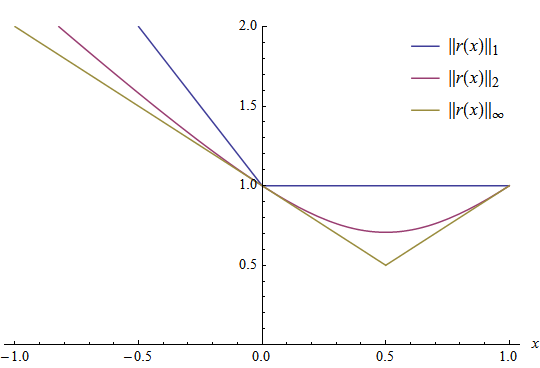
When the mask parameter is specified and it is not empty, the norm is
If normType is not specified, NORM_L2 is used. calculated only over the region specified by the mask.
Multi-channel input arrays are treated as single-channel arrays, that is, the results for all channels are combined.
Hamming norms can only be calculated with CV_8U depth arrays.
- Parameters:
src1 – first input array.
normType – type of the norm (see NormTypes).
mask – optional operation mask; it must have the same size as src1 and type CV_8UC1, CV_8SC1 or CV_BoolC1.
normalEstimate()#
-
void cv::normalEstimate(OutputArray normals, OutputArray curvatures, InputArray input_pts, InputArrayOfArrays nn_idx, int max_neighbor_num = 0)#
Estimate the normal and curvature of each point in point cloud from NN results.
Normal estimation by PCA:
Input: Nearest neighbor points of a specific point: \( pt\_set \)
Step:
Calculate the \( mean(\bar{x},\bar{y},\bar{z}) \) of \( pt\_set \);
A 3x3 covariance matrix \( cov \) is obtained by \( mean^T \cdot mean \);
Calculate the eigenvalues( \( λ_2 \ge λ_1 \ge λ_0 \)) and corresponding eigenvectors( \( v_2, v_1, v_0 \)) of \( cov \);
\( v0 \) is the normal of the specific point, \( \frac{λ_0}{λ_0 + λ_1 + λ_2} \) is the curvature of the specific point;
Output: Normal and curvature of the specific point.
- Parameters:
normals – [out] Normal of each point, support vector<Point3f> and Mat of size Nx3.
curvatures – [out] Curvature of each point, support vector<float> and Mat.
input_pts – Original point cloud, support vector<Point3f> and Mat of size Nx3/3xN.
nn_idx – Index information of nearest neighbors of all points. The first nearest neighbor of each point is itself. Support vector<vector<int>>, vector<Mat> and Mat of size NxK. If the information in a row is [0, 2, 1, -5, -1, 4, 7 … negative number], it will use only non-negative indexes until it meets a negative number or bound of this row i.e. [0, 2, 1].
max_neighbor_num – The maximum number of neighbors want to use including itself. Setting to a non-positive number or default will use the information from nn_idx.
normalize()#
-
void cv::normalize(const SparseMat &src, SparseMat &dst, double alpha, int normType)#
This is an overloaded member function, provided for convenience. It differs from the above function only in what argument(s) it accepts.
- Parameters:
src – input array.
dst – output array of the same size as src .
alpha – norm value to normalize to or the lower range boundary in case of the range normalization.
normType – normalization type (see cv::NormTypes).
normalize()#
normalize()#
-
void cv::normalize(InputArray src, InputOutputArray dst, double alpha = 1, double beta = 0, int norm_type = NORM_L2, int dtype = -1, InputArray mask = noArray())#
Normalizes the norm or value range of an array.
The function cv::normalize normalizes scale and shift the input array elements so that
\[\| \texttt{dst} \| _{L_p}= \texttt{alpha}\](where p=Inf, 1 or 2) when normType=NORM_INF, NORM_L1, or NORM_L2, respectively; or so that\[\min _I \texttt{dst} (I)= \texttt{alpha} , \, \, \max _I \texttt{dst} (I)= \texttt{beta}\]when normType=NORM_MINMAX (for dense arrays only). The optional mask specifies a sub-array to be normalized. This means that the norm or min-n-max are calculated over the sub-array, and then this sub-array is modified to be normalized. If you want to only use the mask to calculate the norm or min-max but modify the whole array, you can use norm and Mat::convertTo.
In case of sparse matrices, only the non-zero values are analyzed and transformed. Because of this, the range transformation for sparse matrices is not allowed since it can shift the zero level.
Possible usage with some positive example data:
vector<double> positiveData = { 2.0, 8.0, 10.0 }; vector<double> normalizedData_l1, normalizedData_l2, normalizedData_inf, normalizedData_minmax; // Norm to probability (total count) // sum(numbers) = 20.0 // 2.0 0.1 (2.0/20.0) // 8.0 0.4 (8.0/20.0) // 10.0 0.5 (10.0/20.0) normalize(positiveData, normalizedData_l1, 1.0, 0.0, NORM_L1); // Norm to unit vector: ||positiveData|| = 1.0 // 2.0 0.15 // 8.0 0.62 // 10.0 0.77 normalize(positiveData, normalizedData_l2, 1.0, 0.0, NORM_L2); // Norm to max element // 2.0 0.2 (2.0/10.0) // 8.0 0.8 (8.0/10.0) // 10.0 1.0 (10.0/10.0) normalize(positiveData, normalizedData_inf, 1.0, 0.0, NORM_INF); // Norm to range [0.0;1.0] // 2.0 0.0 (shift to left border) // 8.0 0.75 (6.0/8.0) // 10.0 1.0 (shift to right border) normalize(positiveData, normalizedData_minmax, 1.0, 0.0, NORM_MINMAX);
See also
norm, Mat::convertTo, SparseMat::convertTo
Note
Due to rounding issues, min-max normalization can result in values outside provided boundaries. If exact range conformity is needed, following workarounds can be used:
use double floating point precision (dtype = CV_64F)
manually clip values (
cv::max(res, left_bound, res),cv::min(res, right_bound, res)ornp.clip)
- Parameters:
src – input array.
dst – output array of the same size as src .
alpha – norm value to normalize to or the lower range boundary in case of the range normalization.
beta – upper range boundary in case of the range normalization; it is not used for the norm normalization.
norm_type – normalization type (see cv::NormTypes).
dtype – when negative, the output array has the same type as src; otherwise, it has the same number of channels as src and the depth =CV_MAT_DEPTH(dtype).
mask – optional operation mask of type CV_8U, CV_8S or CV_Bool.
normInf()#
normInf()#
normL1()#
normL1()#
normL2Sqr()#
normL2Sqr()#
OPENCV_HAL_IMPL_MATH_FUNC()#
Warning
doxygenfunction: Unable to resolve function “cv::OPENCV_HAL_IMPL_MATH_FUNC” with arguments “(v_abs, (typename V_TypeTraits< _Tp >::abs_type) std::abs, typename V_TypeTraits< _Tp >::abs_type)”. Could not parse arguments. Parsing error is Invalid C++ declaration: Expected identifier in nested name. [error at 8] (v_abs, (typename V_TypeTraits< _Tp >::abs_type) std::abs, typename V_TypeTraits< _Tp >::abs_type) ——–^
operator!=()#
operator!=()#
operator*()#
operator*()#
operator*()#
operator*()#
operator*()#
operator*()#
operator*()#
operator*()#
operator*()#
operator*()#
operator*()#
operator*()#
operator*()#
operator*()#
operator*()#
operator*()#
operator*()#
operator*()#
operator*()#
operator*()#
operator*()#
operator*=()#
operator*=()#
operator*=()#
operator*=()#
operator*=()#
operator*=()#
operator*=()#
operator+()#
operator+()#
operator+=()#
-
inline cv::GCompileArgs &cv::operator+=(cv::GCompileArgs &lhs, const cv::GCompileArgs &rhs)#
operator+=()#
operator+=()#
operator-()#
operator-()#
operator-()#
operator-()#
operator-=()#
operator-=()#
operator/()#
operator/()#
operator/()#
operator/()#
operator/()#
operator/=()#
operator/=()#
operator/=()#
operator/=()#
operator/=()#
operator==()#
operator==()#
parallel_for_()#
parallel_for_()#
partition()#
Warning
doxygenfunction: Unable to resolve function “cv::partition” with arguments “(const std::vector<_Tp>&, std::vector<int>&, _EqPredicate)”. Candidate function could not be parsed. Parsing error is Error when parsing function declaration. If the function has no return type: Error in declarator or parameters-and-qualifiers Invalid C++ declaration: Expecting “(” in parameters-and-qualifiers. [error at 50] template<typename _Tp, class _EqPredicate> String int partition (const std::vector< _Tp > &vec, std::vector< int > &labels, _EqPredicate predicate=_EqPredicate()) ————————————————–^ If the function has a return type: Error in declarator or parameters-and-qualifiers If pointer to member declarator: Invalid C++ declaration: Expected identifier in nested name, got keyword: int [error at 53] template<typename _Tp, class _EqPredicate> String int partition (const std::vector< _Tp > &vec, std::vector< int > &labels, _EqPredicate predicate=_EqPredicate()) —————————————————–^ If declarator-id: Invalid C++ declaration: Expected identifier in nested name, got keyword: int [error at 53] template<typename _Tp, class _EqPredicate> String int partition (const std::vector< _Tp > &vec, std::vector< int > &labels, _EqPredicate predicate=_EqPredicate()) —————————————————–^
patchNaNs()#
-
void cv::patchNaNs(InputOutputArray a, double val = 0)#
Replaces NaNs (Not-a-Number values) in a matrix with the specified value.
This function modifies the input matrix in-place. The input matrix must be of type
CV_32ForCV_64F; other types are not supported.- Parameters:
a – Input/output matrix (CV_32F or CV_64F type).
val – Value used to replace NaNs (defaults to 0).
PCABackProject()#
-
void cv::PCABackProject(InputArray data, InputArray mean, InputArray eigenvectors, OutputArray result)#
wrap PCA::backProject
PCACompute()#
-
void cv::PCACompute(InputArray data, InputOutputArray mean, OutputArray eigenvectors, double retainedVariance)#
wrap PCA::operator()
PCACompute()#
-
void cv::PCACompute(InputArray data, InputOutputArray mean, OutputArray eigenvectors, int maxComponents = 0)#
wrap PCA::operator()
PCACompute()#
-
void cv::PCACompute(InputArray data, InputOutputArray mean, OutputArray eigenvectors, OutputArray eigenvalues, double retainedVariance)#
wrap PCA::operator() and add eigenvalues output parameter
PCACompute()#
-
void cv::PCACompute(InputArray data, InputOutputArray mean, OutputArray eigenvectors, OutputArray eigenvalues, int maxComponents = 0)#
wrap PCA::operator() and add eigenvalues output parameter
PCAProject()#
-
void cv::PCAProject(InputArray data, InputArray mean, InputArray eigenvectors, OutputArray result)#
wrap PCA::project
pencilSketch()#
-
void cv::pencilSketch(InputArray src, OutputArray dst1, OutputArray dst2, float sigma_s = 60, float sigma_r = 0.07f, float shade_factor = 0.02f)#
Pencil-like non-photorealistic line drawing.
- Parameters:
src – Input 8-bit 3-channel image.
dst1 – Output 8-bit 1-channel image.
dst2 – Output image with the same size and type as src.
sigma_s – Range between 0 to 200.
sigma_r – Range between 0 to 1.
shade_factor – Range between 0 to 0.1.
perspectiveTransform()#
-
void cv::perspectiveTransform(InputArray src, OutputArray dst, InputArray m)#
Performs the perspective matrix transformation of vectors.
The function cv::perspectiveTransform transforms every element of src by treating it as a 2D or 3D vector, in the following way:
\[(x, y, z) \rightarrow (x'/w, y'/w, z'/w)\]where\[(x', y', z', w') = \texttt{mat} \cdot \begin{bmatrix} x & y & z & 1 \end{bmatrix}\]and\[w = \fork{w'}{if \(w' \ne 0\)}{\infty}{otherwise}\]Here a 3D vector transformation is shown. In case of a 2D vector transformation, the z component is omitted.
Note
The function transforms a sparse set of 2D or 3D vectors. If you want to transform an image using perspective transformation, use warpPerspective . If you have an inverse problem, that is, you want to compute the most probable perspective transformation out of several pairs of corresponding points, you can use getPerspectiveTransform or findHomography .
- Parameters:
src – input two-channel or three-channel floating-point array; each element is a 2D/3D vector to be transformed.
dst – output array of the same size and type as src.
m – 3x3 or 4x4 floating-point transformation matrix.
phase()#
-
void cv::phase(InputArray x, InputArray y, OutputArray angle, bool angleInDegrees = false)#
Calculates the rotation angle of 2D vectors.
The function cv::phase calculates the rotation angle of each 2D vector that is formed from the corresponding elements of x and y :
\[\texttt{angle} (I) = \texttt{atan2} ( \texttt{y} (I), \texttt{x} (I))\]The angle estimation accuracy is about 0.3 degrees. When x(I)=y(I)=0 , the corresponding angle(I) is set to 0.
- Parameters:
x – input floating-point array of x-coordinates of 2D vectors.
y – input array of y-coordinates of 2D vectors; it must have the same size and the same type as x.
angle – output array of vector angles; it has the same size and same type as x .
angleInDegrees – when true, the function calculates the angle in degrees, otherwise, they are measured in radians.
phaseCorrelate()#
-
Point2d cv::phaseCorrelate(InputArray src1, InputArray src2, InputArray window = noArray(), double *response = 0)#
The function is used to detect translational shifts that occur between two images.
The operation takes advantage of the Fourier shift theorem for detecting the translational shift in the frequency domain. It can be used for fast image registration as well as motion estimation. For more information please see https://en.wikipedia.org/wiki/Phase_correlation
Calculates the cross-power spectrum of two supplied source arrays. The arrays are padded if needed with getOptimalDFTSize.
The function performs the following equations:
First it applies a Hanning window to each image to remove possible edge effects, if it’s provided by user. See createHanningWindow and https://en.wikipedia.org/wiki/Hann_function. This window may be cached until the array size changes to speed up processing time.
Next it computes the forward DFTs of each source array:
\[\mathbf{G}_a = \mathcal{F}\{src_1\}, \; \mathbf{G}_b = \mathcal{F}\{src_2\}\]where \(\mathcal{F}\) is the forward DFT.It then computes the cross-power spectrum of each frequency domain array:
\[R = \frac{ \mathbf{G}_a \mathbf{G}_b^*}{|\mathbf{G}_a \mathbf{G}_b^*|}\]Next the cross-correlation is converted back into the time domain via the inverse DFT:
\[r = \mathcal{F}^{-1}\{R\}\]Finally, it computes the peak location and computes a 5x5 weighted centroid around the peak to achieve sub-pixel accuracy.
\[(\Delta x, \Delta y) = \texttt{weightedCentroid} \{\arg \max_{(x, y)}\{r\}\}\]If non-zero, the response parameter is computed as the sum of the elements of r within the 5x5 centroid around the peak location. It is normalized to a maximum of 1 (meaning there is a single peak) and will be smaller when there are multiple peaks.
See also
dft, getOptimalDFTSize, idft, mulSpectrums createHanningWindow
- Parameters:
src1 – Source floating point array (CV_32FC1 or CV_64FC1)
src2 – Source floating point array (CV_32FC1 or CV_64FC1)
window – Floating point array with windowing coefficients to reduce edge effects (optional).
response – Signal power within the 5x5 centroid around the peak, between 0 and 1 (optional).
- Returns:
detected phase shift (sub-pixel) between the two arrays.
phaseCorrelateIterative()#
-
Point2d cv::phaseCorrelateIterative(InputArray src1, InputArray src2, int L2size = 7, int maxIters = 10)#
Detects translational shifts between two images.
This function extends the standard phaseCorrelate method by improving sub-pixel accuracy through iterative shift refinement in the phase-correlation space, as described in hrazdira2020iterative.
See also
- Parameters:
src1 – Source floating point array (CV_32FC1 or CV_64FC1)
src2 – Source floating point array (CV_32FC1 or CV_64FC1)
L2size – The size of the correlation neighborhood used by the iterative shift refinement algorithm.
maxIters – The maximum number of iterations the iterative refinement algorithm will run.
- Returns:
detected sub-pixel shift between the two arrays.
pointPolygonTest()#
-
double cv::pointPolygonTest(InputArray contour, Point2f pt, bool measureDist)#
Performs a point-in-contour test.
The function determines whether the point is inside a contour, outside, or lies on an edge (or coincides with a vertex). It returns positive (inside), negative (outside), or zero (on an edge) value, correspondingly. When measureDist=false , the return value is +1, -1, and 0, respectively. Otherwise, the return value is a signed distance between the point and the nearest contour edge.
See below a sample output of the function where each image pixel is tested against the contour:
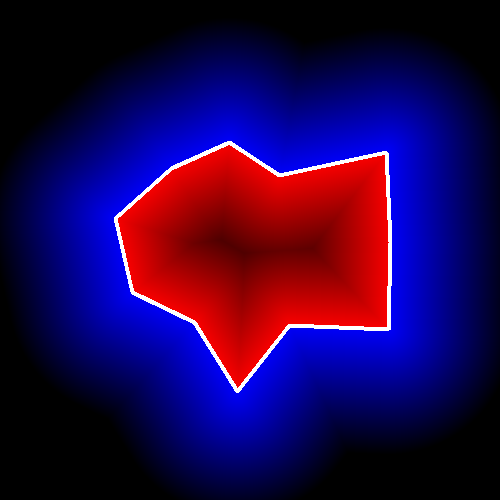
- Parameters:
contour – Input contour.
pt – Point tested against the contour.
measureDist – If true, the function estimates the signed distance from the point to the nearest contour edge. Otherwise, the function only checks if the point is inside a contour or not.
polarToCart()#
-
void cv::polarToCart(InputArray magnitude, InputArray angle, OutputArray x, OutputArray y, bool angleInDegrees = false)#
Calculates x and y coordinates of 2D vectors from their magnitude and angle.
The function cv::polarToCart calculates the Cartesian coordinates of each 2D vector represented by the corresponding elements of magnitude and angle:
\[\begin{split}\begin{array}{l} \texttt{x} (I) = \texttt{magnitude} (I) \cos ( \texttt{angle} (I)) \\ \texttt{y} (I) = \texttt{magnitude} (I) \sin ( \texttt{angle} (I)) \\ \end{array}\end{split}\]The relative accuracy of the estimated coordinates is about 1e-6.
See also
cartToPolar, magnitude, phase, exp, log, pow, sqrt
- Parameters:
magnitude – input floating-point array of magnitudes of 2D vectors; it can be an empty matrix (=Mat()), in this case, the function assumes that all the magnitudes are =1; if it is not empty, it must have the same size and type as angle.
angle – input floating-point array of angles of 2D vectors.
x – output array of x-coordinates of 2D vectors; it has the same size and type as angle.
y – output array of y-coordinates of 2D vectors; it has the same size and type as angle.
angleInDegrees – when true, the input angles are measured in degrees, otherwise, they are measured in radians.
pollKey()#
-
int cv::pollKey()#
Polls for a pressed key.
The function pollKey polls for a key event without waiting. It returns the code of the pressed key or -1 if no key was pressed since the last invocation. To wait until a key was pressed, use waitKey.
Note
The functions waitKey and pollKey are the only methods in HighGUI that can fetch and handle GUI events, so one of them needs to be called periodically for normal event processing unless HighGUI is used within an environment that takes care of event processing.
Note
The function only works if there is at least one HighGUI window created and the window is active. If there are several HighGUI windows, any of them can be active.
polylines()#
-
void cv::polylines(InputOutputArray img, const Point *const *pts, const int *npts, int ncontours, bool isClosed, const Scalar &color, int thickness = 1, int lineType = LINE_8, int shift = 0)#
This is an overloaded member function, provided for convenience. It differs from the above function only in what argument(s) it accepts.
polylines()#
-
void cv::polylines(InputOutputArray img, InputArrayOfArrays pts, bool isClosed, const Scalar &color, int thickness = 1, int lineType = LINE_8, int shift = 0)#
Draws several polygonal curves.
The function cv::polylines draws one or more polygonal curves.
- Parameters:
img – Image.
pts – Array of polygonal curves.
isClosed – Flag indicating whether the drawn polylines are closed or not. If they are closed, the function draws a line from the last vertex of each curve to its first vertex.
color – Polyline color.
thickness – Thickness of the polyline edges.
lineType – Type of the line segments. See LineTypes
shift – Number of fractional bits in the vertex coordinates.
pow()#
-
softdouble cv::pow(const softdouble &a, const softdouble &b)#
pow()#
-
softfloat cv::pow(const softfloat &a, const softfloat &b)#
Raising to the power.
Special cases:
x**NaN is NaN for any x
( |x| == 1 )**Inf is NaN
( |x| > 1 )**+Inf or ( |x| < 1 )**-Inf is +Inf
( |x| > 1 )**-Inf or ( |x| < 1 )**+Inf is 0
x ** 0 == 1 for any x
x ** 1 == 1 for any x
NaN ** y is NaN for any other y
Inf**(y < 0) == 0
Inf ** y is +Inf for any other y
(x < 0)**y is NaN for any other y if x can’t be correctly rounded to integer
0 ** 0 == 1
0 ** (y < 0) is +Inf
0 ** (y > 0) is 0
pow()#
-
void cv::pow(InputArray src, double power, OutputArray dst)#
Raises every array element to a power.
The function cv::pow raises every element of the input array to power :
\[\texttt{dst} (I) = \fork{\texttt{src}(I)^{power}}{if \(\texttt{power}\) is integer}{|\texttt{src}(I)|^{power}}{otherwise}\]So, for a non-integer power exponent, the absolute values of input array elements are used. However, it is possible to get true values for negative values using some extra operations. In the example below, computing the 5th root of array src shows:
For some values of power, such as integer values, 0.5 and -0.5, specialized faster algorithms are used.Special values (NaN, Inf) are not handled.
See also
sqrt, exp, log, cartToPolar, polarToCart
- Parameters:
src – input array.
power – exponent of power.
dst – output array of the same size and type as src.
power()#
-
template<typename T>
Quat<T> cv::power(const Quat<T> &q, const Quat<T> &p, QuatAssumeType assumeUnit = QUAT_ASSUME_NOT_UNIT)# - \[p^q = e^{q\ln(p)}.\]For example
Quatd p(1,2,3,4); Quatd q(5,6,7,8); power(p, q); QuatAssumeType assumeUnit = QUAT_ASSUME_UNIT; p = p.normalize(); power(p, q, assumeUnit); //This assumeUnit means p is a unit quaternion
- Parameters:
p – base quaternion of power function.
q – index quaternion of power function.
assumeUnit – if QUAT_ASSUME_UNIT, quaternion \(p\) assume to be a unit quaternion and this function will save some computations.
power()#
-
template<typename T>
Quat<T> cv::power(const Quat<T> &q, const T x, QuatAssumeType assumeUnit = QUAT_ASSUME_NOT_UNIT)# - \[q^x = ||q||(cos(x\theta) + \boldsymbol{u}sin(x\theta))).\]For example
Quatd q(1,2,3,4); power(q, 2.0); QuatAssumeType assumeUnit = QUAT_ASSUME_UNIT; double angle = CV_PI; Vec3d axis{0, 0, 1}; Quatd q1 = Quatd::createFromAngleAxis(angle, axis); //generate a unit quat by axis and angle power(q1, 2.0, assumeUnit);//This assumeUnit means q1 is a unit quaternion.
Note
the type of the index should be the same as the quaternion.
- Parameters:
q – a quaternion.
x – index of exponentiation.
assumeUnit – if QUAT_ASSUME_UNIT, quaternion q assume to be a unit quaternion and this function will save some computations.
preCornerDetect()#
-
void cv::preCornerDetect(InputArray src, OutputArray dst, int ksize, int borderType = BORDER_DEFAULT)#
Calculates a feature map for corner detection.
The function calculates the complex spatial derivative-based function of the source image
\[\texttt{dst} = (D_x \texttt{src} )^2 \cdot D_{yy} \texttt{src} + (D_y \texttt{src} )^2 \cdot D_{xx} \texttt{src} - 2 D_x \texttt{src} \cdot D_y \texttt{src} \cdot D_{xy} \texttt{src}\]where \(D_x\), \(D_y\) are the first image derivatives, \(D_{xx}\), \(D_{yy}\) are the second image derivatives, and \(D_{xy}\) is the mixed derivative.
The corners can be found as local maximums of the functions, as shown below:
- Parameters:
src – Source single-channel 8-bit of floating-point image.
dst – Output image that has the type CV_32F and the same size as src .
ksize – Aperture size of the Sobel .
borderType – Pixel extrapolation method. See BorderTypes. BORDER_WRAP is not supported.
projectPoints()#
-
void cv::projectPoints(InputArray objectPoints, InputArray rvec, InputArray tvec, InputArray cameraMatrix, InputArray distCoeffs, OutputArray imagePoints, OutputArray dpdr, OutputArray dpdt, OutputArray dpdf = noArray(), OutputArray dpdc = noArray(), OutputArray dpdk = noArray(), OutputArray dpdo = noArray(), double aspectRatio = 0.)#
This is an overloaded member function, provided for convenience. It differs from the above function only in what argument(s) it accepts.
projectPoints()#
-
void cv::projectPoints(InputArray objectPoints, InputArray rvec, InputArray tvec, InputArray cameraMatrix, InputArray distCoeffs, OutputArray imagePoints, OutputArray jacobian = noArray(), double aspectRatio = 0)#
Projects 3D points to an image plane.
The function computes the 2D projections of 3D points to the image plane, given intrinsic and extrinsic camera parameters. Optionally, the function computes Jacobians -matrices of partial derivatives of image points coordinates (as functions of all the input parameters) with respect to the particular parameters, intrinsic and/or extrinsic. The Jacobians are used during the global optimization in calibrateCamera, solvePnP, and stereoCalibrate. The function itself can also be used to compute a re-projection error, given the current intrinsic and extrinsic parameters.
The transformation chain is: World coordinates → Camera coordinates (via rvec/tvec) → Normalized camera coordinates → Distortion applied → Pixel coordinates (via cameraMatrix).
Note
Coordinate Systems:
Input (): 3D points in the world coordinate frame.
Output (): 2D projections in pixel coordinates of the image plane, with distortion applied. The coordinates \((u, v)\) are measured in pixels from the top-left corner of the image.
Note
By setting rvec = tvec = \([0, 0, 0]\), or by setting cameraMatrix to a 3x3 identity matrix, or by passing zero distortion coefficients, one can get various useful partial cases of the function. This means, one can compute the distorted coordinates for a sparse set of points or apply a perspective transformation (and also compute the derivatives) in the ideal zero-distortion setup.
- Parameters:
objectPoints – Array of object points expressed wrt. the world coordinate frame. A 3xN/Nx3 1-channel or 1xN/Nx1 3-channel (or vector<Point3f> ), where N is the number of points in the view.
rvec – The rotation vector (Rodrigues) that, together with tvec, performs a change of basis from world to camera coordinate system, see calibrateCamera for details.
tvec – The translation vector, see parameter description above.
cameraMatrix – Camera intrinsic matrix \(\cameramatrix{A}\) .
distCoeffs – Input vector of distortion coefficients \(\distcoeffs\) . If the vector is empty, the zero distortion coefficients are assumed.
imagePoints – Output array of image points in pixel coordinates, 1xN/Nx1 2-channel, or vector<Point2f> .
jacobian – Optional output 2Nx(10+<numDistCoeffs>) jacobian matrix of derivatives of image points with respect to components of the rotation vector, translation vector, focal lengths, coordinates of the principal point and the distortion coefficients. In the old interface different components of the jacobian are returned via different output parameters.
aspectRatio – Optional “fixed aspect ratio” parameter. If the parameter is not 0, the function assumes that the aspect ratio ( \(f_x / f_y\)) is fixed and correspondingly adjusts the jacobian matrix.
PSNR()#
-
double cv::PSNR(InputArray src1, InputArray src2, double R = 255.)#
Computes the Peak Signal-to-Noise Ratio (PSNR) image quality metric.
This function calculates the Peak Signal-to-Noise Ratio (PSNR) image quality metric in decibels (dB), between two input arrays src1 and src2. The arrays must have the same type.
The PSNR is calculated as follows:
\[ \texttt{PSNR} = 10 \cdot \log_{10}{\left( \frac{R^2}{MSE} \right) } \]where R is the maximum integer value of depth (e.g. 255 in the case of CV_8U data) and MSE is the mean squared error between the two arrays.
- Parameters:
src1 – first input array.
src2 – second input array of the same size as src1.
R – the maximum pixel value (255 by default)
putText()#
-
void cv::putText(InputOutputArray img, const String &text, Point org, int fontFace, double fontScale, Scalar color, int thickness = 1, int lineType = LINE_8, bool bottomLeftOrigin = false)#
Draws a text string.
The function cv::putText renders the specified text string in the image. Symbols that cannot be rendered using the specified font are replaced by question marks. See getTextSize for a text rendering code example.
The
fontScaleparameter is a scale factor that is multiplied by the base font size:When scale > 1, the text is magnified.
When 0 < scale < 1, the text is minimized.
When scale < 0, the text is mirrored or reversed.
- Parameters:
img – Image.
text – Text string to be drawn.
org – Bottom-left corner of the text string in the image.
fontFace – Font type, see HersheyFonts.
fontScale – Font scale factor that is multiplied by the font-specific base size.
color – Text color.
thickness – Thickness of the lines used to draw a text.
lineType – Line type. See LineTypes
bottomLeftOrigin – When true, the image data origin is at the bottom-left corner. Otherwise, it is at the top-left corner.
putText()#
-
Point cv::putText(InputOutputArray img, const String &text, Point org, Scalar color, FontFace &fface, int size, int weight = 0, PutTextFlags flags = PUT_TEXT_ALIGN_LEFT, Range wrap = Range())#
Draws a text string using specified font.
The function cv::putText renders the specified text string in the image. Symbols that cannot be rendered using the specified font are replaced by question marks. See getTextSize for a text rendering code example. The function returns the coordinates in pixels from where the text can be continued.
- Parameters:
img – Image.
text – Text string to be drawn.
org – Bottom-left corner of the first character of the printed text (see PUT_TEXT_ALIGN_… though)
color – Text color.
fface – The font to use for the text
size – Font size in pixels (by default) or pts
weight – Font weight, 100..1000, where 100 is “thin” font, 400 is “regular”, 600 is “semibold”, 800 is “bold” and beyond that is “black”. The parameter is ignored if the font is not a variable font or if it does not provide variation along ‘wght’ axis. If the weight is 0, then the weight, currently set via setInstance(), is used.
flags – Various flags, see PUT_TEXT_…
wrap – The optional text wrapping range: In the case of left-to-right (LTR) text if the printed character would cross wrap.end boundary, the “cursor” is set to wrap.start. In the case of right-to-left (RTL) text it’s vice versa. If the parameters is not set, [org.x, img.cols] is used for LTR text and [0, org.x] is for RTL one.
pyrDown()#
-
void cv::pyrDown(InputArray src, OutputArray dst, const Size &dstsize = Size(), int borderType = BORDER_DEFAULT)#
Blurs an image and downsamples it.
By default, size of the output image is computed as
Size((src.cols+1)/2, (src.rows+1)/2), but in any case, the following conditions should be satisfied:\[\begin{split}\begin{array}{l} | \texttt{dstsize.width} *2-src.cols| \leq 2 \\ | \texttt{dstsize.height} *2-src.rows| \leq 2 \end{array}\end{split}\]The function performs the downsampling step of the Gaussian pyramid construction. First, it convolves the source image with the kernel:
\[\begin{split}\frac{1}{256} \begin{bmatrix} 1 & 4 & 6 & 4 & 1 \\ 4 & 16 & 24 & 16 & 4 \\ 6 & 24 & 36 & 24 & 6 \\ 4 & 16 & 24 & 16 & 4 \\ 1 & 4 & 6 & 4 & 1 \end{bmatrix}\end{split}\]Then, it downsamples the image by rejecting even rows and columns.
- Parameters:
src – input image.
dst – output image; it has the specified size and the same type as src.
dstsize – size of the output image.
borderType – Pixel extrapolation method, see BorderTypes (BORDER_CONSTANT isn’t supported)
pyrMeanShiftFiltering()#
-
void cv::pyrMeanShiftFiltering(InputArray src, OutputArray dst, double sp, double sr, int maxLevel = 1, TermCriteria termcrit = TermCriteria(TermCriteria::MAX_ITER + TermCriteria::EPS, 5, 1))#
Performs initial step of meanshift segmentation of an image.
The function implements the filtering stage of meanshift segmentation, that is, the output of the function is the filtered “posterized” image with color gradients and fine-grain texture flattened. At every pixel (X,Y) of the input image (or down-sized input image, see below) the function executes meanshift iterations, that is, the pixel (X,Y) neighborhood in the joint space-color hyperspace is considered:
\[(x,y): X- \texttt{sp} \le x \le X+ \texttt{sp} , Y- \texttt{sp} \le y \le Y+ \texttt{sp} , ||(R,G,B)-(r,g,b)|| \le \texttt{sr}\]where (R,G,B) and (r,g,b) are the vectors of color components at (X,Y) and (x,y), respectively (though, the algorithm does not depend on the color space used, so any 3-component color space can be used instead). Over the neighborhood the average spatial value (X’,Y’) and average color vector (R’,G’,B’) are found and they act as the neighborhood center on the next iteration:
\[(X,Y)~(X',Y'), (R,G,B)~(R',G',B').\]After the iterations over, the color components of the initial pixel (that is, the pixel from where the iterations started) are set to the final value (average color at the last iteration):
\[I(X,Y) <- (R*,G*,B*)\]When maxLevel > 0, the gaussian pyramid of maxLevel+1 levels is built, and the above procedure is run on the smallest layer first. After that, the results are propagated to the larger layer and the iterations are run again only on those pixels where the layer colors differ by more than sr from the lower-resolution layer of the pyramid. That makes boundaries of color regions sharper. Note that the results will be actually different from the ones obtained by running the meanshift procedure on the whole original image (i.e. when maxLevel==0).
- Parameters:
src – The source 8-bit, 3-channel image.
dst – The destination image of the same format and the same size as the source.
sp – The spatial window radius.
sr – The color window radius.
maxLevel – Maximum level of the pyramid for the segmentation.
termcrit – Termination criteria: when to stop meanshift iterations.
pyrUp()#
-
void cv::pyrUp(InputArray src, OutputArray dst, const Size &dstsize = Size(), int borderType = BORDER_DEFAULT)#
Upsamples an image and then blurs it.
By default, size of the output image is computed as
Size(src.cols\*2, (src.rows\*2), but in any case, the following conditions should be satisfied:\[\begin{split}\begin{array}{l} | \texttt{dstsize.width} -src.cols*2| \leq ( \texttt{dstsize.width} \mod 2) \\ | \texttt{dstsize.height} -src.rows*2| \leq ( \texttt{dstsize.height} \mod 2) \end{array}\end{split}\]The function performs the upsampling step of the Gaussian pyramid construction, though it can actually be used to construct the Laplacian pyramid. First, it upsamples the source image by injecting even zero rows and columns and then convolves the result with the same kernel as in pyrDown multiplied by 4.
- Parameters:
src – input image.
dst – output image. It has the specified size and the same type as src .
dstsize – size of the output image.
borderType – Pixel extrapolation method, see BorderTypes (only BORDER_DEFAULT is supported)
randn()#
-
void cv::randn(InputOutputArray dst, InputArray mean, InputArray stddev)#
Fills the array with normally distributed random numbers.
The function cv::randn fills the matrix dst with normally distributed random numbers with the specified mean vector and the standard deviation matrix. The generated random numbers are clipped to fit the value range of the output array data type.
- Parameters:
dst – output array of random numbers; the array must be pre-allocated and have 1 to 4 channels.
mean – mean value (expectation) of the generated random numbers.
stddev – standard deviation of the generated random numbers; it can be either a vector (in which case a diagonal standard deviation matrix is assumed) or a square matrix.
randomSampling()#
-
void cv::randomSampling(OutputArray sampled_pts, InputArray input_pts, float sampled_scale, RNG *rng = nullptr)#
This is an overloaded member function, provided for convenience. It differs from the above function only in what argument(s) it accepts.
- Parameters:
sampled_pts – Point cloud after sampling. Support cv::Mat(size * sampled_scale, 3, CV_32F), std::vector<cv::Point3f>.
input_pts – Original point cloud, vector of Point3 or Mat of size Nx3/3xN.
sampled_scale – Range (0, 1), the percentage of the sampled point cloud to the original size, that is, sampled size = original size * sampled_scale.
rng – Optional random number generator used for cv::randShuffle; if it is nullptr, theRNG () is used instead.
randomSampling()#
-
void cv::randomSampling(OutputArray sampled_pts, InputArray input_pts, int sampled_pts_size, RNG *rng = nullptr)#
Point cloud sampling by randomly select points.
Use cv::randShuffle to shuffle the point index list, then take the points corresponding to the front part of the list.
- Parameters:
sampled_pts – Point cloud after sampling. Support cv::Mat(sampled_pts_size, 3, CV_32F), std::vector<cv::Point3f>.
input_pts – Original point cloud, vector of Point3 or Mat of size Nx3/3xN.
sampled_pts_size – The desired point cloud size after sampling.
rng – Optional random number generator used for cv::randShuffle; if it is nullptr, theRNG () is used instead.
randShuffle()#
-
void cv::randShuffle(InputOutputArray dst, double iterFactor = 1., RNG *rng = 0)#
Shuffles the array elements randomly.
The function cv::randShuffle shuffles the specified 1D array by randomly choosing pairs of elements and swapping them. The number of such swap operations will be dst.rows*dst.cols*iterFactor .
- Parameters:
dst – input/output numerical 1D array.
iterFactor – scale factor that determines the number of random swap operations (see the details below).
rng – optional random number generator used for shuffling; if it is zero, theRNG () is used instead.
randu()#
-
void cv::randu(InputOutputArray dst, InputArray low, InputArray high)#
Generates a single uniformly-distributed random number or an array of random numbers.
Non-template variant of the function fills the matrix dst with uniformly-distributed random numbers from the specified range:
\[\texttt{low} _c \leq \texttt{dst} (I)_c < \texttt{high} _c\]- Parameters:
dst – output array of random numbers; the array must be pre-allocated.
low – inclusive lower boundary of the generated random numbers.
high – exclusive upper boundary of the generated random numbers.
rawIn()#
-
template<typename _Tp>
static inline _InputArray cv::rawIn(_Tp &v)# Helper to wrap custom types.
See also
rawInOut()#
rawOut()#
-
template<typename _Tp>
static inline _OutputArray cv::rawOut(_Tp &v)# Helper to wrap custom types.
See also
readOpticalFlow()#
-
Mat cv::readOpticalFlow(const String &path)#
Read a .flo file.
The function readOpticalFlow loads a flow field from a file and returns it as a single matrix. Resulting Mat has a type CV_32FC2 - floating-point, 2-channel. First channel corresponds to the flow in the horizontal direction (u), second - vertical (v).
- Parameters:
path – Path to the file to be loaded
recoverPose()#
-
int cv::recoverPose(InputArray E, InputArray points1, InputArray points2, InputArray cameraMatrix, OutputArray R, OutputArray t, double distanceThresh, InputOutputArray mask = noArray(), OutputArray triangulatedPoints = noArray())#
This is an overloaded member function, provided for convenience. It differs from the above function only in what argument(s) it accepts.
This function differs from the one above that it outputs the triangulated 3D point that are used for the chirality check.
- Parameters:
E – The input essential matrix.
points1 – Array of N 2D points from the first image. The point coordinates should be floating-point (single or double precision).
points2 – Array of the second image points of the same size and format as points1.
cameraMatrix – Camera intrinsic matrix \(\cameramatrix{A}\) . Note that this function assumes that points1 and points2 are feature points from cameras with the same camera intrinsic matrix.
R – Output rotation matrix. Together with the translation vector, this matrix makes up a tuple that performs a change of basis from the first camera’s coordinate system to the second camera’s coordinate system. Note that, in general, t can not be used for this tuple, see the parameter description below.
t – Output translation vector. This vector is obtained by decomposeEssentialMat and therefore is only known up to scale, i.e. t is the direction of the translation vector and has unit length.
distanceThresh – threshold distance which is used to filter out far away points (i.e. infinite points).
mask – Input/output mask for inliers in points1 and points2. If it is not empty, then it marks inliers in points1 and points2 for the given essential matrix E. Only these inliers will be used to recover pose. In the output mask only inliers which pass the chirality check.
triangulatedPoints – 3D points which were reconstructed by triangulation.
recoverPose()#
-
int cv::recoverPose(InputArray E, InputArray points1, InputArray points2, InputArray cameraMatrix, OutputArray R, OutputArray t, InputOutputArray mask = noArray())#
Recovers the relative camera rotation and the translation from an estimated essential matrix and the corresponding points in two images, using chirality check. Returns the number of inliers that pass the check.
This function decomposes an essential matrix using decomposeEssentialMat and then verifies possible pose hypotheses by doing chirality check. The chirality check means that the triangulated 3D points should have positive depth. Some details can be found in Nister03.
This function can be used to process the output E and mask from findEssentialMat. In this scenario, points1 and points2 are the same input for findEssentialMat :
// Example. Estimation of fundamental matrix using the RANSAC algorithm int point_count = 100; vector<Point2f> points1(point_count); vector<Point2f> points2(point_count); // initialize the points here ... for( int i = 0; i < point_count; i++ ) { points1[i] = ...; points2[i] = ...; } // cametra matrix with both focal lengths = 1, and principal point = (0, 0) Mat cameraMatrix = Mat::eye(3, 3, CV_64F); Mat E, R, t, mask; E = findEssentialMat(points1, points2, cameraMatrix, RANSAC, 0.999, 1.0, mask); recoverPose(E, points1, points2, cameraMatrix, R, t, mask);
- Parameters:
E – The input essential matrix.
points1 – Array of N 2D points from the first image. The point coordinates should be floating-point (single or double precision).
points2 – Array of the second image points of the same size and format as points1 .
cameraMatrix – Camera intrinsic matrix \(\cameramatrix{A}\) . Note that this function assumes that points1 and points2 are feature points from cameras with the same camera intrinsic matrix.
R – Output rotation matrix. Together with the translation vector, this matrix makes up a tuple that performs a change of basis from the first camera’s coordinate system to the second camera’s coordinate system. Note that, in general, t can not be used for this tuple, see the parameter described below.
t – Output translation vector. This vector is obtained by decomposeEssentialMat and therefore is only known up to scale, i.e. t is the direction of the translation vector and has unit length.
mask – Input/output mask for inliers in points1 and points2. If it is not empty, then it marks inliers in points1 and points2 for the given essential matrix E. Only these inliers will be used to recover pose. In the output mask only inliers which pass the chirality check.
recoverPose()#
-
int cv::recoverPose(InputArray E, InputArray points1, InputArray points2, OutputArray R, OutputArray t, double focal = 1.0, Point2d pp = Point2d(0, 0), InputOutputArray mask = noArray())#
This is an overloaded member function, provided for convenience. It differs from the above function only in what argument(s) it accepts.
This function differs from the one above that it computes camera intrinsic matrix from focal length and principal point:
\[\begin{split}A = \begin{bmatrix} f & 0 & x_{pp} \\ 0 & f & y_{pp} \\ 0 & 0 & 1 \end{bmatrix}\end{split}\]- Parameters:
E – The input essential matrix.
points1 – Array of N 2D points from the first image. The point coordinates should be floating-point (single or double precision).
points2 – Array of the second image points of the same size and format as points1 .
R – Output rotation matrix. Together with the translation vector, this matrix makes up a tuple that performs a change of basis from the first camera’s coordinate system to the second camera’s coordinate system. Note that, in general, t can not be used for this tuple, see the parameter description below.
t – Output translation vector. This vector is obtained by decomposeEssentialMat and therefore is only known up to scale, i.e. t is the direction of the translation vector and has unit length.
focal – Focal length of the camera. Note that this function assumes that points1 and points2 are feature points from cameras with same focal length and principal point.
pp – principal point of the camera.
mask – Input/output mask for inliers in points1 and points2. If it is not empty, then it marks inliers in points1 and points2 for the given essential matrix E. Only these inliers will be used to recover pose. In the output mask only inliers which pass the chirality check.
recoverPose()#
-
int cv::recoverPose(InputArray points1, InputArray points2, InputArray cameraMatrix1, InputArray distCoeffs1, InputArray cameraMatrix2, InputArray distCoeffs2, OutputArray E, OutputArray R, OutputArray t, int method = cv::RANSAC, double prob = 0.999, double threshold = 1.0, InputOutputArray mask = noArray())#
Recovers the relative camera rotation and the translation from corresponding points in two images from two different cameras, using chirality check. Returns the number of inliers that pass the check.
This function decomposes an essential matrix using decomposeEssentialMat and then verifies possible pose hypotheses by doing chirality check. The chirality check means that the triangulated 3D points should have positive depth. Some details can be found in Nister03.
This function can be used to process the output E and mask from findEssentialMat. In this scenario, points1 and points2 are the same input for findEssentialMat.:
// Example. Estimation of fundamental matrix using the RANSAC algorithm int point_count = 100; vector<Point2f> points1(point_count); vector<Point2f> points2(point_count); // initialize the points here ... for( int i = 0; i < point_count; i++ ) { points1[i] = ...; points2[i] = ...; } // Input: camera calibration of both cameras, for example using intrinsic chessboard calibration. Mat cameraMatrix1, distCoeffs1, cameraMatrix2, distCoeffs2; // Output: Essential matrix, relative rotation and relative translation. Mat E, R, t, mask; recoverPose(points1, points2, cameraMatrix1, distCoeffs1, cameraMatrix2, distCoeffs2, E, R, t, mask);
- Parameters:
points1 – Array of N 2D points from the first image. The point coordinates should be floating-point (single or double precision).
points2 – Array of the second image points of the same size and format as points1 .
cameraMatrix1 – Input/output camera matrix for the first camera, the same as in calibrateCamera. Furthermore, for the stereo case, additional flags may be used, see below.
distCoeffs1 – Input/output vector of distortion coefficients, the same as in calibrateCamera.
cameraMatrix2 – Input/output camera matrix for the first camera, the same as in calibrateCamera. Furthermore, for the stereo case, additional flags may be used, see below.
distCoeffs2 – Input/output vector of distortion coefficients, the same as in calibrateCamera.
E – The output essential matrix.
R – Output rotation matrix. Together with the translation vector, this matrix makes up a tuple that performs a change of basis from the first camera’s coordinate system to the second camera’s coordinate system. Note that, in general, t can not be used for this tuple, see the parameter described below.
t – Output translation vector. This vector is obtained by decomposeEssentialMat and therefore is only known up to scale, i.e. t is the direction of the translation vector and has unit length.
method – Method for computing an essential matrix.
RANSAC for the RANSAC algorithm.
LMEDS for the LMedS algorithm.
prob – Parameter used for the RANSAC or LMedS methods only. It specifies a desirable level of confidence (probability) that the estimated matrix is correct.
threshold – Parameter used for RANSAC. It is the maximum distance from a point to an epipolar line in pixels, beyond which the point is considered an outlier and is not used for computing the final fundamental matrix. It can be set to something like 1-3, depending on the accuracy of the point localization, image resolution, and the image noise.
mask – Input/output mask for inliers in points1 and points2. If it is not empty, then it marks inliers in points1 and points2 for the given essential matrix E. Only these inliers will be used to recover pose. In the output mask only inliers which pass the chirality check.
rectangle()#
-
void cv::rectangle(InputOutputArray img, Point pt1, Point pt2, const Scalar &color, int thickness = 1, int lineType = LINE_8, int shift = 0)#
Draws a simple, thick, or filled up-right rectangle.
The function cv::rectangle draws a rectangle outline or a filled rectangle whose two opposite corners are pt1 and pt2.
- Parameters:
img – Image.
pt1 – Vertex of the rectangle.
pt2 – Vertex of the rectangle opposite to pt1 .
color – Rectangle color or brightness (grayscale image).
thickness – Thickness of lines that make up the rectangle. Negative values, like FILLED, mean that the function has to draw a filled rectangle.
lineType – Type of the line. See LineTypes
shift – Number of fractional bits in the point coordinates.
rectangle()#
-
void cv::rectangle(InputOutputArray img, Rect rec, const Scalar &color, int thickness = 1, int lineType = LINE_8, int shift = 0)#
This is an overloaded member function, provided for convenience. It differs from the above function only in what argument(s) it accepts.
use
recparameter as alternative specification of the drawn rectangle:r.tl() and r.br()-Point(1,1)are opposite corners
rectify3Collinear()#
-
float cv::rectify3Collinear(InputArray _cameraMatrix1, InputArray _distCoeffs1, InputArray _cameraMatrix2, InputArray _distCoeffs2, InputArray _cameraMatrix3, InputArray _distCoeffs3, InputArrayOfArrays _imgpt1, InputArrayOfArrays _imgpt3, Size imageSize, InputArray _Rmat12, InputArray _Tmat12, InputArray _Rmat13, InputArray _Tmat13, OutputArray _Rmat1, OutputArray _Rmat2, OutputArray _Rmat3, OutputArray _Pmat1, OutputArray _Pmat2, OutputArray _Pmat3, OutputArray _Qmat, double alpha, Size newImgSize, Rect *roi1, Rect *roi2, int flags)#
redirectError()#
-
ErrorCallback cv::redirectError(ErrorCallback errCallback, void *userdata = 0, void **prevUserdata = 0)#
Sets the new error handler and the optional user data.
The function sets the new error handler, called from cv::error().
- Parameters:
errCallback – the new error handler. If NULL, the default error handler is used.
userdata – the optional user data pointer, passed to the callback.
prevUserdata – the optional output parameter where the previous user data pointer is stored
- Returns:
the previous error handler
reduce()#
-
void cv::reduce(InputArray src, OutputArray dst, int dim, int rtype, int dtype = -1)#
Reduces a matrix to a vector.
The function reduce reduces the matrix to a vector by treating the matrix rows/columns as a set of 1D vectors and performing the specified operation on the vectors until a single row/column is obtained. For example, the function can be used to compute horizontal and vertical projections of a raster image. In case of REDUCE_MAX and REDUCE_MIN, the output image should have the same type as the source one. In case of REDUCE_SUM, REDUCE_SUM2 and REDUCE_AVG, the output may have a larger element bit-depth to preserve accuracy. And multi-channel arrays are also supported in these two reduction modes.
The following code demonstrates its usage for a single channel matrix.
And the following code demonstrates its usage for a two-channel matrix.
See also
- Parameters:
src – input 2D matrix.
dst – output vector. Its size and type is defined by dim and dtype parameters.
dim – dimension index along which the matrix is reduced. 0 means that the matrix is reduced to a single row. 1 means that the matrix is reduced to a single column.
rtype – reduction operation that could be one of ReduceTypes
dtype – when negative, the output vector will have the same type as the input matrix, otherwise, its type will be CV_MAKE_TYPE(CV_MAT_DEPTH(dtype), src.channels()).
reduceArgMax()#
-
void cv::reduceArgMax(InputArray src, OutputArray dst, int axis, bool lastIndex = false)#
Finds indices of max elements along provided axis.
See also
reduceArgMin, minMaxLoc, min, max, compare, reduce
Note
If input or output array is not continuous, this function will create an internal copy.
NaN handling is left unspecified, see patchNaNs().
The returned index is always in bounds of input matrix.
- Parameters:
src – input single-channel array.
dst – output array of type CV_32SC1 with the same dimensionality as src, except for axis being reduced - it should be set to 1.
lastIndex – whether to get the index of first or last occurrence of max.
axis – axis to reduce along.
reduceArgMin()#
-
void cv::reduceArgMin(InputArray src, OutputArray dst, int axis, bool lastIndex = false)#
Finds indices of min elements along provided axis.
See also
reduceArgMax, minMaxLoc, min, max, compare, reduce
Note
If input or output array is not continuous, this function will create an internal copy.
NaN handling is left unspecified, see patchNaNs().
The returned index is always in bounds of input matrix.
- Parameters:
src – input single-channel array.
dst – output array of type CV_32SC1 with the same dimensionality as src, except for axis being reduced - it should be set to 1.
lastIndex – whether to get the index of first or last occurrence of min.
axis – axis to reduce along.
registerCameras()#
-
double cv::registerCameras(InputArrayOfArrays objectPoints1, InputArrayOfArrays objectPoints2, InputArrayOfArrays imagePoints1, InputArrayOfArrays imagePoints2, InputArray cameraMatrix1, InputArray distCoeffs1, CameraModel cameraModel1, InputArray cameraMatrix2, InputArray distCoeffs2, CameraModel cameraModel2, InputOutputArray R, InputOutputArray T, OutputArray E, OutputArray F, OutputArray perViewErrors, int flags = 0, TermCriteria criteria = TermCriteria(TermCriteria::COUNT + TermCriteria::EPS, 100, 1e-6))#
This is an overloaded member function, provided for convenience. It differs from the above function only in what argument(s) it accepts.
registerCameras()#
-
double cv::registerCameras(InputArrayOfArrays objectPoints1, InputArrayOfArrays objectPoints2, InputArrayOfArrays imagePoints1, InputArrayOfArrays imagePoints2, InputArray cameraMatrix1, InputArray distCoeffs1, CameraModel cameraModel1, InputArray cameraMatrix2, InputArray distCoeffs2, CameraModel cameraModel2, InputOutputArray R, InputOutputArray T, OutputArray E, OutputArray F, OutputArrayOfArrays rvecs, OutputArrayOfArrays tvecs, OutputArray perViewErrors, int flags = 0, TermCriteria criteria = TermCriteria(TermCriteria::COUNT + TermCriteria::EPS, 100, 1e-6))#
Calibrates a camera pair set up. This function finds the extrinsic parameters between the two cameras.
The function estimates the transformation between two cameras similar to stereo pair calibration. The principle follows closely to stereoCalibrate. To understand the problem of estimating the relative pose between a camera pair, please refer to the description there. The difference for this function is that, camera intrinsics are not optimized and two cameras are not required to have overlapping fields of view as long as they are observing the same calibration target and the absolute positions of each object point are known.
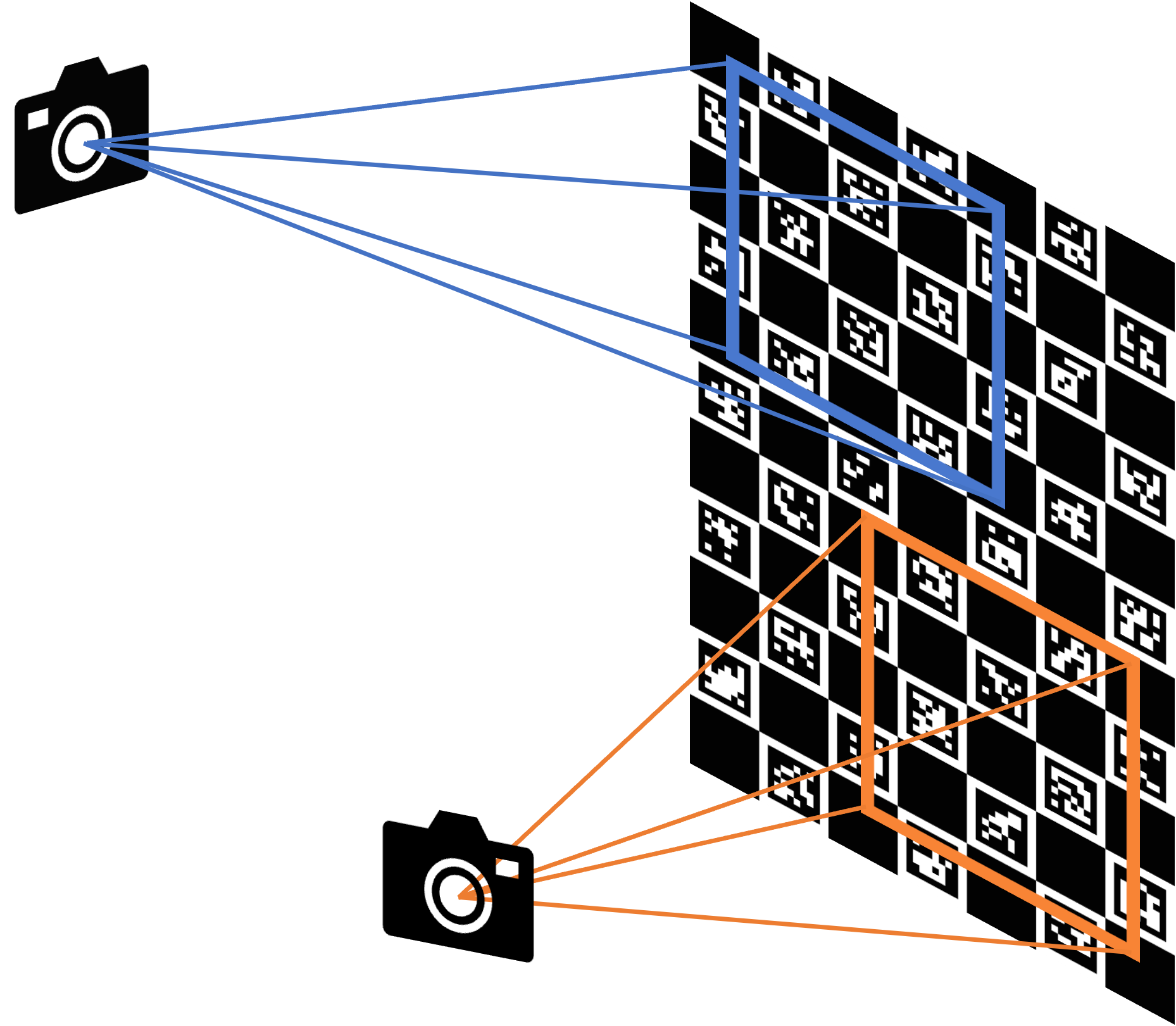
The above illustration shows an example where such a case may become relevant. Additionally, it supports a camera pair with the mixed model (pinhole / fisheye). Similarly to calibrateCamera, the function minimizes the total re-projection error for all the points in all the available views from both cameras.
See also
- Parameters:
objectPoints1 – Vector of vectors of the calibration pattern points for camera 1. A similar structure as objectPoints in calibrateCamera and for each pattern view, both cameras do not need to see the same object points. objectPoints1.size(), imagePoints1.size() nees to be equal,as well as objectPoints1[i].size(), imagePoints1[i].size() need to be equal for each i.
objectPoints2 – Vector of vectors of the calibration pattern points for camera 2. A similar structure as objectPoints1. objectPoints2.size(), and imagePoints2.size() nees to be equal, as well as objectPoints2[i].size(), imagePoints2[i].size() need to be equal for each i. However, objectPoints1[i].size() and objectPoints2[i].size() are not required to be equal.
imagePoints1 – Vector of vectors of the projections of the calibration pattern points, observed by the first camera. The same structure as in calibrateCamera.
imagePoints2 – Vector of vectors of the projections of the calibration pattern points, observed by the second camera. The same structure as in calibrateCamera.
cameraMatrix1 – Input/output camera intrinsic matrix for the first camera, the same as in calibrateCamera. Furthermore, for the stereo case, additional flags may be used, see below.
distCoeffs1 – Input/output vector of distortion coefficients, the same as in calibrateCamera.
cameraModel1 – Flag reflecting the type of model for camera 1 (pinhole / fisheye):
CALIB_MODEL_PINHOLE pinhole camera model
CALIB_MODEL_FISHEYE fisheye camera model
cameraMatrix2 – Input/output second camera intrinsic matrix for the second camera. See description for cameraMatrix1.
distCoeffs2 – Input/output lens distortion coefficients for the second camera. See description for distCoeffs1.
cameraModel2 – Flag reflecting the type of model for camera 2 (pinhole / fisheye). See description for cameraModel1.
R – Output rotation matrix. Together with the translation vector T, this matrix brings points given in the first camera’s coordinate system to points in the second camera’s coordinate system. In more technical terms, the tuple of R and T performs a change of basis from the first camera’s coordinate system to the second camera’s coordinate system. Due to its duality, this tuple is equivalent to the position of the first camera with respect to the second camera coordinate system.
T – Output translation vector, see description above.
E – Output essential matrix.
F – Output fundamental matrix.
rvecs – Output vector of rotation vectors ( Rodrigues ) estimated for each pattern view in the coordinate system of the first camera of the stereo pair (e.g. std::vector<cv::Mat>). More in detail, each i-th rotation vector together with the corresponding i-th translation vector (see the next output parameter description) brings the calibration pattern from the object coordinate space (in which object points are specified) to the camera coordinate space of the first camera of the stereo pair. In more technical terms, the tuple of the i-th rotation and translation vector performs a change of basis from object coordinate space to the camera coordinate space of the first camera of the stereo pair.
tvecs – Output vector of translation vectors estimated for each pattern view, see parameter description of previous output parameter ( rvecs ).
perViewErrors – Output vector of the RMS re-projection error estimated for each pattern view.
flags – Different flags that may be zero or a combination of the following values:
CALIB_USE_EXTRINSIC_GUESS R and T contain valid initial values that are optimized further.
criteria – Termination criteria for the iterative optimization algorithm.
- Returns:
the final value of the re-projection error.
registerDepth()#
-
void cv::registerDepth(InputArray unregisteredCameraMatrix, InputArray registeredCameraMatrix, InputArray registeredDistCoeffs, InputArray Rt, InputArray unregisteredDepth, const Size &outputImagePlaneSize, OutputArray registeredDepth, bool depthDilation = false)#
Registers depth data to an external camera Registration is performed by creating a depth cloud, transforming the cloud by the rigid body transformation between the cameras, and then projecting the transformed points into the RGB camera.
uv_rgb = K_rgb * [R | t] * z * inv(K_ir) * uv_ir
Currently does not check for negative depth values.
- Parameters:
unregisteredCameraMatrix – the camera matrix of the depth camera
registeredCameraMatrix – the camera matrix of the external camera
registeredDistCoeffs – the distortion coefficients of the external camera
Rt – the rigid body transform between the cameras. Transforms points from depth camera frame to external camera frame.
unregisteredDepth – the input depth data
outputImagePlaneSize – the image plane dimensions of the external camera (width, height)
registeredDepth – the result of transforming the depth into the external camera
depthDilation – whether or not the depth is dilated to avoid holes and occlusion errors (optional)
remap()#
-
void cv::remap(InputArray src, OutputArray dst, InputArray map1, InputArray map2, int interpolation, int borderMode = BORDER_CONSTANT, const Scalar &borderValue = Scalar(), AlgorithmHint hint = cv::ALGO_HINT_DEFAULT)#
Applies a generic geometrical transformation to an image.
The function remap transforms the source image using the specified map:
\[\texttt{dst} (x,y) = \texttt{src} (map_x(x,y),map_y(x,y))\]with the WARP_RELATIVE_MAP flag :
\[\texttt{dst} (x,y) = \texttt{src} (x+map_x(x,y),y+map_y(x,y))\]where values of pixels with non-integer coordinates are computed using one of available interpolation methods. \(map_x\) and \(map_y\) can be encoded as separate floating-point maps in \(map_1\) and \(map_2\) respectively, or interleaved floating-point maps of \((x,y)\) in \(map_1\), or fixed-point maps created by using convertMaps. The reason you might want to convert from floating to fixed-point representations of a map is that they can yield much faster (2x) remapping operations. In the converted case, \(map_1\) contains pairs (cvFloor(x), cvFloor(y)) and \(map_2\) contains indices in a table of interpolation coefficients.
This function cannot operate in-place.
Note
Due to current implementation limitations the size of an input and output images should be less than 32767x32767.
- Parameters:
src – Source image.
dst – Destination image. It has the same size as map1 and the same type as src .
map1 – The first map of either (x,y) points or just x values having the type CV_16SC2 , CV_32FC1, or CV_32FC2. See convertMaps for details on converting a floating point representation to fixed-point for speed.
map2 – The second map of y values having the type CV_16UC1, CV_32FC1, or none (empty map if map1 is (x,y) points), respectively.
interpolation – Interpolation method (see InterpolationFlags). The methods INTER_AREA INTER_LINEAR_EXACT and INTER_NEAREST_EXACT are not supported by this function. The extra flag WARP_RELATIVE_MAP can be ORed to the interpolation method (e.g. INTER_LINEAR | WARP_RELATIVE_MAP)
borderMode – Pixel extrapolation method (see BorderTypes). When borderMode=BORDER_TRANSPARENT, it means that the pixels in the destination image that corresponds to the “outliers” in the source image are not modified by the function.
borderValue – Value used in case of a constant border. By default, it is 0.
hint – Implementation modification flags. Set ALGO_HINT_APPROX to use FP16 precision (if available) for linear calculation for faster speed. See AlgorithmHint.
repeat()#
-
Mat cv::repeat(const Mat &src, int ny, int nx)#
This is an overloaded member function, provided for convenience. It differs from the above function only in what argument(s) it accepts.
- Parameters:
src – input array to replicate.
ny – Flag to specify how many times the
srcis repeated along the vertical axis.nx – Flag to specify how many times the
srcis repeated along the horizontal axis.
repeat()#
-
void cv::repeat(InputArray src, int ny, int nx, OutputArray dst)#
Fills the output array with repeated copies of the input array.
The function cv::repeat duplicates the input array one or more times along each of the two axes:
\[\texttt{dst} _{ij}= \texttt{src} _{i\mod src.rows, \; j\mod src.cols }\]The second variant of the function is more convenient to use with MatrixExpressions.See also
- Parameters:
src – input array to replicate.
ny – Flag to specify how many times the
srcis repeated along the vertical axis.nx – Flag to specify how many times the
srcis repeated along the horizontal axis.dst – output array of the same type as
src.
reprojectImageTo3D()#
-
void cv::reprojectImageTo3D(InputArray disparity, OutputArray _3dImage, InputArray Q, bool handleMissingValues = false, int ddepth = -1)#
Reprojects a disparity image to 3D space.
The function transforms a single-channel disparity map to a 3-channel image representing a 3D surface. That is, for each pixel (x,y) and the corresponding disparity d=disparity(x,y) , it computes:
\[\begin{split}\begin{bmatrix} X \\ Y \\ Z \\ W \end{bmatrix} = Q \begin{bmatrix} x \\ y \\ \texttt{disparity} (x,y) \\ 1 \end{bmatrix}.\end{split}\]See also
To reproject a sparse set of points {(x,y,d),…} to 3D space, use perspectiveTransform.
- Parameters:
disparity – Input single-channel 8-bit unsigned, 16-bit signed, 32-bit signed or 32-bit floating-point disparity image. The values of 8-bit / 16-bit signed formats are assumed to have no fractional bits. If the disparity is 16-bit signed format, as computed by StereoBM or StereoSGBM and maybe other algorithms, it should be divided by 16 (and scaled to float) before being used here.
_3dImage – Output 3-channel floating-point image of the same size as disparity. Each element of _3dImage(x,y) contains 3D coordinates of the point (x,y) computed from the disparity map. If one uses Q obtained by stereoRectify, then the returned points are represented in the first camera’s rectified coordinate system.
Q – \(4 \times 4\) perspective transformation matrix that can be obtained with stereoRectify.
handleMissingValues – Indicates, whether the function should handle missing values (i.e. points where the disparity was not computed). If handleMissingValues=true, then pixels with the minimal disparity that corresponds to the outliers (see StereoMatcher::compute ) are transformed to 3D points with a very large Z value (currently set to 10000).
ddepth – The optional output array depth. If it is -1, the output image will have CV_32F depth. ddepth can also be set to CV_16S, CV_32S or CV_32F.
rescaleDepth()#
-
void cv::rescaleDepth(InputArray in, int type, OutputArray out, double depth_factor = 1000.0)#
If the input image is of type CV_16UC1 (like the Kinect one), the image is converted to floats, divided by depth_factor to get a depth in meters, and the values 0 are converted to std::numeric_limits<float>::quiet_NaN() Otherwise, the image is simply converted to floats
- Parameters:
in – the depth image (if given as short int CV_U, it is assumed to be the depth in millimeters (as done with the Microsoft Kinect), it is assumed in meters)
type – the desired output depth (CV_32F or CV_64F)
out – The rescaled float depth image
depth_factor – (optional) factor by which depth is converted to distance (by default = 1000.0 for Kinect sensor)
resize()#
-
void cv::resize(InputArray src, OutputArray dst, Size dsize, double fx = 0, double fy = 0, int interpolation = INTER_LINEAR)#
Resizes an image.
The function resize resizes the image src down to or up to the specified size. Note that the initial dst type or size are not taken into account. Instead, the size and type are derived from the
src,dsize,fx, andfy. If you want to resize src so that it fits the pre-created dst, you may call the function as follows:If you want to decimate the image by factor of 2 in each direction, you can call the function this way:// explicitly specify dsize=dst.size(); fx and fy will be computed from that. resize(src, dst, dst.size(), 0, 0, interpolation);
To shrink an image, it will generally look best with INTER_AREA interpolation, whereas to enlarge an image, it will generally look best with INTER_CUBIC (slow) or INTER_LINEAR (faster but still looks OK).// specify fx and fy and let the function compute the destination image size. resize(src, dst, Size(), 0.5, 0.5, interpolation);
See also
- Parameters:
src – input image.
dst – output image; it has the size dsize (when it is non-zero) or the size computed from src.size(), fx, and fy; the type of dst is the same as of src.
dsize – output image size; if it equals zero (
Nonein Python), it is computed as:\[\texttt{dsize = Size(round(fx*src.cols), round(fy*src.rows))}\]Either dsize or both fx and fy must be non-zero.fx – scale factor along the horizontal axis; when it equals 0, it is computed as
\[\texttt{(double)dsize.width/src.cols}\]fy – scale factor along the vertical axis; when it equals 0, it is computed as
\[\texttt{(double)dsize.height/src.rows}\]interpolation – interpolation method, see InterpolationFlags
resizeWindow()#
resizeWindow()#
-
void cv::resizeWindow(const String &winname, int width, int height)#
Resizes the window to the specified size.
Note
The specified window size is for the image area. Toolbars are not counted. Only windows created without cv::WINDOW_AUTOSIZE flag can be resized.
- Parameters:
winname – Window name.
width – The new window width.
height – The new window height.
Rodrigues()#
-
void cv::Rodrigues(InputArray src, OutputArray dst, OutputArray jacobian = noArray())#
Converts a rotation matrix to a rotation vector or vice versa.
\[\begin{split}\begin{array}{l} \theta \leftarrow norm(r) \\ r \leftarrow r/ \theta \\ R = \cos(\theta) I + (1- \cos{\theta} ) r r^T + \sin(\theta) \vecthreethree{0}{-r_z}{r_y}{r_z}{0}{-r_x}{-r_y}{r_x}{0} \end{array}\end{split}\]Inverse transformation can be also done easily, since
\[\sin ( \theta ) \vecthreethree{0}{-r_z}{r_y}{r_z}{0}{-r_x}{-r_y}{r_x}{0} = \frac{R - R^T}{2}\]A rotation vector is a convenient and most compact representation of a rotation matrix (since any rotation matrix has just 3 degrees of freedom). The representation is used in the global 3D geometry optimization procedures like calibrateCamera, stereoCalibrate, or solvePnP .
Note
More information about the computation of the derivative of a 3D rotation matrix with respect to its exponential coordinate can be found in:
A Compact Formula for the Derivative of a 3-D Rotation in Exponential Coordinates, Guillermo Gallego, Anthony J. Yezzi Gallego2014ACF
Note
Useful information on SE(3) and Lie Groups can be found in:
A tutorial on SE(3) transformation parameterizations and on-manifold optimization, Jose-Luis Blanco blanco2010tutorial
Lie Groups for 2D and 3D Transformation, Ethan Eade Eade17
A micro Lie theory for state estimation in robotics, Joan Solà, Jérémie Deray, Dinesh Atchuthan Sol2018AML
- Parameters:
src – Input rotation vector (3x1 or 1x3) or rotation matrix (3x3).
dst – Output rotation matrix (3x3) or rotation vector (3x1 or 1x3), respectively.
jacobian – Optional output Jacobian matrix, 3x9 or 9x3, which is a matrix of partial derivatives of the output array components with respect to the input array components.
rotate()#
-
void cv::rotate(InputArray src, OutputArray dst, int rotateCode)#
Rotates a 2D array in multiples of 90 degrees. The function cv::rotate rotates the array in one of three different ways: Rotate by 90 degrees clockwise (rotateCode = ROTATE_90_CLOCKWISE). Rotate by 180 degrees clockwise (rotateCode = ROTATE_180). Rotate by 270 degrees clockwise (rotateCode = ROTATE_90_COUNTERCLOCKWISE).
See also
- Parameters:
src – input array.
dst – output array of the same type as src. The size is the same with ROTATE_180, and the rows and cols are switched for ROTATE_90_CLOCKWISE and ROTATE_90_COUNTERCLOCKWISE.
rotateCode – an enum to specify how to rotate the array; see the enum RotateFlags
rotatedRectangleIntersection()#
-
int cv::rotatedRectangleIntersection(const RotatedRect &rect1, const RotatedRect &rect2, OutputArray intersectingRegion)#
Finds out if there is any intersection between two rotated rectangles.
If there is then the vertices of the intersecting region are returned as well.
Below are some examples of intersection configurations. The hatched pattern indicates the intersecting region and the red vertices are returned by the function.
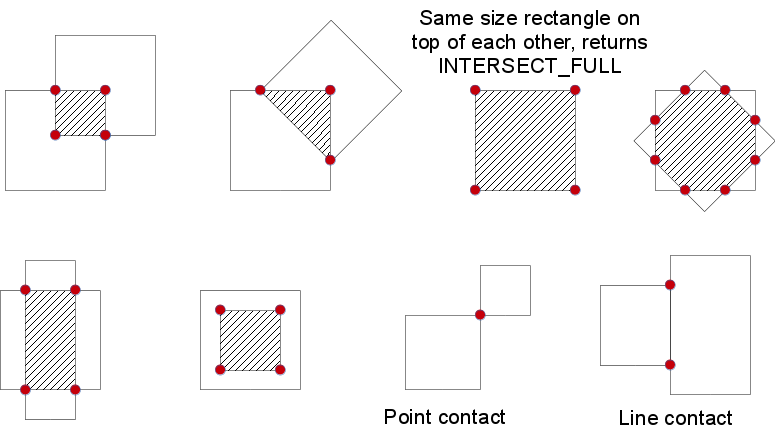
- Parameters:
rect1 – First rectangle
rect2 – Second rectangle
intersectingRegion – The output array of the vertices of the intersecting region. It returns at most 8 vertices. Stored as std::vector<cv::Point2f> or cv::Mat as Mx1 of type CV_32FC2.
- Returns:
One of RectanglesIntersectTypes
roundUp()#
roundUp()#
-
static inline size_t cv::roundUp(size_t a, unsigned int b)#
This is an overloaded member function, provided for convenience. It differs from the above function only in what argument(s) it accepts.
RQDecomp3x3()#
-
Vec3d cv::RQDecomp3x3(InputArray src, OutputArray mtxR, OutputArray mtxQ, OutputArray Qx = noArray(), OutputArray Qy = noArray(), OutputArray Qz = noArray())#
Computes an RQ decomposition of 3x3 matrices.
The function computes a RQ decomposition using the given rotations. This function is used in decomposeProjectionMatrix to decompose the left 3x3 submatrix of a projection matrix into a camera and a rotation matrix.
It optionally returns three rotation matrices, one for each axis, and the three Euler angles in degrees (as the return value) that could be used in OpenGL. Note, there is always more than one sequence of rotations about the three principal axes that results in the same orientation of an object, e.g. see Slabaugh . Returned three rotation matrices and corresponding three Euler angles are only one of the possible solutions.
- Parameters:
src – 3x3 input matrix.
mtxR – Output 3x3 upper-triangular matrix.
mtxQ – Output 3x3 orthogonal matrix.
Qx – Optional output 3x3 rotation matrix around x-axis.
Qy – Optional output 3x3 rotation matrix around y-axis.
Qz – Optional output 3x3 rotation matrix around z-axis.
sampsonDistance()#
-
double cv::sampsonDistance(InputArray pt1, InputArray pt2, InputArray F)#
Calculates the Sampson Distance between two points.
The function cv::sampsonDistance calculates and returns the first order approximation of the geometric error as:
\[ sd( \texttt{pt1} , \texttt{pt2} )= \frac{(\texttt{pt2}^t \cdot \texttt{F} \cdot \texttt{pt1})^2} {((\texttt{F} \cdot \texttt{pt1})(0))^2 + ((\texttt{F} \cdot \texttt{pt1})(1))^2 + ((\texttt{F}^t \cdot \texttt{pt2})(0))^2 + ((\texttt{F}^t \cdot \texttt{pt2})(1))^2} \]The fundamental matrix may be calculated using the findFundamentalMat function. See HartleyZ00 11.4.3 for details.- Parameters:
pt1 – first homogeneous 2d point
pt2 – second homogeneous 2d point
F – fundamental matrix
- Returns:
The computed Sampson distance.
saturate_cast()#
saturate_cast()#
saturate_cast()#
saturate_cast()#
saturate_cast()#
saturate_cast()#
saturate_cast()#
saturate_cast()#
saturate_cast()#
saturate_cast()#
saturate_cast()#
saturate_cast()#
-
template<typename _Tp>
static inline _Tp cv::saturate_cast(uchar v)# Template function for accurate conversion from one primitive type to another.
The function saturate_cast resembles the standard C++ cast operations, such as static_cast<T>() and others. It perform an efficient and accurate conversion from one primitive type to another (see the introduction chapter). saturate in the name means that when the input value v is out of the range of the target type, the result is not formed just by taking low bits of the input, but instead the value is clipped. For example:
Such clipping is done when the target type is unsigned char , signed char , unsigned short or signed short . For 32-bit integers, no clipping is done.When the parameter is a floating-point value and the target type is an integer (8-, 16- or 32-bit), the floating-point value is first rounded to the nearest integer and then clipped if needed (when the target type is 8- or 16-bit).
- Parameters:
v – Function parameter.
saturate_cast()#
saturate_cast()#
saturate_cast()#
saveWindowParameters()#
scaleAdd()#
-
void cv::scaleAdd(InputArray src1, double alpha, InputArray src2, OutputArray dst)#
Calculates the sum of a scaled array and another array.
The function scaleAdd is one of the classical primitive linear algebra operations, known as DAXPY or SAXPY in BLAS. It calculates the sum of a scaled array and another array:
\[\texttt{dst} (I)= \texttt{scale} \cdot \texttt{src1} (I) + \texttt{src2} (I)\]The function can also be emulated with a matrix expression, for example:Mat A(3, 3, CV_64F); ... A.row(0) = A.row(1)*2 + A.row(2);
See also
add, addWeighted, subtract, Mat::dot, Mat::convertTo
- Parameters:
src1 – first input array.
alpha – scale factor for the first array.
src2 – second input array of the same size and type as src1.
dst – output array of the same size and type as src1.
Scharr()#
-
void cv::Scharr(InputArray src, OutputArray dst, int ddepth, int dx, int dy, double scale = 1, double delta = 0, int borderType = BORDER_DEFAULT)#
Calculates the first x- or y- image derivative using Scharr operator.
The function computes the first x- or y- spatial image derivative using the Scharr operator. The call
\[\texttt{Scharr(src, dst, ddepth, dx, dy, scale, delta, borderType)}\]is equivalent to
\[\texttt{Sobel(src, dst, ddepth, dx, dy, FILTER_SCHARR, scale, delta, borderType)} .\]See also
- Parameters:
src – input image.
dst – output image of the same size and the same number of channels as src.
ddepth – output image depth, see combinations
dx – order of the derivative x.
dy – order of the derivative y.
scale – optional scale factor for the computed derivative values; by default, no scaling is applied (see getDerivKernels for details).
delta – optional delta value that is added to the results prior to storing them in dst.
borderType – pixel extrapolation method, see BorderTypes. BORDER_WRAP is not supported.
seamlessClone()#
-
void cv::seamlessClone(InputArray src, InputArray dst, InputArray mask, Point p, OutputArray blend, int flags)#
Performs seamless cloning to blend a region from a source image into a destination image. This function is designed for local image editing, allowing changes restricted to a region (manually selected as the ROI) to be applied effortlessly and seamlessly. These changes can range from slight distortions to complete replacement by novel content PM03.
- Parameters:
src – The source image (8-bit 3-channel), from which a region will be blended into the destination.
dst – The destination image (8-bit 3-channel), where the src image will be blended.
mask – A binary mask (8-bit, 1, 3, or 4-channel) specifying the region in the source image to blend. Non-zero pixels indicate the region to be blended. If an empty Mat is provided, a mask with all non-zero pixels is created internally.
p – The point where the center of the src image is placed in the dst image.
blend – The output image that stores the result of the seamless cloning. It has the same size and type as
dst.flags – Flags that control the type of cloning method, can take values of
cv::SeamlessCloneFlags.
selectROI()#
-
Rect cv::selectROI(const String &windowName, InputArray img, bool showCrosshair = true, bool fromCenter = false, bool printNotice = true)#
Allows users to select a ROI on the given image.
The function creates a window and allows users to select a ROI using the mouse. Controls: use
spaceorenterto finish selection, use keycto cancel selection (function will return the zero cv::Rect).Note
The function sets it’s own mouse callback for specified window using cv::setMouseCallback(windowName, …). After finish of work an empty callback will be set for the used window.
- Parameters:
windowName – name of the window where selection process will be shown.
img – image to select a ROI.
showCrosshair – if true crosshair of selection rectangle will be shown.
fromCenter – if true center of selection will match initial mouse position. In opposite case a corner of selection rectangle will correspont to the initial mouse position.
printNotice – if true a notice to select ROI or cancel selection will be printed in console.
- Returns:
selected ROI or empty rect if selection canceled.
selectROI()#
-
Rect cv::selectROI(InputArray img, bool showCrosshair = true, bool fromCenter = false, bool printNotice = true)#
This is an overloaded member function, provided for convenience. It differs from the above function only in what argument(s) it accepts.
selectROIs()#
-
void cv::selectROIs(const String &windowName, InputArray img, std::vector<Rect> &boundingBoxes, bool showCrosshair = true, bool fromCenter = false, bool printNotice = true)#
Allows users to select multiple ROIs on the given image.
The function creates a window and allows users to select multiple ROIs using the mouse. Controls: use
spaceorenterto finish current selection and start a new one, useescto terminate multiple ROI selection process.Note
The function sets it’s own mouse callback for specified window using cv::setMouseCallback(windowName, …). After finish of work an empty callback will be set for the used window.
- Parameters:
windowName – name of the window where selection process will be shown.
img – image to select a ROI.
boundingBoxes – selected ROIs.
showCrosshair – if true crosshair of selection rectangle will be shown.
fromCenter – if true center of selection will match initial mouse position. In opposite case a corner of selection rectangle will correspont to the initial mouse position.
printNotice – if true a notice to select ROI or cancel selection will be printed in console.
sepFilter2D()#
-
void cv::sepFilter2D(InputArray src, OutputArray dst, int ddepth, InputArray kernelX, InputArray kernelY, Point anchor = Point(-1, -1), double delta = 0, int borderType = BORDER_DEFAULT)#
Applies a separable linear filter to an image.
The function applies a separable linear filter to the image. That is, first, every row of src is filtered with the 1D kernel kernelX. Then, every column of the result is filtered with the 1D kernel kernelY. The final result shifted by delta is stored in dst .
See also
- Parameters:
src – Source image.
dst – Destination image of the same size and the same number of channels as src .
ddepth – Destination image depth, see combinations
kernelX – Coefficients for filtering each row.
kernelY – Coefficients for filtering each column.
anchor – Anchor position within the kernel. The default value \((-1,-1)\) means that the anchor is at the kernel center.
delta – Value added to the filtered results before storing them.
borderType – Pixel extrapolation method, see BorderTypes. BORDER_WRAP is not supported.
setBreakOnError()#
-
bool cv::setBreakOnError(bool flag)#
Sets/resets the break-on-error mode.
When the break-on-error mode is set, the default error handler issues a hardware exception, which can make debugging more convenient.
- Returns:
the previous state
setIdentity()#
-
void cv::setIdentity(InputOutputArray mtx, const Scalar &s = Scalar(1))#
Initializes a scaled identity matrix.
The function cv::setIdentity initializes a scaled identity matrix:
\[\texttt{mtx} (i,j)= \fork{\texttt{value}}{ if \(i=j\)}{0}{otherwise}\]The function can also be emulated using the matrix initializers and the matrix expressions:
See also
Mat::zeros, Mat::ones, Mat::setTo, Mat::operator=
- Parameters:
mtx – matrix to initialize (not necessarily square).
s – value to assign to diagonal elements.
setMouseCallback()#
-
void cv::setMouseCallback(const String &winname, MouseCallback onMouse, void *userdata = 0)#
Sets mouse handler for the specified window.
- Parameters:
winname – Name of the window.
onMouse – Callback function for mouse events. See OpenCV samples on how to specify and use the callback.
userdata – The optional parameter passed to the callback.
setNumThreads()#
-
void cv::setNumThreads(int nthreads)#
OpenCV will try to set the number of threads for subsequent parallel regions.
If threads == 1, OpenCV will disable threading optimizations and run all it’s functions sequentially. Passing threads < 0 will reset threads number to system default. The function is not thread-safe. It must not be called in parallel region or concurrent threads.
OpenCV will try to run its functions with specified threads number, but some behaviour differs from framework:
TBB- User-defined parallel constructions will run with the same threads number, if another is not specified. If later on user creates his own scheduler, OpenCV will use it.OpenMP- No special defined behaviour.Concurrency- If threads == 1, OpenCV will disable threading optimizations and run its functions sequentially.GCD- Supports only values <= 0.C=- No special defined behaviour.See also
- Parameters:
nthreads – Number of threads used by OpenCV.
setOpenGlContext()#
setOpenGlDrawCallback()#
-
void cv::setOpenGlDrawCallback(const String &winname, OpenGlDrawCallback onOpenGlDraw, void *userdata = 0)#
Sets a callback function to be called to draw on top of displayed image.
The function setOpenGlDrawCallback can be used to draw 3D data on the window. See the example of callback function below:
void on_opengl(void* param) { glLoadIdentity(); glTranslated(0.0, 0.0, -1.0); glRotatef( 55, 1, 0, 0 ); glRotatef( 45, 0, 1, 0 ); glRotatef( 0, 0, 0, 1 ); static const int coords[6][4][3] = { { { +1, -1, -1 }, { -1, -1, -1 }, { -1, +1, -1 }, { +1, +1, -1 } }, { { +1, +1, -1 }, { -1, +1, -1 }, { -1, +1, +1 }, { +1, +1, +1 } }, { { +1, -1, +1 }, { +1, -1, -1 }, { +1, +1, -1 }, { +1, +1, +1 } }, { { -1, -1, -1 }, { -1, -1, +1 }, { -1, +1, +1 }, { -1, +1, -1 } }, { { +1, -1, +1 }, { -1, -1, +1 }, { -1, -1, -1 }, { +1, -1, -1 } }, { { -1, -1, +1 }, { +1, -1, +1 }, { +1, +1, +1 }, { -1, +1, +1 } } }; for (int i = 0; i < 6; ++i) { glColor3ub( i*20, 100+i*10, i*42 ); glBegin(GL_QUADS); for (int j = 0; j < 4; ++j) { glVertex3d(0.2 * coords[i][j][0], 0.2 * coords[i][j][1], 0.2 * coords[i][j][2]); } glEnd(); } }
- Parameters:
winname – Name of the window.
onOpenGlDraw – Pointer to the function to be called every frame. This function should be prototyped as void Foo(void*) .
userdata – Pointer passed to the callback function.(Optional)
setRNGSeed()#
-
void cv::setRNGSeed(int seed)#
Sets state of default random number generator.
The function cv::setRNGSeed sets state of default random number generator to custom value.
- Parameters:
seed – new state for default random number generator
setTrackbarMax()#
-
void cv::setTrackbarMax(const String &trackbarname, const String &winname, int maxval)#
Sets the trackbar maximum position.
The function sets the maximum position of the specified trackbar in the specified window.
Note
[Qt Backend Only] winname can be empty if the trackbar is attached to the control panel.
- Parameters:
trackbarname – Name of the trackbar.
winname – Name of the window that is the parent of trackbar.
maxval – New maximum position.
setTrackbarMin()#
-
void cv::setTrackbarMin(const String &trackbarname, const String &winname, int minval)#
Sets the trackbar minimum position.
The function sets the minimum position of the specified trackbar in the specified window.
Note
[Qt Backend Only] winname can be empty if the trackbar is attached to the control panel.
- Parameters:
trackbarname – Name of the trackbar.
winname – Name of the window that is the parent of trackbar.
minval – New minimum position.
setTrackbarPos()#
-
void cv::setTrackbarPos(const String &trackbarname, const String &winname, int pos)#
Sets the trackbar position.
The function sets the position of the specified trackbar in the specified window.
Note
[Qt Backend Only] winname can be empty if the trackbar is attached to the control panel.
- Parameters:
trackbarname – Name of the trackbar.
winname – Name of the window that is the parent of trackbar.
pos – New position.
setUseOptimized()#
-
void cv::setUseOptimized(bool onoff)#
Enables or disables the optimized code.
The function can be used to dynamically turn on and off optimized dispatched code (code that uses SSE4.2, AVX/AVX2, and other instructions on the platforms that support it). It sets a global flag that is further checked by OpenCV functions. Since the flag is not checked in the inner OpenCV loops, it is only safe to call the function on the very top level in your application where you can be sure that no other OpenCV function is currently executed.
By default, the optimized code is enabled unless you disable it in CMake. The current status can be retrieved using useOptimized.
- Parameters:
onoff – The boolean flag specifying whether the optimized code should be used (onoff=true) or not (onoff=false).
setWindowProperty()#
-
void cv::setWindowProperty(const String &winname, int prop_id, double prop_value)#
Changes parameters of a window dynamically.
The function setWindowProperty enables changing properties of a window.
Note
[Wayland Backend Only] This function is not supported.
- Parameters:
winname – Name of the window.
prop_id – Window property to edit. The supported operation flags are: (cv::WindowPropertyFlags)
prop_value – New value of the window property. The supported flags are: (cv::WindowFlags)
setWindowTitle()#
sin()#
sin()#
-
softdouble cv::sin(const softdouble &a)#
Sine.
Special cases:
sin(Inf) or sin(NaN) is NaN
sin(x) == x when sin(x) is close to zero
sinh()#
Sobel()#
-
void cv::Sobel(InputArray src, OutputArray dst, int ddepth, int dx, int dy, int ksize = 3, double scale = 1, double delta = 0, int borderType = BORDER_DEFAULT)#
Calculates the first, second, third, or mixed image derivatives using an extended Sobel operator.
In all cases except one, the \(\texttt{ksize} \times \texttt{ksize}\) separable kernel is used to calculate the derivative. When \(\texttt{ksize = 1}\), the \(3 \times 1\) or \(1 \times 3\) kernel is used (that is, no Gaussian smoothing is done).
ksize = 1can only be used for the first or the second x- or y- derivatives.There is also the special value
ksize = #FILTER_SCHARR (-1)that corresponds to the \(3\times3\) Scharr filter that may give more accurate results than the \(3\times3\) Sobel. The Scharr aperture is\[\vecthreethree{-3}{0}{3}{-10}{0}{10}{-3}{0}{3}\]for the x-derivative, or transposed for the y-derivative.
The function calculates an image derivative by convolving the image with the appropriate kernel:
\[\texttt{dst} = \frac{\partial^{xorder+yorder} \texttt{src}}{\partial x^{xorder} \partial y^{yorder}}\]The Sobel operators combine Gaussian smoothing and differentiation, so the result is more or less resistant to the noise. Most often, the function is called with ( xorder = 1, yorder = 0, ksize = 3) or ( xorder = 0, yorder = 1, ksize = 3) to calculate the first x- or y- image derivative. The first case corresponds to a kernel of:
\[\vecthreethree{-1}{0}{1}{-2}{0}{2}{-1}{0}{1}\]The second case corresponds to a kernel of:
\[\vecthreethree{-1}{-2}{-1}{0}{0}{0}{1}{2}{1}\]See also
Scharr, Laplacian, sepFilter2D, filter2D, GaussianBlur, cartToPolar
- Parameters:
src – input image.
dst – output image of the same size and the same number of channels as src .
ddepth – output image depth, see combinations; in the case of 8-bit input images it will result in truncated derivatives.
dx – order of the derivative x.
dy – order of the derivative y.
ksize – size of the extended Sobel kernel; it must be 1, 3, 5, or 7.
scale – optional scale factor for the computed derivative values; by default, no scaling is applied (see getDerivKernels for details).
delta – optional delta value that is added to the results prior to storing them in dst.
borderType – pixel extrapolation method, see BorderTypes. BORDER_WRAP is not supported.
solve()#
-
bool cv::solve(InputArray src1, InputArray src2, OutputArray dst, int flags = DECOMP_LU)#
Solves one or more linear systems or least-squares problems.
The function cv::solve solves a linear system or least-squares problem (the latter is possible with SVD or QR methods, or by specifying the flag DECOMP_NORMAL ):
\[\texttt{dst} = \arg \min _X \| \texttt{src1} \cdot \texttt{X} - \texttt{src2} \|\]If DECOMP_LU or DECOMP_CHOLESKY method is used, the function returns 1 if src1 (or \(\texttt{src1}^T\texttt{src1}\) ) is non-singular. Otherwise, it returns 0. In the latter case, dst is not valid. Other methods find a pseudo-solution in case of a singular left-hand side part.
Note
If you want to find a unity-norm solution of an under-defined singular system \(\texttt{src1}\cdot\texttt{dst}=0\) , the function solve will not do the work. Use SVD::solveZ instead.
- Parameters:
src1 – input matrix on the left-hand side of the system.
src2 – input matrix on the right-hand side of the system.
dst – output solution.
flags – solution (matrix inversion) method (DecompTypes)
solveCubic()#
-
int cv::solveCubic(InputArray coeffs, OutputArray roots)#
Finds the real roots of a cubic equation.
The function solveCubic finds the real roots of a cubic equation:
if coeffs is a 4-element vector:
\[\texttt{coeffs} [0] x^3 + \texttt{coeffs} [1] x^2 + \texttt{coeffs} [2] x + \texttt{coeffs} [3] = 0\]if coeffs is a 3-element vector:
\[x^3 + \texttt{coeffs} [0] x^2 + \texttt{coeffs} [1] x + \texttt{coeffs} [2] = 0\]
The roots are stored in the roots array.
- Parameters:
coeffs – equation coefficients, an array of 3 or 4 elements.
roots – output array of real roots that has 0, 1, 2 or 3 elements.
- Returns:
number of real roots. It can be -1 (all real numbers), 0, 1, 2 or 3.
solveLP()#
-
int cv::solveLP(InputArray Func, InputArray Constr, OutputArray z)#
This is an overloaded member function, provided for convenience. It differs from the above function only in what argument(s) it accepts.
solveLP()#
-
int cv::solveLP(InputArray Func, InputArray Constr, OutputArray z, double constr_eps)#
Solve given (non-integer) linear programming problem using the Simplex Algorithm (Simplex Method).
What we mean here by “linear programming problem” (or LP problem, for short) can be formulated as:
\[\begin{split}\mbox{Maximize } c\cdot x\\ \mbox{Subject to:}\\ Ax\leq b\\ x\geq 0\end{split}\]Where \(c\) is fixed
1-by-nrow-vector, \(A\) is fixedm-by-nmatrix, \(b\) is fixedm-by-1column vector and \(x\) is an arbitraryn-by-1column vector, which satisfies the constraints.Simplex algorithm is one of many algorithms that are designed to handle this sort of problems efficiently. Although it is not optimal in theoretical sense (there exist algorithms that can solve any problem written as above in polynomial time, while simplex method degenerates to exponential time for some special cases), it is well-studied, easy to implement and is shown to work well for real-life purposes.
The particular implementation is taken almost verbatim from Introduction to Algorithms, third edition by T. H. Cormen, C. E. Leiserson, R. L. Rivest and Clifford Stein. In particular, the Bland’s rule http://en.wikipedia.org/wiki/Bland%27s_rule is used to prevent cycling.
- Parameters:
Func – This row-vector corresponds to \(c\) in the LP problem formulation (see above). It should contain 32- or 64-bit floating point numbers. As a convenience, column-vector may be also submitted, in the latter case it is understood to correspond to \(c^T\).
Constr –
m-by-n+1matrix, whose rightmost column corresponds to \(b\) in formulation above and the remaining to \(A\). It should contain 32- or 64-bit floating point numbers.z – The solution will be returned here as a column-vector - it corresponds to \(c\) in the formulation above. It will contain 64-bit floating point numbers.
constr_eps – allowed numeric disparity for constraints
- Returns:
One of cv::SolveLPResult
solveP3P()#
-
int cv::solveP3P(InputArray objectPoints, InputArray imagePoints, InputArray cameraMatrix, InputArray distCoeffs, OutputArrayOfArrays rvecs, OutputArrayOfArrays tvecs, int flags)#
Finds an object pose \( {}^{c}\mathbf{T}_o \) from 3 3D-2D point correspondences.
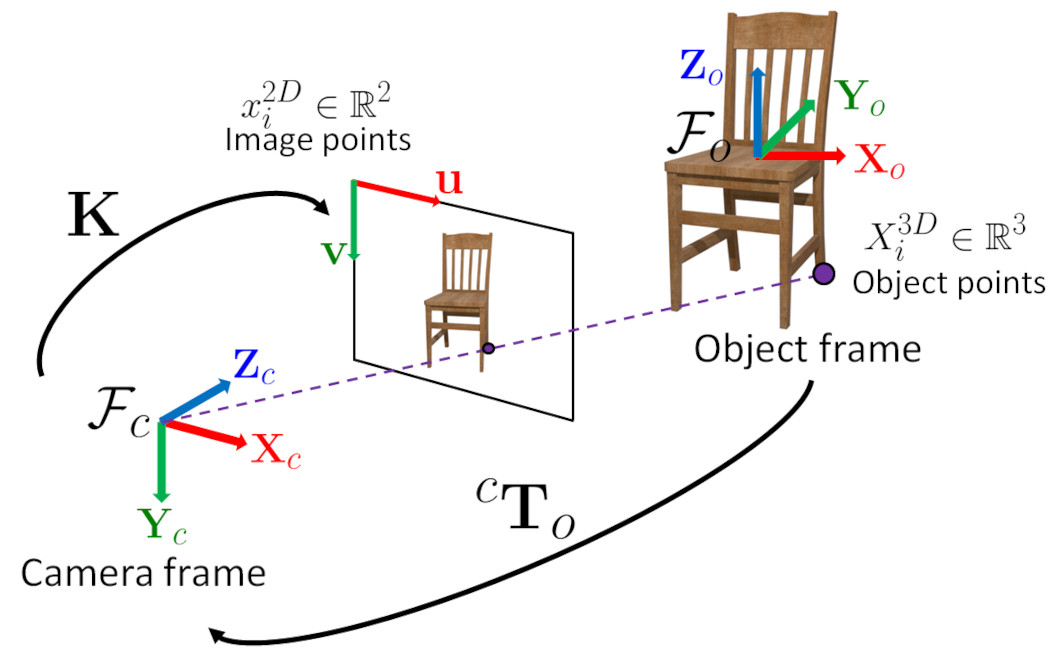
The function estimates the object pose given 3 object points, their corresponding image projections, as well as the camera intrinsic matrix and the distortion coefficients.
See also
calib3d_solvePnP
Note
The solutions are sorted by reprojection errors (lowest to highest).
- Parameters:
objectPoints – Array of object points in the object coordinate space, 3x3 1-channel or 1x3/3x1 3-channel. vector<Point3f> can be also passed here.
imagePoints – Array of corresponding image points, 3x2 1-channel or 1x3/3x1 2-channel. vector<Point2f> can be also passed here.
cameraMatrix – Input camera intrinsic matrix \(\cameramatrix{A}\) .
distCoeffs – Input vector of distortion coefficients \(\distcoeffs\). If the vector is NULL/empty, the zero distortion coefficients are assumed.
rvecs – Output rotation vectors (see Rodrigues ) that, together with tvecs, brings points from the model coordinate system to the camera coordinate system. A P3P problem has up to 4 solutions.
tvecs – Output translation vectors.
flags – Method for solving a P3P problem:
SOLVEPNP_P3P Method is based on the paper of Ding, Y., Yang, J., Larsson, V., Olsson, C., & Åstrom, K. “Revisiting the P3P Problem” (ding2023revisiting).
SOLVEPNP_AP3P Method is based on the paper of T. Ke and S. Roumeliotis. “An Efficient Algebraic Solution to the Perspective-Three-Point Problem” (Ke17).
solvePnP()#
-
bool cv::solvePnP(InputArray objectPoints, InputArray imagePoints, InputArray cameraMatrix, InputArray distCoeffs, OutputArray rvec, OutputArray tvec, bool useExtrinsicGuess = false, int flags = SOLVEPNP_ITERATIVE)#
Finds an object pose \( {}^{c}\mathbf{T}_o \) from 3D-2D point correspondences:
This function returns the rotation and the translation vectors that transform a 3D point expressed in the object coordinate frame to the camera coordinate frame, using different methods:
P3P methods (SOLVEPNP_P3P, SOLVEPNP_AP3P): need 4 input points to return a unique solution.
SOLVEPNP_IPPE Input points must be >= 4 and object points must be coplanar.
SOLVEPNP_IPPE_SQUARE Special case suitable for marker pose estimation. Number of input points must be 4. Object points must be defined in the following order:
point 0: [-squareLength / 2, squareLength / 2, 0]
point 1: [ squareLength / 2, squareLength / 2, 0]
point 2: [ squareLength / 2, -squareLength / 2, 0]
point 3: [-squareLength / 2, -squareLength / 2, 0]
for all the other flags, number of input points must be >= 4 and object points can be in any configuration.
See also
calib3d_solvePnP
More information about Perspective-n-Points is described in calib3d_solvePnP
With SOLVEPNP_SQPNP input points must be >= 3
Note
An example of how to use solvePnP for planar augmented reality can be found at opencv_source_code/samples/python/plane_ar.py
If you are using Python:
Numpy array slices won’t work as input because solvePnP requires contiguous arrays (enforced by the assertion using cv::Mat::checkVector() around line 55 of modules/3d/src/solvepnp.cpp version 2.4.9)
The P3P algorithm requires image points to be in an array of shape (N,1,2) due to its calling of undistortPoints (around line 75 of modules/3d/src/solvepnp.cpp version 2.4.9) which requires 2-channel information.
Thus, given some data D = np.array(…) where D.shape = (N,M), in order to use a subset of it as, e.g., imagePoints, one must effectively copy it into a new array: imagePoints = np.ascontiguousarray(D[:,:2]).reshape((N,1,2))
The minimum number of points is 4 in the general case. In the case of SOLVEPNP_P3P and SOLVEPNP_AP3P methods, it is required to use exactly 4 points (the first 3 points are used to estimate all the solutions of the P3P problem, the last one is used to retain the best solution that minimizes the reprojection error).
With SOLVEPNP_ITERATIVE method and
useExtrinsicGuess=true, the minimum number of points is 3 (3 points are sufficient to compute a pose but there are up to 4 solutions). The initial solution should be close to the global solution to converge. The function returns true if some solution is found. User code is responsible for solution quality assessment.With SOLVEPNP_IPPE input points must be >= 4 and object points must be coplanar.
With SOLVEPNP_IPPE_SQUARE this is a special case suitable for marker pose estimation. Number of input points must be 4. Object points must be defined in the following order:
point 0: [-squareLength / 2, squareLength / 2, 0]
point 1: [ squareLength / 2, squareLength / 2, 0]
point 2: [ squareLength / 2, -squareLength / 2, 0]
point 3: [-squareLength / 2, -squareLength / 2, 0]
- Parameters:
objectPoints – Array of object points in the object coordinate space, Nx3 1-channel or 1xN/Nx1 3-channel, where N is the number of points. vector<Point3d> can be also passed here.
imagePoints – Array of corresponding image points, Nx2 1-channel or 1xN/Nx1 2-channel, where N is the number of points. vector<Point2d> can be also passed here.
cameraMatrix – Input camera intrinsic matrix \(\cameramatrix{A}\) .
distCoeffs – Input vector of distortion coefficients \(\distcoeffs\). If the vector is NULL/empty, the zero distortion coefficients are assumed.
rvec – Output rotation vector (see Rodrigues ) that, together with tvec, brings points from the model coordinate system to the camera coordinate system.
tvec – Output translation vector.
useExtrinsicGuess – Parameter used for SOLVEPNP_ITERATIVE. If true (1), the function uses the provided rvec and tvec values as initial approximations of the rotation and translation vectors, respectively, and further optimizes them.
flags – Method for solving a PnP problem: see calib3d_solvePnP_flags
solvePnPGeneric()#
-
int cv::solvePnPGeneric(InputArray objectPoints, InputArray imagePoints, InputArray cameraMatrix, InputArray distCoeffs, OutputArrayOfArrays rvecs, OutputArrayOfArrays tvecs, bool useExtrinsicGuess = false, int flags = SOLVEPNP_ITERATIVE, InputArray rvec = noArray(), InputArray tvec = noArray(), OutputArray reprojectionError = noArray())#
Finds an object pose \( {}^{c}\mathbf{T}_o \) from 3D-2D point correspondences.
This function returns a list of all the possible solutions (a solution is a <rotation vector, translation vector> couple), depending on the number of input points and the chosen method:
P3P methods (SOLVEPNP_P3P, SOLVEPNP_AP3P): 3 or 4 input points. Number of returned solutions can be between 0 and 4 with 3 input points.
SOLVEPNP_IPPE Input points must be >= 4 and object points must be coplanar. Returns 2 solutions.
SOLVEPNP_IPPE_SQUARE Special case suitable for marker pose estimation. Number of input points must be 4 and 2 solutions are returned. Object points must be defined in the following order:
point 0: [-squareLength / 2, squareLength / 2, 0]
point 1: [ squareLength / 2, squareLength / 2, 0]
point 2: [ squareLength / 2, -squareLength / 2, 0]
point 3: [-squareLength / 2, -squareLength / 2, 0]
for all the other flags, number of input points must be >= 4 and object points can be in any configuration. Only 1 solution is returned.
See also
calib3d_solvePnP
More information is described in calib3d_solvePnP
Note
An example of how to use solvePnP for planar augmented reality can be found at opencv_source_code/samples/python/plane_ar.py
If you are using Python:
Numpy array slices won’t work as input because solvePnP requires contiguous arrays (enforced by the assertion using cv::Mat::checkVector() around line 55 of modules/3d/src/solvepnp.cpp version 2.4.9)
The P3P algorithm requires image points to be in an array of shape (N,1,2) due to its calling of undistortPoints (around line 75 of modules/3d/src/solvepnp.cpp version 2.4.9) which requires 2-channel information.
Thus, given some data D = np.array(…) where D.shape = (N,M), in order to use a subset of it as, e.g., imagePoints, one must effectively copy it into a new array: imagePoints = np.ascontiguousarray(D[:,:2]).reshape((N,1,2))
The minimum number of points is 4 in the general case. In the case of SOLVEPNP_P3P and SOLVEPNP_AP3P methods, it is required to use exactly 4 points (the first 3 points are used to estimate all the solutions of the P3P problem, the last one is used to retain the best solution that minimizes the reprojection error).
With SOLVEPNP_ITERATIVE method and
useExtrinsicGuess=true, the minimum number of points is 3 (3 points are sufficient to compute a pose but there are up to 4 solutions). The initial solution should be close to the global solution to converge.With SOLVEPNP_IPPE input points must be >= 4 and object points must be coplanar.
With SOLVEPNP_IPPE_SQUARE this is a special case suitable for marker pose estimation. Number of input points must be 4. Object points must be defined in the following order:
point 0: [-squareLength / 2, squareLength / 2, 0]
point 1: [ squareLength / 2, squareLength / 2, 0]
point 2: [ squareLength / 2, -squareLength / 2, 0]
point 3: [-squareLength / 2, -squareLength / 2, 0]
With SOLVEPNP_SQPNP input points must be >= 3
- Parameters:
objectPoints – Array of object points in the object coordinate space, Nx3 1-channel or 1xN/Nx1 3-channel, where N is the number of points. vector<Point3d> can be also passed here.
imagePoints – Array of corresponding image points, Nx2 1-channel or 1xN/Nx1 2-channel, where N is the number of points. vector<Point2d> can be also passed here.
cameraMatrix – Input camera intrinsic matrix \(\cameramatrix{A}\) .
distCoeffs – Input vector of distortion coefficients \(\distcoeffs\). If the vector is NULL/empty, the zero distortion coefficients are assumed.
rvecs – Vector of output rotation vectors (see Rodrigues ) that, together with tvecs, brings points from the model coordinate system to the camera coordinate system.
tvecs – Vector of output translation vectors.
useExtrinsicGuess – Parameter used for SOLVEPNP_ITERATIVE. If true (1), the function uses the provided rvec and tvec values as initial approximations of the rotation and translation vectors, respectively, and further optimizes them.
flags – Method for solving a PnP problem: see calib3d_solvePnP_flags
rvec – Rotation vector used to initialize an iterative PnP refinement algorithm, when flag is SOLVEPNP_ITERATIVE and useExtrinsicGuess is set to true.
tvec – Translation vector used to initialize an iterative PnP refinement algorithm, when flag is SOLVEPNP_ITERATIVE and useExtrinsicGuess is set to true.
reprojectionError – Optional vector of reprojection error, that is the RMS error ( \( \text{RMSE} = \sqrt{\frac{\sum_{i}^{N} \left ( \hat{y_i} - y_i \right )^2}{N}} \)) between the input image points and the 3D object points projected with the estimated pose.
solvePnPRansac()#
-
bool cv::solvePnPRansac(InputArray objectPoints, InputArray imagePoints, InputArray cameraMatrix, InputArray distCoeffs, OutputArray rvec, OutputArray tvec, bool useExtrinsicGuess = false, int iterationsCount = 100, float reprojectionError = 8.0, double confidence = 0.99, OutputArray inliers = noArray(), int flags = SOLVEPNP_ITERATIVE)#
Finds an object pose \( {}^{c}\mathbf{T}_o \) from 3D-2D point correspondences using the RANSAC scheme to deal with bad matches.
The function estimates an object pose given a set of object points, their corresponding image projections, as well as the camera intrinsic matrix and the distortion coefficients. This function finds such a pose that minimizes reprojection error, that is, the sum of squared distances between the observed projections imagePoints and the projected (using projectPoints ) objectPoints. The use of RANSAC makes the function resistant to outliers.
See also
calib3d_solvePnP
Note
An example of how to use solvePnPRansac for object detection can be found at tutorial_real_time_pose
The default method used to estimate the camera pose for the Minimal Sample Sets step is SOLVEPNP_EPNP. Exceptions are:
if you choose SOLVEPNP_P3P or SOLVEPNP_AP3P, these methods will be used.
if the number of input points is equal to 4, SOLVEPNP_P3P is used.
The method used to estimate the camera pose using all the inliers is defined by the flags parameters unless it is equal to SOLVEPNP_P3P or SOLVEPNP_AP3P. In this case, the method SOLVEPNP_EPNP will be used instead.
- Parameters:
objectPoints – Array of object points in the object coordinate space, Nx3 1-channel or 1xN/Nx1 3-channel, where N is the number of points. vector<Point3d> can be also passed here.
imagePoints – Array of corresponding image points, Nx2 1-channel or 1xN/Nx1 2-channel, where N is the number of points. vector<Point2d> can be also passed here.
cameraMatrix – Input camera intrinsic matrix \(\cameramatrix{A}\) .
distCoeffs – Input vector of distortion coefficients \(\distcoeffs\). If the vector is NULL/empty, the zero distortion coefficients are assumed.
rvec – Output rotation vector (see Rodrigues ) that, together with tvec, brings points from the model coordinate system to the camera coordinate system.
tvec – Output translation vector.
useExtrinsicGuess – Parameter used for SOLVEPNP_ITERATIVE. If true (1), the function uses the provided rvec and tvec values as initial approximations of the rotation and translation vectors, respectively, and further optimizes them.
iterationsCount – Number of iterations.
reprojectionError – Inlier threshold value used by the RANSAC procedure. The parameter value is the maximum allowed distance between the observed and computed point projections to consider it an inlier.
confidence – The probability that the algorithm produces a useful result.
inliers – Output vector that contains indices of inliers in objectPoints and imagePoints .
flags – Method for solving a PnP problem (see solvePnP ).
solvePnPRansac()#
-
bool cv::solvePnPRansac(InputArray objectPoints, InputArray imagePoints, InputOutputArray cameraMatrix, InputArray distCoeffs, OutputArray rvec, OutputArray tvec, OutputArray inliers, const UsacParams ¶ms = UsacParams())#
solvePnPRefineLM()#
-
void cv::solvePnPRefineLM(InputArray objectPoints, InputArray imagePoints, InputArray cameraMatrix, InputArray distCoeffs, InputOutputArray rvec, InputOutputArray tvec, TermCriteria criteria = TermCriteria(TermCriteria::EPS + TermCriteria::COUNT, 20, FLT_EPSILON))#
Refine a pose (the translation and the rotation that transform a 3D point expressed in the object coordinate frame to the camera coordinate frame) from a 3D-2D point correspondences and starting from an initial solution.
The function refines the object pose given at least 3 object points, their corresponding image projections, an initial solution for the rotation and translation vector, as well as the camera intrinsic matrix and the distortion coefficients. The function minimizes the projection error with respect to the rotation and the translation vectors, according to a Levenberg-Marquardt iterative minimization Madsen04 Eade13 process.
See also
calib3d_solvePnP
- Parameters:
objectPoints – Array of object points in the object coordinate space, Nx3 1-channel or 1xN/Nx1 3-channel, where N is the number of points. vector<Point3d> can also be passed here.
imagePoints – Array of corresponding image points, Nx2 1-channel or 1xN/Nx1 2-channel, where N is the number of points. vector<Point2d> can also be passed here.
cameraMatrix – Input camera intrinsic matrix \(\cameramatrix{A}\) .
distCoeffs – Input vector of distortion coefficients \(\distcoeffs\). If the vector is NULL/empty, the zero distortion coefficients are assumed.
rvec – Input/Output rotation vector (see Rodrigues ) that, together with tvec, brings points from the model coordinate system to the camera coordinate system. Input values are used as an initial solution.
tvec – Input/Output translation vector. Input values are used as an initial solution.
criteria – Criteria when to stop the Levenberg-Marquard iterative algorithm.
solvePnPRefineVVS()#
-
void cv::solvePnPRefineVVS(InputArray objectPoints, InputArray imagePoints, InputArray cameraMatrix, InputArray distCoeffs, InputOutputArray rvec, InputOutputArray tvec, TermCriteria criteria = TermCriteria(TermCriteria::EPS + TermCriteria::COUNT, 20, FLT_EPSILON), double VVSlambda = 1)#
Refine a pose (the translation and the rotation that transform a 3D point expressed in the object coordinate frame to the camera coordinate frame) from a 3D-2D point correspondences and starting from an initial solution.
The function refines the object pose given at least 3 object points, their corresponding image projections, an initial solution for the rotation and translation vector, as well as the camera intrinsic matrix and the distortion coefficients. The function minimizes the projection error with respect to the rotation and the translation vectors, using a virtual visual servoing (VVS) Chaumette06 Marchand16 scheme.
See also
calib3d_solvePnP
- Parameters:
objectPoints – Array of object points in the object coordinate space, Nx3 1-channel or 1xN/Nx1 3-channel, where N is the number of points. vector<Point3d> can also be passed here.
imagePoints – Array of corresponding image points, Nx2 1-channel or 1xN/Nx1 2-channel, where N is the number of points. vector<Point2d> can also be passed here.
cameraMatrix – Input camera intrinsic matrix \(\cameramatrix{A}\) .
distCoeffs – Input vector of distortion coefficients \(\distcoeffs\). If the vector is NULL/empty, the zero distortion coefficients are assumed.
rvec – Input/Output rotation vector (see Rodrigues ) that, together with tvec, brings points from the model coordinate system to the camera coordinate system. Input values are used as an initial solution.
tvec – Input/Output translation vector. Input values are used as an initial solution.
criteria – Criteria when to stop the Levenberg-Marquard iterative algorithm.
VVSlambda – Gain for the virtual visual servoing control law, equivalent to the \(\alpha\) gain in the Damped Gauss-Newton formulation.
solvePoly()#
-
double cv::solvePoly(InputArray coeffs, OutputArray roots, int maxIters = 300)#
Finds the real or complex roots of a polynomial equation.
The function cv::solvePoly finds real and complex roots of a polynomial equation:
\[\texttt{coeffs} [n] x^{n} + \texttt{coeffs} [n-1] x^{n-1} + ... + \texttt{coeffs} [1] x + \texttt{coeffs} [0] = 0\]- Parameters:
coeffs – array of polynomial coefficients.
roots – output (complex) array of roots.
maxIters – maximum number of iterations the algorithm does.
sort()#
-
void cv::sort(InputArray src, OutputArray dst, int flags)#
Sorts each row or each column of a matrix.
The function cv::sort sorts each matrix row or each matrix column in ascending or descending order. So you should pass two operation flags to get desired behaviour. If you want to sort matrix rows or columns lexicographically, you can use STL std::sort generic function with the proper comparison predicate.
See also
- Parameters:
src – input single-channel array.
dst – output array of the same size and type as src.
flags – operation flags, a combination of SortFlags
sortIdx()#
-
void cv::sortIdx(InputArray src, OutputArray dst, int flags)#
Sorts each row or each column of a matrix.
The function cv::sortIdx sorts each matrix row or each matrix column in the ascending or descending order. So you should pass two operation flags to get desired behaviour. Instead of reordering the elements themselves, it stores the indices of sorted elements in the output array. For example:
See also
- Parameters:
src – input single-channel array.
dst – output integer array of the same size as src.
flags – operation flags that could be a combination of cv::SortFlags
spatialGradient()#
-
void cv::spatialGradient(InputArray src, OutputArray dx, OutputArray dy, int ksize = 3, int borderType = BORDER_DEFAULT)#
Calculates the first order image derivative in both x and y using a Sobel operator.
Equivalent to calling:
Sobel( src, dx, CV_16SC1, 1, 0, 3 ); Sobel( src, dy, CV_16SC1, 0, 1, 3 );
See also
- Parameters:
src – input image.
dx – output image with first-order derivative in x.
dy – output image with first-order derivative in y.
ksize – size of Sobel kernel. It must be 3.
borderType – pixel extrapolation method, see BorderTypes. Only BORDER_DEFAULT=BORDER_REFLECT_101 and BORDER_REPLICATE are supported.
split()#
-
void cv::split(const Mat &src, Mat *mvbegin)#
Divides a multi-channel array into several single-channel arrays.
The function cv::split splits a multi-channel array into separate single-channel arrays:
\[\texttt{mv} [c](I) = \texttt{src} (I)_c\]If you need to extract a single channel or do some other sophisticated channel permutation, use mixChannels.The following example demonstrates how to split a 3-channel matrix into 3 single channel matrices.
See also
- Parameters:
src – input multi-channel array.
mvbegin – output array; the number of arrays must match src.channels(); the arrays themselves are reallocated, if needed.
split()#
-
void cv::split(InputArray m, OutputArrayOfArrays mv)#
This is an overloaded member function, provided for convenience. It differs from the above function only in what argument(s) it accepts.
- Parameters:
m – input multi-channel array.
mv – output vector of arrays; the arrays themselves are reallocated, if needed.
sqrBoxFilter()#
-
void cv::sqrBoxFilter(InputArray src, OutputArray dst, int ddepth, Size ksize, Point anchor = Point(-1, -1), bool normalize = true, int borderType = BORDER_DEFAULT)#
Calculates the normalized sum of squares of the pixel values overlapping the filter.
For every pixel \( (x, y) \) in the source image, the function calculates the sum of squares of those neighboring pixel values which overlap the filter placed over the pixel \( (x, y) \).
The unnormalized square box filter can be useful in computing local image statistics such as the local variance and standard deviation around the neighborhood of a pixel.
See also
- Parameters:
src – input image
dst – output image of the same size and type as src
ddepth – the output image depth (-1 to use src.depth())
ksize – kernel size
anchor – kernel anchor point. The default value of Point(-1, -1) denotes that the anchor is at the kernel center.
normalize – flag, specifying whether the kernel is to be normalized by it’s area or not.
borderType – border mode used to extrapolate pixels outside of the image, see BorderTypes. BORDER_WRAP is not supported.
sqrt()#
sqrt()#
-
softdouble cv::sqrt(const softdouble &a)#
sqrt()#
-
softfloat cv::sqrt(const softfloat &a)#
Square root.
sqrt()#
-
void cv::sqrt(InputArray src, OutputArray dst)#
Calculates a square root of array elements.
The function cv::sqrt calculates a square root of each input array element. In case of multi-channel arrays, each channel is processed independently. The accuracy is approximately the same as of the built-in std::sqrt .
- Parameters:
src – input floating-point array.
dst – output array of the same size and type as src.
stackBlur()#
-
void cv::stackBlur(InputArray src, OutputArray dst, Size ksize)#
Blurs an image using the stackBlur.
The function applies and stackBlur to an image. stackBlur can generate similar results as Gaussian blur, and the time consumption does not increase with the increase of kernel size. It creates a kind of moving stack of colors whilst scanning through the image. Thereby it just has to add one new block of color to the right side of the stack and remove the leftmost color. The remaining colors on the topmost layer of the stack are either added on or reduced by one, depending on if they are on the right or on the left side of the stack. The only supported borderType is BORDER_REPLICATE. Original paper was proposed by Mario Klingemann, which can be found https://underdestruction.com/2004/02/25/stackblur-2004.
- Parameters:
src – input image. The number of channels can be arbitrary, but the depth should be one of CV_8U, CV_16U, CV_16S or CV_32F.
dst – output image of the same size and type as src.
ksize – stack-blurring kernel size. The ksize.width and ksize.height can differ but they both must be positive and odd.
startLoop()#
-
int cv::startLoop(int (*pt2Func)(int argc, char *argv[]), int argc, char *argv[])#
startWindowThread()#
-
int cv::startWindowThread()#
stereoCalibrate()#
-
double cv::stereoCalibrate(InputArrayOfArrays objectPoints, InputArrayOfArrays imagePoints1, InputArrayOfArrays imagePoints2, InputOutputArray cameraMatrix1, InputOutputArray distCoeffs1, InputOutputArray cameraMatrix2, InputOutputArray distCoeffs2, Size imageSize, InputOutputArray R, InputOutputArray T, OutputArray E, OutputArray F, OutputArray perViewErrors, int flags = CALIB_FIX_INTRINSIC, TermCriteria criteria = TermCriteria(TermCriteria::COUNT + TermCriteria::EPS, 30, 1e-6))#
This is an overloaded member function, provided for convenience. It differs from the above function only in what argument(s) it accepts.
stereoCalibrate()#
-
double cv::stereoCalibrate(InputArrayOfArrays objectPoints, InputArrayOfArrays imagePoints1, InputArrayOfArrays imagePoints2, InputOutputArray cameraMatrix1, InputOutputArray distCoeffs1, InputOutputArray cameraMatrix2, InputOutputArray distCoeffs2, Size imageSize, InputOutputArray R, InputOutputArray T, OutputArray E, OutputArray F, OutputArrayOfArrays rvecs, OutputArrayOfArrays tvecs, OutputArray perViewErrors, int flags = CALIB_FIX_INTRINSIC, TermCriteria criteria = TermCriteria(TermCriteria::COUNT + TermCriteria::EPS, 100, 1e-6))#
Calibrates a stereo camera set up. This function finds the intrinsic parameters for each of the two cameras and the extrinsic parameters between the two cameras.
The function estimates the transformation between two cameras making a stereo pair. If one computes the poses of an object relative to the first camera and to the second camera, ( \(R_1\), \(T_1\) ) and ( \(R_2\), \(T_2\)), respectively, for a stereo camera where the relative position and orientation between the two cameras are fixed, then those poses definitely relate to each other. This means, if the relative position and orientation ( \(R\), \(T\)) of the two cameras is known, it is possible to compute ( \(R_2\), \(T_2\)) when ( \(R_1\), \(T_1\)) is given. This is what the described function does. It computes ( \(R\), \(T\)) such that:
\[R_2=R R_1\]\[T_2=R T_1 + T.\]Therefore, one can compute the coordinate representation of a 3D point for the second camera’s coordinate system when given the point’s coordinate representation in the first camera’s coordinate system:
\[\begin{split}\begin{bmatrix} X_2 \\ Y_2 \\ Z_2 \\ 1 \end{bmatrix} = \begin{bmatrix} R & T \\ 0 & 1 \end{bmatrix} \begin{bmatrix} X_1 \\ Y_1 \\ Z_1 \\ 1 \end{bmatrix}.\end{split}\]Optionally, it computes the essential matrix E:
\[E= \vecthreethree{0}{-T_2}{T_1}{T_2}{0}{-T_0}{-T_1}{T_0}{0} R\]where \(T_i\) are components of the translation vector \(T\) : \(T=[T_0, T_1, T_2]^T\) . And the function can also compute the fundamental matrix F:
\[F = cameraMatrix2^{-T}\cdot E \cdot cameraMatrix1^{-1}\]Besides the stereo-related information, the function can also perform a full calibration of each of the two cameras. However, due to the high dimensionality of the parameter space and noise in the input data, the function can diverge from the correct solution. If the intrinsic parameters can be estimated with high accuracy for each of the cameras individually (for example, using calibrateCamera ), you are recommended to do so and then pass CALIB_FIX_INTRINSIC flag to the function along with the computed intrinsic parameters. Otherwise, if all the parameters are estimated at once, it makes sense to restrict some parameters, for example, pass CALIB_SAME_FOCAL_LENGTH and CALIB_ZERO_TANGENT_DIST flags, which is usually a reasonable assumption.
Similarly to calibrateCamera, the function minimizes the total re-projection error for all the points in all the available views from both cameras. The function returns the final value of the re-projection error.
- Parameters:
objectPoints – Vector of vectors of the calibration pattern points. The same structure as in calibrateCamera. For each pattern view, both cameras need to see the same object points. Therefore, objectPoints.size(), imagePoints1.size(), and imagePoints2.size() need to be equal as well as objectPoints[i].size(), imagePoints1[i].size(), and imagePoints2[i].size() need to be equal for each i.
imagePoints1 – Vector of vectors of the projections of the calibration pattern points, observed by the first camera. The same structure as in calibrateCamera.
imagePoints2 – Vector of vectors of the projections of the calibration pattern points, observed by the second camera. The same structure as in calibrateCamera.
cameraMatrix1 – Input/output camera intrinsic matrix for the first camera, the same as in calibrateCamera. Furthermore, for the stereo case, additional flags may be used, see below.
distCoeffs1 – Input/output vector of distortion coefficients, the same as in calibrateCamera.
cameraMatrix2 – Input/output second camera intrinsic matrix for the second camera. See description for cameraMatrix1.
distCoeffs2 – Input/output lens distortion coefficients for the second camera. See description for distCoeffs1.
imageSize – Size of the image used only to initialize the camera intrinsic matrices.
R – Output rotation matrix. Together with the translation vector T, this matrix brings points given in the first camera’s coordinate system to points in the second camera’s coordinate system. In more technical terms, the tuple of R and T performs a change of basis from the first camera’s coordinate system to the second camera’s coordinate system. Due to its duality, this tuple is equivalent to the position of the first camera with respect to the second camera coordinate system.
T – Output translation vector, see description above.
E – Output essential matrix.
F – Output fundamental matrix.
rvecs – Output vector of rotation vectors ( Rodrigues ) estimated for each pattern view in the coordinate system of the first camera of the stereo pair (e.g. std::vector<cv::Mat>). More in detail, each i-th rotation vector together with the corresponding i-th translation vector (see the next output parameter description) brings the calibration pattern from the object coordinate space (in which object points are specified) to the camera coordinate space of the first camera of the stereo pair. In more technical terms, the tuple of the i-th rotation and translation vector performs a change of basis from object coordinate space to camera coordinate space of the first camera of the stereo pair.
tvecs – Output vector of translation vectors estimated for each pattern view, see parameter description of previous output parameter ( rvecs ).
perViewErrors – Output vector of the RMS re-projection error estimated for each pattern view.
flags – Different flags that may be zero or a combination of the following values:
CALIB_FIX_INTRINSIC Fix cameraMatrix? and distCoeffs? so that only R, T, E, and F matrices are estimated.
CALIB_USE_INTRINSIC_GUESS Optimize some or all of the intrinsic parameters according to the specified flags. Initial values are provided by the user.
CALIB_USE_EXTRINSIC_GUESS R and T contain valid initial values that are optimized further. Otherwise R and T are initialized to the median value of the pattern views (each dimension separately).
CALIB_FIX_PRINCIPAL_POINT Fix the principal points during the optimization.
CALIB_FIX_FOCAL_LENGTH Fix \(f^{(j)}_x\) and \(f^{(j)}_y\) .
CALIB_FIX_ASPECT_RATIO Optimize \(f^{(j)}_y\) . Fix the ratio \(f^{(j)}_x/f^{(j)}_y\)
CALIB_SAME_FOCAL_LENGTH Enforce \(f^{(0)}_x=f^{(1)}_x\) and \(f^{(0)}_y=f^{(1)}_y\) .
CALIB_ZERO_TANGENT_DIST Set tangential distortion coefficients for each camera to zeros and fix there.
CALIB_FIX_K1,…, CALIB_FIX_K6 Do not change the corresponding radial distortion coefficient during the optimization. If CALIB_USE_INTRINSIC_GUESS is set, the coefficient from the supplied distCoeffs matrix is used. Otherwise, it is set to 0.
CALIB_RATIONAL_MODEL Enable coefficients k4, k5, and k6. To provide the backward compatibility, this extra flag should be explicitly specified to make the calibration function use the rational model and return 8 coefficients. If the flag is not set, the function computes and returns only 5 distortion coefficients.
CALIB_THIN_PRISM_MODEL Coefficients s1, s2, s3 and s4 are enabled. To provide the backward compatibility, this extra flag should be explicitly specified to make the calibration function use the thin prism model and return 12 coefficients. If the flag is not set, the function computes and returns only 5 distortion coefficients.
CALIB_FIX_S1_S2_S3_S4 The thin prism distortion coefficients are not changed during the optimization. If CALIB_USE_INTRINSIC_GUESS is set, the coefficient from the supplied distCoeffs matrix is used. Otherwise, it is set to 0.
CALIB_TILTED_MODEL Coefficients tauX and tauY are enabled. To provide the backward compatibility, this extra flag should be explicitly specified to make the calibration function use the tilted sensor model and return 14 coefficients. If the flag is not set, the function computes and returns only 5 distortion coefficients.
CALIB_FIX_TAUX_TAUY The coefficients of the tilted sensor model are not changed during the optimization. If CALIB_USE_INTRINSIC_GUESS is set, the coefficient from the supplied distCoeffs matrix is used. Otherwise, it is set to 0.
criteria – Termination criteria for the iterative optimization algorithm.
stereoCalibrate()#
-
double cv::stereoCalibrate(InputArrayOfArrays objectPoints, InputArrayOfArrays imagePoints1, InputArrayOfArrays imagePoints2, InputOutputArray cameraMatrix1, InputOutputArray distCoeffs1, InputOutputArray cameraMatrix2, InputOutputArray distCoeffs2, Size imageSize, OutputArray R, OutputArray T, OutputArray E, OutputArray F, int flags = CALIB_FIX_INTRINSIC, TermCriteria criteria = TermCriteria(TermCriteria::COUNT + TermCriteria::EPS, 100, 1e-6))#
This is an overloaded member function, provided for convenience. It differs from the above function only in what argument(s) it accepts.
stereoRectify()#
-
void cv::stereoRectify(InputArray cameraMatrix1, InputArray distCoeffs1, InputArray cameraMatrix2, InputArray distCoeffs2, Size imageSize, InputArray R, InputArray T, OutputArray R1, OutputArray R2, OutputArray P1, OutputArray P2, OutputArray Q, int flags = STEREO_ZERO_DISPARITY, double alpha = -1, Size newImageSize = Size(), Rect *validPixROI1 = 0, Rect *validPixROI2 = 0)#
Computes rectification transforms for each head of a calibrated stereo camera.
The function computes the rotation matrices for each camera that (virtually) make both camera image planes the same plane. Consequently, this makes all the epipolar lines parallel and thus simplifies the dense stereo correspondence problem. The function takes the matrices computed by stereoCalibrate as input. As output, it provides two rotation matrices and also two projection matrices in the new coordinates. The function distinguishes the following two cases:
Horizontal stereo: the first and the second camera views are shifted relative to each other mainly along the x-axis (with possible small vertical shift). In the rectified images, the corresponding epipolar lines in the left and right cameras are horizontal and have the same y-coordinate. P1 and P2 look like:
\[\begin{split}\texttt{P1} = \begin{bmatrix} f & 0 & cx_1 & 0 \\ 0 & f & cy & 0 \\ 0 & 0 & 1 & 0 \end{bmatrix}\end{split}\]\[\begin{split}\texttt{P2} = \begin{bmatrix} f & 0 & cx_2 & T_x \cdot f \\ 0 & f & cy & 0 \\ 0 & 0 & 1 & 0 \end{bmatrix} ,\end{split}\]\[\begin{split}\texttt{Q} = \begin{bmatrix} 1 & 0 & 0 & -cx_1 \\ 0 & 1 & 0 & -cy \\ 0 & 0 & 0 & f \\ 0 & 0 & -\frac{1}{T_x} & \frac{cx_1 - cx_2}{T_x} \end{bmatrix} \end{split}\]where \(T_x\) is a horizontal shift between the cameras and \(cx_1=cx_2\) if STEREO_ZERO_DISPARITY is set.
Vertical stereo: the first and the second camera views are shifted relative to each other mainly in the vertical direction (and probably a bit in the horizontal direction too). The epipolar lines in the rectified images are vertical and have the same x-coordinate. P1 and P2 look like:
\[\begin{split}\texttt{P1} = \begin{bmatrix} f & 0 & cx & 0 \\ 0 & f & cy_1 & 0 \\ 0 & 0 & 1 & 0 \end{bmatrix}\end{split}\]\[\begin{split}\texttt{P2} = \begin{bmatrix} f & 0 & cx & 0 \\ 0 & f & cy_2 & T_y \cdot f \\ 0 & 0 & 1 & 0 \end{bmatrix},\end{split}\]\[\begin{split}\texttt{Q} = \begin{bmatrix} 1 & 0 & 0 & -cx \\ 0 & 1 & 0 & -cy_1 \\ 0 & 0 & 0 & f \\ 0 & 0 & -\frac{1}{T_y} & \frac{cy_1 - cy_2}{T_y} \end{bmatrix} \end{split}\]where \(T_y\) is a vertical shift between the cameras and \(cy_1=cy_2\) if STEREO_ZERO_DISPARITY is set.
As you can see, the first three columns of P1 and P2 will effectively be the new “rectified” camera matrices. The matrices, together with R1 and R2 , can then be passed to initUndistortRectifyMap to initialize the rectification map for each camera.
See below the screenshot from the stereo_calib.cpp sample. Some red horizontal lines pass through the corresponding image regions. This means that the images are well rectified, which is what most stereo correspondence algorithms rely on. The green rectangles are roi1 and roi2 . You see that their interiors are all valid pixels.
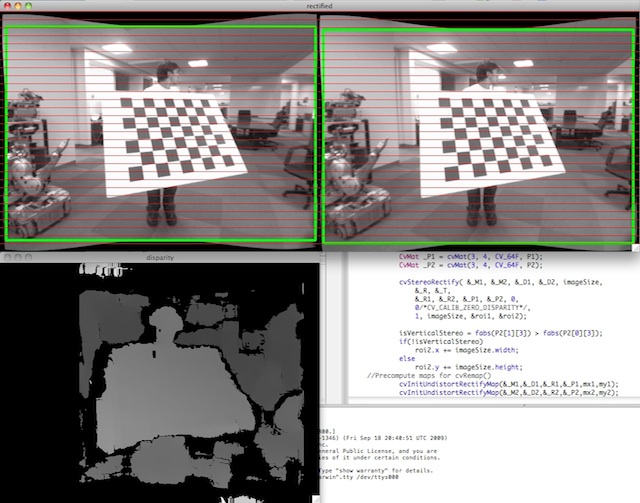
- Parameters:
cameraMatrix1 – First camera intrinsic matrix.
distCoeffs1 – First camera distortion parameters.
cameraMatrix2 – Second camera intrinsic matrix.
distCoeffs2 – Second camera distortion parameters.
imageSize – Size of the image used for stereo calibration.
R – Rotation matrix from the coordinate system of the first camera to the second camera, see stereoCalibrate.
T – Translation vector from the coordinate system of the first camera to the second camera, see stereoCalibrate.
R1 – Output 3x3 rectification transform (rotation matrix) for the first camera. This matrix brings points given in the unrectified first camera’s coordinate system to points in the rectified first camera’s coordinate system. In more technical terms, it performs a change of basis from the unrectified first camera’s coordinate system to the rectified first camera’s coordinate system.
R2 – Output 3x3 rectification transform (rotation matrix) for the second camera. This matrix brings points given in the unrectified second camera’s coordinate system to points in the rectified second camera’s coordinate system. In more technical terms, it performs a change of basis from the unrectified second camera’s coordinate system to the rectified second camera’s coordinate system.
P1 – Output 3x4 projection matrix in the new (rectified) coordinate systems for the first camera, i.e. it projects points given in the rectified first camera coordinate system into the rectified first camera’s image.
P2 – Output 3x4 projection matrix in the new (rectified) coordinate systems for the second camera, i.e. it projects points given in the rectified first camera coordinate system into the rectified second camera’s image.
Q – Output \(4 \times 4\) disparity-to-depth mapping matrix (see reprojectImageTo3D).
flags – Operation flags that may be zero or STEREO_ZERO_DISPARITY . If the flag is set, the function makes the principal points of each camera have the same pixel coordinates in the rectified views. And if the flag is not set, the function may still shift the images in the horizontal or vertical direction (depending on the orientation of epipolar lines) to maximize the useful image area.
alpha – Free scaling parameter. If it is -1 or absent, the function performs the default scaling. Otherwise, the parameter should be between 0 and 1. alpha=0 means that the rectified images are zoomed and shifted so that only valid pixels are visible (no black areas after rectification). alpha=1 means that the rectified image is decimated and shifted so that all the pixels from the original images from the cameras are retained in the rectified images (no source image pixels are lost). Any intermediate value yields an intermediate result between those two extreme cases.
newImageSize – New image resolution after rectification. The same size should be passed to initUndistortRectifyMap (see the stereo_calib.cpp sample in OpenCV samples directory). When (0,0) is passed (default), it is set to the original imageSize . Setting it to a larger value can help you preserve details in the original image, especially when there is a big radial distortion.
validPixROI1 – Optional output rectangles inside the rectified images where all the pixels are valid. If alpha=0 , the ROIs cover the whole images. Otherwise, they are likely to be smaller (see the picture below).
validPixROI2 – Optional output rectangles inside the rectified images where all the pixels are valid. If alpha=0 , the ROIs cover the whole images. Otherwise, they are likely to be smaller (see the picture below).
stereoRectifyUncalibrated()#
-
bool cv::stereoRectifyUncalibrated(InputArray points1, InputArray points2, InputArray F, Size imgSize, OutputArray H1, OutputArray H2, double threshold = 5)#
Computes a rectification transform for an uncalibrated stereo camera.
The function computes the rectification transformations without knowing intrinsic parameters of the cameras and their relative position in the space, which explains the suffix “uncalibrated”. Another related difference from stereoRectify is that the function outputs not the rectification transformations in the object (3D) space, but the planar perspective transformations encoded by the homography matrices H1 and H2 . The function implements the algorithm Hartley99 .
Note
While the algorithm does not need to know the intrinsic parameters of the cameras, it heavily depends on the epipolar geometry. Therefore, if the camera lenses have a significant distortion, it would be better to correct it before computing the fundamental matrix and calling this function. For example, distortion coefficients can be estimated for each head of stereo camera separately by using calibrateCamera . Then, the images can be corrected using undistort , or just the point coordinates can be corrected with undistortPoints .
- Parameters:
points1 – Array of feature points in the first image.
points2 – The corresponding points in the second image. The same formats as in findFundamentalMat are supported.
F – Input fundamental matrix. It can be computed from the same set of point pairs using findFundamentalMat .
imgSize – Size of the image.
H1 – Output rectification homography matrix for the first image.
H2 – Output rectification homography matrix for the second image.
threshold – Optional threshold used to filter out the outliers. If the parameter is greater than zero, all the point pairs that do not comply with the epipolar geometry (that is, the points for which \(|\texttt{points2[i]}^T \cdot \texttt{F} \cdot \texttt{points1[i]}|>\texttt{threshold}\) ) are rejected prior to computing the homographies. Otherwise, all the points are considered inliers.
stopLoop()#
-
void cv::stopLoop()#
stylization()#
-
void cv::stylization(InputArray src, OutputArray dst, float sigma_s = 60, float sigma_r = 0.45f)#
Stylization aims to produce digital imagery with a wide variety of effects not focused on photorealism. Edge-aware filters are ideal for stylization, as they can abstract regions of low contrast while preserving, or enhancing, high-contrast features.
- Parameters:
src – Input 8-bit 3-channel image.
dst – Output image with the same size and type as src.
sigma_s – Range between 0 to 200.
sigma_r – Range between 0 to 1.
subtract()#
-
void cv::subtract(InputArray src1, InputArray src2, OutputArray dst, InputArray mask = noArray(), int dtype = -1)#
Calculates the per-element difference between two arrays or array and a scalar.
The function subtract calculates:
Difference between two arrays, when both input arrays have the same size and the same number of channels:
\[\texttt{dst}(I) = \texttt{saturate} ( \texttt{src1}(I) - \texttt{src2}(I)) \quad \texttt{if mask}(I) \ne0\]Difference between an array and a scalar, when src2 is constructed from Scalar or has the same number of elements as
src1.channels():\[\texttt{dst}(I) = \texttt{saturate} ( \texttt{src1}(I) - \texttt{src2} ) \quad \texttt{if mask}(I) \ne0\]Difference between a scalar and an array, when src1 is constructed from Scalar or has the same number of elements as
src2.channels():\[\texttt{dst}(I) = \texttt{saturate} ( \texttt{src1} - \texttt{src2}(I) ) \quad \texttt{if mask}(I) \ne0\]The reverse difference between a scalar and an array in the case of
SubRS:\[\texttt{dst}(I) = \texttt{saturate} ( \texttt{src2} - \texttt{src1}(I) ) \quad \texttt{if mask}(I) \ne0\]where I is a multi-dimensional index of array elements. In case of multi-channel arrays, each channel is processed independently.
The first function in the list above can be replaced with matrix expressions:
The input arrays and the output array can all have the same or different depths. For example, you can subtract to 8-bit unsigned arrays and store the difference in a 16-bit signed array. Depth of the output array is determined by dtype parameter. In the second and third cases above, as well as in the first case, when src1.depth() == src2.depth(), dtype can be set to the default -1. In this case the output array will have the same depth as the input array, be it src1, src2 or both.dst = src1 - src2; dst -= src1; // equivalent to subtract(dst, src1, dst);
See also
add, addWeighted, scaleAdd, Mat::convertTo
Note
Saturation is not applied when the output array has the depth CV_32S. You may even get result of an incorrect sign in the case of overflow.
Note
(Python) Be careful to difference behaviour between src1/src2 are single number and they are tuple/array.
subtract(src,X)meanssubtract(src,(X,X,X,X)).subtract(src,(X,))meanssubtract(src,(X,0,0,0)).- Parameters:
src1 – first input array or a scalar.
src2 – second input array or a scalar.
dst – output array of the same size and the same number of channels as the input array.
mask – optional operation mask; this is CV_8U, CV8S or CV_Bool single channel array that specifies elements of the output array to be changed.
dtype – optional depth of the output array
sum()#
-
Scalar cv::sum(InputArray src)#
Calculates the sum of array elements.
The function cv::sum calculates and returns the sum of array elements, independently for each channel.
See also
- Parameters:
src – input array that must have from 1 to 4 channels.
SVBackSubst()#
-
void cv::SVBackSubst(InputArray w, InputArray u, InputArray vt, InputArray rhs, OutputArray dst)#
wrap SVD::backSubst
SVDecomp()#
-
void cv::SVDecomp(InputArray src, OutputArray w, OutputArray u, OutputArray vt, int flags = 0)#
wrap SVD::compute
swap()#
swap()#
tan()#
tanh()#
tempfile()#
-
String cv::tempfile(const char *suffix = 0)#
Generates a unique temporary file name.
This function generates a full, unique file path for a temporary file, which can be used to create temporary files for various purposes.
Note
The function does not create the file, it only generates the name.
The file name is unique for the system session.
Works cross-platform (Windows, Linux, macOS).
- Parameters:
suffix – (optional) The desired file extension or suffix for the temporary file (e.g., “.png”, “.txt”). If no suffix is provided (suffix = 0), the file will not have a specific extension.
- Returns:
cv::String A full unique path for the temporary file.
terminate()#
Warning
doxygenfunction: Unable to resolve function “cv::terminate” with arguments (Error::Code, const String&, const char*, const char*, int) in doxygen xml output for project “opencv” from directory: /media/abhishek/hugedrive21/opencv_abhishek/build/doc/doxygen/xml_for_sphinx. Potential matches:
textureFlattening()#
-
void cv::textureFlattening(InputArray src, InputArray mask, OutputArray dst, float low_threshold = 30, float high_threshold = 45, int kernel_size = 3)#
By retaining only the gradients at edge locations, before integrating with the Poisson solver, one washes out the texture of the selected region, giving its contents a flat aspect. Here Canny Edge Detector is used.
Note
The algorithm assumes that the color of the source image is close to that of the destination. This assumption means that when the colors don’t match, the source image color gets tinted toward the color of the destination image.
- Parameters:
src – Input 8-bit 3-channel image.
mask – Input 8-bit 1 or 3-channel image.
dst – Output image with the same size and type as src.
low_threshold – Range from 0 to 100.
high_threshold – Value > 100.
kernel_size – The size of the Sobel kernel to be used.
theRNG()#
-
RNG &cv::theRNG()#
Returns the default random number generator.
The function cv::theRNG returns the default random number generator. For each thread, there is a separate random number generator, so you can use the function safely in multi-thread environments. If you just need to get a single random number using this generator or initialize an array, you can use randu or randn instead. But if you are going to generate many random numbers inside a loop, it is much faster to use this function to retrieve the generator and then use RNG::operator _Tp() .
threshold()#
-
double cv::threshold(InputArray src, OutputArray dst, double thresh, double maxval, int type)#
Applies a fixed-level threshold to each array element.
The function applies fixed-level thresholding to a multiple-channel array. The function is typically used to get a bi-level (binary) image out of a grayscale image ( compare could be also used for this purpose) or for removing a noise, that is, filtering out pixels with too small or too large values. There are several types of thresholding supported by the function. They are determined by type parameter.
Also, the special values THRESH_OTSU or THRESH_TRIANGLE may be combined with one of the above values. In these cases, the function determines the optimal threshold value using the Otsu’s or Triangle algorithm and uses it instead of the specified thresh.
See also
thresholdWithMask, adaptiveThreshold, findContours, compare, min, max
Note
Currently, the Otsu’s method is implemented only for CV_8UC1 and CV_16UC1 images, and the Triangle’s method is implemented only for CV_8UC1 images.
- Parameters:
src – input array (multiple-channel, CV_8U, CV_16S, CV_16U, CV_32F or CV_64F).
dst – output array of the same size and type and the same number of channels as src.
thresh – threshold value.
maxval – maximum value to use with the THRESH_BINARY and THRESH_BINARY_INV thresholding types.
type – thresholding type (see ThresholdTypes).
- Returns:
the computed threshold value if Otsu’s or Triangle methods used.
thresholdWithMask()#
-
double cv::thresholdWithMask(InputArray src, InputOutputArray dst, InputArray mask, double thresh, double maxval, int type)#
Same as threshold, but with an optional mask.
See also
threshold, adaptiveThreshold, findContours, compare, min, max
Note
If the mask is empty, thresholdWithMask is equivalent to threshold. If the mask is not empty, dst must be of the same size and type as src, so that outliers pixels are left as-is
- Parameters:
src – input array (multiple-channel, 8-bit or 32-bit floating point).
dst – output array of the same size and type and the same number of channels as src.
mask – optional mask (same size as src, 8-bit).
thresh – threshold value.
maxval – maximum value to use with the THRESH_BINARY and THRESH_BINARY_INV thresholding types.
type – thresholding type (see ThresholdTypes).
- Returns:
the computed threshold value if Otsu’s or Triangle methods used.
toLowerCase()#
-
static inline std::string cv::toLowerCase(const std::string &str)#
toUpperCase()#
-
static inline std::string cv::toUpperCase(const std::string &str)#
trace()#
trace()#
-
Scalar cv::trace(InputArray mtx)#
Returns the trace of a matrix.
The function cv::trace returns the sum of the diagonal elements of the matrix mtx .
\[\mathrm{tr} ( \texttt{mtx} ) = \sum _i \texttt{mtx} (i,i)\]- Parameters:
mtx – input matrix.
transform()#
-
void cv::transform(InputArray src, OutputArray dst, InputArray m)#
Performs the matrix transformation of every array element.
The function cv::transform performs the matrix transformation of every element of the array src and stores the results in dst :
\[\texttt{dst} (I) = \texttt{m} \cdot \texttt{src} (I)\](when m.cols=src.channels() ), or\[\texttt{dst} (I) = \texttt{m} \cdot [ \texttt{src} (I); 1]\](when m.cols=src.channels()+1 )Every element of the N -channel array src is interpreted as N -element vector that is transformed using the M x N or M x (N+1) matrix m to M-element vector - the corresponding element of the output array dst .
The function may be used for geometrical transformation of N -dimensional points, arbitrary linear color space transformation (such as various kinds of RGB to YUV transforms), shuffling the image channels, and so forth.
- Parameters:
src – input array that must have as many channels (1 to 4) as m.cols or m.cols-1.
dst – output array of the same size and depth as src; it has as many channels as m.rows.
m – transformation 2x2 or 2x3 floating-point matrix.
transpose()#
-
void cv::transpose(InputArray src, OutputArray dst)#
Transposes a matrix.
The function cv::transpose transposes the matrix src :
\[\texttt{dst} (i,j) = \texttt{src} (j,i)\]Note
No complex conjugation is done in case of a complex matrix. It should be done separately if needed.
- Parameters:
src – input array.
dst – output array of the same type as src.
transposeND()#
-
void cv::transposeND(InputArray src, const std::vector<int> &order, OutputArray dst)#
Transpose for n-dimensional matrices.
Note
Input should be continuous single-channel matrix.
- Parameters:
src – input array.
order – a permutation of [0,1,..,N-1] where N is the number of axes of src. The i’th axis of dst will correspond to the axis numbered order[i] of the input.
dst – output array of the same type as src.
triangulatePoints()#
-
void cv::triangulatePoints(InputArray projMatr1, InputArray projMatr2, InputArray projPoints1, InputArray projPoints2, OutputArray points4D)#
This function reconstructs 3-dimensional points (in homogeneous coordinates) by using their observations with a stereo camera.
See also
Note
Keep in mind that all input data should be of float type in order for this function to work.
Note
If the projection matrices from stereoRectify are used, then the returned points are represented in the first camera’s rectified coordinate system.
- Parameters:
projMatr1 – 3x4 projection matrix of the first camera, i.e. this matrix projects 3D points given in the world’s coordinate system into the first image.
projMatr2 – 3x4 projection matrix of the second camera, i.e. this matrix projects 3D points given in the world’s coordinate system into the second image.
projPoints1 – 2xN array of feature points in the first image. In the case of the c++ version, it can be also a vector of feature points or two-channel matrix of size 1xN or Nx1.
projPoints2 – 2xN array of corresponding points in the second image. In the case of the c++ version, it can be also a vector of feature points or two-channel matrix of size 1xN or Nx1.
points4D – 4xN array of reconstructed points in homogeneous coordinates. These points are returned in the world’s coordinate system.
undistort()#
-
void cv::undistort(InputArray src, OutputArray dst, InputArray cameraMatrix, InputArray distCoeffs, InputArray newCameraMatrix = noArray())#
Transforms an image to compensate for lens distortion.
The function transforms an image to compensate radial and tangential lens distortion.
The function is simply a combination of initUndistortRectifyMap (with unity R ) and remap (with bilinear interpolation). See the former function for details of the transformation being performed.
Those pixels in the destination image, for which there is no correspondent pixels in the source image, are filled with zeros (black color).
A particular subset of the source image that will be visible in the corrected image can be regulated by newCameraMatrix. You can use getOptimalNewCameraMatrix to compute the appropriate newCameraMatrix depending on your requirements.
The camera matrix and the distortion parameters can be determined using calibrateCamera. If the resolution of images is different from the resolution used at the calibration stage, \(f_x, f_y, c_x\) and \(c_y\) need to be scaled accordingly, while the distortion coefficients remain the same.
- Parameters:
src – Input (distorted) image.
dst – Output (corrected) image that has the same size and type as src .
cameraMatrix – Input camera matrix \(A = \vecthreethree{f_x}{0}{c_x}{0}{f_y}{c_y}{0}{0}{1}\) .
distCoeffs – Input vector of distortion coefficients \((k_1, k_2, p_1, p_2[, k_3[, k_4, k_5, k_6[, s_1, s_2, s_3, s_4[, \tau_x, \tau_y]]]])\) of 4, 5, 8, 12 or 14 elements. If the vector is NULL/empty, the zero distortion coefficients are assumed.
newCameraMatrix – Camera matrix of the distorted image. By default, it is the same as cameraMatrix but you may additionally scale and shift the result by using a different matrix.
undistortImagePoints()#
-
void cv::undistortImagePoints(InputArray src, OutputArray dst, InputArray cameraMatrix, InputArray distCoeffs, TermCriteria = TermCriteria(TermCriteria::MAX_ITER, 5, 0.01))#
Compute undistorted image points position.
- Parameters:
src – Observed points position, 2xN/Nx2 1-channel or 1xN/Nx1 2-channel (CV_32FC2 or CV_64FC2) (or vector<Point2f> ).
dst – Output undistorted points position (1xN/Nx1 2-channel or vector<Point2f> ).
cameraMatrix – Camera matrix \(\vecthreethree{f_x}{0}{c_x}{0}{f_y}{c_y}{0}{0}{1}\) .
distCoeffs – Distortion coefficients
undistortPoints()#
-
void cv::undistortPoints(InputArray src, OutputArray dst, InputArray cameraMatrix, InputArray distCoeffs, InputArray R = noArray(), InputArray P = noArray(), TermCriteria criteria = TermCriteria(TermCriteria::MAX_ITER, 5, 0.01))#
Computes the ideal point coordinates from the observed point coordinates.
The function is similar to undistort and initUndistortRectifyMap but it operates on a sparse set of points instead of a raster image. Also the function performs a reverse transformation to projectPoints. In case of a 3D object, it does not reconstruct its 3D coordinates, but for a planar object, it does, up to a translation vector, if the proper R is specified.
For each observed point coordinate \((u, v)\) the function computes:
\[\begin{split} \begin{array}{l} x^{"} \leftarrow (u - c_x)/f_x \\ y^{"} \leftarrow (v - c_y)/f_y \\ (x',y') = undistort(x^{"},y^{"}, \texttt{distCoeffs}) \\ {[X\,Y\,W]} ^T \leftarrow R*[x' \, y' \, 1]^T \\ x \leftarrow X/W \\ y \leftarrow Y/W \\ \text{only performed if P is specified:} \\ u' \leftarrow x {f'}_x + {c'}_x \\ v' \leftarrow y {f'}_y + {c'}_y \end{array} \end{split}\]where undistort is an approximate iterative algorithm that estimates the normalized original point coordinates out of the normalized distorted point coordinates (“normalized” means that the coordinates do not depend on the camera matrix).
The function can be used for both a stereo camera head or a monocular camera (when R is empty).
Note
Coordinate Systems:
Input (): Points are expected in pixel coordinates of the distorted image, i.e., coordinates \((u, v)\) measured in pixels from the top-left corner of the image.
Output (): The coordinate system of output points depends on parameter
P:If
Pis provided (not empty): Output points are in pixel coordinates of the rectified/undistorted image plane, using the camera matrixP.If
Pis empty or identity: Output points are in normalized camera coordinates (also called “normalized image coordinates”), which are dimensionless coordinates \((x, y)\) in the camera’s focal plane, related to pixel coordinates by: \(x = (u - c_x) / f_x\) and \(y = (v - c_y) / f_y\). These normalized coordinates are independent of the camera’s intrinsic parameters and are useful for 3D reconstruction or epipolar geometry.
- Parameters:
src – Observed point coordinates in pixel coordinates of the distorted image, 2xN/Nx2 1-channel or 1xN/Nx1 2-channel (CV_32FC2 or CV_64FC2) (or vector<Point2f> ).
dst – Output ideal point coordinates (1xN/Nx1 2-channel or vector<Point2f> ) after undistortion and reverse perspective transformation. If matrix P is identity or omitted, dst will contain normalized point coordinates.
cameraMatrix – Camera matrix \(\vecthreethree{f_x}{0}{c_x}{0}{f_y}{c_y}{0}{0}{1}\) .
distCoeffs – Input vector of distortion coefficients \((k_1, k_2, p_1, p_2[, k_3[, k_4, k_5, k_6[, s_1, s_2, s_3, s_4[, \tau_x, \tau_y]]]])\) of 4, 5, 8, 12 or 14 elements. If the vector is NULL/empty, the zero distortion coefficients are assumed.
R – Rectification transformation in the object space (3x3 matrix). R1 or R2 computed by stereoRectify can be passed here. If the matrix is empty, the identity transformation is used.
P – New camera matrix (3x3) or new projection matrix (3x4) \(\begin{bmatrix} {f'}_x & 0 & {c'}_x & t_x \\ 0 & {f'}_y & {c'}_y & t_y \\ 0 & 0 & 1 & t_z \end{bmatrix}\). P1 or P2 computed by stereoRectify can be passed here. If the matrix is empty, the identity new camera matrix is used and output will be in normalized coordinates.
criteria – termination criteria for the iterative point undistortion algorithm
updateWindow()#
-
void cv::updateWindow(const String &winname)#
Force window to redraw its context and call draw callback ( See cv::setOpenGlDrawCallback ).
- Parameters:
winname – Name of the window.
useOptimized()#
-
bool cv::useOptimized()#
Returns the status of optimized code usage.
The function returns true if the optimized code is enabled. Otherwise, it returns false.
v256_cleanup()#
-
inline void cv::v256_cleanup()#
v256_load()#
Warning
doxygenfunction: Unable to resolve function “cv::v256_load” with arguments (const _Tp*) in doxygen xml output for project “opencv” from directory: /media/abhishek/hugedrive21/opencv_abhishek/build/doc/doxygen/xml_for_sphinx. Potential matches:
- template<typename _Tp> v_reg<_Tp, simd256_width / sizeof(_Tp)> v256_load(const _Tp *ptr)
v256_load_aligned()#
Warning
doxygenfunction: Unable to resolve function “cv::v256_load_aligned” with arguments (const _Tp*) in doxygen xml output for project “opencv” from directory: /media/abhishek/hugedrive21/opencv_abhishek/build/doc/doxygen/xml_for_sphinx. Potential matches:
- template<typename _Tp> v_reg<_Tp, simd256_width / sizeof(_Tp)> v256_load_aligned(const _Tp *ptr)
v256_load_expand()#
Warning
doxygenfunction: Unable to resolve function “cv::v256_load_expand” with arguments (const _Tp*) in doxygen xml output for project “opencv” from directory: /media/abhishek/hugedrive21/opencv_abhishek/build/doc/doxygen/xml_for_sphinx. Potential matches:
- template<typename _Tp> v_reg<typename V_TypeTraits<_Tp>::w_type, simd256_width / sizeof(typename V_TypeTraits<_Tp>::w_type)> v256_load_expand(const _Tp *ptr)
- v_reg<float, simd256_width / sizeof(float)> v256_load_expand(const hfloat *ptr)
v256_load_expand()#
Warning
doxygenfunction: Unable to resolve function “cv::v256_load_expand” with arguments (const hfloat*) in doxygen xml output for project “opencv” from directory: /media/abhishek/hugedrive21/opencv_abhishek/build/doc/doxygen/xml_for_sphinx. Potential matches:
- template<typename _Tp> v_reg<typename V_TypeTraits<_Tp>::w_type, simd256_width / sizeof(typename V_TypeTraits<_Tp>::w_type)> v256_load_expand(const _Tp *ptr)
- v_reg<float, simd256_width / sizeof(float)> v256_load_expand(const hfloat *ptr)
v256_load_expand_q()#
Warning
doxygenfunction: Unable to resolve function “cv::v256_load_expand_q” with arguments (const _Tp*) in doxygen xml output for project “opencv” from directory: /media/abhishek/hugedrive21/opencv_abhishek/build/doc/doxygen/xml_for_sphinx. Potential matches:
- template<typename _Tp> v_reg<typename V_TypeTraits<_Tp>::q_type, simd256_width / sizeof(typename V_TypeTraits<_Tp>::q_type)> v256_load_expand_q(const _Tp *ptr)
v256_load_halves()#
Warning
doxygenfunction: Unable to resolve function “cv::v256_load_halves” with arguments (const _Tp*, const _Tp*) in doxygen xml output for project “opencv” from directory: /media/abhishek/hugedrive21/opencv_abhishek/build/doc/doxygen/xml_for_sphinx. Potential matches:
- template<typename _Tp> v_reg<_Tp, simd256_width / sizeof(_Tp)> v256_load_halves(const _Tp *loptr, const _Tp *hiptr)
v256_load_low()#
Warning
doxygenfunction: Unable to resolve function “cv::v256_load_low” with arguments (const _Tp*) in doxygen xml output for project “opencv” from directory: /media/abhishek/hugedrive21/opencv_abhishek/build/doc/doxygen/xml_for_sphinx. Potential matches:
- template<typename _Tp> v_reg<_Tp, simd256_width / sizeof(_Tp)> v256_load_low(const _Tp *ptr)
v512_cleanup()#
-
inline void cv::v512_cleanup()#
v512_load()#
Warning
doxygenfunction: Unable to resolve function “cv::v512_load” with arguments (const _Tp*) in doxygen xml output for project “opencv” from directory: /media/abhishek/hugedrive21/opencv_abhishek/build/doc/doxygen/xml_for_sphinx. Potential matches:
- template<typename _Tp> v_reg<_Tp, simd512_width / sizeof(_Tp)> v512_load(const _Tp *ptr)
v512_load_aligned()#
Warning
doxygenfunction: Unable to resolve function “cv::v512_load_aligned” with arguments (const _Tp*) in doxygen xml output for project “opencv” from directory: /media/abhishek/hugedrive21/opencv_abhishek/build/doc/doxygen/xml_for_sphinx. Potential matches:
- template<typename _Tp> v_reg<_Tp, simd512_width / sizeof(_Tp)> v512_load_aligned(const _Tp *ptr)
v512_load_expand()#
Warning
doxygenfunction: Unable to resolve function “cv::v512_load_expand” with arguments (const _Tp*) in doxygen xml output for project “opencv” from directory: /media/abhishek/hugedrive21/opencv_abhishek/build/doc/doxygen/xml_for_sphinx. Potential matches:
- template<typename _Tp> v_reg<typename V_TypeTraits<_Tp>::w_type, simd512_width / sizeof(typename V_TypeTraits<_Tp>::w_type)> v512_load_expand(const _Tp *ptr)
- v_reg<float, simd512_width / sizeof(float)> v512_load_expand(const hfloat *ptr)
v512_load_expand()#
Warning
doxygenfunction: Unable to resolve function “cv::v512_load_expand” with arguments (const hfloat*) in doxygen xml output for project “opencv” from directory: /media/abhishek/hugedrive21/opencv_abhishek/build/doc/doxygen/xml_for_sphinx. Potential matches:
- template<typename _Tp> v_reg<typename V_TypeTraits<_Tp>::w_type, simd512_width / sizeof(typename V_TypeTraits<_Tp>::w_type)> v512_load_expand(const _Tp *ptr)
- v_reg<float, simd512_width / sizeof(float)> v512_load_expand(const hfloat *ptr)
v512_load_expand_q()#
Warning
doxygenfunction: Unable to resolve function “cv::v512_load_expand_q” with arguments (const _Tp*) in doxygen xml output for project “opencv” from directory: /media/abhishek/hugedrive21/opencv_abhishek/build/doc/doxygen/xml_for_sphinx. Potential matches:
- template<typename _Tp> v_reg<typename V_TypeTraits<_Tp>::q_type, simd512_width / sizeof(typename V_TypeTraits<_Tp>::q_type)> v512_load_expand_q(const _Tp *ptr)
v512_load_halves()#
Warning
doxygenfunction: Unable to resolve function “cv::v512_load_halves” with arguments (const _Tp*, const _Tp*) in doxygen xml output for project “opencv” from directory: /media/abhishek/hugedrive21/opencv_abhishek/build/doc/doxygen/xml_for_sphinx. Potential matches:
- template<typename _Tp> v_reg<_Tp, simd512_width / sizeof(_Tp)> v512_load_halves(const _Tp *loptr, const _Tp *hiptr)
v512_load_low()#
Warning
doxygenfunction: Unable to resolve function “cv::v512_load_low” with arguments (const _Tp*) in doxygen xml output for project “opencv” from directory: /media/abhishek/hugedrive21/opencv_abhishek/build/doc/doxygen/xml_for_sphinx. Potential matches:
- template<typename _Tp> v_reg<_Tp, simd512_width / sizeof(_Tp)> v512_load_low(const _Tp *ptr)
v_absdiff()#
-
template<typename _Tp, int n>
inline v_reg<typename V_TypeTraits<_Tp>::abs_type, n> cv::v_absdiff(const v_reg<_Tp, n> &a, const v_reg<_Tp, n> &b)# Add values without saturation.
For 8- and 16-bit integer values.
Subtract values without saturation
For 8- and 16-bit integer values.
Multiply values without saturation
For 8- and 16-bit integer values.
Absolute difference
Returns \( |a - b| \) converted to corresponding unsigned type. Example:
For 8-, 16-, 32-bit integer source types.v_int32x4 a, b; // {1, 2, 3, 4} and {4, 3, 2, 1} v_uint32x4 c = v_absdiff(a, b); // result is {3, 1, 1, 3}
v_absdiff()#
v_absdiff()#
v_absdiffs()#
v_add()#
v_and()#
v_broadcast_element()#
v_ceil()#
v_ceil()#
v_check_all()#
v_check_any()#
v_cleanup()#
-
inline void cv::v_cleanup()#
v_combine_high()#
v_combine_low()#
v_cvt_f32()#
v_cvt_f32()#
v_cvt_f32()#
v_cvt_f64()#
Warning
doxygenfunction: Unable to resolve function “cv::v_cvt_f64” with arguments “(const v_reg<float, n>&)”. Candidate function could not be parsed. Parsing error is Invalid C++ declaration: Expecting “,” or “)” in parameters-and-qualifiers, got “/”. [error at 3] (n / 2)> v_cvt_f64(const v_reg<float, n> &a) —^
v_cvt_f64()#
Warning
doxygenfunction: Unable to resolve function “cv::v_cvt_f64” with arguments “(const v_reg<int, n>&)”. Candidate function could not be parsed. Parsing error is Invalid C++ declaration: Expecting “,” or “)” in parameters-and-qualifiers, got “/”. [error at 3] (n / 2)> v_cvt_f64(const v_reg<float, n> &a) —^
v_cvt_f64()#
Warning
doxygenfunction: Unable to resolve function “cv::v_cvt_f64” with arguments “(const v_reg<int64, n>&)”. Candidate function could not be parsed. Parsing error is Invalid C++ declaration: Expecting “,” or “)” in parameters-and-qualifiers, got “/”. [error at 3] (n / 2)> v_cvt_f64(const v_reg<float, n> &a) —^
v_cvt_f64_high()#
Warning
doxygenfunction: Unable to resolve function “cv::v_cvt_f64_high” with arguments “(const v_reg<float, n>&)”. Candidate function could not be parsed. Parsing error is Invalid C++ declaration: Expecting “,” or “)” in parameters-and-qualifiers, got “/”. [error at 3] (n / 2)> v_cvt_f64_high(const v_reg<float, n> &a) —^
v_cvt_f64_high()#
Warning
doxygenfunction: Unable to resolve function “cv::v_cvt_f64_high” with arguments “(const v_reg<int, n>&)”. Candidate function could not be parsed. Parsing error is Invalid C++ declaration: Expecting “,” or “)” in parameters-and-qualifiers, got “/”. [error at 3] (n / 2)> v_cvt_f64_high(const v_reg<float, n> &a) —^
v_div()#
v_dotprod()#
-
template<typename _Tp, int n>
inline v_reg<typename V_TypeTraits<_Tp>::w_type, n / 2> cv::v_dotprod(const v_reg<_Tp, n> &a, const v_reg<_Tp, n> &b)# Dot product of elements.
Multiply values in two registers and sum adjacent result pairs.
Scheme:
{A1 A2 ...} // 16-bit x {B1 B2 ...} // 16-bit ------------- {A1B1+A2B2 ...} // 32-bit
v_dotprod()#
-
template<typename _Tp, int n>
inline v_reg<typename V_TypeTraits<_Tp>::w_type, n / 2> cv::v_dotprod(const v_reg<_Tp, n> &a, const v_reg<_Tp, n> &b, const v_reg<typename V_TypeTraits<_Tp>::w_type, n / 2> &c)# Dot product of elements.
Same as cv::v_dotprod, but add a third element to the sum of adjacent pairs. Scheme:
{A1 A2 ...} // 16-bit x {B1 B2 ...} // 16-bit ------------- {A1B1+A2B2+C1 ...} // 32-bit
v_dotprod_expand()#
-
template<typename _Tp, int n>
inline v_reg<typename V_TypeTraits<_Tp>::q_type, n / 4> cv::v_dotprod_expand(const v_reg<_Tp, n> &a, const v_reg<_Tp, n> &b)# Dot product of elements and expand.
Multiply values in two registers and expand the sum of adjacent result pairs.
Scheme:
{A1 A2 A3 A4 ...} // 8-bit x {B1 B2 B3 B4 ...} // 8-bit ------------- {A1B1+A2B2+A3B3+A4B4 ...} // 32-bit
v_dotprod_expand()#
-
template<typename _Tp, int n>
inline v_reg<typename V_TypeTraits<_Tp>::q_type, n / 4> cv::v_dotprod_expand(const v_reg<_Tp, n> &a, const v_reg<_Tp, n> &b, const v_reg<typename V_TypeTraits<_Tp>::q_type, n / 4> &c)# Dot product of elements.
Same as cv::v_dotprod_expand, but add a third element to the sum of adjacent pairs. Scheme:
{A1 A2 A3 A4 ...} // 8-bit x {B1 B2 B3 B4 ...} // 8-bit ------------- {A1B1+A2B2+A3B3+A4B4+C1 ...} // 32-bit
v_dotprod_expand()#
v_dotprod_expand()#
v_dotprod_expand_fast()#
-
template<typename _Tp, int n>
inline v_reg<typename V_TypeTraits<_Tp>::q_type, n / 4> cv::v_dotprod_expand_fast(const v_reg<_Tp, n> &a, const v_reg<_Tp, n> &b)# Fast Dot product of elements and expand.
Multiply values in two registers and expand the sum of adjacent result pairs.
Same as cv::v_dotprod_expand, but it may perform unorder sum between result pairs in some platforms, this intrinsic can be used if the sum among all lanes is only matters and also it should be yielding better performance on the affected platforms.
v_dotprod_expand_fast()#
-
template<typename _Tp, int n>
inline v_reg<typename V_TypeTraits<_Tp>::q_type, n / 4> cv::v_dotprod_expand_fast(const v_reg<_Tp, n> &a, const v_reg<_Tp, n> &b, const v_reg<typename V_TypeTraits<_Tp>::q_type, n / 4> &c)# Fast Dot product of elements.
Same as cv::v_dotprod_expand_fast, but add a third element to the sum of adjacent pairs.
v_dotprod_expand_fast()#
v_dotprod_expand_fast()#
v_dotprod_fast()#
-
template<typename _Tp, int n>
inline v_reg<typename V_TypeTraits<_Tp>::w_type, n / 2> cv::v_dotprod_fast(const v_reg<_Tp, n> &a, const v_reg<_Tp, n> &b)# Fast Dot product of elements.
Same as cv::v_dotprod, but it may perform unorder sum between result pairs in some platforms, this intrinsic can be used if the sum among all lanes is only matters and also it should be yielding better performance on the affected platforms.
v_dotprod_fast()#
-
template<typename _Tp, int n>
inline v_reg<typename V_TypeTraits<_Tp>::w_type, n / 2> cv::v_dotprod_fast(const v_reg<_Tp, n> &a, const v_reg<_Tp, n> &b, const v_reg<typename V_TypeTraits<_Tp>::w_type, n / 2> &c)# Fast Dot product of elements.
Same as cv::v_dotprod_fast, but add a third element to the sum of adjacent pairs.
v_expand()#
-
template<typename _Tp, int n>
inline void cv::v_expand(const v_reg<_Tp, n> &a, v_reg<typename V_TypeTraits<_Tp>::w_type, n / 2> &b0, v_reg<typename V_TypeTraits<_Tp>::w_type, n / 2> &b1)# Expand values to the wider pack type.
Copy contents of register to two registers with 2x wider pack type. Scheme:
v_expand_high()#
v_expand_low()#
v_extract()#
-
template<int s, typename _Tp, int n>
inline v_reg<_Tp, n> cv::v_extract(const v_reg<_Tp, n> &a, const v_reg<_Tp, n> &b)# Vector extract.
Scheme:
Restriction: 0 <= shift < nlanes{A1 A2 A3 A4} {B1 B2 B3 B4} ======================== shift = 1 {A2 A3 A4 B1} shift = 2 {A3 A4 B1 B2} shift = 3 {A4 B1 B2 B3}
Usage:
For all types.v_int32x4 a, b, c; c = v_extract<2>(a, b);
v_extract_n()#
v_floor()#
v_floor()#
v_fma()#
v_interleave_pairs()#
v_interleave_quads()#
v_invsqrt()#
v_load()#
Warning
doxygenfunction: Unable to resolve function “cv::v_load” with arguments (const _Tp*) in doxygen xml output for project “opencv” from directory: /media/abhishek/hugedrive21/opencv_abhishek/build/doc/doxygen/xml_for_sphinx. Potential matches:
- template<typename _Tp> v_reg<_Tp, simd128_width / sizeof(_Tp)> v_load(const _Tp *ptr)
v_load_aligned()#
Warning
doxygenfunction: Unable to resolve function “cv::v_load_aligned” with arguments (const _Tp*) in doxygen xml output for project “opencv” from directory: /media/abhishek/hugedrive21/opencv_abhishek/build/doc/doxygen/xml_for_sphinx. Potential matches:
- template<typename _Tp> v_reg<_Tp, simd128_width / sizeof(_Tp)> v_load_aligned(const _Tp *ptr)
v_load_deinterleave()#
v_load_deinterleave()#
-
template<typename _Tp, int n>
inline void cv::v_load_deinterleave(const _Tp *ptr, v_reg<_Tp, n> &a, v_reg<_Tp, n> &b, v_reg<_Tp, n> &c)# Load and deinterleave (3 channels)
Load data from memory deinterleave and store to 3 registers. Scheme:
For all types except 64-bit.{A1 B1 C1 A2 B2 C2 ...} ==> {A1 A2 ...}, {B1 B2 ...}, {C1 C2 ...}
v_load_deinterleave()#
-
template<typename _Tp, int n>
inline void cv::v_load_deinterleave(const _Tp *ptr, v_reg<_Tp, n> &a, v_reg<_Tp, n> &b, v_reg<_Tp, n> &c, v_reg<_Tp, n> &d)# Load and deinterleave (4 channels)
Load data from memory deinterleave and store to 4 registers. Scheme:
For all types except 64-bit.{A1 B1 C1 D1 A2 B2 C2 D2 ...} ==> {A1 A2 ...}, {B1 B2 ...}, {C1 C2 ...}, {D1 D2 ...}
v_load_expand()#
Warning
doxygenfunction: Unable to resolve function “cv::v_load_expand” with arguments (const _Tp*) in doxygen xml output for project “opencv” from directory: /media/abhishek/hugedrive21/opencv_abhishek/build/doc/doxygen/xml_for_sphinx. Potential matches:
- template<typename _Tp> v_reg<typename V_TypeTraits<_Tp>::w_type, simd128_width / sizeof(typename V_TypeTraits<_Tp>::w_type)> v_load_expand(const _Tp *ptr)
- v_reg<float, simd128_width / sizeof(float)> v_load_expand(const hfloat *ptr)
v_load_expand()#
Warning
doxygenfunction: Unable to resolve function “cv::v_load_expand” with arguments (const hfloat*) in doxygen xml output for project “opencv” from directory: /media/abhishek/hugedrive21/opencv_abhishek/build/doc/doxygen/xml_for_sphinx. Potential matches:
- template<typename _Tp> v_reg<typename V_TypeTraits<_Tp>::w_type, simd128_width / sizeof(typename V_TypeTraits<_Tp>::w_type)> v_load_expand(const _Tp *ptr)
- v_reg<float, simd128_width / sizeof(float)> v_load_expand(const hfloat *ptr)
v_load_expand_q()#
Warning
doxygenfunction: Unable to resolve function “cv::v_load_expand_q” with arguments (const _Tp*) in doxygen xml output for project “opencv” from directory: /media/abhishek/hugedrive21/opencv_abhishek/build/doc/doxygen/xml_for_sphinx. Potential matches:
- template<typename _Tp> v_reg<typename V_TypeTraits<_Tp>::q_type, simd128_width / sizeof(typename V_TypeTraits<_Tp>::q_type)> v_load_expand_q(const _Tp *ptr)
v_load_halves()#
Warning
doxygenfunction: Unable to resolve function “cv::v_load_halves” with arguments (const _Tp*, const _Tp*) in doxygen xml output for project “opencv” from directory: /media/abhishek/hugedrive21/opencv_abhishek/build/doc/doxygen/xml_for_sphinx. Potential matches:
- template<typename _Tp> v_reg<_Tp, simd128_width / sizeof(_Tp)> v_load_halves(const _Tp *loptr, const _Tp *hiptr)
v_load_low()#
Warning
doxygenfunction: Unable to resolve function “cv::v_load_low” with arguments (const _Tp*) in doxygen xml output for project “opencv” from directory: /media/abhishek/hugedrive21/opencv_abhishek/build/doc/doxygen/xml_for_sphinx. Potential matches:
- template<typename _Tp> v_reg<_Tp, simd128_width / sizeof(_Tp)> v_load_low(const _Tp *ptr)
v_lut()#
Warning
doxygenfunction: Unable to resolve function “cv::v_lut” with arguments (const _Tp*, const int*) in doxygen xml output for project “opencv” from directory: /media/abhishek/hugedrive21/opencv_abhishek/build/doc/doxygen/xml_for_sphinx. Potential matches:
- template<int n> v_reg<double, n / 2> v_lut(const double *tab, const v_reg<int, n> &idx)
- template<int n> v_reg<float, n> v_lut(const float *tab, const v_reg<int, n> &idx)
- template<int n> v_reg<int, n> v_lut(const int *tab, const v_reg<int, n> &idx)
- template<int n> v_reg<unsigned, n> v_lut(const unsigned *tab, const v_reg<int, n> &idx)
- template<typename _Tp> v_reg<_Tp, simd128_width / sizeof(_Tp)> v_lut(const _Tp *tab, const int *idx)
v_lut()#
v_lut()#
v_lut()#
v_lut()#
v_lut_deinterleave()#
v_lut_deinterleave()#
v_lut_pairs()#
Warning
doxygenfunction: Unable to resolve function “cv::v_lut_pairs” with arguments (const _Tp*, const int*) in doxygen xml output for project “opencv” from directory: /media/abhishek/hugedrive21/opencv_abhishek/build/doc/doxygen/xml_for_sphinx. Potential matches:
- template<typename _Tp> v_reg<_Tp, simd128_width / sizeof(_Tp)> v_lut_pairs(const _Tp *tab, const int *idx)
v_lut_quads()#
Warning
doxygenfunction: Unable to resolve function “cv::v_lut_quads” with arguments (const _Tp*, const int*) in doxygen xml output for project “opencv” from directory: /media/abhishek/hugedrive21/opencv_abhishek/build/doc/doxygen/xml_for_sphinx. Potential matches:
- template<typename _Tp> v_reg<_Tp, simd128_width / sizeof(_Tp)> v_lut_quads(const _Tp *tab, const int *idx)
v_magnitude()#
v_matmul()#
-
template<int n>
inline v_reg<float, n> cv::v_matmul(const v_reg<float, n> &v, const v_reg<float, n> &a, const v_reg<float, n> &b, const v_reg<float, n> &c, const v_reg<float, n> &d)# Matrix multiplication.
Scheme:
{A0 A1 A2 A3} |V0| {B0 B1 B2 B3} |V1| {C0 C1 C2 C3} |V2| {D0 D1 D2 D3} x |V3| ==================== {R0 R1 R2 R3}, where: R0 = A0V0 + B0V1 + C0V2 + D0V3, R1 = A1V0 + B1V1 + C1V2 + D1V3 ...
v_matmuladd()#
-
template<int n>
inline v_reg<float, n> cv::v_matmuladd(const v_reg<float, n> &v, const v_reg<float, n> &a, const v_reg<float, n> &b, const v_reg<float, n> &c, const v_reg<float, n> &d)# Matrix multiplication and add.
Scheme:
{A0 A1 A2 A3} |V0| |D0| {B0 B1 B2 B3} |V1| |D1| {C0 C1 C2 C3} x |V2| + |D2| ==================== |D3| {R0 R1 R2 R3}, where: R0 = A0V0 + B0V1 + C0V2 + D0, R1 = A1V0 + B1V1 + C1V2 + D1 ...
v_mul()#
v_mul_expand()#
-
template<typename _Tp, int n>
inline void cv::v_mul_expand(const v_reg<_Tp, n> &a, const v_reg<_Tp, n> &b, v_reg<typename V_TypeTraits<_Tp>::w_type, n / 2> &c, v_reg<typename V_TypeTraits<_Tp>::w_type, n / 2> &d)# Multiply and expand.
Multiply values two registers and store results in two registers with wider pack type. Scheme:
Example:Implemented only for 16- and unsigned 32-bit source types (v_int16x8, v_uint16x8, v_uint32x4).v_uint32x4 a, b; // {1,2,3,4} and {2,2,2,2} v_uint64x2 c, d; // results v_mul_expand(a, b, c, d); // c, d = {2,4}, {6, 8}
v_mul_hi()#
v_muladd()#
v_not()#
v_not_nan()#
v_not_nan()#
-
template<int n>
inline v_reg<float, n> cv::v_not_nan(const v_reg<float, n> &a)# Less-than comparison.
For all types except 64-bit integer values.
Greater-than comparison
For all types except 64-bit integer values.
Less-than or equal comparison
For all types except 64-bit integer values.
Greater-than or equal comparison
For all types except 64-bit integer values.
Equal comparison
Not equal comparison
v_or()#
v_pack_store()#
v_pack_triplets()#
v_popcount()#
-
template<typename _Tp, int n>
inline v_reg<typename V_TypeTraits<_Tp>::abs_type, n> cv::v_popcount(const v_reg<_Tp, n> &a)# Count the 1 bits in the vector lanes and return result as corresponding unsigned type.
Scheme:
For all integer types.{A1 A2 A3 ...} => {popcount(A1), popcount(A2), popcount(A3), ...}
v_recombine()#
v_reduce_sad()#
-
template<typename _Tp, int n>
inline V_TypeTraits<typenameV_TypeTraits<_Tp>::abs_type>::sum_type cv::v_reduce_sad(const v_reg<_Tp, n> &a, const v_reg<_Tp, n> &b)# Sum absolute differences of values.
Scheme:
For all types except 64-bit types.{A1 A2 A3 ...} {B1 B2 B3 ...} => sum{ABS(A1-B1),abs(A2-B2),abs(A3-B3),...}
v_reduce_sum()#
v_reduce_sum4()#
-
template<int n>
inline v_reg<float, n> cv::v_reduce_sum4(const v_reg<float, n> &a, const v_reg<float, n> &b, const v_reg<float, n> &c, const v_reg<float, n> &d)# Sums all elements of each input vector, returns the vector of sums.
Scheme:
result[0] = a[0] + a[1] + a[2] + a[3] result[1] = b[0] + b[1] + b[2] + b[3] result[2] = c[0] + c[1] + c[2] + c[3] result[3] = d[0] + d[1] + d[2] + d[3]
v_reverse()#
v_round()#
v_round()#
v_round()#
v_scan_forward()#
v_select()#
-
template<typename _Tp, int n>
inline v_reg<_Tp, n> cv::v_select(const v_reg<_Tp, n> &mask, const v_reg<_Tp, n> &a, const v_reg<_Tp, n> &b)# Per-element select (blend operation)
Return value will be built by combining values a and b using the following scheme: result[i] = mask[i] ? a[i] : b[i];
Note
: mask element values are restricted to these values:
0: select element from b
0xff/0xffff/etc: select element from a (fully compatible with bitwise-based operator)
v_signmask()#
-
template<typename _Tp, int n>
inline int cv::v_signmask(const v_reg<_Tp, n> &a)# Get negative values mask.
- Deprecated:
v_signmask depends on a lane count heavily and therefore isn’t universal enough
Returned value is a bit mask with bits set to 1 on places corresponding to negative packed values indexes. Example:
v_int32x4 r; // set to {-1, -1, 1, 1} int mask = v_signmask(r); // mask = 3 <== 00000000 00000000 00000000 00000011
v_sincos()#
-
template<typename _Tp, int n>
inline void cv::v_sincos(const v_reg<_Tp, n> &x, v_reg<_Tp, n> &s, v_reg<_Tp, n> &c)# Natural logarithm \( \log(x) \) of elements.
Only for floating point types. Core implementation steps:
Decompose Input: Use binary representation to decompose the input into mantissa part \( m \) and exponent part \( e \). Such that \( \log(x) = \log(m \cdot 2^e) = \log(m) + e \cdot \ln(2) \).
Adjust Mantissa and Exponent Parts: If the mantissa is less than \( \sqrt{0.5} \), adjust the exponent and mantissa to ensure the mantissa is in the range \( (\sqrt{0.5}, \sqrt{2}) \) for better approximation.
Polynomial Approximation for \( \log(m) \): The closer the \( m \) is to 1, the more accurate the result.
For float16 and float32, use a Taylor Series with 9 terms.
For float64, use Pade Polynomials Approximation with 6 terms.
Combine Results: Add the two parts together to get the final result.
Error function.
Compute sine \( sin(x) \) and cosine \( cos(x) \) of elements at the same time
Only for floating point types. Core implementation steps:
Input Normalization: Scale the periodicity from 2π to 4 and reduce the angle to the range \( [0, \frac{\pi}{4}] \) using periodicity and trigonometric identities.
Polynomial Approximation for \( sin(x) \) and \( cos(x) \):
For float16 and float32, use a Taylor series with 4 terms for sine and 5 terms for cosine.
For float64, use a Taylor series with 7 terms for sine and 8 terms for cosine.
Select Results: select and convert the final sine and cosine values for the original input angle.
Note
The precision of the calculation depends on the implementation and the data type of the input.
Note
Similar to the behavior of std::log(), \( \ln(0) = -\infty \).
Note
Support FP32 precision for now.
Note
The precision of the calculation depends on the implementation and the data type of the input vector.
v_sqr_magnitude()#
v_store()#
v_store()#
v_store_aligned()#
v_store_aligned()#
v_store_aligned_nocache()#
v_store_high()#
v_store_interleave()#
-
template<typename _Tp, int n>
inline void cv::v_store_interleave(_Tp *ptr, const v_reg<_Tp, n> &a, const v_reg<_Tp, n> &b, const v_reg<_Tp, n> &c, const v_reg<_Tp, n> &d, hal::StoreMode = hal::STORE_UNALIGNED)# Interleave and store (4 channels)
Interleave and store data from 4 registers to memory. Scheme:
For all types except 64-bit.{A1 A2 ...}, {B1 B2 ...}, {C1 C2 ...}, {D1 D2 ...} ==> {A1 B1 C1 D1 A2 B2 C2 D2 ...}
v_store_interleave()#
-
template<typename _Tp, int n>
inline void cv::v_store_interleave(_Tp *ptr, const v_reg<_Tp, n> &a, const v_reg<_Tp, n> &b, const v_reg<_Tp, n> &c, hal::StoreMode = hal::STORE_UNALIGNED)# Interleave and store (3 channels)
Interleave and store data from 3 registers to memory. Scheme:
For all types except 64-bit.{A1 A2 ...}, {B1 B2 ...}, {C1 C2 ...} ==> {A1 B1 C1 A2 B2 C2 ...}
v_store_interleave()#
-
template<typename _Tp, int n>
inline void cv::v_store_interleave(_Tp *ptr, const v_reg<_Tp, n> &a, const v_reg<_Tp, n> &b, hal::StoreMode = hal::STORE_UNALIGNED)# Interleave and store (2 channels)
Interleave and store data from 2 registers to memory. Scheme:
For all types except 64-bit.{A1 A2 ...}, {B1 B2 ...} ==> {A1 B1 A2 B2 ...}
v_store_low()#
v_sub()#
v_transpose4x4()#
-
template<typename _Tp, int n>
inline void cv::v_transpose4x4(v_reg<_Tp, n> &a0, const v_reg<_Tp, n> &a1, const v_reg<_Tp, n> &a2, const v_reg<_Tp, n> &a3, v_reg<_Tp, n> &b0, v_reg<_Tp, n> &b1, v_reg<_Tp, n> &b2, v_reg<_Tp, n> &b3)# Transpose 4x4 matrix.
Scheme:
a0 {A1 A2 A3 A4} a1 {B1 B2 B3 B4} a2 {C1 C2 C3 C4} a3 {D1 D2 D3 D4} =============== b0 {A1 B1 C1 D1} b1 {A2 B2 C2 D2} b2 {A3 B3 C3 D3} b3 {A4 B4 C4 D4}
v_trunc()#
v_trunc()#
v_xor()#
v_zip()#
validateDisparity()#
-
void cv::validateDisparity(InputOutputArray disparity, InputArray cost, int minDisparity, int numberOfDisparities, int disp12MaxDisp = 1)#
validates disparity using the left-right check. The matrix “cost” should be computed by the stereo correspondence algorithm
vconcat()#
-
void cv::vconcat(const Mat *src, size_t nsrc, OutputArray dst)#
Applies vertical concatenation to given matrices.
The function vertically concatenates two or more cv::Mat matrices (with the same number of cols).
See also
- Parameters:
src – input array or vector of matrices. all of the matrices must have the same number of cols and the same depth.
nsrc – number of matrices in src.
dst – output array. It has the same number of cols and depth as the src, and the sum of rows of the src.
vconcat()#
-
void cv::vconcat(InputArray src1, InputArray src2, OutputArray dst)#
This is an overloaded member function, provided for convenience. It differs from the above function only in what argument(s) it accepts.
- Parameters:
src1 – first input array to be considered for vertical concatenation.
src2 – second input array to be considered for vertical concatenation.
dst – output array. It has the same number of cols and depth as the src1 and src2, and the sum of rows of the src1 and src2.
vconcat()#
-
void cv::vconcat(InputArrayOfArrays src, OutputArray dst)#
This is an overloaded member function, provided for convenience. It differs from the above function only in what argument(s) it accepts.
- Parameters:
src – input array or vector of matrices. all of the matrices must have the same number of cols and the same depth
dst – output array. It has the same number of cols and depth as the src, and the sum of rows of the src. same depth.
voxelGridSampling()#
-
int cv::voxelGridSampling(OutputArray sampled_point_flags, InputArray input_pts, float length, float width, float height)#
Point cloud sampling by Voxel Grid filter downsampling.
Creates a 3D voxel grid (a set of tiny 3D boxes in space) over the input point cloud data, in each voxel (i.e., 3D box), all the points present will be approximated (i.e., downsampled) with the point closest to their centroid.
- Parameters:
sampled_point_flags – [out] Flags of the sampled point, (pass in std::vector<int> or std::vector<char> etc.) sampled_point_flags[i] is 1 means i-th point selected, 0 means it is not selected.
input_pts – Original point cloud, vector of Point3 or Mat of size Nx3/3xN.
length – Grid length.
width – Grid width.
height – Grid height.
- Returns:
The number of points actually sampled.
waitKey()#
-
int cv::waitKey(int delay = 0)#
Waits for a pressed key.
The function waitKey waits for a key event infinitely (when \(\texttt{delay}\leq 0\) ) or for delay milliseconds, when it is positive. Since the OS has a minimum time between switching threads, the function will not wait exactly delay ms, it will wait at least delay ms, depending on what else is running on your computer at that time. It returns the code of the pressed key or -1 if no key was pressed before the specified time had elapsed. To check for a key press but not wait for it, use pollKey.
Note
The functions waitKey and pollKey are the only methods in HighGUI that can fetch and handle GUI events, so one of them needs to be called periodically for normal event processing unless HighGUI is used within an environment that takes care of event processing.
Note
The function only works if there is at least one HighGUI window created and the window is active. If there are several HighGUI windows, any of them can be active.
- Parameters:
delay – Delay in milliseconds. 0 is the special value that means “forever”.
waitKeyEx()#
warpAffine()#
-
void cv::warpAffine(InputArray src, OutputArray dst, InputArray M, Size dsize, int flags = INTER_LINEAR, int borderMode = BORDER_CONSTANT, const Scalar &borderValue = Scalar(), AlgorithmHint hint = cv::ALGO_HINT_DEFAULT)#
Applies an affine transformation to an image.
The function warpAffine transforms the source image using the specified matrix:
\[\texttt{dst} (x,y) = \texttt{src} ( \texttt{M} _{11} x + \texttt{M} _{12} y + \texttt{M} _{13}, \texttt{M} _{21} x + \texttt{M} _{22} y + \texttt{M} _{23})\]when the flag WARP_INVERSE_MAP is set. Otherwise, the transformation is first inverted with invertAffineTransform and then put in the formula above instead of M. The function cannot operate in-place.
See also
- Parameters:
src – input image.
dst – output image that has the size dsize and the same type as src .
M – \(2\times 3\) transformation matrix.
dsize – size of the output image.
flags – combination of interpolation methods (see InterpolationFlags) and the optional flag WARP_INVERSE_MAP that means that M is the inverse transformation ( \(\texttt{dst}\rightarrow\texttt{src}\) ).
borderMode – pixel extrapolation method (see BorderTypes); when borderMode=BORDER_TRANSPARENT, it means that the pixels in the destination image corresponding to the “outliers” in the source image are not modified by the function.
borderValue – value used in case of a constant border; by default, it is 0.
hint – Implementation modification flags. Set ALGO_HINT_APPROX to use FP16 precision (if available) for linear calculation for faster speed. See AlgorithmHint.
warpFrame()#
-
void cv::warpFrame(InputArray depth, InputArray image, InputArray mask, InputArray Rt, InputArray cameraMatrix, OutputArray warpedDepth = noArray(), OutputArray warpedImage = noArray(), OutputArray warpedMask = noArray())#
Warps depth or RGB-D image by reprojecting it in 3d, applying Rt transformation and then projecting it back onto the image plane. This function can be used to visualize the results of the Odometry algorithm.
- Parameters:
depth – Depth data, should be 1-channel CV_16U, CV_16S, CV_32F or CV_64F
image – RGB image (optional), should be 1-, 3- or 4-channel CV_8U
mask – Mask of used pixels (optional), should be CV_8UC1, CV_8SC1 or CV_BoolC1
Rt – Rotation+translation matrix (3x4 or 4x4) to be applied to depth points
cameraMatrix – Camera intrinsics matrix (3x3)
warpedDepth – The warped depth data (optional)
warpedImage – The warped RGB image (optional)
warpedMask – The mask of valid pixels in warped image (optional)
warpPerspective()#
-
void cv::warpPerspective(InputArray src, OutputArray dst, InputArray M, Size dsize, int flags = INTER_LINEAR, int borderMode = BORDER_CONSTANT, const Scalar &borderValue = Scalar(), AlgorithmHint hint = cv::ALGO_HINT_DEFAULT)#
Applies a perspective transformation to an image.
The function warpPerspective transforms the source image using the specified matrix:
\[\texttt{dst} (x,y) = \texttt{src} \left ( \frac{M_{11} x + M_{12} y + M_{13}}{M_{31} x + M_{32} y + M_{33}} , \frac{M_{21} x + M_{22} y + M_{23}}{M_{31} x + M_{32} y + M_{33}} \right )\]when the flag WARP_INVERSE_MAP is set. Otherwise, the transformation is first inverted with invert and then put in the formula above instead of M. The function cannot operate in-place.
See also
warpAffine, resize, remap, getRectSubPix, perspectiveTransform
- Parameters:
src – input image.
dst – output image that has the size dsize and the same type as src .
M – \(3\times 3\) transformation matrix.
dsize – size of the output image.
flags – combination of interpolation methods (INTER_LINEAR or INTER_NEAREST) and the optional flag WARP_INVERSE_MAP, that sets M as the inverse transformation ( \(\texttt{dst}\rightarrow\texttt{src}\) ).
borderMode – pixel extrapolation method (BORDER_CONSTANT or BORDER_REPLICATE).
borderValue – value used in case of a constant border; by default, it equals 0.
hint – Implementation modification flags. Set ALGO_HINT_APPROX to use FP16 precision (if available) for linear calculation for faster speed. See AlgorithmHint.
warpPolar()#
-
void cv::warpPolar(InputArray src, OutputArray dst, Size dsize, Point2f center, double maxRadius, int flags)#
Remaps an image to polar or semilog-polar coordinates space.
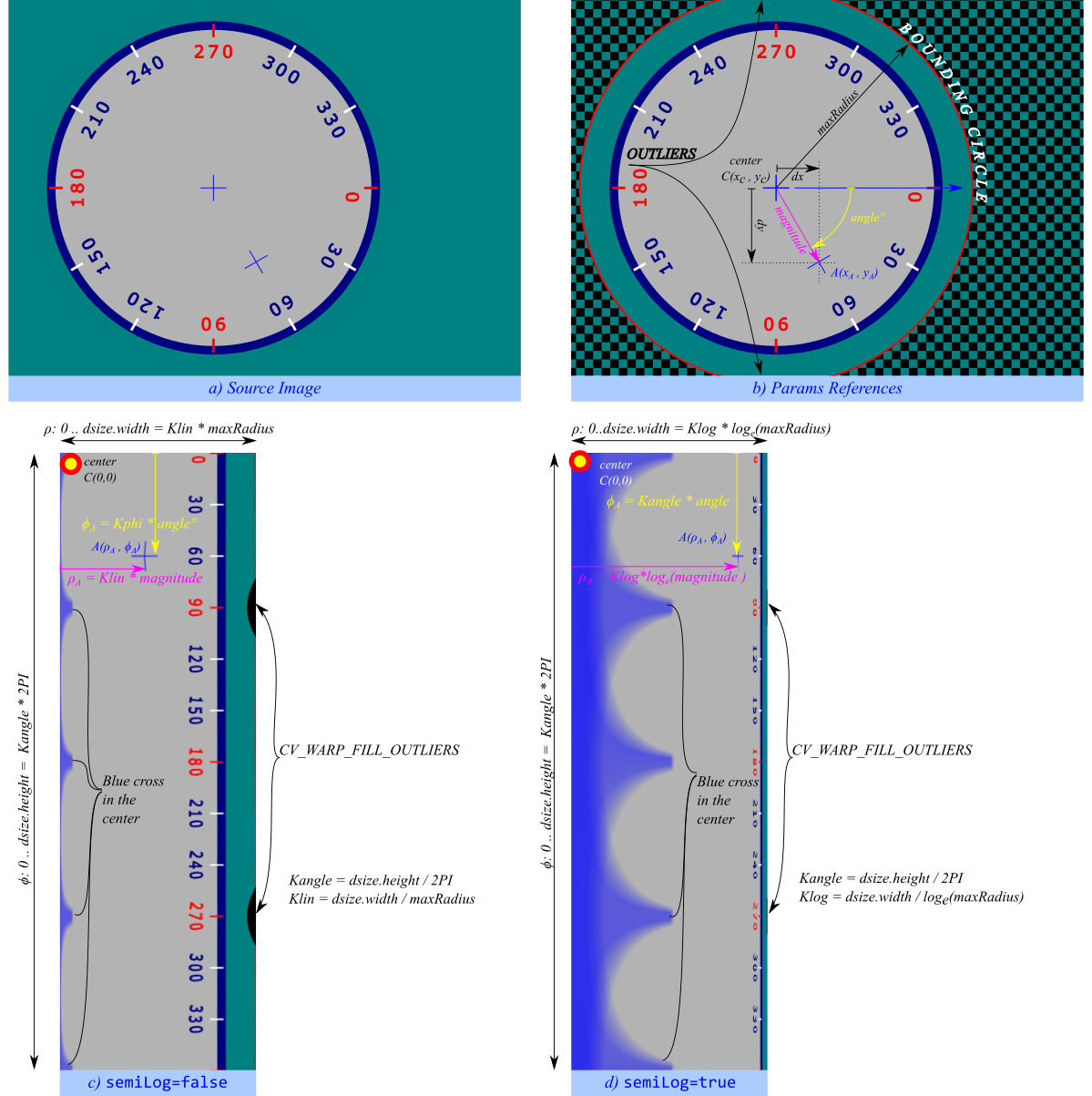
Transform the source image using the following transformation:
\[ dst(\rho , \phi ) = src(x,y) \]where
\[\begin{split} \begin{array}{l} \vec{I} = (x - center.x, \;y - center.y) \\ \phi = Kangle \cdot \texttt{angle} (\vec{I}) \\ \rho = \left\{\begin{matrix} Klin \cdot \texttt{magnitude} (\vec{I}) & default \\ Klog \cdot log_e(\texttt{magnitude} (\vec{I})) & if \; semilog \\ \end{matrix}\right. \end{array} \end{split}\]and
\[\begin{split} \begin{array}{l} Kangle = dsize.height / 2\Pi \\ Klin = dsize.width / maxRadius \\ Klog = dsize.width / log_e(maxRadius) \\ \end{array} \end{split}\]Polar mapping can be linear or semi-log. Add one of WarpPolarMode to
flagsto specify the polar mapping mode.- Linear vs semilog mapping
Linear is the default mode.
The semilog mapping emulates the human “foveal” vision that permit very high acuity on the line of sight (central vision) in contrast to peripheral vision where acuity is minor.
if both values in
dsize <=0(default), the destination image will have (almost) same area of source bounding circle:\[\begin{split}\begin{array}{l} dsize.area \leftarrow (maxRadius^2 \cdot \Pi) \\ dsize.width = \texttt{cvRound}(maxRadius) \\ dsize.height = \texttt{cvRound}(maxRadius \cdot \Pi) \\ \end{array}\end{split}\]if only
dsize.height <= 0, the destination image area will be proportional to the bounding circle area but scaled byKx * Kx:\[\begin{split}\begin{array}{l} dsize.height = \texttt{cvRound}(dsize.width \cdot \Pi) \\ \end{array} \end{split}\]if both values in
dsize > 0, the destination image will have the given size therefore the area of the bounding circle will be scaled todsize.
- Option on :
You can get reverse mapping adding WARP_INVERSE_MAP to
flags// direct transform using warpPolar (replacing deprecated functions) warpPolar(src, lin_polar_img, Size(),center, maxRadius, flags); // Linear-polar transform warpPolar(src, log_polar_img, Size(),center, maxRadius, flags + WARP_POLAR_LOG); // Log-polar transform // inverse transform warpPolar(lin_polar_img, recovered_lin_polar_img, src.size(), center, maxRadius, flags + WARP_INVERSE_MAP); warpPolar(log_polar_img, recovered_log_polar, src.size(), center, maxRadius, flags + WARP_POLAR_LOG + WARP_INVERSE_MAP);
- Reverse mapping
In addition, to calculate the original coordinate from a polar mapped coordinate \((rho, phi)->(x, y)\):
double angleRad, magnitude; double Kangle = dst.rows / CV_2PI; angleRad = phi / Kangle; if (flags & WARP_POLAR_LOG) { double Klog = dst.cols / std::log(maxRadius); magnitude = std::exp(rho / Klog); } else { double Klin = dst.cols / maxRadius; magnitude = rho / Klin; } int x = cvRound(center.x + magnitude * cos(angleRad)); int y = cvRound(center.y + magnitude * sin(angleRad));
See also
Note
The function can not operate in-place.
To calculate magnitude and angle in degrees cartToPolar is used internally thus angles are measured from 0 to 360 with accuracy about 0.3 degrees.
This function uses remap. Due to current implementation limitations the size of an input and output images should be less than 32767x32767.
- Parameters:
src – Source image.
dst – Destination image. It will have same type as src.
dsize – The destination image size (see description for valid options).
center – The transformation center.
maxRadius – The radius of the bounding circle to transform. It determines the inverse magnitude scale parameter too.
flags – A combination of interpolation methods, InterpolationFlags + WarpPolarMode.
Add WARP_POLAR_LINEAR to select linear polar mapping (default)
Add WARP_POLAR_LOG to select semilog polar mapping
Add WARP_INVERSE_MAP for reverse mapping.
watershed()#
-
void cv::watershed(InputArray image, InputOutputArray markers)#
Performs a marker-based image segmentation using the watershed algorithm.
The function implements one of the variants of watershed, non-parametric marker-based segmentation algorithm, described in Meyer92 .
Before passing the image to the function, you have to roughly outline the desired regions in the image markers with positive (>0) indices. So, every region is represented as one or more connected components with the pixel values 1, 2, 3, and so on. Such markers can be retrieved from a binary mask using findContours and drawContours (see the watershed.cpp demo). The markers are “seeds” of the future image regions. All the other pixels in markers , whose relation to the outlined regions is not known and should be defined by the algorithm, should be set to 0’s. In the function output, each pixel in markers is set to a value of the “seed” components or to -1 at boundaries between the regions.
See also
Note
Any two neighbor connected components are not necessarily separated by a watershed boundary (-1’s pixels); for example, they can touch each other in the initial marker image passed to the function.
- Parameters:
image – Input 8-bit 3-channel image.
markers – Input/output 32-bit single-channel image (map) of markers. It should have the same size as image .
winrt_imshow()#
-
void cv::winrt_imshow()#
Note
Must be called to update attached image source. Code sample is available for winrt_startMessageLoop().
winrt_initContainer()#
Warning
doxygenfunction: Unable to resolve function “cv::winrt_initContainer” with arguments “(::Windows::UI::Xaml::Controls::Panel^)”. Could not parse arguments. Parsing error is Invalid C++ declaration: Expecting “,” or “)” in parameters-and-qualifiers, got “^”. [error at 37] (::Windows::UI::Xaml::Controls::Panel^) ————————————-^
winrt_onVisibilityChanged()#
-
void cv::winrt_onVisibilityChanged(bool visible)#
Note
Must be called from WinRT specific callback to handle image grabber state. Here is how the class can be used:
MainPage::MainPage() { // ... Window::Current->VisibilityChanged += ref new Windows::UI::Xaml::WindowVisibilityChangedEventHandler(this, &Application::MainPage::OnVisibilityChanged); // ... } void Application::MainPage::OnVisibilityChanged(Platform::Object ^sender, Windows::UI::Core::VisibilityChangedEventArgs ^e) { cv::winrt_onVisibilityChanged(e->Visible); }
winrt_setFrameContainer()#
Warning
doxygenfunction: Unable to resolve function “cv::winrt_setFrameContainer” with arguments “(::Windows::UI::Xaml::Controls::Image^)”. Could not parse arguments. Parsing error is Invalid C++ declaration: Expecting “,” or “)” in parameters-and-qualifiers, got “^”. [error at 37] (::Windows::UI::Xaml::Controls::Image^) ————————————-^
winrt_startMessageLoop()#
Warning
doxygenfunction: Unable to resolve function “cv::winrt_startMessageLoop” with arguments “(std::function<void(Args…)>&&, Args…)”. Candidate function could not be parsed. Parsing error is Invalid C++ declaration: Expected ‘<’ after ‘template’ [error at 9] template void winrt_startMessageLoop (void callback(void)) ———^
winrt_startMessageLoop()#
Warning
doxygenfunction: Unable to resolve function “cv::winrt_startMessageLoop” with arguments “(voidArgs…, Args…)”. Candidate function could not be parsed. Parsing error is Invalid C++ declaration: Expected ‘<’ after ‘template’ [error at 9] template void winrt_startMessageLoop (void callback(void)) ———^
winrt_startMessageLoop()#
Warning
doxygenfunction: Unable to resolve function “cv::winrt_startMessageLoop” with arguments “(voidvoid)”. Candidate function could not be parsed. Parsing error is Invalid C++ declaration: Expected ‘<’ after ‘template’ [error at 9] template void winrt_startMessageLoop (void callback(void)) ———^
wrapperEMD()#
-
float cv::wrapperEMD(InputArray signature1, InputArray signature2, int distType, InputArray cost = noArray(), Ptr<float> lowerBound = Ptr<float>(), OutputArray flow = noArray())#
writeOpticalFlow()#
-
bool cv::writeOpticalFlow(const String &path, InputArray flow)#
Write a .flo to disk.
The function stores a flow field in a file, returns true on success, false otherwise. The flow field must be a 2-channel, floating-point matrix (CV_32FC2). First channel corresponds to the flow in the horizontal direction (u), second - vertical (v).
- Parameters:
path – Path to the file to be written
flow – Flow field to be stored
Variable Documentation#
GKernelPackage#
-
class GAPI_EXPORTS_W_SIMPLE cv::GKernelPackage#